Essential visual guides and high-impact prompts for designing high-retention TikTok challenge thumbnail layouts.
2026.07.22
Make “TikTok Challenge Video” exactly the way you wantCreate your own “TikTok Challenge Video”
Just ask in plain language — Carat generates optimized images and videos for you.

Start now with 100 free credits daily
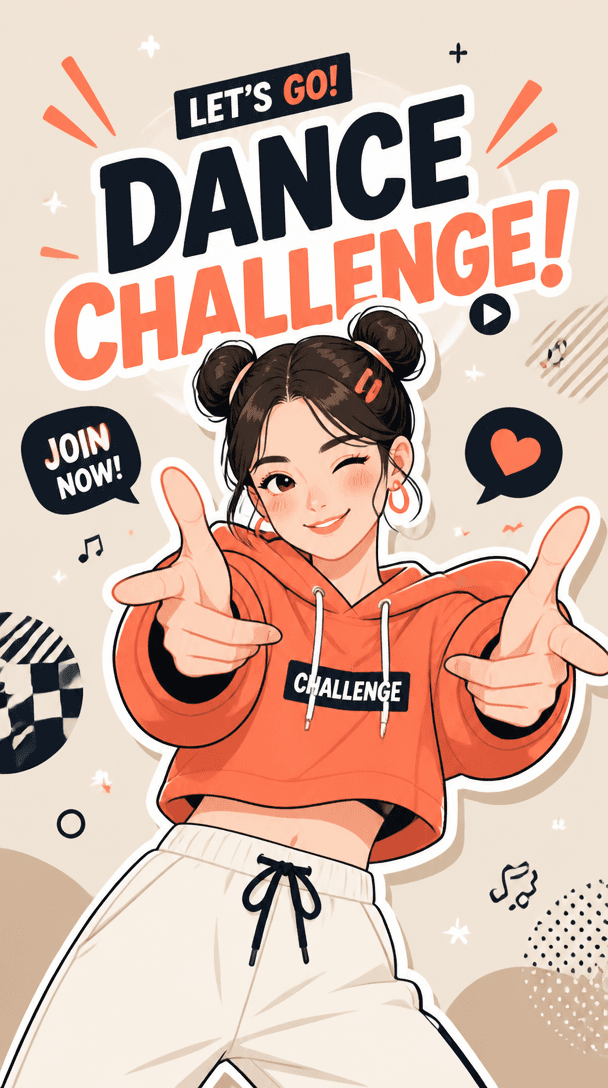
The main focus of a TikTok challenge video is to capture user interest and inspire them to join the trend instantly. Filling the vertical mobile screen with energetic character actions and bold text layouts is key. Your thumbnail must summarize the vibe of a short-form challenge in a single second, ensuring the visual perfectly highlights the core message.
Position your subject prominent in the center with diagonal composition that accentuates motion and rhythm. Use bold, clear backgrounds like neon glows or simple gradients rather than cluttered realist settings, ensuring the silhouette remains visible. Keep challenge title texts in highly readable bold fonts placed inside safe margins so viewers can read them without friction on busy feeds.
When writing a prompt for a social video trend, combine action descriptors with clear asset specifications. Words like "dancer performing dynamic challenge" paired with technical tools like "saturated modern lighting, thick outlines, pop art styling" will create a believable online aesthetic. Always anchor your scene in vertical proportions to verify composition spacing on vertical displays.
Inspect the design at mobile feed size and verify if its rhythm and energetic mood remain recognizable. Check that stylized joints and hands are clean and do not suffer from deep anatomical issues or awkward fusions. Eliminate accidental letter-like gibberish from background sections, and ensure that bright focal colors effectively draw attention to the main dancer.
If you are planning a sequence of related visual assets for an event or campaign, lock down a template layout with the branding logo and signature palettes first. Generate a clean set of poses and trend-oriented backdrops from the tool, and then place the final logo or official text overlays in post-production. This flow establishes an optimized, top-tier look with minimal friction.



