Aller au contenu principal

Jewelry Photo

Discover the best AI prompts and design tips for professional jewelry photo assets.

2026.07.04

Fais « Jewelry Photo » exactement comme tu veuxCrée ton propre « Jewelry Photo »

Demande-le simplement — Carat génère pour toi des images et des vidéos optimisées.

Commence maintenant avec 100 crédits gratuits par jour
·
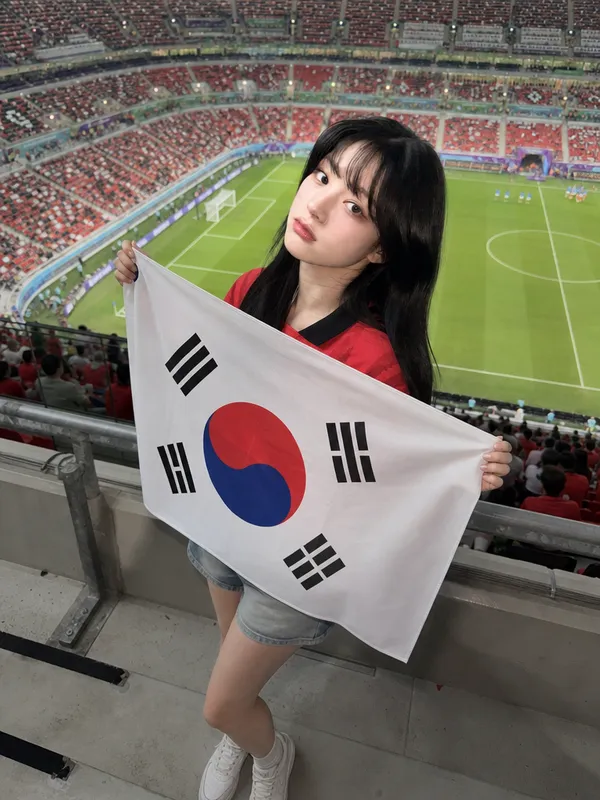
AI-generated Full-Body Flag Cheering Shot made with GPT Image 2

Full-Body Flag Cheering Shot

GPT Image 2· Image
Use the uploaded person photo as the only identity anchor. Preserve the person's recognizable face shape, eyes, nose, lips, skin tone relationship, hairstyle impression, natural expression, and believable body proportions. Transform the photo into an authentic K-World Cup match-day stadium fan photo using these elements: real stadium seat rows, a green football pitch visible in the distance, metal railings, concrete stadium steps, red football jersey styling, Korean cheering props, casual 인증샷 mood, and realistic smartphone friend-shot photography. Keep the person as the clear main subject. Do not use any external reference images as input. The person should stand between actual stadium seat rows or near a railing, framed as a full-body or three-quarter-body vertical portrait. Style them in a red football jersey with casual shorts, skirt, or denim. The person is holding a clearly visible, highly accurate South Korean national flag: white rectangular field, central red-over-blue Taegeuk circle, and four correct black trigrams placed in the four corners. The flag must look like a real fabric flag with natural folds, but the Taegeuk circle and four trigrams should remain recognizable and correctly arranged. The South Korean flag is allowed; avoid all other readable symbols, brand marks, official tournament emblems, sponsor logos, or text. Style rules: not a studio editorial, not a trophy fantasy, and not a generic football poster. The image should feel like someone actually visited a real stadium during World Cup season before kickoff. Use natural daylight or stadium floodlights, candid phone-photo framing, realistic skin texture, realistic hands, shallow but believable depth of field, and a polished social-media finish. Preserve the person's identity strongly and do not redesign the face. No watermark, no extra people, no distorted hands, no extra fingers, no unreadable fake lettering.
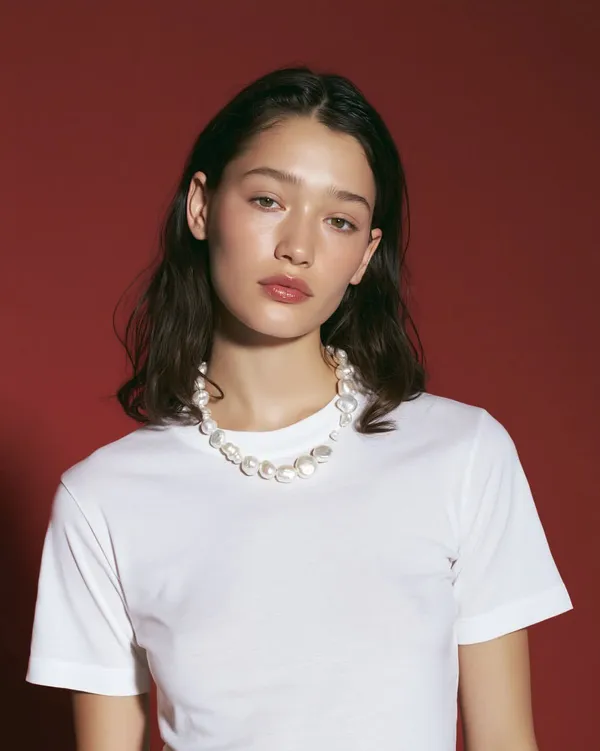
AI-generated Pearl Necklace Beauty Editorial made with GPT Image 2

Pearl Necklace Beauty Editorial

GPT Image 2· Image
Ultra-realistic luxury beauty fashion portrait of a young woman with shoulder-length dark brown wavy hair, flawless porcelain skin with a natural dewy glow, soft neutral makeup, glossy nude lips, subtly defined eyes, thick natural brows, wearing an oversized plain white crew-neck T-shirt and a chunky irregular baroque pearl necklace. She poses with a calm, confident editorial expression, making direct eye contact with the camera, slight head tilt, relaxed shoulders. Captured against a seamless deep crimson/red studio backdrop with clean minimalist styling. Soft diffused studio lighting from the front with gentle side fill creates smooth skin highlights, natural shadows, and luminous pearl reflections. High-end luxury campaign aesthetic, Vogue editorial, minimalist fashion photography, premium jewelry advertisement, medium close-up framing, shallow depth of field, razor-sharp focus on eyes and face, ultra-detailed skin texture, realistic hair strands, subtle catchlights, cinematic color grading, high contrast, natural color tones, 85mm lens, f/2, ISO 100, professional full-frame camera, 8K RAW, photorealistic, extremely detailed, luxury magazine cover quality.
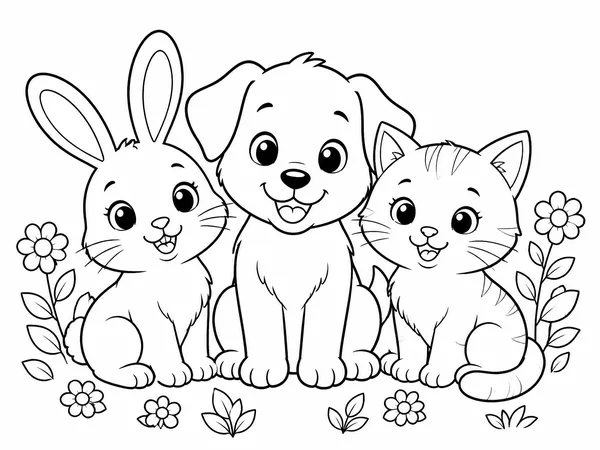
AI-generated Cute Animal Coloring Page made with GPT Image 2

Cute Animal Coloring Page

GPT Image 2· Image
Printable coloring page: cute rabbit, puppy, and cat sitting together with simple flowers, bold clean line art, white background, no filled colors, no text, A4 portrait.
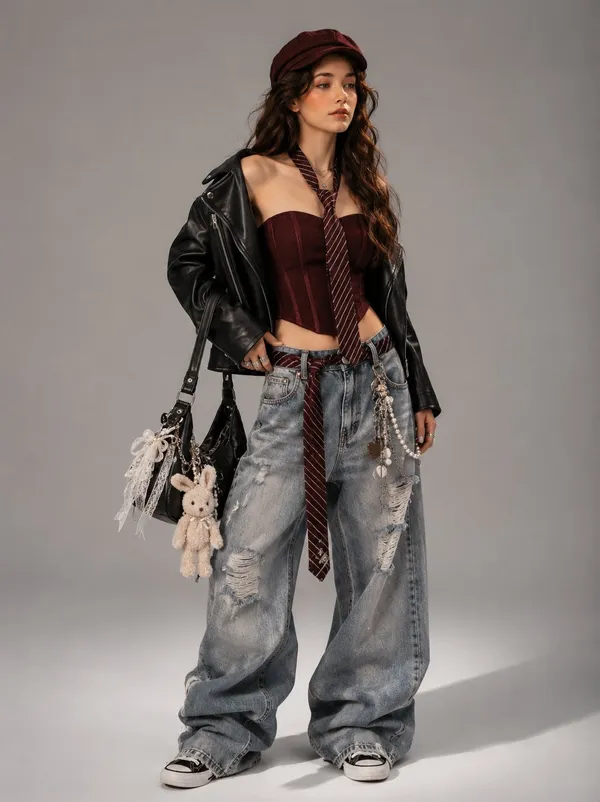
AI-generated Y2K Korean Streetwear Editorial made with GPT Image 2

Y2K Korean Streetwear Editorial

GPT Image 2· Image
[Reference Image] Use the reference photo while keeping the face completely unchanged and identical to the original subject, create an ultra-realistic high-fashion streetwear editorial portrait inspired by Korean luxury fashion campaigns, Y2K aesthetics, and modern designer lookbooks. The model stands confidently in a full-body pose against a seamless light gray studio backdrop, photographed with premium editorial lighting. She has long, voluminous wavy dark brown hair, soft Korean-inspired glam makeup, glowing porcelain skin, naturally flushed cheeks, glossy nude lips, and expressive almond-shaped eyes. She gazes slightly away from the camera with a confident, effortless attitude. Outfit Burgundy newsboy cap Cropped black leather biker jacket draped naturally over the shoulders Burgundy structured corset tube top Burgundy striped necktie loosely hanging around the neck Oversized ultra-baggy light-wash distressed denim jeans with stacked fabric pooling over the shoes Matching burgundy striped tie threaded through the belt loops as a decorative accessory Vintage chain wallet, keychains, pearls, and layered Y2K accessories attached to the jeans Black-and-white canvas sneakers Accessories Black designer shoulder bag decorated with pearl ribbons, lace bows, heart charms, chains, and a plush bunny keychain Layered necklaces Rings Minimal earrings The composition emphasizes oversized proportions, premium fabric textures, realistic denim folds, polished leather reflections, and luxury styling details. The lighting is soft yet dramatic, highlighting the textures of leather, denim, and accessories while maintaining clean editorial contrast. Captured using a medium-format camera, 85mm fashion lens, shallow depth of field, Vogue-inspired styling, luxury studio photography, photorealistic skin texture, ultra-detailed clothing, cinematic color grading, masterpiece quality, and 8K resolution. Style Keywords Korean fashion editorial, Y2K luxury, oversized baggy jeans, streetwear lookbook, black leather jacket, burgundy aesthetic, Vogue fashion, Pinterest outfit inspiration, photorealistic, designer styling, luxury campaign, ultra detailed, 8K. Negative Prompt low quality, blurry, bad anatomy, distorted face, extra fingers, extra limbs, poorly drawn hands, duplicate accessories, cartoon, anime, CGI, plastic skin, watermark, logo, random text, noisy image, poor lighting, oversaturated colors, low resolution, artifacts.
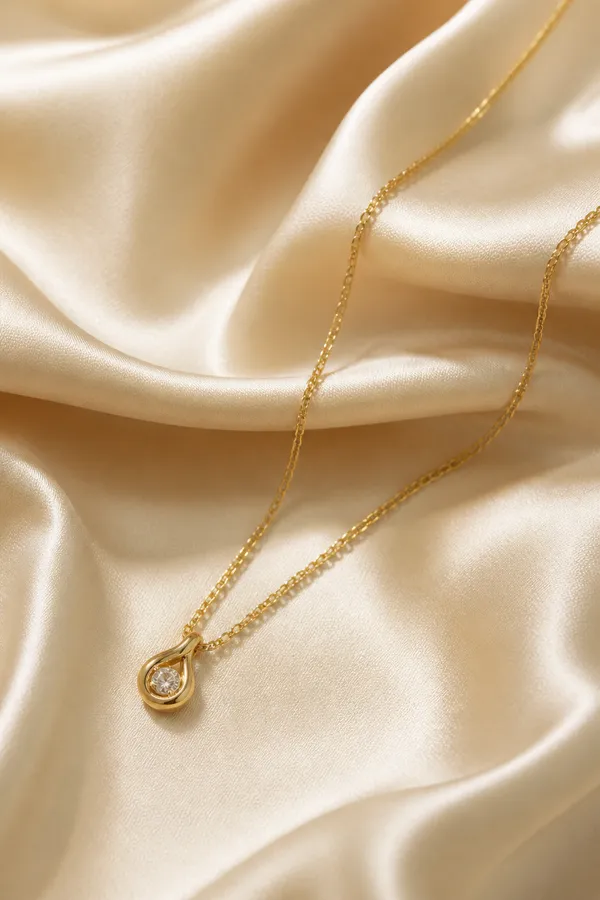
AI-generated Necklace Flatlay Photo made with GPT Image 2

Necklace Flatlay Photo

GPT Image 2· Image
Create a realistic flatlay product photo of a minimalist gold necklace on warm ivory silk fabric, soft shadows, editorial jewelry catalog style, high-end ecommerce lighting, no text, no logo.
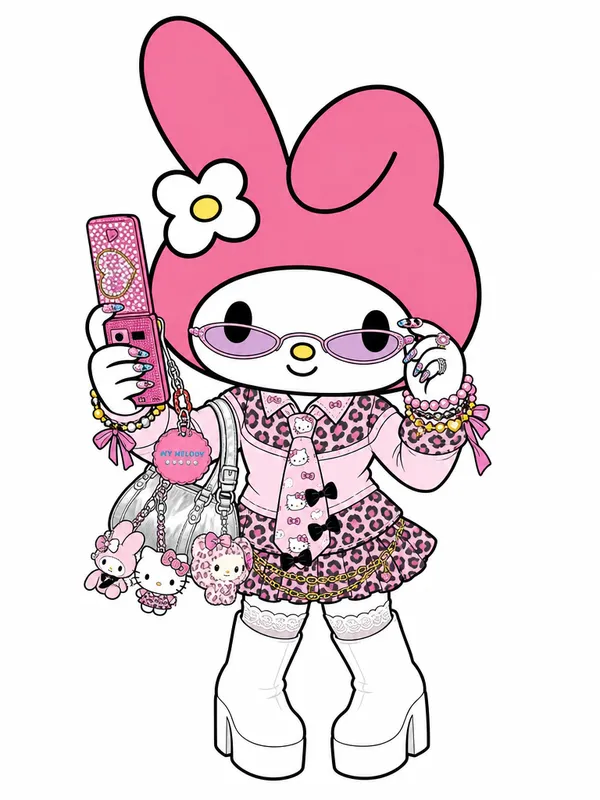
AI-generated My Melody Gyaru cosplay illustration made with GPT Image 2

My Melody Gyaru Cosplay Illustration

GPT Image 2· Image
Transform the person in this photo into the Sanrio character My Melody. Keep the EXACT same outfit, accessories, and pose from the photo — replicate every detail: clothing items, colors, patterns, bag, jewelry, socks, shoes, and any charms or keyrings. Replace the person entirely with My Melody in her original Sanrio cartoon illustration style: cute 2D chibi proportions, soft pink hood covering her head with two small round ears, sweet round white face with tiny black dot eyes and a small pink nose, no visible mouth. Do NOT make her look realistic or like a person wearing a mascot costume — she should look like official Sanrio character art. Plain solid white background (#FFFFFF). Output in 3:4 portrait ratio.
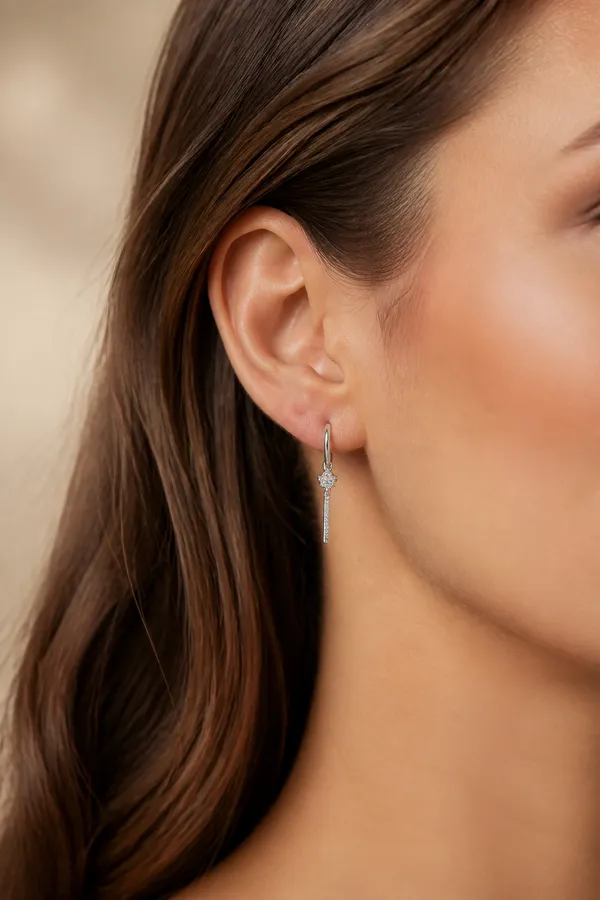
AI-generated Earrings Model Product Photo made with GPT Image 2

Earrings Model Product Photo

GPT Image 2· Image
Create a realistic jewelry product photo of a model wearing delicate silver earrings, close-up ear and jawline crop, soft beige studio lighting, premium ecommerce detail shot, natural skin texture, shallow depth of field, no logo, no text.
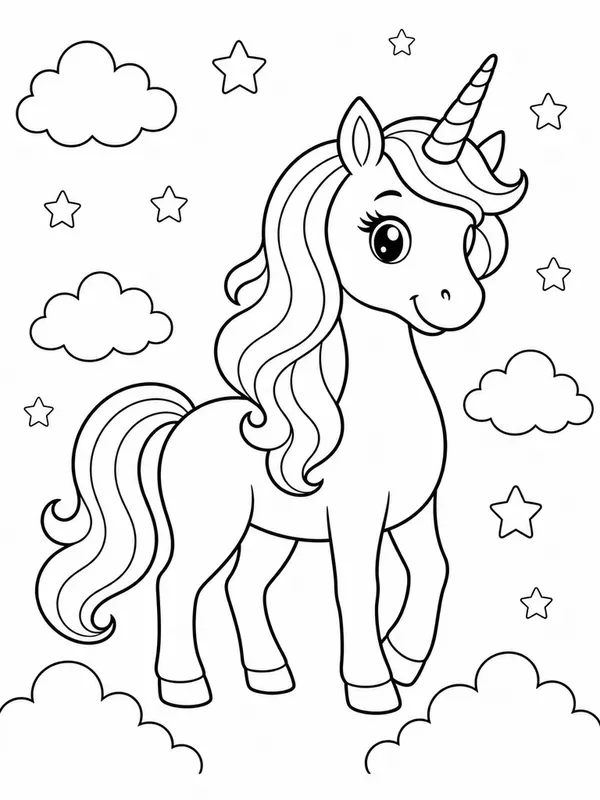
AI-generated Unicorn Coloring Page made with GPT Image 2

Unicorn Coloring Page

GPT Image 2· Image
photograph, coloring page illustration, black and white line art only, clean thick outlines, white background, no shading, no readable text, no logo, no watermark. A cute unicorn full body with a long flowing mane and a single spiral horn, standing in a whimsical scene. Simple decorative stars and fluffy clouds scattered in the background. Minimalist vector-style drawing, high contrast black ink on pure white paper, ready for coloring. No gray tones, no gradients, no 3D render, no photographic textures.
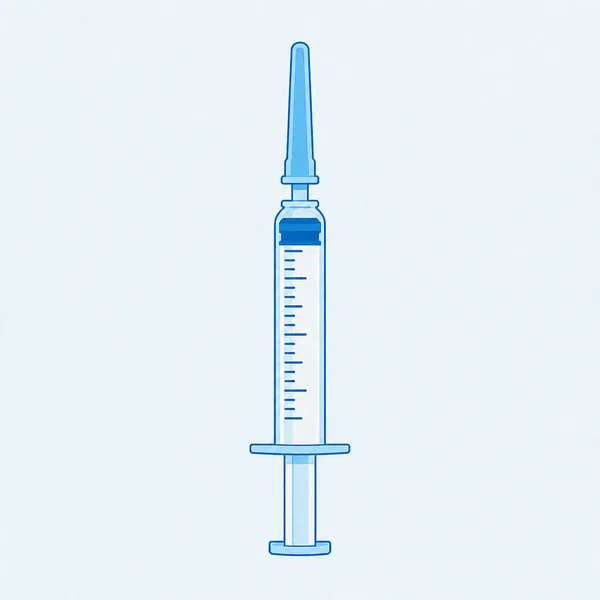
AI-generated Syringe Illustration made with GPT Image 2

Syringe Illustration

GPT Image 2· Image
photograph, Glimmerglass micro-diffusion on skin only. Crystal clear on product. Lifted blacks to soft gray. Overexposed highlights high-key. Skin L0-L1 glass reflection poreless. Flat front lighting no shadows. White or pale pastel background. Ultra-clean digital. No grain. Hasselblad digital medium format, clean vector sticker illustration of a medical syringe, simple safe healthcare icon style, centered composition, eye level. Subject detail: flat blue and white colors, crisp outline, needle cap and measurement marks as non-readable abstract lines, subtle paper texture, light background. No text, no watermark, no 3D render, no warm yellow tones, no film grain, no harsh shadows.
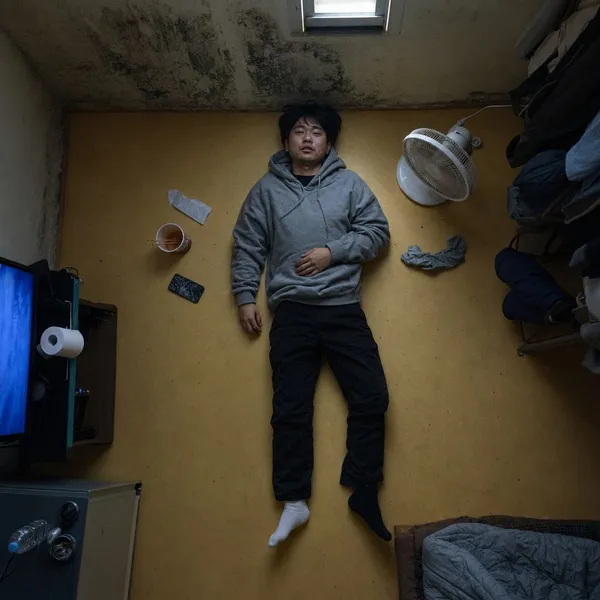
AI-generated Semi-Basement Overhead made with GPT Image 2

Semi-Basement Overhead

GPT Image 2· Image
photograph, square 1:1, top-shot Korean cinema still, overhead view with emotional geometry. A Korean man in his late 20s lies fully clothed on the warm ondol floor of a tiny semi-basement room, seen directly from ceiling height. Around him: a cracked phone, instant ramen cup, folded convenience-store receipt, damp socks, a small fan pointed nowhere. 35mm lens equivalent from overhead, f/5.6, almost diagrammatic composition but natural mess. His face is turned slightly toward the camera: uneven eyelid creases, faint beard shadow, visible pores around nose, dry lower lip, ordinary tired expression, no model styling. Outfit: washed gray hoodie, black slacks with dust at knees, mismatched socks. Light comes from a small high window rectangle plus blue TV glow outside frame. Palette: linoleum yellow, mold green corner, TV blue, tired skin warmth. Fine grain, no text, no watermark, no 3D render, no staged depression cliché, no plastic skin.
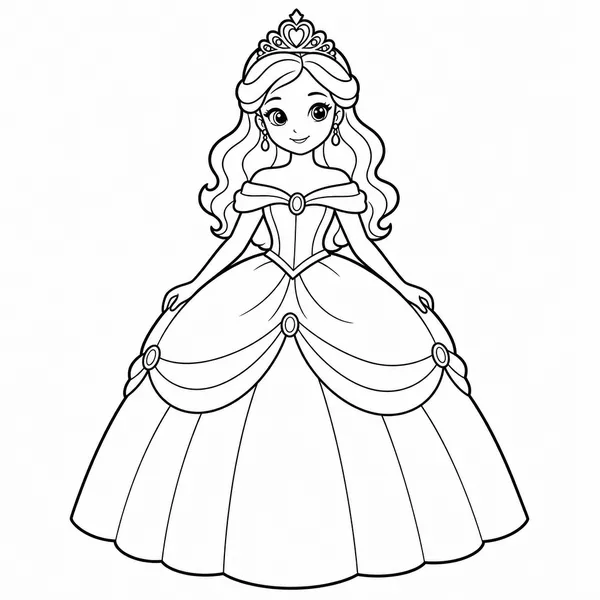
AI-generated Princess Coloring Page made with GPT Image 2

Princess Coloring Page

GPT Image 2· Image
Vector sticker illustration, simple clean line art of a princess, black outline on white, coloring book style. Subject is a princess wearing a voluminous ball gown and a delicate tiara, centered composition, thick crisp outlines, flat white fill, light background. Minimalist design, high contrast, smooth digital lines, no shading, no gradients. No text, no watermark, no 3D render, no colors, no photographic elements.
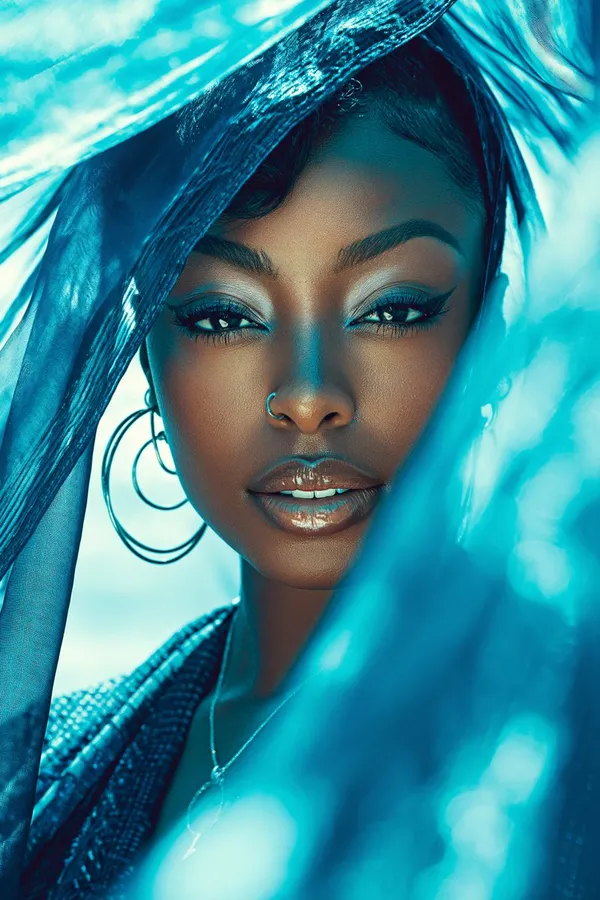
AI-generated Luxury Glam Beauty Portrait: made with GPT Image 2

Luxury Glam Beauty Portrait:

GPT Image 2· Image
Luxury Glam Beauty Portrait:, Beautiful Black woman, youthful spirit, creamy vanilla, silk press, mahogany red, subtle confidence, textured fabric, sapphire blue, minimal jewelry, beachside breeze, lens flare effect, nostalgic, cinematic lens, symmetrical composition, soft focus, high fashion photography, monochromatic, dewy finish, mysterious tension, layered elements

What Are Jewelry Photo AI Prompts?

Jewelry Photo AI prompts are specialized instructions that empower users to create stunning visual assets related to jewelry photos, gem rings necklaces, ring close-ups using advanced artificial intelligence. As AI technology continues to revolutionize the creative industry, these prompts serve as a vital bridge between human imagination and machine execution. In the world of Jewelry Photo, capturing the subtle interplay of light, texture, and composition is essential for achieving a professional look. Carat's curated prompts are meticulously engineered to handle these complex variables, ensuring that even users without formal training can produce high-end results that rival studio-quality photography.

The core philosophy behind our Jewelry Photo prompt system is precision and scalability. We have dissected the aesthetic elements of top-tier brands and translated them into a linguistic framework that AI models understand perfectly. From specifying the exact material properties like matte finish or glossy sheen to defining the cinematic lighting setup, our prompts cover every technical detail. By using these prompts, you are not just generating random images; you are utilizing a systematic tool designed to deliver consistent, high-quality visual content that aligns with modern design standards. This allows for rapid prototyping and content creation, giving you a significant competitive edge in today's fast-paced digital landscape. Whether you are working on personal projects or professional commercial campaigns, these AI prompts provide the reliability and creativity needed to bring your vision to life in an instant.

Best Use Cases

  1. Virtual Prototyping and Concept Testing: Before committing to expensive physical manufacturing, use Jewelry Photo prompts to visualize different design iterations. This helps in identifying the most promising concepts and refining the final product's look.
  2. Social Media and Digital Marketing: In the era of visual storytelling, having high-quality Jewelry Photo imagery is crucial. Generate a library of attractive assets for Instagram, Pinterest, and TikTok ads to capture audience attention and boost engagement.
  3. Client Presentations and Pitch Decks: Wow your clients by showing them professional Jewelry Photo mockups that clearly communicate your vision. It adds a layer of professionalism to your proposals and helps in securing approvals faster.
  4. E-commerce Product Pages: Enhance your online store with consistent and beautiful Jewelry Photo visuals. High-quality imagery increases consumer trust and significantly improves conversion rates on product landing pages.

Beyond these scenarios, Jewelry Photo AI prompts are invaluable for creating mood boards, brand guidelines, and inspirational art. The versatility of these tools means they can be adapted for any project that requires a touch of elegance and visual sophistication. For small business owners, it's a cost-effective way to achieve world-class branding without the need for a massive production budget. For established agencies, it's a powerful tool to speed up the brainstorming process and explore innovative design territories that were previously too time-consuming to visualize.

Why This Tag Works

The Jewelry Photo tag works because it simplifies the complex art of visual communication into an accessible format. It serves as an expert guide, providing users with the right vocabulary to talk to the AI. By categorizing prompts under Jewelry Photo, we ensure that you are using keywords that have been tested and proven to yield realistic and aesthetically pleasing results. This eliminates the frustration of getting distorted or low-quality images and replaces it with a smooth, creative experience. The technical terminology embedded within these prompts-such as depth of field, ray tracing, and color grading-is what makes the output stand out from generic AI generations.

Moreover, this tag offers a foundation for endless experimentation. While the base prompts are designed for perfection, they are also modular. Users can swap colors, environments, and focal points while maintaining the core structural integrity of the Jewelry Photo style. This blend of stability and flexibility is why the Jewelry Photo tag is a favorite among our community. It empowers users to be the director of their own creative projects, providing the technical heavy lifting while leaving room for personal artistic choices. It's about democratization of design-giving everyone the power to create professional-grade Jewelry Photo visuals regardless of their technical background or artistic skill level. By leveraging this tag, you are tapping into a curated database of design intelligence that is constantly updated to reflect current market trends and technological advancements.

Explore Related Prompts

Prompt Building Tips

When crafting your Jewelry Photo prompts, specificity is your greatest asset. Instead of using broad terms, try to describe the physical properties of the subject. Use words like 'translucent', 'metallic', 'brushed aluminum', or 'soft-touch plastic' to give the AI a clear idea of the textures involved. Lighting plays a massive role in Jewelry Photo; mentioning 'rim lighting', 'soft shadows', or 'natural sunlight through a window' can drastically change the mood and realism of your image. Always consider the environment-placing your Jewelry Photo subject in a 'minimalist stone platform' or 'luxurious marble bathroom' adds context and enhances the overall storytelling of the piece.

Another tip is to pay attention to the camera settings. Words like '85mm lens', 'macro shot', or 'low-angle perspective' can change how the viewer perceives the product, making it look more heroic or intimate. Don't be afraid to add style modifiers like 'hyper-realistic', 'award-winning photography', or '8k resolution' to push the AI towards the highest possible fidelity. By combining these technical descriptions with a clear creative vision, you can unlock the full potential of Jewelry Photo AI generation. Experiment with different combinations, and remember that even small adjustments to your word choice can lead to remarkably different and exciting results. Consistency is key, so once you find a formula that works for your brand, you can reuse and adapt it across all your Jewelry Photo assets for a cohesive and professional look.
Questions fréquentes