carat

프롬프트 갤러리

/

셀채색 스타일 일러스트

로그인
회원가입

셀채색 스타일 일러스트

셀채색 스타일 일러스트 제작에 활용할 수 있는 실전 프롬프트 안내입니다.

2026.08.14

·
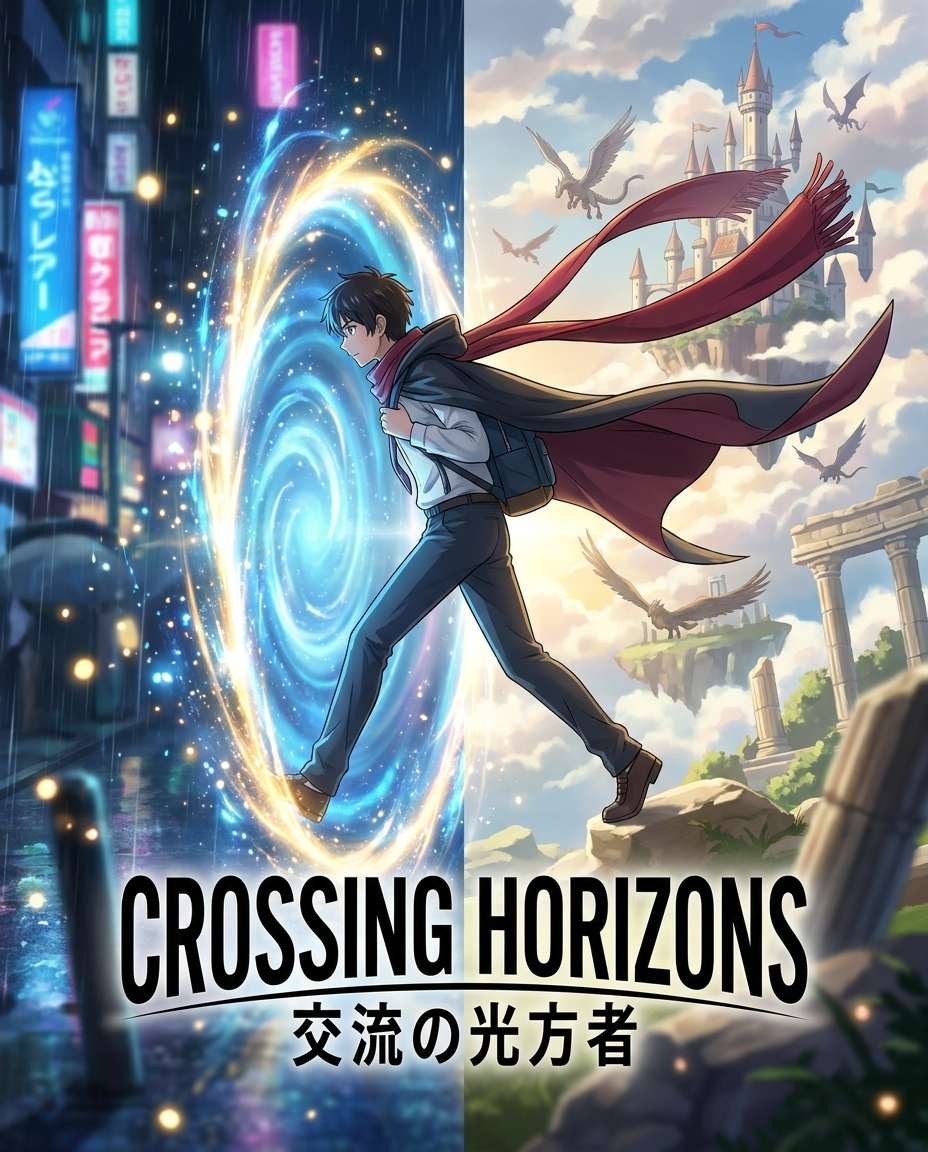
나노바나나 프로로 생성한 이세계 포털 모험 포스터

이세계 포털 모험 포스터

나노바나나 프로· 이미지
Japanese anime poster style illustration of a modern student stepping through a swirling portal into a fantasy world, split-scene composition with city on one side and floating castles on the other, cape and scarf whipping in the wind, bright magical particles, clean cel shading, dramatic lighting, large centered title space, energetic adventure poster layout, 85mm lens, shallow depth of field --ar 4:5
isekai-portal-leap
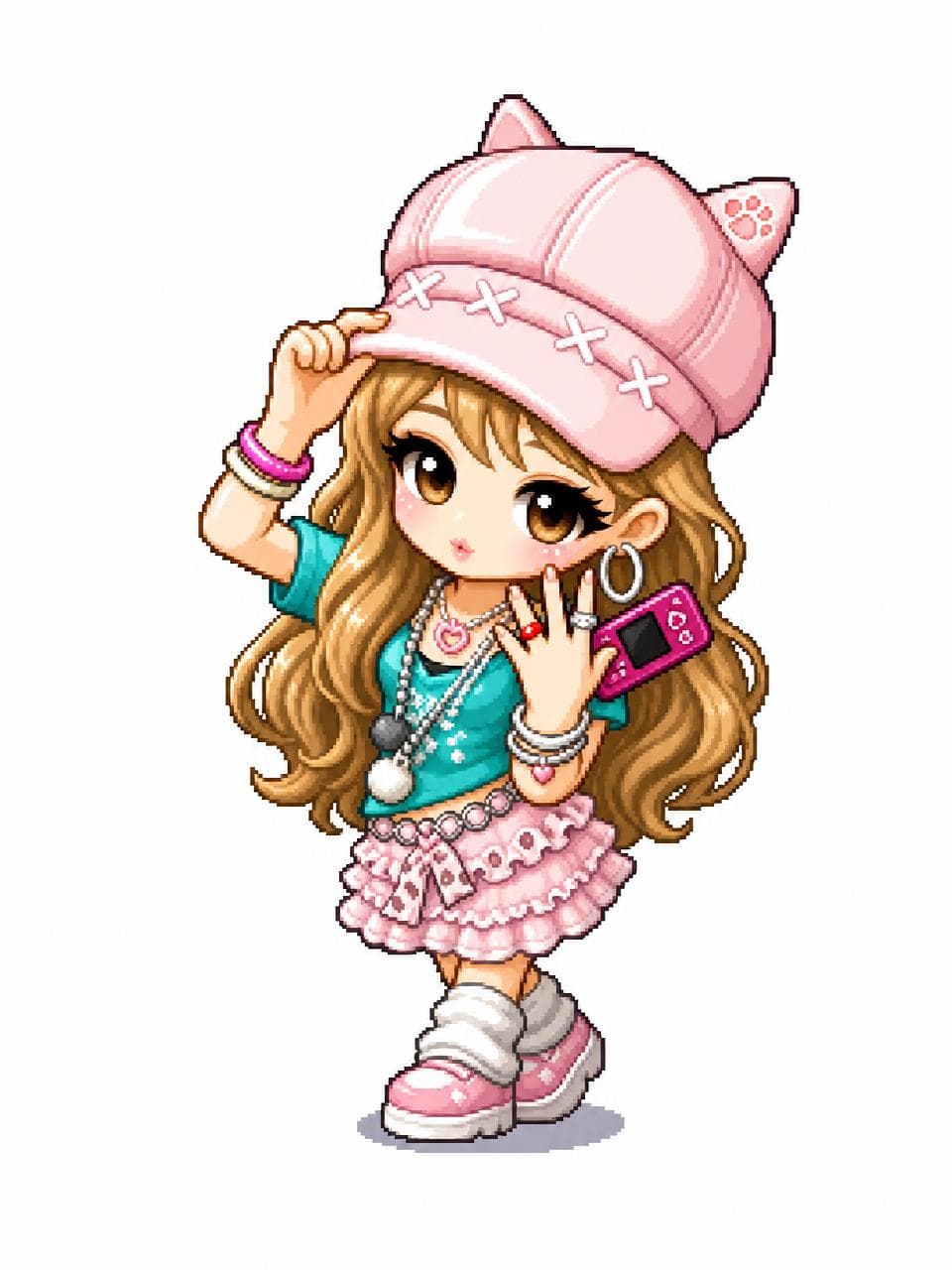
GPT 이미지 2로 생성한 메이플스토리 스타일 캐릭터 변환

메이플스토리 스타일 캐릭터 변환

GPT 이미지 2· 이미지
Transform the uploaded image into a MapleStory-style 2D chibi game character illustration. This is a universal image-to-image character conversion prompt: whatever person, avatar, anime character, mascot, or fictional character appears in the uploaded image should be converted into an original MapleStory-inspired SD game avatar while preserving the key recognizable traits from the input image. Keep the subject count, main pose, silhouette, hairstyle impression, facial expression, outfit category, color relationships, and major accessories from the uploaded image, but redraw everything in a cute side-scrolling MMORPG character-art style. Style direction: MapleStory-like 2D online RPG avatar art, super-deformed cute proportions, oversized head, compact tiny body, large expressive eyes, simplified nose and mouth, clean thick outlines, crisp cel shading, glossy hair highlights, bright polished colors, soft gradient accents, sprite-like compact shape language, playful Korean online game aesthetic, high-resolution 2D illustration. Character conversion rules: - Preserve the uploaded image's identity cues and composition as much as possible. - If there is one subject, make one Maple-style avatar. - If there are multiple subjects, convert each subject into a matching Maple-style avatar while keeping their relative positions. - Translate real clothing or complex costume details into simplified cute game-avatar clothing. - Translate props, weapons, hats, hair ornaments, bags, or accessories into simplified fantasy game item details. - Keep the result original and game-avatar-like, not a direct copy of any existing franchise character. Composition: centered character portrait or full-body avatar depending on the uploaded image, clean simple background, polished character selection icon feeling. The final image must clearly look like a Maple-style 2D character conversion, not a realistic portrait, not a generic anime illustration, and not a 3D render. No text, no captions, no watermark, no logo, no photorealism, no 3D render, no realistic skin texture, no complex painterly realism.
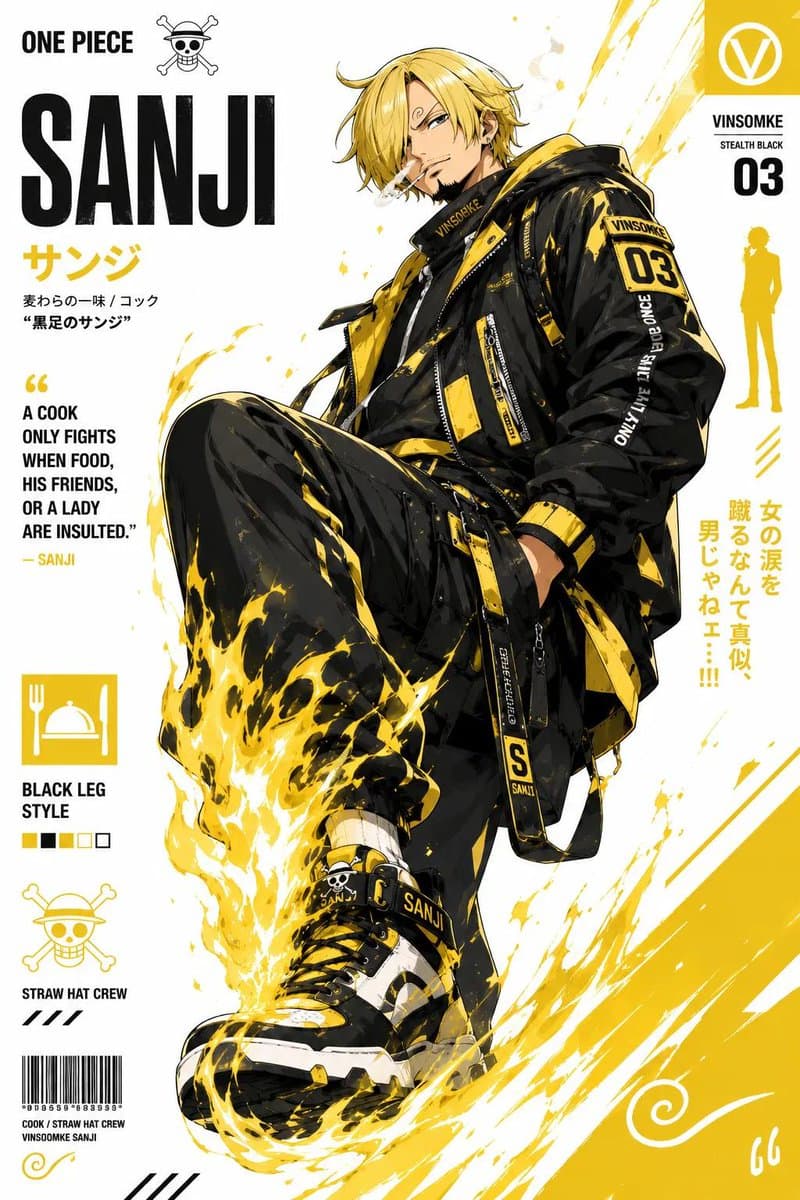
GPT 이미지 2로 생성한 애니 캐릭터 스트리트웨어 포스터

애니 캐릭터 스트리트웨어 포스터

GPT 이미지 2· 이미지
Create a stylized illustration of [character_name] from [franchise]. Character Analysis: Derive the character’s core personality archetype based on canon portrayal (e.g., heroic, calm, mysterious, aggressive). Identify the signature color from the original design and use it as the primary visual accent. Pose & Body Language: Generate an iconic pose that reflects the personality archetype: Energetic / Heroic: dynamic action, wide stance, explosive movement Calm / Confident: balanced, relaxed posture, minimal motion Dark / Mysterious: low stance, subtle movement, sharp or hidden gaze Aggressive / Intense: forward-leaning attack stance, visible tension, clenched fists Facial Expression: Match expression precisely to the character’s personality and emotional tone. Art Style: Anime × streetwear × graphic poster hybrid Clean lineart, semi-flat shading, high contrast Modern, minimal, and visually striking Composition: Vertical format ({aspect_ratio}) Off-center subject placement Strong diagonal visual flow Layered depth for a dynamic poster feel Outfit Design: Reimagine the original costume as modern streetwear / techwear Preserve recognizable identity elements of the character Color Palette: Dominant clean white background Use signature color as the primary accent Add one secondary accent (complementary or analogous tone) Keep palette minimal, bold, and high-contrast Background: Abstract geometric poster layout Use negative space effectively Integrate subtle accents using the character’s color theme Effects: Energy strokes, paint lines, and motion accents Effects should follow the character’s energy and color identity Lighting: Sharp directional lighting Crisp shadows Subtle glow using the signature color Rendering Quality: Ultra-clean vector-style finish Poster-quality composition 4K resolution, high detail
@Kashberg_0

셀채색 스타일 일러스트 AI 프롬프트란?

셀채색 스타일 일러스트은 뚜렷한 선화, 제한된 명암 단계, 면으로 나뉜 그림자와 선명한 색 대비을 중심으로 한 이미지 제작 방식입니다. 원하는 주제와 인물 또는 사물의 형태를 먼저 정한 뒤, 종이 재질이나 채색 단계처럼 눈에 보이는 표현 방식을 함께 적으면 결과의 방향이 분명해집니다. 썸네일에서 주제가 읽혀야 한다면 중심 대상을 크게 두고 배경 요소를 줄이는 편이 좋습니다.

주요 활용 장면

  • 캐릭터와 동물 일러스트 시안
  • 포스터와 카드용 장면 구성
  • 책 표지와 굿즈 콘셉트 디자인
  • SNS 게시물과 프로필용 그래픽
  • 스타일 비교용 레퍼런스 제작

프롬프트 구성 방법

먼저 주제, 대상, 시점, 화면 비율을 정합니다. 그다음 뚜렷한 선화, 제한된 명암 단계, 면으로 나뉜 그림자와 선명한 색 대비을 구체적으로 적고 배경의 색과 복잡도를 지정합니다. 손에 들린 소품이나 표정처럼 중요한 요소는 위치까지 설명하고, 불필요한 로고와 워터마크는 제외한다고 적는 것이 좋습니다. 하나의 문장에 모든 효과를 넣기보다 주제, 스타일, 조명, 배경을 나누어 쓰면 수정하기 쉽습니다.

활용 팁

주조색을 두세 가지로 제한하면 중심 대상이 또렷해집니다. 같은 프롬프트에서 포즈와 카메라 거리만 바꾸면 여러 시안을 비교할 수 있습니다. 작은 화면에서 사용할 이미지는 복잡한 장식보다 외곽선과 큰 색면을 우선하고, 인쇄나 카드에 사용할 때는 여백과 텍스트 배치 공간을 별도로 지정하세요.

결과 다듬기

스타일이 약하게 보이면 핵심 표현을 문장 앞부분으로 옮기고, 서로 충돌하는 화풍 표현은 덜어내세요. 배경이 주제를 가릴 경우 낮은 대비의 단색 또는 단순한 공간으로 바꾸면 됩니다. 생성 결과를 게시하기 전에는 손, 얼굴, 가장자리, 소품의 형태가 의도와 맞는지 확인하고 필요한 부분만 다시 설명하는 방식으로 수정하세요.

자주 묻는 질문

관련 프롬프트

2D 애니메이션

프롬프트 130개

캐릭터

캐릭터

프롬프트 363개

일러스트

일러스트

프롬프트 774개

캐릭터 디자인

캐릭터 디자인

프롬프트 64개

캐럿 프롬프트 갤러리

지금 유행하는 AI 프롬프트를 바로 만들 수 있어요

프롬프트

  • 로고
  • PPT 디자인
  • 썸네일
  • 포스터
  • 웹소설 표지
  • 증명사진
  • 캐리커처
  • 상세페이지
  • 배너

모델

  • GPT 이미지 2
  • 씨댄스 2.0
  • 나노바나나 프로
  • 나노바나나 2

캐럿

  • 시작하기
  • 서비스 소개
  • 블로그
  • 채용
  • 문의
  • 파트너십
  • 이용약관
  • 개인정보 처리방침

© 2026 Paradot.Inc All rights reserved.