Business Card Design
AI prompts for designing professional business card templates with custom layouts.
2026.07.08
Make “Business Card Design” exactly the way you wantCreate your own “Business Card Design”
Just ask in plain language — Carat generates optimized images and videos for you.

Start now with 100 free credits daily
명함 디자인
What Are Business Card Design Prompts?
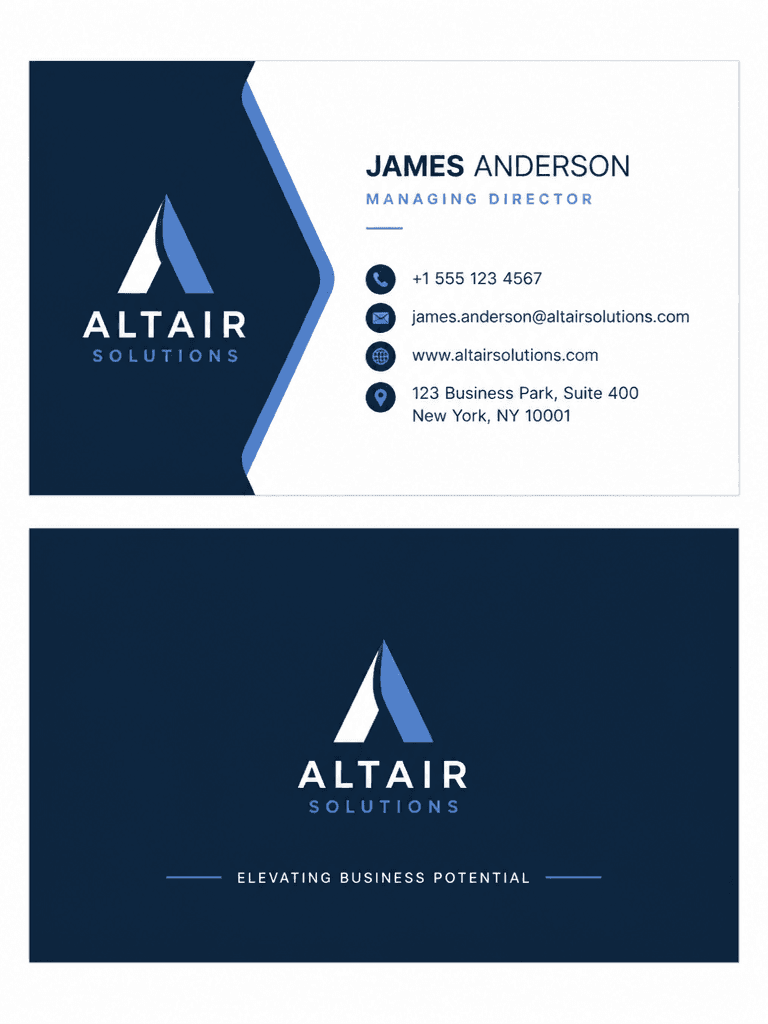
Business card design prompts help you create clean business card layouts using AI. By describing the logo placement, contact info, job title, and color scheme in a sentence, GPT Image 2 generates front-and-back business card templates in seconds. These prompts are ideal for freelancer cards, corporate logo cards, networking event cards, and personal brand cards, all without needing design software.
Key Use Cases
- Freelancer or solo entrepreneur business card templates
- Company department or role-specific card design drafts
- Temporary cards for networking events and conferences
- Personal brand or portfolio business card designs
- Comparing multiple style drafts for a card refresh
Why This Tag Is Useful
Business cards shape first impressions, but hiring a designer takes time and money. Online card makers offer fixed templates that feel generic. AI prompts let you specify the style in text: "minimal white card, centered logo, bottom contact info, serif font," "dark navy card, gold foil feel, left-aligned, modern sans-serif" and get polished results instantly. This is especially valuable for founders, freelancers, marketers, and sales professionals who can generate multiple styles at once and pick the final design.
Related Prompts
Prompt Composition Tips
- Specify orientation and sides: "vertical card, front logo back contact" or "horizontal card, single side" for accurate layouts.
- Set color scheme: "white & navy," "black & gold," "pastel tones" to define the card's mood.
- Add font style: "serif font," "modern sans-serif," "handwritten" to shape the text impression.
- Describe logo and info placement: "centered logo, bottom contact info," "top-left logo, right-side contact" for realistic results.
Try generating a series with different colors and fonts. This works great for refresh drafts or department-specific card sets.