Fansign Photo
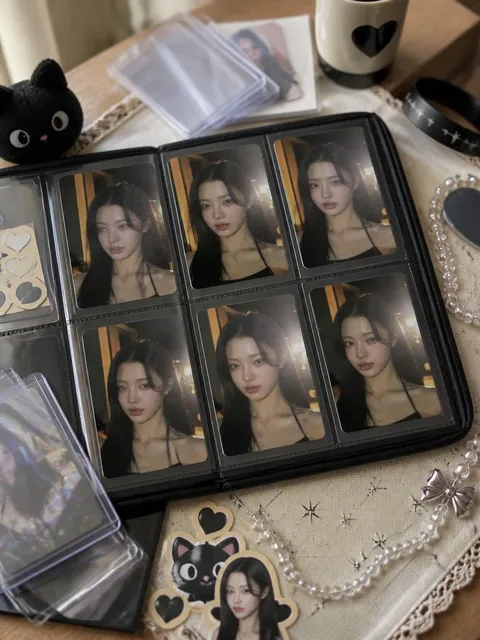
Fansign photo prompts turn a face reference into a polished K-pop fan event portrait with a signing table, pen-in-hand pose, soft event lighting, and an idol-like expression.
2026.05.30
Make “Fansign Photo” exactly the way you wantCreate your own “Fansign Photo”
Just ask in plain language — Carat generates optimized images and videos for you.

Start now with 100 free credits daily

K-pop Fansign Viewfinder Photo
What Are Fansign Photo AI Prompts?
Fansign Photo prompts help transform a face reference into a polished portrait while keeping the subject's identity recognizable. They define the setting, styling, light, lens mood, props, and negative constraints so the final image feels like a planned photo shoot rather than a generic filter.
Where You'll Use It
- Turning a personal photo into a themed portrait
- Creating seasonal social-media profile images
- Designing viral prompt-gallery examples
- Building Pinterest-style lifestyle visuals
- Producing realistic thumbnails for image prompts
Why This Tag Is Useful
Fansign Photo is useful when a specific prop, place, or camera situation should drive the whole image. By combining identity preservation with clear styling, background, lighting, and composition details, the prompt can create images that feel coherent and intentional. It is especially helpful for face-reference workflows where the person should remain recognizable but the mood, outfit, and environment need to change dramatically.
Tips for Crafting Prompts
- State that the uploaded photo is used as facial identity reference only.
- Describe the pose, outfit, and key prop in separate clauses.
- Add camera language such as shallow depth of field, film grain, flash, or natural light.
- Include no brand logos and no readable text to reduce unwanted artifacts.
Use this tag when you want a strong visual concept that still feels realistic, personal, and ready for a prompt gallery or social feed.