carat

Prompt Gallery

/

Lightstick Design

Login
Sign Up

Lightstick Design

Create K-pop lightstick designs and concert goods images with AI prompt templates.

2026.07.08

·
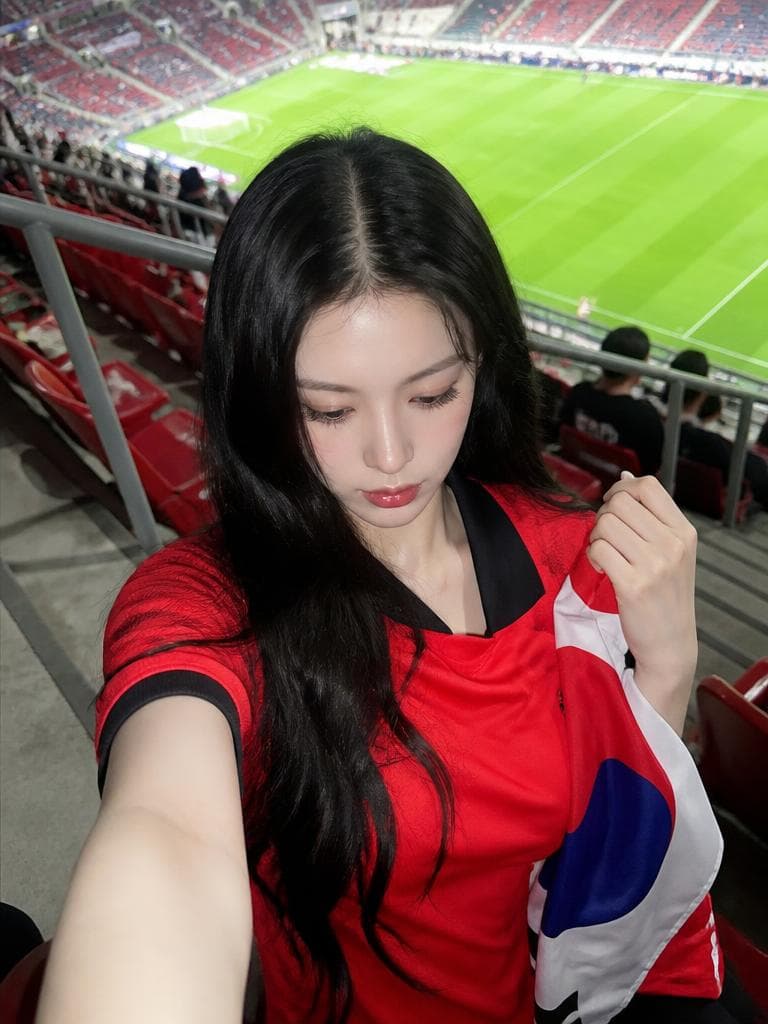
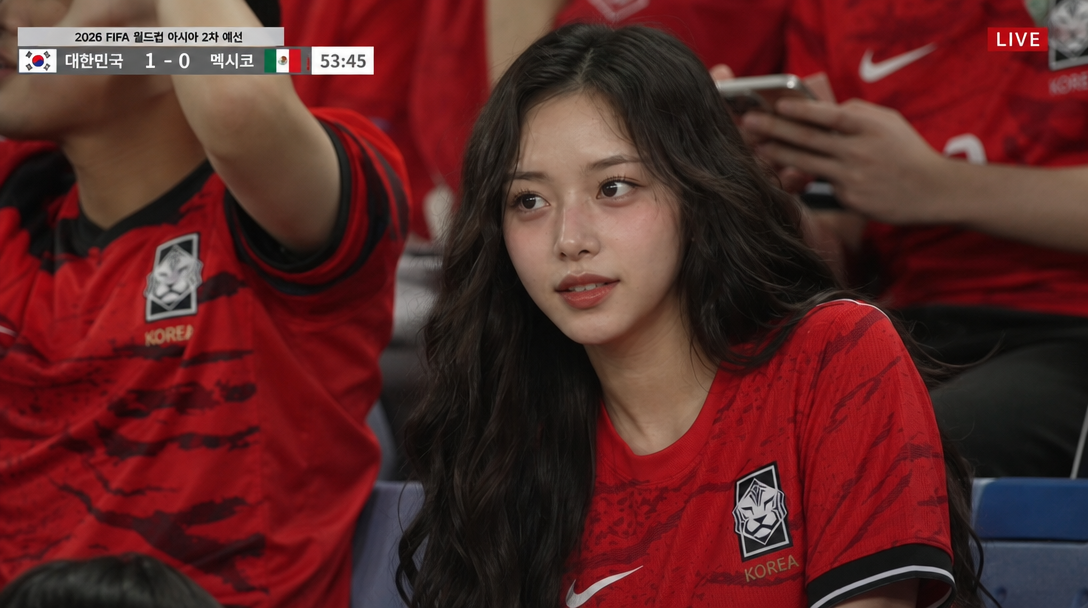
AI-generated Stadium Seat Cheering Selfie made with GPT Image 2

Stadium Seat Cheering Selfie

GPT Image 2· Image
Use the uploaded person photo as the only identity anchor. Preserve the person's recognizable face shape, eyes, nose, lips, skin tone relationship, hairstyle impression, and natural expression. Transform the photo into a realistic K-World-Cup match-day stadium fan snapshot using these elements: real stadium seats, green pitch visible behind, red football jersey styling, Korean cheering props, casual 인증샷 feeling, smartphone/friend-shot realism. Keep the person as the clear main subject. Do not use external reference images as input. No readable logos, no official emblems, no text, no watermark, no extra people, no distorted hands or extra fingers. Style rules: not a studio editorial, not trophy fantasy, not generic global football poster. It should feel like someone actually visited a stadium during World Cup season. Use red jersey or red fan outfit, white/blue accent props, Taegeukgi-inspired flag colors without readable symbols, stadium seating rows, railings, concrete steps, green pitch, daylight or stadium floodlights, candid phone-photo framing, natural skin/fur texture, shallow but believable depth of field, high-quality Instagram carousel look. Stadium seat selfie. Waist-up close portrait from a slightly high smartphone angle, the person sits in real stadium seats wearing a red football jersey. Green pitch and rows of seats are visible behind. One hand lightly holds a small flag or red cheering towel near the shoulder. Natural excited smile, match-day 인증샷 mood, realistic daylight, vertical 4:5.
AI-generated K-pop Concert LED Screen Snapshot made with GPT Image 2

K-pop Concert LED Screen Snapshot

GPT Image 2· Image
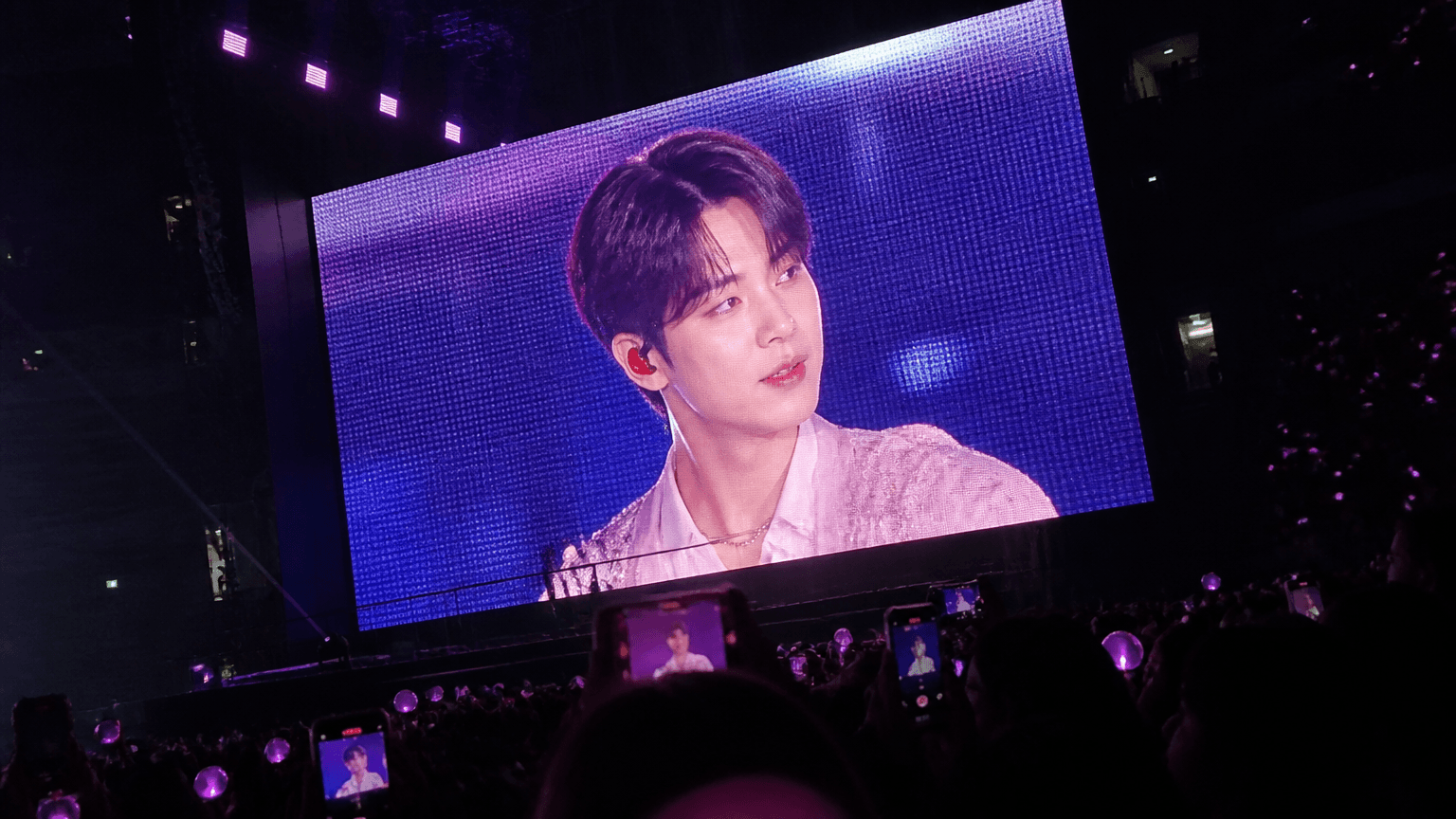
첨부된 인물 사진을 참고해서 K-POP 콘서트장에서 관객이 찍은 대형 전광판 라이브 피드 사진처럼 만들어줘. 실제 무대 위 퍼포머는 보이지 않고, 인물은 거대한 LED 전광판 안의 클로즈업 라이브 화면에만 등장하게 해줘. 얼굴 특징과 헤어 정체성은 유지하고, 시선은 카메라 정면이 아닌 무대 쪽을 살짝 바라보는 자연스러운 사이드 게이즈로 구성해줘. 어두운 실내 아레나, 관객 실루엣, 핑크/보라 응원봉, 화면을 녹화하는 휴대폰, 디지털 줌 질감, LED 픽셀감, 약간의 흔들림이 있는 실제 아이폰 콘서트 직찍 느낌. 읽히는 로고나 자막, 워터마크는 넣지 마.
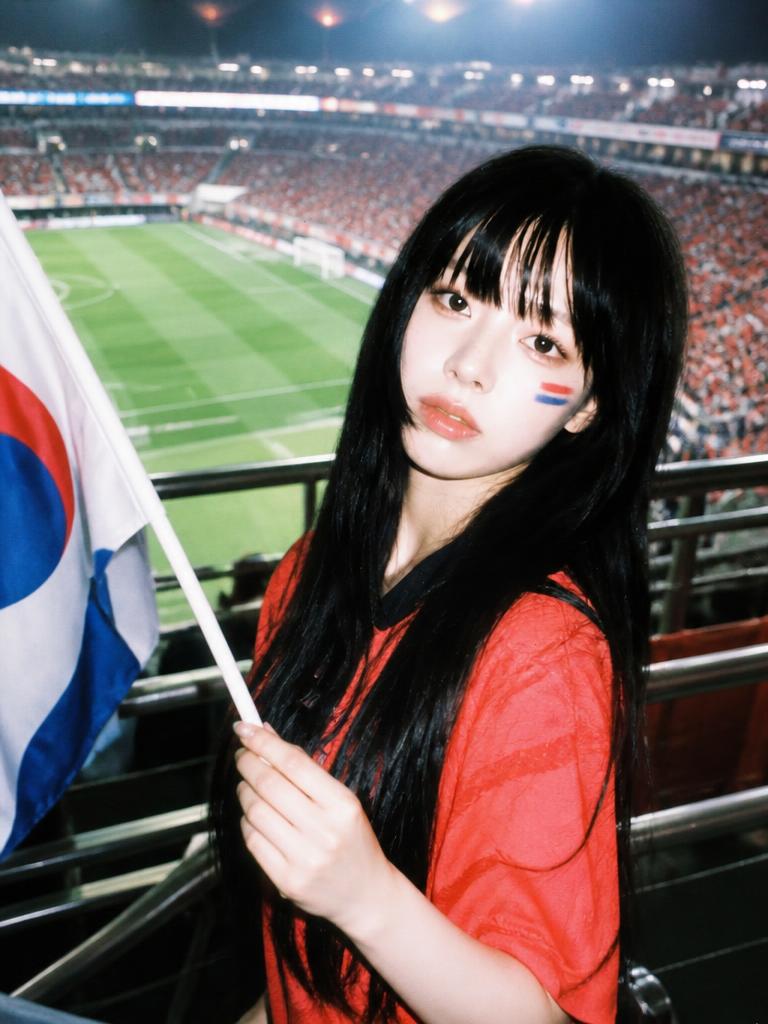
AI-generated Upper-Body Cheering Portrait made with GPT Image 2

Upper-Body Cheering Portrait

GPT Image 2· Image
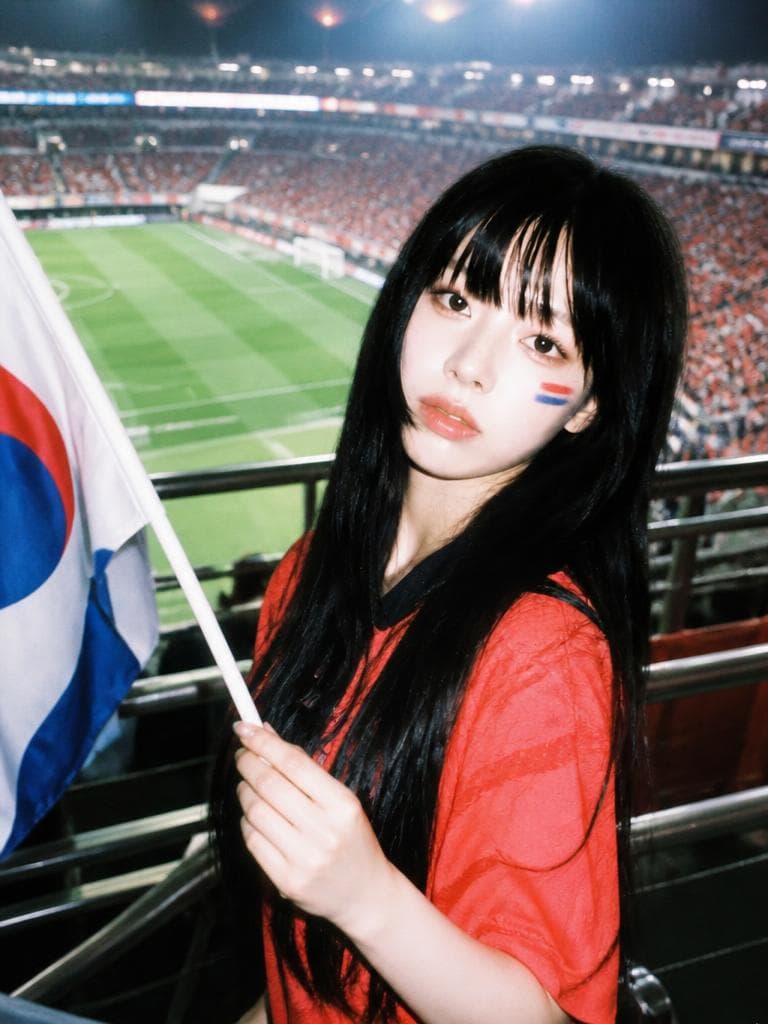
Use the uploaded person photo as the only identity anchor. Preserve the person's recognizable face shape, eyes, nose, lips, skin tone relationship, hairstyle impression, and natural expression. Transform the photo into a realistic K-World-Cup match-day stadium fan snapshot using these elements: real stadium seats, green pitch visible behind, red football jersey styling, Korean cheering props, casual 인증샷 feeling, smartphone/friend-shot realism. Keep the person as the clear main subject. Do not use external reference images as input. No readable logos, no official emblems, no text, no watermark, no extra people, no distorted hands or extra fingers. Style rules: not a studio editorial, not trophy fantasy, not generic global football poster. It should feel like someone actually visited a stadium during World Cup season. Use red jersey or red fan outfit, white/blue accent props, Taegeukgi-inspired flag colors without readable symbols, stadium seating rows, railings, concrete steps, green pitch, daylight or stadium floodlights, candid phone-photo framing, natural skin/fur texture, shallow but believable depth of field, high-quality Instagram carousel look. Upper-body cheering pose. Tight upper-body portrait near the stadium railing, red jersey, subtle red-blue face-paint stripes on cheek, small flag or cheering sticks in hand. Stadium floodlights and green pitch blur in the background, energetic but natural expression, phone-flash or stadium-light highlights, authentic K-football fan photo, vertical portrait.
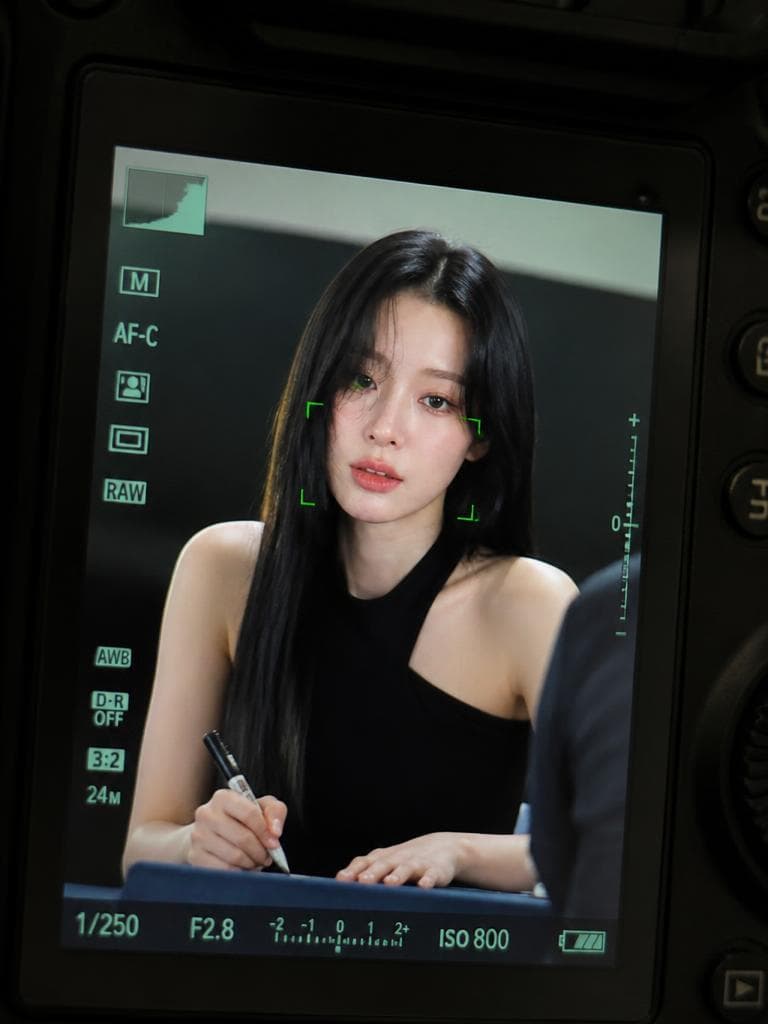
A realistic K-pop fansign portrait framed inside a DSLR camera LCD screen with autofocus overlays.

K-pop Fansign Viewfinder Photo

GPT Image 2· Image
Use the uploaded photo as facial identity reference only. Transform the person into a K-pop idol at a fansign event, captured through a professional camera viewfinder display. Keep the face and identity. The person is sitting at a table, holding a signing pen, looking up at the camera with a focused gentle expression. Wearing a sleek black sleeveless top. The entire image is framed within a DSLR camera LCD screen interface with autofocus brackets, exposure info overlay, and slight green tint of a camera display. Clean studio lighting, professional event photography feel. No brand logos, no readable real text.
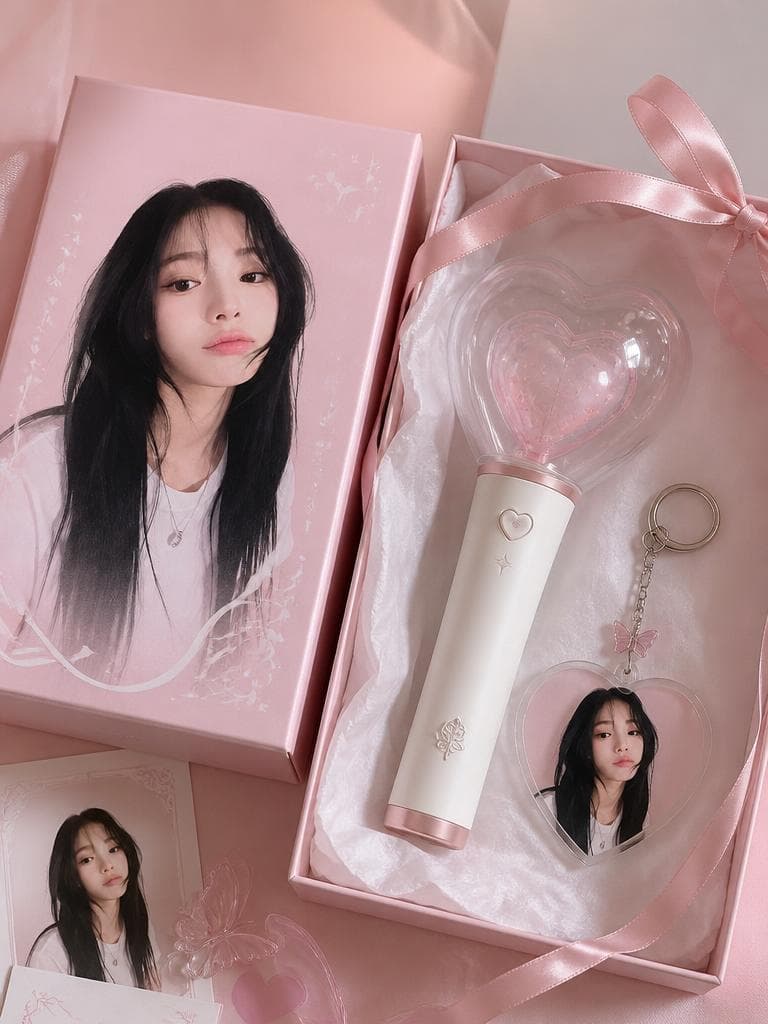
AI-generated Concert Lightstick & Keyring Fan Goods made with GPT Image 2

Concert Lightstick & Keyring Fan Goods

GPT Image 2· Image
Use the uploaded portrait as the identity reference for printed packaging only. Create a realistic K-pop fan goods package mockup featuring a custom lightstick and acrylic keyring set. The person's portrait appears as a printed design on the keyring and packaging box. Scene: clean product flatlay on pastel background, both items arranged neatly, small fandom name engraving detail on lightstick, ribbon bow, tissue paper wrapping. Shallow depth of field, Pinterest K-pop fan goods photography aesthetic. No real brand logos, no readable text.
AI-generated Full-Body Flag Cheering Shot made with GPT Image 2

Full-Body Flag Cheering Shot

GPT Image 2· Image
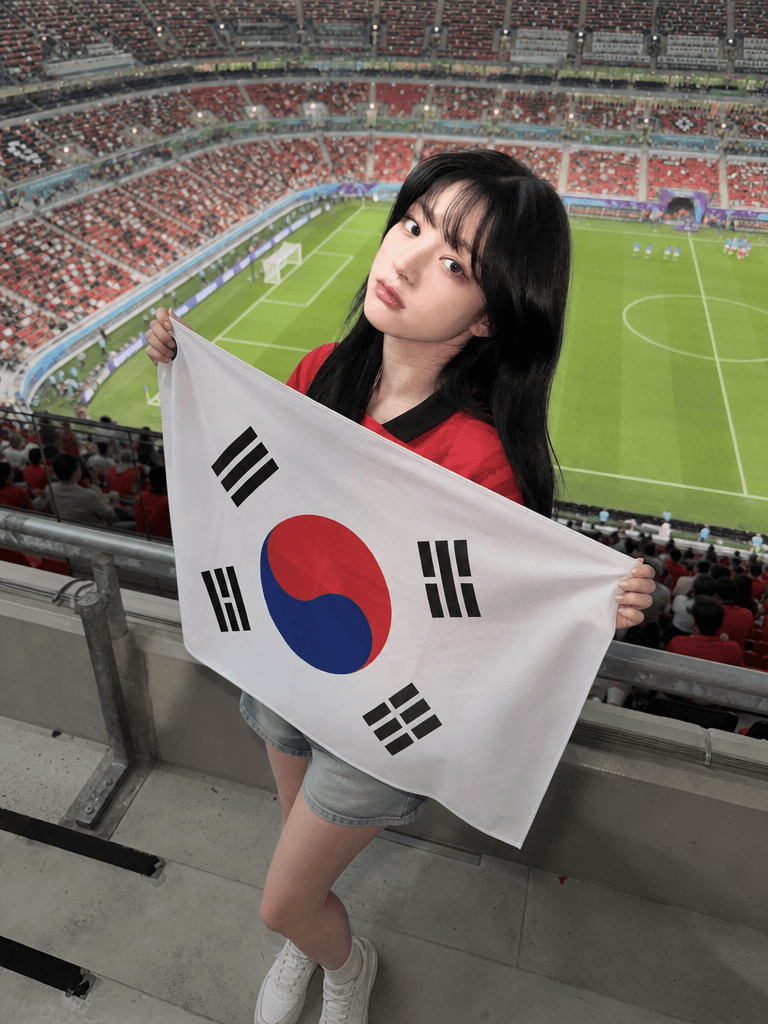
Use the uploaded person photo as the only identity anchor. Preserve the person's recognizable face shape, eyes, nose, lips, skin tone relationship, hairstyle impression, natural expression, and believable body proportions. Transform the photo into an authentic K-World Cup match-day stadium fan photo using these elements: real stadium seat rows, a green football pitch visible in the distance, metal railings, concrete stadium steps, red football jersey styling, Korean cheering props, casual 인증샷 mood, and realistic smartphone friend-shot photography. Keep the person as the clear main subject. Do not use any external reference images as input. The person should stand between actual stadium seat rows or near a railing, framed as a full-body or three-quarter-body vertical portrait. Style them in a red football jersey with casual shorts, skirt, or denim. The person is holding a clearly visible, highly accurate South Korean national flag: white rectangular field, central red-over-blue Taegeuk circle, and four correct black trigrams placed in the four corners. The flag must look like a real fabric flag with natural folds, but the Taegeuk circle and four trigrams should remain recognizable and correctly arranged. The South Korean flag is allowed; avoid all other readable symbols, brand marks, official tournament emblems, sponsor logos, or text. Style rules: not a studio editorial, not a trophy fantasy, and not a generic football poster. The image should feel like someone actually visited a real stadium during World Cup season before kickoff. Use natural daylight or stadium floodlights, candid phone-photo framing, realistic skin texture, realistic hands, shallow but believable depth of field, and a polished social-media finish. Preserve the person's identity strongly and do not redesign the face. No watermark, no extra people, no distorted hands, no extra fingers, no unreadable fake lettering.

What Is Lightstick Design?

Lightstick design refers to the visual design and branding of LED lightsticks, the essential concert accessory used by K-pop fans to show support for their favorite idol groups during live performances, fan meetings, and music show broadcasts. Each K-pop idol group has a uniquely designed lightstick featuring distinctive colors, shapes, and LED lighting effects that represent the group identity and fandom culture, making lightsticks both functional concert tools and collectible merchandise that fans treasure as symbols of their fandom membership. Lightstick design encompasses the physical form of the lightstick, the color palette associated with the idol group, LED lighting patterns and effects, packaging design, and related merchandise extensions such as keyrings, acrylic goods, and collaboration products that expand the lightstick brand into a broader merchandise ecosystem. The design of a lightstick is a significant creative and commercial endeavor in K-pop, with new lightstick releases generating excitement and discussion among fans, and successful designs becoming iconic symbols of the group identity. With AI image generation tools, designers and fans can now create lightstick design concepts, concert goods mockups, and fan event merchandise imagery without professional design skills, making it possible to visualize and iterate on lightstick and goods concepts quickly and conveniently for creative projects, fan art, and merchandise development.

How to Write AI Lightstick Design Prompts

When generating a lightstick design with AI, specify the lightstick form, color palette, LED effects, merchandise style, and K-pop aesthetic as key elements. Include prompt phrases like "lightstick," "LED stick," "concert goods," "K-pop," and "fan merchandise" to define the design direction. Lightstick design relies heavily on the group identity and fandom colors, so emphasize unique color schemes and distinctive forms that represent the idol group aesthetic and fandom culture. Specify the context and setting, such as concert venues, fan events, or goods flatlay, to create images with appropriate atmosphere and visual context that showcase the lightstick and merchandise in realistic or creative settings. Include merchandise format specifications such as keyrings, acrylic goods, or collaboration packaging to create diverse merchandise design concepts that extend the lightstick brand into a broader product ecosystem. The K-pop aesthetic should be emphasized throughout, with trendy, polished visuals that reflect the sophisticated styling and production quality characteristic of K-pop merchandise and fan culture.

Lightstick Design Prompt Examples

A concert lightstick keyring goods prompt generates K-pop fan goods package mockups featuring custom lightsticks and acrylic keyring sets, creating realistic merchandise design concepts that showcase the lightstick in a product context. An upper body cheering certification shot prompt creates photos of fans at concerts with lightsticks, capturing the upper body perspective of a fan holding up their lightstick during a performance. A taeguki cheering full body shot prompt generates full body photos of fans holding Korean flags and lightsticks, capturing the patriotic cheering atmosphere of sports events and national celebrations. A stadium seat cheering selfie prompt creates selfies taken from stadium seats during events, capturing the perspective of a fan in the audience with lightsticks visible throughout the venue. A K-pop concert screen photo prompt generates photos that simulate the experience of photographing the large LED screens at K-pop concerts, capturing the live feed imagery displayed on concert venue screens. A K-pop fansign viewfinder photo prompt creates photos that simulate the experience of attending a fansign event through a camera viewfinder, capturing the intimate atmosphere of fan meeting events.

Tips for Using AI Lightstick Design Images

Generated lightstick design images can be used for merchandise design concepts, fan event posters, social media content, concert goods mockups, fan art, and creative projects that celebrate K-pop fandom culture. Maintain the idol group colors and lightstick form while emphasizing the K-pop aesthetic to create authentic, compelling merchandise imagery that resonates with fandom audiences. Experiment with different settings and contexts, such as concert venues, fan events, or goods flatlays, to find the visual direction that best showcases the lightstick design and merchandise concept. AI tools enable rapid production of lightstick design concepts and concert goods imagery without professional design skills, making it possible to explore multiple design directions, color schemes, and merchandise formats quickly and conveniently. For fan communities and merchandise designers, generating a collection of lightstick design images with different forms, colors, and settings provides versatile assets for fan art, creative projects, and merchandise concept development. Always specify both the design elements, such as lightstick form and colors, and the context elements, such as concert or fan event, to achieve images that capture the authentic, vibrant atmosphere of K-pop fandom culture.

Frequently Asked Questions About Lightstick Design Prompts

Common questions include whether AI can create lightstick designs, whether K-pop colors can be specified, whether goods packages can be created, whether concert scenes can be generated, and whether fan event goods can be made. With precise prompting, AI tools produce lightstick designs and concert goods imagery that capture the K-pop aesthetic and fandom culture authentically. The key is specifying the lightstick form, group colors, and merchandise context to create designs that resonate with K-pop fandom audiences.

Frequently Asked Questions

Related Prompts

Camera Illustration

Camera Illustration

70 prompts

Sports Fancam

Sports Fancam

13 prompts

Cheering Photo

Cheering Photo

3 prompts

Diamond Illustration

Diamond Illustration

21 prompts

Carat Prompt Gallery

Create trending AI prompts instantly

Prompts

  • Logo
  • PPT Design
  • Thumbnail
  • Poster
  • Web Novel Cover
  • ID Photo
  • Caricature
  • Product Detail Page
  • Banner

Models

  • GPT Image 2
  • Seedance 2.0
  • NanoBanana Pro
  • NanoBanana 2

Carat

  • Get started
  • About
  • Blog
  • Careers
  • Contact
  • Partnership
  • Terms
  • Privacy

© 2026 Paradot.Inc All rights reserved.