carat

Prompt Gallery

/

Fitness Before-After Photo

Login
Sign Up

Fitness Before-After Photo

Fitness Before-After Photo prompts. Copy and use Fitness Before-After Photo image generation prompts from Carat right away.

2026.07.10

·
AI-generated AI App Marketing Banner made with GPT Image 2

AI App Marketing Banner

GPT Image 2· Image
Create a clean, futuristic marketing banner in a premium 3D commercial style, designed for an AI app, mobile platform, or startup landing page. Use a soft white-to-light-blue gradient background with a subtle airy glow, lots of negative space, and a polished minimal tech aesthetic. On the left side, place a tall modern smartphone in a slight three-quarter view, with a glossy black frame, realistic screen reflections, and a visible app interface that resembles a social media profile.In front of the phone, position a sleek humanoid robot with a glossy white armored body, black joints, illuminated cyan-blue accents, and a large smooth visor-style face with glowing blue eyes. The robot should be in an energetic forward-running pose, as if stepping out of the phone into the real world, one leg lifted and arms bent dynamically. Give it a friendly but powerful AI assistant look, with detailed mechanical seams, polished surfaces, and high-end sci-fi realism. The robot should feel advanced, helpful, and ready to power a smart app experience.On the right side of the composition, place large bold headline text in a modern rounded sans-serif font, colored deep blue or indigo, aligned left and stacked in three lines: “AI SOCIAL MEDIA AUTOMATION EXPERT” and 'Content • Posting • Full Management'. The typography should be crisp, oversized, and highly legible, with a strong hierarchy and clean spacing. The overall layout should feel balanced and professional, with the robot and phone acting as the visual anchor and the headline as the main message.Use soft studio lighting, realistic shadows under the robot, subtle ambient reflections on the phone, and a light futuristic glow around the subject. Keep the image polished, modern, and app-focused, with a strong sense of innovation, automation, and intelligent digital transformation. The final result should look like a premium AI product ad, startup banner, or SaaS hero image with a sleek, trustworthy, high-conversion visual style.Negative prompt:No clutter, no extra robots, no extra phones, no dark background, no heavy shadows, no neon overload, no chaotic UI, no low-resolution details, no cartoon look, no text distortions, no spelling mistakes, no extra limbs, no broken anatomy, no watermark, no frame, no grain, no messy composition. 16:9 aspect ratio
611501fcbfd00cc0b925fe59020c1ae5
AI-generated Futuristic AI App Marketing Banner made with GPT Image 2

Futuristic AI App Marketing Banner

GPT Image 2· Image
Create a clean, futuristic marketing banner in a premium 3D commercial style, designed for an AI app, mobile platform, or startup landing page. Use a soft white-to-light-blue gradient background with a subtle airy glow, lots of negative space, and a polished minimal tech aesthetic. On the left side, place a tall modern smartphone in a slight three-quarter view, with a glossy black frame, realistic screen reflections, and a visible app interface that resembles a social media profile.In front of the phone, position a sleek humanoid robot with a glossy white armored body, black joints, illuminated cyan-blue accents, and a large smooth visor-style face with glowing blue eyes. The robot should be in an energetic forward-running pose, as if stepping out of the phone into the real world, one leg lifted and arms bent dynamically. Give it a friendly but powerful AI assistant look, with detailed mechanical seams, polished surfaces, and high-end sci-fi realism. The robot should feel advanced, helpful, and ready to power a smart app experience.On the right side of the composition, place large bold headline text in a modern rounded sans-serif font, colored deep blue or indigo, aligned left and stacked in three lines: “AI SOCIAL MEDIA AUTOMATION EXPERT” and 'Content • Posting • Full Management'. The typography should be crisp, oversized, and highly legible, with a strong hierarchy and clean spacing. The overall layout should feel balanced and professional, with the robot and phone acting as the visual anchor and the headline as the main message.Use soft studio lighting, realistic shadows under the robot, subtle ambient reflections on the phone, and a light futuristic glow around the subject. Keep the image polished, modern, and app-focused, with a strong sense of innovation, automation, and intelligent digital transformation. The final result should look like a premium AI product ad, startup banner, or SaaS hero image with a sleek, trustworthy, high-conversion visual style.Negative prompt:No clutter, no extra robots, no extra phones, no dark background, no heavy shadows, no neon overload, no chaotic UI, no low-resolution details, no cartoon look, no text distortions, no spelling mistakes, no extra limbs, no broken anatomy, no watermark, no frame, no grain, no messy composition. 16:9 aspect ratio
611501fcbfd00cc0b925fe59020c1ae5
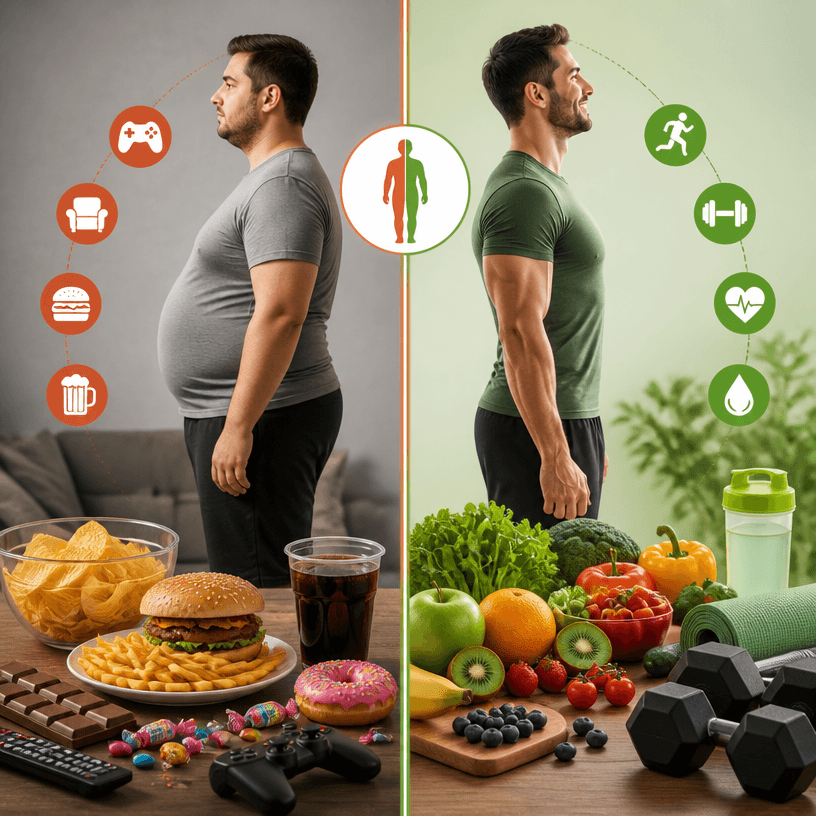
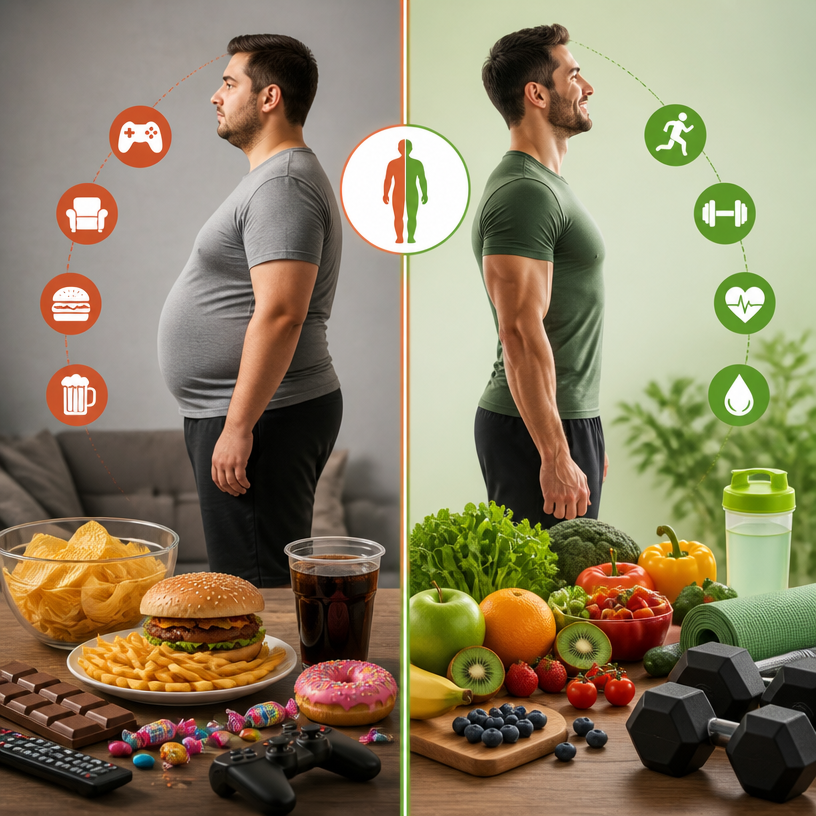
GPT 이미지 2로 생성한 다이어트 비포애프터

다이어트 비포애프터

GPT Image 2· Image
A fitness transformation comparison layout, split view showing healthy lifestyle elements, left side with unhealthy snacks and sedentary items, right side with fresh fruits vegetables and exercise equipment, motivational wellness infographic aesthetic, clean modern design with green and orange accents. No text, no watermark.

What are Fitness Before-After Photo Prompts?

A collection of AI prompts for generating fitness before-after photo images. Copy the Fitness Before-After Photo prompts provided by Carat and paste them into an AI image generation tool to get professional-grade results.

How to Use Fitness Before-After Photo Prompts

  1. Select and copy your desired prompt.
  2. Paste it into the Carat agent.
  3. Modify colors, styles, and composition as needed.
  4. Download the generated image and use it in your project.

Tips for Writing Fitness Before-After Photo Prompts

Specify lighting, texture, composition, and lens information in detail for more precise results. Add "No text, no watermark" to prevent unwanted text overlays.

Fitness Before-After Photo Prompt Applications

Fitness Before-After Photo prompts are used across content creation, marketing, design, and educational resources. AI-generated images dramatically reduce production time while maintaining professional quality.

Fitness Before-After Photo Prompt Optimization Guide

Choose the aspect ratio based on your use case: vertical (9:16) for social media, horizontal (16:9) for web banners, and square (1:1) for product images.
Frequently Asked Questions

Related Prompts

Diet Before-After

Diet Before-After

4 prompts

3D Cartoon

330 prompts

Mockup

Mockup

379 prompts

Customer Journey Map

Customer Journey Map

3 prompts

Carat Prompt Gallery

Create trending AI prompts instantly

Prompts

  • Logo
  • PPT Design
  • Thumbnail
  • Poster
  • Web Novel Cover
  • ID Photo
  • Caricature
  • Product Detail Page
  • Banner

Models

  • GPT Image 2
  • Seedance 2.0
  • NanoBanana Pro
  • NanoBanana 2

Carat

  • Get started
  • About
  • Blog
  • Careers
  • Contact
  • Partnership
  • Terms
  • Privacy

© 2026 Paradot.Inc All rights reserved.