carat

Prompt Gallery

/

Game

Login
Sign Up

Game

AI prompts ready for game concepts, characters, and scenes. Quickly create game scenes, creatures, items, and cinematics.

2026.05.22

·
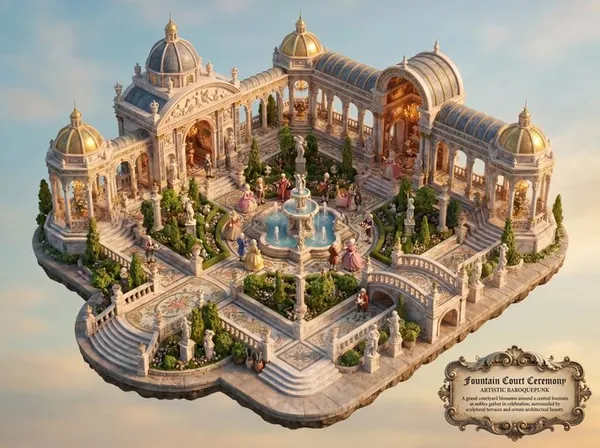
AI-generated Baroquepunk Royal Garden Miniature made with Nano Banana Pro

Baroquepunk Royal Garden Miniature

Nano Banana Pro· Image
Whimsical {argument name="subject" default="miniature world depiction of a royal garden courtyard with fountain ceremony"} in an artistic {argument name="style" default="baroquepunk"} style.
@sayobonito
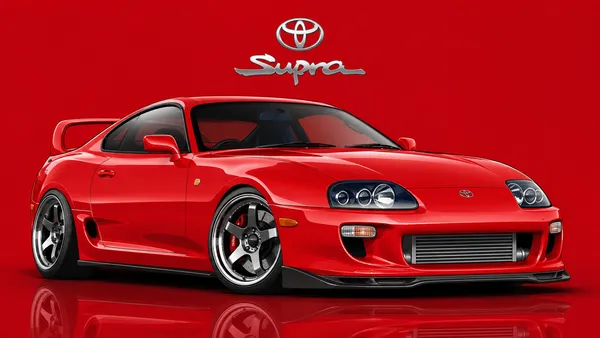
AI-generated Movie Car Vector Illustration made with GPT Image 2

Movie Car Vector Illustration

GPT Image 2· Image
[Car full description and movie-accurate details], three-quarter view, vector art style, clean bold lines with subtle gradients, lowered aggressive stance, detailed wheels and lights. Background solid [main car color] with soft glossy reflection on ground. Top center: [Brand] logo. Below logo: "[Model Name]" sleek modern font. Main car scaled huge dominating the frame, 16:9 aspect ratio, dynamic composition
67dfd4ed81b359a567dede03c49fa4f8
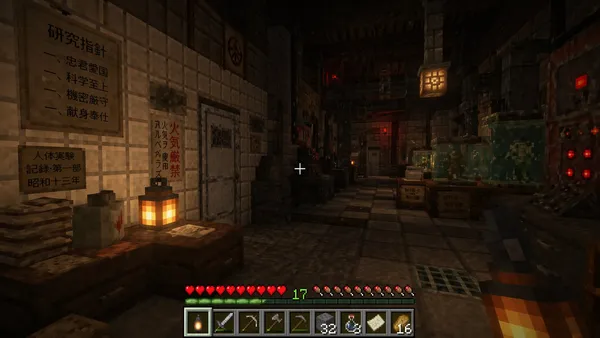
AI-generated Minecraft Screenshot Image of Exploring a Mysterious Pre-war Japanese Research Laboratory made with GPT Image 2
Minecraft Screenshot Image of Exploring a Mysterious Pre-war Japanese Research Laboratory

GPT Image 2· Image
Create a Minecraft screenshot image of exploring a mysterious pre-war Japanese research laboratory.
@RitaStar1128
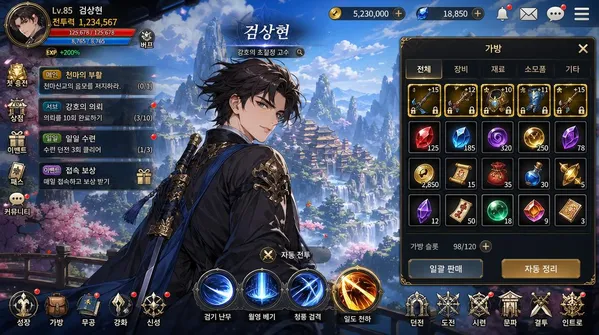
AI-generated Korean Mobile RPG Game Screenshot Featuring a Korean Webtoon-style Character made with GPT Image 2

Korean Mobile RPG Game Screenshot Featuring a Korean Webtoon-style Character

GPT Image 2· Image
Korean mobile RPG game screenshot featuring a Korean webtoon-style character. Korean game UI: HP bar, 스킬 버튼, 퀘스트 알림, inventory panel. Korean fantasy landscape background. Character name in Korean Hangul at top. Korean mobile game aesthetic — vibrant colors, clean UI, Korean text throughout. 16:9.
@khaiinit

Genshin Impact Characters Dancing

Seedance 2.0· Video
Genshin Impact anime CG style animation. Three anime characters dancing together in a realistic school corridor environment. Fun energetic dance video. Environment: Realistic school hallway — white drop ceiling with fluorescent lights, terrazzo floor, cream walls on left, red brick wall on right with bulletin board. The corridor stretches into the background. LEFT ANIME CHARACTER: A tall anime-style girl with long straight black hair, wearing a black crop camisole top and loose grey casual pants, white shoes. She dances with relaxed cool energy — swaying, arms flowing, hair bouncing. CENTER CHARACTER — THE WANDERER: Genshin Impact character Scaramouche/Wanderer. Short dark navy blue hair, pale skin, blue-violet eyes. Wearing: white outer coat with large teal-blue decorative side wing panels printed with white patterns, black inner bodysuit, dark pleated mini hakama skirt, purple sash with tassels, black fingerless gauntlets, white leg wraps, blue open-toe sandals. His signature wide flat kasa hat with gold and blue metallic ornaments floats above his head. He dances in the center with swagger — smooth body rolls, side steps, his wide coat panels dramatically billowing with each move. RIGHT ANIME CHARACTER: A tall anime-style girl with long straight dark brown hair, wearing a white crop tank top and dark wide-leg pants, white sneakers. She dances with upbeat fun moves — arms raised, bouncing to the rhythm. [0-5s] Wide shot — all three anime characters stand in the school corridor. They begin dancing together in sync. The Wanderer in the center hits a confident groove, leaning into the beat. Both girls match his energy on either side. Camera steady at medium-wide angle. [5-9s] The Wanderer does a flashy spin, his coat panels flaring out in a circle. The girls do synchronized shoulder rolls. Camera slowly pushes in to medium shot. The corridor lighting casts nice shadows. [9-14s] All three do a coordinated sequence — step left, step right, arm wave. The Wanderer does a stylish final pose with one arm extended, coat billowing. Both girls strike cute poses beside him. Camera pulls back to wide shot. Hold.
YouMind

Sharp Post-Match Comments

PixVerse· Video
경기 후 인터뷰를 하게 된다면 이 경기를 어떻게 평가하시겠어요?
405179720539328
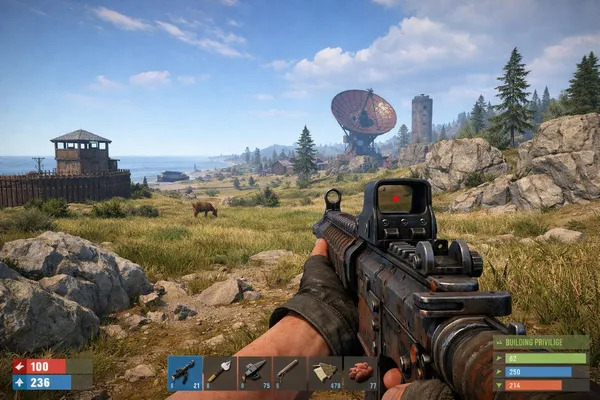
AI-generated Ingame Screenshot of Rust made with GPT Image 2

Ingame Screenshot of Rust

GPT Image 2· Image
an ingame screenshot of rust
@FixlationAI

Concert Big Screen Crowd Reaction

PixVerse· Video
A realistic concert crowd-cam capture. The giant LED screen shows the subject seated among the audience, initially watching the stage naturally. After a brief moment, the subject notices they are being shown on the big screen and reacts with a subtle, genuine hint of surprise — a slight pause, a small widening of the eyes, immediately softening into a shy, slightly embarrassed smile. The expression remains restrained and natural, not exaggerated or performative. The subject shows light, believable body language: a small shoulder shift, a brief glance to the side as if reacting to friends nearby, a quick hand movement near the face or hair, or a short, low, slightly shy wave close to the body. All movements are minimal, casual, and feel like a real person caught off guard, not posing for the camera. Foreground glow sticks, especially the one closest to the camera, are positioned strictly at the very bottom edge of the frame (lower 10–15% only). They gently sway left and right but must remain low at all times, never rising upward, never entering the center of the frame, and never blocking any part of the LED screen. Camera movement is handheld smartphone footage from the audience: slight natural shake, subtle framing drift, and micro-jitter. The surrounding crowd shows soft, continuous background motion. Audio contains only real crowd ambience: audience chatter, cheering, and venue noise. No dialogue, no music overlay, no singing, no narration.
402847676484795

Two in the Stands

PixVerse· Video
연출된 것이 아닌, 카메라가 포착한 장면.
402881963769952
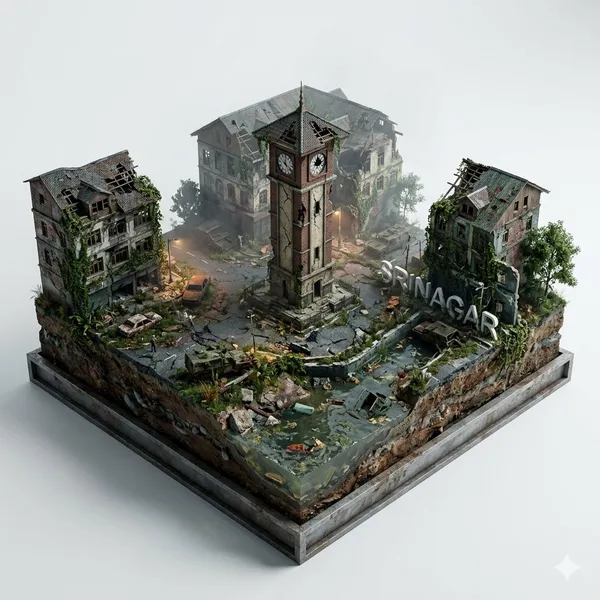
AI-generated Post-Apocalyptic Miniature Diorama made with Nano Banana 2

Post-Apocalyptic Miniature Diorama

Nano Banana 2· Image
Create a stylish, hyper-realistic poster of a post-apocalyptic LAL CHOWK SRINAGAR as a square diorama. The scene features ruined landmarks, layered terrain with exposed soil, water, and rocks for depth, and overgrown plants reclaiming the city. Integrate the city's name 'Srinagar' in sleek 3D white letters, blending organically into the landscape. Use a cinematic, moody aesthetic-cracked structures, subtle fog, and dynamic lighting to make the decay feel dramatic yet elegant. Place the diorama on a clean white background for contrast. Ultra-detailed, high-resolution.
@auqibhabib
AI-generated Dark Fantasy Game Screenshot made with Seedream 5.0 Pro

Dark Fantasy Game Screenshot

Seedream 5.0 Pro· Image
3A dark fantasy air gameplay, third-person rear view. Mage in a vintage leather robe fights sky beasts on a magic broom with purple spells. Hardcore combat UI, realistic AAA game art, layered cloud light, intense fast air battles.
ByteDance Seed
AI-generated Surreal Casino vs Parrot Battle made with Nano Banana Pro

Surreal Casino vs Parrot Battle

Nano Banana Pro· Image
{argument name="location" default="casino"} VS. {argument name="animal" default="parrot"}
@PSN62595111

What Are Game AI Prompts?

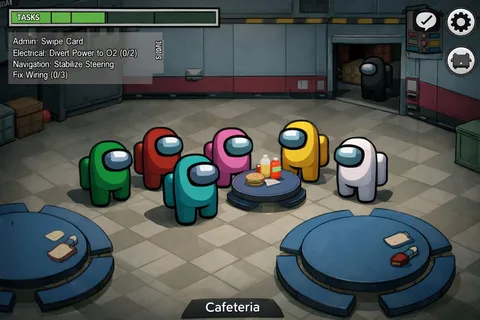
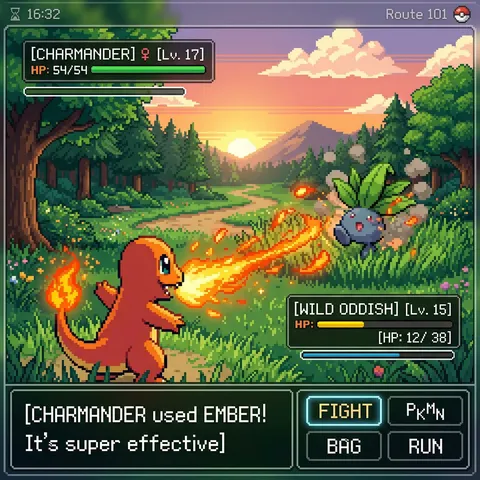
Game prompts help you quickly shape game visuals such as characters, environments, items, and cinematic scenes. In Carat you can generate concept images with models like Nano Banana Pro and GPT Image 2, then keep refining the result — change the aspect ratio, remove the background, or upscale it.

Where You'll Use It

  • Character and creature concept art
  • Environment, world, and map concepts
  • Item and UI assets
  • Game cinematics and PV scenes
  • Chibi, stickers, and miniatures

Why This Tag Is Useful

Game visuals need consistent world-building, style, and detail. Because a concept sketch differs from an in-game scene, starting from an example with a clear style and purpose helps you find direction fast. When choosing a prompt, look for examples that show the subject, style, color, and level of detail together.

Tips

  1. Decide the game genre and style first.
  2. Describe the subject, composition, color, and detail level concretely.
  3. If needed, separate world-building, materials, and mood.
  4. After generating, review style consistency and any copyright elements.

In Carat you can run a prompt, then keep editing the result you like — change the aspect ratio, remove the background, or upscale it.
Frequently Asked Questions

Related Prompts

Game Screenshot Style

Game Screenshot Style

14 prompts

Cyberpunk

70 prompts

Poster

Poster

574 prompts

Game Poster

Game Poster

13 prompts

Carat Prompt Gallery

Create trending AI prompts instantly

Prompts

  • Logo
  • PPT Design
  • Thumbnail
  • Poster
  • Web Novel Cover
  • ID Photo
  • Caricature
  • Product Detail Page
  • Banner

Models

  • GPT Image 2
  • Seedance 2.0
  • NanoBanana Pro
  • NanoBanana 2

Carat

  • Get started
  • About
  • Blog
  • Careers
  • Contact
  • Partnership
  • Terms
  • Privacy

© 2026 Paradot.Inc All rights reserved.