carat

Prompt Gallery

/

Kawaii

Login
Sign Up

Kawaii

귀엽고 키치한 비주얼에 바로 쓸 수 있는 Kawaii AI 프롬프트. 파스텔 컬러, 하트 참, 동물귀, 둥근 타이포그래피, 말랑한 캐릭터 감성을 만들 수 있습니다.

2026.05.28

Make “Kawaii” exactly the way you wantCreate your own “Kawaii”

Just ask in plain language — Carat generates optimized images and videos for you.

Start now with 100 free credits daily
·
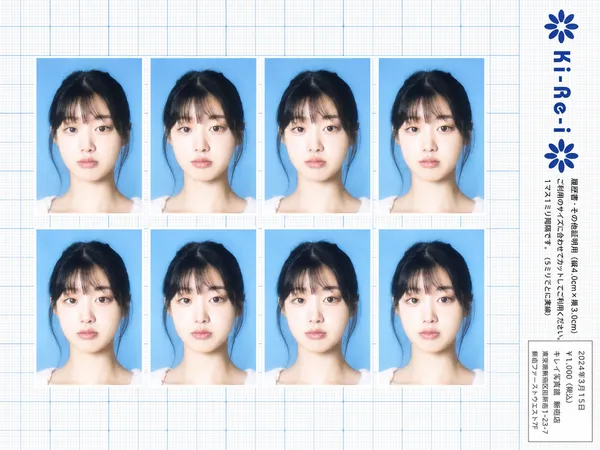
Ki-Re-i ID photo sheet generated with GPT Image 2

Ki-Re-i ID Photo Sheet

GPT Image 2· Image
Use the provided photo as the subject for all 8 ID photos. If the provided photo's aspect ratio does not match 3:4 (portrait), automatically crop it centered on the face — like a standard passport/ID photo crop — so it fits the 3:4 frame naturally. Do not stretch or distort. A Japanese Ki-Re-i (キレイ) ID photo booth print sheet in landscape orientation (wider than tall). BACKGROUND: White(#FFFFFF) graph paper. Fine thin blue(#214384) grid lines creating small squares, with slightly darker/thicker blue lines every 5 small squares — forming a 5×5 thin-grid pattern between each pair of thick lines. Japanese 方眼紙 (graph paper) style. PHOTO GRID: 8 identical ID passport-style photos arranged in a strict 2-row × 4-column grid, occupying the left ~82% of the sheet. Each photo has a 3:4 aspect ratio (portrait, taller than wide). Each photo shows the subject from the provided image: upper-body frontal portrait, neutral expression, soft studio flash lighting, blue(#1084EF) background — standard 証明写真 style. Thin white border around each photo. Evenly spaced on the graph paper. *Each photo has a slightly soft focus, gentle overexposure (+0.5 EV), and a luminous bloom glow — reminiscent of early 2000s Japanese digicam output: subtly blown highlights, slightly desaturated, muted color tones, creamy bright skin tones, and a hazy softness* RIGHT SIDE STRIP (rightmost ~18% of sheet): All text and logo elements are rotated 90° clockwise (letter tops point LEFT toward the left edge of the image; reading direction goes from BOTTOM of the image to TOP; viewer rotates paper 90° clockwise to read normally). KI-RE-I LOGO (upper area of right strip, rotated 90° CW): A branded logotype block stacked vertically top-to-bottom (all in navy blue): ① A solid navy blue 8-petal rosette icon with this exact geometry: 8 oval/elliptical petals radiating from the center at 45° intervals, each petal has exact geometry: 8 oval/elliptical petals radiating from the center at 45° intervals, each petal has a smooth rounded outer tip; all petals are solid navy blue fill; a small circular hollow (donut hole negative space) at the very center where petals meet — like a stylized chrysanthemum rosette. Overall silhouette is circular. Diameter ≈ one character height of the Ki-Re-i text. ② The exact brand name "Ki-Re-i" in navy blue rounded bold display/logotype font — spelled with hyphens exactly as Ki-Re-i. ③ An identical solid navy blue 8-petal rosette (mirror of ①). All three elements centered and evenly spaced. Absolutely NO person silhouette or human figure icon anywhere. BODY TEXT (placed directly below the Ki-Re-i logo, rotated 90° CW, black gothic/sans-serif): The Ki-Re-i logo block and the body text block are stacked VERTICALLY — logo on top, body text directly below it. Both are left-aligned to the same left edge of the strip. NO horizontal side-by-side placement between logo and body text. - 「履歴書・その他証明用(縦4.0cm×横3.0cm)」 - 「ご利用のサイズに合わせてカットしてご利用ください。1マス1ミリ間隔です。(5ミリごとに実線)」 If lines are too long, WRAP into 2 or more lines. Must NOT extend into or overlap the white receipt box area — clear gap required. WHITE RECEIPT BOX(lower portion of the right strip, seperate from logo and body text above): A solid white rectangle with a thin border, standing out clearly against the blue graph paper. Inside (rotated 90° CW, small monospaced Japanese font): date (2024年3月15日), price 「¥1,000(税込)」, store name and address. STYLE: Flat 2D scanned document. Functional administrative aesthetic. DNP Photo Imaging Japan style. No shadows, no 3D effects. Cool pale blue palette. Looks exactly like a real scanned Ki-Re-i photo booth output paper sheet.
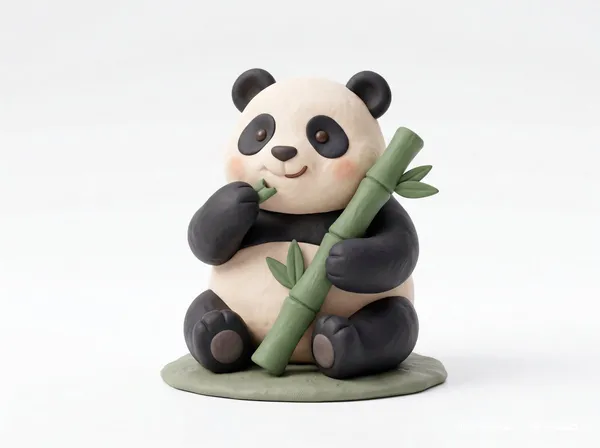
AI-generated Clay Toy Icon Character made with Nano Banana Pro

Clay Toy Icon Character

Nano Banana Pro· Image
Cute 3D render of a [subject], matte surface, kneaded clay icon style, simple stylized design, [doing action], [emotion or mood], rounded proportions, soft sculpted details, playful body language, vibrant [color1], [color2], and [color3] accents, clean white background, minimal composition, soft ambient lighting, subtle shadow, charming character design, high-resolution, polished toy-like aesthetic
@Strength04_X
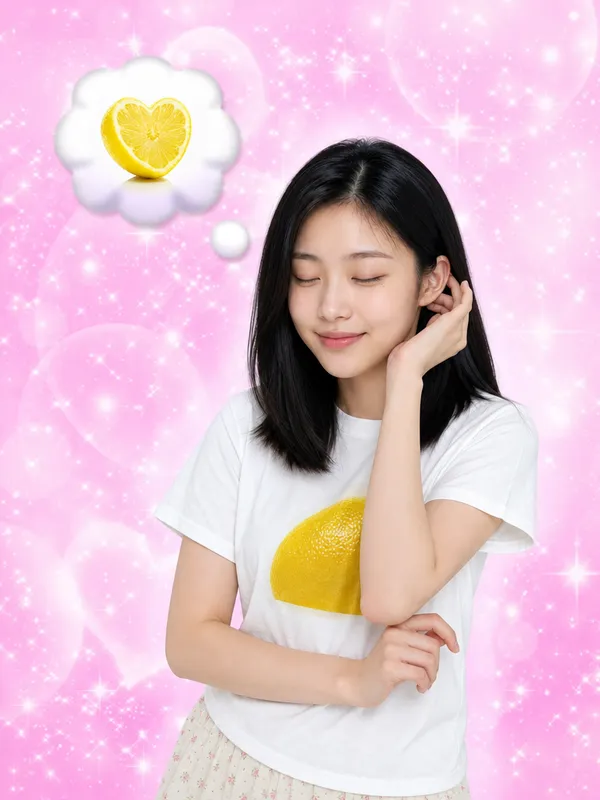
GPT Image 2 generated result for I Keep Thinking of Lemon Lemon Tang prompt

I Keep Thinking of Lemon

GPT Image 2· Image
Images 1 and 2 are identity references — use them to define the facial features (eye shape, nose, lips, skin tone, face structure) and the hair style (texture, curl, wave, and volume). Image 3 (https://assets.carat-api.im/upload_from_app/3052856/20260622/187c03e4-ea29-4e40-b15b-21c555b33c1a.png) is the target. Replace the face and hair of the person in Image 3 with the identity from Images 1 and 2. The hair must match the style from the references, including any curl or wave texture. STRICTLY PRESERVE: the closed eyes, the satisfied humming expression (mouth gently closed with a pleased slight smile, like saying "mmm~"), the head angle, the pose, the clothing, the background, and the lighting. Eyes must remain closed.
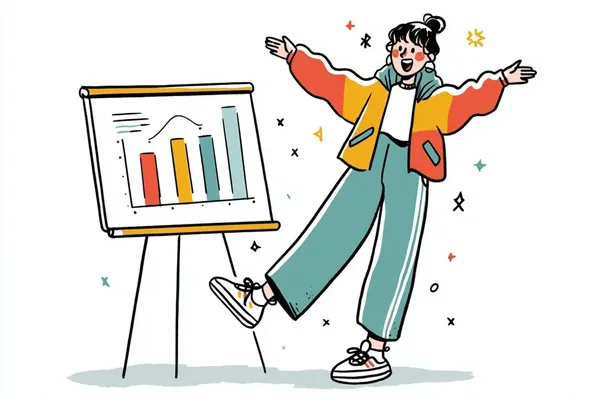
AI-generated Hand-Drawn Quirky Character Illustration made with GPT Image 2
Hand-Drawn Quirky Character Illustration

GPT Image 2· Image
A simple illustration of a [subject] in [outfit], [doing action], with a [facial expression] expression, in the style of Gemma Correll, playful hand-drawn linework, quirky character design, minimal detail, expressive posture, clean white background, charming editorial illustration feel
@azed_ai
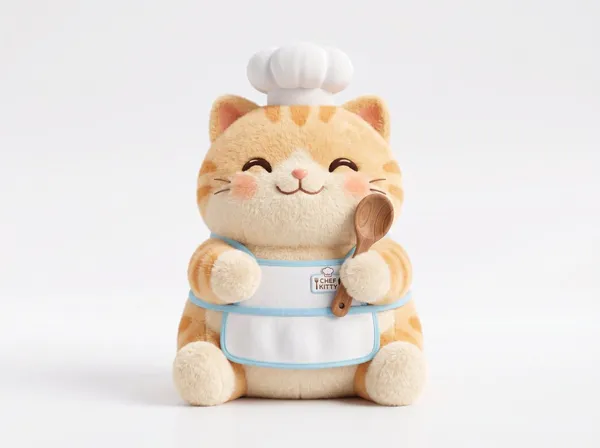
AI-generated Plush 3D Model made with GPT Image 2

Plush 3D Model

GPT Image 2· Image
A soft plush 3D model of a [subject] with [key detail], rendered in a cute stylized aesthetic, velvety surface, squeezable toy-like form, rounded proportions, charming animated [object type] design, clean white background, centered composition, soft ambient lighting, pastel palette, subtle shadows, high-resolution 3D render, front-facing view, ultra clean, adorable collectible feel
@Strength04_X
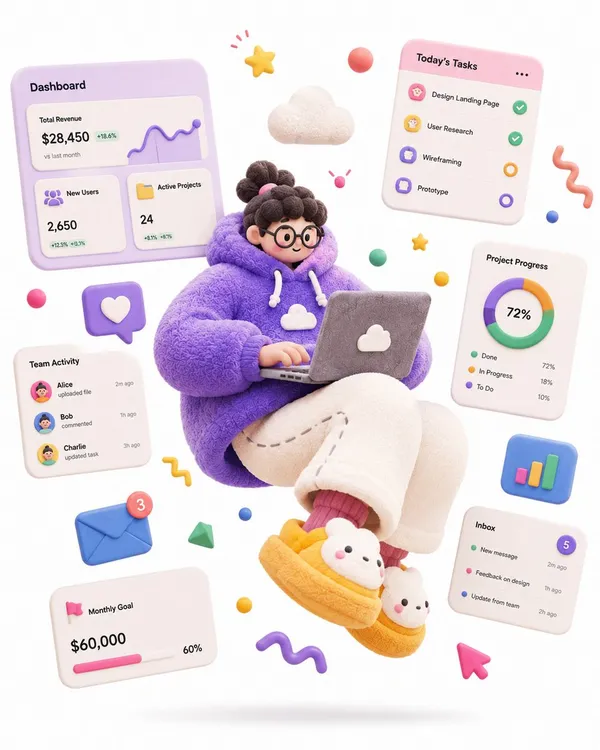
AI-generated Soft Sculpture Jumping Character made with GPT Image 2

Soft Sculpture Jumping Character

GPT Image 2· Image
A complete single 3D illustration, exaggerated artistic editorial illustration style, not storyboard, not a collage layout. The subject is an exaggerated cartoon character with a tiny head, round chubby body, extremely elongated limbs, oversized hands and oversized shoes, off-balance center of gravity, frozen mid-air in a dramatic jumping pose, with strong tension and comedic energy. Overall form looks like a soft sculpture toy round, chunky, bouncy, exaggerated not anatomically correct. Materials are matte soft rubber, fuzzy fabric, knitted texture, plasticine feel, with fine fiber details, slight grain, hand-sculpted touch avoid glossy plastic toy look, avoid translucent glass look, avoid high reflections. High-saturation dopamine color palette, bold color clashes, large flat color blocks, bright but not over-glowing. Clean white background, minimal space, only a soft oval shadow on the ground, no complex scene. Floating abstract graphic elements around the character: stars, squiggle lines, balls, cubes, icons, symbols all rendered as soft rubber or paper props to enhance motion and design feel. Soft studio lighting, global illumination, soft shadows, low contrast, clean commercial render. C4D / Blender 3D illustration, stylized soft sculpture, matte clay material, fuzzy fabric texture, knitted surface detail, playful editorial 3D illustration, high quality. Theme: a SaaS-hoodie product designer floating with a laptop, surrounded by dashboard UI cards, charts and task widgets, hero illustration for a SaaS landing page
@MissDelulu9
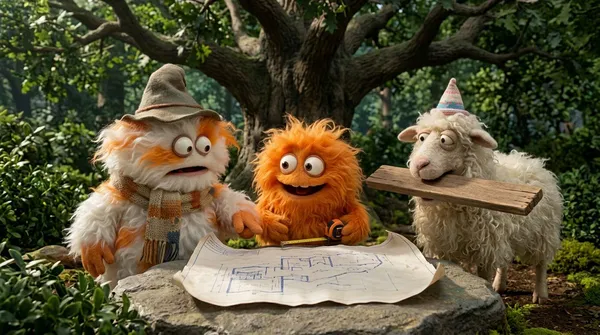
AI-generated Fluffy Creatures 4-Part Story made with Nano Banana Pro

Fluffy Creatures 4-Part Story

Nano Banana Pro· Image
Create a funny 4-part story featuring 3 fluffy creatures building a treehouse. The story has emotional highs and lows and ends in a happy moment. Maintain consistent identity across the 3 characters. Generate 4 images in 16:9 format, one at a time.
@GoogleAI
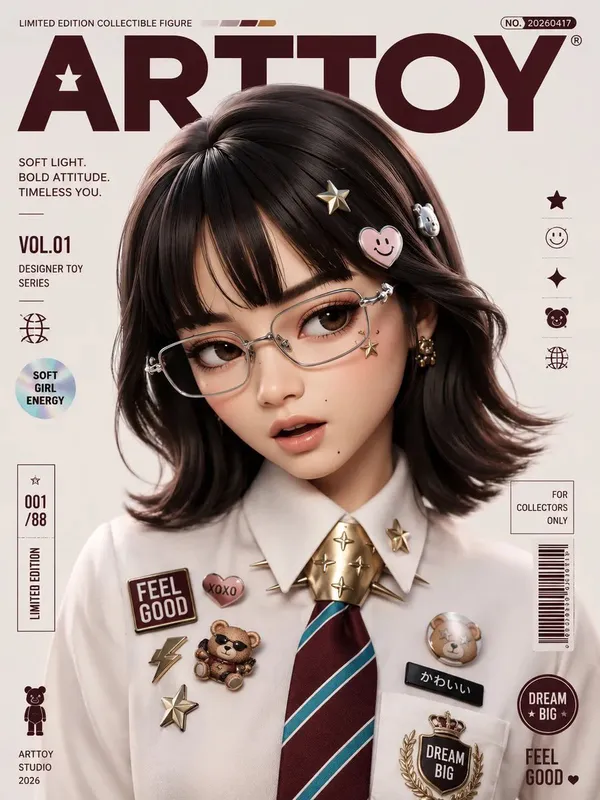
AI-generated Designer Collectible Art Toy made with GPT Image 2

Designer Collectible Art Toy

GPT Image 2· Image
Transform the input image into a premium designer collectible-art toy aesthetic. Preserve the subject's identity, pose, composition, and key features, but reinterpret everything as a highly detailed stylized vinyl/resin character. Features: Cute yet sophisticated designer toy proportions Large expressive eyes with subtle side-glance attitude Smooth polished skin and soft sculpted facial features High-end 3D render quality Hyper-detailed materials and textures Soft ambient global illumination Studio-grade lighting with gentle bloom Slightly exaggerated facial proportions Clean toy-like surface finish Premium collectible figurine appearance Styling: Add playful graphic stickers, pins, patches, charms, decals, that match the subject's personality Decorative details should feel curated and collectible, not random Fashion and clothing should remain inspired by the original image but elevated into designer-toy aesthetics Rich layered materials such as knit fabrics, glossy plastics, enamel pins, embroidered patches, metallic jewelry, and soft textiles Subtle freckles, texture details, and micro-surface imperfections for realism Composition: Centered portrait framing Magazine-cover presentation Bold oversized typography Modern editorial layout Minimal geometric UI elements Limited edition collectible packaging design language Clean visual hierarchy Luxury streetwear toy-brand aesthetic Color System: Extract the dominant color from the outfit Use that color as the primary background gradient Create monochromatic harmony between background and wardrobe Add small complementary accent colors through stickers and accessories Vibrant but cohesive palette Rendering: Ultra-detailed 3D character render Octane/Redshift/Cinema4D quality Sharp focus High contrast Soft depth of field Commercial toy photography Luxury collectible product shot Premium designer art toy aesthetic Contemporary street-culture collectible design
@ChillaiKalan__
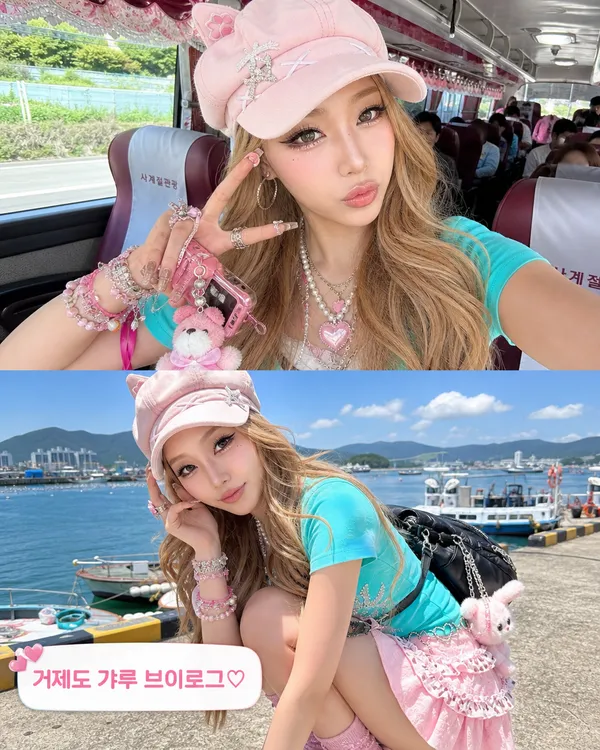
AI-generated Geoje gyaru vlog screenshot collage made with GPT Image 2

Geoje Gyaru Vlog Screenshot

GPT Image 2· Image
Use image 1 only for the adult woman's identity and facial structure. Create a vertical 4:5 Korean pop-culture Instagram carousel card with two stacked realistic smartphone vlog screenshots. The same woman appears in both screenshots, transformed into a clearly recognizable modern Japanese/Korean gyaru style. Mandatory gyaru styling: voluminous glossy warm-blonde hair with soft big waves and face-framing pieces; dramatic doll-eye gyaru makeup with extended black winged eyeliner, thick upper and lower false lashes, visible lower-lash definition, glittery aegyo-sal highlight, bright filtered complexion, pink blush, glossy overlined pink lips. Add maximalist Y2K/kawaii accessories: layered silver and pearl necklaces, heart charms, phone strap charms, multiple rings, rhinestone bracelets, tiny plush keychain, decorative hair clips. Outfit must be hyper-feminine and kitsch: pale pink cat-ear cap or fuzzy animal-ear hood, fitted turquoise or baby-blue top, lace camisole layer, ruffled mini skirt or layered lace trim, pink/teal color accents. Top screenshot: inside a small Korean tour bus, close selfie angle, she does a gyaru peace sign near her cheek with a playful pout. Bottom screenshot: sunny Geoje seaside harbor with boats and low mountains, she crouches in a cute exaggerated pose, showing the layered outfit and accessories. Add a rounded white Korean caption sticker near the lower left that clearly reads exactly: ‘거제도 갸루 브이로그♡’. Fan-edit collage layout, realistic smartphone video-still texture, high-key daylight, slightly overexposed social-media filter, cute chaotic Y2K vibe.
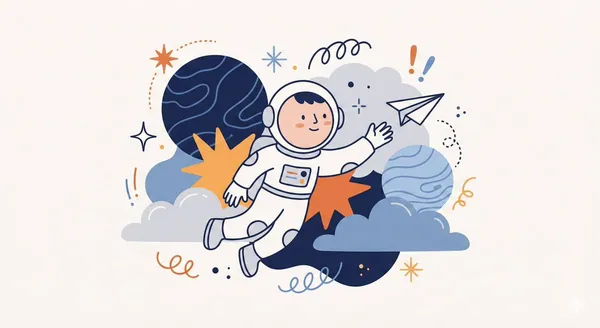
AI-generated Whimsical Abstract Character Illustration made with Nano Banana Pro
Whimsical Abstract Character Illustration

Nano Banana Pro· Image
Create a whimsical, playful illustration featuring [CHARACTER / SUBJECT] as the central focus. The character is drawn with simplified features, a small rounded head, and minimal facial detail, wearing [HEADWEAR / CLOTHING DESCRIPTION]. They are positioned among oversized abstract shapes and organic elements such as [FLORAL / SYMBOLIC OBJECTS], creating a sense of imaginative scale. The character is interacting with [OBJECT / ACTION], adding narrative interest. Decorative graphic elements like [SYMBOLS: exclamation points, speech bubbles, scribbles, notes, etc.] float around the subject to enhance expression and energy. Use clean, simple linework and a limited color palette of [PRIMARY COLORS], keeping the illustration bold and cohesive. The background is a soft neutral tone such as beige or off-white. The overall style is modern, flat, and illustrative, with a lively, creative, and slightly abstract atmosphere.
@aleenaamiir
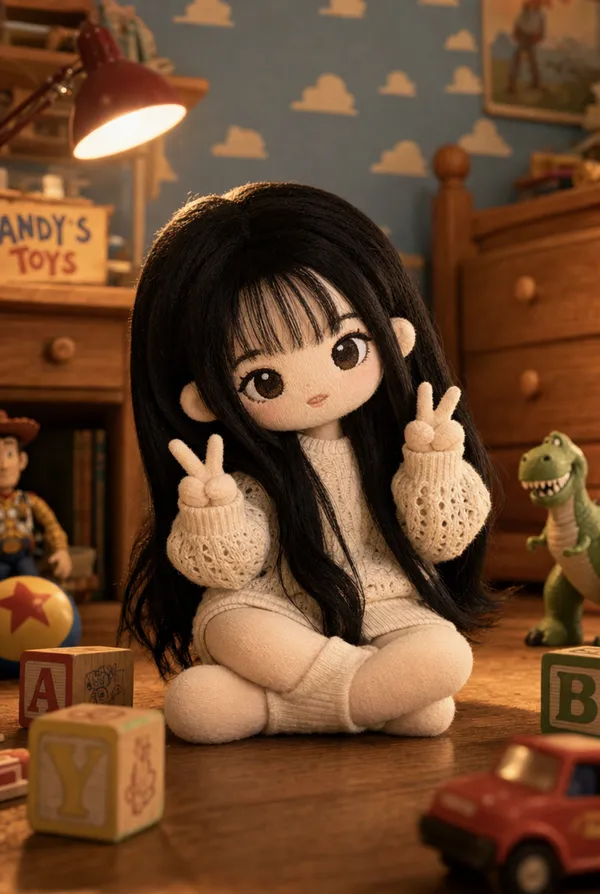
AI-generated Toy Story Knit Plush Doll made with GPT Image 2

Toy Story Knit Plush Doll

GPT Image 2· Image
Create a cute soft plush doll inspired by the person in the reference photo. The doll sits in a cozy children's bedroom inspired by classic animated toy movies. The doll reflects the person's hairstyle, face shape, and clothing — all rendered as a fabric plush toy with stitched facial details, soft cotton cloth form, slightly larger head and stubby rounded limbs ending in round mitten hands. The doll wears a miniature cloth version of the outfit from the reference. The doll sits on wooden floor in a natural, relaxed pose. Background: white clouds on light blue wallpaper, warm wooden furniture, scattered wooden blocks and small toy vehicles, a vintage desk lamp casting warm golden light. Camera at toy eye level, low angle looking slightly upward, shallow depth of field with soft bokeh. Cinematic animated movie quality lighting, warm and nostalgic mood. High-end collectible doll photo aesthetic from a classic toy movie universe.
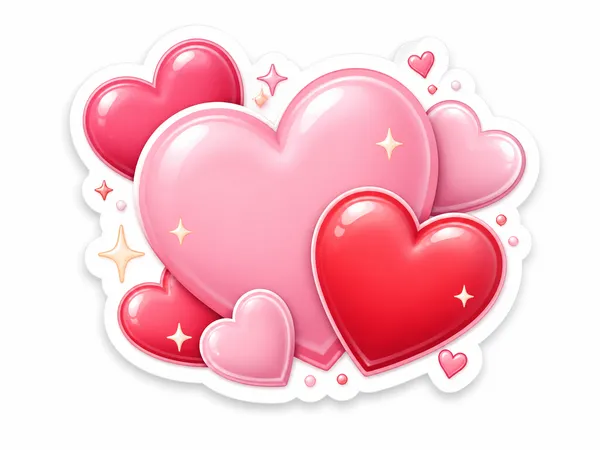
GPT 이미지 2로 생성한 러블리 하트 스티커

러블리 하트 스티커

GPT Image 2· Image
A lovely heart sticker illustration: pink and red hearts with tiny sparkles, soft 3D sticker texture, transparent-background look on white, kawaii style, no text.

What Are Kawaii AI Prompts?

Kawaii prompts create cute, soft, playful visuals built on pastel palettes, rounded forms, friendly expressions, and tiny decorative details. This tag covers a wide range of cuteness: chibi characters, plush and clay dolls, KakaoTalk emoticon sets, Sanrio and gyaru transformations, doodle illustrations, and pastel 3D characters. In Carat, kawaii prompts run on image models such as GPT Image 2 and Nano Banana Pro, and results carry into follow-up edits like background removal, aspect ratio changes, and upscaling.

Where You'll Use It

  • Chibi, clay, and plush-style character portraits and mascots
  • Turning your own face into KakaoTalk emoticons and sticker sheets
  • Sanrio or Doraemon cosplay and plush-toy transformations
  • Gyaru and Y2K style selfies and magazine-cover looks
  • Hand-drawn doodles and pastel 3D character illustrations

Why This Tag Is Useful

Kawaii is not just "cute." The image needs a consistent softness across shape, color, expression, and detail density. Rounded typography, small hearts, plush textures, animal-ear accessories, and glossy highlights all support the same emotional tone. If one element becomes too sharp, dark, or realistic, the image loses the kawaii feeling, so a prompt that pins down a single consistent tone is what makes a charming result.

Tips for Crafting Prompts

  1. Define the cuteness type first: pastel, toy-like, plush, glossy, or cozy.
  2. Use concrete props such as heart charms, bows, lace trim, stickers, and mini plushies.
  3. Keep facial expressions simple: bright smile, pout, shy glance, or peace sign.
  4. Pick one soft palette and repeat it across outfit, background, and typography.

Many kawaii prompts here turn your own photo into a cute character, so treat it as a two-pass process: refine the character first, then add decorative props and soft textures, and simplify the palette in Carat whenever the frame feels cluttered.
Frequently Asked Questions

Related Prompts

Illustration

Illustration

786 prompts

Kawaii Illustration

Kawaii Illustration

78 prompts

Character

Character

363 prompts

3D Cartoon

380 prompts

Carat Prompt Gallery

Create trending AI prompts instantly

Prompts

  • Logo
  • PPT Design
  • Thumbnail
  • Poster
  • Web Novel Cover
  • ID Photo
  • Caricature
  • Product Detail Page
  • Banner

Models

  • GPT Image 2
  • Seedance 2.0
  • NanoBanana Pro
  • NanoBanana 2

Carat

  • Get started
  • About
  • Blog
  • Careers
  • Contact
  • Partnership
  • Terms
  • Privacy

© 2026 Paradot.Inc All rights reserved.