
Media Kit Template
A practical guide to designing 미디어 키트 prompts for clear visual results.
2026.08.15
Make “Media Kit Template” exactly the way you wantCreate your own “Media Kit Template”
Just ask in plain language — Carat generates optimized images and videos for you.

Start now with 100 free credits daily
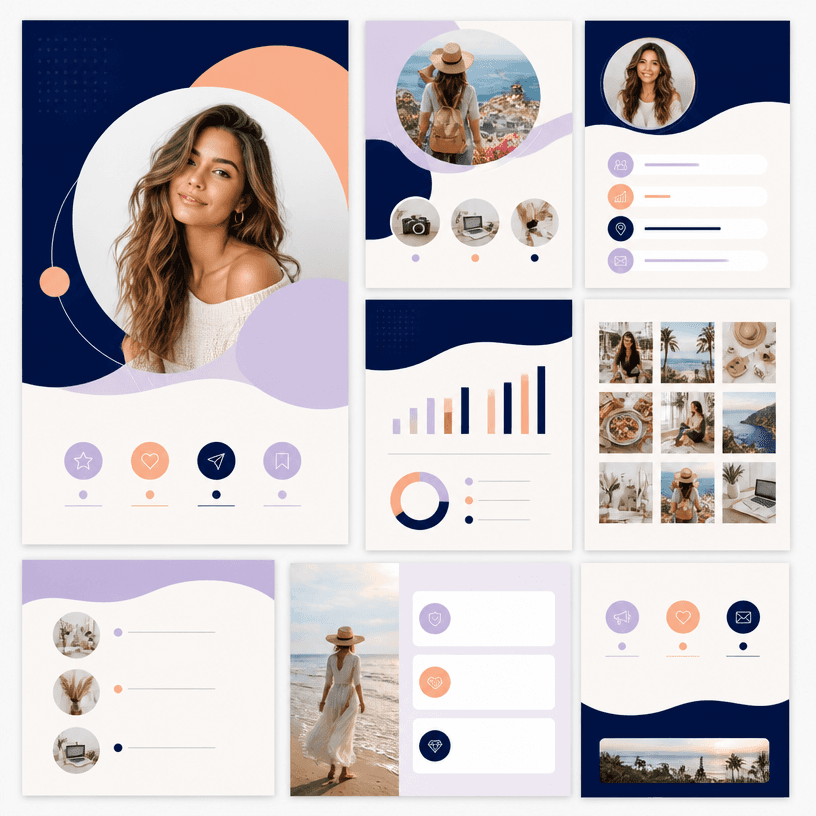
미디어킷 템플릿
What Is a 미디어 키트 AI Prompt?
A 미디어 키트 prompt turns the event purpose, audience, schedule, place, and desired action into visual production conditions. Instead of asking for a merely stylish design, specify headline scale, block placement, image role, contrast, and negative space. Treat dates, addresses, prices, contacts, and logos as editable content because generated copy may be inaccurate.
Practical Uses
- Promoting classes, markets, and community events
- Presenting menu items, prices, and ingredient information
- Introducing makers, projects, and organizations in media materials
- Creating event graphics for print and mobile channels
- Making information graphics with a clear sign-up, visit, or contact action
Why This Tag Helps
This tag helps organize the hierarchy of promotional graphics that combine decoration with practical information. Define the requested action first, then order the headline, representative image, schedule and place, supporting detail, and contact path. A poster needs a short headline and one dominant scene that works from a distance. A menu benefits from aligned item names and prices with compact descriptions. A media kit or template becomes reusable when repeated sections and editable zones are explicit. Keep backgrounds quiet, preserve contrast around key details, and check that mobile versions make the title and action readable at small size. Review physical dimensions and bleed separately for print. Replace generated copy and logos with verified source content before publishing.
Related Prompts
business-card, small-business, process-diagram, wedding-card, health-infographic, social-media-carousel can extend the direction toward business cards, small-business promotion, process diagrams, invitations, infographics, and social content. Borrow one palette or spacing rule while preserving the current information hierarchy.
Prompt Construction Tips
- State purpose, audience, channel, physical size, and output ratio.
- Set reading order from headline and key message to details and next action.
- Separate palette, contrast, spacing, type mood, image, and icon rules.
- Distinguish fixed copy from text to enter after generation.
Check hierarchy and legibility before decoration, then change one variable such as color or texture at a time. Proofread dates, addresses, prices, and contact details against the source before release.


