carat

Prompt Gallery

/

Product Banner

Login
Sign Up

Product Banner

Product Banner prompts. Copy and use Product Banner image generation prompts from Carat right away.

2026.07.12

·
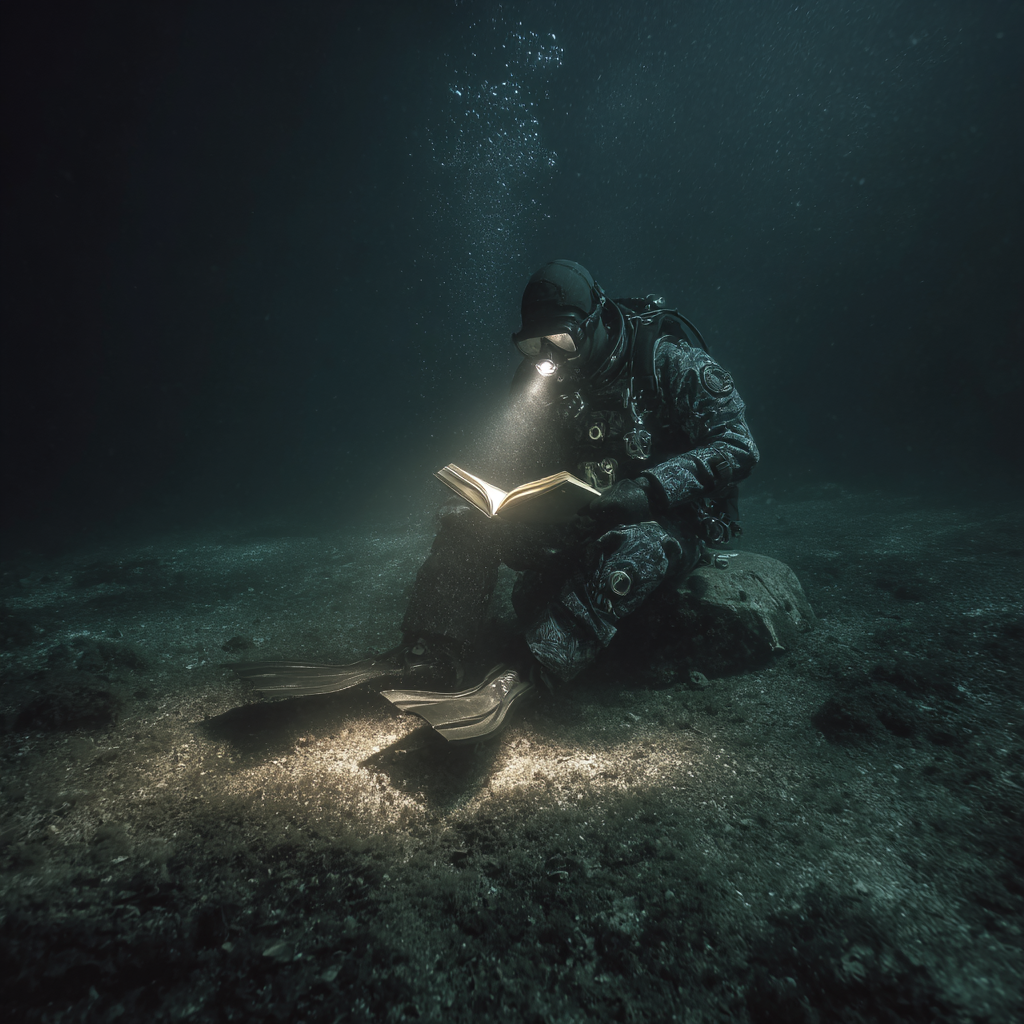
AI-generated Deep-Sea Diver Reading made with Midjourney

Deep-Sea Diver Reading

Midjourney· Image
professional underwater deep-sea photography of a vintage deep-sea diver sitting on a rock on the abyssal seafloor, reading an open book, visible diving fins on both feet, vast dark empty water around him, no sunlight, only a handheld dive flashlight illuminating the book and part of the suit, dramatic low-key lighting, rising bubbles, sandy seabed, moody, surreal yet realistic, ultra-detailed, authentic photo
1121b6d113314362a0f4209d11310756
AI-generated Luxury Product Advertising Poster made with GPT Image 2

Luxury Product Advertising Poster

GPT Image 2· Image
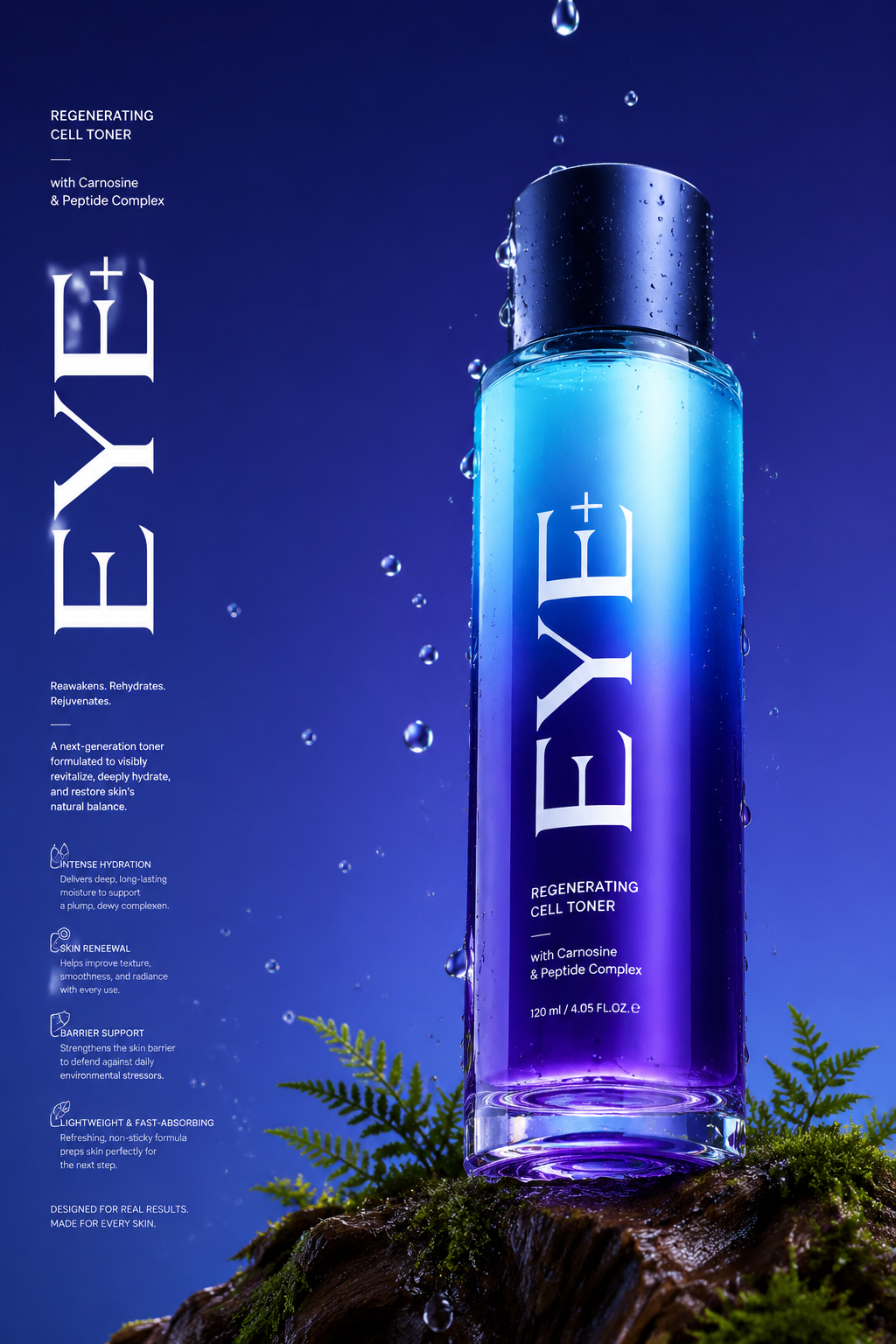
Long Commercial luxury product photography poster, photorealistic, ultra high detail, 8K quality. A gradient deep violet glass base in royal purple and electric blue gradually transitioning to a lighter cyan at the top. The bottle is placed on a trunk with dark moss and tiny ferns appearing in the scene. Name of brand "Eye+" Low angle 45° side camera view to make the bottle feel tall and powerful. The bottom of the bottle is partially visible. Realistic water droplets in air, around the bottle and in background, the bottle has a matte midnight blue cap. With a few drops falling, frozen mid-drip for a time-stopped effect. Background with no texture. Soft, even studio lighting with clean reflections, premium advertising look, sharp focus, realistic materials, no distractions. Light refraction & retention at the bottom of the bottle contact with glass. Big text vertically stretched EYE+ in white and a lot of small text in background in white product description, advantages in product. Etc.
496d11f7c212e309976dad830b87eb4b
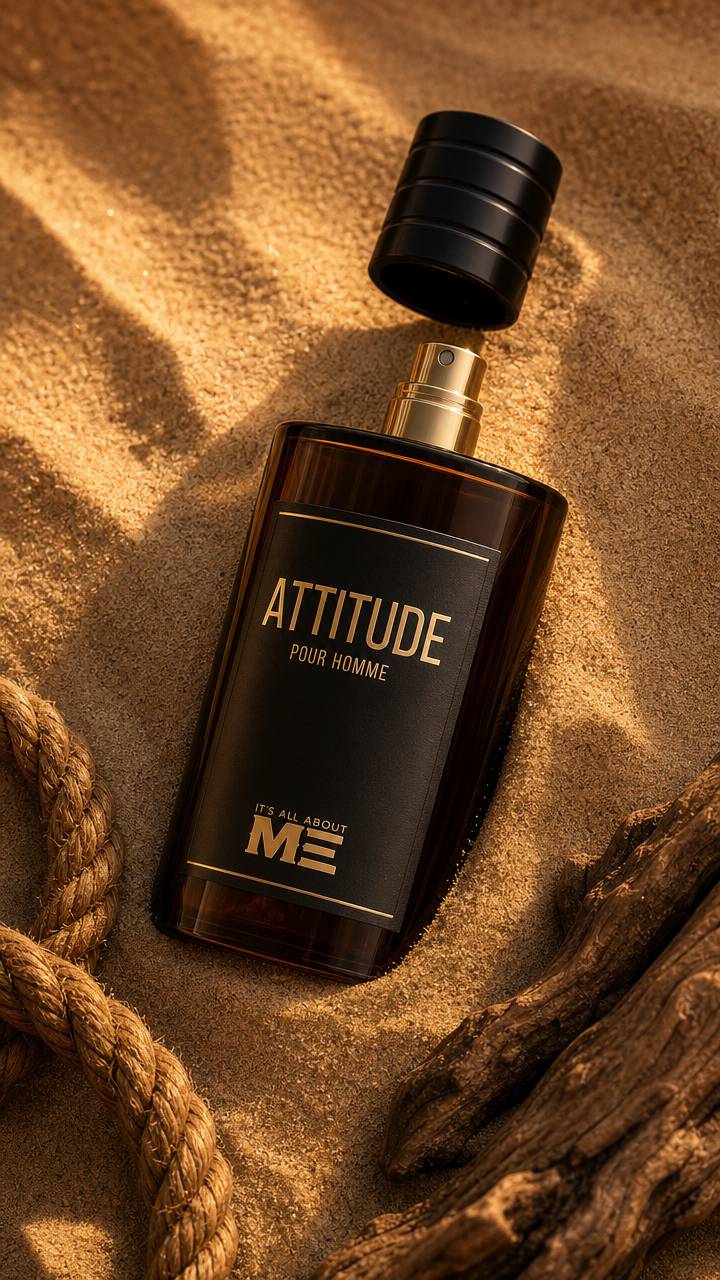
AI-generated Luxury Men’s Perfume on Desert Sand made with GPT Image 2

Luxury Men’s Perfume on Desert Sand

GPT Image 2· Image
A premium luxury men's perfume bottle lying diagonally on fine golden desert sand, partially embedded in the sand, with the cap floating slightly above the atomizer. Rich dark amber glass bottle with elegant matte black label and gold typography. Natural driftwood placed in the bottom-right corner, thick rustic rope coiled in the bottom-left, creating a rugged masculine composition. Warm golden-hour sunlight casting soft cinematic shadows across the sand, highly detailed sand texture with realistic grains. Ultra-photorealistic product photography, luxury fragrance advertising style, premium editorial composition, macro lens, shallow depth of field, crisp reflections on the glass, subtle dust particles in the air, volumetric warm light, high dynamic range, luxury commercial lighting, soft contrast, realistic materials, 8K, ultra-detailed, sharp focus, premium brand campaign, minimal color palette of sand, black, and warm brown." Negative Prompt "low quality, blurry, noisy, pixelated, oversaturated, overexposed, underexposed, distorted bottle, warped label, duplicate objects, fingerprints, scratches, watermark, logo distortion, text errors, CGI look, plastic appearance, unrealistic shadows, cluttered background, extra props.
65158ab514a7a02032c9b8b55ab74cf5
AI-generated Luxury Perfume Product Photo made with GPT Image 2

Luxury Perfume Product Photo

GPT Image 2· Image
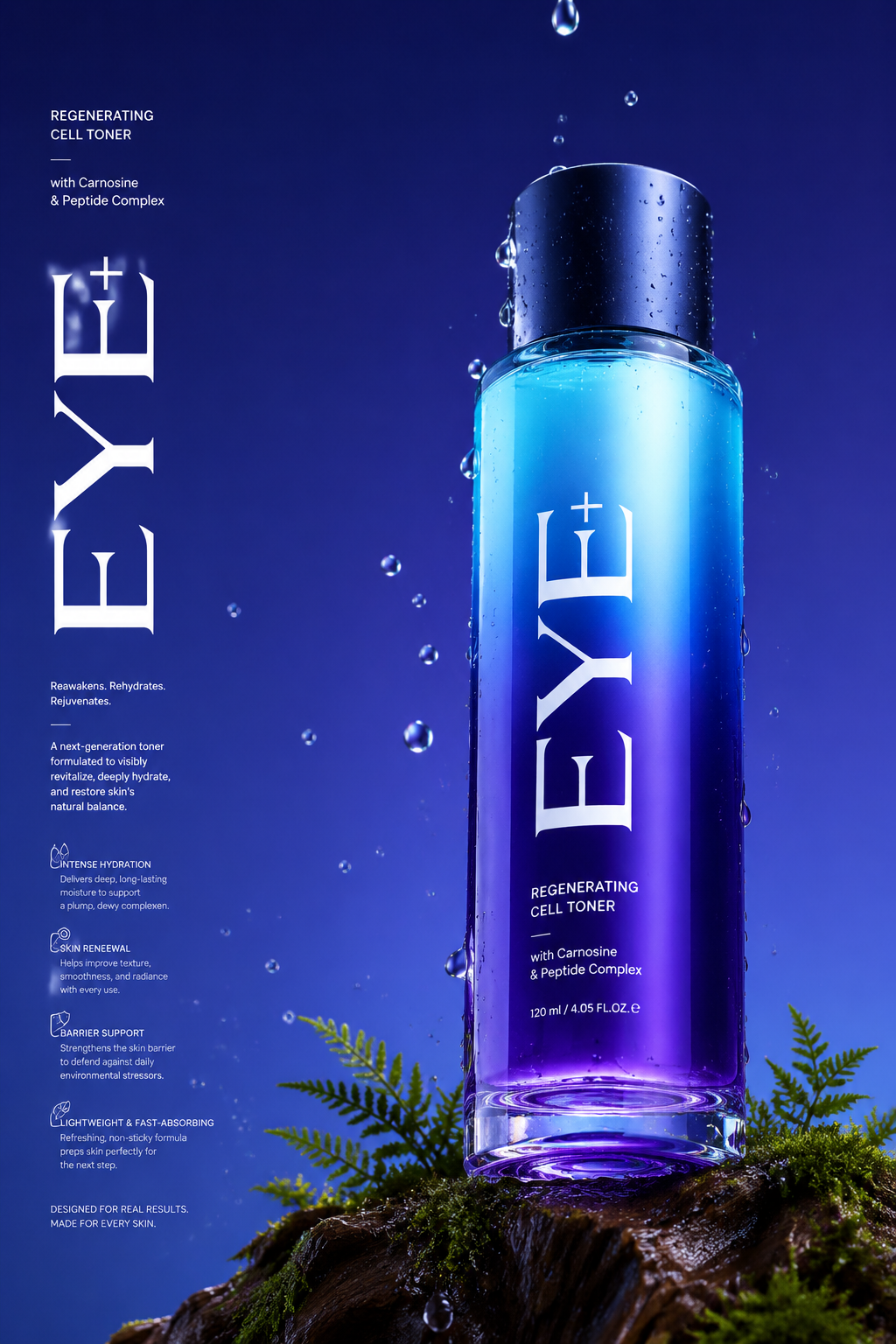
Long Commercial luxury product photography poster, photorealistic, ultra high detail, 8K quality. A gradient deep violet glass base in royal purple and electric blue gradually transitioning to a lighter cyan at the top. The bottle is placed on a trunk with dark moss and tiny ferns appearing in the scene. Name of brand "Eye+" Low angle 45° side camera view to make the bottle feel tall and powerful. The bottom of the bottle is partially visible. Realistic water droplets in air, around the bottle and in background, the bottle has a matte midnight blue cap. With a few drops falling, frozen mid-drip for a time-stopped effect. Background with no texture. Soft, even studio lighting with clean reflections, premium advertising look, sharp focus, realistic materials, no distractions. Light refraction & retention at the bottom of the bottle contact with glass. Big text vertically stretched EYE+ in white and a lot of small text in background in white product description, advantages in product. Etc.
496d11f7c212e309976dad830b87eb4b
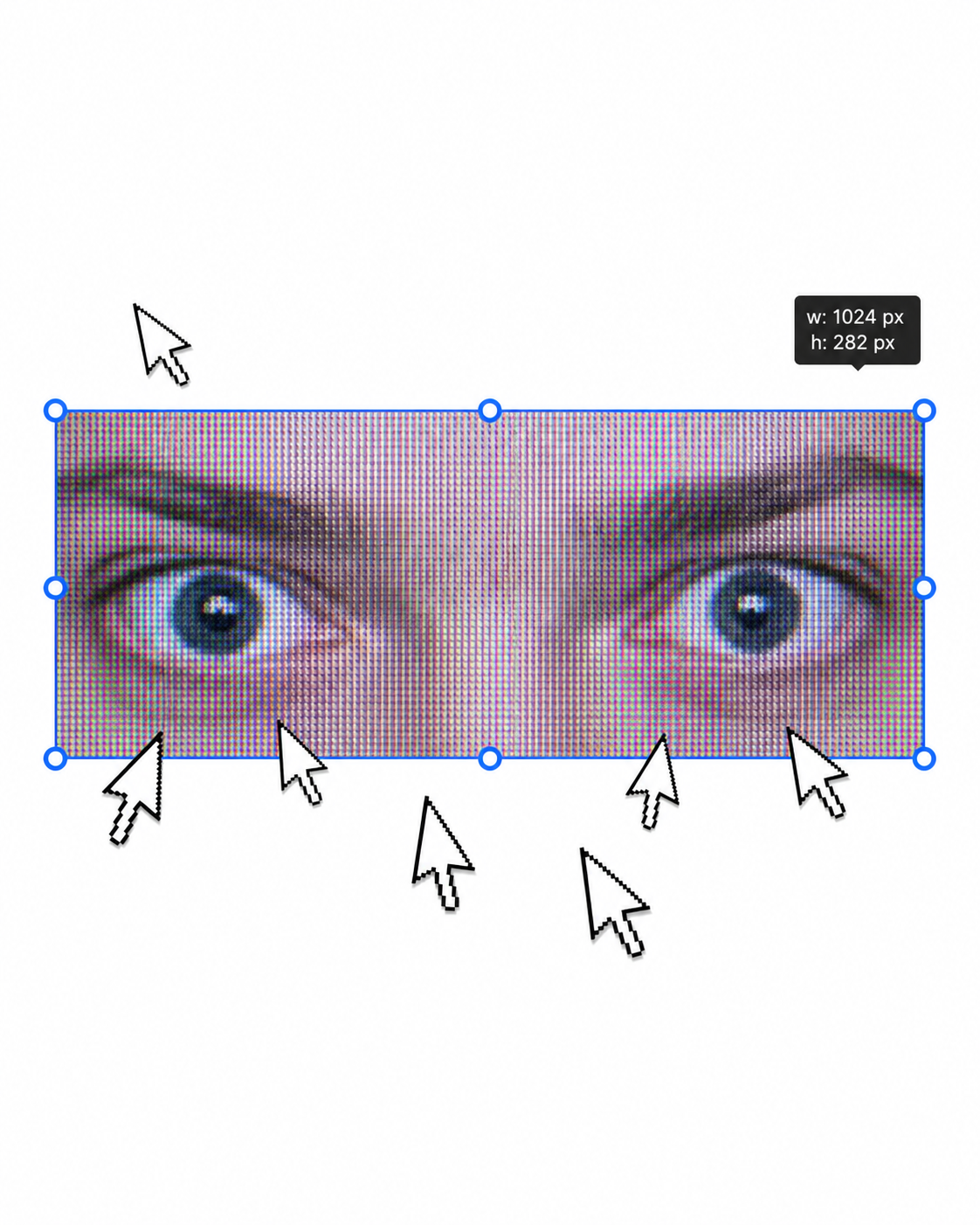
AI-generated Urban Fashion Editorial Poster made with GPT Image 2

Urban Fashion Editorial Poster

GPT Image 2· Image
1. json prompt version ```json { "subject": { "description": "A cropped, low-resolution digital image of a person's eyes inside a rectangular selection box, resembling an image-editing canvas or screenshot. Only the eye area and eyebrows are visible; the rest of the face and body are cut off.", "mirror_rules": "Not a mirror selfie. Preserve the screen-capture / interface-editing feel rather than treating it as a conventional portrait.", "age": "adult or young adult, exact age unclear due to extreme crop and pixelation", "expression": { "eyes": { "look": "wide, direct, slightly tense gaze", "energy": "alert, uncanny, quietly confrontational", "direction": "looking straight toward the viewer" }, "mouth": { "position": "not visible", "energy": "not applicable" }, "overall": "fragmented and decontextualized, with the eyes carrying all emotional weight" }, "face": { "preserve_original": "Preserve the exact cropped eye-band framing, visible eyebrows, dark pupils, low-resolution halftone texture, and slight pink-gray screen tint.", "makeup": "No clear makeup is visible. The face should read as a raw, pixelated screen image rather than a polished beauty portrait." } }, "hair": { "color": "not visible", "style": "not visible", "effect": "not applicable" }, "body": { "frame": "not visible", "waist": "not visible", "chest": "not visible", "legs": "not visible", "skin": { "visible_areas": "Only a narrow strip of facial skin around the eyes, eyelids, under-eye area, bridge of the nose, and brow region is visible. No shoulders, chest, waist, hips, legs, back, or arms are visible.", "tone": "pale pink-gray skin tone distorted by screen pixels and scanline-like color separation", "texture": "The skin appears roughened by digital pixel structure, like it would feel visually grainy or screen-printed rather than physically smooth; any natural skin texture is obscured by the low-resolution display pattern.", "lighting_effect": "The skin is not lit by natural photographic light; it appears illuminated through a flat digital screen or screenshot, with no realistic shadow depth, only pixel-level contrast and faint magenta-gray banding." } }, "pose": { "position": "Only the eyes are framed horizontally inside a selected rectangular crop.", "base": "No body pose visible.", "overall": "The composition feels like a fragment being actively selected, edited, or dragged inside a design interface." }, "clothing": { "top": { "type": "not visible", "color": "not visible", "details": "not visible", "effect": "not applicable" }, "bottom": { "type": "not visible", "color": "not visible", "details": "not visible" } }, "accessories": { "device": "Implied computer interface or editing software canvas", "prop": "Multiple oversized black-and-white mouse cursor arrows surrounding and pointing toward the selected eye image" }, "photography": { "camera_style": "Not a traditional photograph; a screenshot-like digital collage or UI-capture aesthetic with a pasted low-resolution eye image.", "angle": "Straight-on, flat frontal view with no perspective depth.", "shot_type": "Extreme close-up crop of eyes embedded in a graphic interface composition.", "aspect_ratio": "Overall image is near 4:5 vertical canvas; the selected eye strip is a long horizontal rectangle.", "texture": "Visible pixel grid, moire-like vertical RGB scanlines, compressed low-res texture, hard-edged UI elements, clean white canvas background.", "lighting": "Flat screen illumination, no cinematic lighting, no natural directionality; contrast comes from the digital image and interface overlay.", "depth_of_field": "No optical depth of field; all elements appear flattened like a graphic screenshot." }, "background": { "setting": "Minimal white digital workspace or blank canvas", "wall_color": "white", "elements": [ "bright cyan-blue rectangular selection outline", "round blue resize handles on corners and midpoints", "small dark floating size tooltip near the top-right edge", "several repeated mouse cursor arrows arranged around the eye crop", "large empty white space above and below the selected image" ], "atmosphere": "Sparse, internet-art, meme-adjacent, slightly uncanny and obsessive", "lighting": "Pure digital white background with no physical environmental light" }, "the_vibe": { "energy": "hyper-focused, intrusive, glitchy", "mood": "uncanny, anxious, surveillance-like, absurdly intimate", "aesthetic": "early internet collage, screenshot art, low-res UI manipulation, digital found-image surrealism", "authenticity": "Should feel like an imperfect screenshot taken during editing, not a clean vector recreation or polished poster.", "intimacy": "The extreme eye crop creates uncomfortable closeness while the interface elements keep it emotionally detached.", "story": "It feels as if someone had been selecting a stranger's gaze on a blank canvas, and the repeated cursors are still converging on it.", "caption_energy": "something that was clicked too many times, a gaze trapped inside an editing box" }, "constraints": { "must_keep": [ "white blank background", "horizontal rectangular crop containing only both eyes and eyebrows", "cyan-blue selection box with circular resize handles", "visible pixelated / scanline texture across the eye image", "multiple large black-and-white cursor arrows pointing toward or around the eyes", "small size-tooltip near the upper right of the selection box", "flat screenshot-like composition", "uncanny direct gaze" ], "avoid": [ "do not turn it into a full-face portrait", "do not add visible body, clothing, hair, or environment", "do not make the image high-fashion or cinematic", "do not remove the UI selection handles", "do not smooth out the pixel grid", "do not replace the cursors with realistic hands or objects", "do not add dramatic shadows or realistic depth" ] }, "negative_prompt": [ "full body", "full face", "beauty portrait", "cinematic lighting", "realistic background", "smooth skin", "high resolution glamour", "fashion editorial", "hands", "extra facial features", "removed cursor arrows", "removed selection box", "3D depth", "polished vector art" ] } ``` 2. Natural language prompt Create a flat, screenshot-like digital collage on a mostly blank white canvas. In the center, place a long horizontal rectangular crop showing only a person's eyes, eyebrows, eyelids, under-eye area, and a narrow strip of pale pink-gray facial skin. The gaze should look straight at the viewer, wide and slightly tense, with an uncanny, alert emotional residue. Do not show the full face, mouth, hair, body, clothing, shoulders, chest, waist, hips, legs, arms, or any physical environment. The eye crop should look low-resolution and screen-captured, with visible pixel grid, vertical RGB scanline texture, faint moire, compression artifacts, and a slightly gray-magenta digital tint. The skin should not look polished or naturally lit; it should feel visually grainy, like a rough screen-printed or monitor-textured surface rather than smooth real skin. Lighting should be flat screen illumination with no realistic shadows, no cinematic directionality, and no depth-of-field blur. Surround the eye strip with a bright cyan-blue editing selection rectangle, including circular resize handles on the corners and midpoints. Add a small dark size-tooltip near the upper-right edge of the selected rectangle, as if the image is actively being resized in editing software. Place several oversized black-and-white mouse cursor arrows around the eye crop, some pointing toward the eyes and some overlapping the area below, creating a repetitive obsessive clicking energy. The composition should remain front-facing, flat, and graphic, with a near 4:5 vertical canvas and a large amount of empty white space above and below the selected eye strip. Preserve the imperfect screenshot feeling: slightly awkward placement, low-res texture, hard UI edges, and a casual internet-art quality. The image should feel as if someone had been selecting a stranger's gaze on a blank canvas, and the cursors are still converging on it. Avoid turning it into a full portrait, beauty shot, fashion editorial, cinematic scene, polished vector poster, or realistic environment. Keep the selection box, cursor arrows, pixelation, flat white background, and direct uncanny gaze as the core visual identity.

d1f13b0062b253274393e0ac28bf3555
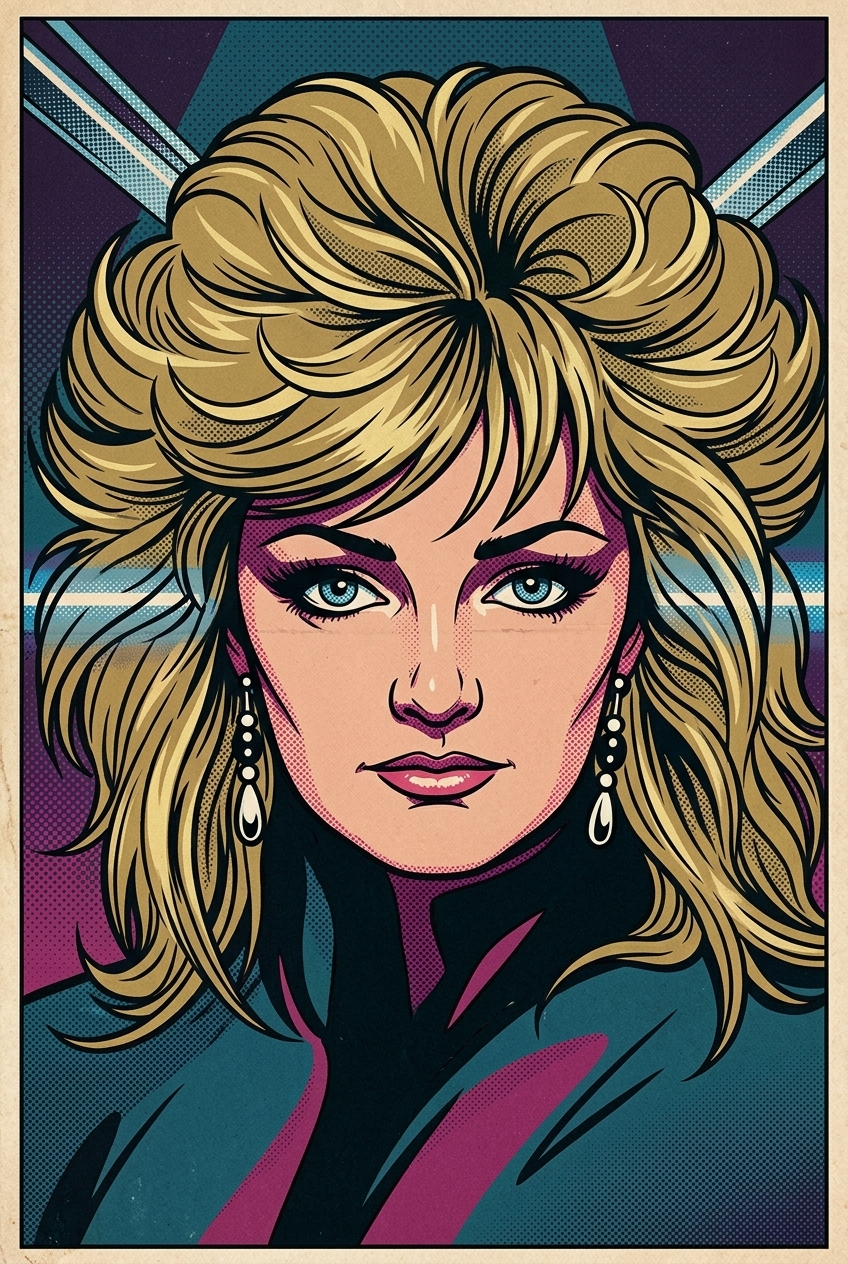
AI-generated 1960s Pop Art Illustration made with Nano Banana 2

1960s Pop Art Illustration

Nano Banana 2· Image
Transform the image into a 1960s comic-book Pop Art illustration. Use bold black contour lines, flat saturated colors, and dense halftone dot shading typical of vintage comic printing. The facial features should be expressive, stylized, and slightly exaggerated, as if captured in a dramatic single comic panel. The color palette should be carefully chosen to match the mood, atmosphere, and emotional tone of the subject, using harmonious and era-appropriate Pop Art colors rather than random primaries. Maintain a clean, graphic composition with strong Pop-Art energy and vintage print texture. Important: The artwork must contain no speech bubbles, no captions, no text, no words, and no letters of any kind.The image should be full-bleed (no borders) and composed as a 2:3 vertical format, with the subject clearly centered and visually prominent.
c1dc0d9816b4500003699e8c00ea43bc
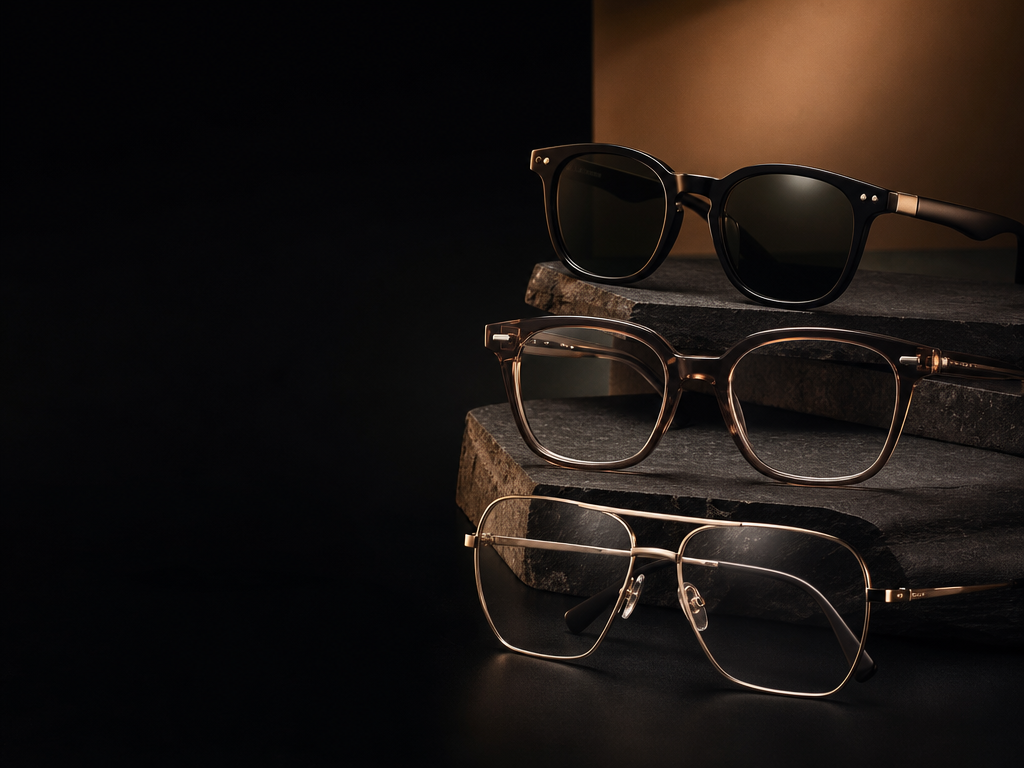
AI-generated Luxury Optical Store Website Hero made with GPT Image 2

Luxury Optical Store Website Hero

GPT Image 2· Image
Luxury optical store website hero image, premium eyewear advertising campaign for a modern optical boutique. Dark elegant black and warm brown studio background, cinematic fashion lighting, high-end editorial mood, luxury retail aesthetic. On the right side of the image, show 2 prescription eyeglass frames and 1 sunglass frame as the main focus. The frames should look premium, elegant and expensive, inspired by high-end eyewear brands such as Ray-Ban, Vogue, Ralph, Sferoflex, Emporio Armani and Armani Exchange, but without visible logos or fake brand text. Use realistic acetate, metal and transparent frame materials, clean lenses, subtle reflections, sharp product details. Leave the left 40% of the image clean and dark with soft gradient negative space for website headline text and buttons. Composition should feel professional, luxurious, modern, trustworthy and suitable for an optical store homepage. Photorealistic commercial product photography, cinematic shadows, premium black styling, soft warm highlights, crisp details, 8K, website hero banner, 16:9. No text, no logo, no watermark, no fake brand names, no distorted glasses, no messy background, no unrealistic reflections, no hands, no clutter.
0ef735505165fb4d3206e2a3e3b0fcd3
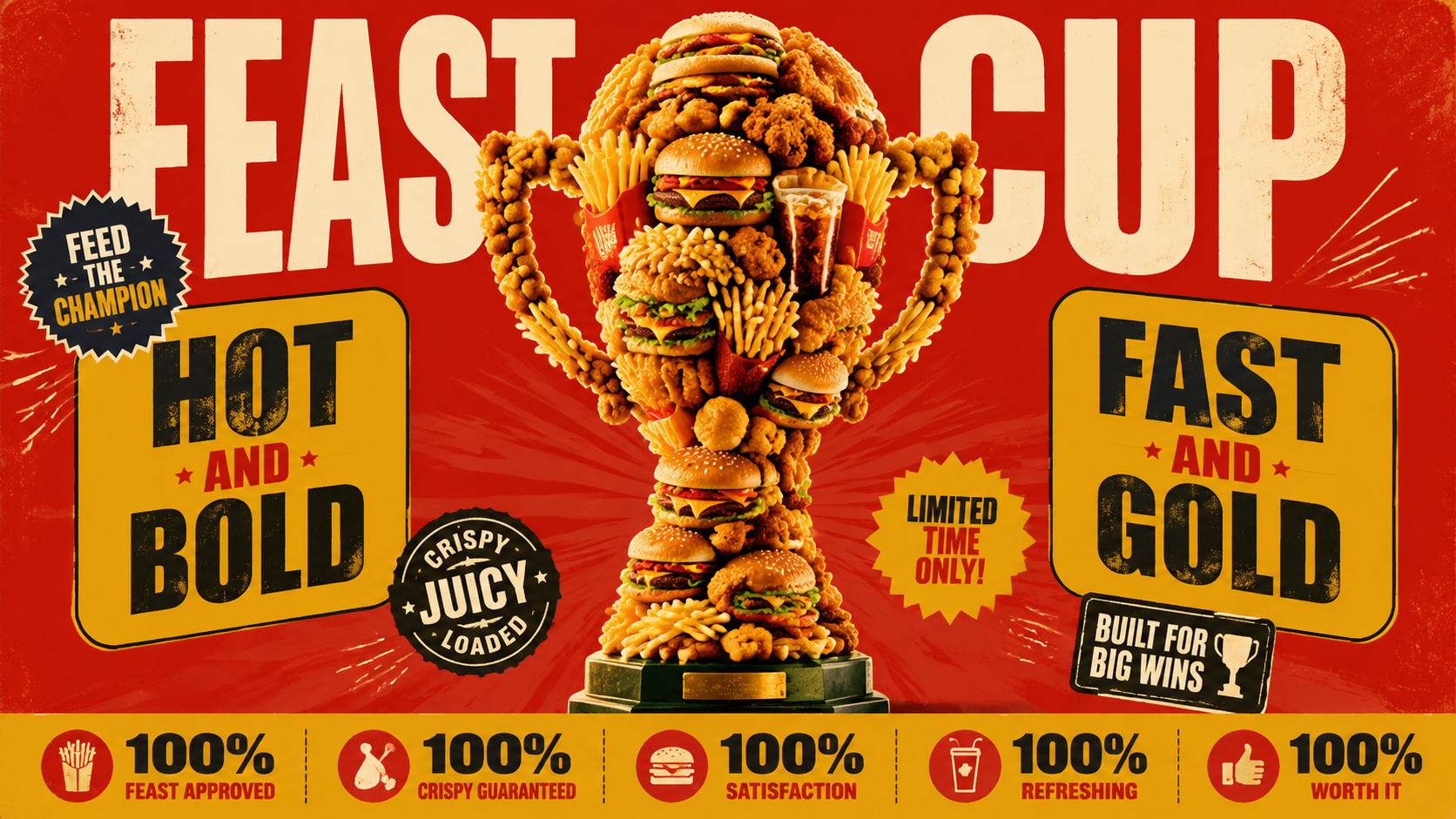
AI-generated Fast Food Trophy Promo Poster made with GPT Image 2

Fast Food Trophy Promo Poster

GPT Image 2· Image
复古促销风借势海报,16:9 横版——画面中央是一座大力神杯轮廓的雕塑(两臂上举托球的经典奖杯造型,立于底座上),完全由[品类产品,如汉堡、薯条、炸鸡块、可乐杯]密集堆砌而成,产品摄影级质感带柔和投影;背景大红色,两侧黄色圆角面板写英文口号"[口号,如 HOT AND BRIGHT]",顶部横贯超大奶白色两词英文标题"[标题,如 FEAST CUP]"并被奖杯局部遮挡形成纵深;四周散布爆炸贴与印章徽章,底部通栏分段信息条:小图标+百分比数据+短口号"[数据文案,如 100% FEAST APPROVED]";整体复古印刷噪点质感,画面所有文字均为英文,不出现任何官方标志和 "World Cup" 字样,仅靠轮廓传达——不要 FIFA 标志、不要真实品牌 logo、不要球星人脸、不要光秃秃的实心金属奖杯、不要极简排版
adfcf8fb71b96ea7e61c7ce0881da6d2
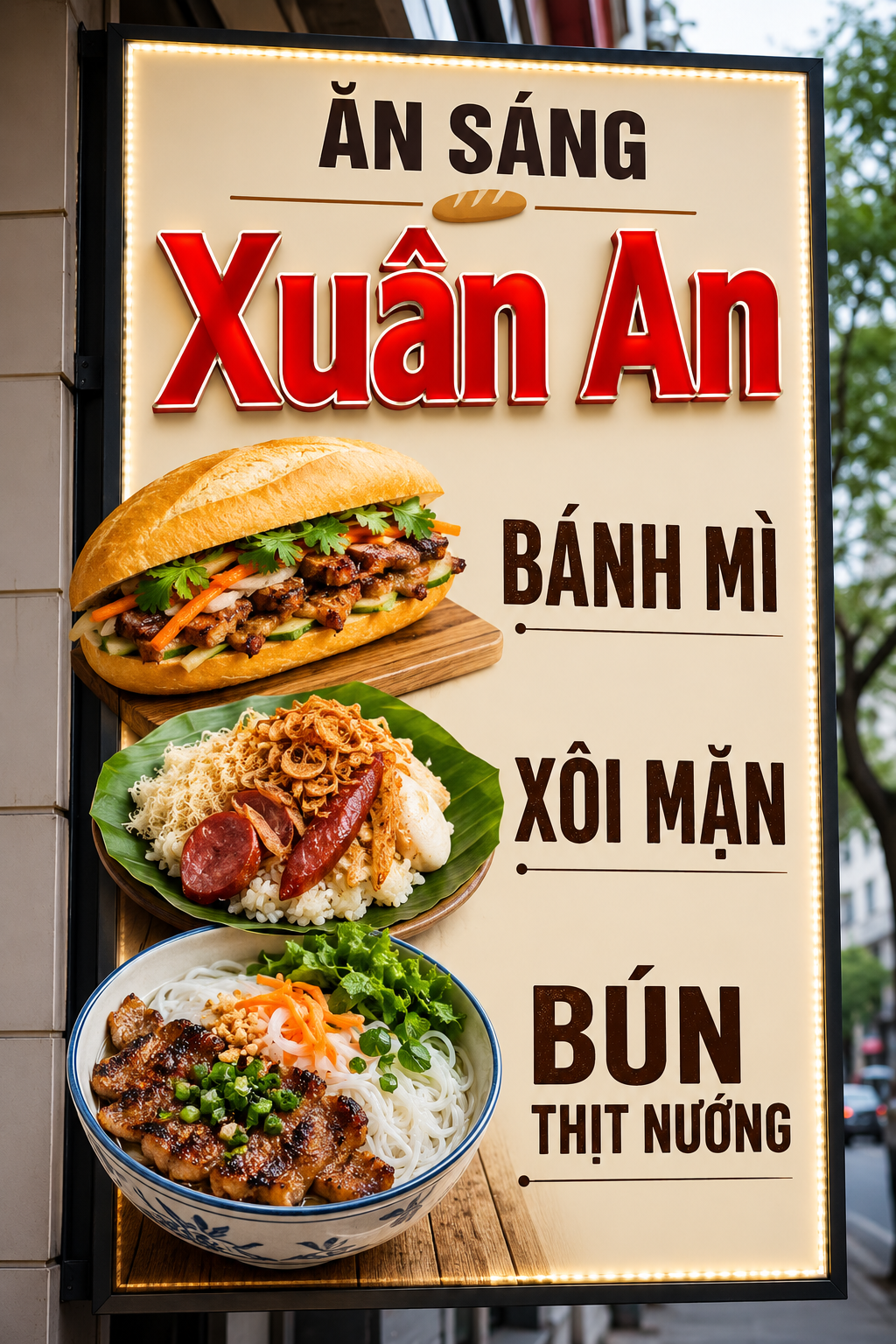
AI-generated Vietnamese Breakfast Sign Ad made with GPT Image 2

Vietnamese Breakfast Sign Ad

GPT Image 2· Image
Thiết kế biển quảng cáo ăn sáng các món Bánh Mì, Xôi mặn, Bún Thịt Nướng tên cửa hàng Xuân An biển quảng cáo đơn giản nổi bật dễ nhìn từ xa không nhiều màu tập trung vào chữ nổi và hình món ăn bắt mắt siêu thực
1569ad492f38ef8af1d272a2439f30ae
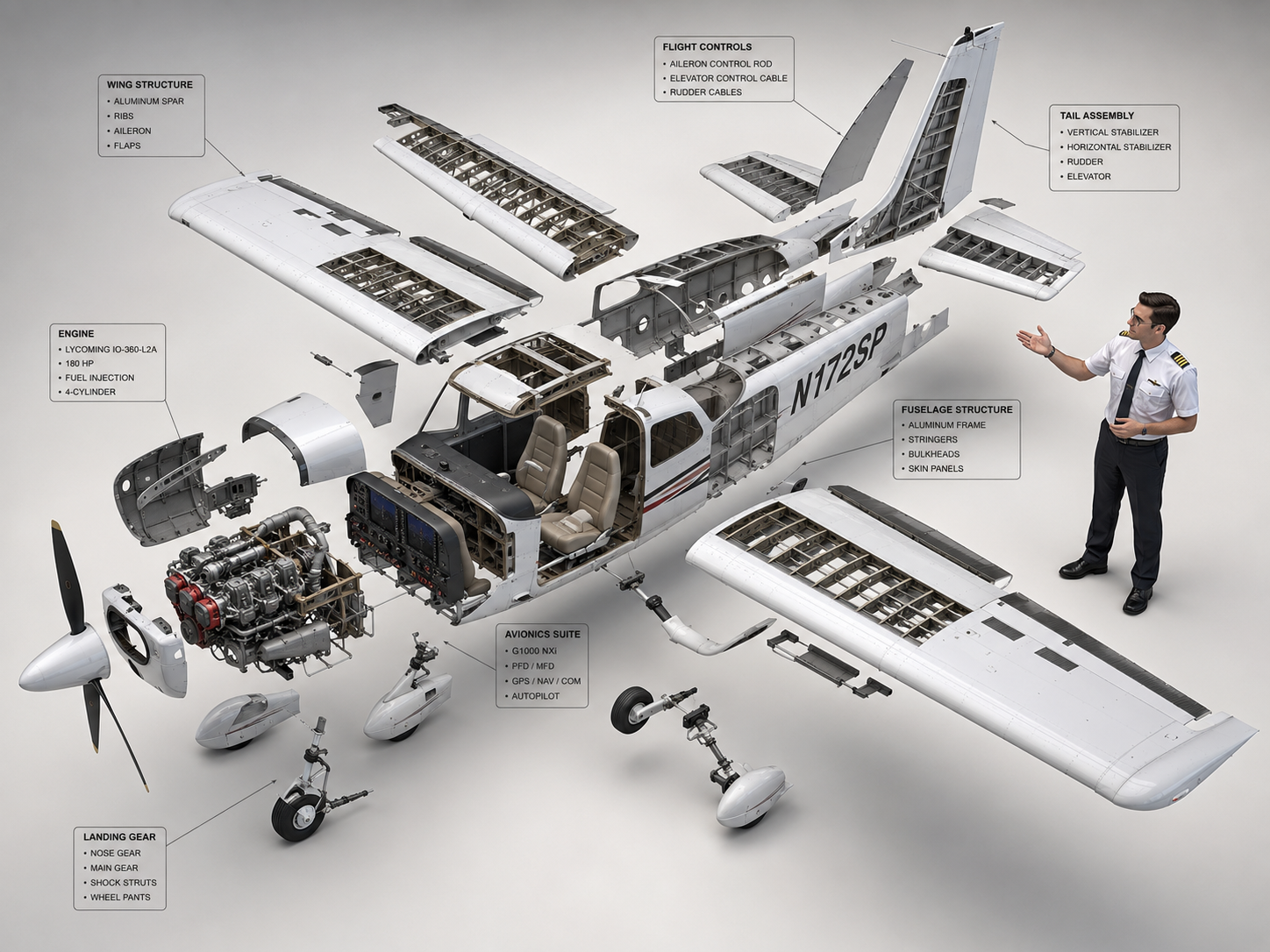
AI-generated Cessna 172 Exploded View Diagram made with GPT Image 2

Cessna 172 Exploded View Diagram

GPT Image 2· Image
High-end 3D CAD exploded view diagram of a Cessna 172, designed for CPL pilot training and technical reference. The aircraft is carefully disassembled into its main structural parts (fuselage, wings, engines, cockpit, tail stabilizer, and landing gear), floating symmetrically in a clean 3D space. A professional CPL pilot is positioned next to the components, gesturing towards the flight control systems as if demonstrating the aircraft parts. Industrial design aesthetic, precise technical lines, detailed plans, and realistic material textures (brushed aluminum and carbon fiber). Matte color palette. Clean, isolated background, isometric perspective, studio lighting with soft shadows, highlighting flight control systems and avionics for professional aviation study. --ar 4:3
c2284de1fa17e167135d711a164c5580
AI-generated Futuristic AI App Marketing Banner made with GPT Image 2

Futuristic AI App Marketing Banner

GPT Image 2· Image
Create a clean, futuristic marketing banner in a premium 3D commercial style, designed for an AI app, mobile platform, or startup landing page. Use a soft white-to-light-blue gradient background with a subtle airy glow, lots of negative space, and a polished minimal tech aesthetic. On the left side, place a tall modern smartphone in a slight three-quarter view, with a glossy black frame, realistic screen reflections, and a visible app interface that resembles a social media profile.In front of the phone, position a sleek humanoid robot with a glossy white armored body, black joints, illuminated cyan-blue accents, and a large smooth visor-style face with glowing blue eyes. The robot should be in an energetic forward-running pose, as if stepping out of the phone into the real world, one leg lifted and arms bent dynamically. Give it a friendly but powerful AI assistant look, with detailed mechanical seams, polished surfaces, and high-end sci-fi realism. The robot should feel advanced, helpful, and ready to power a smart app experience.On the right side of the composition, place large bold headline text in a modern rounded sans-serif font, colored deep blue or indigo, aligned left and stacked in three lines: “AI SOCIAL MEDIA AUTOMATION EXPERT” and 'Content • Posting • Full Management'. The typography should be crisp, oversized, and highly legible, with a strong hierarchy and clean spacing. The overall layout should feel balanced and professional, with the robot and phone acting as the visual anchor and the headline as the main message.Use soft studio lighting, realistic shadows under the robot, subtle ambient reflections on the phone, and a light futuristic glow around the subject. Keep the image polished, modern, and app-focused, with a strong sense of innovation, automation, and intelligent digital transformation. The final result should look like a premium AI product ad, startup banner, or SaaS hero image with a sleek, trustworthy, high-conversion visual style.Negative prompt:No clutter, no extra robots, no extra phones, no dark background, no heavy shadows, no neon overload, no chaotic UI, no low-resolution details, no cartoon look, no text distortions, no spelling mistakes, no extra limbs, no broken anatomy, no watermark, no frame, no grain, no messy composition. 16:9 aspect ratio
611501fcbfd00cc0b925fe59020c1ae5
AI-generated Graveyard Plague Doctor Poster made with Midjourney

Graveyard Plague Doctor Poster

Midjourney· Image
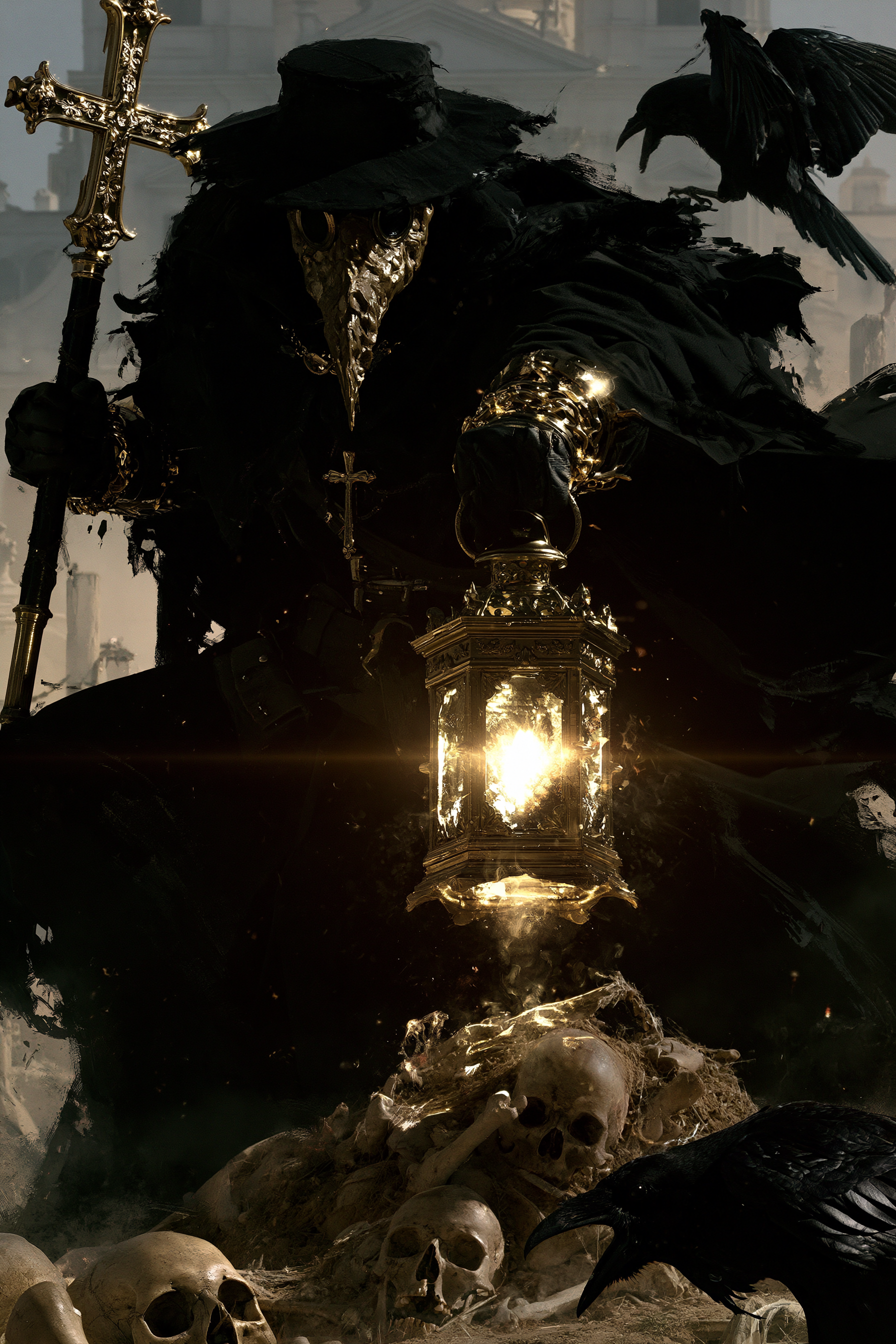
A plague doctor with a textured mask, holding a lantern and a staff with a cross, standing in a graveyard, dynamic pose, surrounded by skulls and remains, Raven, hazy architectural background, dramatic high contrast lighting, realistic 4K --chaos 11 --ar 2:3 --exp 35 --raw --sref 931379730 3600739026 2856554496 2403970710 --profile gw85t4j rxbd514 --hd --preview
b5dc213527df2ee94adde656a8c477f2

What are Product Banner Prompts?

A collection of AI prompts for generating product banner images. Copy the Product Banner prompts provided by Carat and paste them into an AI image generation tool to get professional-grade results.

How to Use Product Banner Prompts

  1. Select and copy your desired prompt.
  2. Paste it into the Carat agent.
  3. Modify colors, styles, and composition as needed.
  4. Download the generated image and use it in your project.

Tips for Writing Product Banner Prompts

Specify lighting, texture, composition, and lens information in detail for more precise results. Add "No text, no watermark" to prevent unwanted text overlays.

Product Banner Prompt Applications

Product Banner prompts are used across content creation, marketing, design, and educational resources. AI-generated images dramatically reduce production time while maintaining professional quality.

Product Banner Prompt Optimization Guide

Choose the aspect ratio based on your use case: vertical (9:16) for social media, horizontal (16:9) for web banners, and square (1:1) for product images.

Frequently Asked Questions

Related Prompts

Mockup

Mockup

386 prompts

Poster

Poster

503 prompts

Product Ad Image

Product Ad Image

504 prompts

Banner

Banner

69 prompts

Carat Prompt Gallery

Create trending AI prompts instantly

Prompts

  • Logo
  • PPT Design
  • Thumbnail
  • Poster
  • Web Novel Cover
  • ID Photo
  • Caricature
  • Product Detail Page
  • Banner

Models

  • GPT Image 2
  • Seedance 2.0
  • NanoBanana Pro
  • NanoBanana 2

Carat

  • Get started
  • About
  • Blog
  • Careers
  • Contact
  • Partnership
  • Terms
  • Privacy

© 2026 Paradot.Inc All rights reserved.