Profile Prompt
A practical profile prompt collection for social, professional, and character profile images.
2026.08.06
Make “Profile Prompt” exactly the way you wantCreate your own “Profile Prompt”
Just ask in plain language — Carat generates optimized images and videos for you.

Start now with 100 free credits daily

Discord Profile Background

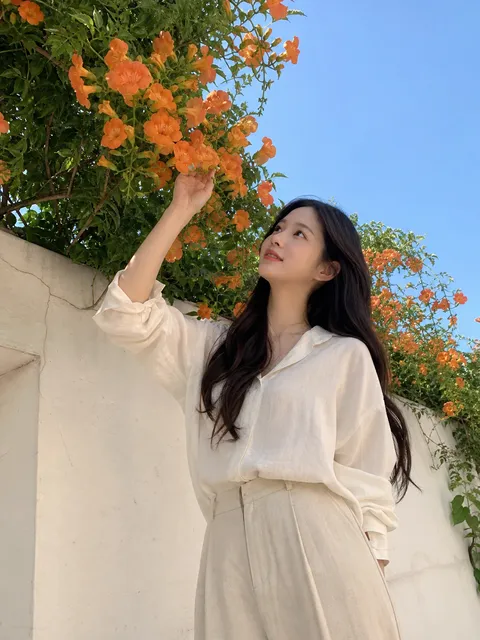
Bougainvillea LinkedIn Headshot
A profile image is a visual introduction that communicates identity and context in a very small space. An effective profile prompt should describe more than a face: include the intended use, expression, gaze, clothing, background, lighting, camera distance, composition, and overall visual direction. For LinkedIn or a portfolio, specify a neat shirt, calm expression, neutral background, and soft studio light. For a social profile, a natural smile, relaxed pose, and believable everyday location may work better. Start by defining who the subject is and where the image will be used, then add the framing. Request a centered close-up when the image will be used as a square avatar, or ask for a horizontal composition with intentional negative space when it will support a banner or profile header. Specific lighting phrases such as soft diffused light or natural window light usually produce more controllable results than a vague request for good lighting. Preserve recognizable facial proportions, hairstyle silhouette, and natural skin texture when consistency matters. If the same person will appear across several channels, lock the key appearance details and vary only the clothing or background. After generation, inspect whether the face remains readable at thumbnail size, whether the background competes with the subject, and whether hands, accessories, or glasses contain visual errors. Character profiles can use the same structure: add costume, color palette, props, pose, and setting details from the character world. These examples are starting points rather than rigid templates. Combine the purpose, subject, camera, lighting, and mood terms that match your project to build a profile image that feels intentional, recognizable, and useful across platforms.