carat

Prompt Gallery

/

LinkedIn Profile Photo

Login
Sign Up

LinkedIn Profile Photo

Create LinkedIn profile photos and business ID photos with AI prompt templates.

2026.07.08

·
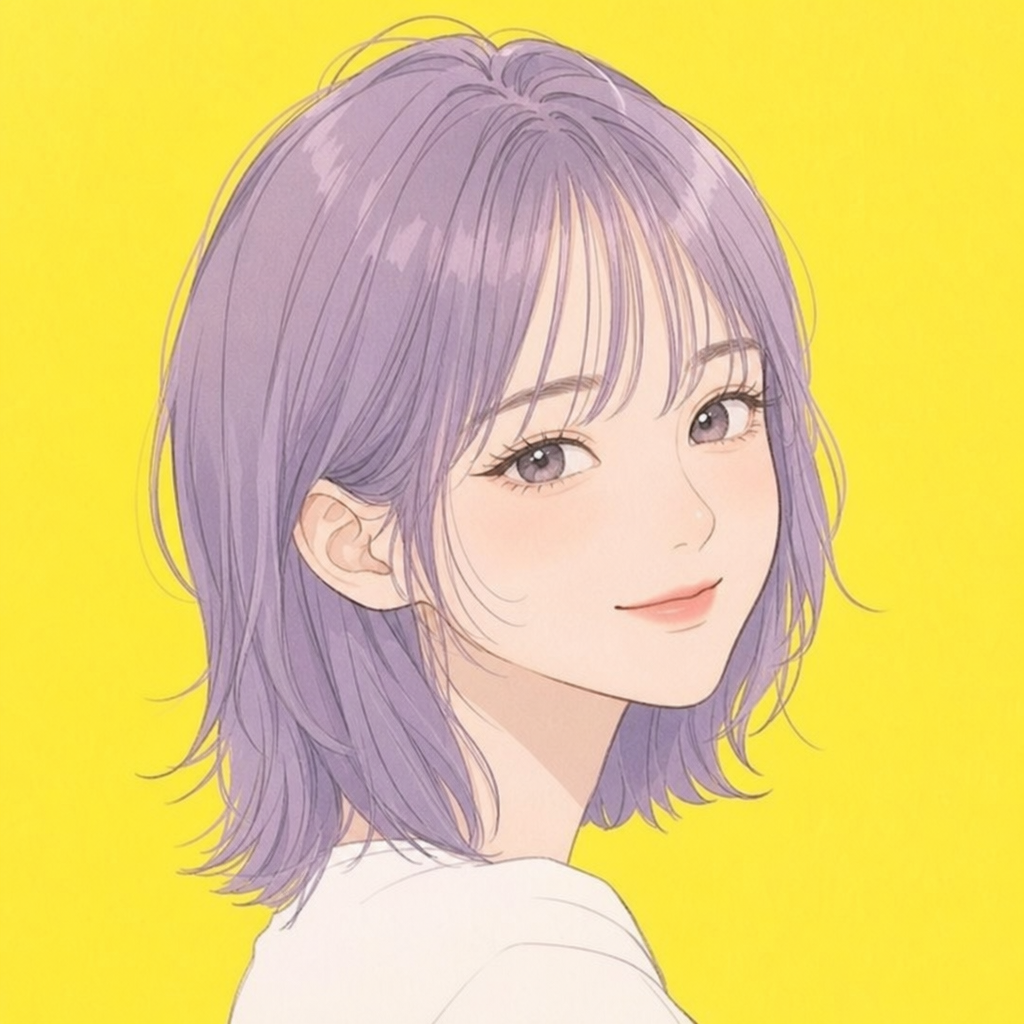
GPT 이미지 2로 생성한 캐릭터 프로필 사진

캐릭터 프로필 사진

GPT Image 2· Image
An original cartoon character profile avatar, friendly round face, big expressive eyes, colorful hair, simple flat illustration style, bright solid background, suitable as a profile icon, no text
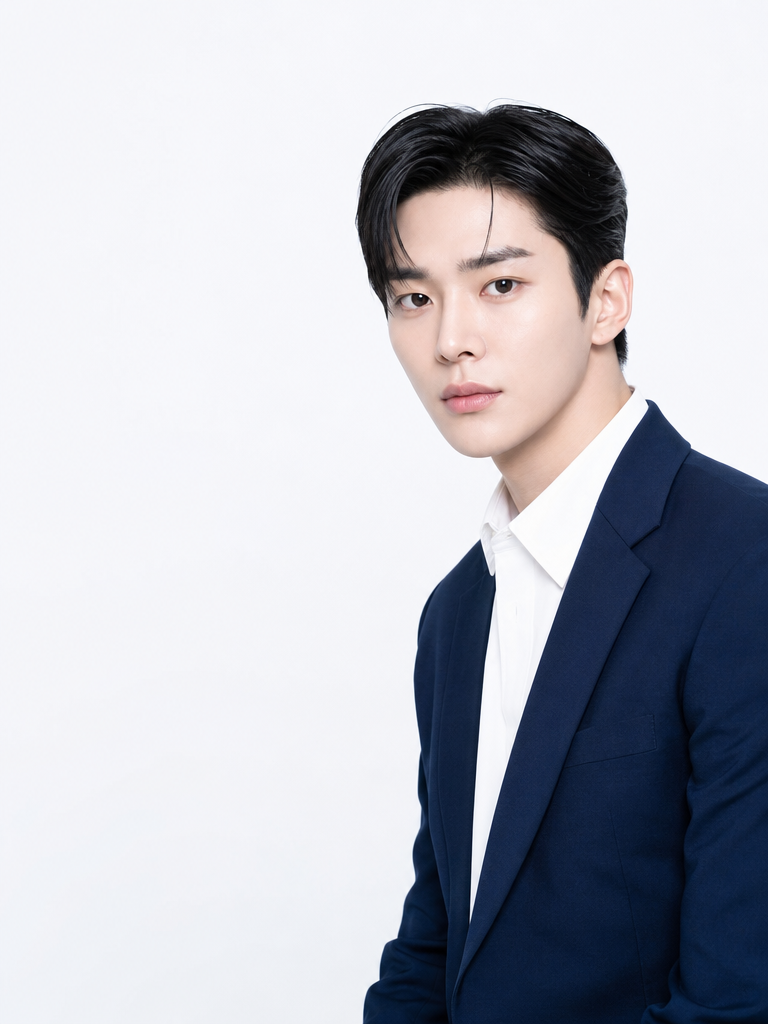
GPT 이미지 2로 생성한 옷매무새 정돈 스타일

옷매무새 정돈 스타일

GPT Image 2· Image
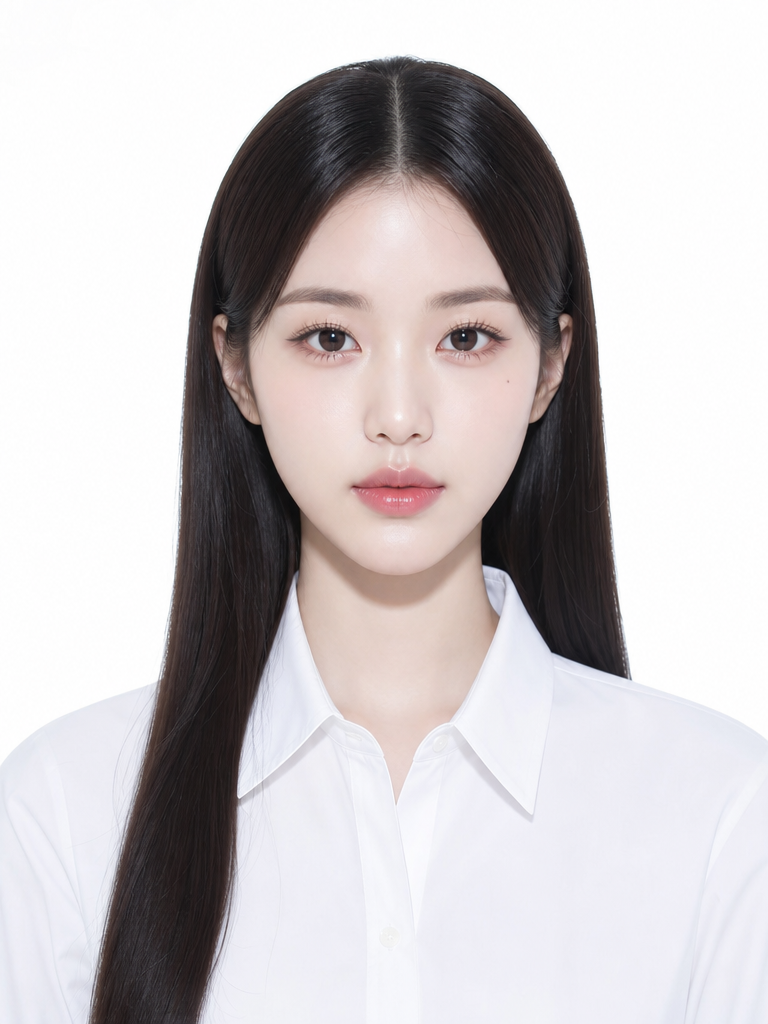
A polished portrait of a fully fictional adult person in perfectly neat business attire, crisp white shirt, fitted blazer, collar straight, hair tidy, clean light background, professional headshot photography style
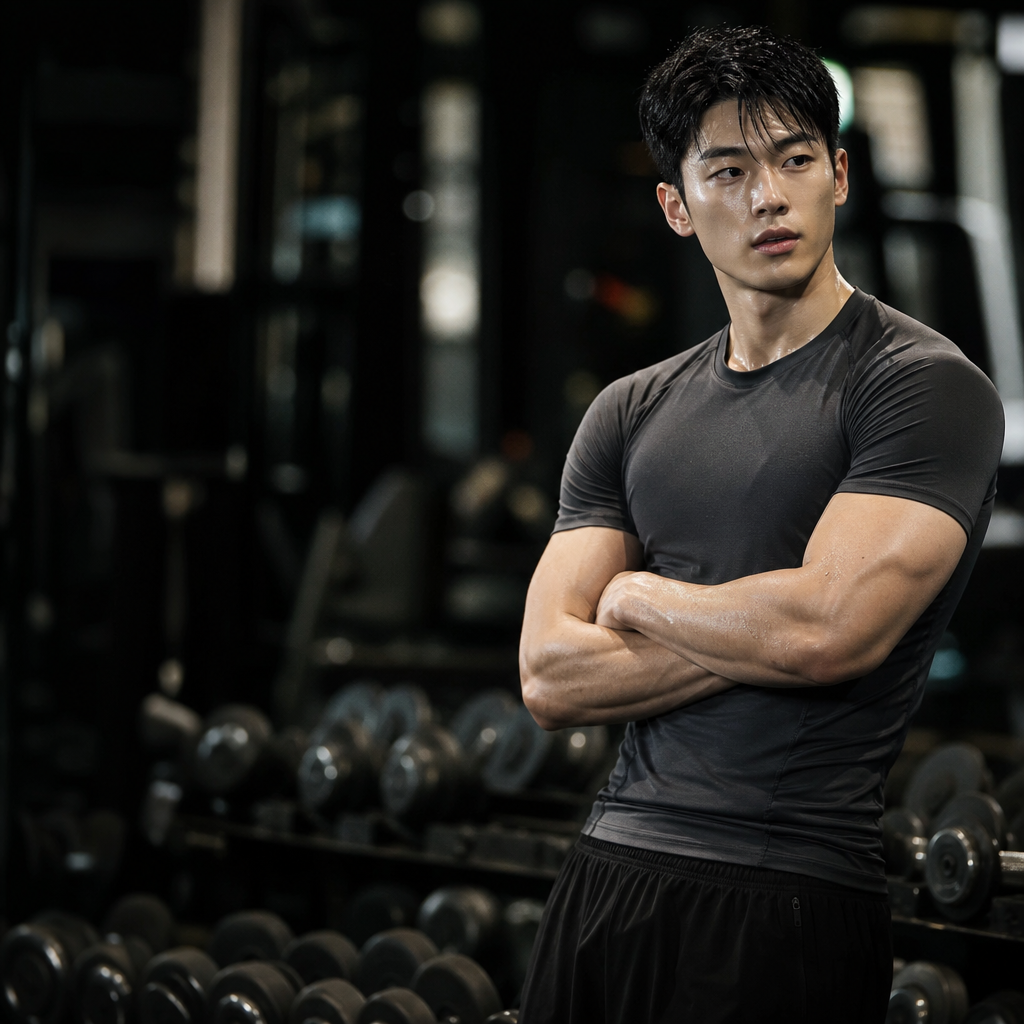
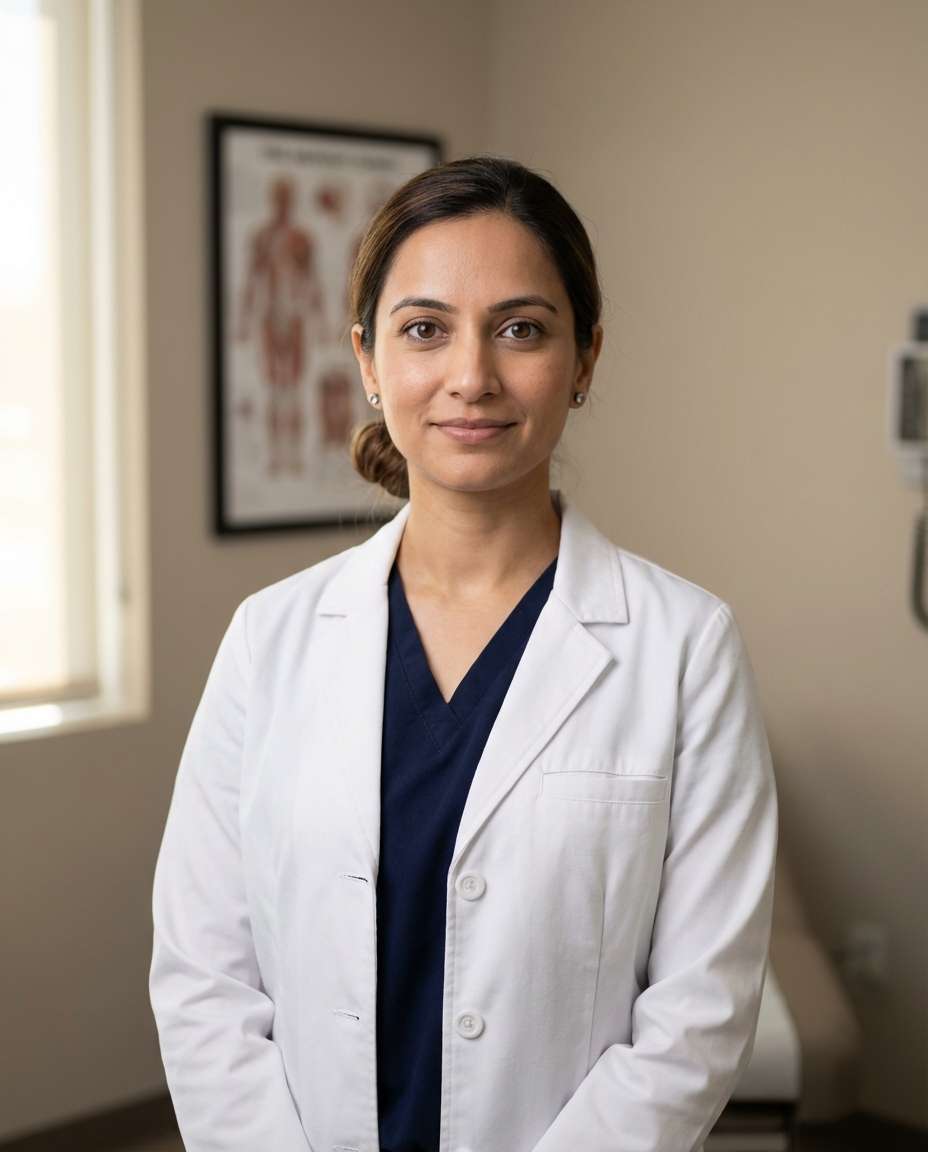
GPT 이미지 2로 생성한 트레이너 프로필 사진

트레이너 프로필 사진

GPT Image 2· Image
A professional portrait of a fully fictional fitness trainer in athletic wear, confident smile, arms crossed, gym background with equipment, bright lighting, professional photography style, square composition
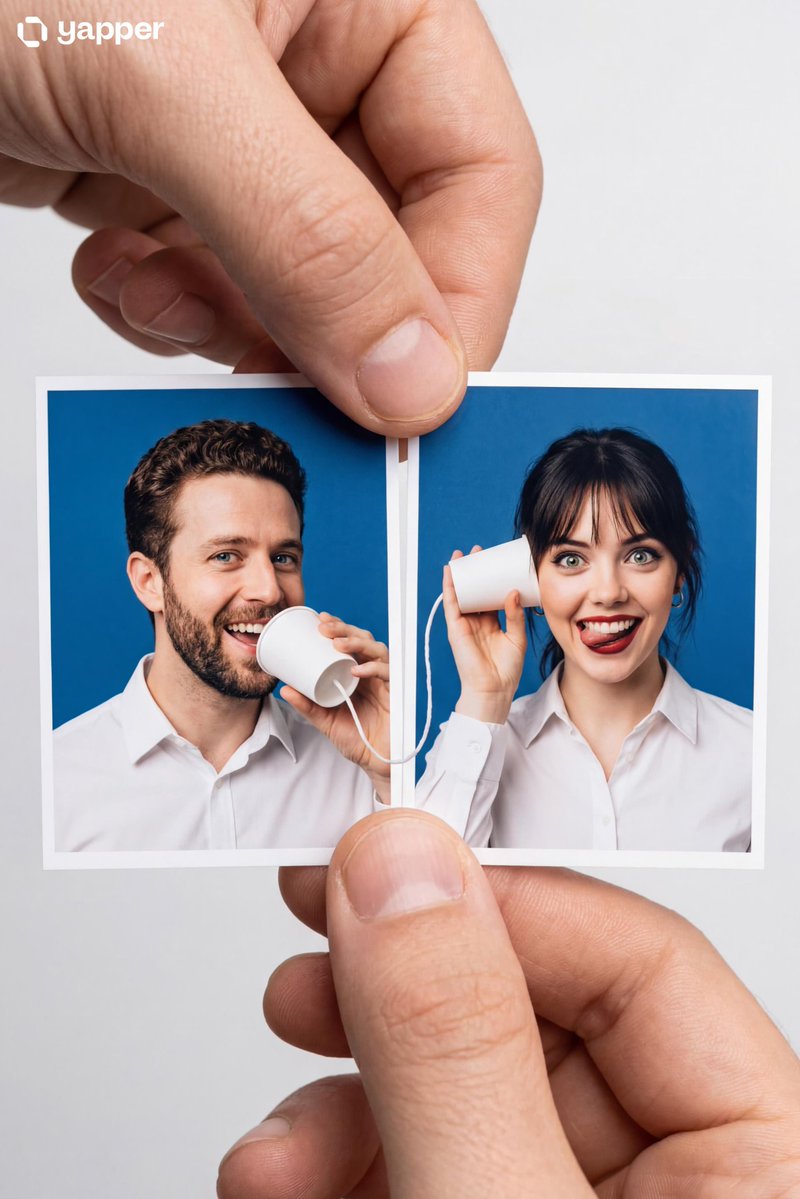
AI-generated Two Passport Photos Shot made with Nano Banana Pro

Two Passport Photos Shot

NanoBanana Pro· Image
Create a Portrait Master Object: Two passport-sized photo prints held side-by-side by a person's thumb and index finger. **Passport Photo Background:** Use a solid blue background (the standard official passport photo color for Indonesian marriage books for certain even/odd birth years). **Clothing:** Both subjects in the photo wear formal and neat white collared shirts. **Male Subject (Left Photo):** Make his face and hair 100% similar to the given reference. He poses as if talking into a white paper cup, with a cheerful laughing expression. **Female Subject (Right Photo):** Make her face and hair 100% similar to the given reference. She poses as if holding a white paper cup to her ear, listening. Her expression is funny with a wide smile and a slightly stuck-out tongue. **Interactive Prop:** There is a white string coming out from under the male's paper cup and connecting to the female's paper cup. Because the two photos are placed next to each other, this prop creates the illusion of a "string phone" connecting the two photos.
@Naiknelofar788
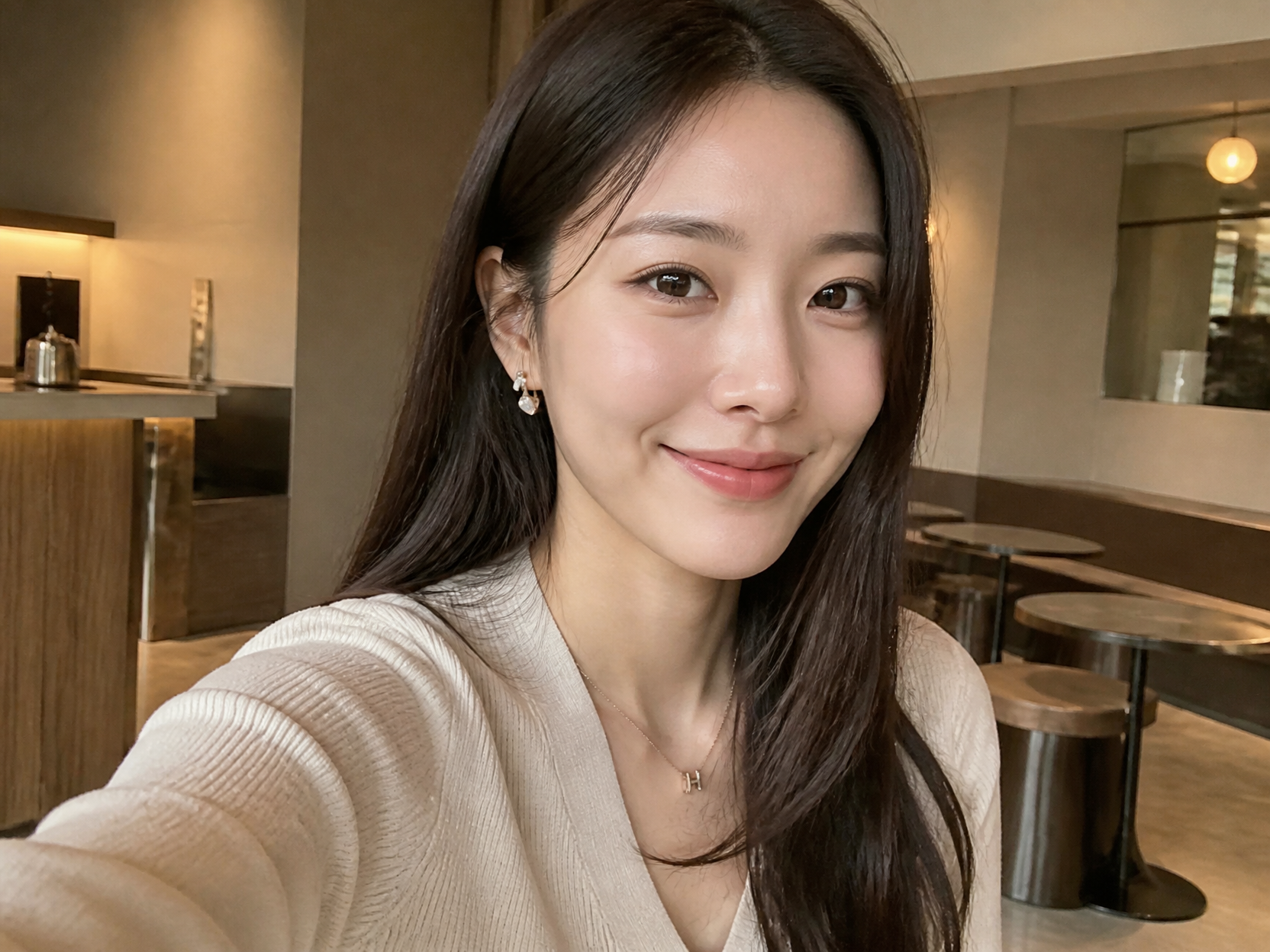
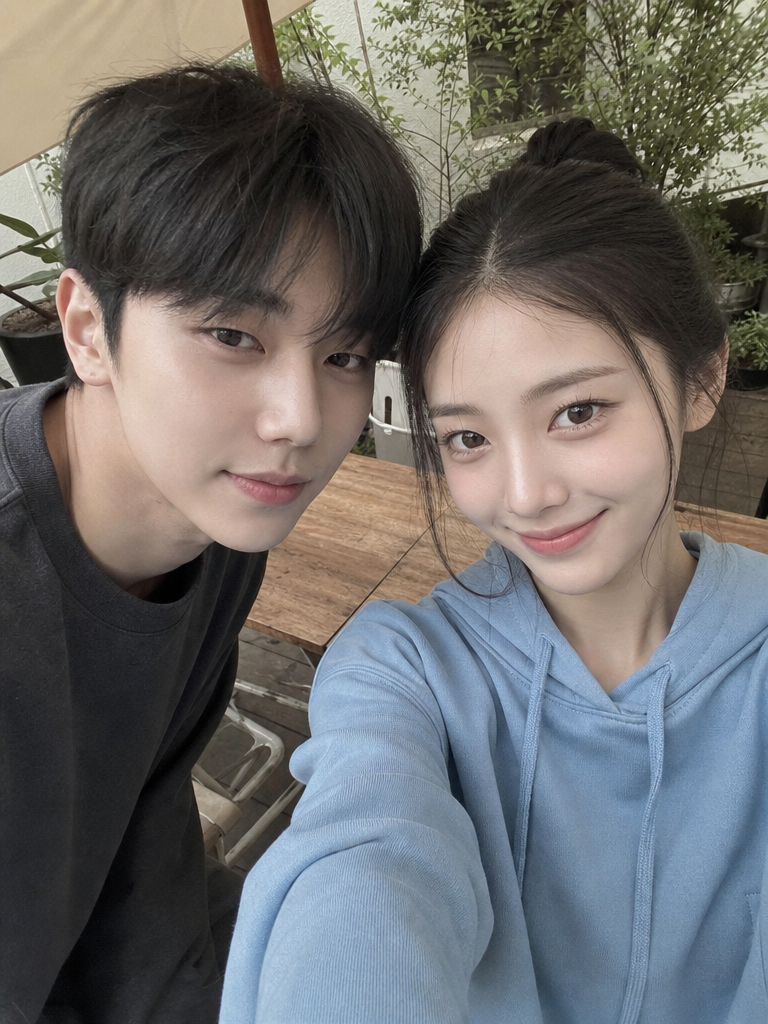
GPT 이미지 2로 생성한 인스타 프로필 사진 예시 1

인스타 프로필 사진 예시 1

GPT Image 2· Image
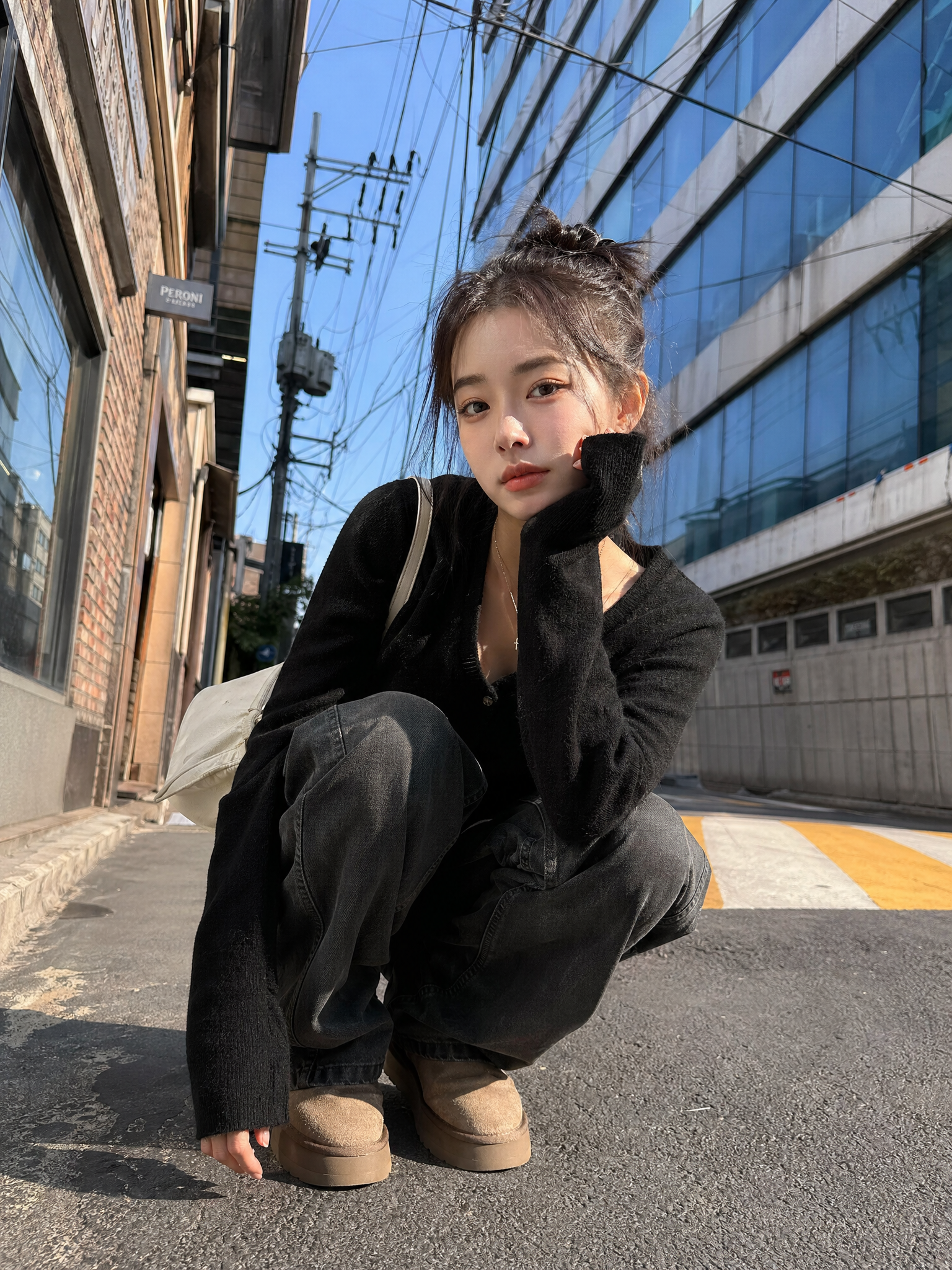
Realistic Instagram profile photo of a stylish Korean woman in her late 20s, clean natural light, soft beige cafe background, confident friendly expression, shallow depth of field, square crop, polished but candid smartphone look, no text, no logo.
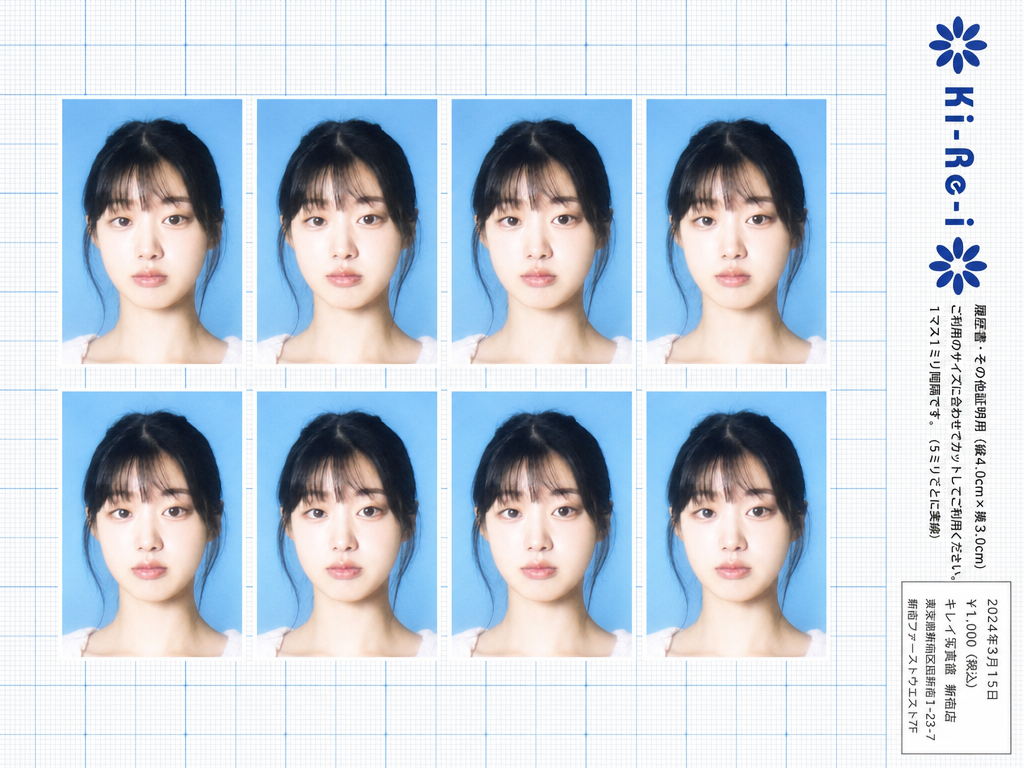
Ki-Re-i ID photo sheet generated with GPT Image 2

Ki-Re-i ID Photo Sheet

GPT Image 2· Image
Use the provided photo as the subject for all 8 ID photos. If the provided photo's aspect ratio does not match 3:4 (portrait), automatically crop it centered on the face — like a standard passport/ID photo crop — so it fits the 3:4 frame naturally. Do not stretch or distort. A Japanese Ki-Re-i (キレイ) ID photo booth print sheet in landscape orientation (wider than tall). BACKGROUND: White(#FFFFFF) graph paper. Fine thin blue(#214384) grid lines creating small squares, with slightly darker/thicker blue lines every 5 small squares — forming a 5×5 thin-grid pattern between each pair of thick lines. Japanese 方眼紙 (graph paper) style. PHOTO GRID: 8 identical ID passport-style photos arranged in a strict 2-row × 4-column grid, occupying the left ~82% of the sheet. Each photo has a 3:4 aspect ratio (portrait, taller than wide). Each photo shows the subject from the provided image: upper-body frontal portrait, neutral expression, soft studio flash lighting, blue(#1084EF) background — standard 証明写真 style. Thin white border around each photo. Evenly spaced on the graph paper. *Each photo has a slightly soft focus, gentle overexposure (+0.5 EV), and a luminous bloom glow — reminiscent of early 2000s Japanese digicam output: subtly blown highlights, slightly desaturated, muted color tones, creamy bright skin tones, and a hazy softness* RIGHT SIDE STRIP (rightmost ~18% of sheet): All text and logo elements are rotated 90° clockwise (letter tops point LEFT toward the left edge of the image; reading direction goes from BOTTOM of the image to TOP; viewer rotates paper 90° clockwise to read normally). KI-RE-I LOGO (upper area of right strip, rotated 90° CW): A branded logotype block stacked vertically top-to-bottom (all in navy blue): ① A solid navy blue 8-petal rosette icon with this exact geometry: 8 oval/elliptical petals radiating from the center at 45° intervals, each petal has exact geometry: 8 oval/elliptical petals radiating from the center at 45° intervals, each petal has a smooth rounded outer tip; all petals are solid navy blue fill; a small circular hollow (donut hole negative space) at the very center where petals meet — like a stylized chrysanthemum rosette. Overall silhouette is circular. Diameter ≈ one character height of the Ki-Re-i text. ② The exact brand name "Ki-Re-i" in navy blue rounded bold display/logotype font — spelled with hyphens exactly as Ki-Re-i. ③ An identical solid navy blue 8-petal rosette (mirror of ①). All three elements centered and evenly spaced. Absolutely NO person silhouette or human figure icon anywhere. BODY TEXT (placed directly below the Ki-Re-i logo, rotated 90° CW, black gothic/sans-serif): The Ki-Re-i logo block and the body text block are stacked VERTICALLY — logo on top, body text directly below it. Both are left-aligned to the same left edge of the strip. NO horizontal side-by-side placement between logo and body text. - 「履歴書・その他証明用(縦4.0cm×横3.0cm)」 - 「ご利用のサイズに合わせてカットしてご利用ください。1マス1ミリ間隔です。(5ミリごとに実線)」 If lines are too long, WRAP into 2 or more lines. Must NOT extend into or overlap the white receipt box area — clear gap required. WHITE RECEIPT BOX(lower portion of the right strip, seperate from logo and body text above): A solid white rectangle with a thin border, standing out clearly against the blue graph paper. Inside (rotated 90° CW, small monospaced Japanese font): date (2024年3月15日), price 「¥1,000(税込)」, store name and address. STYLE: Flat 2D scanned document. Functional administrative aesthetic. DNP Photo Imaging Japan style. No shadows, no 3D effects. Cool pale blue palette. Looks exactly like a real scanned Ki-Re-i photo booth output paper sheet.

What Is a LinkedIn Profile Photo?

A LinkedIn profile photo is a professional headshot uploaded to LinkedIn, the world leading professional networking platform, to represent a user professional identity to colleagues, recruiters, and business contacts. LinkedIn profile photos play a critical role in career development, as they create the first impression that recruiters, hiring managers, and potential business partners form when viewing a profile, directly impacting networking success and job opportunity visibility. An effective LinkedIn profile photo typically features the subject in business attire with a front-facing or slightly angled composition, bright natural lighting, a clean solid-color background in white or gray, and a natural, confident smile that conveys approachability and professionalism. The demand for high-quality LinkedIn profile photos has grown significantly as more professionals recognize the importance of personal branding on professional networking platforms, and AI image generation tools now provide an accessible alternative to professional headshot photography for creating polished, business-appropriate profile images without expensive studio sessions.

How to Write AI LinkedIn Profile Photo Prompts

When generating a LinkedIn profile photo with AI, specify the business tone, attire, lighting, background, and natural expression as key elements. Include prompt phrases like "business profile," "formal suit," "bright lighting," "white or gray background," and "natural smile" to define the professional direction. LinkedIn profile photos must convey trustworthiness and professionalism, so emphasize a clean, polished impression over casual or creative aesthetics. Specify a front-facing or slightly angled composition with bright, natural lighting to create the approachable yet professional atmosphere that recruiters expect on LinkedIn. The background should be a solid, neutral color, typically white, light gray, or soft blue, to keep the focus on the subject. Always specify both the professional elements, such as business attire and lighting, and the personal elements, such as expression and angle, to achieve a LinkedIn profile photo that balances professionalism with personality.

LinkedIn Profile Photo Prompt Examples

A trainer profile photo prompt generates a professional sports trainer profile photo that conveys expertise and approachability, suitable for fitness professionals on LinkedIn. A character profile photo prompt creates a character-style profile photo that can be used for creative professional profiles. A neat attire portrait prompt generates a business-tone photo with neatly adjusted formal attire, creating a polished professional appearance. An Instagram profile photo prompt creates a polished social media-style profile photo that balances casual aesthetics with professional quality. A kirei ID photo prompt generates a Japanese photo studio-style refined ID photo with polished lighting, suitable for professional networking profiles. A passport photo two-cut prompt creates passport-specification ID photos that can also serve as professional profile photos when business attire is specified.

Tips for Using AI LinkedIn Profile Photos

Generated LinkedIn profile photos can be used for LinkedIn profiles, resumes, portfolios, business introductions, company websites, and professional branding materials. Maintain bright, natural lighting while emphasizing professionalism to create a trustworthy profile photo that makes a strong first impression on recruiters and business contacts. Specify business formal or business casual attire depending on the industry and role, and emphasize a natural smile to convey approachability without sacrificing professionalism. AI tools enable rapid production of professional-quality profile photos without studio visits, making it possible to create multiple variations with different attire, backgrounds, and expressions to find the most effective LinkedIn profile image. For job seekers and career changers, generating a library of professional profile photos with different styles, lighting setups, and attire options provides versatile assets for LinkedIn, resume applications, portfolio websites, and professional social media. Always specify both the business elements, such as attire and background, and the personal elements, such as expression and angle, to achieve a LinkedIn profile photo that presents you at your professional best.

Frequently Asked Questions About LinkedIn Profile Photo Prompts

Common questions include whether AI photos are suitable for LinkedIn, whether suit-wearing photos can be created, whether bright lighting can be applied, whether natural smiles can be achieved, and whether photos can be used for resumes. With precise prompting, AI tools produce professional, business-appropriate LinkedIn profile photos with full control over attire, lighting, and expression. The key is specifying the business tone, formal attire, and natural expression to generate profile photos that convey professionalism and approachability.
Frequently Asked Questions

Related Prompts

New Employee ID Photo

New Employee ID Photo

6 prompts

ID Photo

ID Photo

8 prompts

Instagram Profile Photo

Instagram Profile Photo

4 prompts

Portrait Photo

Portrait Photo

177 prompts

Carat Prompt Gallery

Create trending AI prompts instantly

Prompts

  • Logo
  • PPT Design
  • Thumbnail
  • Poster
  • Web Novel Cover
  • ID Photo
  • Caricature
  • Product Detail Page
  • Banner

Models

  • GPT Image 2
  • Seedance 2.0
  • NanoBanana Pro
  • NanoBanana 2

Carat

  • Get started
  • About
  • Blog
  • Careers
  • Contact
  • Partnership
  • Terms
  • Privacy

© 2026 Paradot.Inc All rights reserved.