carat

Prompt Gallery

/

Reference Sheet

Login
Sign Up

Reference Sheet

AI prompts for creating reference sheet assets for character planning and visual production. Quickly generate design sheets, profile boards, and production-ready references.

2026.05.28

·
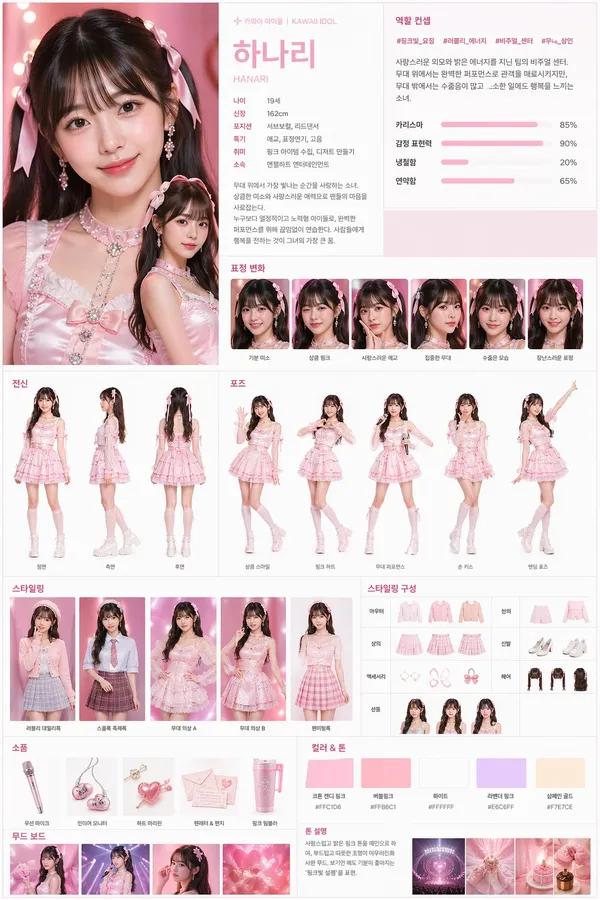
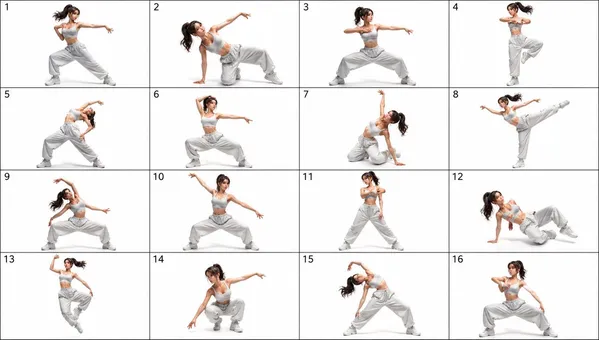
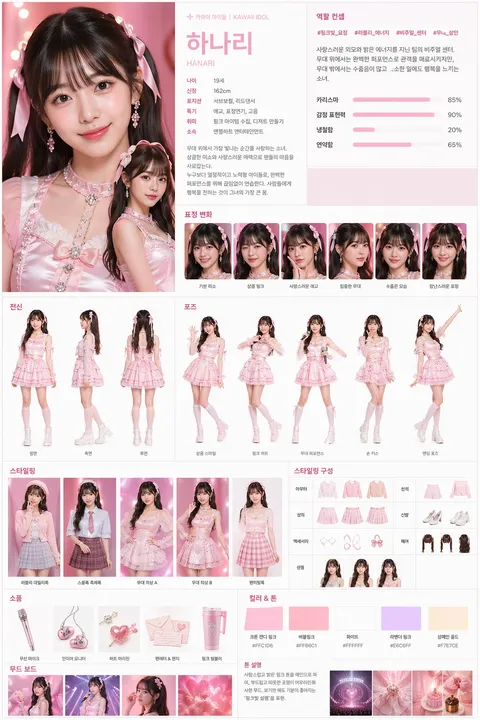
AI-generated Character Design Sheet Generator made with GPT Image 2

Character Design Sheet Generator

GPT Image 2· Image
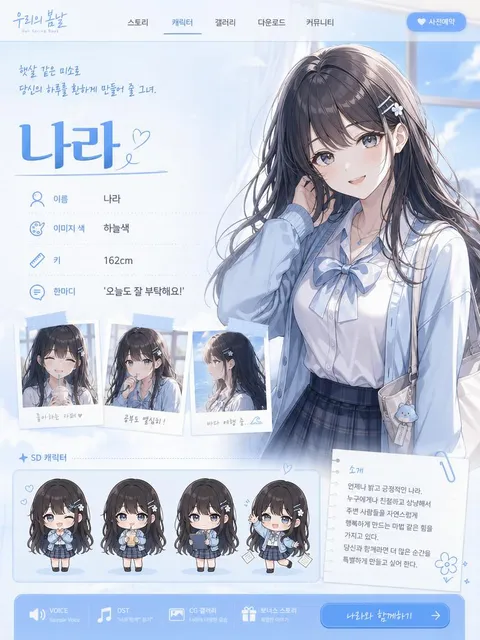
Create a professional character design board / casting profile sheet from the following character description: {INSERT CHARACTER DESCRIPTION} masterpiece, best quality, ultra detailed, 4k resolution. Use a high-end editorial layout and agency submission style. Build a complete character sheet that works across live-action, anime, and 3D concepts. Include: - character name and short profile - age, height, role, affiliation, personality keywords - main concept chart or role diagram - multiple facial expressions - full-body front / side / back views - several key poses - styling variations and outfit details - signature props and accessories - color palette and mood board - handwritten-style annotations or design notes where useful [GLOBAL CONTROL PANEL] Target Language: {INSERT LANGUAGE} Output Mode: {AUTO / LIVE-ACTION / ANIME / 3D} Genre: {AUTO / IDOL / ACTOR / VILLAIN / DETECTIVE / FANTASY / SCI-FI / HISTORICAL / etc} Tone Preset: {AUTO / DARK / BRIGHT / NEUTRAL / HIGH-FASHION / GRITTY / DREAMLIKE} Rendering guidance: - photorealistic, cinematic lighting for live-action mode - physically accurate rendering for 3D mode - style-consistent shading for anime mode - natural skin texture or style-accurate surface detail - subtle asymmetry when applicable - studio lighting mixed with soft ambient light - clean composition, readable sections, premium presentation Make the final image feel like a polished professional character reference sheet ready for production.
@rneayan_official
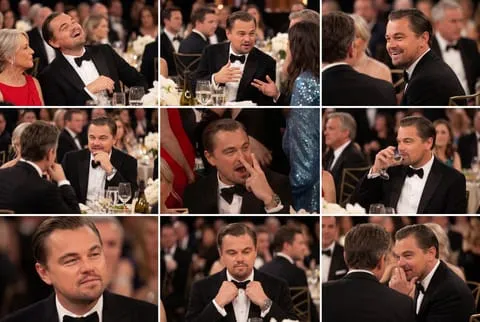
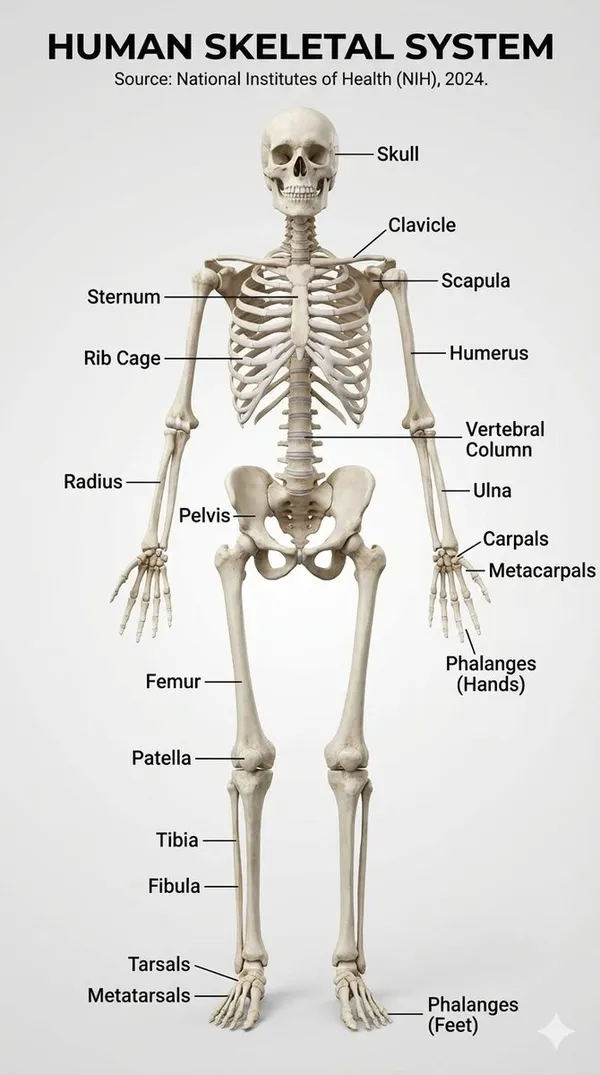
Example image of Human Skeletal System Infographic generated with Nano Banana Pro

Human Skeletal System Infographic

NanoBanana Pro· Image
Make a realistic infographic of the human skeletal system with labels
@HBCoop_
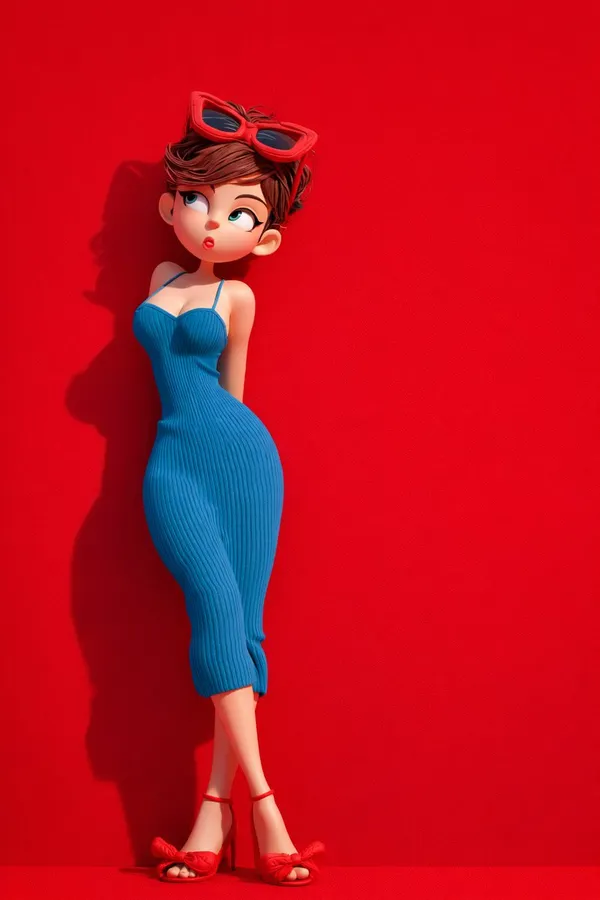
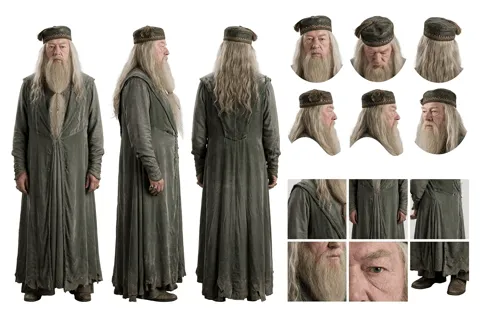
AI-generated Travel Character 3D Cartoon Set made with GPT Image 2

Travel Character 3D Cartoon Set

GPT Image 2· Image
{ "global_settings": { "resolution": "8K", "quality": "ultra-high definition", "aspect_ratio": "2:3", "render_style": "AI-edited, high-detail 3D render", "lighting_quality": "soft studio lighting with realistic shadows", "sharpness": "extreme clarity, crisp edges", "noise": "none", "compression": "none" }, "Module_1_Image_1_Style": { "subject": { "character_type": "stylized 3D cartoon female", "pose": "standing, body slightly angled, one hand raised with index finger touching lips", "expression": "cheerful smile, wide eyes", "hair": { "color": "black", "style": "two braided pigtails", "accessories": "green cap" }, "face": { "eyes": "large, rounded, dark pupils", "skin": "smooth, matte, stylized texture" } }, "clothing": { "top": "sleeveless green crop top", "bottom": "loose green jogger-style pants with drawstring", "footwear": "white sneakers" }, "accessories": { "luggage": "green hard-shell suitcase with extended handle" }, "color_palette": [ "multiple shades of green", "white accents" ], "background": { "color": "solid green", "texture": "soft, slightly grainy studio backdrop" }, "composition": { "framing": "full body", "camera_angle": "eye-level", "depth": "subject sharply separated from background" } }, "Module_2_Image_2_Style": { "subject": { "character_type": "stylized 3D cartoon female", "pose": "leaning slightly backward against background", "expression": "playful, lips slightly pursed, eyes looking sideways", "hair": { "color": "brown", "style": "short, tousled", "accessories": "red sunglasses resting on head" } }, "clothing": { "dress": "form-fitting blue ribbed dress with thin straps", "footwear": "red high-heel sandals with bow detail" }, "color_palette": [ "bold red", "deep blue" ], "background": { "color": "solid red", "texture": "smooth matte surface" }, "lighting": { "direction": "soft directional light from one side", "shadow": "defined shadow cast on red background" }, "composition": { "framing": "full body", "pose_emphasis": "curved posture, crossed legs" } }, "Module_3_Image_3_Style": { "subject": { "characters": [ { "type": "stylized 3D cartoon female", "position": "left", "wrapped_in": "red textured blanket", "expression": "calm, slight smile, eyes looking upward" }, { "type": "stylized 3D cartoon male", "position": "right", "wrapped_in": "orange textured blanket", "expression": "neutral, gentle gaze upward" } ] }, "environment": { "furniture": "red sofa", "floor": "red surface", "background": { "color": "deep red", "texture": "fabric-like horizontal texture" } }, "details": { "feet": "female barefoot, male wearing socks", "blanket_texture": "thick, knitted fabric" }, "composition": { "framing": "centered, medium-wide shot", "symmetry": "balanced left and right composition" } },
@meng_dagg695
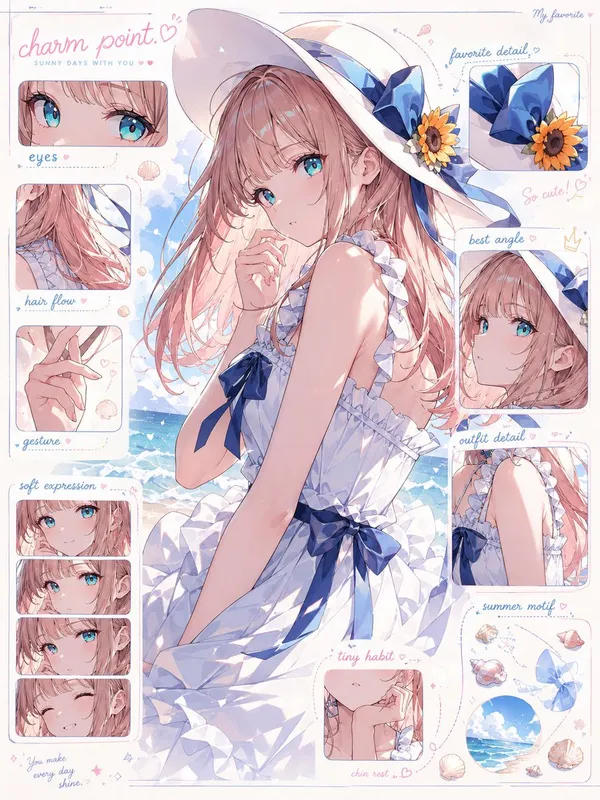
AI-generated Character Charm Anatomy Board made with GPT Image 2

Character Charm Anatomy Board

GPT Image 2· Image
入力されたキャラクター画像をもとに、 そのキャラクターの「魅力解剖図」を1枚のビジュアルとして作成してください。 これは通常のキャラクター設定資料、三面図、プロフィールシートではありません。 目的は、キャラクターの情報を説明することではなく、 「この子のどこが可愛いのか」「なぜ目を惹かれるのか」「どの部分に好きになる理由があるのか」を、 デザイン的・感情的に分解して見せることです。 入力画像からキャラクターの以下の魅力要素を丁寧に読み取ってください。 ・目の形、瞳の色、目線の印象 ・髪の流れ、前髪、毛先、シルエットの可愛さ ・表情のクセ、微笑み方、照れ、無表情の中の感情 ・手の仕草、指先、袖口との関係 ・衣装の好きポイント、リボン、フリル、装飾、小物 ・首元、肩、袖、スカート、靴などの見せ場 ・そのキャラクターが一番かわいく見える角度 ・全体から感じる性格、雰囲気、守りたくなるポイント、惹かれる理由 中央にはキャラクターを大きく配置してください。 キャラクターはただ立たせるのではなく、 その子の魅力が最も伝わる角度、ポーズ、表情で描いてください。 正面すぎる証明写真のような構図は禁止。 少し振り向く、手を口元に添える、袖をつまむ、髪を軽く押さえる、視線を少し外すなど、 “好きになる瞬間”を切り取ったような自然で魅力的なポーズにしてください。 周囲には、キャラクターの魅力ポイントを分解した小さなクローズアップパネルを配置してください。 ただし機械的な設定資料のように並べるのではなく、 雑誌の特集ページ、デザイン解剖図、ファンが作った愛のある分析ボードのように、 美しく、可愛く、少し偏愛を感じるレイアウトにしてください。 配置するパネル例: ・瞳のアップ:この子らしさが宿る目元 ・髪の流れ:シルエットを決める毛束 ・手元:仕草に出る性格 ・表情差分:微笑み、照れ、少し不機嫌、無防備な顔 ・衣装の推しポイント:リボン、袖、襟、装飾、素材感 ・一番かわいい角度:顔の向き、視線、首の傾き ・小物やモチーフ:その子の世界観を象徴する要素 各パネルは、キャラクターの魅力を強調するための拡大カットとして描いてください。 パーツだけを無機質に切り抜くのではなく、 「ここが好き」と思わせるような温度感のある見せ方にしてください。 画面内には短い注釈風のラベルを入れてもよいですが、 長文説明ではなく、短い見出しや記号的なデザインにしてください。 例: “eyes” “hair flow” “gesture” “best angle” “favorite detail” “charm point” “soft expression” “tiny habit” 文字は主役にしすぎず、あくまでデザイン要素として扱ってください。 読ませる資料ではなく、見た瞬間に「この子、可愛い」と伝わるビジュアルにしてください。 デザイン全体は、可愛い研究ノート、キャラクター愛の解剖図、ファッション誌の分析ページ、公式アートブックの特集ページを合わせたような雰囲気。 背景はシンプルで清潔感があり、キャラクターの色に合わせた淡いグラデーション、紙面風の余白、細い罫線、半透明のパネル、手書き風の丸囲み、矢印、ハート、小さな装飾を使ってください。 重要: キャラクターを単に説明しないこと。 身長、年齢、能力、所属、武器説明などの設定資料的な情報は不要です。 描くべきなのはスペックではなく、 “好きになる理由”です。 キャラクター本人の魅力が最優先。 パネルや注釈が多すぎて主役が埋もれないようにしてください。 中央のキャラクターは必ず最も可愛く、最も完成度高く描いてください。 全体の印象: cute character charm analysis sheet, visual breakdown of cuteness, not a character profile, not a model sheet, aesthetic design board, fan-favorite details, emotional attraction map, soft editorial layout, official artbook style, clean anime illustration, beautiful eyes, expressive hands, flowing hair, adorable pose, best angle, lovable expression, fashion detail close-ups, delicate annotations, soft pastel panels, refined graphic design, high-quality anime illustration, commercial-level finish.
@kiAI_stable

Pixar-Style Child Character Sheet

Seedance 2.0· Video
Create a clean, professional Pixar-style 3D character sheet of a 6-year-old girl, highly detailed, vibrant colors, polished family-friendly animation style. Character Description: Adorable 6-year-old girl with soft dark wavy hair tied in a cute high ponytail with a small pink bow. Big sparkling brown eyes, round expressive face, rosy cheeks, small button nose, and a warm friendly smile. She has a healthy, energetic child body type suitable for a 6-year-old. Outfit: Bright yellow t-shirt, light pink shorts, white ankle socks, and colorful small sneakers (blue and pink accents). Character Sheet Layout: A single clean vertical character sheet with multiple views of the same girl arranged neatly: Top Left: Full-body front view, standing naturally with hands on hips, smiling confidently. Top Right: Full-body 3/4 angle view, showing depth and personality. Middle Left: Full-body side profile view (facing right). Middle Right: Full-body back view. Bottom Center: Large close-up of her face showing 4 different expressions in small circles — Happy smile, Surprised, Shy/embarrassed, and Excited/grinning. Bottom Right: Small extra details — close-up of her ponytail with bow, shoe details, and hand poses. Style & Quality: Beautiful 3D Pixar animation style, smooth rounded shapes, expressive eyes, soft realistic textures, vibrant yet soft lighting, clean white background with subtle light shadows, highly polished, professional character design sheet, perfect proportions, studio quality, sharp details, warm and wholesome feel. 16:9 aspect ratio, ultra-detailed, cinematic lighting.37:[
YouMind

What Are Reference Sheet AI Prompts?

Reference Sheet AI prompts help turn a character concept into a structured visual production asset. They are useful with image models like GPT Image 2 when you need character sheets, profile boards, or reference images for games, comics, videos, and story development.

Where You'll Use It

  • Character concept sheet creation
  • Game, webtoon, or video character planning
  • Facial expression and pose references
  • Outfit, prop, and color palette exploration
  • Production-ready profile boards for team review

Why This Tag Is Useful

Character ideas can become inconsistent when they stay only in text. Reference Sheet prompts organize appearance, personality, styling, and reference details into a clear visual format, making it easier to keep later image and video outputs consistent.

Tips for Crafting Prompts

  1. Define the character role, age, and personality keywords first.
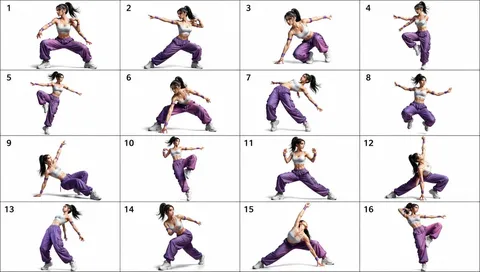
  2. Specify the exact sections you need, such as full-body views, expressions, poses, and outfit variations.
  3. Add genre and tone controls to guide the visual direction.
  4. Include palette, props, and signature details to make the character memorable.

Use this tag when you want structured character visuals that feel ready for production, not just a single portrait.
Frequently Asked Questions

Related Prompts

Drink Photo

Drink Photo

26 prompts

Prop Design

Prop Design

1 prompts

Music Video

50 prompts

Double Exposure

Double Exposure

4 prompts

Carat Prompt Gallery

Create trending AI prompts instantly

Prompts

  • Logo
  • PPT Design
  • Thumbnail
  • Poster
  • Web Novel Cover
  • ID Photo
  • Caricature
  • Product Detail Page
  • Banner

Models

  • GPT Image 2
  • Seedance 2.0
  • NanoBanana Pro
  • NanoBanana 2

Carat

  • Get started
  • About
  • Blog
  • Careers
  • Contact
  • Partnership
  • Terms
  • Privacy

© 2026 Paradot.Inc All rights reserved.