carat

Prompt Gallery

/

Seedream 5.0 Lite

Login
Sign Up

Seedream 5.0 Lite

AI prompts for Seedream 5.0 Lite, a light and fast model ready to use right away. Create style transfers, real-time-info images, and infographics quickly with a model that thinks before it draws.

2026.07.09

·
AI-generated World Elephant Day Campaign Poster made with Seedream 5.0 Lite

World Elephant Day Campaign Poster

Seedream 5.0 Lite· Image
Realistic photographic science poster. A wild elephant is located in a tropical savanna. At the top is the title: "Let elephants not rely on imagining." Below the title, inside a framed box, it says: "August 12: World Elephant Day." In the lower-left corner, within a black semi-transparent box, there are three sections of educational text about wild elephants. In the lower-right corner, there is a QR code.
ByteDance Seed
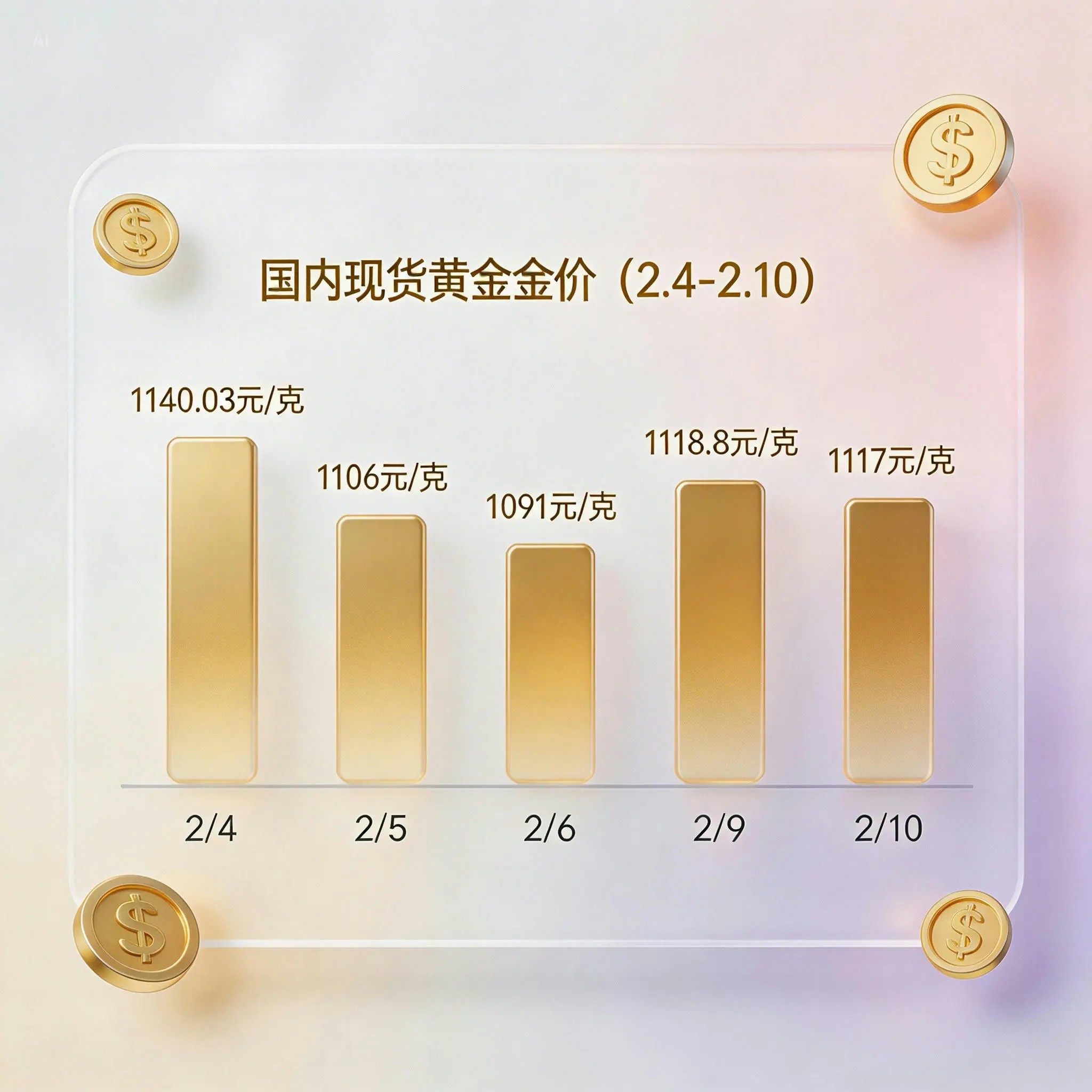
AI-generated Glassmorphism Gold Price Chart made with Seedream 5.0 Lite

Glassmorphism Gold Price Chart

Seedream 5.0 Lite· Image
Generate a gold price trend chart for the past 7 days (priced in domestic spot gold, displaying specific values and timestamps), presented in a glassmorphism UI card style.
ByteDance Seed
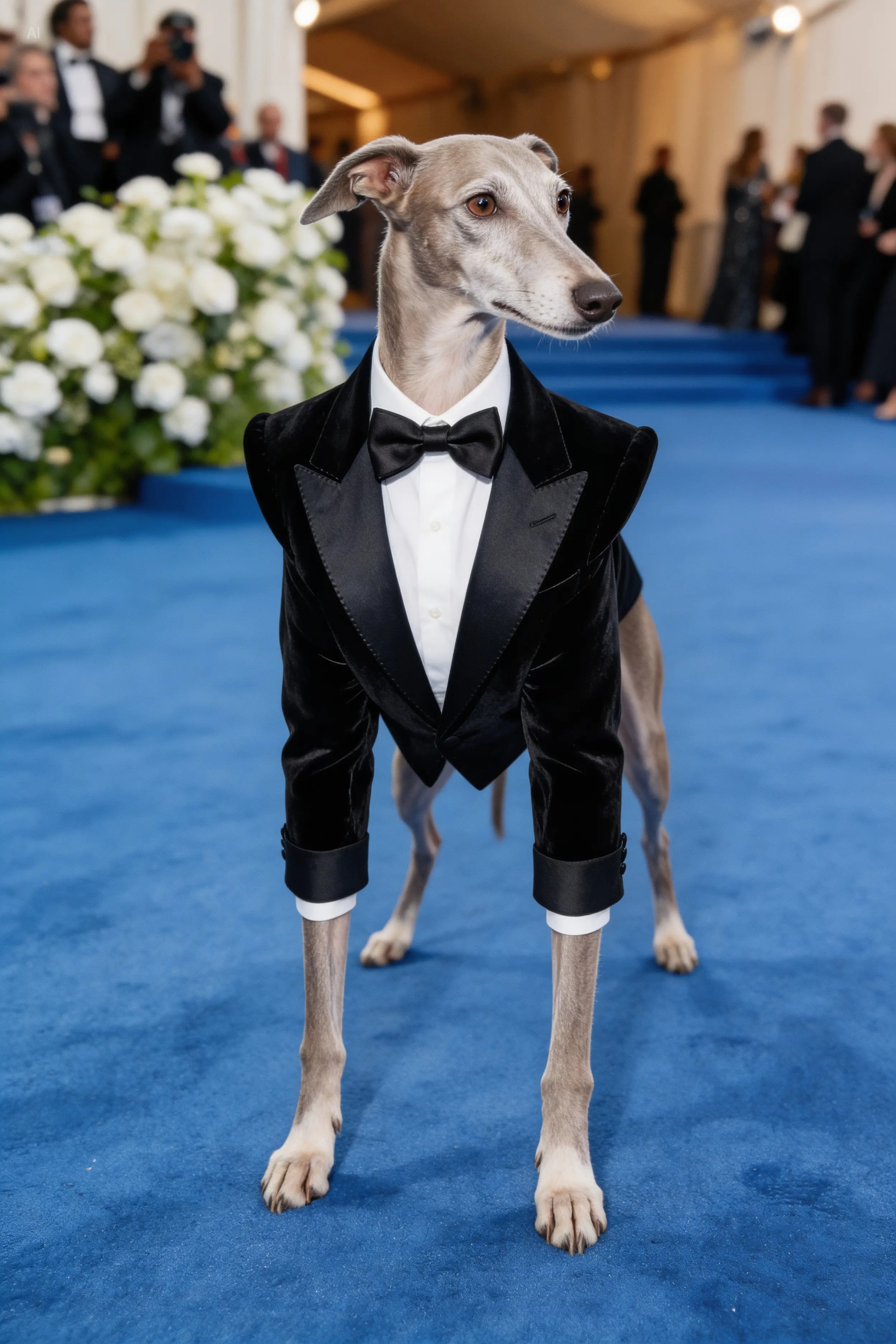
AI-generated Met Gala Theme Pet Red Carpet made with Seedream 5.0 Lite

Met Gala Theme Pet Red Carpet

Seedream 5.0 Lite· Image
Based on the Met Gala costume theme, generate a red carpet look that fits the theme description, with a greyhound attending wearing the outfit. Do not anthropomorphize.
ByteDance Seed
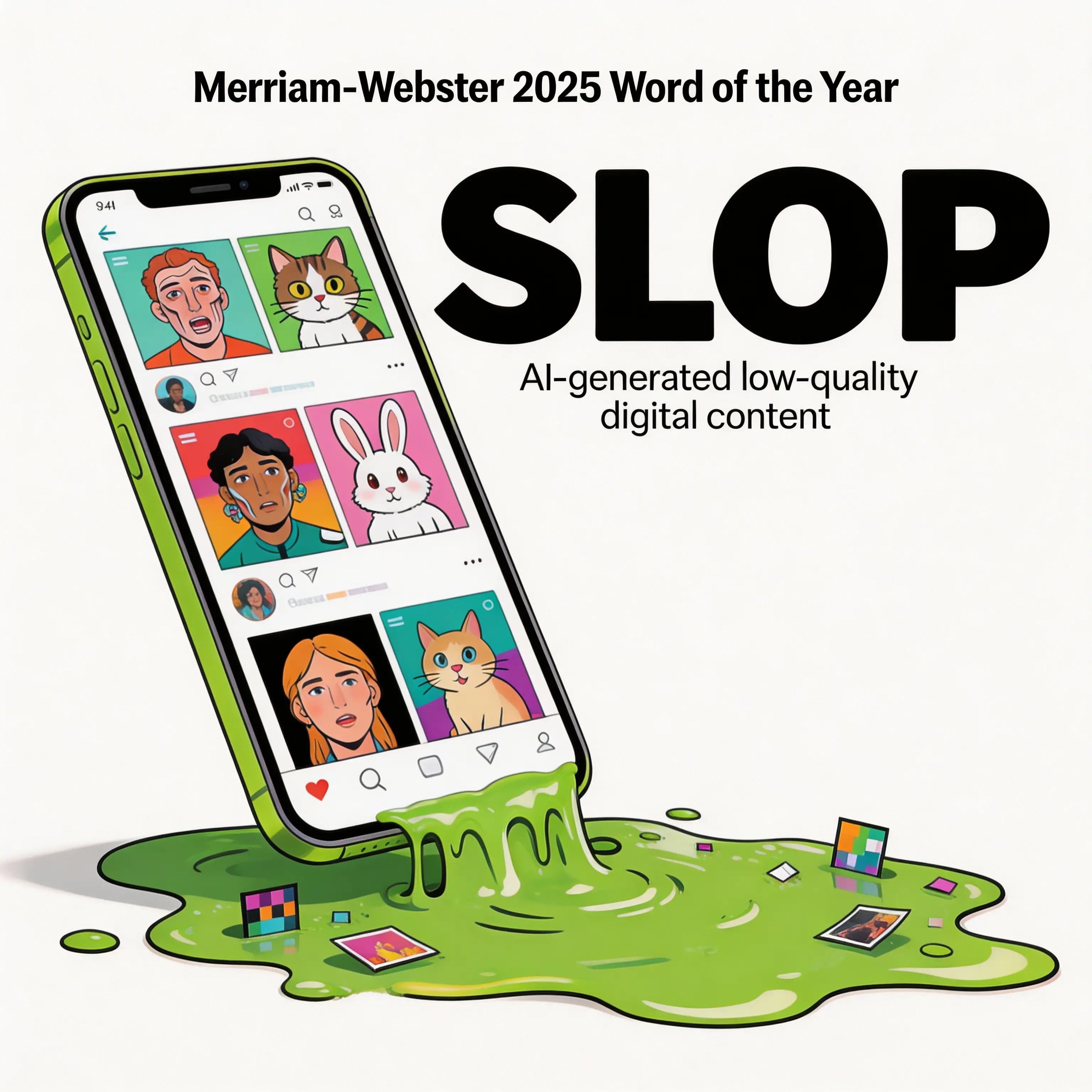
AI-generated Word of the Year Visualization made with Seedream 5.0 Lite

Word of the Year Visualization

Seedream 5.0 Lite· Image
Based on the Word of the Year selected by Merriam-Webster, transform this abstract word into a visual image.
ByteDance Seed
AI-generated World Cities Real-Time Weather Composite made with Seedream 5.0 Lite

World Cities Real-Time Weather Composite

Seedream 5.0 Lite· Image
Search for the weather, temperature, and time for the following locations: Beijing, New York, Tokyo, Sydney, Madrid. High-concept composite photography. The image is composed of five seamlessly stitched vertical panoramic strips, each presenting the real-time weather and lighting of a specific location (a landmark building per city), unified with cinematic color grading despite different weather conditions. High contrast, 8K resolution, photorealistic masterpiece.
ByteDance Seed
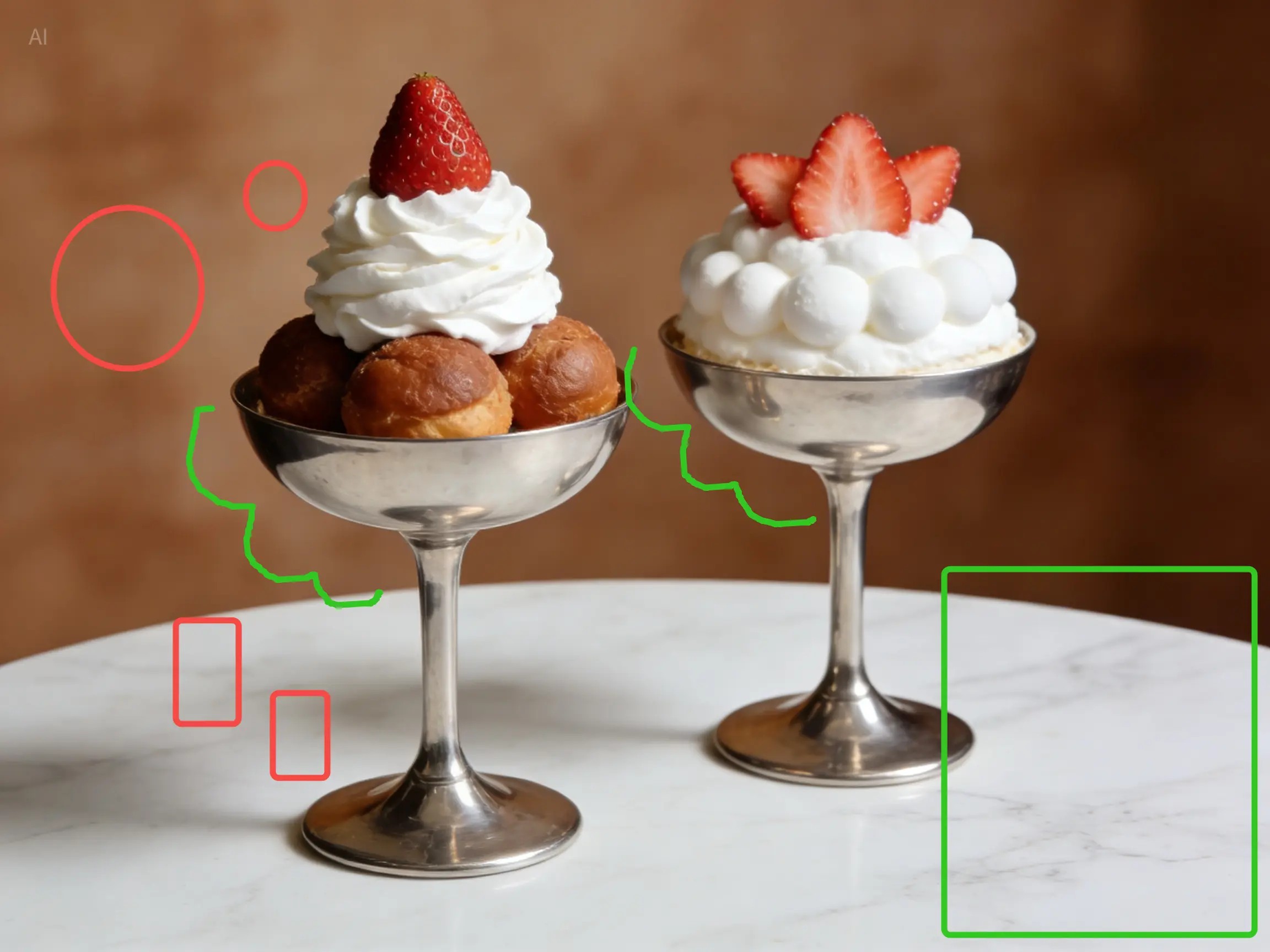
AI-generated Sticker Overlay Edit made with Seedream 5.0 Lite

Sticker Overlay Edit

Seedream 5.0 Lite· Image
Add a cartoon pink bunny sticker with starry eyes on the green rectangle; add cartoon pink heart stickers inside each of the two red circles, with the size of the heart stickers matching that of the red circles; change the two green curves to white curves; add yellow star stickers on the multiple red rectangles; each sticker should have the same white outline.
ByteDance Seed
AI-generated Reference-Based Style Transfer made with Seedream 5.0 Lite

Reference-Based Style Transfer

Seedream 5.0 Lite· Image
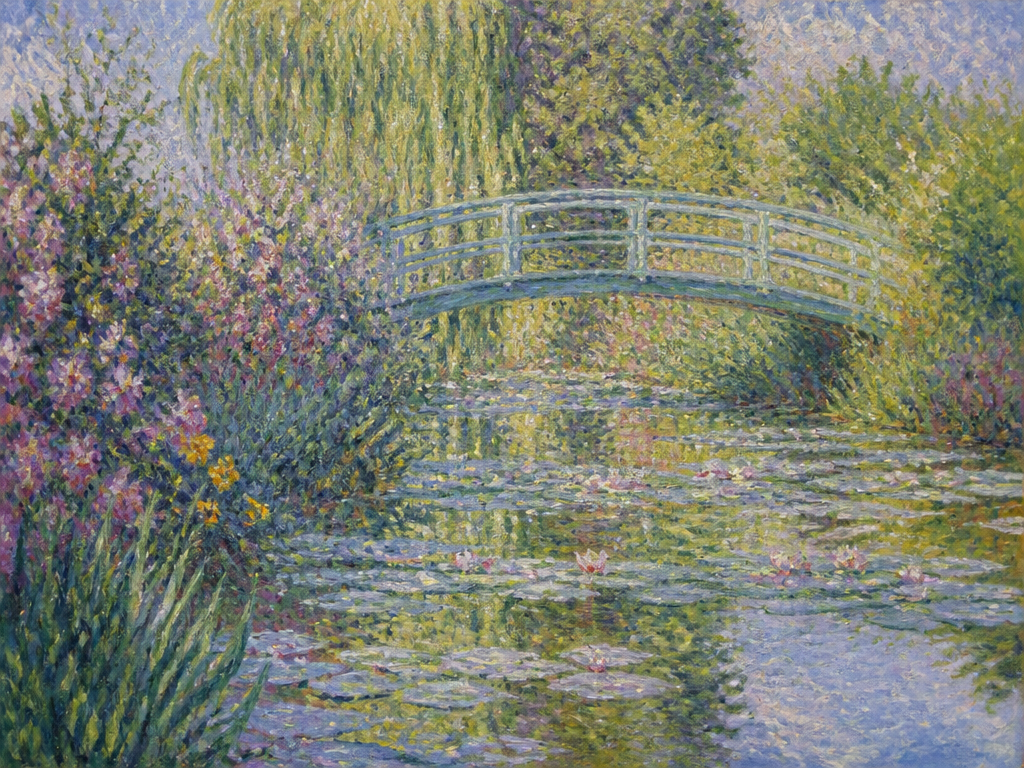
Reference the image below, apply a style transfer to the image above.
ByteDance Seed
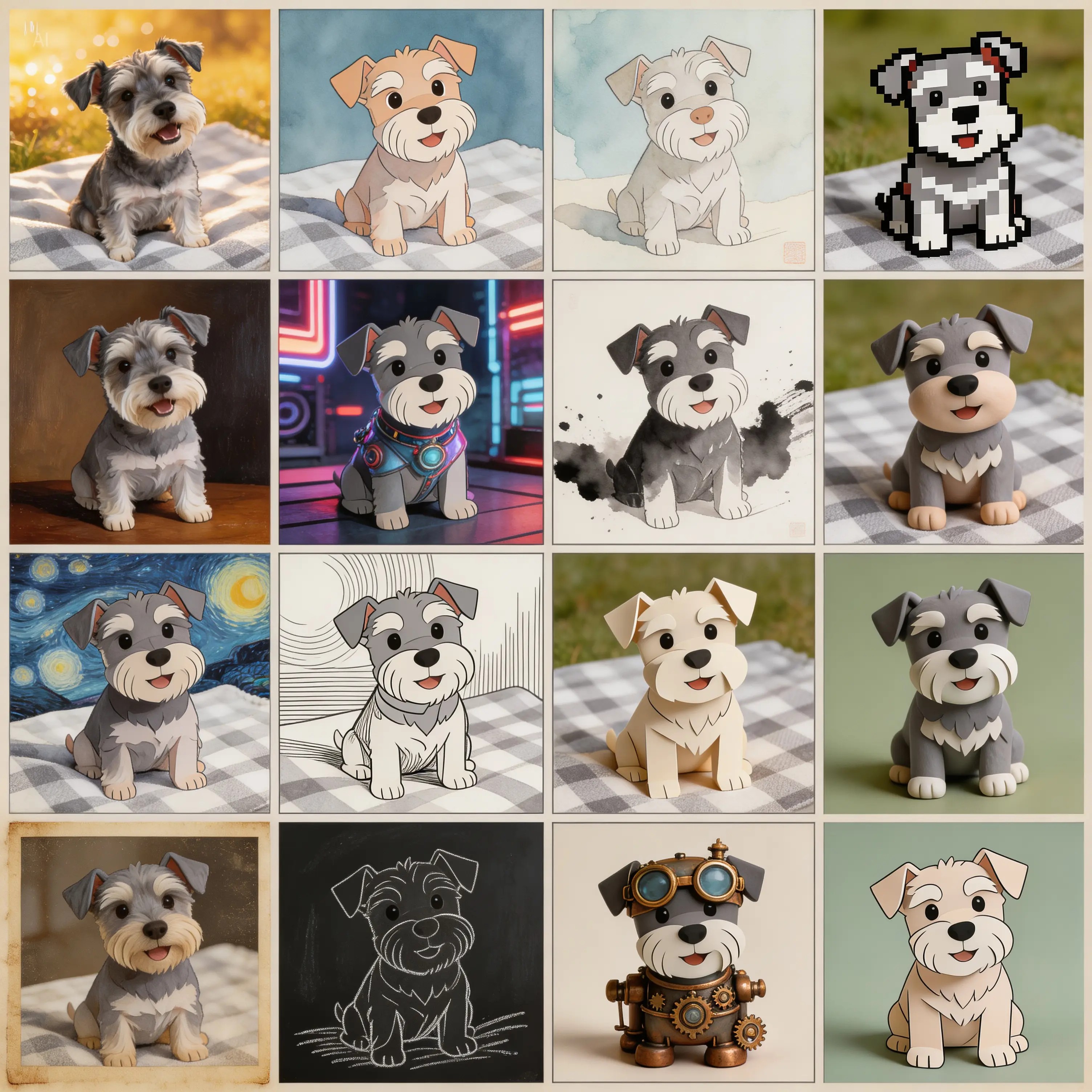
AI-generated Puppy 16-Style Grid made with Seedream 5.0 Lite

Puppy 16-Style Grid

Seedream 5.0 Lite· Image
Generate a multi-shot image containing 16 scenes, dividing the frame into a 4x4 grid. In this multi-shot composition, what changes is the style of the puppy, but the subject remains the same dog.
ByteDance Seed
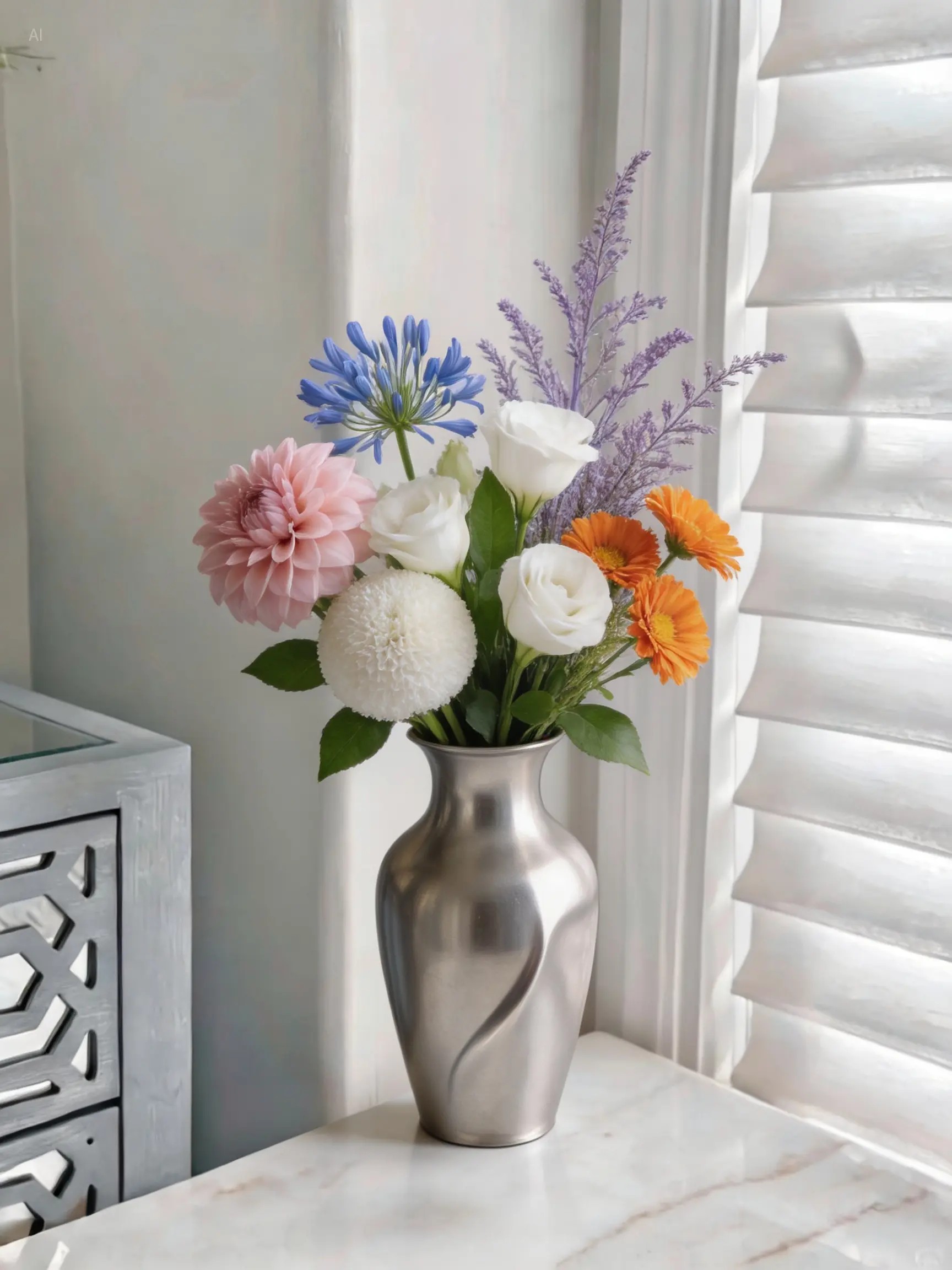
AI-generated Multi-Photo Flower Arrangement Composite made with Seedream 5.0 Lite
Multi-Photo Flower Arrangement Composite

Seedream 5.0 Lite· Image
Use the flowers shown in Figures 1-6 for a flower arrangement. There is no limit to the number of flowers; you may add other foliage for matching. Arrange all the flowers in the vase shown in Figure 7, creating a natural, well-balanced bouquet.
ByteDance Seed
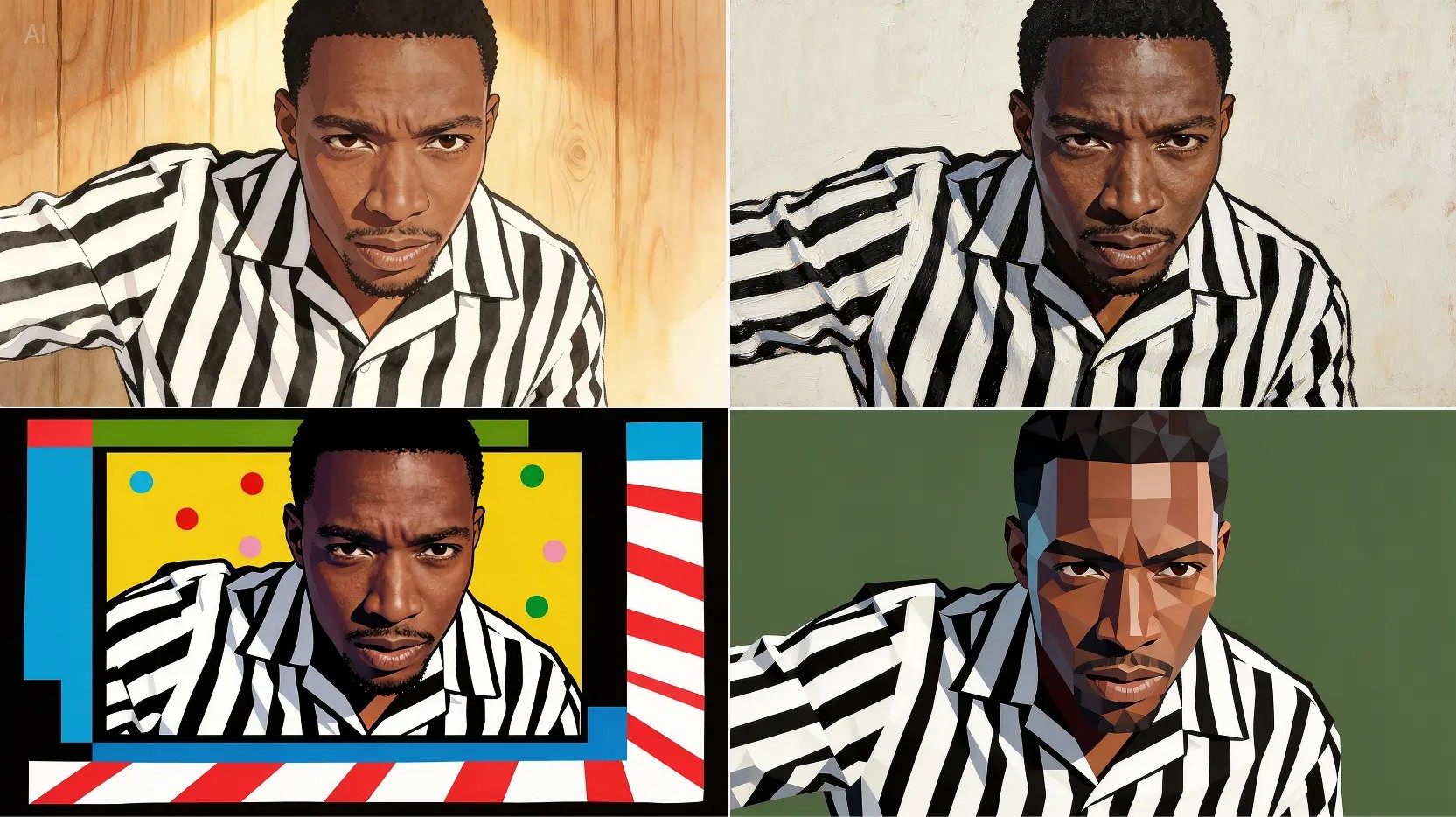
AI-generated Four-Style Portrait Transfer made with Seedream 5.0 Lite

Four-Style Portrait Transfer

Seedream 5.0 Lite· Image
Refer to the four images on the right, apply style transfer to the man, and return four images corresponding to those styles.
ByteDance Seed
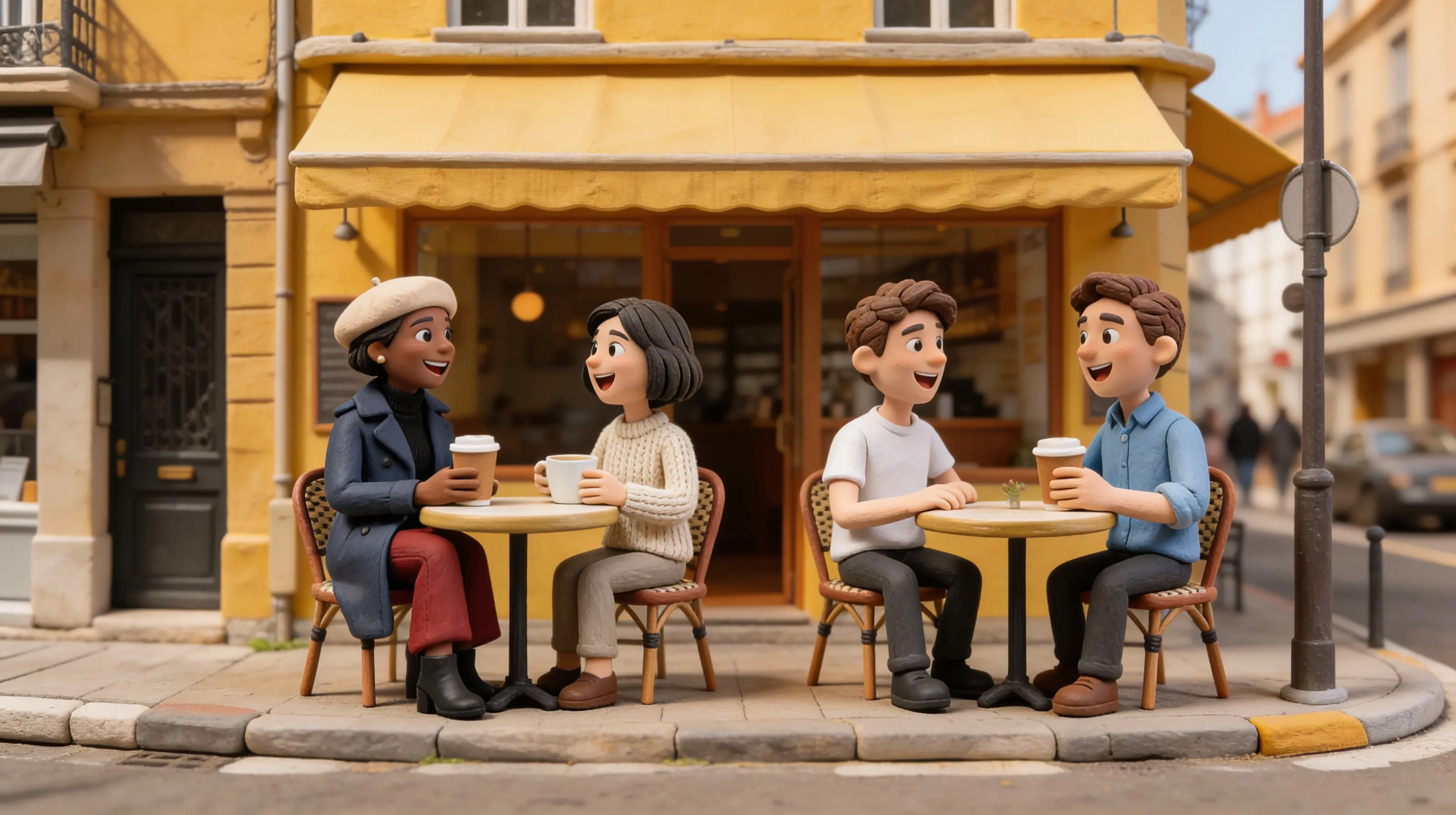
AI-generated Café Claymation Character Composite made with Seedream 5.0 Lite

Café Claymation Character Composite

Seedream 5.0 Lite· Image
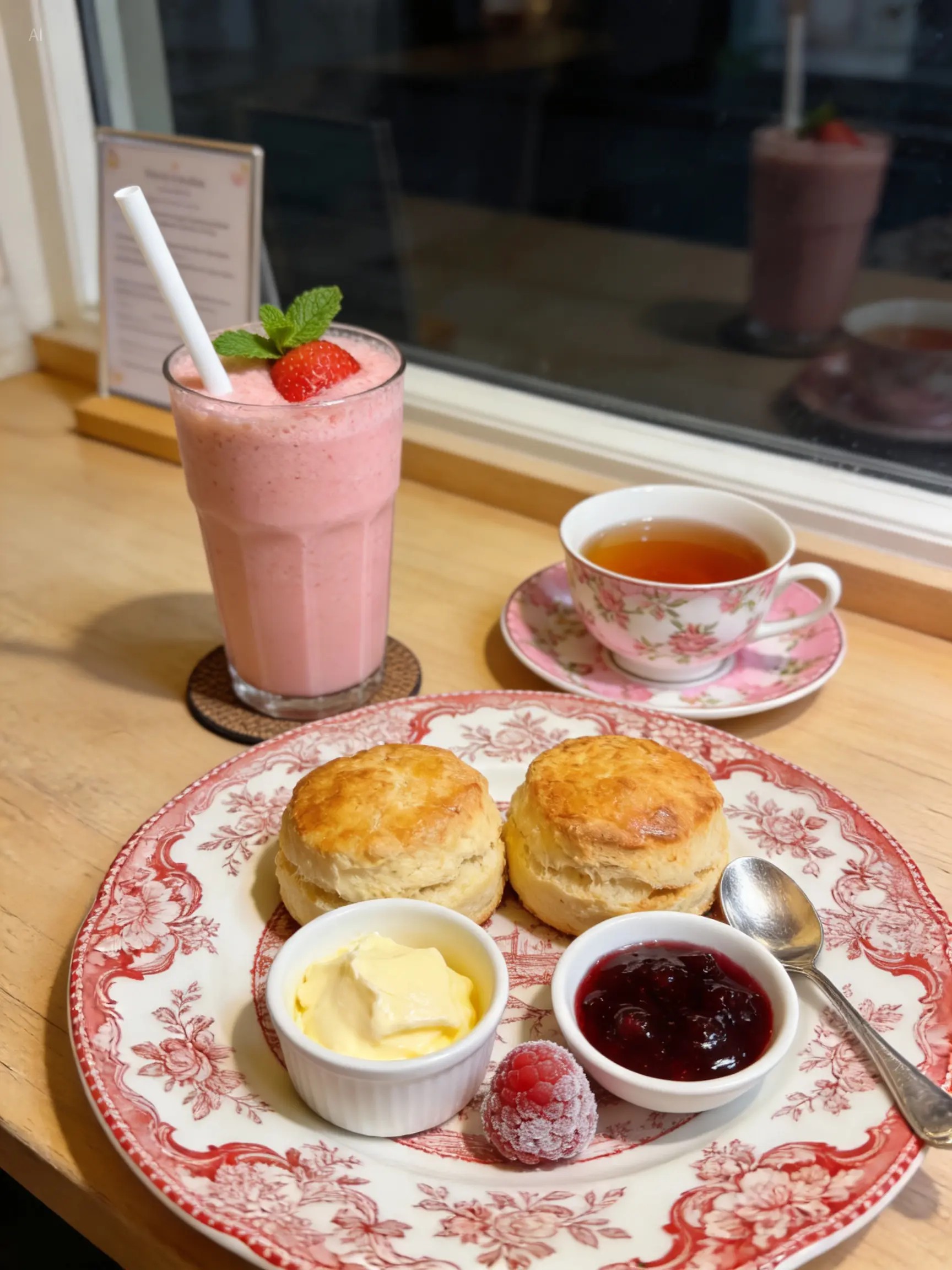
They are sitting and drinking coffee in the scene from Figure 4, two people per table, talking and laughing. The style is claymation, just like a café advertisement.
ByteDance Seed
AI-generated Vintage Museum Sticker Sheet made with Seedream 5.0 Lite

Vintage Museum Sticker Sheet

Seedream 5.0 Lite· Image
Vintage museum-themed handbook stickers, featuring ancient artifacts, fossils, sculptures, and other elements, exquisitely captured in retro tones, illuminated by sepia, rust, and aged gold hues, full of cultural atmosphere. Multi-layered stickers and collage elements surround the composition. Sticker borders feature bright white, dopamine-style aesthetics, high resolution, and a hand-drawn feel.
ByteDance Seed

What Are Seedream 5.0 Lite AI Prompts?

Seedream 5.0 Lite is ByteDance's lightweight image generation and editing model. It thinks before it draws, staying fast and low-cost while still handling style transfer, real-time information, and precision edits.

Where You'll Use It

  • Applying several styles at once to a portrait or character photo
  • Generating images grounded in up-to-date information (weather, prices, trends)
  • Merging multiple reference images into a single scene
  • Precision edits that add stickers or annotations onto an existing image
  • Product detail pages and promotional posters

Why This Tag Is Useful

Seedream 5.0 Lite stays light while still reasoning through your intent. It can understand several reference images at once to compose a scene, or search for real-time information to ground the result, covering a lot of ground for a lightweight model.

Tips for Crafting Prompts

  1. When you have multiple reference images, refer to them by number ("Figure 1", "Figure 2") so it's clear which one does what.
  2. For real-time information, specify exactly what to look up and as of when.
  3. For style transfer, list out the styles you want to get several versions in one pass.
  4. For editing an existing image, describe edits as "what, where" for clarity.

Being lightweight, it responds quickly, which makes it good for trying several versions fast.

Frequently Asked Questions

Related Prompts

Illustration

Illustration

536 prompts

Product Ad Image

Product Ad Image

446 prompts

Style Transfer

Style Transfer

9 prompts

Character Illustration

Character Illustration

14 prompts

Carat Prompt Gallery

Create trending AI prompts instantly

Prompts

  • Logo
  • PPT Design
  • Thumbnail
  • Poster
  • Web Novel Cover
  • ID Photo
  • Caricature
  • Product Detail Page
  • Banner

Models

  • GPT Image 2
  • Seedance 2.0
  • NanoBanana Pro
  • NanoBanana 2

Carat

  • Get started
  • About
  • Blog
  • Careers
  • Contact
  • Partnership
  • Terms
  • Privacy

© 2026 Paradot.Inc All rights reserved.