carat

Prompt Gallery

/

Showroom Interior

Login
Sign Up

Showroom Interior

Showroom Interior prompts. Copy and use Showroom Interior image generation prompts from Carat right away.

2026.08.12

Make “Showroom Interior” exactly the way you wantCreate your own “Showroom Interior”

Just ask in plain language — Carat generates optimized images and videos for you.

Start now with 100 free credits daily
·
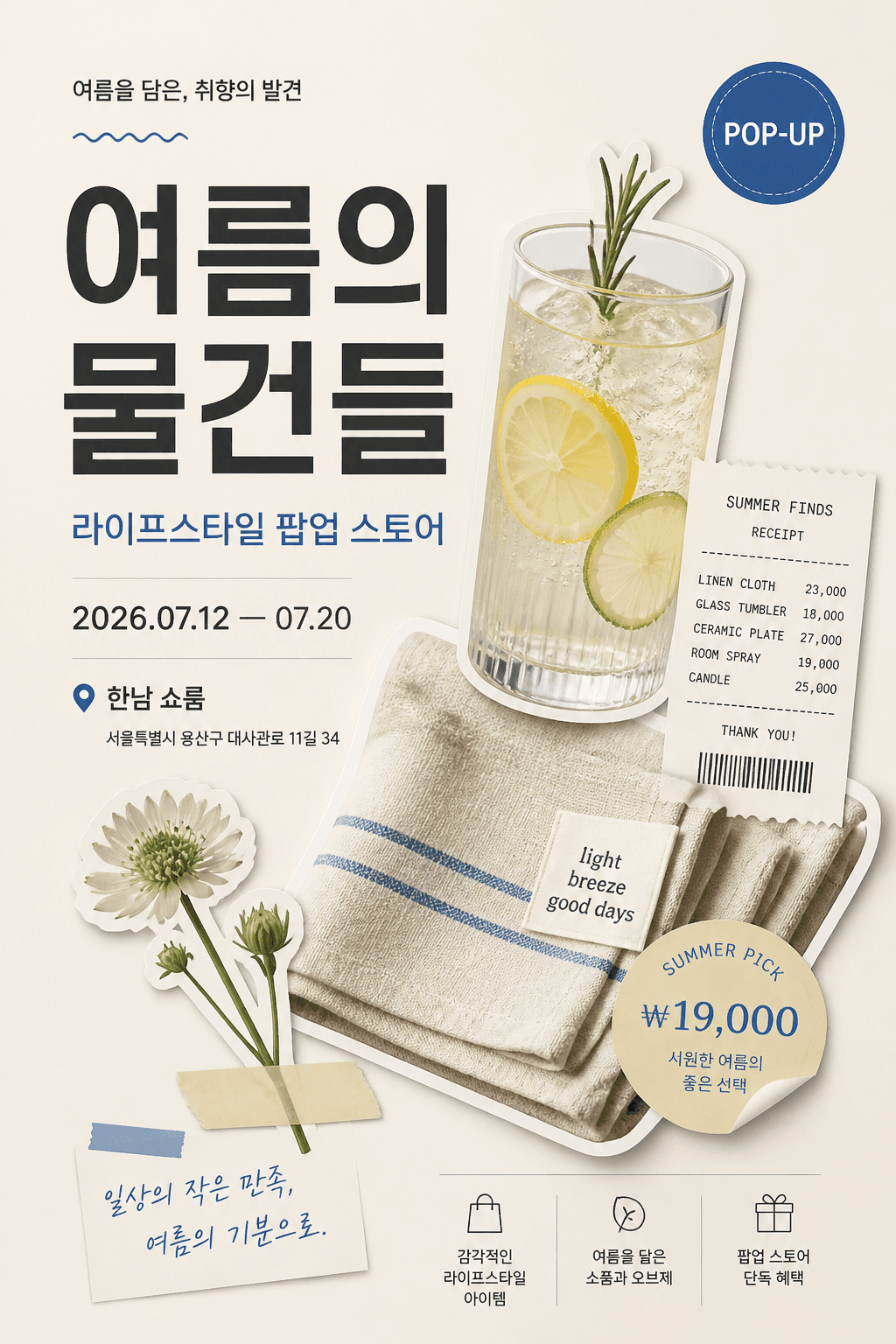
AI-generated Vertical Korean Poster Using a Premium Cutout Collage Layout made with GPT Image 2

Vertical Korean Poster Using a Premium Cutout Collage Layout

GPT Image 2· Image
Design a vertical Korean poster using a premium cutout collage layout. Theme: summer lifestyle pop-up store. Arrange objects diagonally from bottom-left to top-right with shadows and editorial spacing. Add Korean text: main title '여름의 물건들', subtitle '라이프스타일 팝업 스토어', date '2026.07.12 — 07.20', venue '한남 쇼룸'. Typography: bold modern Korean sans-serif for the title, small neat information blocks, one circular badge reading 'POP-UP'. Style: polished commercial poster, Pinterest-worthy, Korean boutique brand aesthetic, no real logos.
GPT 이미지 2로 생성한 치과 클리닉 인테리어

치과 클리닉 인테리어

GPT Image 2· Image
A bright modern dental clinic interior photograph. Clean white dental treatment chair with advanced equipment, soft natural lighting from large windows, teal accent walls with wooden trim, potted plants on the reception counter. Professional medical interior photography, wide angle, no people, calm and welcoming atmosphere. Photorealistic style.
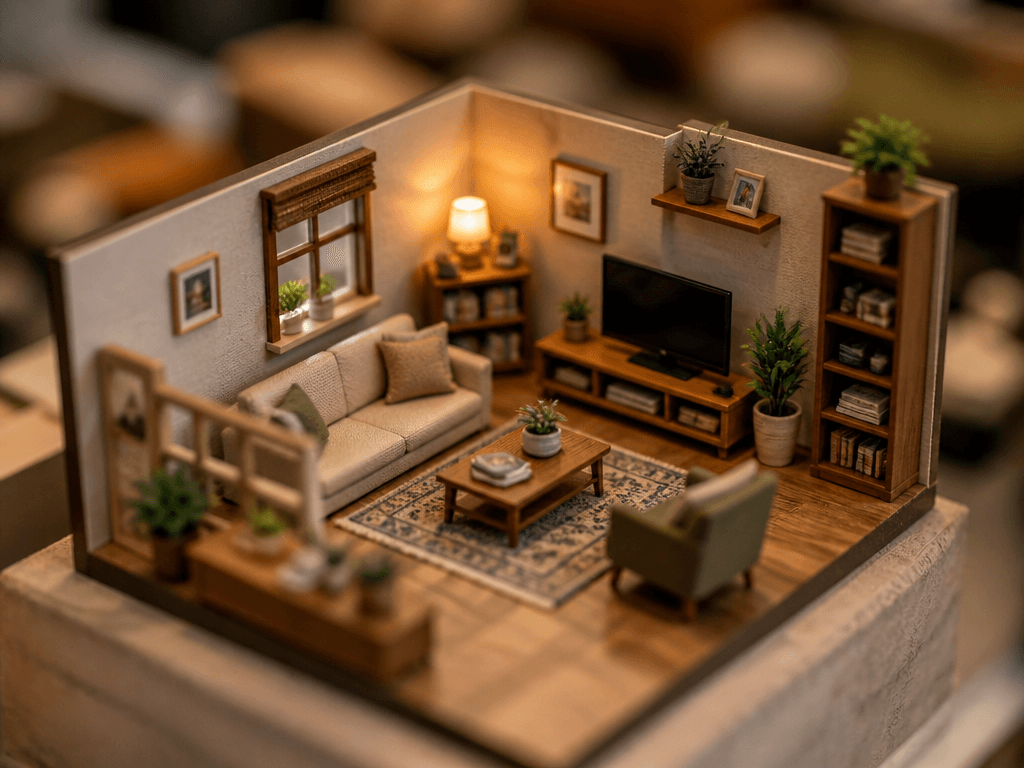
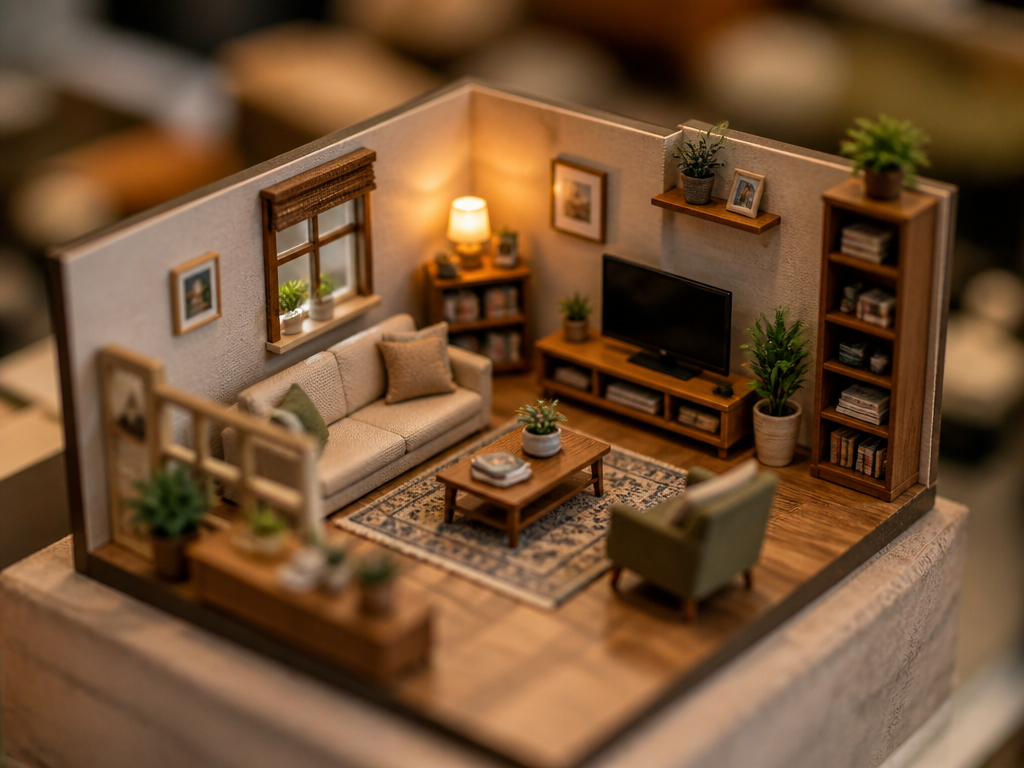
GPT 이미지 2로 생성한 미니어처 스타일 인테리어

미니어처 스타일 인테리어

GPT Image 2· Image
A miniature-style interior scene. A tiny, detailed living room with miniature furniture, small sofa, tiny bookshelf, and miniature plants. Tilt-shift photography effect making everything look tiny. Warm lighting and realistic textures in miniature scale.

What are Showroom Interior Prompts?

A collection of AI prompts for generating showroom interior images. Copy the Showroom Interior prompts provided by Carat and paste them into an AI image generation tool to get professional-grade results.

How to Use Showroom Interior Prompts

  1. Select and copy your desired prompt.
  2. Paste it into the Carat agent.
  3. Modify colors, styles, and composition as needed.
  4. Download the generated image and use it in your project.

Tips for Writing Showroom Interior Prompts

Specify lighting, texture, composition, and lens information in detail for more precise results. Add "No text, no watermark" to prevent unwanted text overlays.

Showroom Interior Prompt Applications

Showroom Interior prompts are used across content creation, marketing, design, and educational resources. AI-generated images dramatically reduce production time while maintaining professional quality.

Showroom Interior Prompt Optimization Guide

Choose the aspect ratio based on your use case: vertical (9:16) for social media, horizontal (16:9) for web banners, and square (1:1) for product images.
Frequently Asked Questions

Related Prompts

Interior Design

Interior Design

10 prompts

Interior Photo

Interior Photo

29 prompts

Clinic Hours Sign

Clinic Hours Sign

3 prompts

Home Cafe Interior

Home Cafe Interior

3 prompts

Carat Prompt Gallery

Create trending AI prompts instantly

Prompts

  • Logo
  • PPT Design
  • Thumbnail
  • Poster
  • Web Novel Cover
  • ID Photo
  • Caricature
  • Product Detail Page
  • Banner

Models

  • GPT Image 2
  • Seedance 2.0
  • NanoBanana Pro
  • NanoBanana 2

Carat

  • Get started
  • About
  • Blog
  • Careers
  • Contact
  • Partnership
  • Terms
  • Privacy

© 2026 Paradot.Inc All rights reserved.