carat

Prompt Gallery

/

Camera Movement Prompts

Login
Sign Up

Camera Movement Prompts

Practical prompts and direction notes for Camera Movement Prompts.

2026.08.23

·
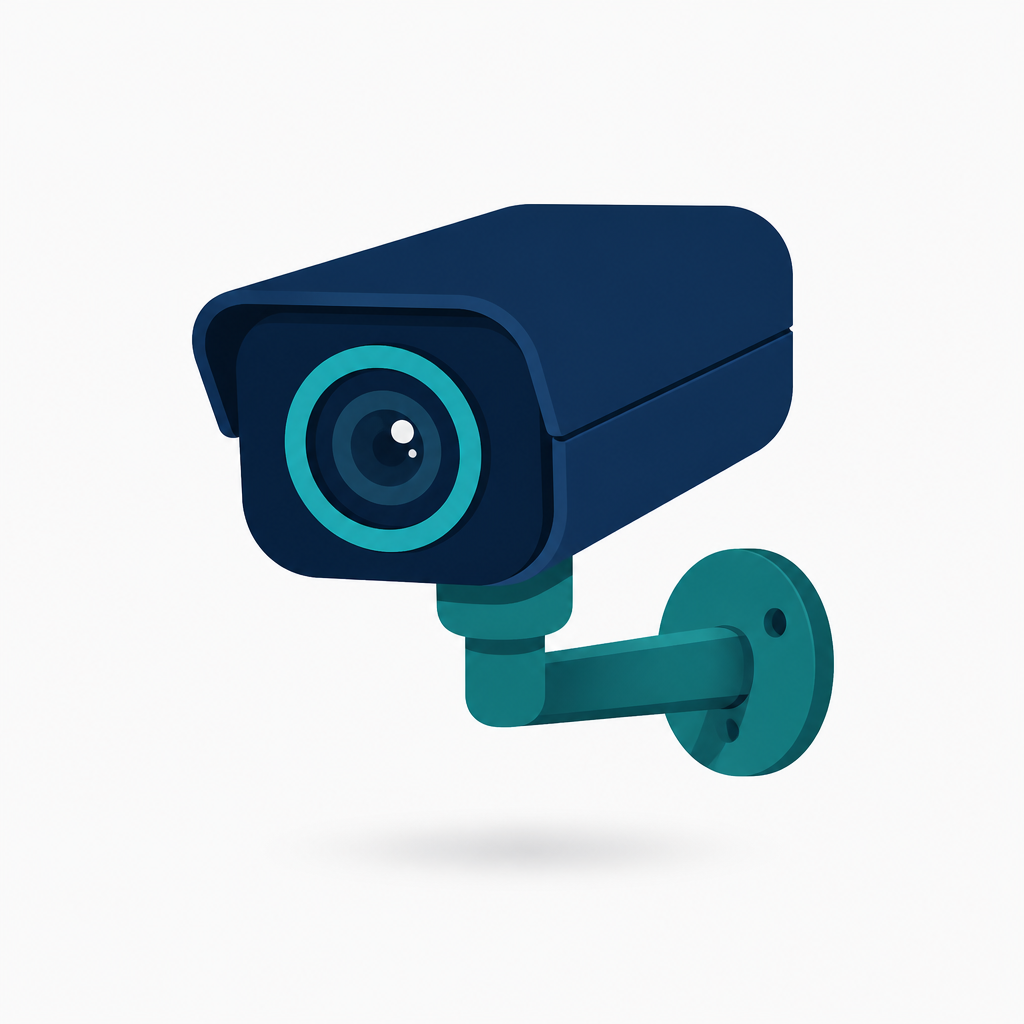
GPT 이미지 2로 생성한 CCTV 카메라 아이콘

CCTV 카메라 아이콘

GPT Image 2· Image
렌즈와 브래킷 구조가 명확한 보안 카메라 그래픽 아이콘. flat brand symbol design, clean silhouette, restrained palette, no mockup background. three-quarter view with clear silhouette and subtle depth. muted neutral palette with a vivid focal color. Make the subject immediately recognizable at thumbnail size. Use clean composition, purposeful details, and no watermark. Keep the result crisp, scalable, and easy to recognize; avoid busy scenes and unreadable micro details.
AI-generated Fingertips Holding Ring made with Nano Banana Pro

Fingertips Holding Ring

Nano Banana Pro· Image
Photorealistic macro close-up of fingertips holding a thin gold ring, natural nail texture, soft skin detail, ring catching a small specular highlight, clean neutral background, studio strobe with diffusion, Sony A7IV, 90mm macro, f/8, crisp product focus, premium e-commerce macro --ar 4:5
media.io:Fingertips Holding Ring
AI-generated Freckles and Pores made with Nano Banana Pro

Freckles and Pores

Nano Banana Pro· Image
Ultra-realistic macro close-up of cheek skin with freckles, fine peach fuzz, natural pores, soft window light, minimal makeup, gentle warm color grading, Nikon Z7 II, 105mm macro, f/6.3, sharp yet flattering detail, editorial skincare campaign look --ar 4:5
media.io:Freckles and Pores
AI-generated Glitter Pigment Close-up made with Nano Banana Pro

Glitter Pigment Close-up

Nano Banana Pro· Image
Extreme macro close-up of cosmetic glitter pigment scattered on skin-like surface, multicolor sparkle, micro particles sharply resolved, dark background for contrast, single softbox lighting, Canon 5DS R, 100mm macro, f/9, ultra crisp, beauty editorial macro style --ar 4:5
media.io:Glitter Pigment Close-up
AI-generated Glossy Lip Highlight made with Nano Banana Pro

Glossy Lip Highlight

Nano Banana Pro· Image
Macro close-up of glossy lips with subtle shimmer, visible natural lip texture, soft pink nude color, clean studio background, diffused beauty dish lighting, Canon EOS R6, 100mm macro, f/4, sharp highlight control, editorial beauty photography, photorealistic skin detail --ar 4:5
media.io:glossy-lip-highlight
AI-generated Iris Nebula Eye made with Nano Banana Pro

Iris Nebula Eye

Nano Banana Pro· Image
Photorealistic extreme macro close-up of a human eye iris with intricate radial fibers, natural catchlight, sharp eyelashes, subtle skin pores around the eye, soft beauty lighting, Sony A7R V, 90mm macro, f/5.6, ultra-realistic detail, creamy background blur --ar 4:5
media.io:iris-nebula-eye
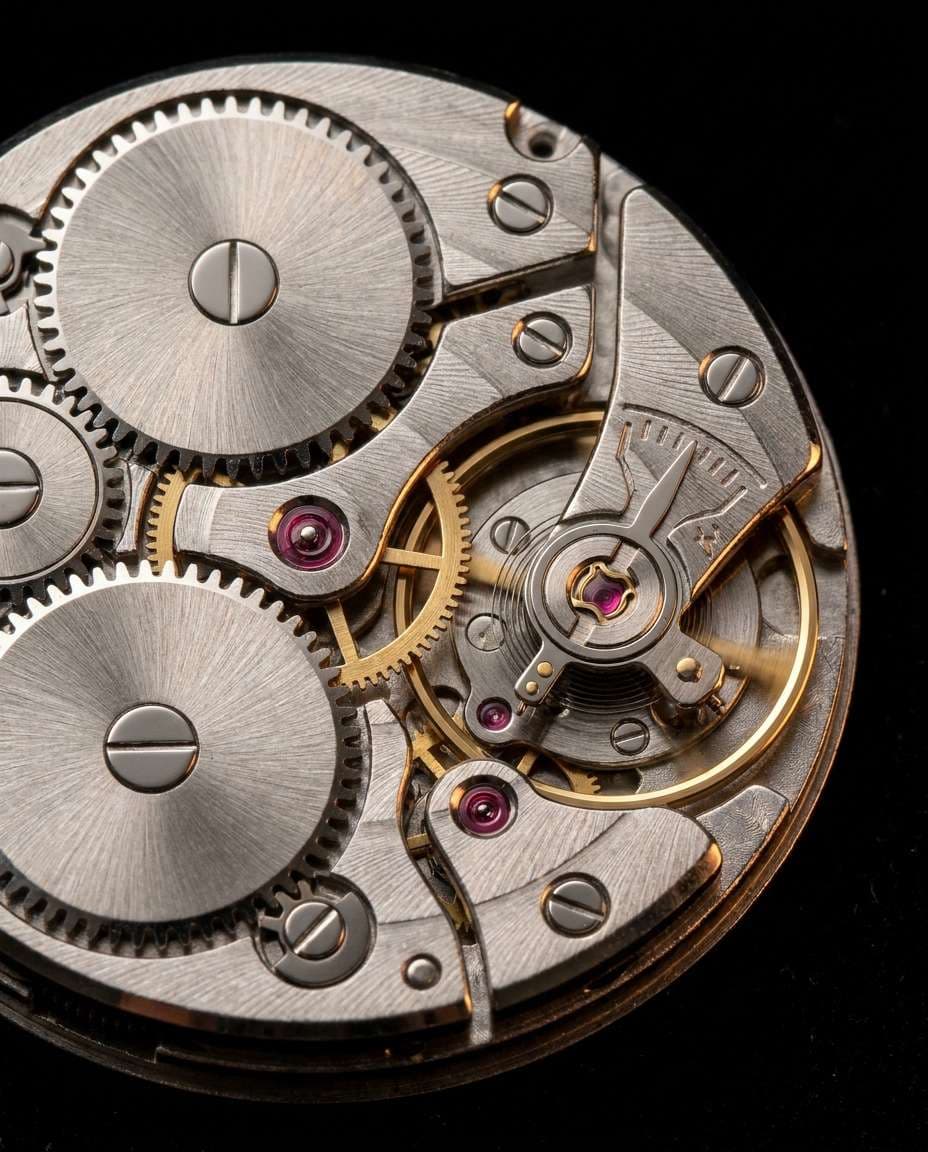
AI-generated Watch Gearwork Macro Macro Detail made with Nano Banana Pro

Watch Gearwork Macro Macro Detail

Nano Banana Pro· Image
Ultra-realistic macro close-up of luxury mechanical watch movement gears, brushed metal texture, tiny screws, jewel bearings, dramatic side lighting with specular highlights, black background, Canon EOS R5, 100mm macro, f/8, focus-stacked clarity, premium product photography --ar 4:5
media.io:watch-gearwork-macro
AI-generated Nail Art Macro Pop made with Nano Banana Pro

Nail Art Macro Pop

Nano Banana Pro· Image
Macro close-up of a manicured hand with glossy nail art, tiny decals and chrome accents sharply detailed, pastel gradient background bokeh, bright beauty lighting, Canon EOS R5, 100mm macro, f/5, ultra sharp, vibrant color, trendy social-media nail photography --ar 4:5
media.io:Nail Art Macro Pop

Camera Movement Prompts Prompt Overview

This page offers practical prompt guidance for planning Camera Movement Prompts imagery. Define the subject and intended use first, then describe the form, composition, palette, setting, lighting, and texture in a deliberate order. The linked existing items provide useful references for comparing directions while keeping the visual brief specific.

Composition and Direction

Make the primary subject readable immediately and arrange supporting elements in clear layers. Specify contrast, negative space, viewing direction, and aspect ratio so the idea remains clear both as a thumbnail and in a detailed view. Describe mood through observable light and material rather than vague adjectives.

How to Write the Prompt

Open with the topic, then add camera or graphic treatment, lens and viewpoint, light, palette, background, and surface details. End with the ratio and exclusions. Changing one condition at a time makes iterations easier to evaluate and keeps the visual identity consistent.

Practical Uses

Adapt the same concept for social content, concept boards, character development, thumbnails, and product presentation. Separate vertical and square tests, then build comparison sets that change only the background or palette to find the strongest direction quickly.

Frequently Asked Questions

Start with the related existing items and adjust their subject, composition, and style to fit your brief. Reviewing titles and tags helps avoid near-duplicates and produces more specific prompts. Model support and generation cost vary by service, so confirm settings in the tool you use.
Frequently Asked Questions

Related Prompts

Macro Photo

Macro Photo

62 prompts

Photography Lighting Setup

Photography Lighting Setup

62 prompts

Studio Lighting

79 prompts

Closeup Image

Closeup Image

80 prompts

Carat Prompt Gallery

Create trending AI prompts instantly

Prompts

  • Logo
  • PPT Design
  • Thumbnail
  • Poster
  • Web Novel Cover
  • ID Photo
  • Caricature
  • Product Detail Page
  • Banner

Models

  • GPT Image 2
  • Seedance 2.0
  • NanoBanana Pro
  • NanoBanana 2

Carat

  • Get started
  • About
  • Blog
  • Careers
  • Contact
  • Partnership
  • Terms
  • Privacy

© 2026 Paradot.Inc All rights reserved.