carat

Prompt Gallery

/

Mockup

Login
Sign Up

Mockup

AI mockup prompts you can use right away to show product, app, and brand drafts as if they were real. Quickly create app screens, packaging, product drafts, and presentation shots.

2026.05.23

·
AI-generated Core Subject: [Use the Uploaded Image made with GPT Image 2

Core Subject: [Use the Uploaded Image

GPT Image 2· Image
Core Subject: [{argument name="reference" default="use the uploaded image"}, keep the details, typography and structure locked 100%] Layout & Composition: A {argument name="presentation type" default="professional industrial design presentation sheet"}. The image should be organized into a clean grid system. Top Row: A 3x3 layout showing top-down flat lay views and close-up macro details of materials. Middle Section: Three hero shots of the product standing upright in different color ways (Matte Black, Arctic White, and accented variants). The products should be slightly tilted to show depth and form. Bottom Section: A dynamic "floating" composition featuring two products overlapping at opposing angles to showcase the front and side profiles simultaneously. Environment & Lighting: Set against a minimalist, neutral studio gray background. Soft top-down lighting with realistic contact shadows. High-end product photography aesthetic. Style & Finish: Matte textures, clean silhouettes, and sharp edges. Leave designated blank areas on the product surfaces for "Placeholder Branding" and "Graphic Mockups." 4k resolution, Unreal Engine 5 render style, hyper-realistic, clean aesthetic.
@ShamsAmin56
AI-generated Hyper-detailed Cinematic Isometric Miniature City Model of Burj Khalifa Rising made with GPT Image 2

Hyper-detailed Cinematic Isometric Miniature City Model of Burj Khalifa Rising

GPT Image 2· Image
A hyper-detailed cinematic isometric miniature city model of {argument name="landmark tower" default="Burj Khalifa"} rising dramatically from the center of a square architectural master-plan board, presented like a luxury urban planning maquette on a black background. The composition shows one dominant ultra-tall silver skyscraper in the exact center, surrounded by a dense ring of modern high-rise towers, illuminated roads, bridges, and glowing warm city lights. Curving turquoise-blue water features and artificial lakes wrap around the central district in multiple connected pools and canals, with one large circular fountain-like feature near the tower base and several small island shapes visible in the water. In the lower right quadrant, include a large low-rise complex with rounded geometric roofs and subtle green-lit sections, connected by multilane roads and looping interchanges. The entire city sits on one square beige map board engraved with faint street grids and planning lines, with the board edges clearly visible and slightly raised. Viewpoint is a high three-quarter isometric angle, centered and symmetrical, with the tower extending far upward into negative space. Lighting is dramatic and luxurious: warm golden edge lights on buildings and roads, cool reflections in the water, crisp metallic highlights on the central tower, and a deep black void surrounding the model. Style should feel like a photorealistic architectural visualization mixed with a premium collectible scale model, extremely intricate, sharp, polished, and elegant.
@silentempiredev
AI-generated Concert Lightstick & Keyring Fan Goods made with GPT Image 2

Concert Lightstick & Keyring Fan Goods

GPT Image 2· Image
Use the uploaded portrait as the identity reference for printed packaging only. Create a realistic K-pop fan goods package mockup featuring a custom lightstick and acrylic keyring set. The person's portrait appears as a printed design on the keyring and packaging box. Scene: clean product flatlay on pastel background, both items arranged neatly, small fandom name engraving detail on lightstick, ribbon bow, tissue paper wrapping. Shallow depth of field, Pinterest K-pop fan goods photography aesthetic. No real brand logos, no readable text.
AI-generated Minecraft Screenshot Image of Exploring a Mysterious Pre-war Japanese Research Laboratory made with GPT Image 2

Minecraft Screenshot Image of Exploring a Mysterious Pre-war Japanese Research Laboratory

GPT Image 2· Image
Create a Minecraft screenshot image of exploring a mysterious pre-war Japanese research laboratory.
@RitaStar1128
AI-generated Hyper-realistic Laptop Mockup on a Minimal White Korean Café Table made with GPT Image 2

Hyper-realistic Laptop Mockup on a Minimal White Korean Café Table

GPT Image 2· Image
Hyper-realistic laptop mockup on a minimal white Korean café table. The laptop screen displays a Korean mobile app UI — clean dark-mode fintech interface with Korean text labels, Noto Sans KR typography, blue-and-white color scheme. Soft studio lighting, shallow depth of field, premium product photo.
@ZaraIrahh
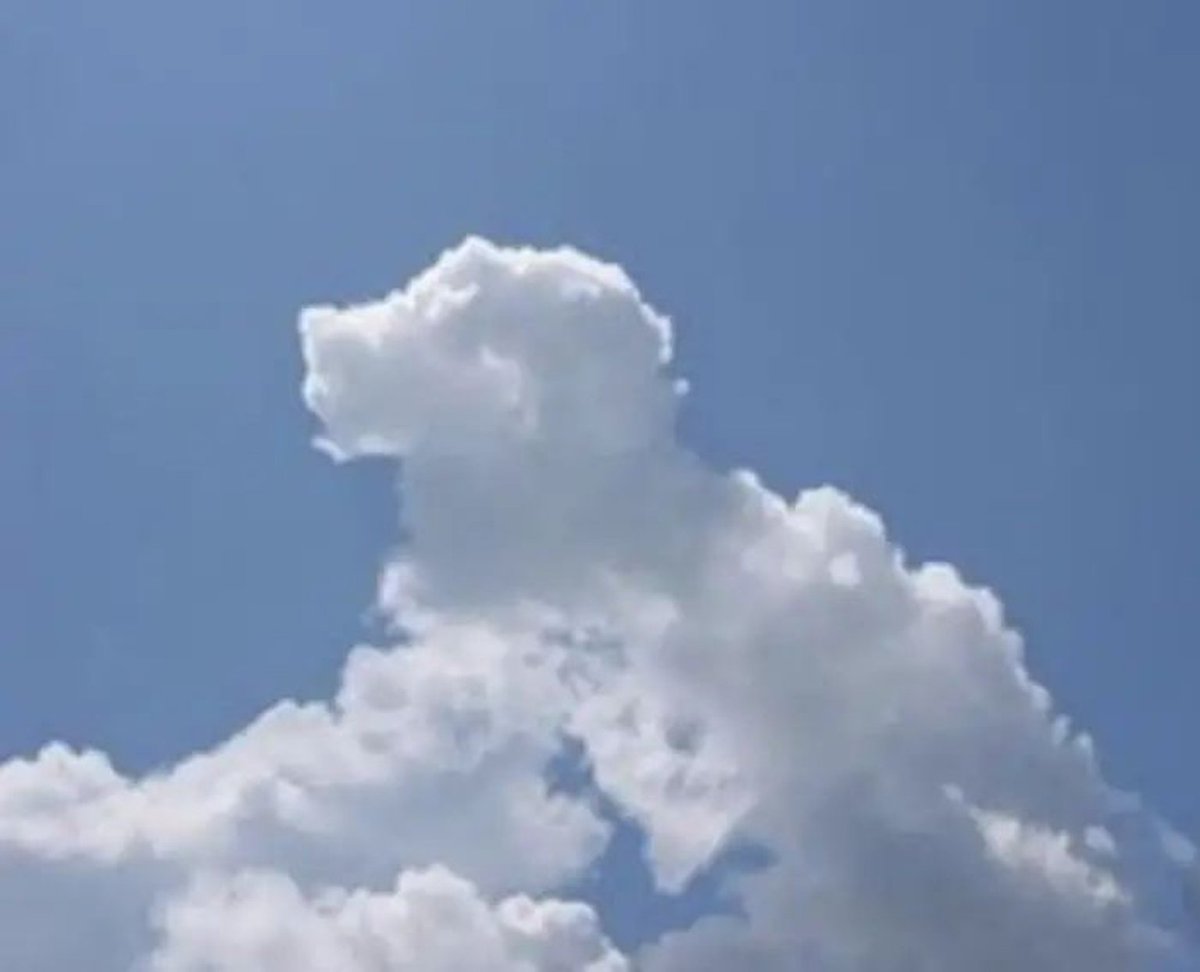
AI-generated Based on the Shape of the Clouds in the Image made with GPT Image 2
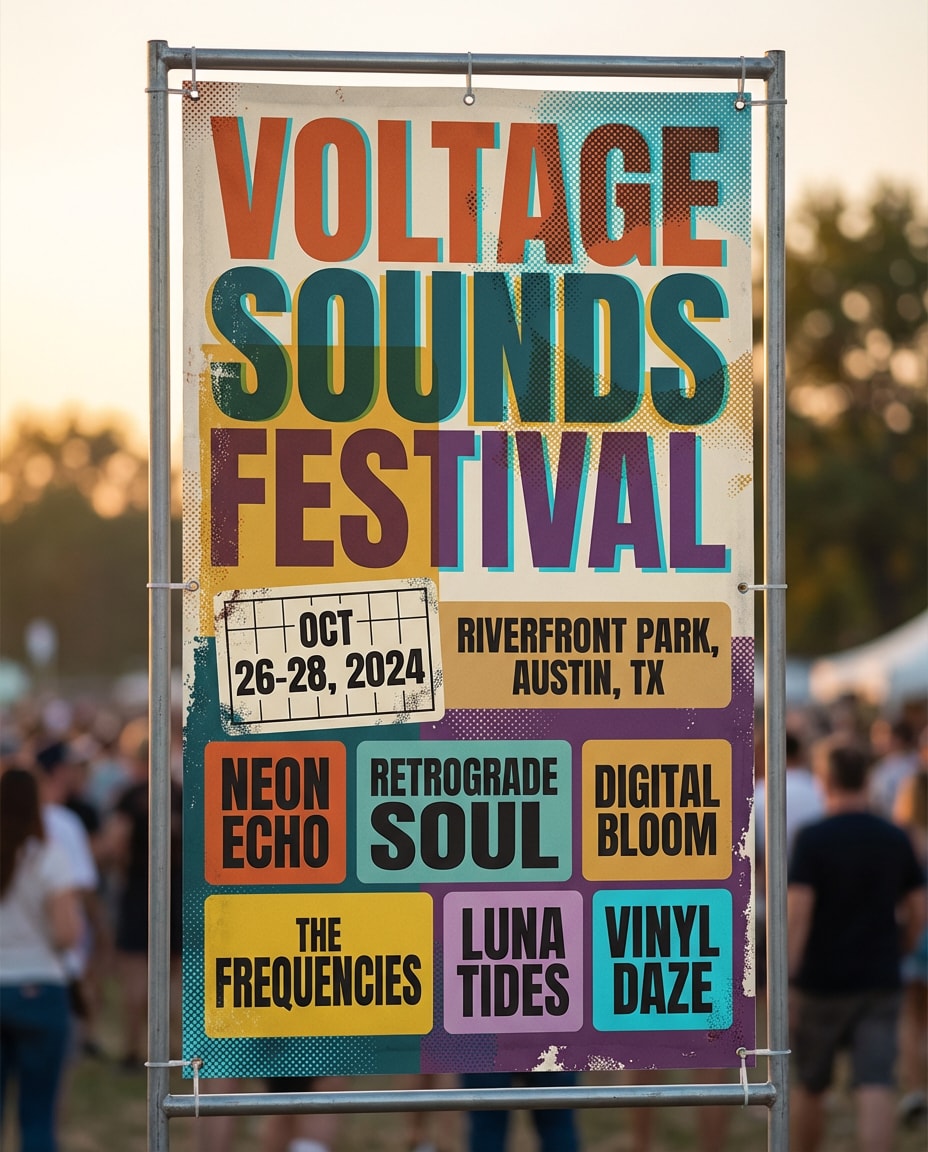
Based on the Shape of the Clouds in the Image

GPT Image 2· Image
Based on the shape of the {argument name="subject" default="clouds"} in the image, identify what object, animal, or person they most resemble. Do not change the original image; instead, draw that object, animal, or person over the original image in a {argument name="art style" default="doodle"} style.
@Gorden_Sun
AI-generated Premium Dark Mode SaaS Landing Page Design Mockup made with GPT Image 2

Premium Dark Mode SaaS Landing Page Design Mockup

GPT Image 2· Image
Premium dark mode SaaS landing page design mockup. Deep navy/black background, glassmorphism cards, neon blue accent highlights. Sections: hero headline, feature grid, pricing cards, CTA button. Korean typography labels '주요 기능', '요금제', '시작하기'. Modern Korean tech startup aesthetic. 16:9.
@D_studioproject
AI-generated Cartoon Cat Group T-Shirt Mockup made with Nano Banana Pro

Cartoon Cat Group T-Shirt Mockup

NanoBanana Pro· Image
Ultra-realistic top-down product photography of a neatly folded V-neck t-shirt placed on a light wooden surface. The t-shirt is pastel teal/washed aqua color with a soft fabric texture and subtle faded shading. On the front print: a group of 8 highly detailed, stylized cartoon-realistic cats arranged closely together, facing forward. Each cat has exaggerated, expressive facial features — big glossy eyes, wide pupils, quirky crossed eyes, and playful goofy expressions. Several cats have their tongues sticking out in different directions, creating a humorous and chaotic vibe. Cat details: Mixed fur colors: ginger/orange tabby, cream, beige, light brown, and grey tones Soft, fluffy fur with hyper-detailed strands Rounded faces, small noses, and slightly chubby cheeks Variety of expressions: surprised, confused, silly, excited One or two cats looking slightly cross-eyed High emotional exaggeration, almost Pixar-style but more detailed Composition: Cats tightly grouped in a triangular cluster filling the chest print area Bottom row slightly cropped by shirt fold for realism Balanced spacing with layered depth (front and back rows) Lighting: Soft diffused studio lighting Gentle shadows under the folds and around the print Even illumination, no harsh contrast Style: Hyper-realistic + stylized 3D illustration blend High resolution, crisp details, professional product mockup Clean background, minimalistic aesthetic Camera: Top-down flat lay shot Slight perspective depth but mostly symmetrical Quality tags: 8K, ultra-detailed, sharp focus, photorealistic fabric texture, professional e-commerce product shot.
@Mind_Boticni
AI-generated Using This Style made with GPT Image 2

Using This Style

GPT Image 2· Image
Using this style, generate a complete UI design system including web, mobile, cards, controls, buttons, and other components. Use this visual style as reference to generate a webpage. I've tried cosmic, aviation, and butterfly themes.
@stark_nico99
AI-generated Ingame Screenshot of Rust made with GPT Image 2

Ingame Screenshot of Rust

GPT Image 2· Image
an ingame screenshot of rust
@FixlationAI
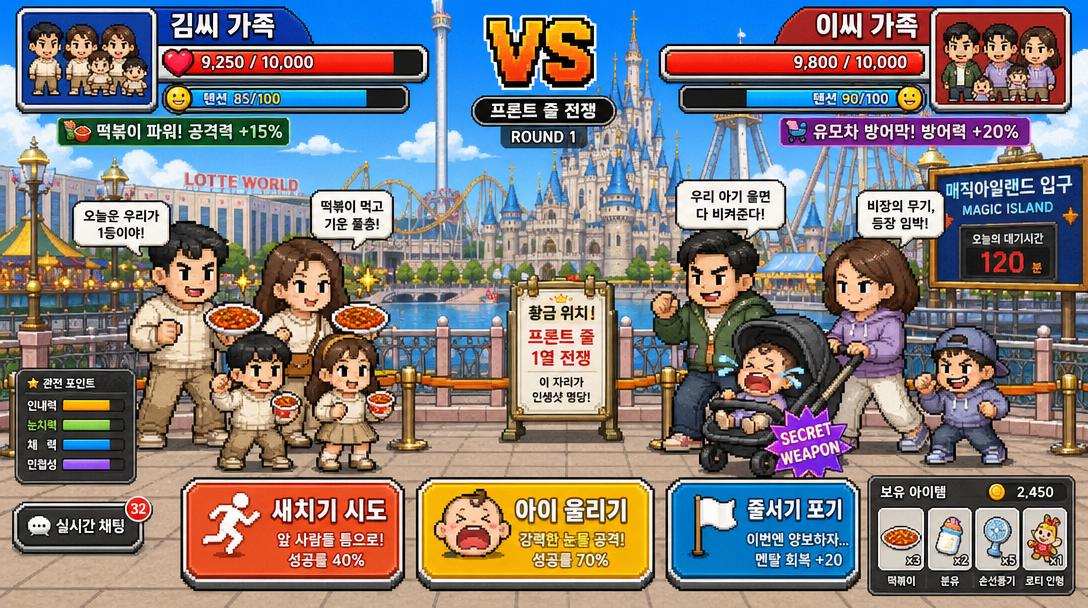
AI-generated Tokyo DisneySea Front-Row Battle UI made with GPT Image 2

Tokyo DisneySea Front-Row Battle UI

GPT Image 2· Image
A funny Korean mobile game screenshot of a vs battle at Lotte World (롯데월드) theme park. Two Korean families competing for front-row position in pixel-art style. Health bars at top with Korean names '김씨 가족' vs '이씨 가족'. Action buttons: '새치기 시도', '아이 울리기'. Bright colorful Korean mobile game UI aesthetic.
@mikko_20100518
AI-generated Vibrant Pixel-art Style Mosaic of a Tropical Parrot Perched on a Small Brown Branch in made with GPT Image 2

Vibrant Pixel-art Style Mosaic of a Tropical Parrot Perched on a Small Brown Branch in

GPT Image 2· Image
A vibrant pixel-art style mosaic of a tropical parrot perched on a small brown branch in the middle of dense rainforest foliage. The entire image is rendered as a tight grid of tiny square tiles with visible black outlines, creating a stained-glass or LED-screen effect. The bird is shown in side profile facing right, with a large curved black beak, a pale cream face, a bright red-orange forehead and throat, vivid green upper body, and long wings and tail in saturated blue and cyan. The surrounding jungle is filled edge to edge with layered green leaves in many shades, with a soft light green glow behind the parrot to separate it from the background. High color contrast, rich tropical palette, crisp tile pattern, centered composition, decorative digital mosaic aesthetic.
@erikmackinnon

What Are Mockup AI Prompts?

Mockup prompts are AI prompts for quickly shaping images that show product, app, and brand drafts as if they were real. In Carat, you can generate images or video with models like GPT Image 2, then keep going with follow-up work such as editing the result, changing the aspect ratio, removing the background, upscaling, or converting to video.

Where You'll Use It

  • App UI mockups
  • Product packaging drafts
  • Brand presentation images
  • In-use scenes for detail pages
  • Client proposal visuals

Why This Tag Is Useful

Mockup work is less about making something that simply looks good and more about how it will be used. A mockup is meant to show a use scenario convincingly rather than the design alone. Presenting context like the device a screen sits on, a product held in hand, a store display, or a presentation deck makes the result look more practical. When choosing a prompt, look first for examples that show the subject, composition, style, text placement, and intended channel.

Tips for Building Your Prompt

  1. Decide the channel and aspect ratio the result will be used in first.
  2. Spell out the key subject, background, lighting, and camera composition.
  3. If needed, separate out the brand name, product name, character traits, and color palette.
  4. After generating, check for text errors, logo accuracy, and likeness/copyright issues.

In Carat, once you run a prompt you can refine from the result you like, or continue with follow-up work like changing the aspect ratio, removing the background, upscaling, or converting to video.

Frequently Asked Questions

Related Prompts

Food Photo

Food Photo

7 prompts

Vlog Thumbnail

Vlog Thumbnail

2 prompts

Webtoon

Webtoon

6 prompts

Music Video

9 prompts

Carat Prompt Gallery

Create trending AI prompts instantly

Prompts

  • Logo
  • PPT Design
  • Thumbnail
  • Poster
  • Web Novel Cover
  • ID Photo
  • Caricature
  • Product Detail Page
  • Banner

Models

  • GPT Image 2
  • Seedance 2.0
  • NanoBanana Pro
  • NanoBanana 2

Carat

  • Get started
  • About
  • Blog
  • Careers
  • Contact
  • Partnership
  • Terms
  • Privacy

© 2026 Paradot.Inc All rights reserved.