carat

Prompt Gallery

/

Airplane Illustration

Login
Sign Up

Airplane Illustration

Create airplane illustration visuals with practical AI prompt examples, style tips, and use cases.

2026.07.03

·
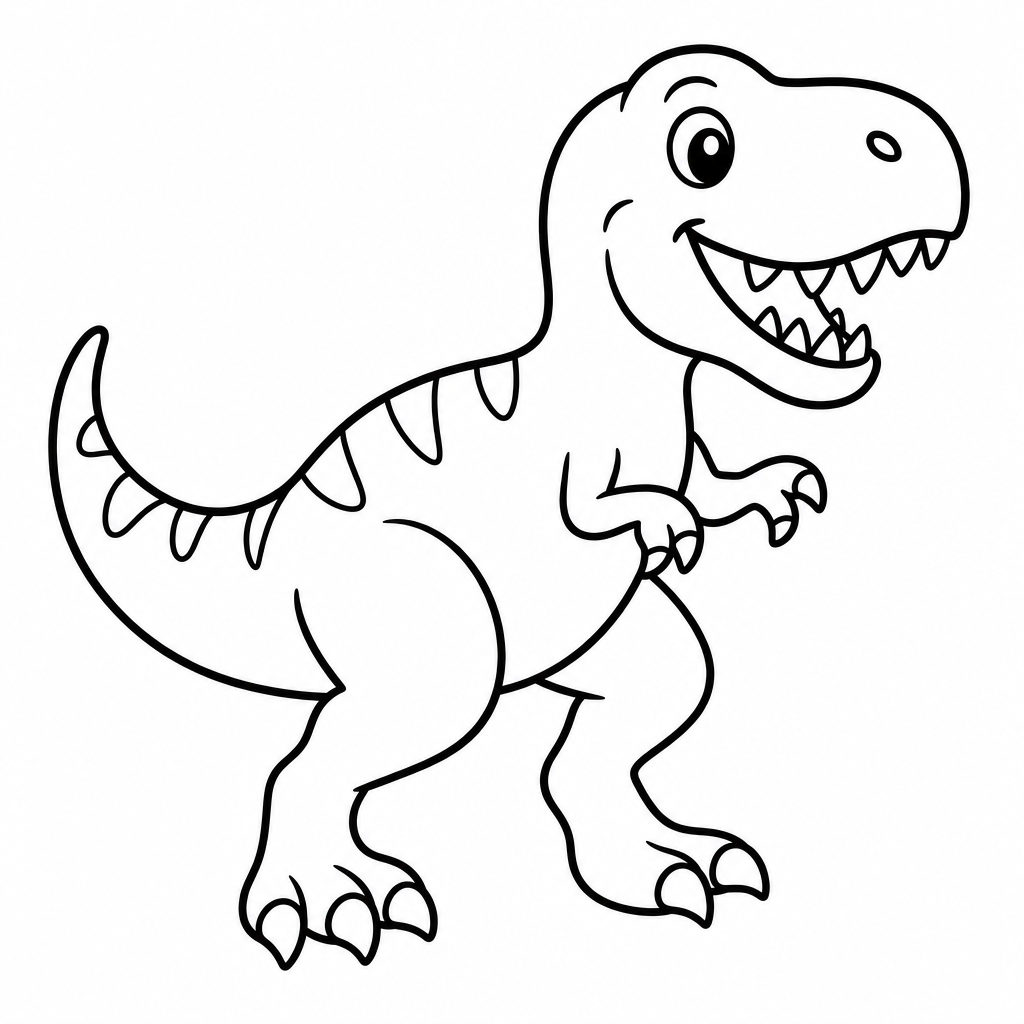
GPT 이미지 2로 생성한 비행기 일러스트 예시 1

비행기 일러스트 예시 1

GPT Image 2· Image
A clean friendly airplane illustration for posters and educational materials: centered passenger airplane in the sky, soft clouds, simple rounded shapes, crisp outlines, light paper texture, cheerful blue palette, no readable text, no logo, no watermark.
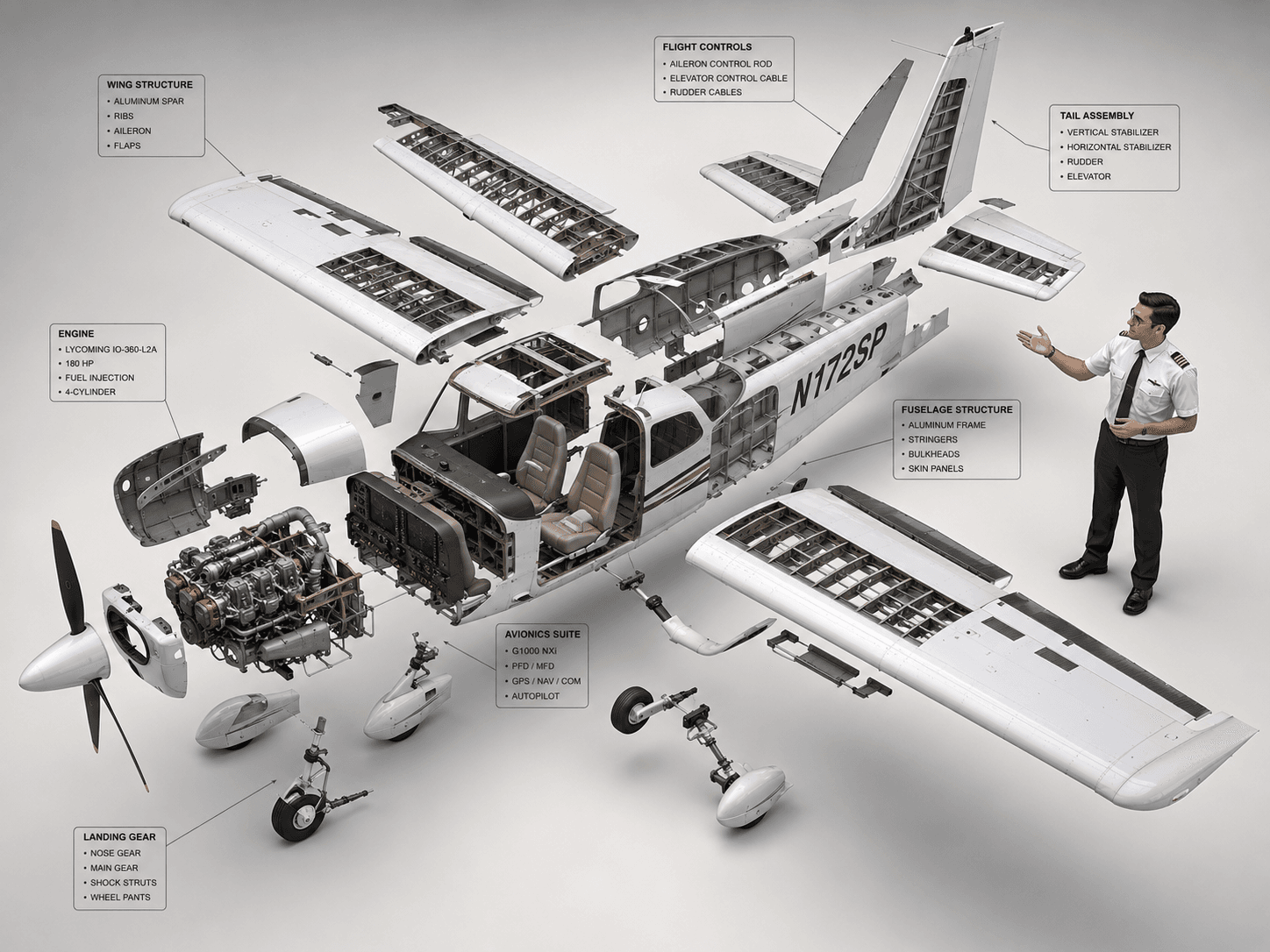
AI-generated Cessna 172 Exploded Diagram made with GPT Image 2

Cessna 172 Exploded Diagram

GPT Image 2· Image
High-end 3D CAD exploded view diagram of a Cessna 172, designed for CPL pilot training and technical reference. The aircraft is carefully disassembled into its main structural parts (fuselage, wings, engines, cockpit, tail stabilizer, and landing gear), floating symmetrically in a clean 3D space. A professional CPL pilot is positioned next to the components, gesturing towards the flight control systems as if demonstrating the aircraft parts. Industrial design aesthetic, precise technical lines, detailed plans, and realistic material textures (brushed aluminum and carbon fiber). Matte color palette. Clean, isolated background, isometric perspective, studio lighting with soft shadows, highlighting flight control systems and avionics for professional aviation study. --ar 4:3
c2284de1fa17e167135d711a164c5580
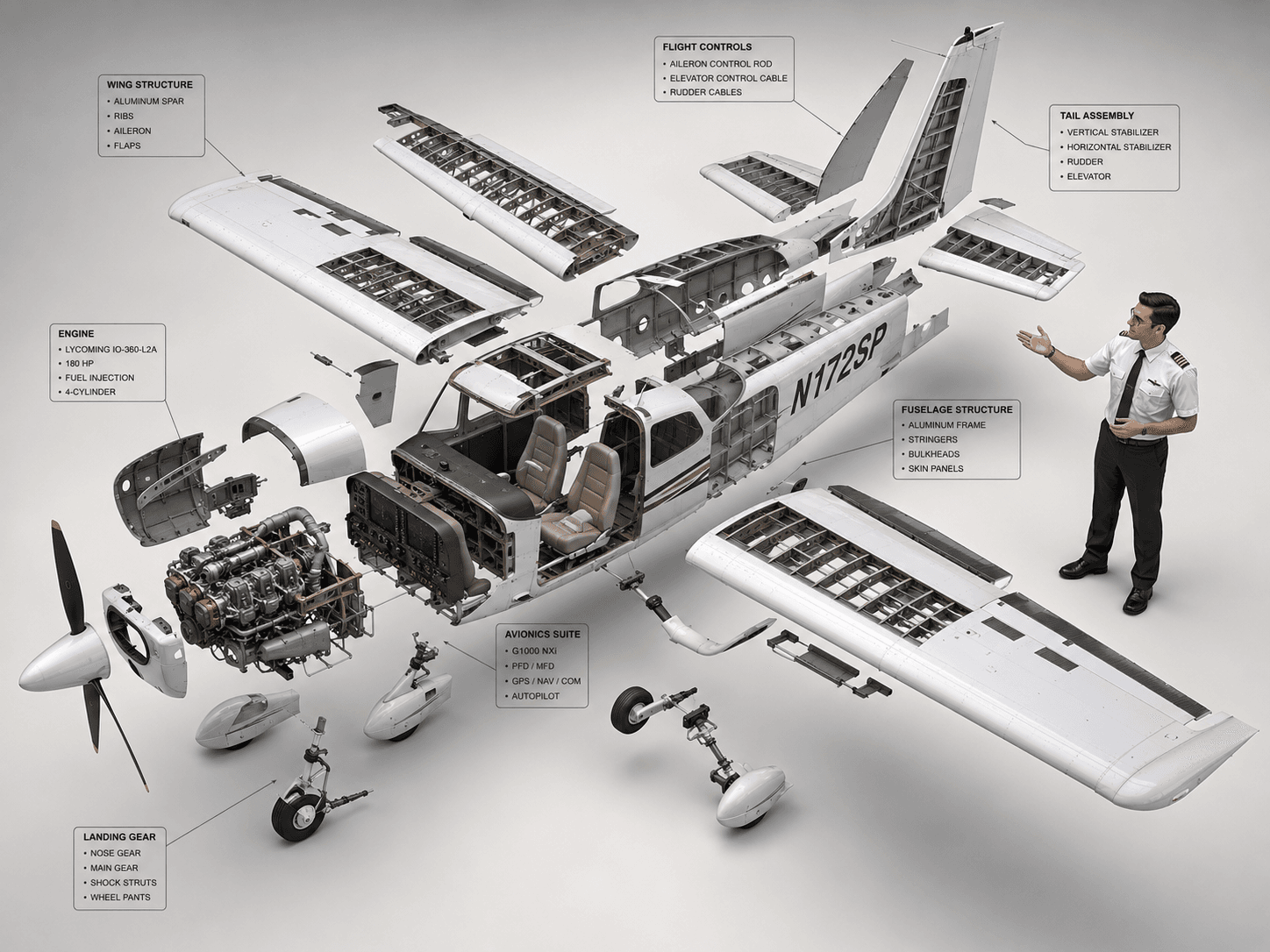
AI-generated Cessna 172 Exploded View Diagram made with GPT Image 2

Cessna 172 Exploded View Diagram

GPT Image 2· Image
High-end 3D CAD exploded view diagram of a Cessna 172, designed for CPL pilot training and technical reference. The aircraft is carefully disassembled into its main structural parts (fuselage, wings, engines, cockpit, tail stabilizer, and landing gear), floating symmetrically in a clean 3D space. A professional CPL pilot is positioned next to the components, gesturing towards the flight control systems as if demonstrating the aircraft parts. Industrial design aesthetic, precise technical lines, detailed plans, and realistic material textures (brushed aluminum and carbon fiber). Matte color palette. Clean, isolated background, isometric perspective, studio lighting with soft shadows, highlighting flight control systems and avionics for professional aviation study. --ar 4:3
c2284de1fa17e167135d711a164c5580

What are Airplane Illustration AI prompts?

Airplane Illustration prompts help you describe a specific illustration target for AI image generation. A strong prompt does more than name the subject. It defines the composition, palette, texture, level of detail, background, and final use case. This makes the result more useful for real projects such as posters, stickers, educational materials, social graphics, product pages, and campaign visuals. The examples on this page are designed to be easy to copy, adapt, and combine with other Carat prompt tags.

Main use cases

  • 교통 교육 자료
  • 여행 포스터
  • 어린이 학습지
  • 항공 이벤트 배너
  • 스티커 디자인

Why this tag is useful

A clear illustration prompt reduces ambiguity before generation starts. Instead of asking for a broad image, you can specify the subject shape, line style, color mood, background density, and production constraints. Phrases such as flat editorial style, centered composition, light paper texture, soft shadow, no readable text, no logo, and no watermark help create assets that are easier to reuse in design tools. This tag is especially useful when you need a clean visual that can work across cards, posters, learning materials, thumbnails, and stickers.

Related prompts to explore

Useful related tags include illustration, flat-illustration, character-illustration, poster, sticker-design, children-illustration, and educational-poster. Combine this tag with poster for campaign-style visuals, with sticker-design for clean cutout assets, or with educational-poster when the image needs to feel informative and classroom-ready.

Prompt writing tips

  1. Start with the intended output format, such as card, poster, sticker, worksheet, or thumbnail.
  2. Add concrete visual details such as centered layout, rounded shapes, crisp outlines, paper texture, pastel palette, or warm lighting.
  3. Keep production constraints explicit: no readable text, no logo, no watermark, and clean background.
  4. Generate a few variations by changing only palette, background, or detail level, then choose the most reusable version.
Frequently Asked Questions

Related Prompts

Blueprint Design

Blueprint Design

7 prompts

Exploded View

Exploded View

9 prompts

Cat Birthday Photo

Cat Birthday Photo

12 prompts

Cat Litter Product Page

Cat Litter Product Page

12 prompts

Carat Prompt Gallery

Create trending AI prompts instantly

Prompts

  • Logo
  • PPT Design
  • Thumbnail
  • Poster
  • Web Novel Cover
  • ID Photo
  • Caricature
  • Product Detail Page
  • Banner

Models

  • GPT Image 2
  • Seedance 2.0
  • NanoBanana Pro
  • NanoBanana 2

Carat

  • Get started
  • About
  • Blog
  • Careers
  • Contact
  • Partnership
  • Terms
  • Privacy

© 2026 Paradot.Inc All rights reserved.