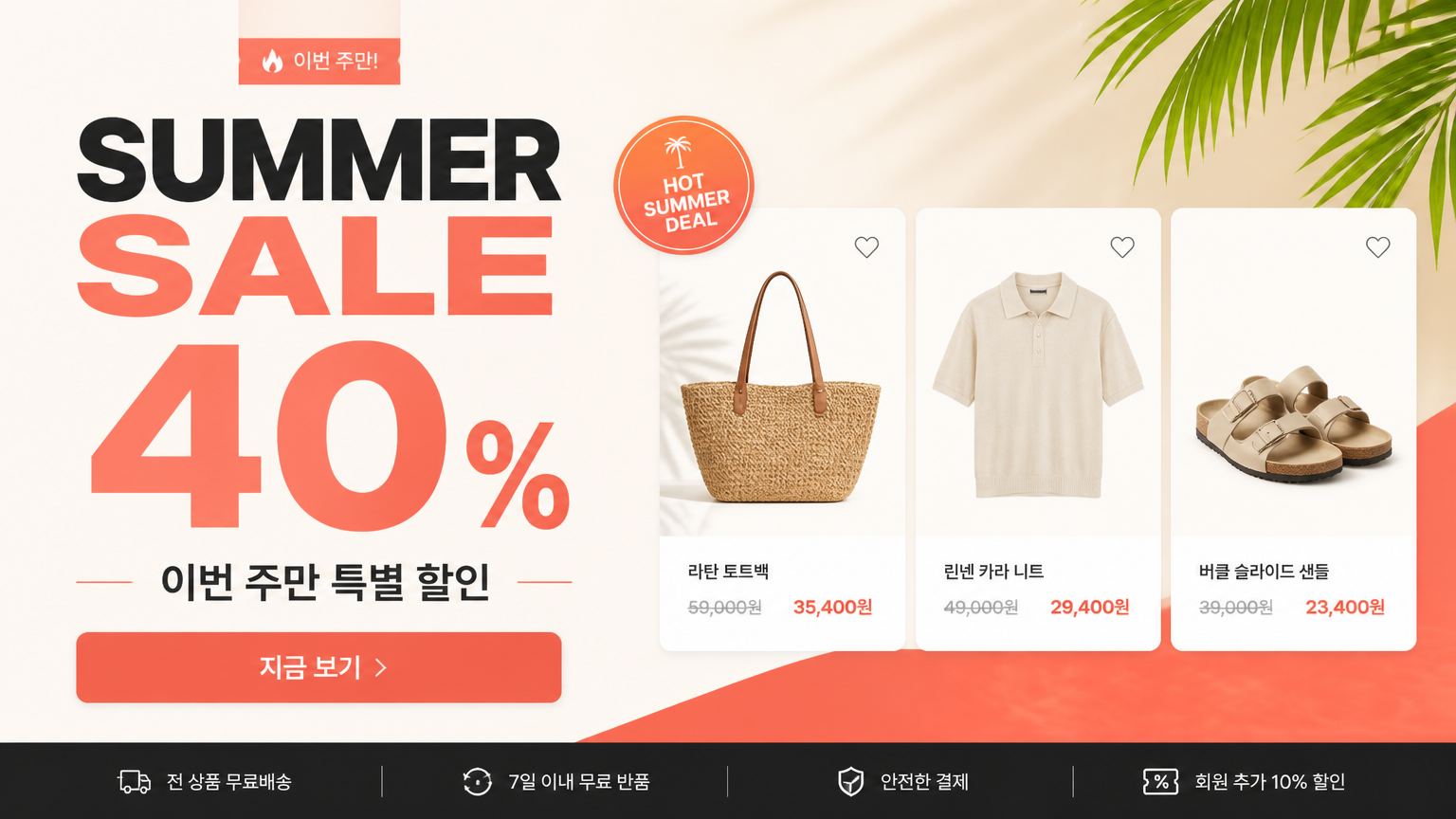
carat

Prompt Gallery

/

Banner Design

Login
Sign Up

Banner Design

Create AI banner design prompts for polished creative concepts, social assets, campaign drafts, and reusable visual references.

2026.07.02

·
AI-generated street pole banner birthday ad made with GPT Image 2

Street Pole Banner Birthday Ad

GPT Image 2· Image
Transform the attached image into a pole banner and create a scene of pole banners lined up along a city street. [IMAGE RATIO] - 9:16 vertical portrait orientation [COMPOSITION & CAMERA] - Eye-level perspective, one-point perspective along the road - The nearest pole banner occupies more than 1/3 of the frame - 6 or more banners receding into the distance, progressively smaller along the street [DEPTH OF FIELD] - Very shallow depth of field - Only the nearest banner is perfectly sharp; progressively stronger bokeh blur toward the back - The farthest banners and background buildings are in soft out-of-focus [POLE BANNERS] - Shape: tall vertical rectangle, secured with metal rods at top and bottom, attached to black lamppost poles - Each lamppost has one identical banner on each side (2 banners per pole) - Banner content: reproduced exactly as if printed on the attached image - ⚠️ DO NOT MODIFY: the person's face, expression, hair, outfit, all text (characters, fonts, colors, placement), decorative elements (flowers, frames, sparkles, etc.), and the overall color palette and design must remain exactly as in the original [STREET ENVIRONMENT] - Foreground: light-colored paving blocks + grey asphalt road - Both sides: clean buildings + spring green street trees - Background: modern downtown skyline (out of focus) - Empty and serene street — no people or vehicles [LIGHTING] - Bright, sunny afternoon natural light - Warm highlights on the person's face on the banner and on the tree leaves [COLOR & MOOD] - Naturally reflect the overall color palette (including accent colors) of the attached image into the street atmosphere - Festive yet luxurious and dreamy mood - Photorealistic, commercial advertising-level quality - Banners should look naturally printed on real fabric with realistic shadows and light reflections
AI-generated Purple Anime Yuri Banner made with GPT Image 2

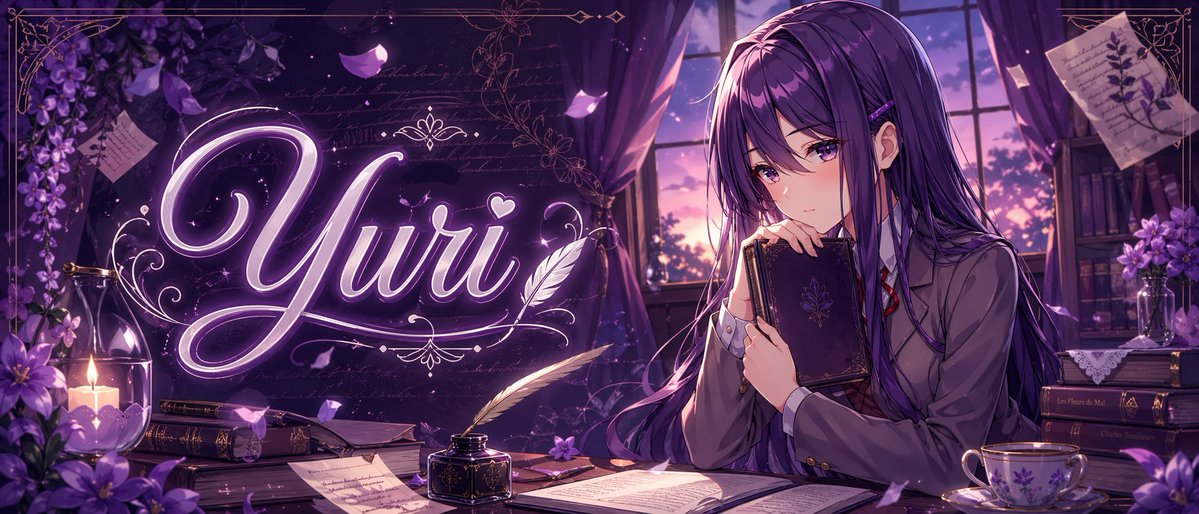
Purple Anime Yuri Banner

GPT Image 2· Image
A polished anime-style banner illustration in a dreamy violet palette, wide cinematic composition, showing a quiet literary room at twilight. On the right side, a beautiful teenage anime girl named {argument name="character name" default="Yuri"} sits at a wooden desk beside a large window with purple curtains, holding a dark ornate hardcover book close to her chest and gazing softly downward with a shy, introspective expression. She has very long straight {argument name="hair color" default="deep violet"} hair with glossy highlights, side bangs, a small hair clip, and violet eyes, wearing a Japanese school uniform with a gray blazer, white shirt, red ribbon tie, and dark skirt. Across the left-center of the image, the glowing calligraphic word {argument name="title text" default="Yuri"} appears large in luminous neon-lavender script with elegant flourishes, a small heart, and decorative filigree, integrated into the scene like magical typography. The desk contains exactly 8 visible item groups: 1 open book in the foreground center, 1 black inkwell with a white feather quill, 1 closed book near the candle, 1 stack of books under papers, 1 loose handwritten page in front, 1 small purple flower on the desk, 1 floral porcelain teacup with saucer on the right, and 1 dark book stack at the far right. Additional background details include exactly 6 decorative environmental elements: 1 lit candle in a glass holder on the left, 1 cluster of purple flowers in the left foreground, 1 hanging spray of purple blossoms in the upper left, 1 pinned botanical note in the upper right, 1 bookshelf with books and flowers in the right background, and 1 sunset sky visible through the window. Add drifting flower petals, faint handwritten script textures, ornate gold border lines around the frame, soft volumetric window light, subtle sparkles, rich shadows, and a romantic melancholic atmosphere. Highly detailed, clean line art, glossy anime rendering, premium visual-novel key art, perfect for a niche anime banner or character-themed thumbnail.
@mirochill
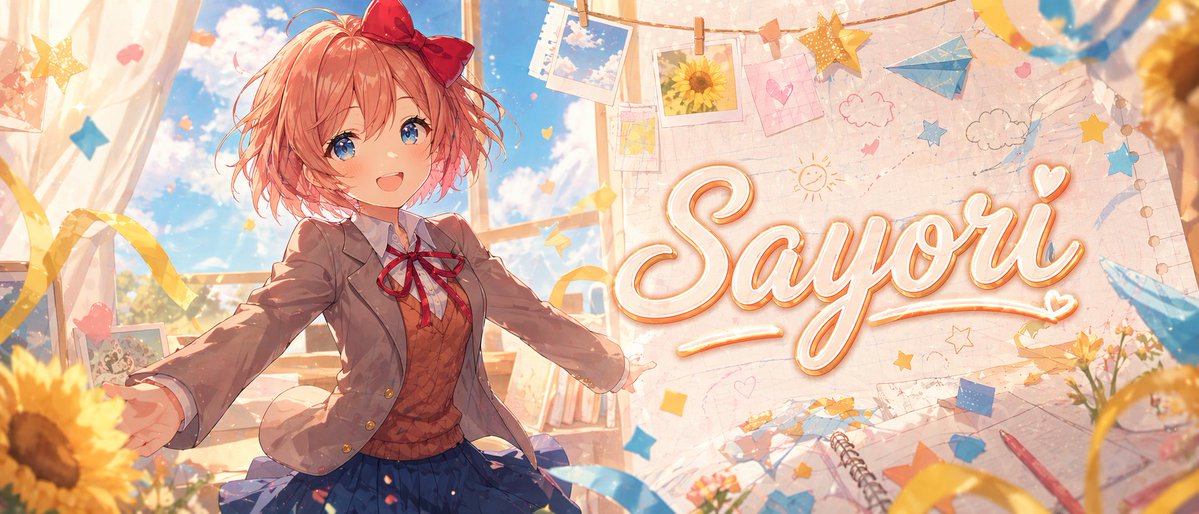
AI-generated Monika Anime Banner Illustration made with GPT Image 2

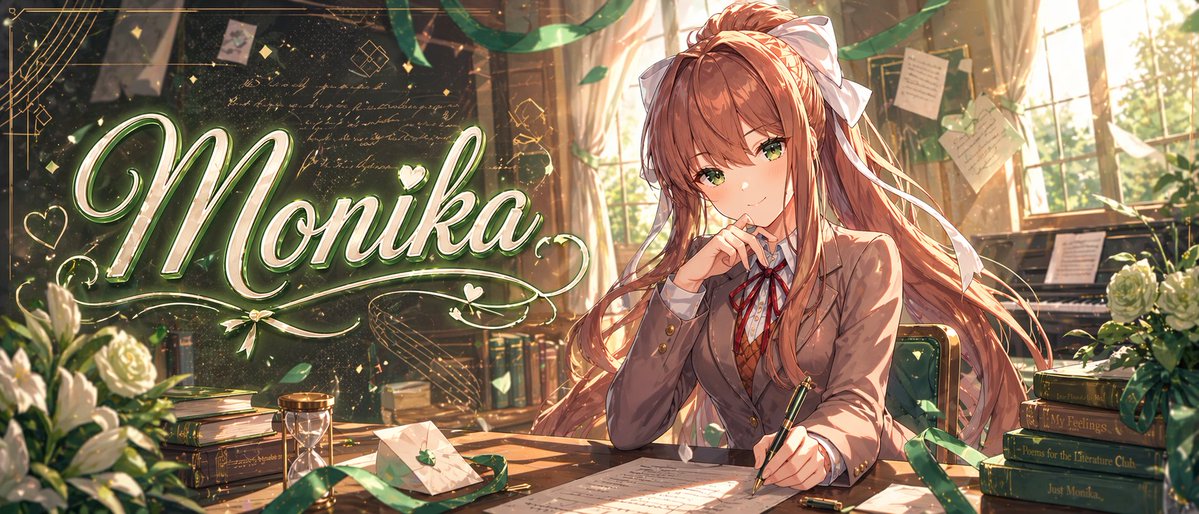
Monika Anime Banner Illustration

GPT Image 2· Image
A highly polished anime banner illustration in a warm golden classroom-literature-club setting, wide cinematic composition. On the left half, a large elegant glowing script title reads {argument name="headline text" default="Monika"} in oversized calligraphy, colored white and pale green with a soft neon glow, metallic highlights, decorative flourishes, hearts, sparkles, and swirling ornamental lines around it. On the right half, a beautiful anime schoolgirl inspired by {argument name="character name" default="Monika"} sits at a wooden desk, facing slightly left, with long flowing {argument name="hair color" default="chestnut brown"} hair, a very large white ribbon bow, warm brown eyes, and a thoughtful, confident expression. She wears a Japanese high school uniform with exactly 4 visible clothing pieces: a brown blazer, white shirt, red ribbon tie, and brown argyle sweater vest. She holds a fountain pen over papers on the desk with one hand while the other rests near her face in a poised writing pose. The room is filled with sunset light streaming through tall windows, dust motes, trailing green ribbons, floating petals, handwritten notes pinned and hanging in the background, and a dark chalkboard covered with faint cursive writing and geometric doodles. Include exactly 9 prominent desk and room props: a bouquet of white roses at lower left, a stack of books at left, an hourglass near the center-left, a sealed envelope with a small green leaf emblem, scattered manuscript pages on the desk, a pen cap near the writing hand, a green-upholstered chair, a piano in the back right, and a stack of 4 books on the right. The 4 right-side book spines read, from top to bottom: "Save Me", "My Feelings", "Poems for the Literature Club", and "Just Monika." Add lush volumetric lighting, glittering particles, green-and-gold color harmony, delicate linework, ultra-detailed painterly shading, romantic visual-novel key art quality, and a premium polished thumbnail/banner aesthetic.
@mirochill
AI-generated hot air balloon with birthday banner made with GPT Image 2

Hot Air Balloon Birthday Banner

GPT Image 2· Image
A single classic teardrop-shaped hot air balloon floating in a bright blue sky, viewed from a slightly low eye-level perspective looking upward. [HOT AIR BALLOON] - Wide vertical panels in a vibrant gradient color palette: light periwinkle, soft blue, pale yellow, bright orange, pink, lavender, and soft violet. - The bottom throat of the balloon has a small grid-like pattern with red, yellow, and blue squares. - Below the balloon, a traditional light-brown woven wicker basket is suspended by slender vertical ropes. [ADVERTISING BANNER] - Hanging directly below the wicker basket, a large rectangular vertical banner is attached via four thin taut suspension lines connected to a thin dark horizontal rod at the top and bottom of the banner. - The banner displays the provided source image EXACTLY as-is — preserve all text, typography, portrait photo, floral decorations, colors, and layout without any modification. - The banner is significant in scale, roughly as tall as the balloon and basket combined. [SKY & ATMOSPHERE] - Crisp, bright, saturated cerulean blue sky. - A few wispy white cumulus clouds scattered sparsely across the background, adding depth without obscuring the main subject. - Soft, diffuse daylight lighting suggesting a sunny day. [COMPOSITION & FRAMING] - 9:16 vertical portrait format. - The balloon is positioned in the upper third, the basket in the center, and the banner dominates the lower two-thirds. - The ENTIRE assembly (balloon envelope + basket + full banner) must be fully visible within the frame with comfortable margins on all sides — nothing cropped or cut off. - Ample negative space around the sides to keep the image feeling airy and spacious. - Centered, balanced composition. - Photorealistic style with clean, sharp details.
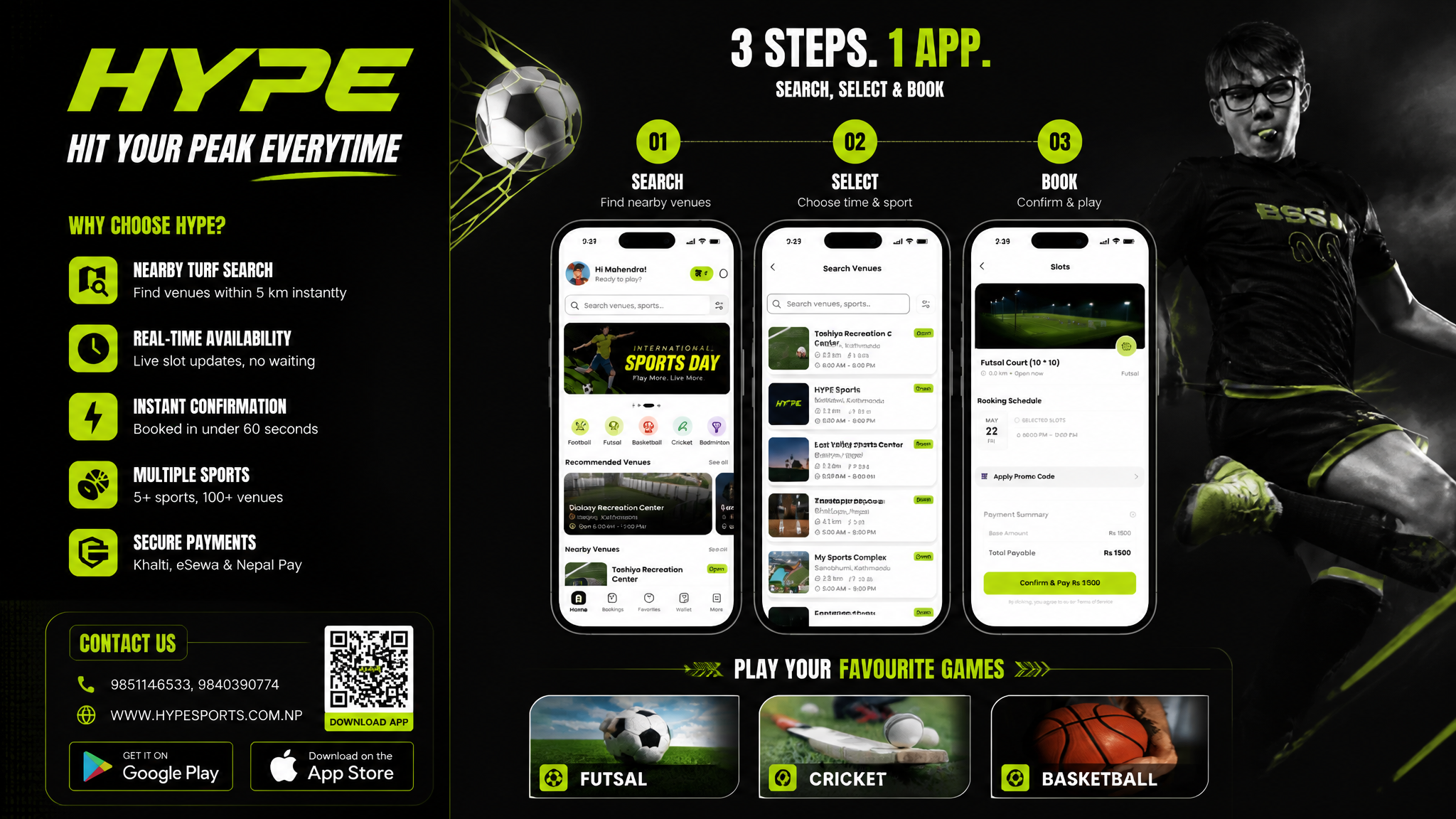
AI-generated Sports Booking App Flex Banner made with GPT Image 2

Sports Booking App Flex Banner

GPT Image 2· Image
Based on the given layout Recommended Layout Structure (3ft × 5ft) horizontal flex banner. Overall Grid Use a 2-column layout:Left Column → Branding + Benefits + ContactRight Column → App Flow + Sports Icons Visual Hierarchy LEFT SIDE (40%)Logo Area Top-left large rectangle.Height: ~28%Keep lots of whitespaceUse bold premium typographyAdd tagline if needed Example:HYPE Book Your Sport Instantly Benefits Box Middle-left large box. Use 3–5 short benefit points:✓ Easy Booking ✓ Nearby Turf Search ✓ Instant Confirmation ✓ Multiple Sports Use icons beside each point. 3. Contact Strip Bottom-left horizontal strip. Include:PhoneWebsiteQR code (optional) Example:Call: +91 XXXXX XXXXX www.hypeplay.com RIGHT SIDE (60%) Mobile Screens Section Instead of plain rectangles, show actual mobile mockups. Use 3 phone cards: Screen 1 — SearchTurf listingMapSearch bar Screen 2 — SelectVenue detailsTime slots Screen 3 — BookPayment successConfirmation UI Sports Circles Section Instead of empty circles: Use:FootballCricketBadmintonBasketballTennis Add:Sport icon/photoSmall label below Example arrangement: ⚽ 🏀 🏏 Make circles slightly overlapping for modern look. Better Composition Your current sketch feels very boxed. Modern flex banners use:Consistent paddingLarger imageryFewer bordersStrong contrast Instead of outlines everywhere:Use background color blocksSoft shadowsMinimal separators mportant Design Improvements Avoid: Too many borders Centered italic text Uneven spacing Different box sizes without alignment Use: 24px consistent spacing Alignment grid Real app screenshots High contrast headings Best Layout Ratio Section Width Left Info Panel 35–40% Right Visual Panel 60–65% This creates better balance. Printing Tips For a 3ft × 5ft flex: Design in: 150 DPI minimum CMYK colors Keep text inside safe margin Avoid very thin fonts Extra Premium Touch Add: QR code → “Download App” App Store / Play Store badges Small stadium texture background Dynamic diagonal shapes behind screenshots That will make it feel like a real startup campaign banner instead of a simple poster. Logo colors: #c9fb07 , #0a0a0a
DIVINE MAHENDRA
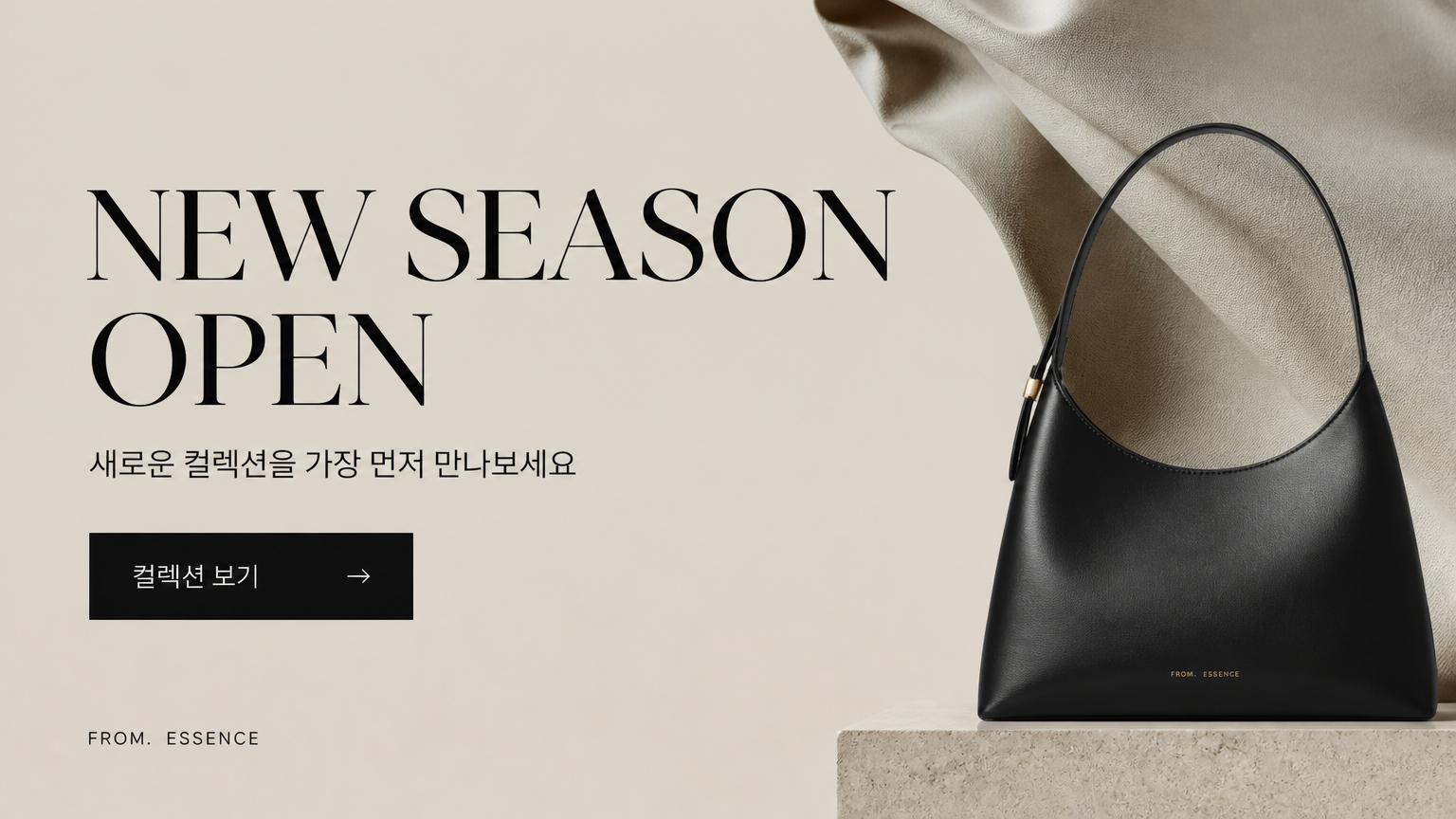
AI-generated Horizontal Korean Brand Event Banner, 16:9 made with GPT Image 2

Horizontal Korean Brand Event Banner, 16:9

GPT Image 2· Image
Create a horizontal Korean brand event banner, 16:9. Main text: 'NEW SEASON OPEN'. Korean subtitle: '새로운 컬렉션을 가장 먼저 만나보세요'. Use editorial fashion layout with large negative space, cropped fabric texture, simple product silhouette, black and beige palette, refined typography. Premium website hero banner, clear CTA '컬렉션 보기'.
AI-generated Glossy Pastel Pink Anime Banner in a Wide Cinematic Layout made with GPT Image 2
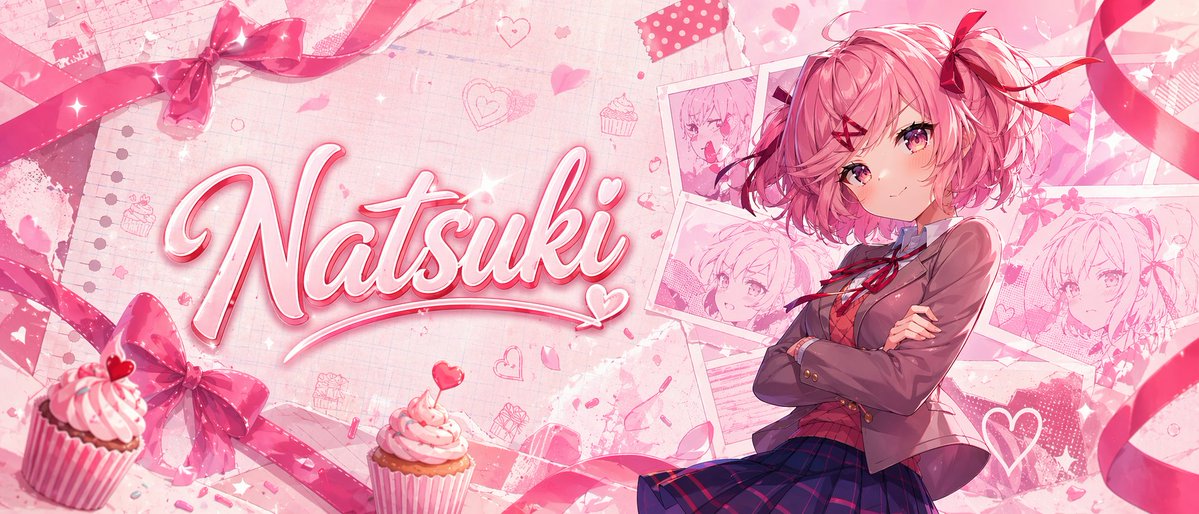
Glossy Pastel Pink Anime Banner in a Wide Cinematic Layout

GPT Image 2· Image
A glossy pastel pink anime banner in a wide cinematic layout, themed around cute romance and sweets. Place a confident teenage anime girl on the right side, shown from about thigh-up, with short fluffy bob hair in {argument name="hair color" default="soft pink"}, large pink-magenta eyes, a small gentle smile, and arms crossed. She wears a Japanese school uniform: 1 brown blazer, 1 white shirt, 1 red ribbon bow at the collar, and 1 dark navy-and-purple plaid skirt. Add 2 red ribbon hair accessories, one larger bow on the side and one smaller ribbon accent. On the left half, feature the large handwritten script name {argument name="character name" default="Natsuki"} in bold glossy 3D cursive, white-to-pink fill with bright pink outline, soft bevel, subtle drop shadow, sparkles, and a small heart flourish integrated into the lettering. The background should be a layered scrapbook collage in blush pink tones with notebook paper texture, faint grid and torn paper details, scattered doodled hearts, flower petals, sparkles, and cute bakery motifs. Include exactly 4 pinned or taped sketch-style portrait cards of the same girl behind her on the upper-right and mid-right, arranged like overlapping polaroids. Add exactly 2 cupcakes in the foreground near the bottom left and lower center-left, both with pink frosting, striped wrappers, and tiny heart toppers or candy accents. Frame the composition with flowing satin ribbons and bows: exactly 4 major ribbon elements visible, including 1 bow near the top left, 1 bow near the bottom left, and 2 long curling ribbons sweeping across the top and right edges. Use a soft high-detail anime illustration style, polished lighting, dreamy bloom, romantic Valentine palette, delicate textures, and a clean impactful thumbnail-like composition.
@mirochill
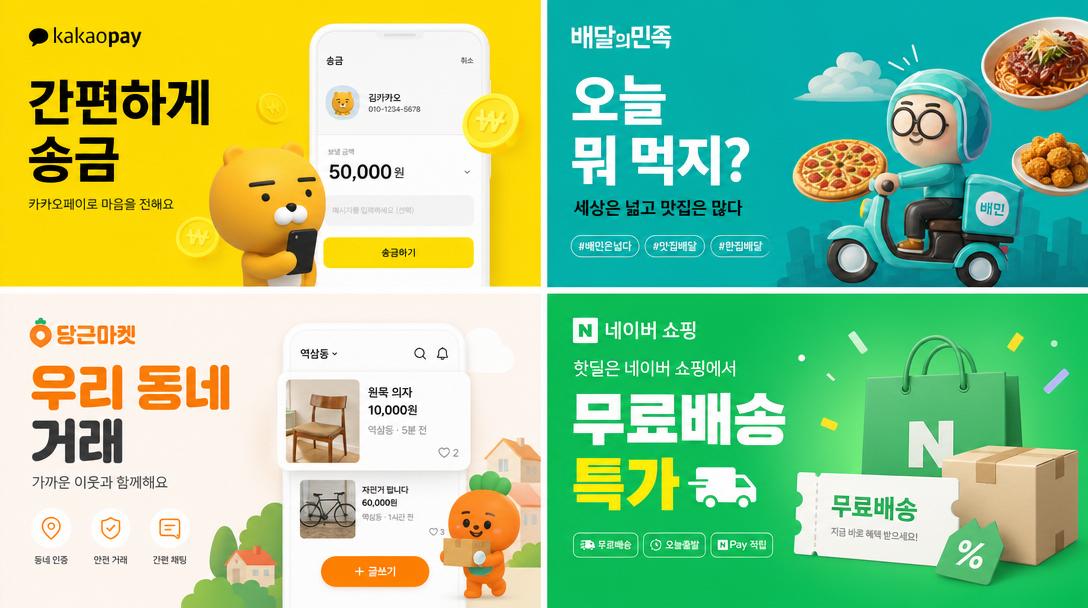
AI-generated ×2 Grid of Korean Digital Advertisement Banners made with GPT Image 2
×2 Grid of Korean Digital Advertisement Banners

GPT Image 2· Image
2×2 grid of Korean digital advertisement banners. 1: 카카오페이 fintech banner with Korean text '간편하게 송금'. 2: 배달의민족 food delivery banner '오늘 뭐 먹지?'. 3: 당근마켓 secondhand marketplace '우리 동네 거래'. 4: 네이버 쇼핑 '무료배송 특가'. Each uses Korean typography, Korean brand colors, modern Korean app ad aesthetic.
@makaneko_AI
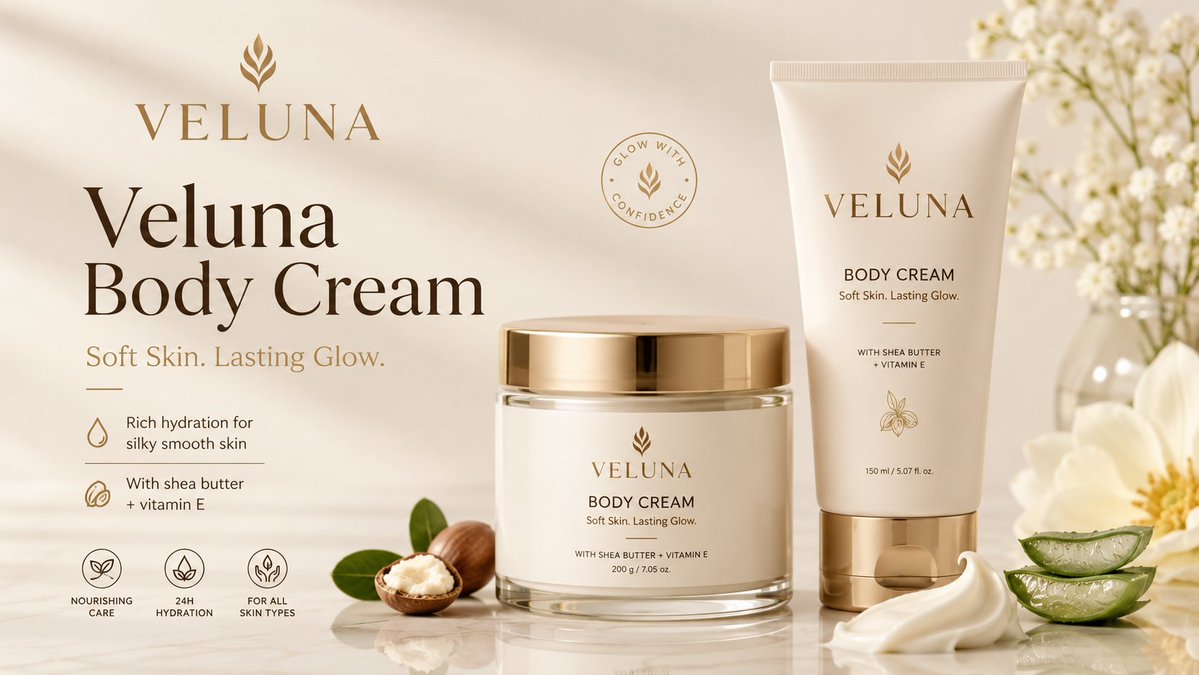
A premium body cream ad banner featuring a jar, squeeze tube, shea butter, aloe, and soft luxury skincare styling.

Veluna Body Cream Ad Banner

GPT Image 2· Image
Create a premium clean mockup banner for a body cream product advertisement. Invent a catchy elegant skincare brand name: VELUNA Product name: Veluna Body Cream Tagline: Soft Skin. Lasting Glow. Design a polished high-end body cream campaign with a realistic cream jar and matching squeeze tube as the hero products. The packaging should look modern, minimal, luxurious, and professionally branded. Use a soft luxury color palette: warm cream, ivory white, soft beige, champagne gold, and deep brown typography. Place the product prominently on a clean reflective studio surface with smooth shadows and realistic highlights. Add tasteful skincare ingredients around the product: shea butter, aloe vera slices, soft cream swirls, green leaves, and subtle white flowers in the background. Keep everything elegant, clean, uncluttered, and premium. Banner text layout: VELUNA Veluna Body Cream Soft Skin. Lasting Glow. Rich hydration for silky smooth skin With shea butter + vitamin E Nourishing Care • 24H Hydration • For All Skin Types Style: ultra-realistic product mockup, luxury skincare advertising, clean cosmetic branding, elegant typography, soft natural lighting, premium beauty campaign, high-end commercial banner, 16:9 aspect ratio, crisp details, polished professional design.
2053171146917339323
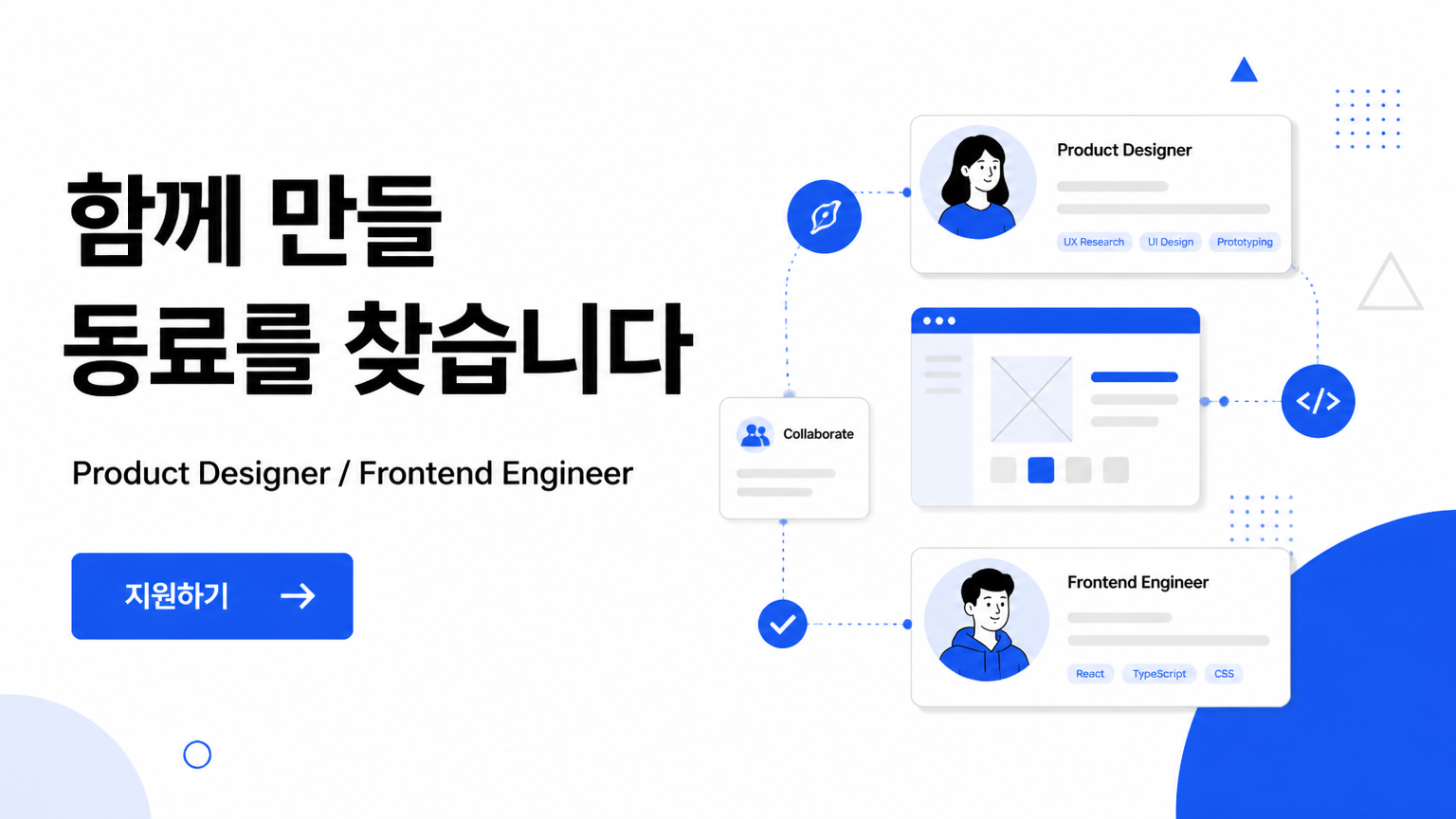
AI-generated Recruitment Banner made with GPT Image 2

Recruitment Banner

GPT Image 2· Image
Create a clean horizontal Korean recruitment web banner, 16:9. Main headline must clearly read: '함께 만들 동료를 찾습니다'. Subtext: 'Product Designer / Frontend Engineer'. Layout: left side strong headline and blue CTA button '지원하기', right side abstract team workflow illustration with connected profile cards and simple geometric shapes. White background, black typography, vivid blue accent. Modern startup hiring page banner, professional and trustworthy, clear hierarchy, no stock-photo people.
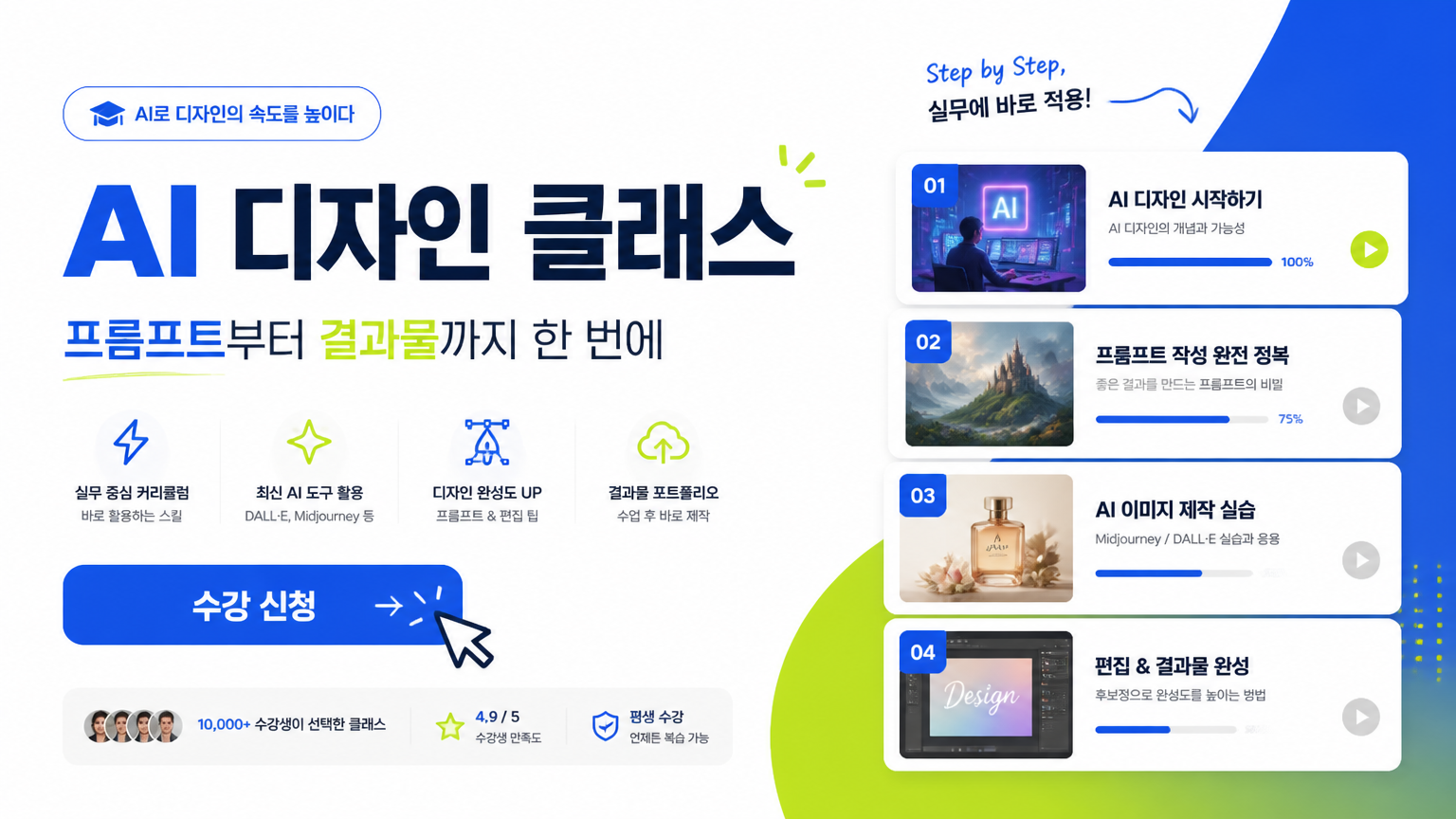
AI-generated Online Class Banner made with GPT Image 2

Online Class Banner

GPT Image 2· Image
Create a polished horizontal Korean online class web banner, 16:9. Main headline must clearly read: 'AI 디자인 클래스'. Subtitle: '프롬프트부터 결과물까지 한 번에'. Use a strong educational platform layout: left side bold text and CTA button '수강 신청', right side stacked lesson cards with small image thumbnails, cursor arrow, and progress bar. White background, electric blue and lime accents, modern SaaS-style typography. Clear, commercial, high-conversion banner design, not a poster, not cluttered.
AI-generated Horizontal App Launch Web Banner, 16:9 made with GPT Image 2

Horizontal App Launch Web Banner, 16:9

GPT Image 2· Image
Design a horizontal app launch web banner, 16:9. Main Korean headline: '하루를 정리하는 가장 쉬운 앱'. Show a central smartphone UI mockup card, soft gradient background, small feature chips, and CTA button '무료로 시작하기'. Modern SaaS/app marketing banner, clean Korean typography, spacious layout, blue and lavender palette.

What Are Banner Design AI Prompts?

Banner Design prompts are structured instructions that guide an AI model toward a specific visual or video result. A short topic alone often produces inconsistent outputs, so a stronger prompt defines the subject, environment, composition, lighting, color palette, material quality, motion, and finishing style. The examples in Carat prompt gallery are designed to be copied, adapted, and reused in real creative workflows. They can support campaign drafts, social media content, portfolio experiments, client proposals, and reusable reference libraries. By adjusting aspect ratio, brand tone, camera distance, and platform context, one prompt pattern can become several distinct creative directions.

Key Use Cases

  • 이벤트 홍보 배너: quickly shape a usable concept for this channel
  • 채용 공고 그래픽: quickly shape a usable concept for this channel
  • 앱 캠페인 배너: quickly shape a usable concept for this channel
  • 제품 프로모션 이미지: quickly shape a usable concept for this channel
  • 웹사이트 히어로 비주얼: quickly shape a usable concept for this channel

Why This Tag Is Useful

Banner Design work depends on small prompt choices that strongly affect quality and usability. A useful prompt explains what should be visually dominant, how the viewer’s eye should move through the frame, what level of polish is expected, and which details should be avoided. This structure makes repeated generations easier to compare and helps teams give more precise feedback. Instead of searching through broad prompt categories, this tag gathers focused examples that can be adapted quickly for a real project. Beginners can start by replacing the subject, colors, and background, while advanced users can keep the composition and lighting consistent across a larger series.

Explore Related Prompts

  • Poster
  • Startup Poster
  • Product Ad Image
  • Presentation Slide
  • Infographic
  • App Icon
  • Ui Mockup

Tips for Building Your Prompt

  1. 배너가 노출될 위치와 비율을 먼저 정한다
  2. 한눈에 읽히는 핵심 문구와 여백을 지정한다
  3. 제품, 인물, 버튼 중 주목 요소를 하나로 제한한다
  4. 브랜드 컬러와 대비 색상을 함께 적는다

For the best results, separate scene description, style direction, and technical constraints instead of writing one vague sentence. Once you find a strong base result, keep the composition and lighting stable while changing props, materials, facial expression, product details, or color palette. This creates controlled variations without losing the visual logic of the original concept.
Frequently Asked Questions

Related Prompts

Webtoon Cover

Webtoon Cover

9 prompts

Prop Design

Prop Design

1 prompts

Music Video

55 prompts

Double Exposure

Double Exposure

4 prompts

Carat Prompt Gallery

Create trending AI prompts instantly

Prompts

  • Logo
  • PPT Design
  • Thumbnail
  • Poster
  • Web Novel Cover
  • ID Photo
  • Caricature
  • Product Detail Page
  • Banner

Models

  • GPT Image 2
  • Seedance 2.0
  • NanoBanana Pro
  • NanoBanana 2

Carat

  • Get started
  • About
  • Blog
  • Careers
  • Contact
  • Partnership
  • Terms
  • Privacy

© 2026 Paradot.Inc All rights reserved.