carat

Prompt Gallery

/

Boot Illustration

Login
Sign Up

Boot Illustration

Professional AI prompt guide for creating high quality boot illustration content.

2026.07.04

·
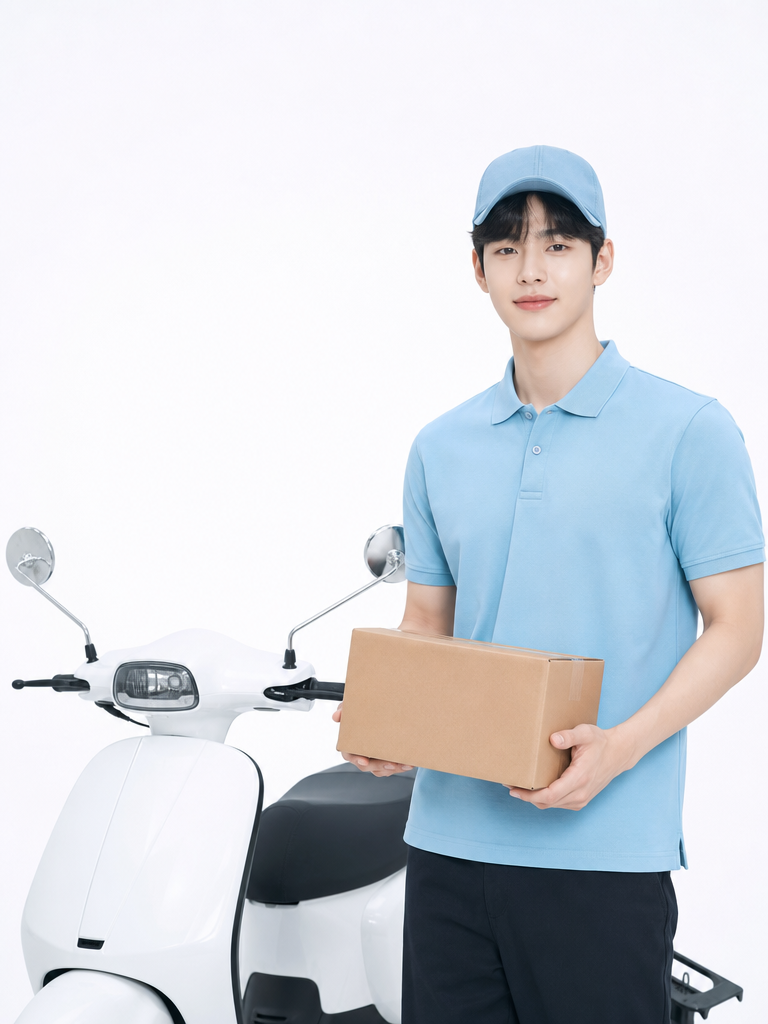
GPT 이미지 2로 생성한 택배기사 이미지

택배기사 이미지

GPT Image 2· Image
A cheerful illustration of a fictional delivery worker wearing a uniform cap and carrying a cardboard box, standing next to a delivery scooter, flat illustration style, clean vector look, white background, no brand logos
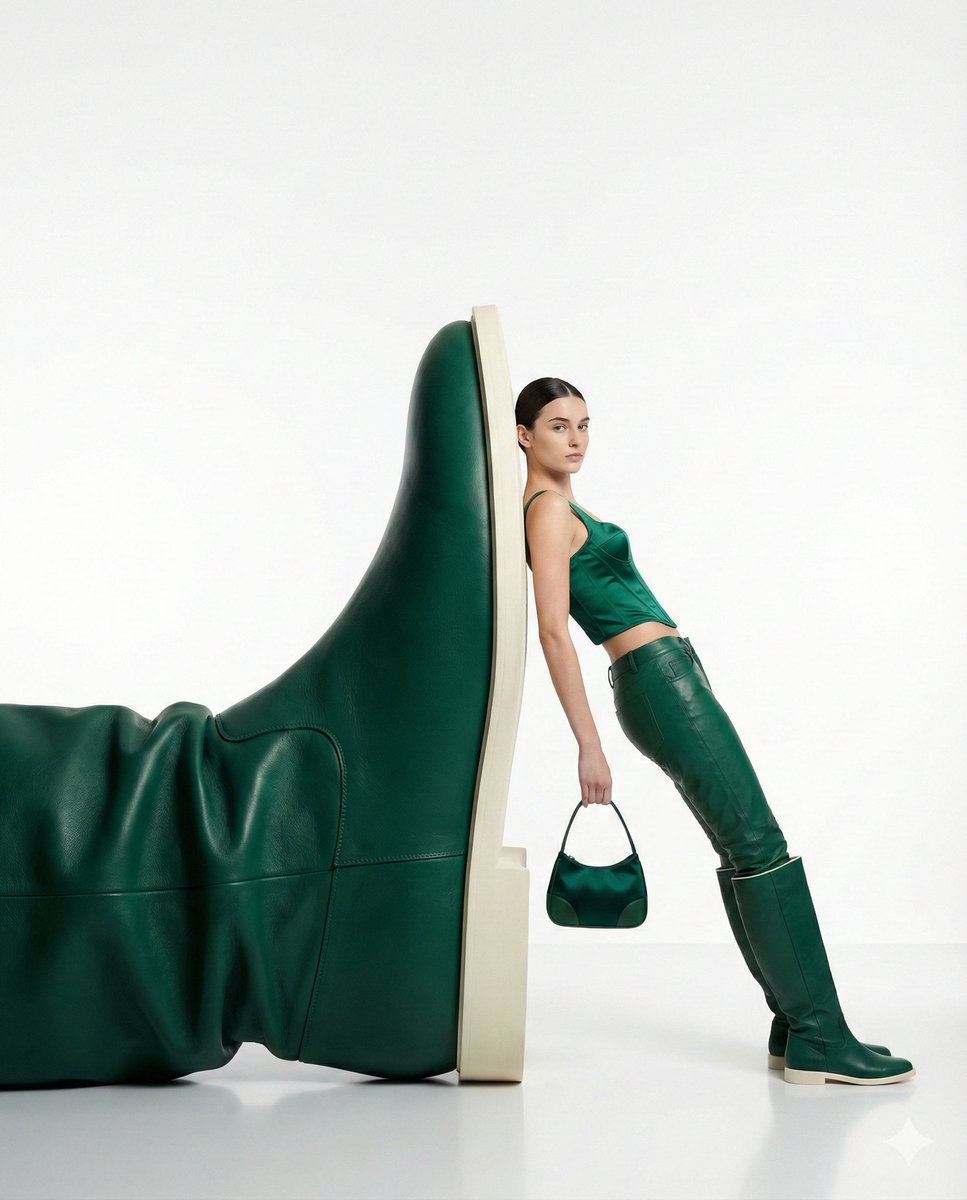
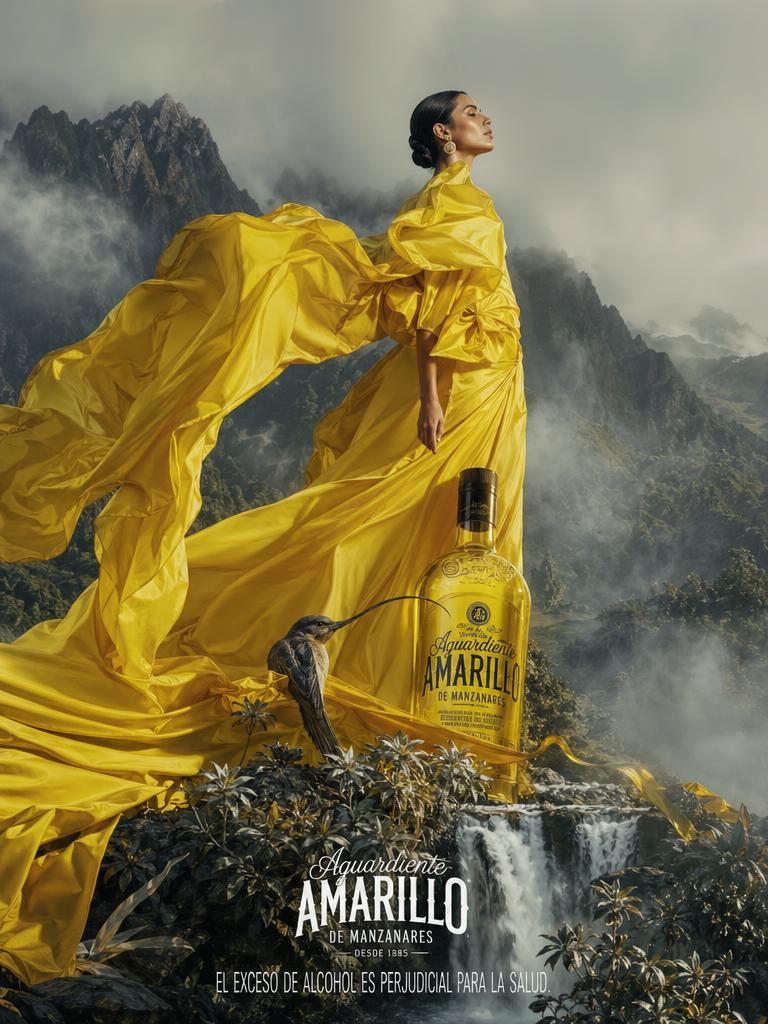
AI-generated Oversized Boot Sculpture Fashion Editorial made with Nano Banana Pro
Oversized Boot Sculpture Fashion Editorial

NanoBanana Pro· Image
{ "style": "high-fashion editorial, minimalist surrealism", "subject": "a confident woman leaning casually against an oversized green leather boot sculpture", "pose": "relaxed yet powerful stance, body slightly angled, one arm holding a small handbag", "outfit": { "top": "emerald green fitted sleeveless top", "bottom": "matching green leather pants", "footwear": "knee-high green leather boots", "accessories": "small structured green handbag" }, "composition": { "scale": "dramatic contrast between human figure and oversized object", "framing": "full body shot, centered subject with negative space", "background": "pure white seamless studio backdrop", "floor": "glossy white reflective surface" }, "lighting": { "type": "soft studio lighting", "mood": "clean, premium, editorial", "shadows": "subtle, natural, controlled" }, "color_palette": "monochromatic green tones with neutral white", "camera": { "angle": "eye-level", "lens": "85mm fashion lens", "depth_of_field": "sharp focus on subject, smooth background" }, "vibe": "luxury fashion campaign, modern, confident, surreal elegance", "quality": "ultra-high resolution, crisp details, magazine-ready" }
@Maercihh
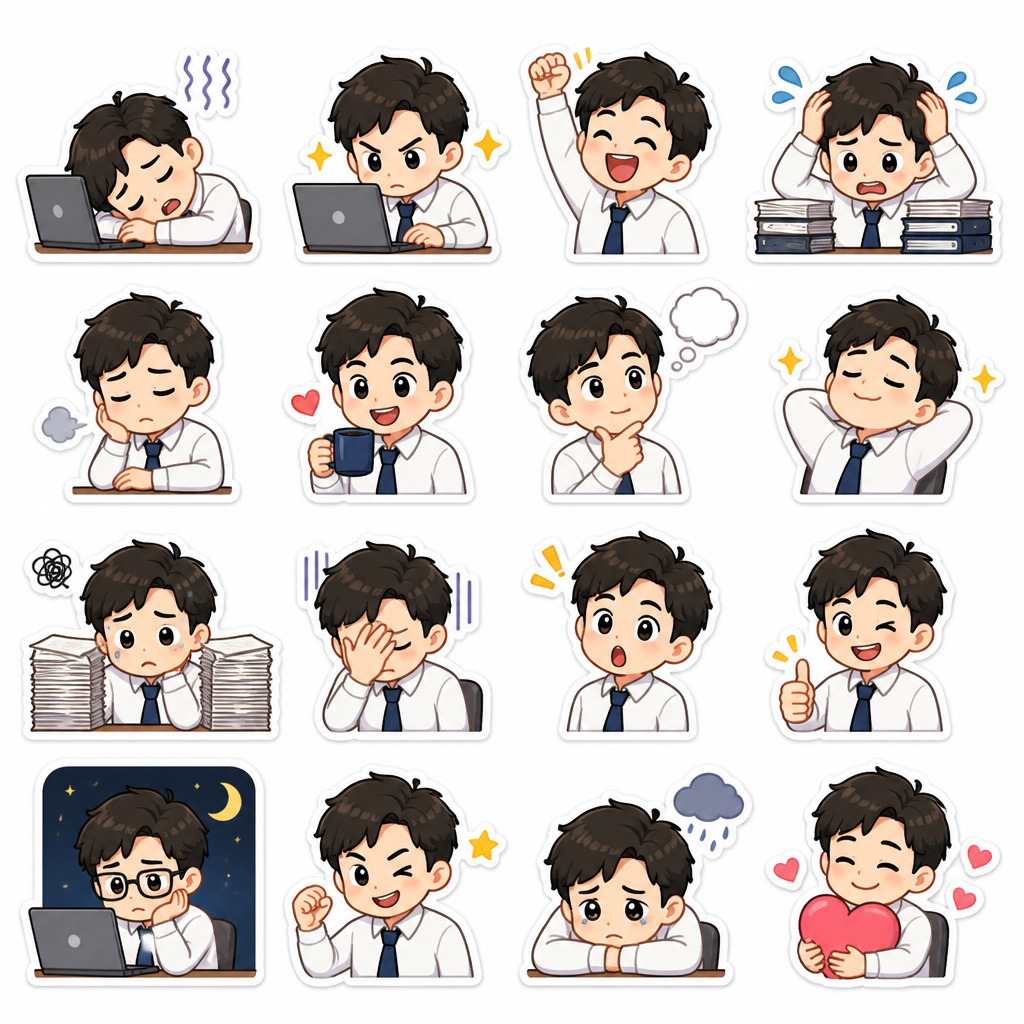
AI-generated Office Worker Emoticon Set made with GPT Image 2

Office Worker Emoticon Set

GPT Image 2· Image
Create a Korean messenger emoticon sticker sheet with 6 expressive office worker character stickers in a clean 2x3 grid. Character: tired but cute young office worker with simple hair and shirt. Phrases: '확인했습니다', '퇴근할게요', '회의중', '살려줘', '좋습니다', '수정했습니다'. Bold readable Korean text, cute rounded cartoon style, white background, consistent character design, sticker-like outlines.
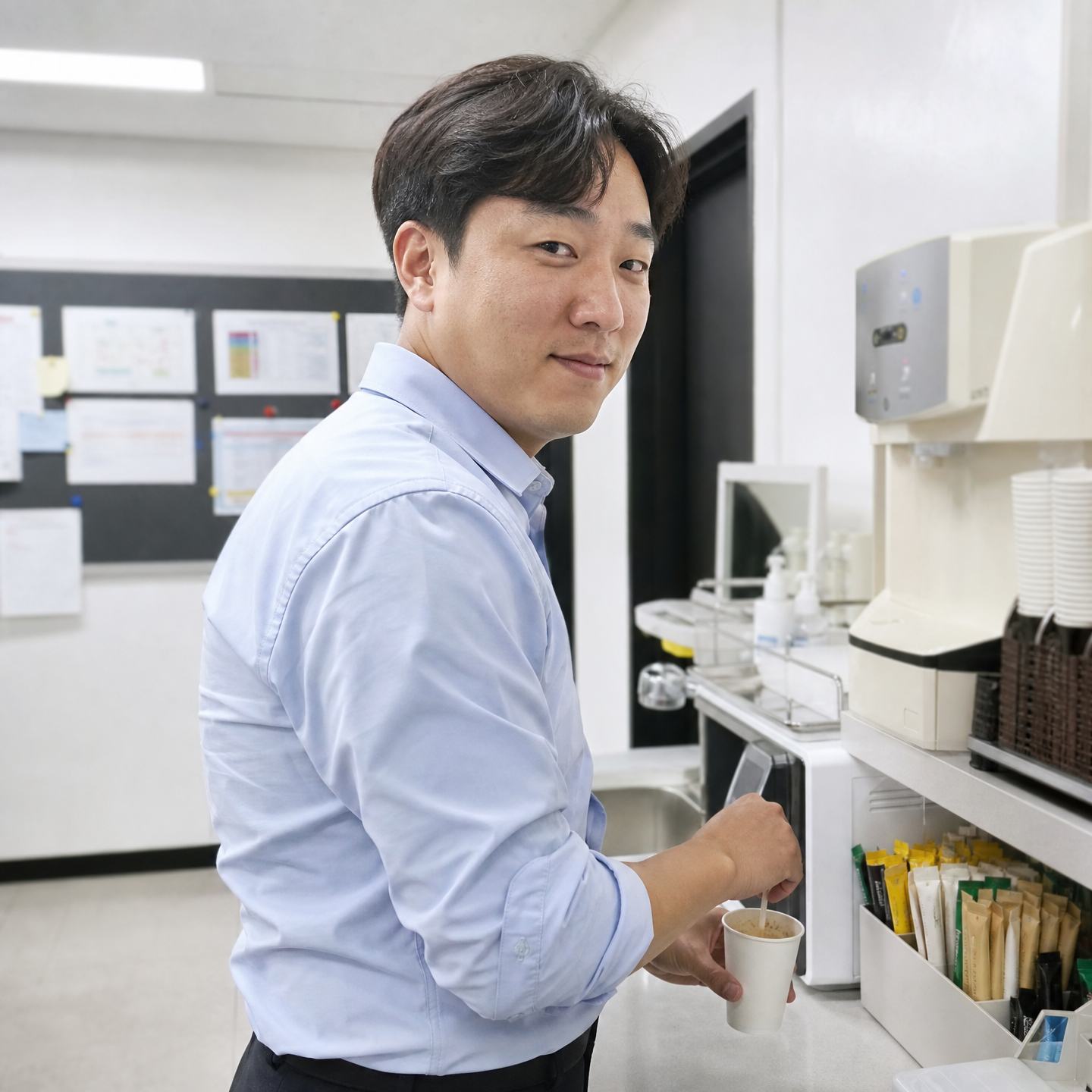
AI-generated Office Pantry Coffee Break made with GPT Image 2

Office Pantry Coffee Break

GPT Image 2· Image
Create a square 1:1 realistic iPhone-style candid portrait photo in South Korea. Scene: a Korean office pantry, water dispenser, microwave, small sink, instant coffee sticks, paper cups, office notice board blurred with no readable text. Subject: one Korean man in his mid-30s, natural face, slight under-eye tiredness, wearing a pale blue office shirt with sleeves rolled up. Action: stirring instant coffee in a paper cup and glancing back at the camera with a half-smile. Composition: over-the-shoulder diagonal angle, upper body and counter visible, square crop. Lighting: clean fluorescent office light but natural color, balanced contrast, realistic skin texture. Avoid: luxury café look, foreign office signage, readable labels, gray washed-out tone, heavy grain, corporate stock photo smile.
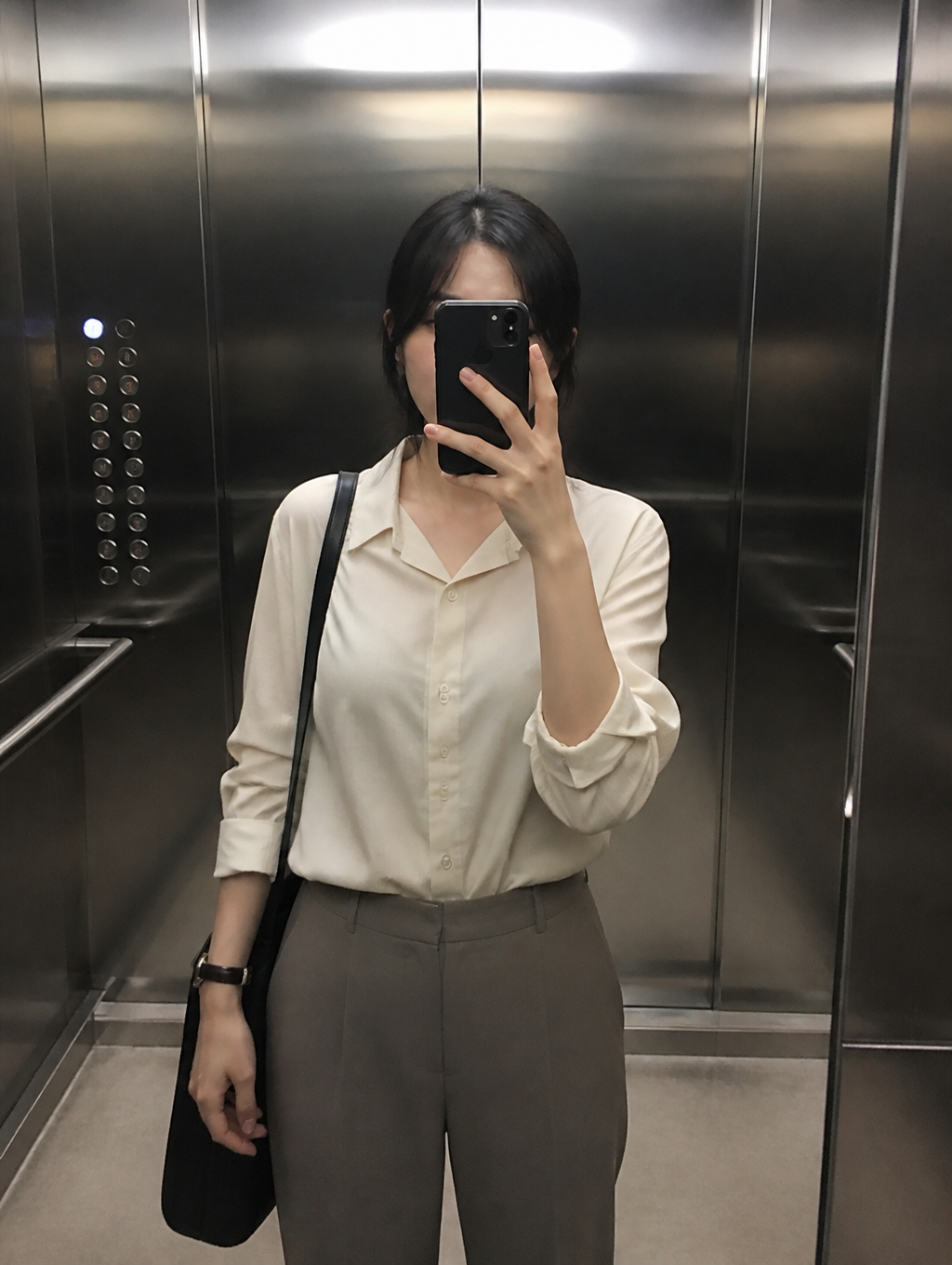
AI-generated Elevator Selfie made with GPT Image 2

Elevator Selfie

GPT Image 2· Image
첨부된 인물 사진을 참고해서 엘리베이터 거울 셀카로 만들어줘. 오피스 캐주얼 착장, 휴대폰이 얼굴 일부를 가리는 자연스러운 구도, 스테인리스 엘리베이터 내부, 부드러운 천장 조명, 일상적인 스마트폰 사진 느낌으로 구성해줘. AI처럼 매끈한 피부나 과한 보정은 피하고 텍스트와 워터마크는 넣지 마.
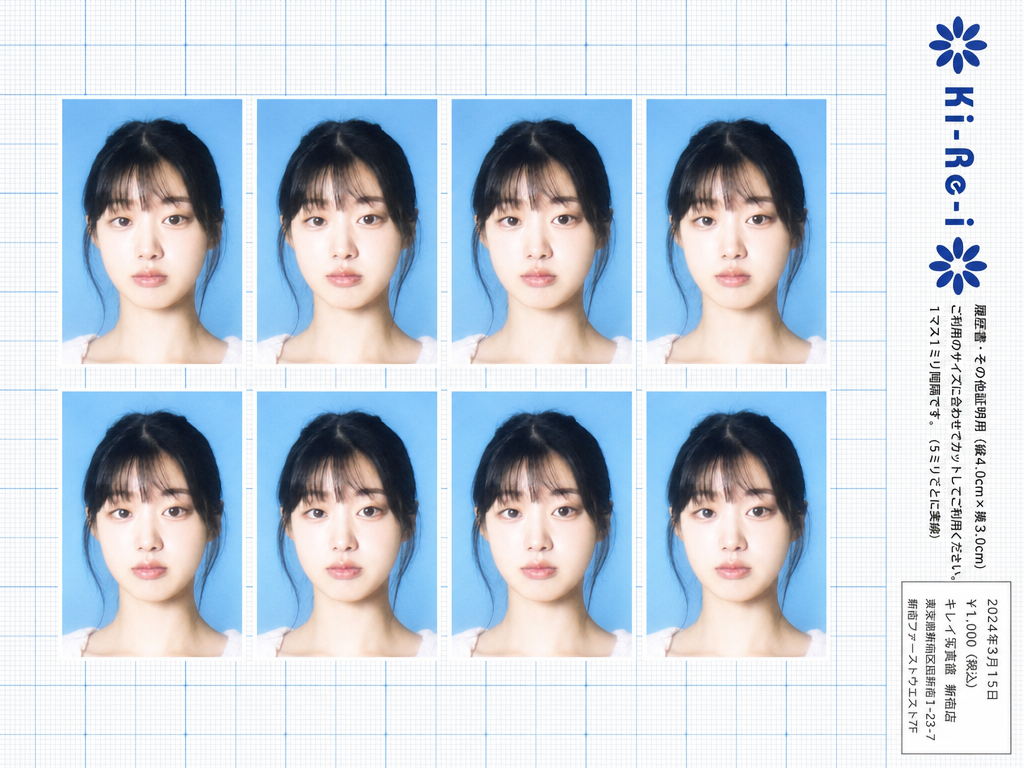
Ki-Re-i ID photo sheet generated with GPT Image 2

Ki-Re-i ID Photo Sheet

GPT Image 2· Image
Use the provided photo as the subject for all 8 ID photos. If the provided photo's aspect ratio does not match 3:4 (portrait), automatically crop it centered on the face — like a standard passport/ID photo crop — so it fits the 3:4 frame naturally. Do not stretch or distort. A Japanese Ki-Re-i (キレイ) ID photo booth print sheet in landscape orientation (wider than tall). BACKGROUND: White(#FFFFFF) graph paper. Fine thin blue(#214384) grid lines creating small squares, with slightly darker/thicker blue lines every 5 small squares — forming a 5×5 thin-grid pattern between each pair of thick lines. Japanese 方眼紙 (graph paper) style. PHOTO GRID: 8 identical ID passport-style photos arranged in a strict 2-row × 4-column grid, occupying the left ~82% of the sheet. Each photo has a 3:4 aspect ratio (portrait, taller than wide). Each photo shows the subject from the provided image: upper-body frontal portrait, neutral expression, soft studio flash lighting, blue(#1084EF) background — standard 証明写真 style. Thin white border around each photo. Evenly spaced on the graph paper. *Each photo has a slightly soft focus, gentle overexposure (+0.5 EV), and a luminous bloom glow — reminiscent of early 2000s Japanese digicam output: subtly blown highlights, slightly desaturated, muted color tones, creamy bright skin tones, and a hazy softness* RIGHT SIDE STRIP (rightmost ~18% of sheet): All text and logo elements are rotated 90° clockwise (letter tops point LEFT toward the left edge of the image; reading direction goes from BOTTOM of the image to TOP; viewer rotates paper 90° clockwise to read normally). KI-RE-I LOGO (upper area of right strip, rotated 90° CW): A branded logotype block stacked vertically top-to-bottom (all in navy blue): ① A solid navy blue 8-petal rosette icon with this exact geometry: 8 oval/elliptical petals radiating from the center at 45° intervals, each petal has exact geometry: 8 oval/elliptical petals radiating from the center at 45° intervals, each petal has a smooth rounded outer tip; all petals are solid navy blue fill; a small circular hollow (donut hole negative space) at the very center where petals meet — like a stylized chrysanthemum rosette. Overall silhouette is circular. Diameter ≈ one character height of the Ki-Re-i text. ② The exact brand name "Ki-Re-i" in navy blue rounded bold display/logotype font — spelled with hyphens exactly as Ki-Re-i. ③ An identical solid navy blue 8-petal rosette (mirror of ①). All three elements centered and evenly spaced. Absolutely NO person silhouette or human figure icon anywhere. BODY TEXT (placed directly below the Ki-Re-i logo, rotated 90° CW, black gothic/sans-serif): The Ki-Re-i logo block and the body text block are stacked VERTICALLY — logo on top, body text directly below it. Both are left-aligned to the same left edge of the strip. NO horizontal side-by-side placement between logo and body text. - 「履歴書・その他証明用(縦4.0cm×横3.0cm)」 - 「ご利用のサイズに合わせてカットしてご利用ください。1マス1ミリ間隔です。(5ミリごとに実線)」 If lines are too long, WRAP into 2 or more lines. Must NOT extend into or overlap the white receipt box area — clear gap required. WHITE RECEIPT BOX(lower portion of the right strip, seperate from logo and body text above): A solid white rectangle with a thin border, standing out clearly against the blue graph paper. Inside (rotated 90° CW, small monospaced Japanese font): date (2024年3月15日), price 「¥1,000(税込)」, store name and address. STYLE: Flat 2D scanned document. Functional administrative aesthetic. DNP Photo Imaging Japan style. No shadows, no 3D effects. Cool pale blue palette. Looks exactly like a real scanned Ki-Re-i photo booth output paper sheet.
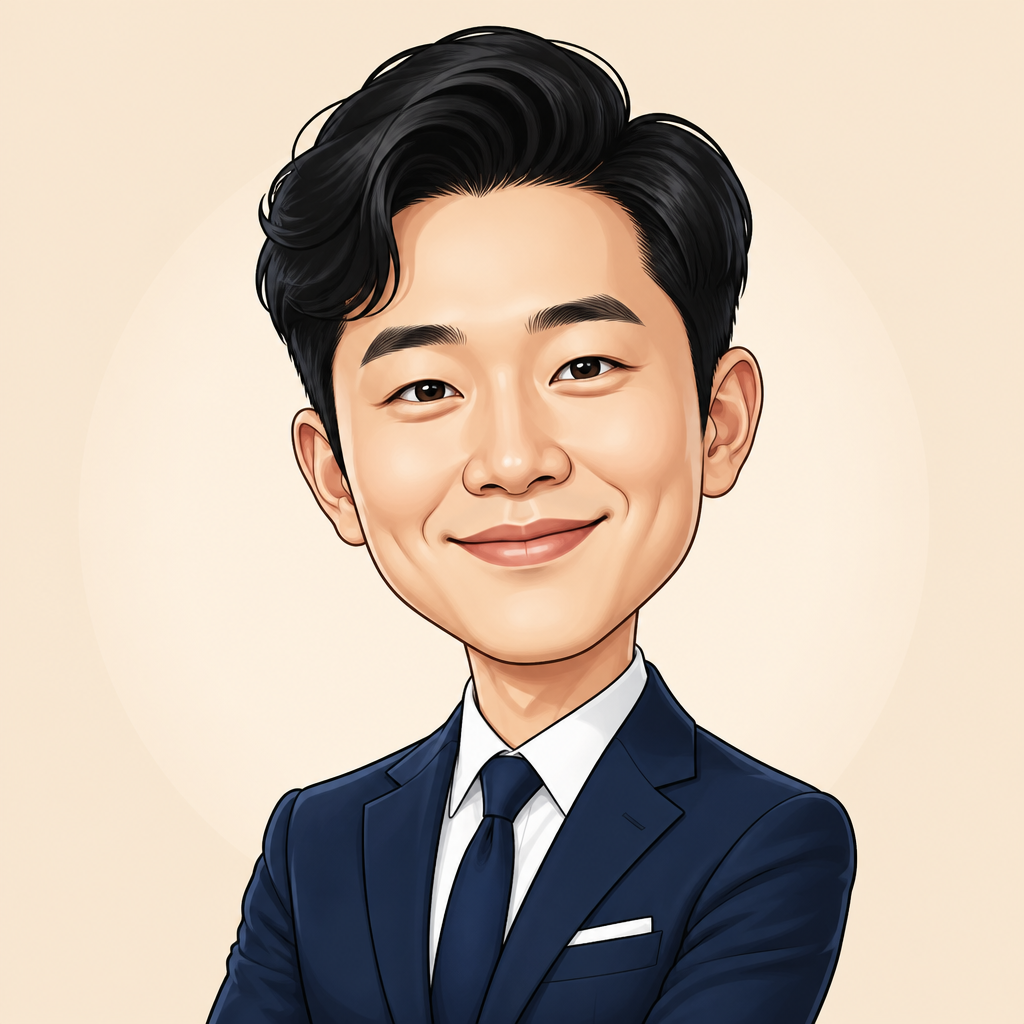
AI-generated Business Caricature made with GPT Image 2

Business Caricature

GPT Image 2· Image
첨부된 인물 사진을 참고해서 비즈니스 프로필용 캐리커처로 만들어줘. 얼굴 특징과 인상은 알아볼 수 있게 유지하되, 머리와 표정을 살짝 과장하고, 네이비 정장과 친근한 미소, 부드러운 베이지 배경, 깔끔한 벡터 일러스트 스타일로 구성해줘. 회사 소개나 프로필 아바타에 어울리는 프리미엄하고 재치 있는 느낌. 텍스트와 워터마크는 넣지 마.

What Are Boot Illustration AI Prompts?

Boot Illustration AI prompts are specialized sets of text instructions designed to guide artificial intelligence models in generating high-quality, visually stunning representations of Boot Illustration. These prompts allow creators, designers, and hobbyists to explore infinite creative possibilities by defining every aspect of the subject-from its material composition and texture to the environmental lighting and overall artistic style. In the modern digital landscape, AI-driven generation has become a cornerstone for rapid prototyping and conceptualization. By using precise terminology, users can manifest complex ideas into tangible images or videos without needing deep technical mastery of traditional artistic tools. The Boot Illustration tag on Carat provides a curated collection of these instructions, ensuring that every generated output meets professional standards of clarity, aesthetic appeal, and thematic relevance. Whether you are looking for hyper-realistic renders or stylized illustrations, understanding how to structure these prompts is the key to unlocking the full potential of generative AI. This technology bridges the gap between imagination and reality, offering a streamlined workflow for anyone looking to incorporate unique Boot Illustration elements into their projects.

Best Use Cases

The versatility of Boot Illustration AI prompts makes them applicable across numerous creative and professional domains. One of the primary use cases is in the gaming industry, where developers use these prompts to create concept art for inventory items, environment assets, or character equipment. Digital marketers and social media influencers also find great value in these prompts for creating eye-catching visuals that stand out in crowded feeds. Furthermore, authors and content creators use Boot Illustration imagery to enhance their storytelling, providing readers with a visual anchor for fantastical worlds or technical explanations. In the realm of graphic design, these prompts serve as an excellent starting point for logo concepts, posters, and web layouts. Educators and students can also utilize them to visualize complex concepts or to create engaging educational materials. By leveraging AI, professional agencies can significantly reduce the lead time for asset creation, allowing for more iterative and experimental design cycles. From commercial advertisements to personal creative portfolios, Boot Illustration imagery produced via AI prompts is transforming how we produce and consume visual content.

Why This Tag Works

The effectiveness of the Boot Illustration tag lies in its ability to categorize and streamline the vast possibilities of generative models. This specific tag filters out the noise and focuses on the most successful prompt structures that consistently yield high-fidelity results. It works because it balances technical specifications with creative freedom, allowing the AI to understand the core subject while still providing room for artistic variation. For users, this means less time spent on trial and error and more time focusing on the final composition. The tag acts as a quality assurance benchmark, ensuring that the generated Boot Illustration maintains structural integrity, correct color theory, and appropriate lighting. Moreover, it facilitates the discovery of related styles and concepts, helping creators build a cohesive visual language across their entire body of work. By using a tried and tested tag system like this, users benefit from the collective intelligence of the prompting community, gaining access to patterns and keywords that have been optimized for the best possible visual performance.

Explore Related Prompts

Illustration, Poster, Character, Oil Painting Style, Watercolor Style, Anime Style, Card News Template

Prompt Building Tips

Creating the perfect Boot Illustration requires a strategic approach to prompt engineering. Start by defining the core subject with descriptive adjectives-instead of just 'boot illustration', use 'ornate glowing boot illustration' or 'weathered vintage boot illustration'. The second step is to specify the medium and art style; keywords like 'digital concept art', '3D render', 'cinematic lighting', or 'hyper-realistic' significantly shift the final mood. Don't forget to include environmental details such as 'bokeh background', 'volumetric fog', or 'dramatic shadows' to add depth and context to the scene. Mentioning specific artists or eras can also help the AI narrow down the aesthetic direction. Finally, iterative refinement is key. Start with a base prompt, analyze the output, and adjust specific keywords to fine-tune the color palette or camera angle. Advanced users often use negative prompts to exclude unwanted elements, ensuring the focus remains squarely on the Boot Illustration. By mastering these techniques, you can transform a simple idea into a sophisticated masterpiece that rivals professional hand-drawn art.
Frequently Asked Questions

Related Prompts

Office Illustration

Office Illustration

6 prompts

Office Worker

Office Worker

4 prompts

Dress Illustration

Dress Illustration

155 prompts

Fashion Photo

Fashion Photo

142 prompts

Carat Prompt Gallery

Create trending AI prompts instantly

Prompts

  • Logo
  • PPT Design
  • Thumbnail
  • Poster
  • Web Novel Cover
  • ID Photo
  • Caricature
  • Product Detail Page
  • Banner

Models

  • GPT Image 2
  • Seedance 2.0
  • NanoBanana Pro
  • NanoBanana 2

Carat

  • Get started
  • About
  • Blog
  • Careers
  • Contact
  • Partnership
  • Terms
  • Privacy

© 2026 Paradot.Inc All rights reserved.