carat

Prompt Gallery

/

Cutaway Diagram

Login
Sign Up

Cutaway Diagram

AI prompts for cutaway diagrams that reveal the internal structure of buildings and landmarks. Quickly create floor plans and cross-section infographics.

2026.06.30

·
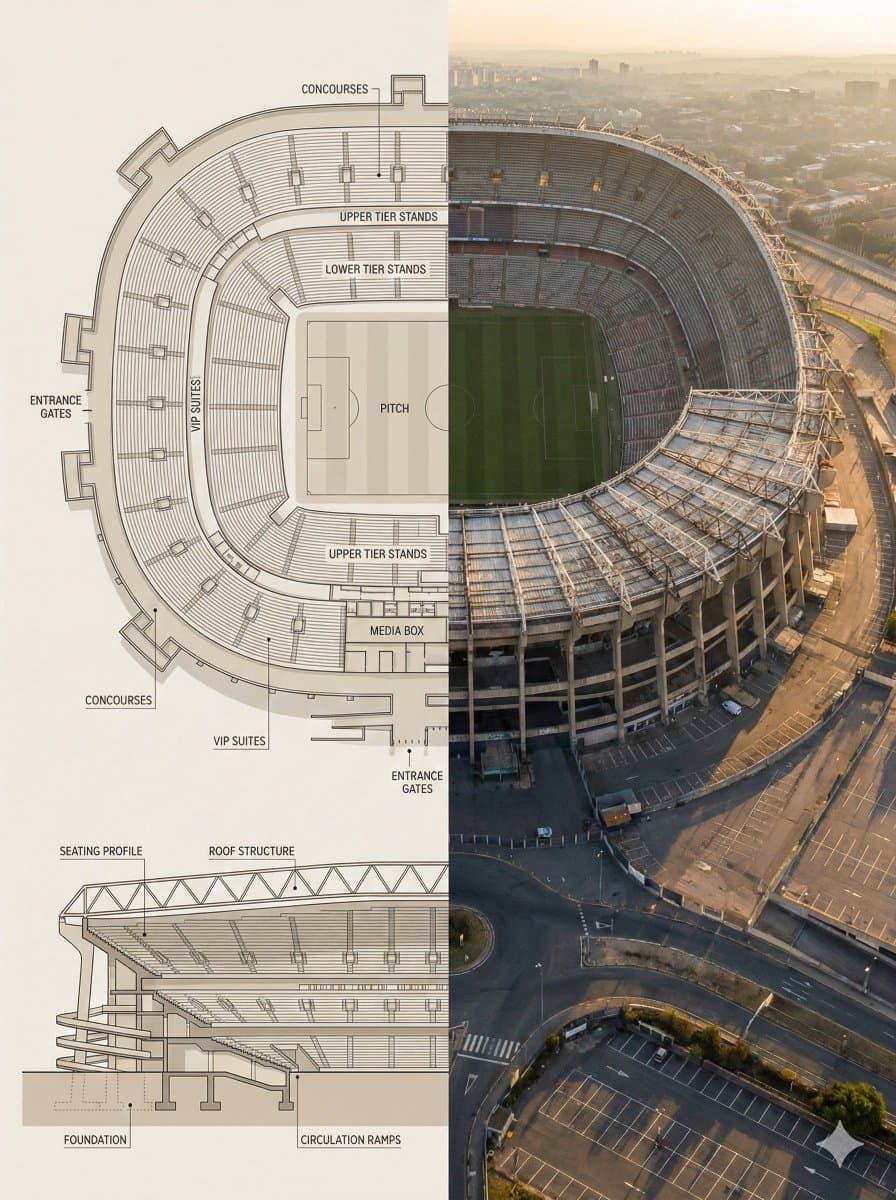
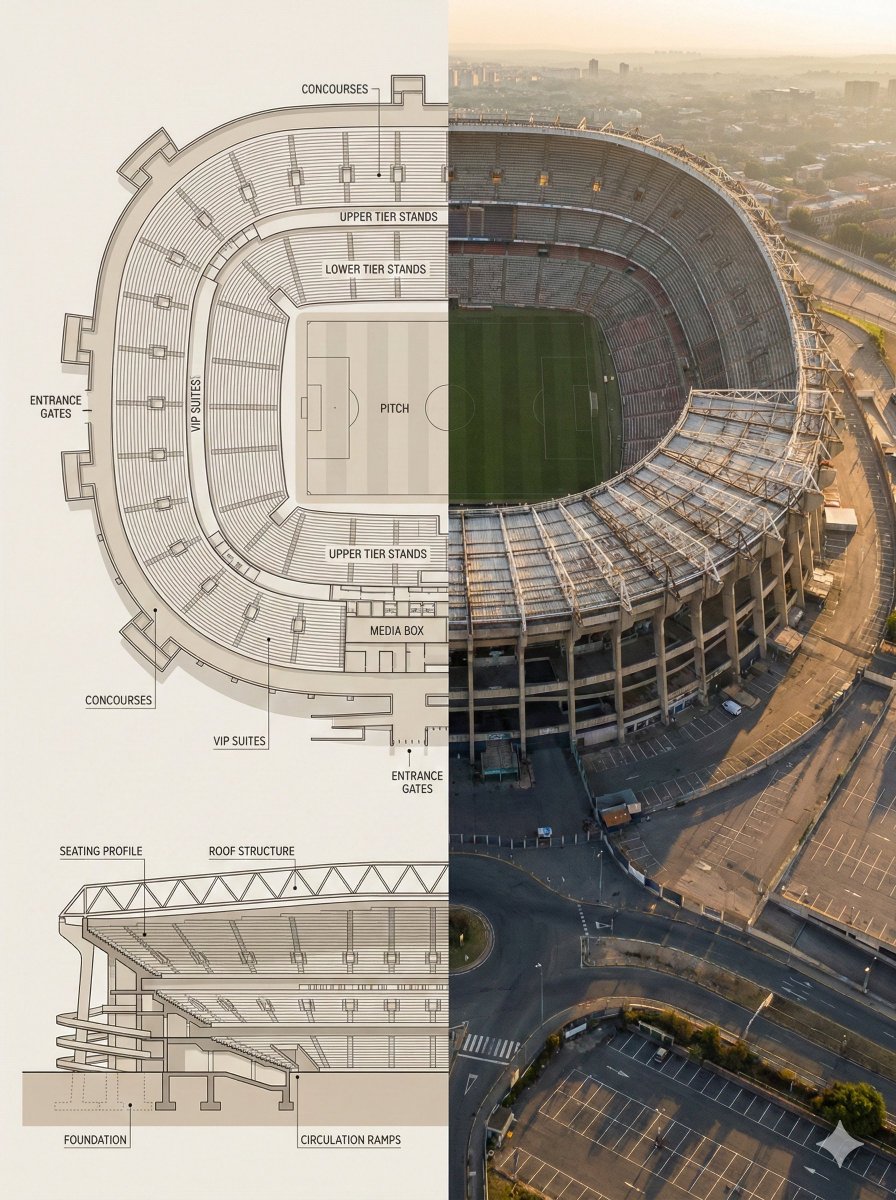
AI-generated Landmark Floor Plan Cross-Section Infographic made with Nano Banana Pro

Landmark Floor Plan Cross-Section Infographic

NanoBanana Pro· Image
Split composition image, left and right halves clearly divided in 16:9 widescreen format. Left Half: Highly detailed architectural floor plan and cross-section illustration of [LANDMARK] in a modern minimalist style. Top-down view showing main structural layout, internal divisions, circulation paths, key chambers or spaces with labels. Material callouts, structural support systems, and architectural details clearly marked. Neutral beige and warm gray color palette, clean linework, soft shadows, subtle textures. Professional architectural-presentation style. Include detailed cross-sectional diagram showing vertical layers and internal structure. Blueprint aesthetic with technical accuracy and labeled sections. Right Half: Ultra-realistic aerial exterior photograph of [LANDMARK] captured from above and to the side (elevated isometric perspective, not straight overhead). Shows the complete structure with authentic weathered textures, aged materials, surrounding landscape, dramatic golden-hour sunlight creating sharp shadows, atmospheric haze suggesting historical significance. The perspective reveals both external grandeur and internal scale simultaneously. Warm golden-light lighting, realistic patina and wear patterns, authentic architectural proportions. Feels like an aerial photograph capturing the monument’s true majesty and scale. Both halves align visually, clearly showing architectural engineering blueprint vs. the actual monumental structure in its archaeological or historical reality. Style & Mood: •Architectural blueprint visualization meets historical aerial photography •Engineering precision and historical significance •Educational, museum-exhibit presentation •Engineering schematic-to-reality comparison •Grandeur emphasizing scale and architectural sophistication Lighting & Color: •Left: Flat, even lighting, neutral blueprint tones, technical aesthetic •Right: Golden-hour natural light, dramatic shadows, warm tones, atmospheric depth •Consistent warm palette between both halves Camera & Technical Details: •Left: Top-down orthographic + detailed cross-sectional architectural view with labeled sections •Right: Elevated aerial perspective (45-degree isometric angle), capturing full structure from above-and-to-the-side •High resolution, sharp architectural details on left; photorealistic weathered textures on right Negative Prompt: Cartoon style, low detail, cluttered composition, modern elements, unrealistic proportions, harsh lighting, exaggerated colors, text overlays, watermarks, CGI look, sterile rendering, straight-down overhead view, no atmospheric quality, overly pristine condition.1a:["$","$9",null,{"fall
@Strength04_X

What Are Cutaway Diagram AI Prompts?

A cutaway diagram is an illustration that appears to slice through a building, landmark, or object to reveal its internal structure. Cutaway diagram AI prompts help you generate infographics that place a floor plan and cross-section side by side, or cross-section illustrations that show every level at a glance, using models like GPT Image 2. Without drawing technical plans or building a 3D model, you can summarize the inside of a complex space in a single, explanatory image.

Where You'll Use It

  • Explanatory images introducing the interior structure of famous buildings and landmarks
  • Split-composition infographics with a floor plan on one side and a cross-section on the other
  • Real-estate and architecture presentations showing a building's levels in section
  • Spatial cross-section illustrations for museum and exhibition guides
  • Structure-explaining visuals for blog and educational content

Why This Tag Is Useful

Cutaway diagrams convey spaces and structures that are hard to describe in words alone through a single intuitive image. A floor plan can't show height or how levels stack, and a photo hides the interior, but a cross-section illustration shows the exterior and interior at once for fast comprehension. With AI prompts, you can produce split compositions and section views in a consistent style without professional drafting tools, ready to drop into content and presentation materials.

More Prompts to Explore

  • Infographic
  • Exploded View
  • Isometric Illustration
  • Blueprint Sheet
  • Flat Illustration
  • Line Art

Prompt Tips

  1. Define the subject clearly: specify the building, landmark, or machine and the key parts you want shown in section.
  2. Set the composition: stating a left-right split (plan/section) or a 16:9 widescreen layout brings out the infographic feel.
  3. Specify the rendering style: note your desired detail level, such as precise architectural illustration, labels and dimension lines, or soft color.
  4. Add labels and text: indicating where guide text like level names or zone labels should sit turns it into an explanatory image.

By specifying subject, composition, style, and labels step by step, you can distill even a complex interior into one clean cross-section infographic.
Frequently Asked Questions

Related Prompts

Drink Photo

Drink Photo

26 prompts

Prop Design

Prop Design

1 prompts

Music Video

50 prompts

Double Exposure

Double Exposure

4 prompts

Carat Prompt Gallery

Create trending AI prompts instantly

Prompts

  • Logo
  • PPT Design
  • Thumbnail
  • Poster
  • Web Novel Cover
  • ID Photo
  • Caricature
  • Product Detail Page
  • Banner

Models

  • GPT Image 2
  • Seedance 2.0
  • NanoBanana Pro
  • NanoBanana 2

Carat

  • Get started
  • About
  • Blog
  • Careers
  • Contact
  • Partnership
  • Terms
  • Privacy

© 2026 Paradot.Inc All rights reserved.