entrance-ceremony-hairstyle
entrance-ceremony-hairstyle prompts. Copy and use entrance-ceremony-hairstyle image generation prompts from Carat right away.
2026.07.22
Make “entrance-ceremony-hairstyle” exactly the way you wantCreate your own “entrance-ceremony-hairstyle”
Just ask in plain language — Carat generates optimized images and videos for you.

Start now with 100 free credits daily
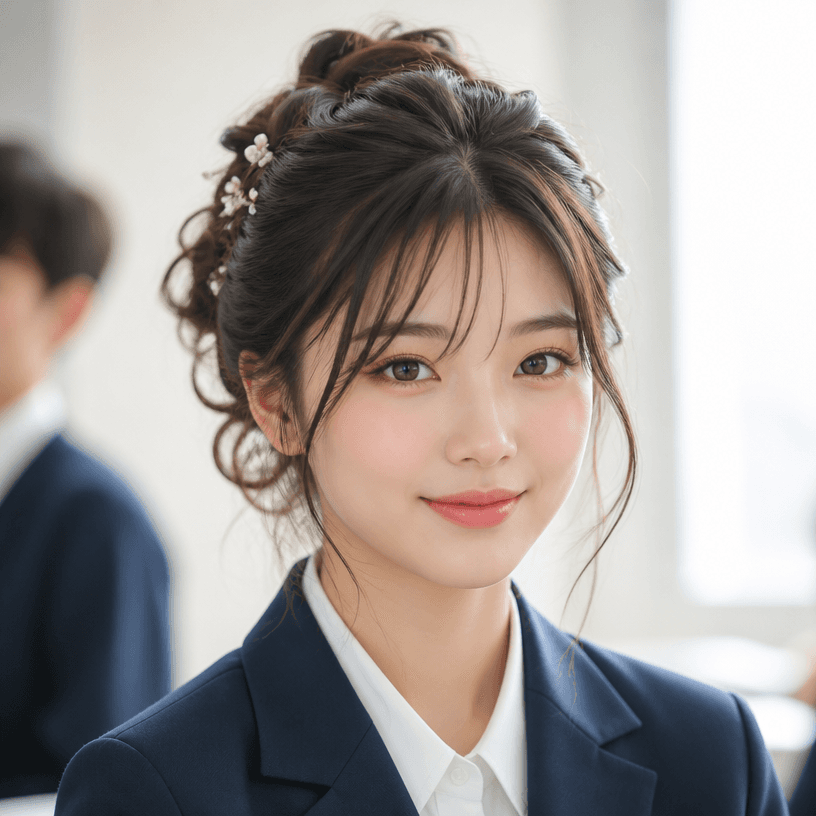
School Entrance Ceremony Hairstyle
What are entrance-ceremony-hairstyle Prompts?
A collection of AI prompts for generating entrance-ceremony-hairstyle images. Copy the entrance-ceremony-hairstyle prompts provided by Carat and paste them into an AI image generation tool to get professional-grade results.
How to Use entrance-ceremony-hairstyle Prompts
- Select and copy your desired prompt.
- Paste it into the Carat agent.
- Modify colors, styles, and composition as needed.
- Download the generated image and use it in your project.
Tips for Writing entrance-ceremony-hairstyle Prompts
Specify lighting, texture, composition, and lens information in detail for more precise results. Add "No text, no watermark" to prevent unwanted text overlays.
entrance-ceremony-hairstyle Prompt Applications
entrance-ceremony-hairstyle prompts are used across content creation, marketing, design, and educational resources. AI-generated images dramatically reduce production time while maintaining professional quality.
entrance-ceremony-hairstyle Prompt Optimization Guide
Choose the aspect ratio based on your use case: vertical (9:16) for social media, horizontal (16:9) for web banners, and square (1:1) for product images.