GPT Image 2· Image
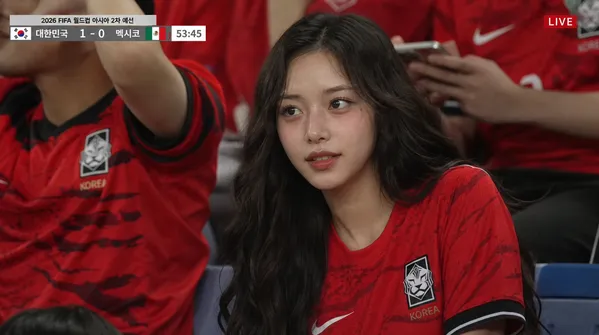
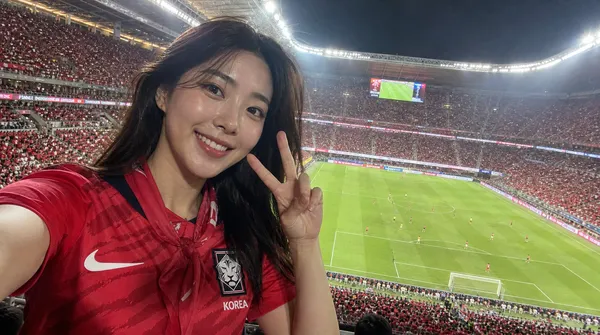
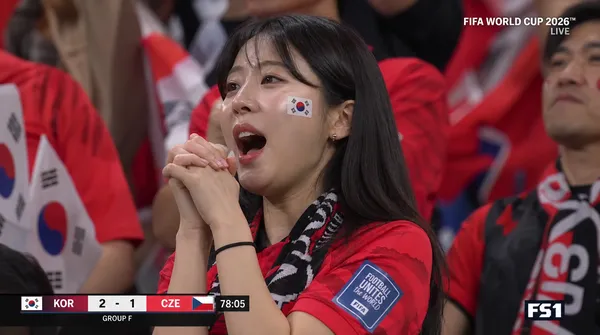
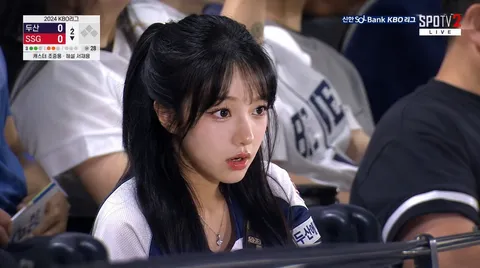
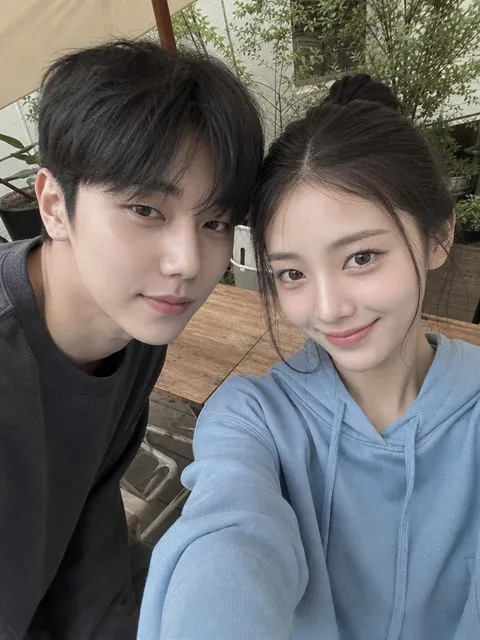
Using the uploaded photo as the sole identity reference, generate a convincing real photograph of the subject experiencing a 2026 FIFA World Cup match in person as a passionate South Korean supporter.
━━━━━━━━━━━━━━━━━━
REFERENCE IMAGES
━━━━━━━━━━━━━━━━━━
• Image 1 — IDENTITY SOURCE (the uploaded photo): use ONLY for face and body identity.
• Image 2 — UNIFORM FRONT REFERENCE: https://assets.carat-api.im/upload_from_app/3052856/20260612/e32f7b53-b7c7-49d8-8453-1bd4fafb31dc.png
• Image 3 — UNIFORM DETAIL REFERENCE: https://assets.carat-api.im/upload_from_app/3052856/20260612/8589987e-c527-478e-99e6-5459a59eb631.png
Image 2 and Image 3 are references for the JERSEY ONLY.
Do NOT extract identity, face, or body shape from Image 2 or Image 3.
━━━━━━━━━━━━━━━━━━
FORMAT & RATIO
━━━━━━━━━━━━━━━━━━
• 3:4 vertical frame — smartphone snapshot proportions
• never square, panoramic, or cinematic
• frame the subject comfortably with breathing room on all sides
• composition should feel like one frame from an Instagram travel photo dump
━━━━━━━━━━━━━━━━━━
STADIUM ENVIRONMENT
━━━━━━━━━━━━━━━━━━
Reconstruct an 80,000-seat FIFA World Cup venue at match time:
• capacity crowd — virtually every seat filled, overwhelmingly in red
• overhead floodlights casting crisp white light with warm secondary spill
• a live match visible on the pitch (players mid-play, ball in motion)
• LED ad boards glowing along the touchline
• depth layers: foreground fans slightly soft → subject sharp → mid-ground crowd → distant upper tier with atmospheric haze
• ambient red glow from tens of thousands of LED cheering sticks and phone flashlights scattered through the stands
• fine details: drink cups in seat holders, crumpled towels, mini flags on laps of nearby fans
The stadium must feel enormous, loud, and alive — not a quiet exhibition match.
━━━━━━━━━━━━━━━━━━
SUPPORTER OUTFIT — FULL REPLACEMENT
━━━━━━━━━━━━━━━━━━
Strip every garment from the original photo and redress the subject entirely.
JERSEY: Replicate the exact 2026 Korea Republic home jersey shown in Image 2 and Image 3.
Key details to match precisely:
– base color: vibrant red
– tonal tiger-stripe pattern across the torso (visible in Image 3)
– KFA (Korea Football Association) crest on the left chest
– Nike swoosh on the right chest
– collar and sleeve trim style exactly as shown in Image 2
– fabric drape and texture should feel like authentic match-day knit, not printed costume material
BOTTOMS: dark jeans or black joggers — nothing from the source image.
FOOTWEAR: casual sneakers, mostly hidden by the seat row in front.
Zero tolerance for:
– any original clothing remnant (collar, sleeve edge, pattern, fabric, color)
– jersey-over-existing-clothes layering
– costume-shop stiffness — the jersey should drape with natural wrinkles and body contact
– deviating from the jersey design shown in Image 2 / Image 3 references
━━━━━━━━━━━━━━━━━━
POSE & MOMENT
━━━━━━━━━━━━━━━━━━
Capture ONE of these candid scenarios (choose the most natural fit):
A) Mid-cheer — mouth open, fist raised, eyes on the pitch, caught by a friend's phone
B) Smiling glance back at the camera while the packed red stands stretch out behind
C) Leaning forward in the seat, elbows on knees, watching intently — quiet tension moment
D) Laughing with nearby supporters after a goal, spontaneous and unposed
The subject should look like they belong — not posing for a portrait, but living the moment.
━━━━━━━━━━━━━━━━━━
CAMERA & LIGHT
━━━━━━━━━━━━━━━━━━
Mimic a high-end smartphone (iPhone 16 Pro / Galaxy S25 Ultra) in auto night mode:
• shallow-ish depth of field from computational bokeh — crowd softly blurred, subject crisp
• mixed lighting: cool floodlight overhead + warm ambient glow from the crowd
• slight high-ISO luminance grain — no fake film grain, no halation
• minor handheld micro-shake in the bokeh, not in the subject
• skin rendered with natural pores, minor shine from stadium heat — no beauty filter, no airbrushing
• white balance leaning slightly warm (stadium tungsten + LED mix)
━━━━━━━━━━━━━━━━━━
IDENTITY LOCK — HIGHEST PRIORITY
━━━━━━━━━━━━━━━━━━
The subject must be immediately recognizable by anyone who knows them.
Preserve without alteration:
facial bone structure, eye shape & spacing, eyelid type, nose bridge & width, lip shape & volume, cheek fullness, jawline, chin, forehead height, ear visibility, hairline, hairstyle, hair color & texture, skin tone & undertone, apparent age, body build & proportions, any visible moles or birthmarks
Absolutely do NOT:
– slim, reshape, or symmetrize the face
– enlarge eyes or reshape the nose
– smooth skin beyond what smartphone auto-processing would do
– lighten skin tone or shift undertone
– change hair length, color, or texture
– add makeup that wasn't in the original
– borrow any facial features from Image 2 or Image 3
━━━━━━━━━━━━━━━━━━
MOOD TARGET
━━━━━━━━━━━━━━━━━━
Instagram-worthy but believable. Exciting but grounded.
A core memory captured on a phone — not a produced editorial.
━━━━━━━━━━━━━━━━━━
DO NOT GENERATE
━━━━━━━━━━━━━━━━━━
• fantasy / fictional stadiums or empty sections
• cartoon, anime, Pixar, CGI, or illustrated styles
• cinematic aspect ratios or movie-poster compositions
• beauty-filtered porcelain skin
• studio lighting or ring-light catchlights
• any original clothing, accessories, or props from the source photo
• text, watermarks, logos, captions, or UI overlays
• duplicated faces in the crowd
• distorted hands, fingers, or limbs
• oversized or toy-like props
• mascot costumes on the subject
• jersey designs that differ from Image 2 / Image 3 references