carat

Prompt Gallery

/

Festival Illustration

Login
Sign Up

Festival Illustration

Explore high-quality AI image prompts capturing the vibrant energy of global festivals and carnivals.

2026.07.05

·
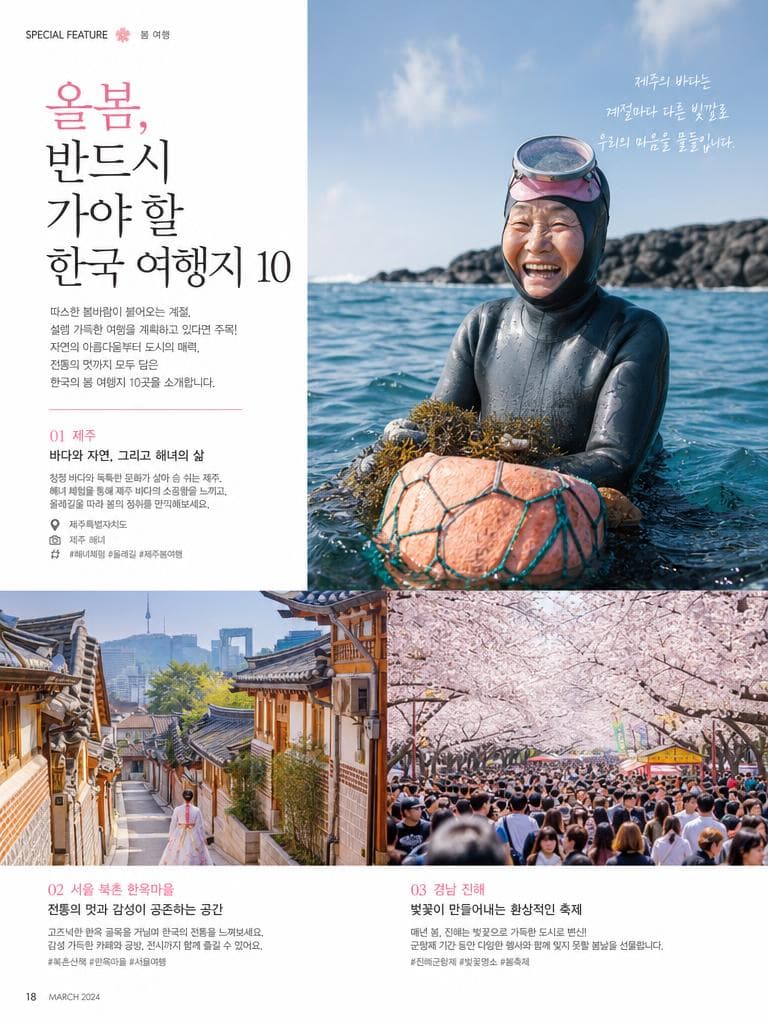
AI-generated Korean Travel Magazine Feature Article Page Spread made with GPT Image 2

Korean Travel Magazine Feature Article Page Spread

GPT Image 2· Image
Korean travel magazine feature article page spread. Beautiful Korean destination photography — Jeju Island haenyeo divers, Bukchon hanok village lanes, cherry blossom festival crowd. Korean typography headline: '올봄, 반드시 가야 할 한국 여행지 10'. Clean modern magazine layout, editorial photography style.
@andis13
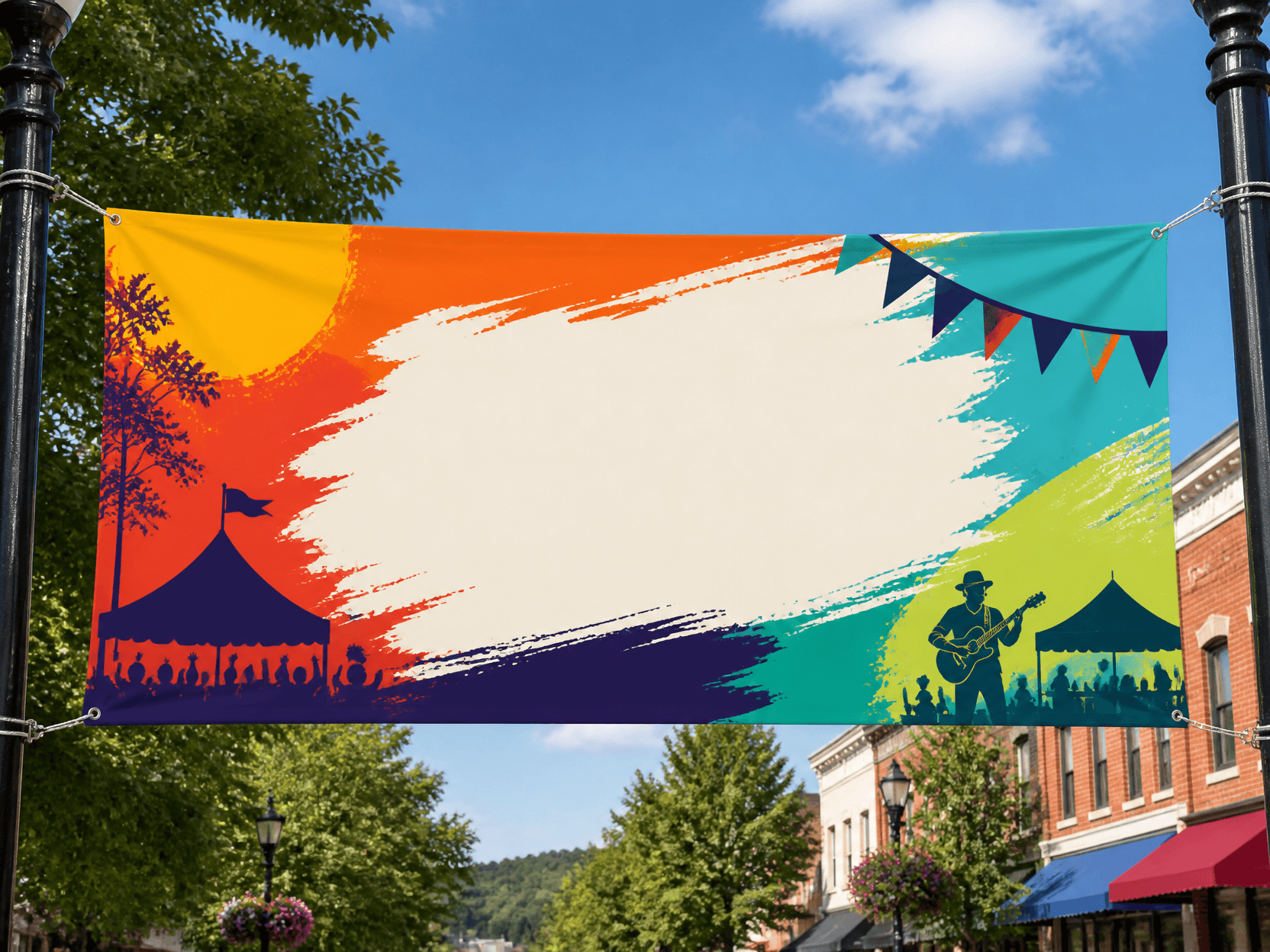
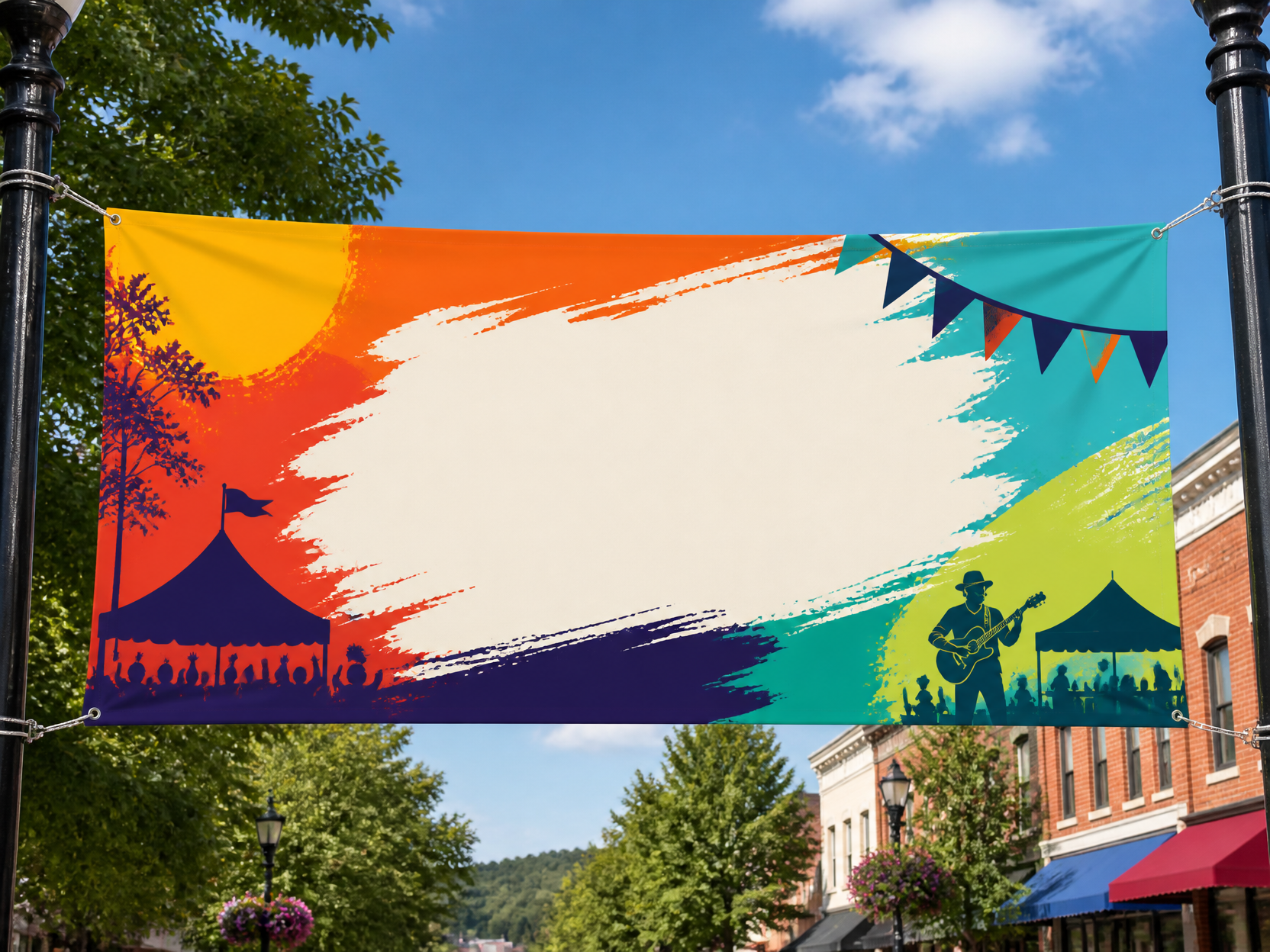
GPT 이미지 2로 생성한 현수막 디자인 예시 1

현수막 디자인 예시 1

GPT Image 2· Image
Outdoor hanging banner design mockup for a local festival, wide horizontal fabric banner, bold color blocks, large placeholder title area, street display context, no readable text.
AI-generated Tang Dynasty Chang'an City Lantern Festival Panorama made with GPT Image 2

Tang Dynasty Chang'an City Lantern Festival Panorama

GPT Image 2· Image
Tang Dynasty Chang'an City Lantern Festival panorama — ten thousand colorful lanterns illuminating the night sky. Gongbi (meticulous brushwork) heavy-color long horizontal scroll painting.
@songguoxiansen
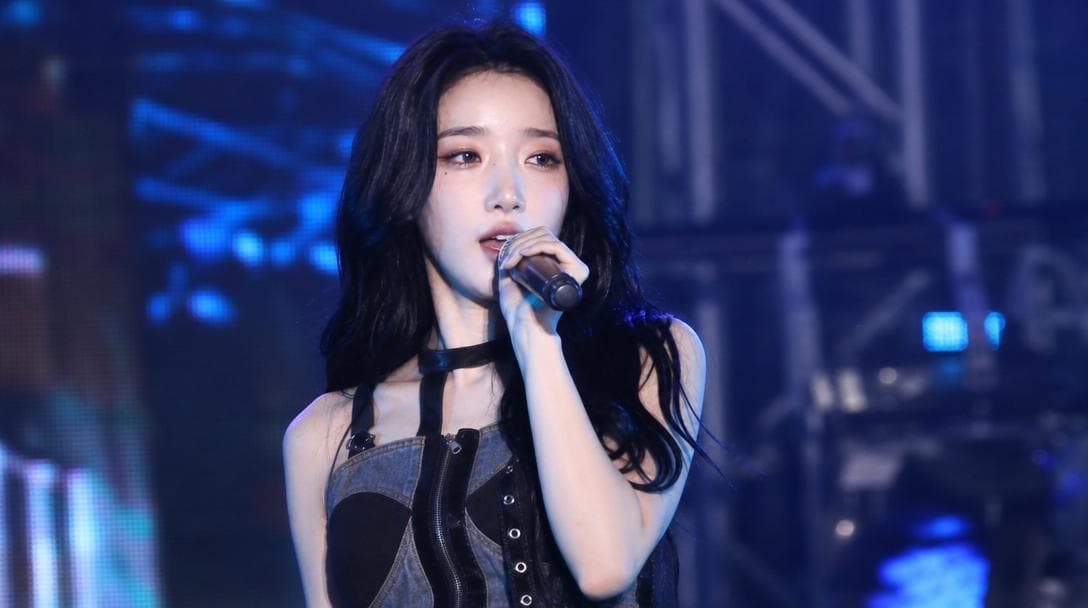
AI-generated Festival Stage Live Broadcast Shot made with GPT Image 2

Festival Stage Live Broadcast Shot

GPT Image 2· Image
Use the uploaded reference image as the strongest facial identity anchor. The person must look like the exact same person from the reference image. Preserve their facial identity with very high priority: same face shape, same eyes, same nose, same lips, same skin tone, same expression style, and same overall hair impression. Create an ultra-realistic candid Korean university festival stage broadcast screenshot of this person performing on stage. They are a singer captured accidentally by a live event camera while in the middle of a real performance, not posing for the camera. The person must not look directly into the lens. Their gaze should be toward the audience, slightly off to the side, or downward toward the stage while singing or moving naturally. The expression should feel unplanned and mid-performance: focused, energetic, slightly breathless, with natural facial movement. The person is on the actual stage, holding a handheld microphone or wearing a performance mic, captured during a live song moment. Do not assign a specific outfit color or fixed clothing style. Let wardrobe, colors, accessories, and styling vary naturally as contemporary Korean campus festival performer fashion. Avoid staged idol beauty-shot posing, avoid deliberate hand poses, avoid direct eye contact, avoid symmetrical studio portrait composition. Use a realistic live broadcast / giant LED jumbotron look: telephoto compression from the audience area, imperfect off-center framing, slight motion blur from movement, mild video softness, stage haze, LED screen texture, subtle moire, strong colored stage lights, dark truss and concert lighting in the background, blurred crowd lights below the stage. The image should feel like one frame captured from a live campus festival screen while the performer was moving. Composition: 16:9 horizontal broadcast screenshot, upper-body or half-body on-stage framing, face visible but candid, microphone visible, dynamic stage atmosphere. Photorealistic, natural skin texture, realistic event camera image quality, high-definition social media screenshot feel. No captions, no overlay text, no watermark, no brand logos, no readable university names, no extra duplicated face, no celebrity resemblance, no reference to any specific real person.
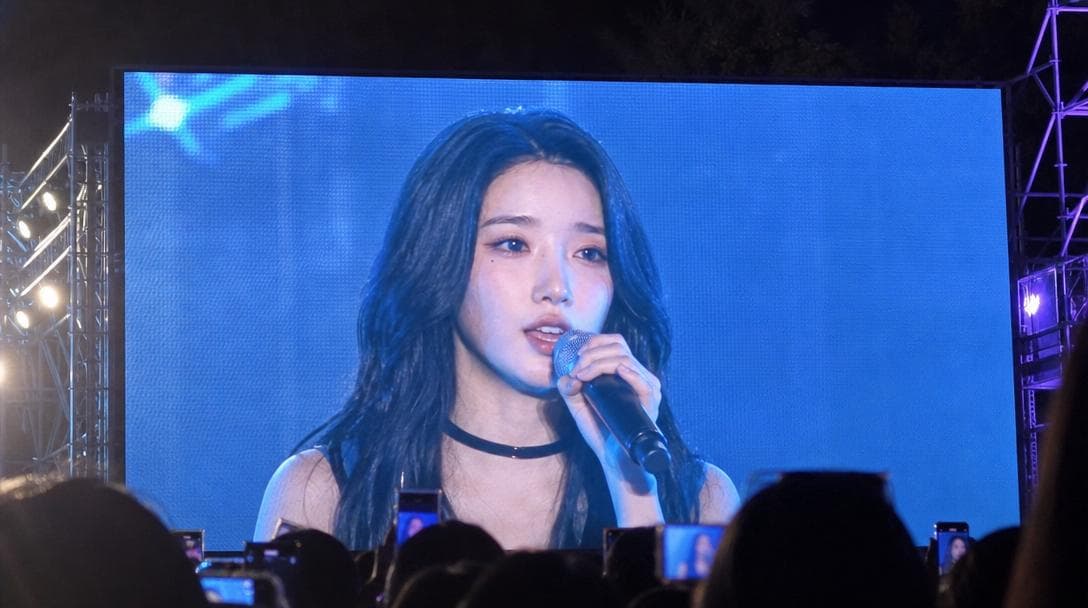
AI-generated University Festival Jumbotron Fancam Shot made with GPT Image 2
University Festival Jumbotron Fancam Shot

GPT Image 2· Image
Use the uploaded reference image as the strongest facial identity anchor. The person must look like the exact same person from the reference image. Preserve their facial identity with very high priority: same face shape, same eyes, same nose, same lips, same skin tone, same expression style, and same overall hair impression. Create an ultra-realistic smartphone photo taken by an audience member at a Korean university festival. The photo is not a direct stage portrait. It shows a huge outdoor LED jumbotron screen, and on that screen the person is captured performing on stage during a live song. The final image must clearly feel like someone in the crowd photographed the giant screen from a distance. On the LED screen, the person appears as a singer mid-performance, holding a microphone, not posing for the camera, not looking directly into the lens. Their gaze is toward the audience or slightly off to the side, with a natural unplanned singing expression. The moment should feel accidentally caught during a live performance. Do not assign a specific outfit color or fixed clothing style. Let wardrobe, colors, accessories, and styling vary naturally as contemporary Korean campus festival performer fashion. The giant LED screen should dominate most of the frame, with visible LED pixel texture, slight moire, screen glare, blown-out highlights, and mild color banding. Include subtle real-world smartphone capture imperfections: handheld framing, slight tilt, minor motion blur, digital zoom softness, night festival lighting, lens flare, and imperfect exposure. Around the edges, show hints of the real concert environment: dark sky, stage truss, colorful lights, silhouettes of audience heads or raised phones at the bottom. Composition: 16:9 horizontal smartphone photo of a large festival jumbotron, audience POV, screen-within-screen feeling. The performer's face should be visible on the LED screen, but the image should not look like a clean studio portrait or direct AI render. It should feel like a viral fan-taken concert screenshot photo. Photorealistic, authentic Korean university festival atmosphere, candid live-event documentation, natural skin texture as displayed on an LED screen. No captions, no overlay text, no readable university names, no brand logos, no watermark, no extra duplicated face, no celebrity resemblance, no direct eye contact, no staged idol beauty-shot posing.

What Are Festival Illustration AI Prompts?

Festival Illustration AI Prompts are specialized descriptive instructions designed to guide artificial intelligence in creating visually stunning representations of global cultural events, carnivals, and grand celebrations. These prompts focus on capturing the kinetic energy, vivid color palettes, and communal spirit inherent in festivals. Whether it is a traditional village gathering or a modern international music festival, these prompts provide the necessary linguistic framework to translate abstract concepts of celebration into high-fidelity visual assets. By utilizing specific descriptors for lighting, movement, and atmospheric density, users can generate professional-grade illustrations that reflect the joy and excitement of any festive occasion.

Best Use Cases

These prompts serve as an essential resource for designers, marketers, and content creators looking to evoke a sense of celebration. Primary use cases include the design of promotional posters for local events, backgrounds for social media campaigns, and visual elements for event-related landing pages. Digital artists can use them as a starting point for complex compositions involving large crowds and intricate lighting. Additionally, these illustrations are perfect for seasonal greetings, blog header images, and YouTube thumbnails where capturing the viewer's attention with vibrant and dynamic visuals is crucial. They are also highly effective for creating unique merchandise designs, such as t-shirts or greeting cards, centered around specific holiday themes.

Why This Tag Works

Creating detailed festival scenes manually is notoriously difficult due to the complexity of rendering diverse crowds, overlapping light sources, and intricate decorative elements. This tag streamlines the entire creative process by providing pre-tested prompt structures that understand how to balance these elements effectively. The AI leverages these prompts to calculate realistic light reflections from fireworks, the natural positioning of thousands of people in a parade, and the specific aesthetic nuances of different festival types like carnivals or live performances. For users, this means achieving a level of detail and scale that would otherwise require hours of professional illustration work or expensive stock photography, all within a matter of seconds.

Explore Related Prompts

Enhance your creative projects by exploring these related prompt categories and styles.

  • Illustration
  • Poster
  • Character
  • Watercolor Style
  • Oil Painting Style
  • Anime Style
  • Cinematic Video

Prompt Building Tips

To maximize the impact of your festival illustrations, focus on specifying the time of day and the primary light source. For instance, mentioning 'golden hour lighting' or 'dramatic fireworks illumination' can completely change the mood of the scene. Incorporating sensory details like 'confetti in the air', 'colorful flags waving', or 'glowing lanterns floating' adds layers of depth and realism. Experimenting with camera perspectives is also recommended; a 'bird's eye view' can emphasize the massive scale of a city-wide parade, while a 'low-angle shot' can make a music festival stage look more monumental and imposing. Finally, don't forget to define the artistic style-whether you want a hyper-realistic photograph or a whimsical digital painting-to ensure the AI aligns with your specific vision.

FAQ

  • Is it free to use these prompts? copying prompts is free, AI generation requires credits.
  • Can I use the generated images commercially? Yes, generated images can be used for commercial purposes according to the licensing terms.
  • Can I specify a specific country's festival? Yes, adding terms like 'Korean traditional festival' or 'Rio Carnival' will guide the AI toward those specific aesthetics.
  • How can I make the colors more vibrant? Use keywords like 'vibrant color palette', 'neon accents', or 'high contrast' in your prompt.
  • Can I generate festival scenes with a specific character? Yes, you can describe a main character participating in the festival to create a person-centered shot.
  • Does it support 16:9 aspect ratio? The aspect ratio depends on the AI model settings, but the prompts themselves are compatible with any ratio.
  • How do I add a sense of movement? Incorporate words like 'dynamic motion', 'blurred crowd', or 'dancing' to evoke a feeling of action.
Frequently Asked Questions

Related Prompts

Festival Scene Photo

Festival Scene Photo

5 prompts

Holiday Illustration

Holiday Illustration

9 prompts

Holiday Poster

Holiday Poster

9 prompts

Guitar Illustration

Guitar Illustration

42 prompts

Carat Prompt Gallery

Create trending AI prompts instantly

Prompts

  • Logo
  • PPT Design
  • Thumbnail
  • Poster
  • Web Novel Cover
  • ID Photo
  • Caricature
  • Product Detail Page
  • Banner

Models

  • GPT Image 2
  • Seedance 2.0
  • NanoBanana Pro
  • NanoBanana 2

Carat

  • Get started
  • About
  • Blog
  • Careers
  • Contact
  • Partnership
  • Terms
  • Privacy

© 2026 Paradot.Inc All rights reserved.