carat

Prompt Gallery

/

Selfie Filter

Login
Sign Up

Selfie Filter

Create selfie filters, cartoon filters, and flash selfie styles with AI prompts.

2026.07.08

·
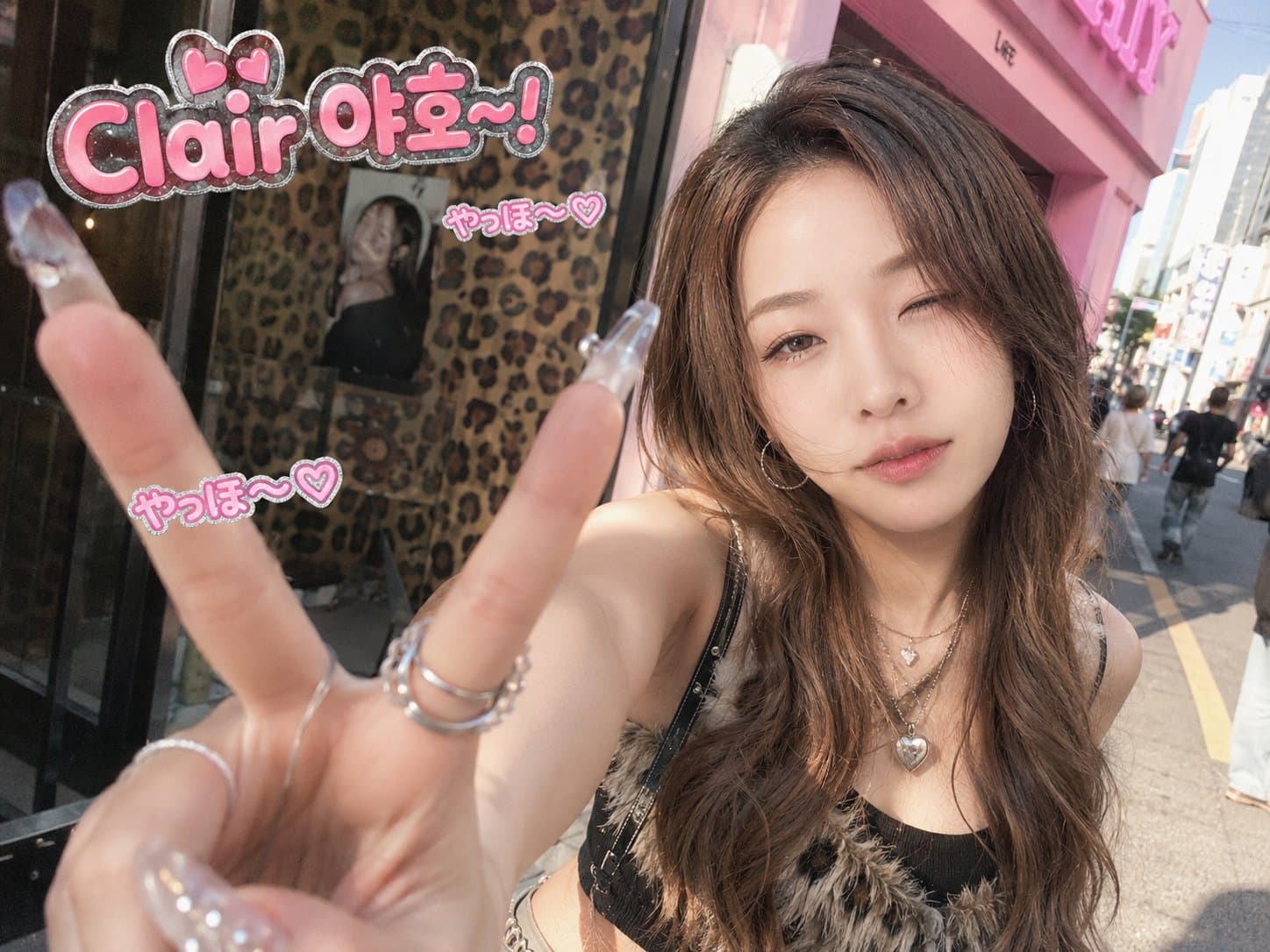
K-gyaru street selfie generated with GPT Image 2

K-Gyaru Street Selfie

GPT Image 2· Image
✏️ 수정 포인트 • [이름/닉네임]: 6번째 문단의 "OOO 야호-!"에서 OOO를 원하는 이름이나 닉네임으로 바꿔 주세요. 예) "민지 야호-!", "Clair 야호-!" --- Transform the provided reference image into a cute, trendy, photorealistic K-gyaru street snap. Preserve the original person's identity, facial likeness, natural expression, and realistic atmosphere. The image should look like a candid daytime photo taken by a friend on a Korean street, not a poster. The key pose is an energetic "Yaho!" greeting with a gyaru-style palm-forward V hand pose. The subject extends one hand toward the camera, palm facing forward, with the thumb and index finger spread wide into a large V/L-shaped gesture, similar to a playful gyaru claw pose. The other fingers are softly bent and visible. Use a close ultra-wide-angle perspective so the hand appears slightly enlarged in the foreground, while the smiling or playful winking face is naturally behind it. Make the long crystal nails, rings, fingers, and palm details clear, sharp, and natural. Style the subject with a modern, wearable K-gyaru mood: glossy blonde-brown or warm ash-brown layered hair, soft waves, face-framing bangs, heart or star accessories, glitter eyeshadow, defined eyeliner, long lashes, bright under-eye makeup, pink blush, glossy lips, crystal nails, rings, hoop earrings, layered necklaces, heart pendant, chain details, cropped top, mini skirt, belt, and subtle fur or sparkling accents blended with trendy Korean street fashion. Use a realistic daytime Korean street background: leopard-pattern storefront or poster wall, hot-pink café sign or fashion-shop exterior, or casual K-gyaru street snap atmosphere. Add soft natural light, urban reflections, pastel street colors, subtle bokeh, and casual street details. Place the exact text "OOO 야호-!" clearly in the upper-left or upper-right empty space. It must be easy to find, accurately readable, and spelled exactly as "Clair 야per-right empty space. It must be easy to find, accurately readable, and spelled exactly as "Clair 야호-!" Style it as a medium-sized cute SNS sticker caption with hot-pink bubble letters, white highlights, a subtle silver glitter outline, and small heart accents. Do not cover the face, extended hand, nails, or important body details. Add 2-3 small "やっほ〜♡" bubble stickers nearby, secondary to the main text. Make the final image feel like a spontaneous compact film camera or disposable camera snapshot, with slight motion blur, soft focus, subtle film grain, realistic daylight highlights, natural skin texture, mild noise, sunlit street atmosphere, and a hot-pink, cute, confident, playful, sparkly mood. Avoid: night lighting, dark neon atmosphere, unreadable or incorrect text, hidden text, extra fingers, deformed hands, hidden nails, covered face, oversized text, over-retouched skin, HDR look, stiff posing, costume-like styling, studio editorial look, or losing the reference likeness.
2063976960343376233
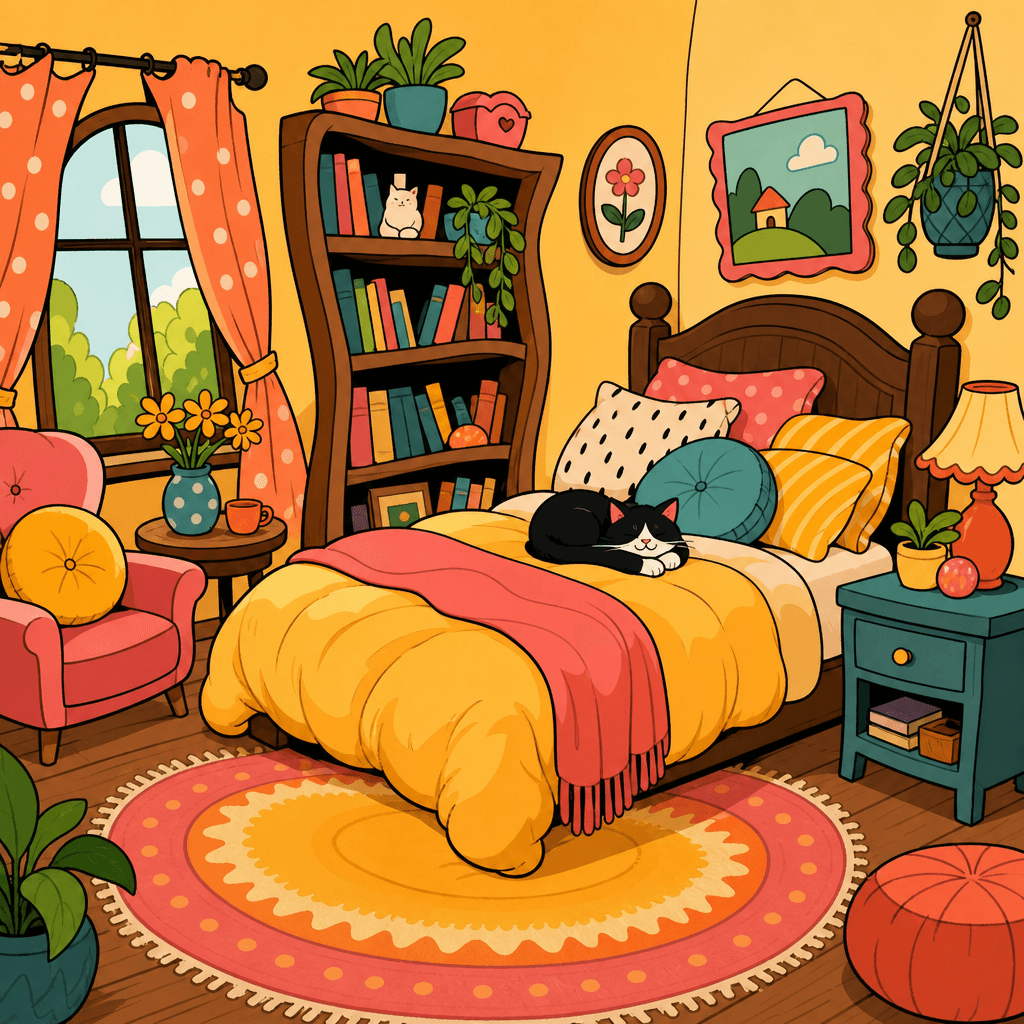
GPT 이미지 2로 생성한 만화 필터 스타일

만화 필터 스타일

GPT Image 2· Image
A cartoon filter style illustration of a fictional cozy bedroom, bold outlines, flat cel-shaded colors, exaggerated proportions, playful comic book aesthetic, warm color palette, no text
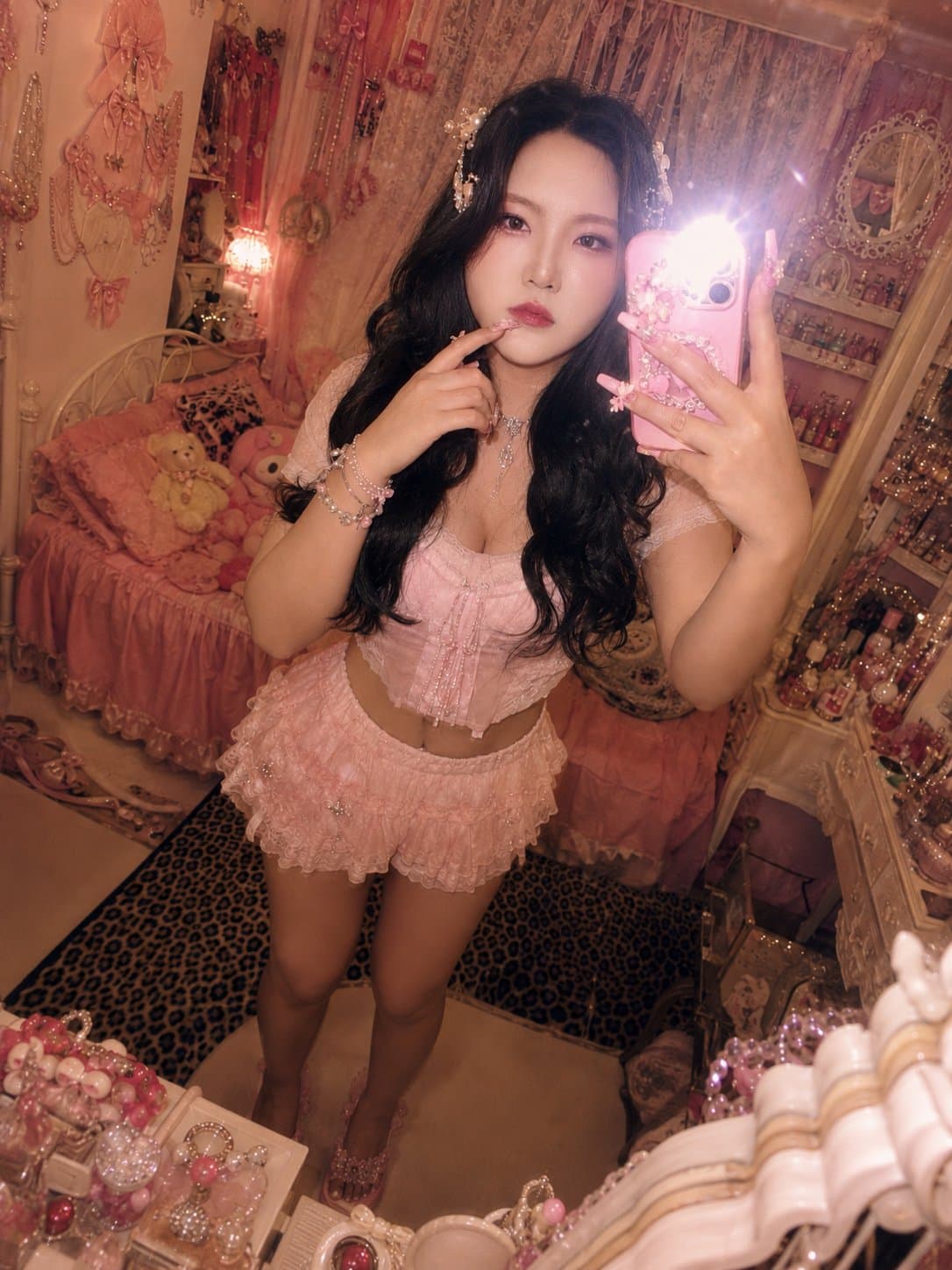
Himegyaru mirror selfie generated with GPT Image 2

Himegyaru Mirror Selfie

GPT Image 2· Image
입력 사진 속 인물을 동일 인물로 유지하면서, 2000년대 일본 히메갸루 잡지 화보풍의 실사 거울셀카로 편집한다. 얼굴형, 이목구비 비율, 눈·코·입 위치, 턱선, 표정의 기본 인상은 원본과 같아야 한다. 하지만 얼굴을 그대로 복사해 붙인 것처럼 보이면 안 된다. 얼굴은 거울셀카의 플래시, 실내 조명, 빈티지 필름 색감, 어안렌즈 원근, 메이크업과 자연스럽게 섞여야 한다. 피부색과 명암, 그림자, 질감이 목과 몸, 배경 조명과 일치해야 한다. 핑크와 화이트로 꾸민 갸루의 방에서 거울 앞 셀카를 찍는 장면이다. 핑크 침구, 레이스 커튼, 화장대, 인형, 향수병, 립글로스, 잡지, 리본 장식, 큐빅 소품, 호피무늬 포인트가 있는 화려하고 복잡한 히메갸루 방이다. 인물은 한 손으로 화려한 핑크 케이스의 아이폰을 들고 있고, 카메라 플래시가 켜져 렌즈 근처에 강한 플레어가 생긴다. 다른 손은 입 근처로 가져간 귀여운 포즈이며, 긴 핑크 네일아트와 큐빅·리본 파츠가 보인다. 상반신부터 발끝 일부까지 보이는 가까운 거울셀카 구도다. 헤어는 원본의 길이와 가르마를 유지하되 굵은 웨이브와 볼륨을 더하고, 리본핀·진주핀·큐빅핀을 장식한다. 메이크업은 핑크 블러셔, 글리터 아이섀도우, 또렷한 아이라인, 풍성한 속눈썹, 립글로스를 사용한 화려한 히메갸루 메이크업이다. 단, 메이크업 때문에 다른 사람처럼 보이면 안 된다. 의상은 핑크 계열의 레이스, 프릴, 리본, 큐빅 장식이 있는 히메갸루 크롭티와 풍성한 스커트 또는 원피스다. 화려한 목걸이, 귀걸이, 팔찌를 착용한다. 전체 색감은 노란빛이 섞인 2000년대 일본 빈티지 디지털카메라 느낌이다. 약한 노이즈, 거울 얼룩, 실내 플래시 반사, 살짝 흐릿한 필름 질감, 어안렌즈 느낌을 준다. 최신 스마트폰처럼 너무 선명하거나 피부가 인형처럼 매끈하면 안 된다. 실사 사진처럼 자연스럽고, 얼굴·몸·배경이 같은 공간 안에 있는 것처럼 보여야 한다.
2062449915125772346
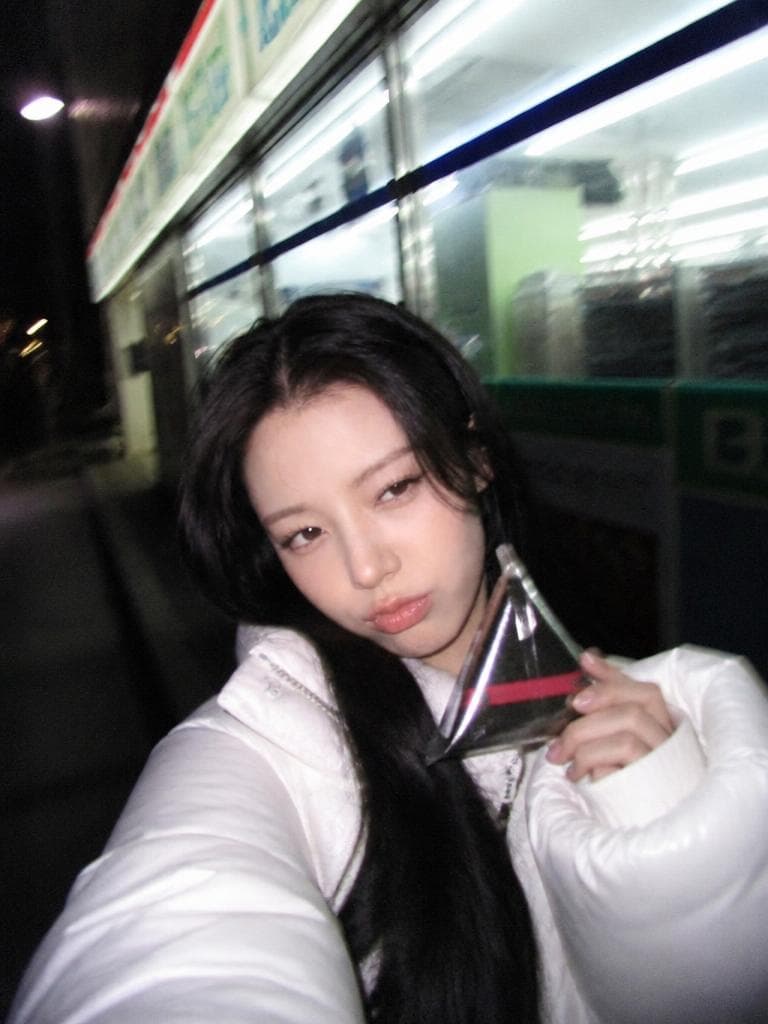
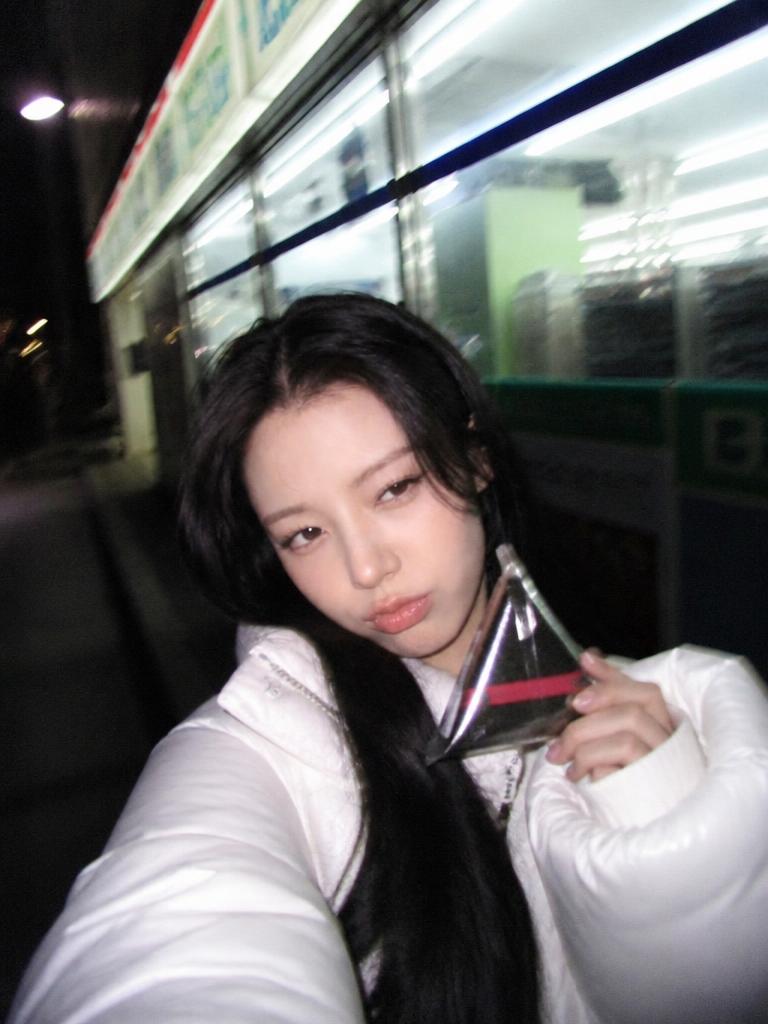
AI-generated Y2K Midnight Convenience Store Selfie made with GPT Image 2
Y2K Midnight Convenience Store Selfie

GPT Image 2· Image
Use the uploaded portrait as the identity reference. Create an early-2000s Korean midnight convenience store flash selfie photo. Preserve facial identity. The person stands outside a brightly lit Korean convenience store at night wearing a puffy bubble jacket or fleece, holding a convenience store triangular kimbap or ramen cup. Harsh compact digicam flash, slight motion blur, overexposed background lights, grainy low-resolution texture, reflective glass storefront behind them. Expression: slightly sleepy but playful, candid night outing energy. Pinterest Y2K Korean midnight snap aesthetic. No readable text, no brand logos.
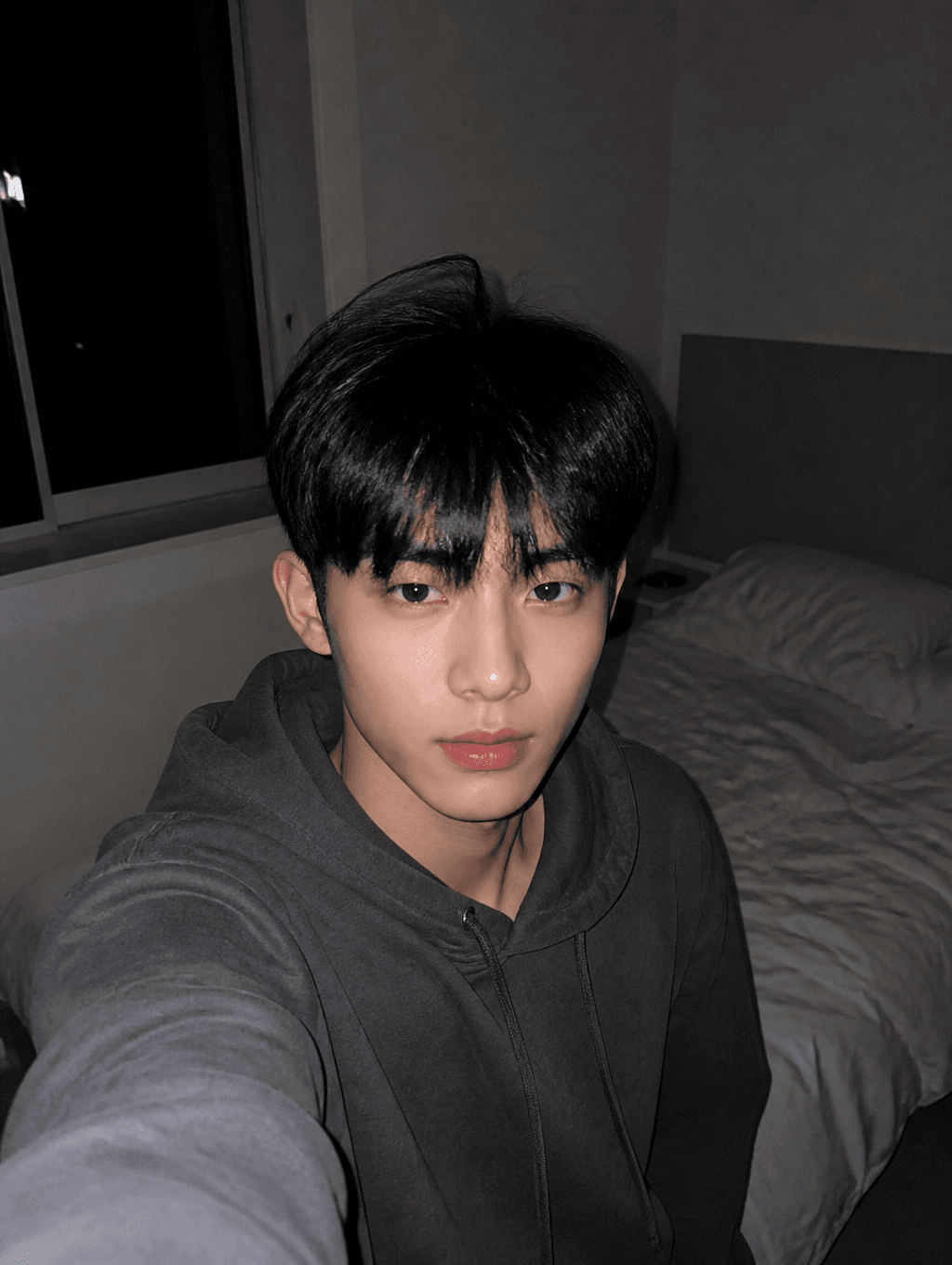
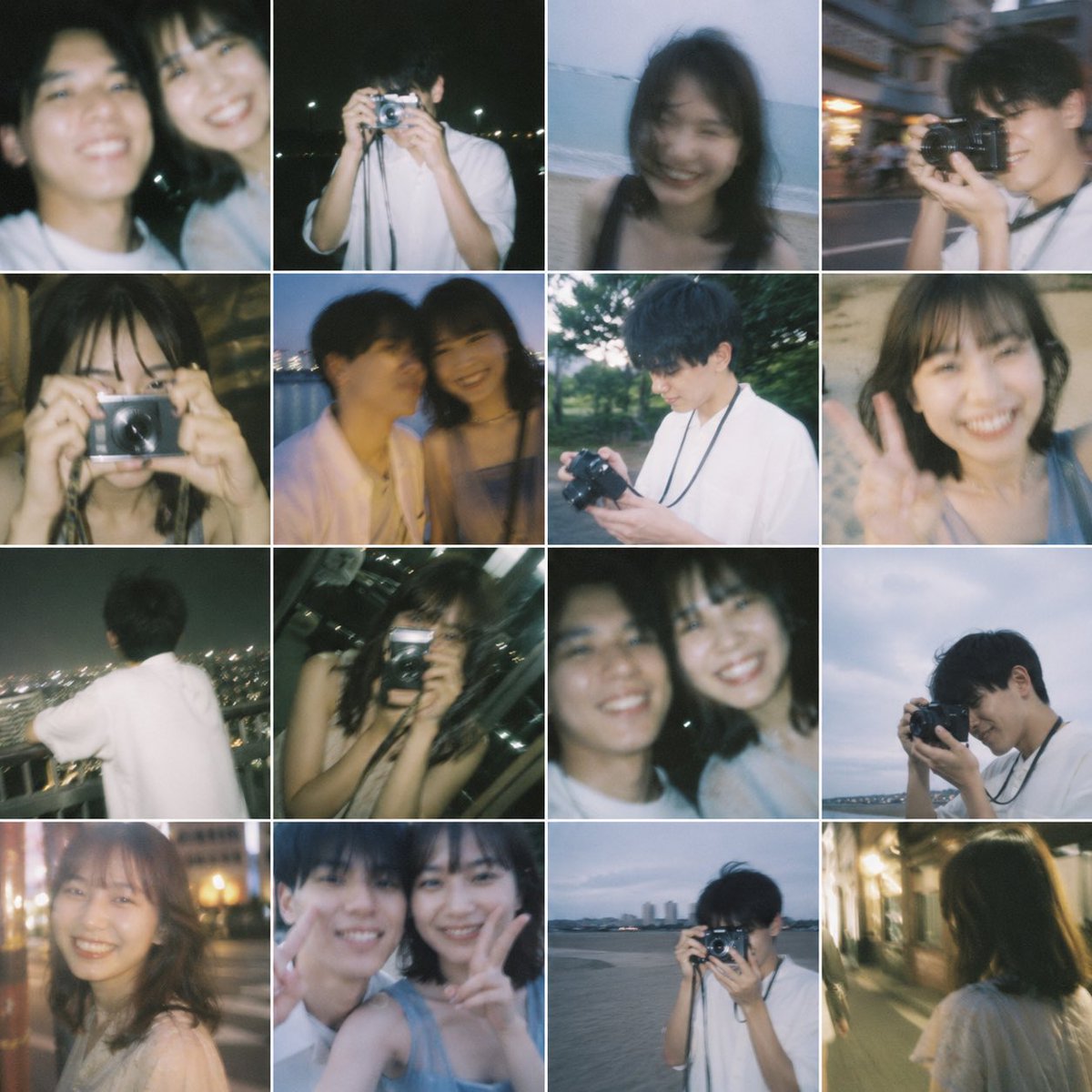
AI-generated Room Flash Selfie made with GPT Image 2

Room Flash Selfie

GPT Image 2· Image
첨부된 인물 사진을 참고해서 방 안 플래시 셀카로 만들어줘. 밤의 깔끔한 침실, 은은한 카메라 플래시, 캐주얼한 후드티, 부드러운 그림자, 약간의 스마트폰 사진 노이즈, 자연스러운 표정으로 구성해줘. CGI나 과한 뷰티 보정 느낌은 피하고 텍스트와 워터마크는 넣지 마.
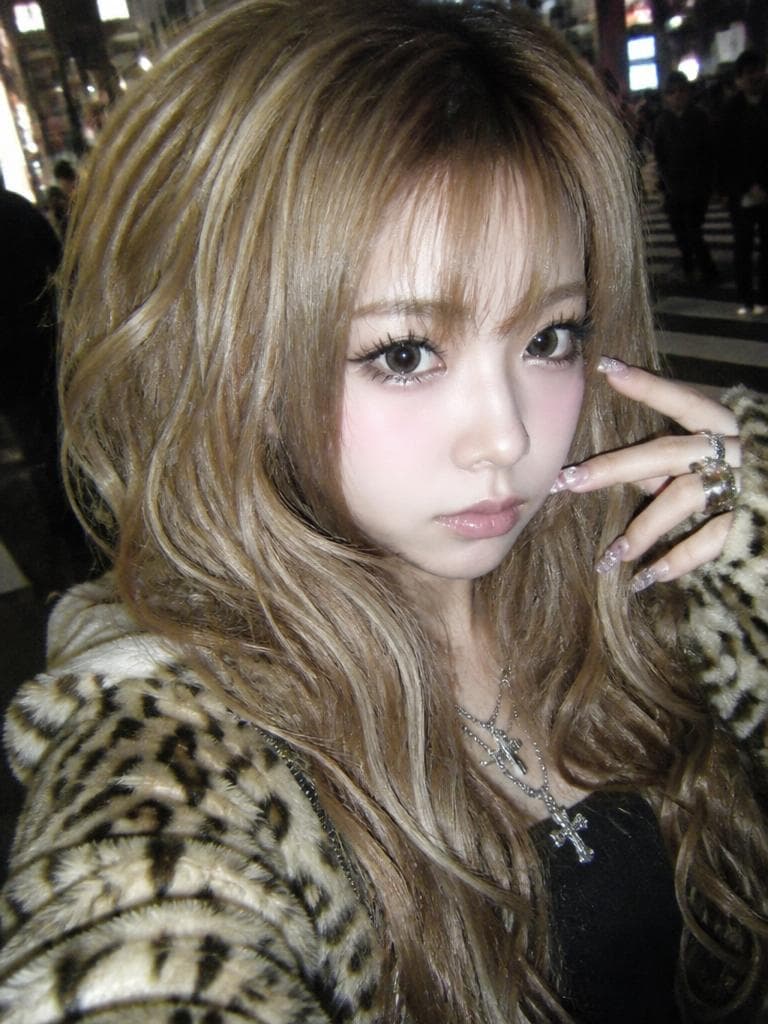
AI-generated Shibuya Flash Gyaru

Shibuya Flash Gyaru

GPT Image 2· Image
Use the uploaded portrait as the identity reference. Recreate the person as an authentic early-2000s Heisei Shibuya gyaru, not clean modern Y2K. Preserve facial identity but change styling completely. Close-up digicam flash selfie on a Shibuya night street, low-resolution noisy compact camera texture, harsh direct flash, slightly washed-out highlights, gritty lo-fi colors. Styling: very voluminous bleached caramel-brown wavy hair with chunky layers, heavy upper and lower fake lashes, strong black eyeliner, circle-lens look, frosted glossy nude-pink lips, pale shimmer under-eye makeup, strong blush, long decorated nails near the face, layered silver cross pendants and chunky rings, leopard-print faux fur jacket over a black top. Expression: cool, slightly bored, confident gyaru stare, not smiling. Composition like a 2004 Japanese mobile blog selfie. Avoid modern clean influencer beauty, avoid elegant fashion editorial, avoid minimal styling. No readable text, no brand logos.

What Is a Selfie Filter?

A selfie filter is a visual effect or style transformation applied to selfie photographs, encompassing a wide range of aesthetic modifications including cartoon filters, beauty filters, retro filters, flash effects, and social media platform-specific styles. Selfie filters have become a dominant force in social media culture, with platforms like Instagram, Snapchat, and TikTok driving massive engagement through filter-enhanced selfies that transform ordinary self-portraits into eye-catching, stylized content. The filter aesthetic encompasses various subcultures and trends, from the gal style popular in Japanese and Korean social media to the cartoon filter trend that converts real photos into animated-style portraits. With AI image generation tools, users can now create custom selfie filter effects without relying on platform-specific filter libraries, enabling unlimited creative freedom in designing unique selfie aesthetics that stand out in social media feeds and personal branding materials.

How to Write AI Selfie Filter Prompts

When generating a selfie filter with AI, specify the filter style, lighting effect, color tone, subject composition, and atmosphere as key elements. Include prompt phrases like "cartoon filter," "flash selfie," "retro filter," "front-facing selfie composition," and "gal style" to define the visual direction. Describe the specific characteristics of the desired filter effect in the prompt, and set a composition where the subject naturally complements the filter aesthetic. Different filter styles require different approaches: cartoon filters benefit from describing the artistic style and line quality, flash selfies need specific lighting and shadow descriptions, and retro filters require color palette and film grain specifications. Always specify both the filter effect and the composition parameters to achieve professional-quality filtered selfies.

Selfie Filter Prompt Examples

A cartoon filter style prompt transforms portrait photos into cartoon-style images, creating the popular animated portrait effect seen across social media. A room flash selfie prompt creates a dark room flash selfie style, capturing the distinctive harsh lighting and candid atmosphere of flash photography. A Shibuya flash gal prompt generates a Shibuya street flash selfie in gal style, combining the popular Japanese gal aesthetic with flash photography effects. A convenience store night verification shot prompt creates a convenience store nighttime lighting verification shot style, featuring the characteristic fluorescent lighting and casual snapshot aesthetic. A K-gal street selfie prompt generates a Korean gal style street selfie, combining K-fashion trends with the gal aesthetic. A himegal mirror selfie prompt creates a himegal style mirror selfie, featuring the princess-inspired gal subculture aesthetic.

Tips for Using AI Selfie Filters

Generated selfie filter images can be used for social media profiles, Instagram posts, blog thumbnails, TikTok content, and personal branding. Specify various filter styles to build a diverse selfie filter collection that covers multiple aesthetics and trends. Maintain consistent color tones across multiple generations to create a cohesive filter series that builds a recognizable visual identity. AI tools enable rapid experimentation with different filter effects, making it possible to explore a wide range of selfie aesthetics without being limited by platform-specific filter libraries. For content creators and social media influencers, generating a library of filtered selfies with different styles, lighting effects, and aesthetic themes provides versatile assets for social media content, personal branding, and creative storytelling. Always specify both the filter effect characteristics, such as artistic style and color palette, and the composition parameters, such as subject position and lighting, to achieve professional-quality filtered selfies.

Frequently Asked Questions About Selfie Filter Prompts

Common questions include whether AI filters look natural, whether cartoon filters can be applied, whether flash selfie styles can be created, whether gal styles can be specified, and whether various filters can be tried. With precise prompting, AI tools produce natural, aesthetic filtered selfies with full control over filter style, lighting, and color tone. The key is specifying the filter effect, lighting conditions, and composition to generate filtered selfies that rival platform-specific filter apps.
Frequently Asked Questions

Related Prompts

Selfie Illustration

Selfie Illustration

62 prompts

Selfie

Selfie

61 prompts

Flash Selfie

Flash Selfie

3 prompts

Gyaru

Gyaru

16 prompts

Carat Prompt Gallery

Create trending AI prompts instantly

Prompts

  • Logo
  • PPT Design
  • Thumbnail
  • Poster
  • Web Novel Cover
  • ID Photo
  • Caricature
  • Product Detail Page
  • Banner

Models

  • GPT Image 2
  • Seedance 2.0
  • NanoBanana Pro
  • NanoBanana 2

Carat

  • Get started
  • About
  • Blog
  • Careers
  • Contact
  • Partnership
  • Terms
  • Privacy

© 2026 Paradot.Inc All rights reserved.