carat

Prompt Gallery

/

Storyboard

Login
Sign Up

Storyboard

AI storyboard prompts you can use right away to map out scenes for video and ad planning. Quickly create shot breakdowns, camera directions, and storyboard sheets.

2026.05.22

·

Cinematic Storyboard Grid Prompt for Seedance 2 0

Seedance 2.0· Video
授人与鱼不如授人以渔,大佬们发精彩视频发得热闹,他们也公布提示词给大家看,但是他们从来不给你讲这个提示词是怎么写出来的,今天开始我抛砖引玉慢慢给大家讲我自己在制作Seedance 2.0 视频的时候提示词的写作方法,手把手以案例来分析如何来控制角色的行为和画面调度。今天发个长达1分钟的长视频,给大家讲讲制作过程,其中用到不同的Seedance视频制作方法这个视频的前面小节红衣女郎弹吉他是向疯狂的MAX中的金典镜头致敬,这段镜头是用9宫格来制作的,后面的是全局参考用提示词加角色融入制作的, 内容太长估计一段话聊不完,我们把后面的内容结合这个视频的制作流程放在回帖里慢慢讲解。 先聊9宫格吧,九宫格的提示词大家应该都知道,原作者是大佬@techhalla 我在他的提示词基础之上自己改了一个可以生成故事情节分镜的3x3格提示词,这个提示词的优点是非常完美的保留了参考图的画质和惊人的镜头语言,既有大场面也有细节描写,当然也方便各位大佬自己在上面针对自己需要的情节调整,而且这个提示词是万能场景应用,既可以做大场景也可以做角色,这个9宫格的提示词内容如下:<role> You are an award-winning trailer director + cinematographer + storyboard artist. Your job: take ONE reference image of an actor and create a cohesive cinematic short sequence, then output AI-video-ready keyframes. </role> 色调参考图2 <input> User provides: one reference image (image). Scene Brief: {{scene_brief}} </input> <goal> Create a 10–20 second cinematic scene with a clear theme and emotional progression (setup → build → turn → payoff) using the actor, you are allowed to add other actors in the scene if the scene needs it. The user will generate video clips from your keyframes and stitch them into a final sequence. </goal> <steps> 1. a Keyframe List: 9 frames (later assembled into ONE master grid). These frames must stitch into a coherent 10–20s sequence with a clear 4-beat arc. Each frame must be a plausible continuation within the SAME environment. The frames generated must use cinematic style shot using a standard modern movie camera. 2. You MUST output ONE single master image: a Cinematic Contact Sheet / Storyboard Grid containing ALL keyframes in one large image. - Default grid: 3x3. </steps>
@john87445528
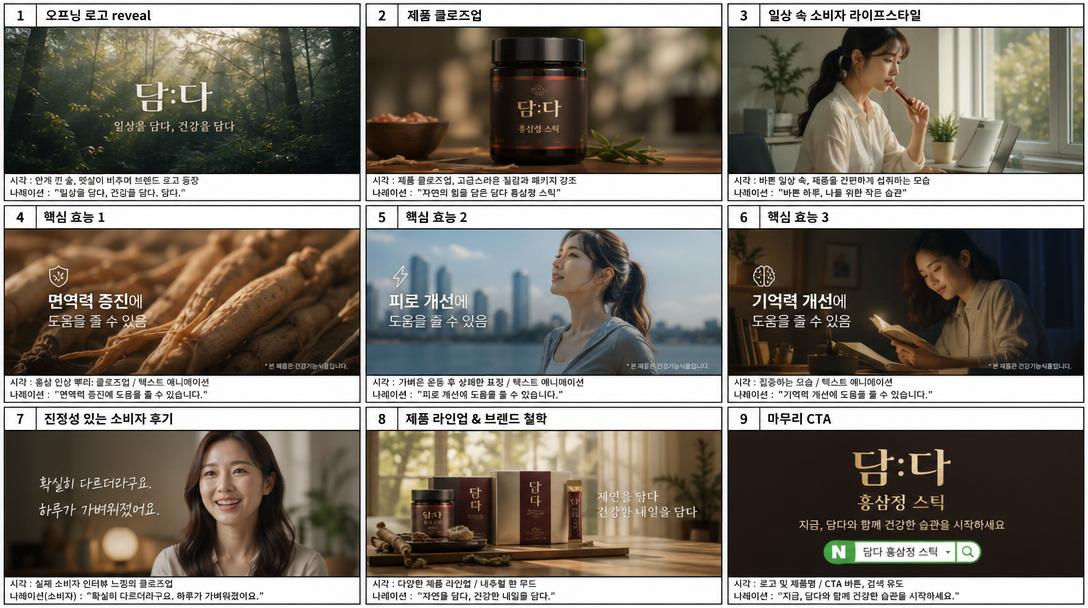
AI-generated Panel Korean Product TVC Storyboard made with GPT Image 2

Panel Korean Product TVC Storyboard

GPT Image 2· Image
9-panel Korean product TVC storyboard. Transforms a casual product photo into a cinematic Korean commercial sequence. Panels show: opening logo reveal, product close-up, Korean consumer lifestyle scene, key benefit text overlay in Korean, emotional testimonial moment, CTA with Korean brand name. Clean storyboard frame aesthetic with Korean labels.
@Magncsans

Storyboarding and Multi Perspective Video Generation
Seedance 2.0· Video
Generate video from storyboard images. Need to use storyboarding and different perspective switching to make the whole picture more rhythmic and cinematic.
@john87445528
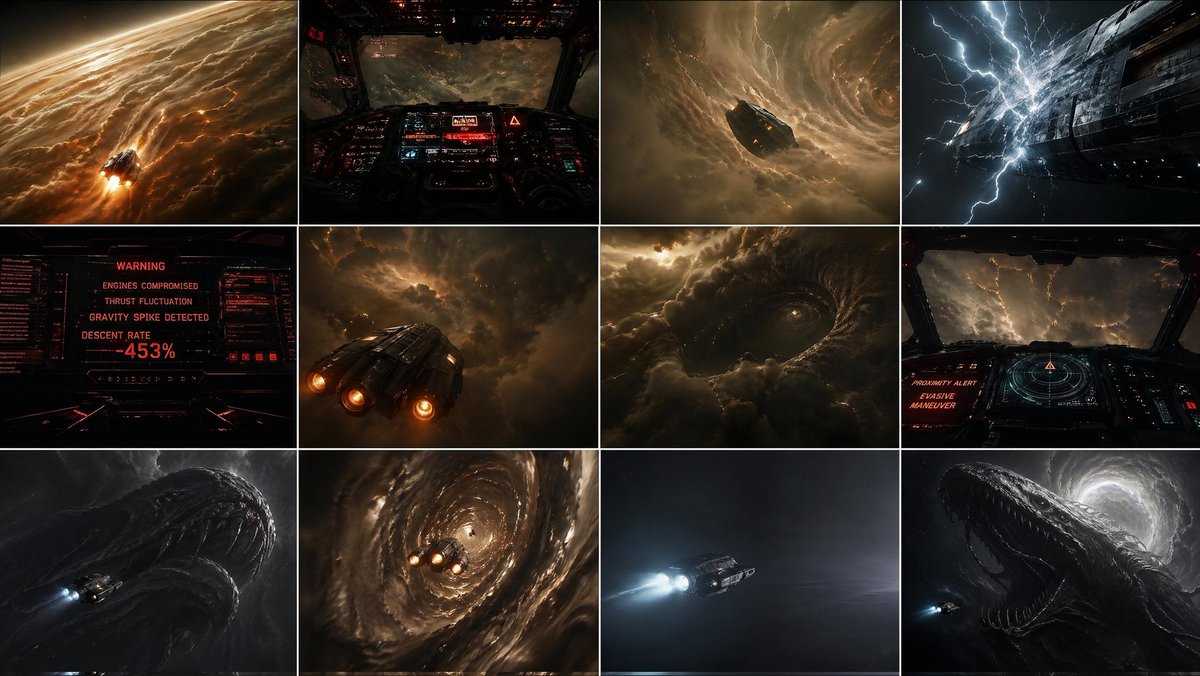
AI-generated {"type":"cinematic Sci-fi Storyboard Contact Sheet" made with GPT Image 2
{"type":"cinematic Sci-fi Storyboard Contact Sheet"

GPT Image 2· Image
{"type":"cinematic sci-fi storyboard contact sheet","subject":{"primary":"a small futuristic spacecraft descending into a massive gas giant storm system","secondary":"an enormous leviathan-like silhouette hidden within the clouds","mood":"oppressive, catastrophic, awe-struck, high tension, cosmic dread","style":"photorealistic cinematic concept art with dark sci-fi realism, volumetric storm clouds, strong contrast, amber and black palette with occasional cold blue lightning","aspect_ratio":"16:9"},"vehicle":{"design":"compact armored deep-atmosphere ship with 3 bright rear engines, angular industrial hull, worn metallic panels","scale":"tiny compared to the planet and creature"},"layout":{"grid":{"rows":3,"columns":4,"count":12},"sections":[{"position":"row 1 col 1","description":"wide exterior shot of the ship entering the upper atmosphere of a colossal gas giant at extreme speed, glowing clouds streaked with fire and friction around the vessel, curved planetary horizon visible"},{"position":"row 1 col 2","description":"cockpit POV, dark interior filled with red and cyan holographic instruments, forward visibility collapsing into turbulent storm layers and electrical haze"},{"position":"row 1 col 3","description":"exterior mid-wide shot of the ship diving into a gigantic rotating cloud funnel, surrounded by violent spiraling storm structure"},{"position":"row 1 col 4","description":"extreme close exterior of the ship hull as bright lightning strikes dangerously close, white electric energy crawling across the metal surface"},{"position":"row 2 col 1","description":"dashboard warning screen in red, showing a critical systems failure interface with the exact visible text count of 4 warning lines and 1 large percentage readout: ['WARNING','ENGINES COMPROMISED','THRUST FLUCTUATION','GRAVITY SPIKE DETECTED','DESCENT RATE -453%']"},{"position":"row 2 col 2","description":"rear three-quarter exterior of the ship fighting turbulence inside dense storm clouds, engines burning hard while the craft barely holds course"},{"position":"row 2 col 3","description":"massive circular disturbance forming in the clouds like an eye or maw, entire storm systems displaced by something huge moving beneath"},{"position":"row 2 col 4","description":"second cockpit view with radar-like navigation display and red alert text, pilot making a blind evasive maneuver through lightning-filled darkness"},{"position":"row 3 col 1","description":"first reveal of the colossal creature shape rising near the ship, black organic surface and immense curved anatomy emerging from darkness, ship tiny at lower left"},{"position":"row 3 col 2","description":"spiral descent shot, ship caught inside a vortex tunnel of clouds, spinning downward with engines flaring as it struggles to recover"},{"position":"row 3 col 3","description":"sudden breakthrough into a calm void, minimal composition, ship flying in eerie silence through dark open space with soft mist and no visible storm around it"},{"position":"row 3 col 4","description":"final reveal, gigantic leviathan fully emerging behind or beside the ship in cleared space, backlit by a pale circular storm opening, enormous open maw-like silhouette dwarfing the craft"}],"continuity":"all 12 panels depict one continuous descent sequence from atmospheric entry to final creature reveal"},"lighting":{"primary":"glowing amber storm light","secondary":"red cockpit interface glow","accents":"blue-white lightning and engine exhaust"},"environment":{"location":"inside the upper and middle storm layers of a gigantic gas giant","weather":"violent turbulence, electrical storms, vortex funnels, cloud walls, pressure chaos","threat":"no safe zone, repeated near-failure, unknown colossal presence driving the storm"}}
@xRahultripathi
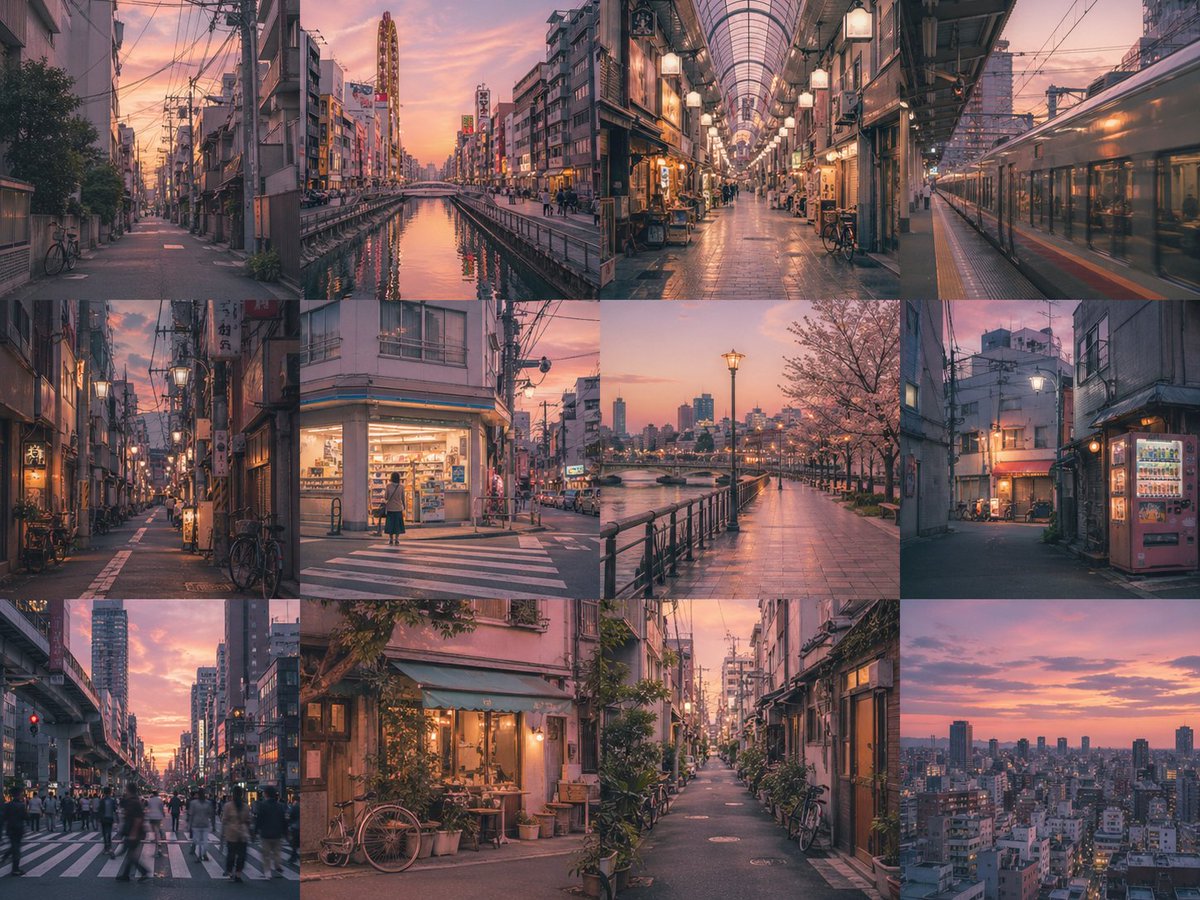
AI-generated 4x3 Borderless Grid Where Each Panel Is an Independent Image of the a Young Woman made with GPT Image 2

4x3 Borderless Grid Where Each Panel Is an Independent Image of the a Young Woman

GPT Image 2· Image
Create a {argument name="grid layout" default="4x3"} borderless grid where each panel is an independent image of the {argument name="subject" default="a young woman"}. Maintain strong subject consistency across all panels, with consistent color and lighting. Depict {argument name="theme" default="childhood memories"} with a {argument name="mood" default="warm, nostalgic"} mood in {argument name="style" default="nostalgic cinematic realism"} style. No text. No gap.
@aimikoda

What Are Storyboard AI Prompts?

Storyboard prompts are AI prompts for quickly visualizing scene flow and shot composition during video, ad, and webtoon planning. In Carat, you can generate storyboard sheets with models like GPT Image 2, then keep going with follow-up work such as editing the result, changing the aspect ratio, adding shots, or converting to video.

Where You'll Use It

  • Video and ad storyboard sheets
  • Shot-by-shot breakdowns
  • Camera angle and blocking plans
  • Webtoon and anime direction boards
  • Visuals for pitches and proposals

Why This Tag Is Useful

A storyboard is less about one beautiful frame and more about how shots connect, the camera directions, and the order of scenes. When choosing a prompt, look first for examples that show the shot layout, aspect ratio, direction labels, and number of panels.

Tips for Building Your Prompt

  1. Decide the story, number of shots, and ratio first.
  2. For each shot, spell out the angle, blocking, character positions, and key action.
  3. If needed, separate out direction text, numbering, and caption areas.
  4. After generating, review the shot order, text errors, and consistency.

In Carat, you can add more shots from the board, or convert a scene you like into video to move into actual production.

Frequently Asked Questions

Related Prompts

Food Photo

Food Photo

7 prompts

Vlog Thumbnail

Vlog Thumbnail

2 prompts

Webtoon

Webtoon

6 prompts

Music Video

9 prompts

Carat Prompt Gallery

Create trending AI prompts instantly

Prompts

  • Logo
  • PPT Design
  • Thumbnail
  • Poster
  • Web Novel Cover
  • ID Photo
  • Caricature
  • Product Detail Page
  • Banner

Models

  • GPT Image 2
  • Seedance 2.0
  • NanoBanana Pro
  • NanoBanana 2

Carat

  • Get started
  • About
  • Blog
  • Careers
  • Contact
  • Partnership
  • Terms
  • Privacy

© 2026 Paradot.Inc All rights reserved.