carat

Prompt Gallery

/

TV & Variety

Login
Sign Up

TV & Variety

AI prompts ready for TV and variety-show style visuals. Quickly create news interviews, variety captions, and music or survival stage scenes.

2026.05.22

·
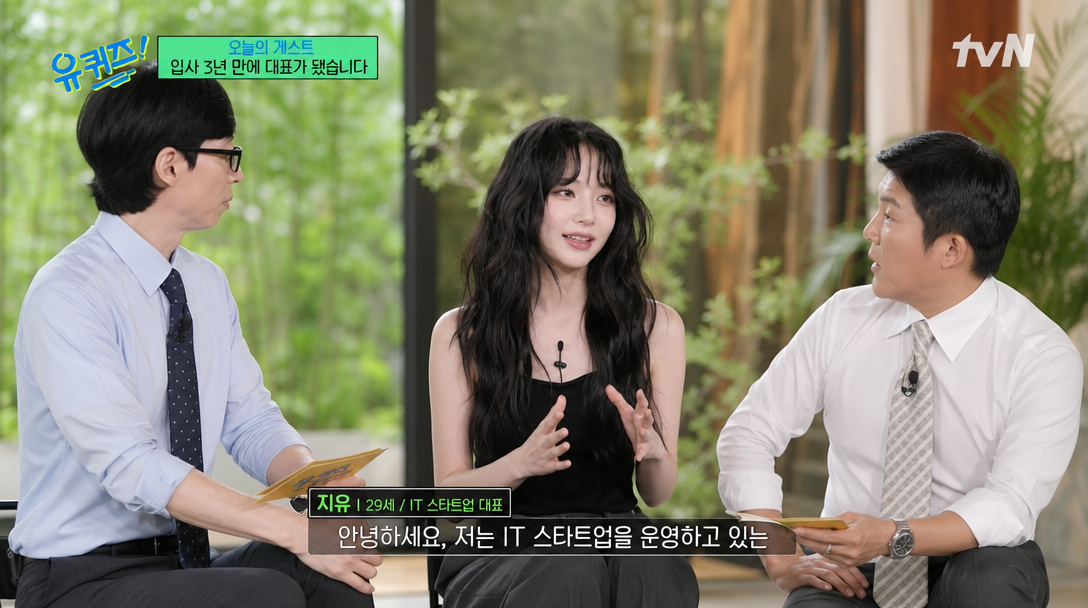
AI-generated You Quiz Talk Show Guest Shot made with GPT Image 2

You Quiz Talk Show Guest Shot

GPT Image 2· Image
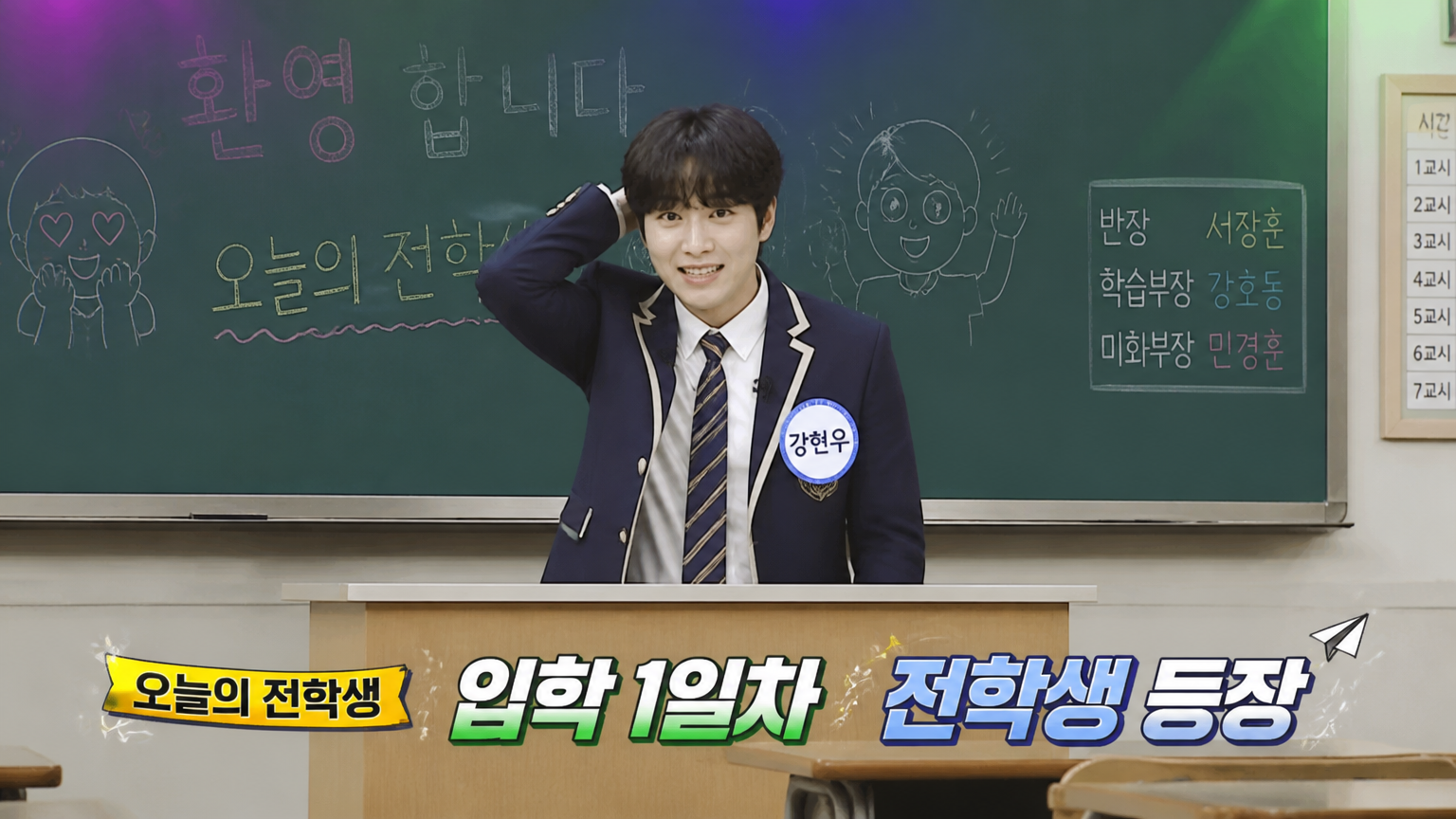
Use the uploaded reference image ONLY as a facial identity anchor. The clothing as shown in the reference image. Replicate the clothing style, color, texture, and layers precisely. Do not change or replace their clothes. Create an ultra-realistic broadcast screenshot of this person as a guest on 유퀴즈 온 더 블럭 (You Quiz on the Block), the tvN talk show. The guest (this person) is seated in the center between two male hosts in the classic 유퀴즈 three-person setup. They are in a natural conversational seated posture, body facing slightly toward one host, back straight, hands on lap or gesturing while talking. They have a warm, natural smile while speaking. A small black lavalier microphone is clipped to their collar. The guest must look naturally proportioned and seamlessly integrated with the two hosts — same scale, same lighting, same depth of field. Use the authentic 유퀴즈 온 더 블럭 visual style for everything — set background, lighting, graphic overlays, subtitle format, and guest introduction tag. Replicate the show format as accurately as possible. The episode topic is about the guest becoming a CEO: 입사 3년 만에 대표가 됐습니다. 16:9 horizontal HD broadcast composition, natural skin texture.
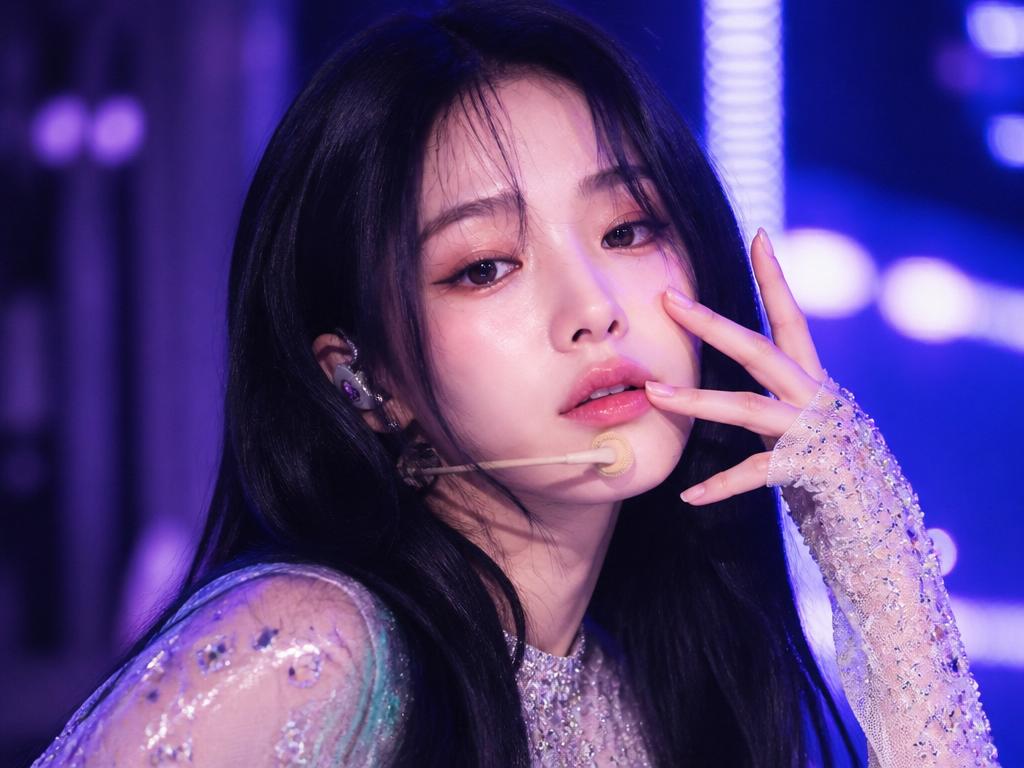
AI-generated Music Show One-Shot Stage

Music Show One-Shot Stage

GPT Image 2· Image
Use the uploaded portrait as the identity reference. Create a realistic Korean music show close-up camera shot, like the person is an idol captured during a live performance one-shot. Preserve facial identity. High-quality broadcast stage image, close-up upper body framing, glossy stage makeup, confident eye contact, one hand near face in a clean performance pose, wireless in-ear monitor, sparkling stage outfit, purple and blue LED lights, shallow depth of field, broadcast camera sharpness, subtle motion blur from performance, music show thumbnail energy. Horizontal 16:9 broadcast composition. No readable text, no logos.
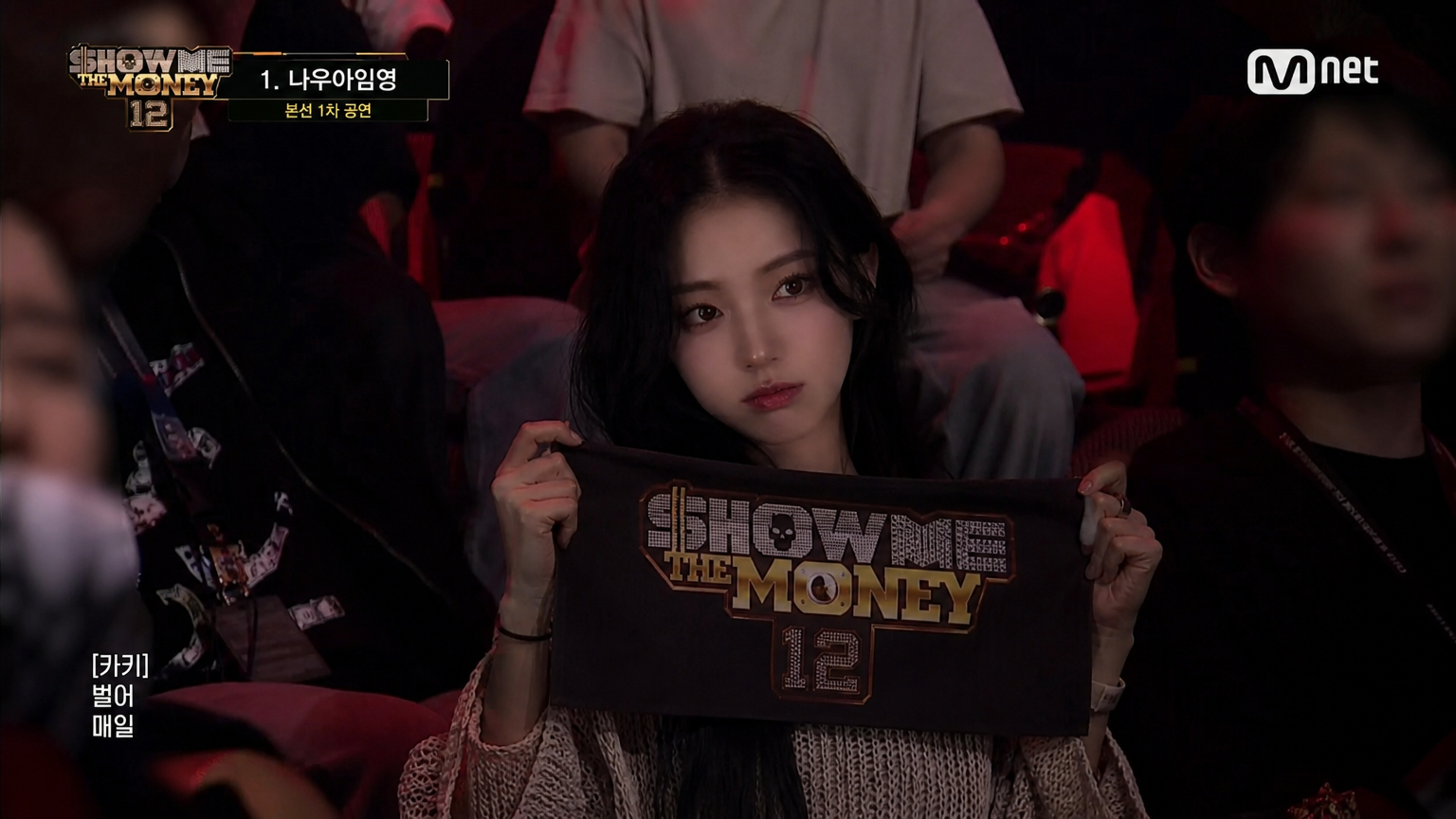
AI-generated Show Me The Money Audience Shot

Show Me The Money Audience Shot

GPT Image 2· Image
좌측 상단에 "1. [래퍼이름]" 자막 표시, 업로드한 인물 사진을 기반으로 한국 힙합 서바이벌 프로그램 SHOW ME THE MONEY 12 관객석 장면처럼 연출해주세요. 실제 방송 캡처 같은 리얼한 무드, 인물이 관객석 정가운데에 자연스럽게 잡힌 장면, 양손으로 SHOW ME THE MONEY 슬로건을 들고 응원하는 모습, 좋아하는 래퍼 무대를 보며 살짝 설레거나 집중한 표정, 주변 관객들은 흐릿하거나 어둡게 보여 메인 인물이 강조되게, 공연장 특유의 붉고 어두운 조명, 실제 방송국 중계 카메라 느낌, 살짝 거친 방송 압축 화질, 상단에는 SHOW ME THE MONEY 12 스타일 방송 UI, 얼굴은 업로드한 인물과 동일 인물처럼 유지, 과한 화보 느낌 금지, 16:9 화면 비율.
AI-generated Show Me The Money First Audition Scene

Show Me The Money First Audition Scene

GPT Image 2· Image
[자막 내용], "[원하는 자막 입력]", 업로드한 인물 사진을 기반으로 한국 힙합 서바이벌 프로그램의 1차 예선 무대 현장처럼 연출해주세요, SHOW ME THE MONEY 12 스타일의 실제 방송 캡처 느낌, 참가자가 카메라를 향해 랩하는 순간, 한 손으로 제스처를 하며 자신감 있는 표정, 목에 헤드폰 착용, 뒤에는 참가자들과 스태프들이 자연스럽게 서 있는 대기장 분위기, 실내 체육관 느낌의 넓은 오디션 무대, 차가운 블루톤 조명과 방송 카메라 색감, 살짝 거친 방송 압축 화질과 실제 TV 캡처 느낌, 상단 좌측에는 힙합 서바이벌 프로그램 느낌의 로고 UI, 하단에는 한국 예능 스타일 자막 배치, 자막 폰트는 흰색 텍스트와 얇은 검정 테두리, 얼굴은 업로드한 인물과 동일 인물처럼 유지, 인플루언서 화보 느낌 금지, 너무 AI스럽거나 과한 피부보정 금지, 실제 방송국 카메라로 찍은 듯한 현실감, 참가자는 전신이 자연스럽게 보이게, 팔 손 다리 정상적으로 표현, 실제 방송 화면 같은 분위기 강조, 16:9 화면 비율
AI-generated Show Me The Money Elimination Scene

Show Me The Money Elimination Scene

GPT Image 2· Image
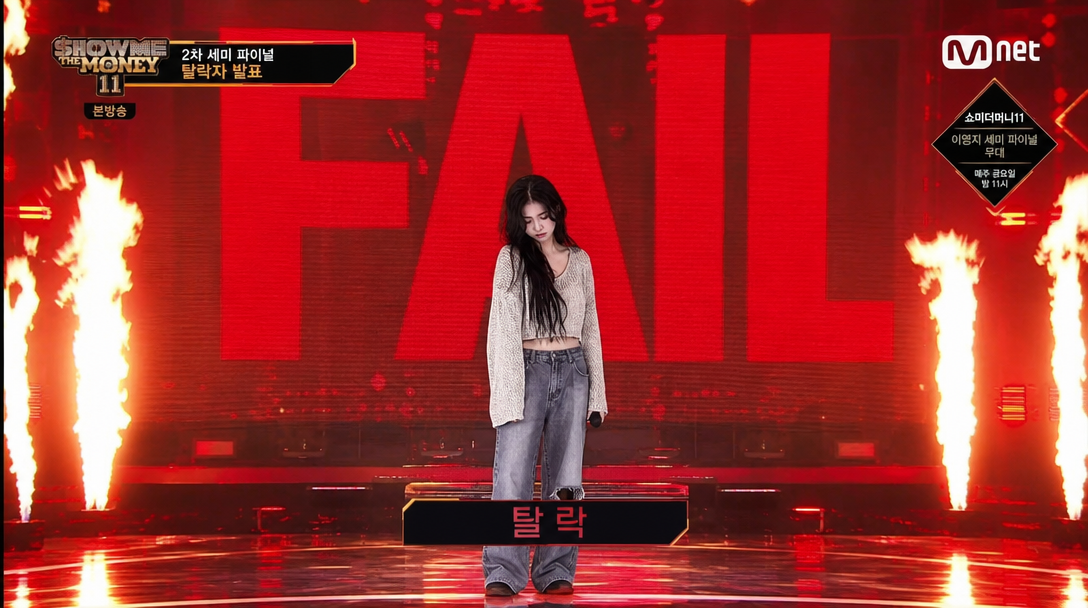
[탈락 자막], "[이름] 탈락", 업로드한 인물 사진을 기반으로 한국 힙합 서바이벌 프로그램 2차 예선 탈락 무대처럼 연출해주세요, SHOW ME THE MONEY 12 스타일의 실제 방송 캡처 느낌, 참가자가 무대 중앙에서 결과를 듣고 아쉬워하는 순간, 뒤 대형 전광판에는 거대한 "FAIL" 텍스트, 바닥 양옆으로 강한 불기둥과 화염 연출, 붉은 조명과 뜨거운 화염 반사광, 실제 방송국 카메라 느낌의 거친 화질, 공연장 구조와 관객석도 실제 방송처럼 자연스럽게 배치, 상단에는 힙합 서바이벌 프로그램 스타일 방송 UI, 하단에는 한국 예능 스타일 탈락 자막 배치, 참가자는 고개를 살짝 숙이거나 허탈한 표정, 힘 빠진 자세와 무대 직후 같은 현실적인 감정 표현, 과한 연출보다 실제 방송 캡처 같은 분위기 강조, 16:9 화면 비율, 얼굴은 업로드한 인물과 동일 인물처럼 유지, AI 피부보정 금지, 인플루언서 화보 느낌 금지, 실제 사람 피부결과 방송 조명 느낌 유지, 참가자는 전신이 자연스럽게 보이게, 팔 손 다리 정상적으로 표현, 실제 방송 화면처럼 현실감 있게
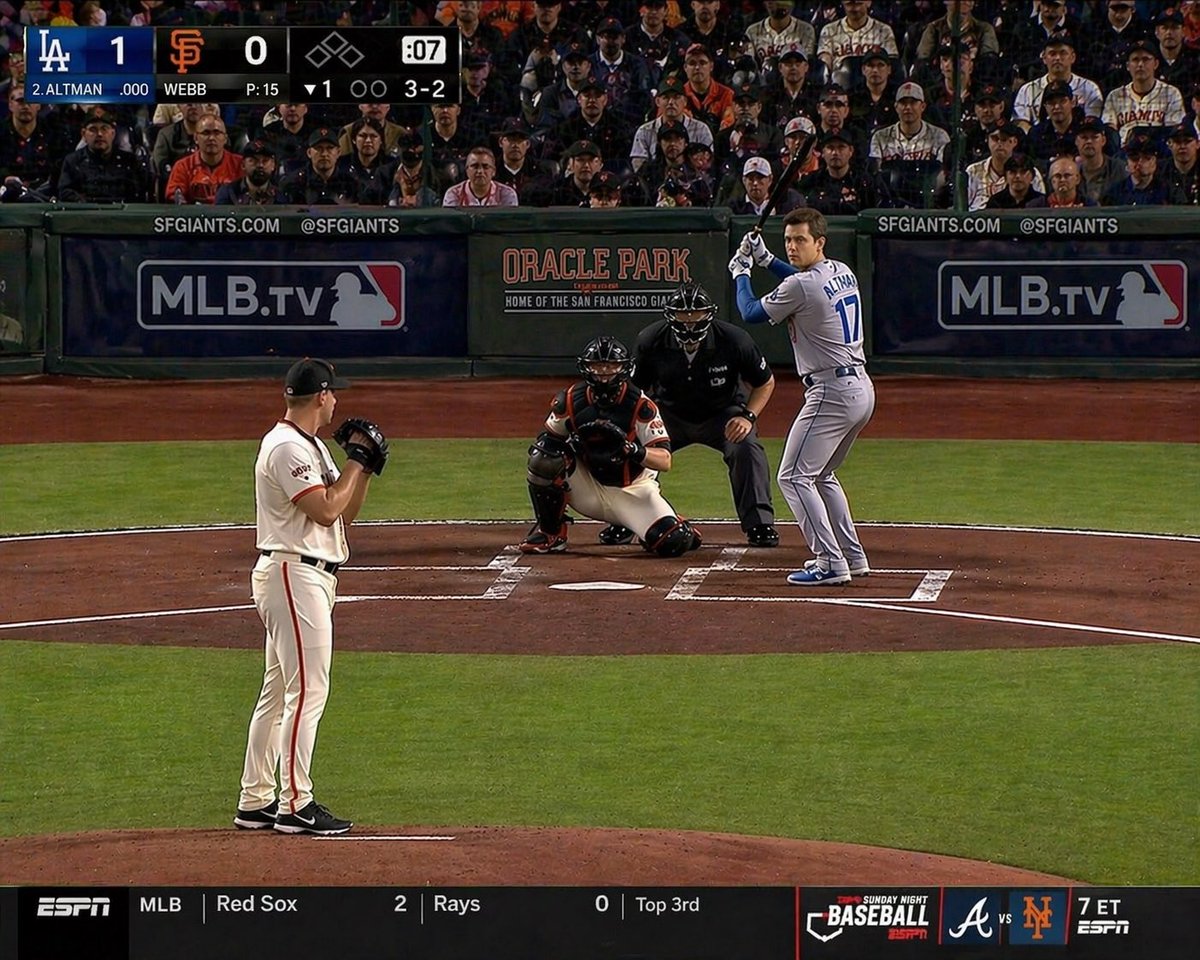
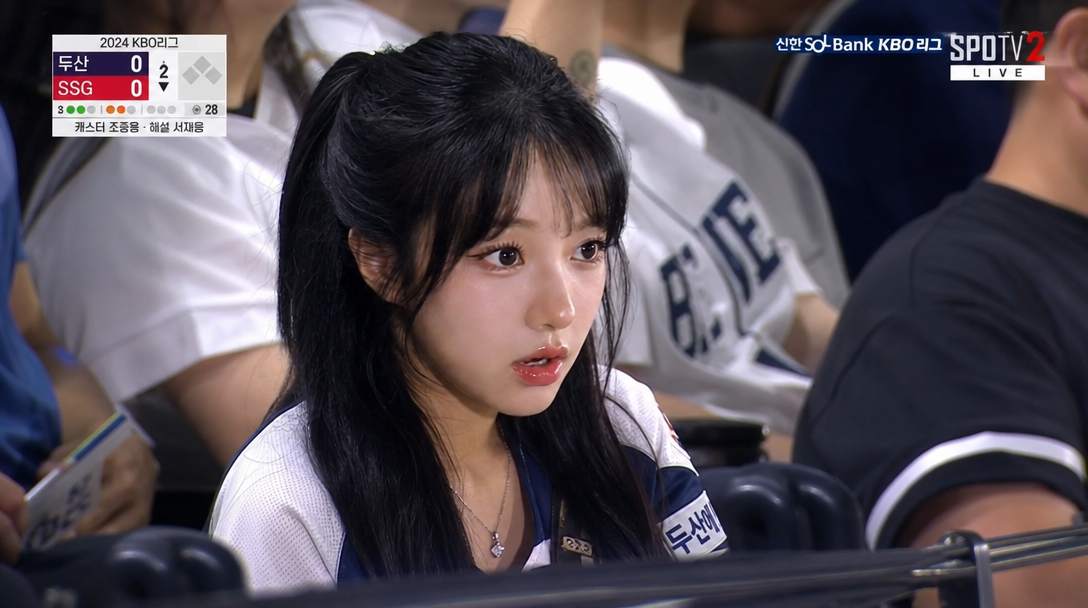
AI-generated Baseball Batter TV Broadcast Frame made with GPT Image 2

Baseball Batter TV Broadcast Frame

GPT Image 2· Image
The uploaded person is posing like a Major League Baseball batter ready to swing. The composition should look like a typical TV broadcast frame.
@16kthir0GRXgNqn
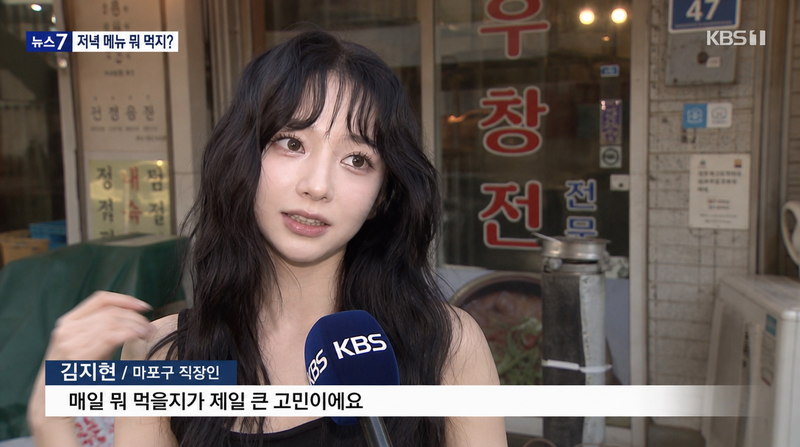
AI-generated Korean Street News Interview Shot

Korean Street News Interview Shot

GPT Image 2· Image
Use the uploaded reference image ONLY as a facial identity anchor. Preserve exact facial identity. Do NOT replicate the pose, angle, body position, or composition from the reference image. The person MUST wear the exact same outfit and clothing as shown in the reference image. Create an ultra-realistic screenshot of this person being interviewed on the street by a Korean TV news crew, in a typical Korean TV news vox pop street interview. The person is standing outdoors in front of a small Korean restaurant storefront, turned slightly toward an off-screen interviewer, shot from a 3/4 angle. A broadcast microphone with a mic flag is visible in the lower foreground. Use the typical Korean TV news street interview visual format — lower-third name bar and subtitle style. The person’s name is 김지현 / 마포구 직장인, and they are saying: 매일 뭐 먹을지가 제일 큰 고민이에요. Outfit-based season: infer summer/winter street background from the clothing.
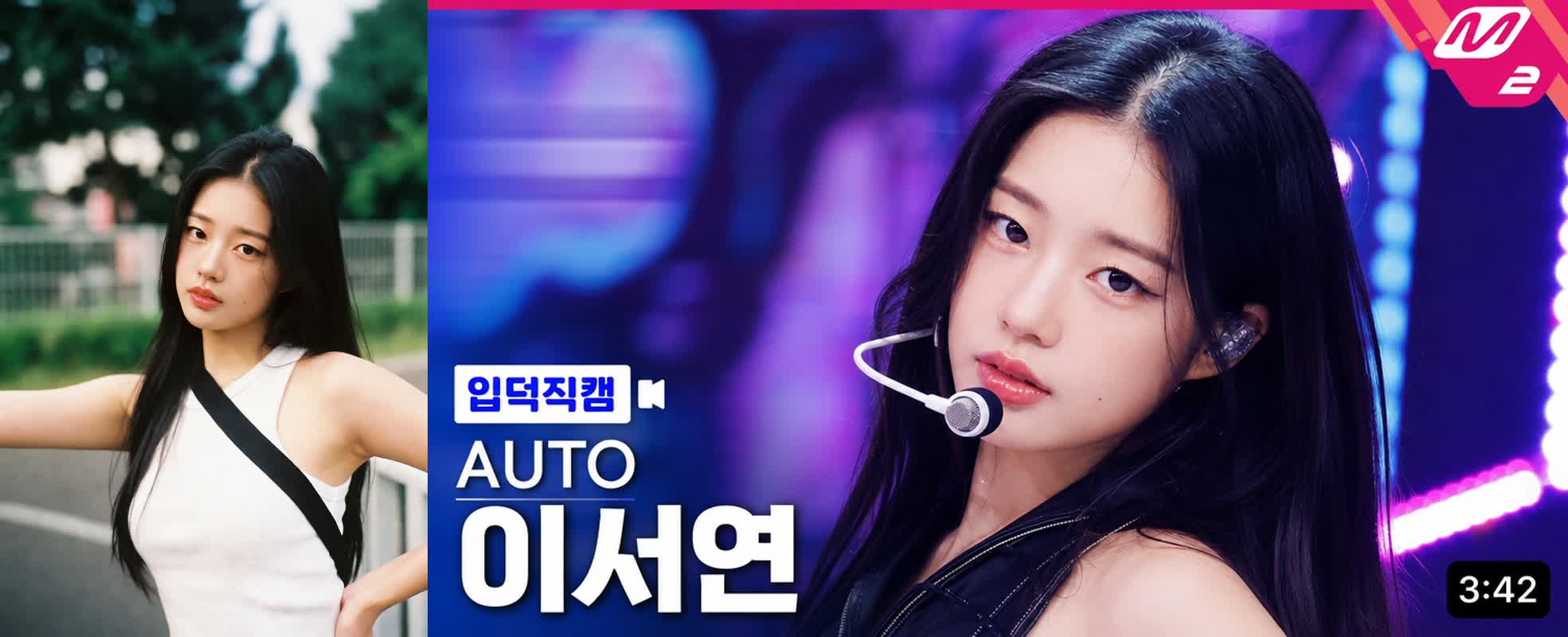
AI-generated K-pop Idol Fancam Thumbnail

K-pop Idol Fancam Thumbnail

GPT Image 2· Image
[GROUP_NAME: AUTO] [MEMBER_NAME: AUTO] [TOP_RIGHT_BADGE_TEXT: M2] Use the uploaded portrait as a reference for the subject’s overall vibe and impression. Create a high-quality K-pop music show fancam thumbnail in a horizontal 16:9 format. The person should appear as the clear main subject in a large close-up composition. The final image should feel like a bright, polished, highly clickable YouTube music show thumbnail. The bottom-left label text must always be “입덕직캠”. The video duration in the bottom-right corner should be automatically generated as a natural random time between 3:00 and 5:00. The stage concept, lighting, and facial expression should be automatically chosen based on the subject’s vibe.
AI-generated Dating Reality Show Arrival Cut made with GPT Image 2

Dating Reality Show Arrival Cut

GPT Image 2· Image
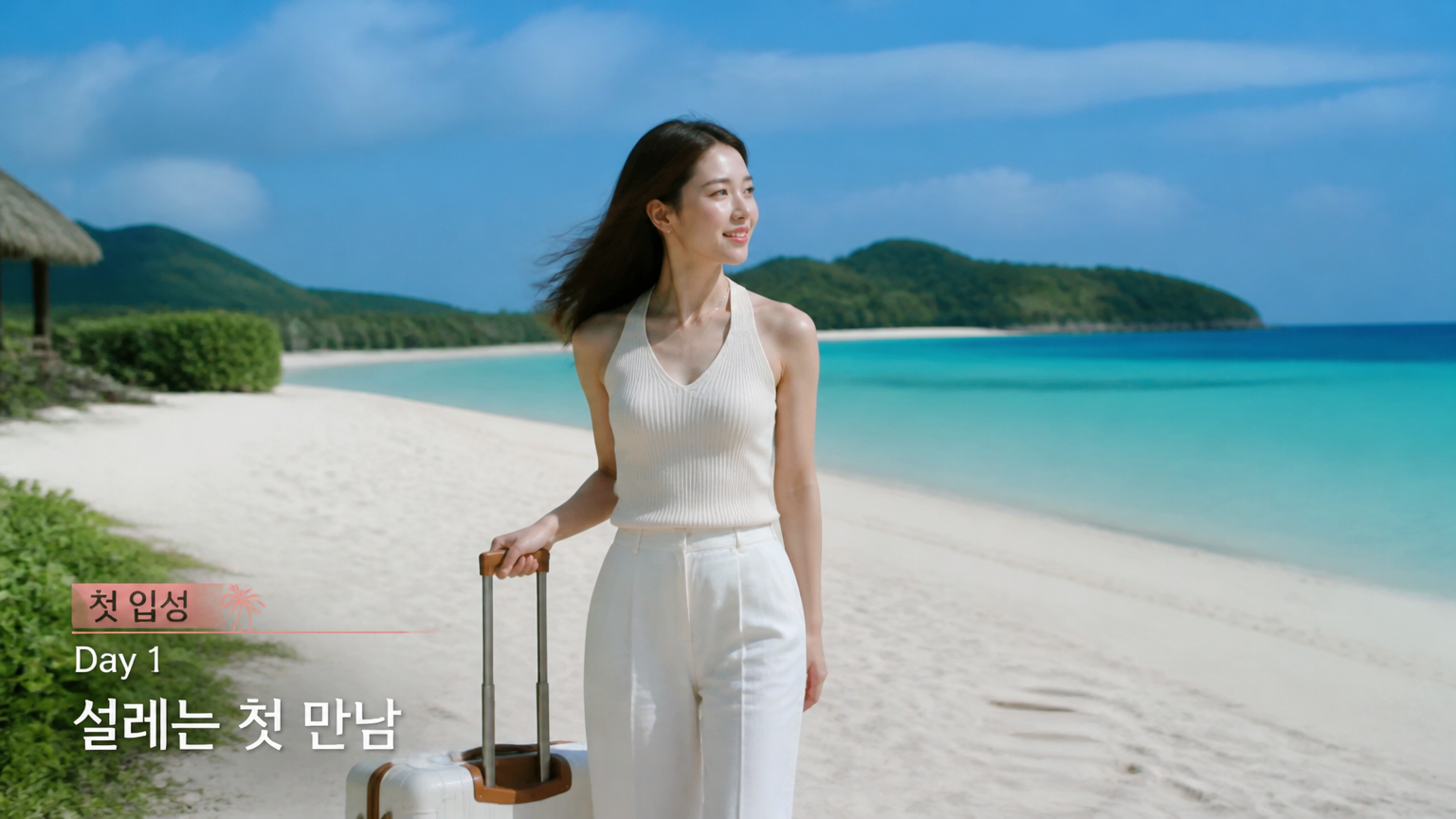
첨부된 인물 사진을 참고해서 한국 연애 리얼리티 예능의 첫 입성 장면처럼 만들어줘. 얼굴, 체형, 헤어 정체성은 유지하고, 밝은 무인도 해변에 도착한 출연자처럼 자연스럽게 연출해줘. 손에는 작은 캐리어나 여행 가방을 들고, 비치웨어 또는 가벼운 여름 캐주얼룩을 입은 모습. 맑은 바다, 하얀 모래, 먼 섬, 바닷바람에 움직이는 머리카락과 옷자락, 청량하지만 약간 긴장감 있는 방송 캡처 톤으로 구성해줘. 화면에는 짧은 예능 자막 '첫 입성', 'Day 1', '설레는 첫 만남'만 넣고, 실제 프로그램 로고나 방송사 로고, 워터마크는 넣지 마.
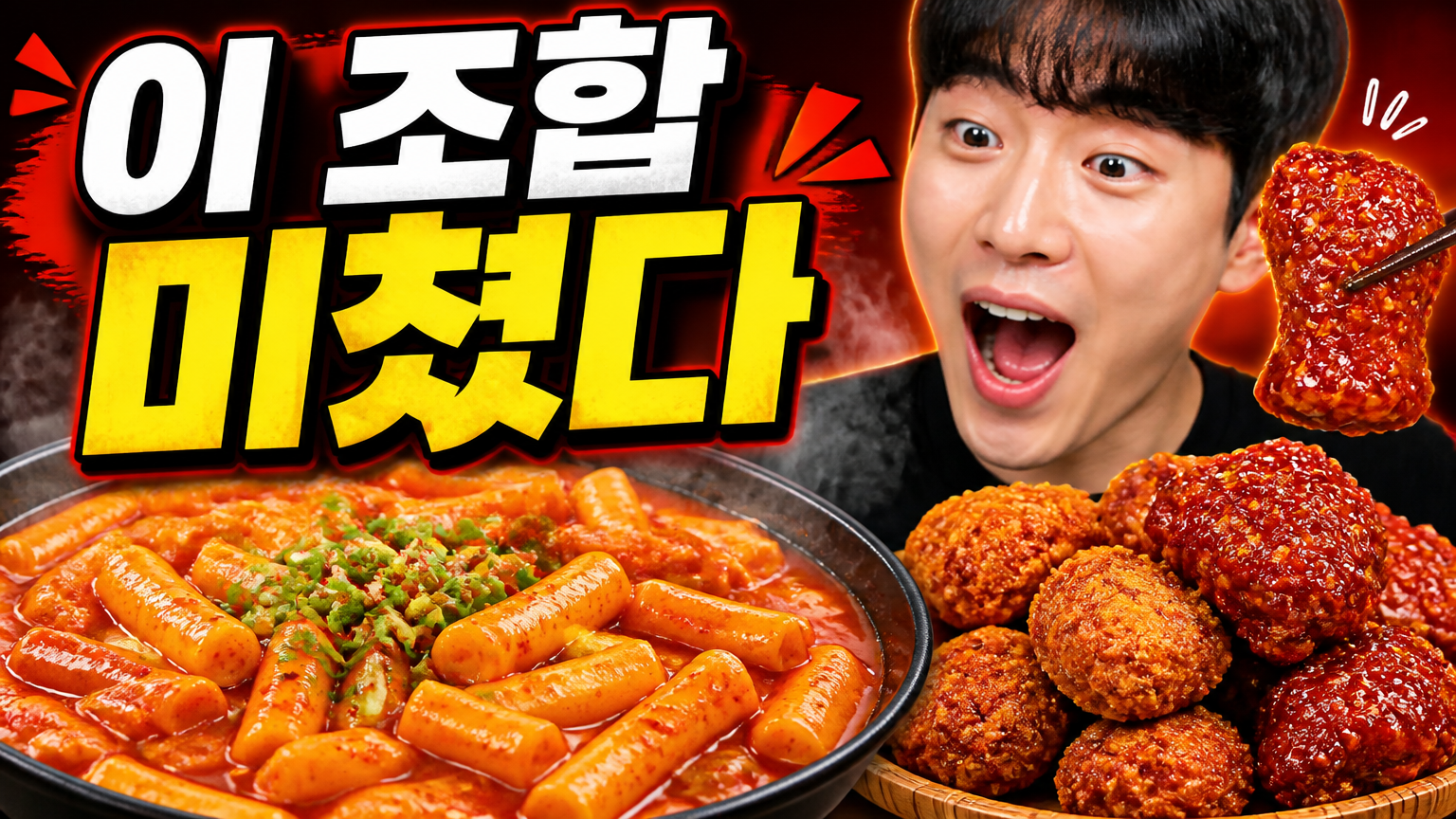
AI-generated Mukbang Thumbnail made with GPT Image 2

Mukbang Thumbnail

GPT Image 2· Image
먹방 영상용 썸네일을 만들어줘. 큰 한글 카피 '이 조합 미쳤다'가 잘 읽히게 넣고, 매콤한 떡볶이와 치킨 클로즈업, 신난 표정의 인물, 레드/오렌지 계열의 먹음직스러운 색감, 김이 나는 효과, 굵은 흰색/노란색 타이포를 활용해 16:9 썸네일로 구성해줘.
AI-generated Survival Drama Still made with GPT Image 2

Survival Drama Still

GPT Image 2· Image
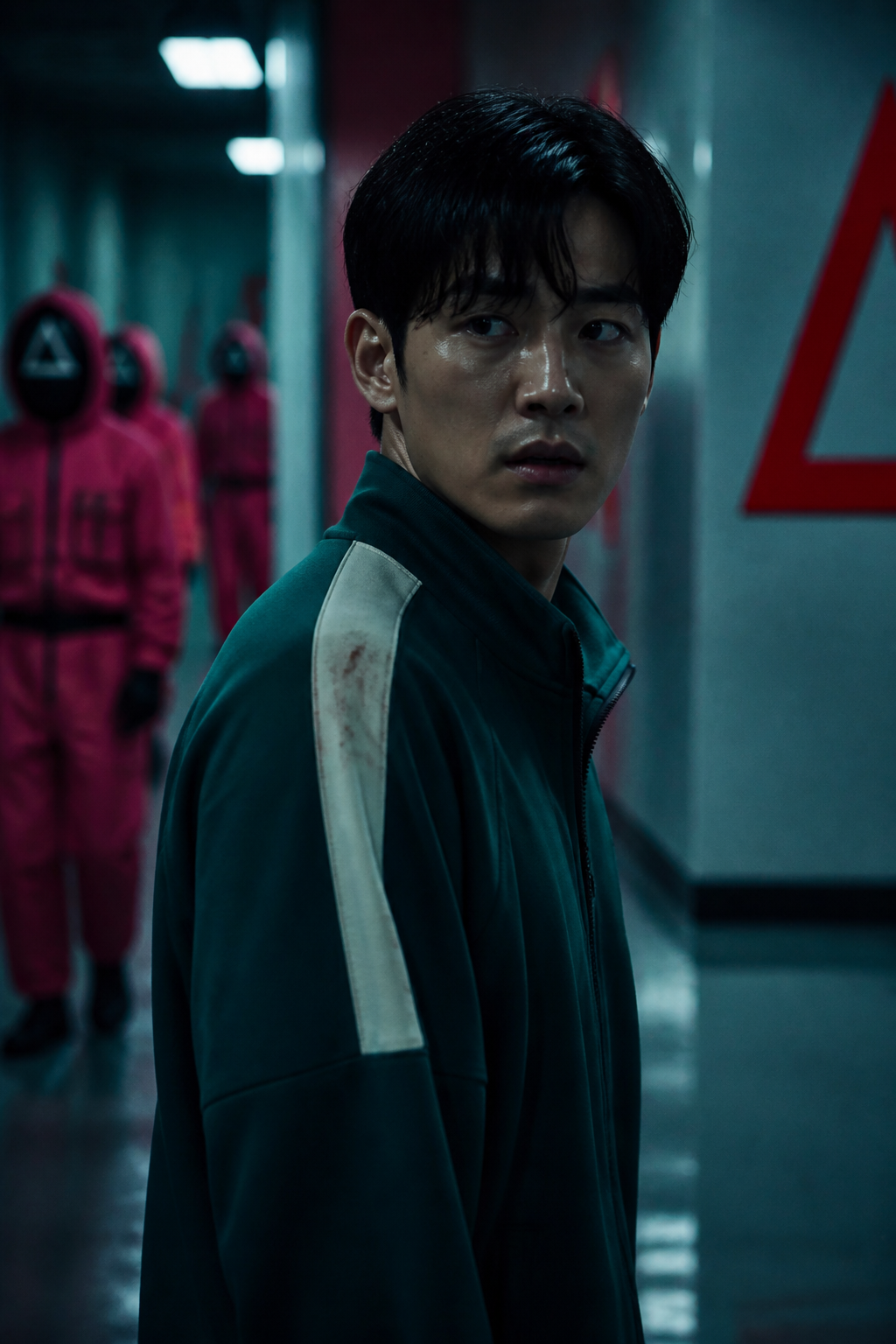
첨부된 인물 사진을 참고해서 한국 서바이벌 드라마의 한 장면처럼 변환해줘. 인물의 얼굴 특징과 정체성은 유지하고, 초록색 트레이닝복, 긴장감 있는 게임장 복도, 뒤쪽의 핑크색 경비원 실루엣, 차가운 형광등, 측면광, 얕은 심도를 사용해줘. 기존 작품의 정확한 로고나 번호, 실제 배우 얼굴은 사용하지 말고, 포스터가 아니라 드라마 스틸컷처럼 보이게 만들어줘.
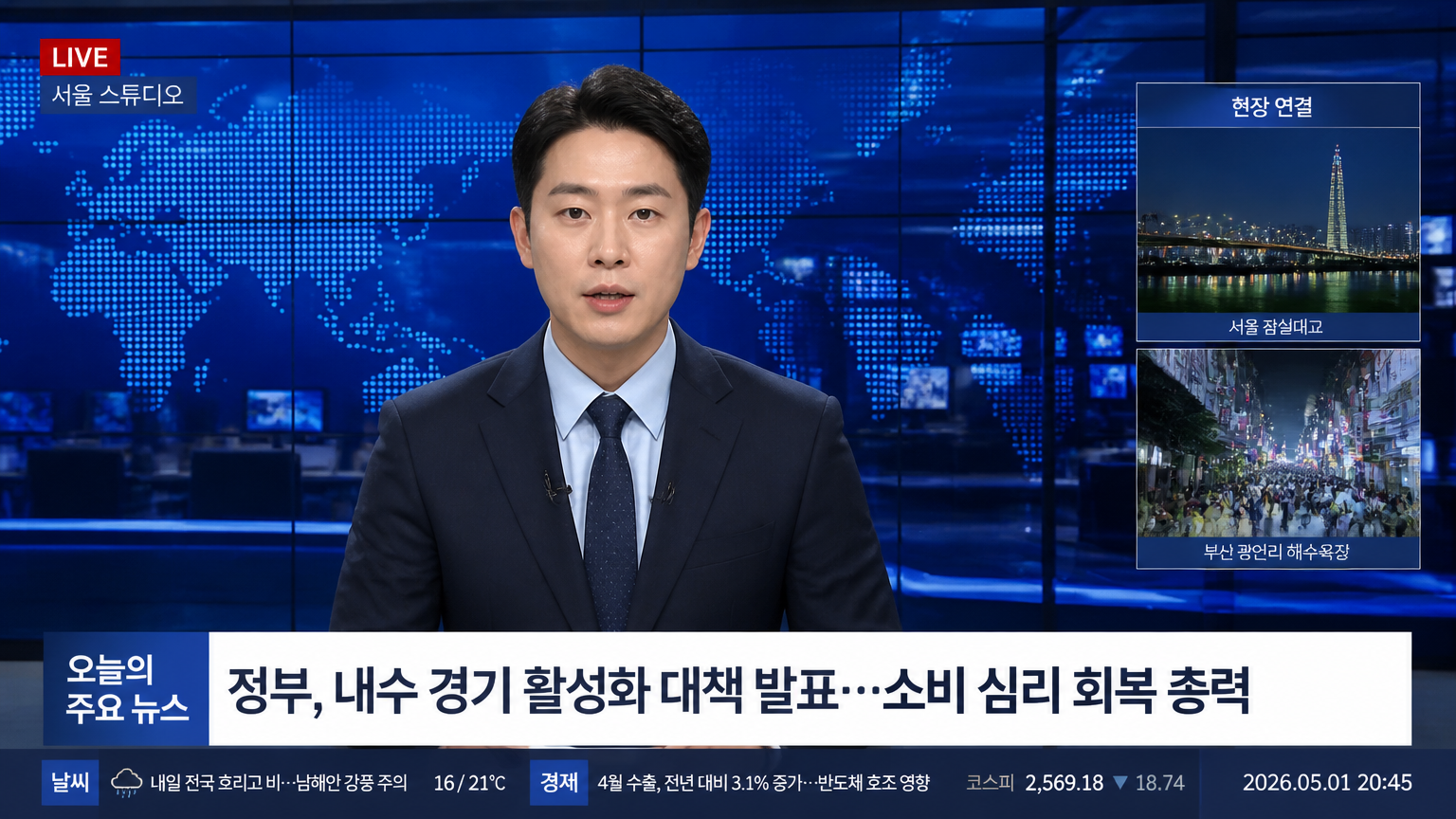
AI-generated News Anchor Interview Screen made with GPT Image 2

News Anchor Interview Screen

GPT Image 2· Image
첨부된 인물 사진을 참고해서 16:9 TV 뉴스 인터뷰/앵커 화면처럼 만들어줘. 인물은 짙은 남색 정장 재킷과 연한 하늘색 셔츠를 입고, 차분한 앵커 표정으로 중앙에 배치해줘. 배경은 파란색 뉴스 스튜디오, 세계지도 LED 월, 유리 반사, 모니터, 방송 그래픽이 있는 현대적인 뉴스룸으로 구성해줘. 하단에는 뉴스 lower-third와 티커를 넣고, '오늘의 주요 뉴스', 'LIVE', '서울 스튜디오', '현장 연결', '날씨', '경제', '2026.05.01 20:45' 같은 짧은 한글 문구가 읽히게 해줘. 실제 방송사 로고나 워터마크는 넣지 마.

What Are TV & Variety AI Prompts?

TV and variety prompts help you quickly create images that look like real broadcasts — news, talk shows, music shows, and survival programs. In Carat you can generate images with models like GPT Image 2, then refine the result by changing the aspect ratio, removing the background, or upscaling.

Where You'll Use It

  • News and anchor screens
  • Talk show and interview shots
  • Variety captions and on-screen graphics
  • Broadcast-capture style portraits
  • Music show and survival stage scenes

Why This Tag Is Useful

Broadcast images depend on captions, logos, color, and that compressed on-air feel. Because news differs from variety, starting from an example with a clear broadcast type helps you find direction fast. When choosing a prompt, look for examples that show the broadcast type, caption layout, color, and camera feel together.

Tips

  1. Decide the broadcast type and aspect ratio (usually 16:9) first.
  2. Describe captions, logos, lower-third graphics, and color concretely.
  3. If needed, separate the channel look, compressed quality, and camera angle.
  4. After generating, review caption typos and any portrait or copyright issues.

In Carat you can run a prompt, then keep editing the result you like — change the aspect ratio, remove the background, or upscale it.
Frequently Asked Questions

Related Prompts

Food Photo

Food Photo

7 prompts

Vlog Thumbnail

Vlog Thumbnail

2 prompts

Webtoon

Webtoon

6 prompts

Music Video

9 prompts

Carat Prompt Gallery

Create trending AI prompts instantly

Prompts

  • Logo
  • PPT Design
  • Thumbnail
  • Poster
  • Web Novel Cover
  • ID Photo
  • Caricature
  • Product Detail Page
  • Banner

Models

  • GPT Image 2
  • Seedance 2.0
  • NanoBanana Pro
  • NanoBanana 2

Carat

  • Get started
  • About
  • Blog
  • Careers
  • Contact
  • Partnership
  • Terms
  • Privacy

© 2026 Paradot.Inc All rights reserved.