본문으로 건너뛰기

강아지 항공샷
위에서 내려다본 강아지 사진과 감성적인 펫 이미지 제작에 바로 쓸 수 있는 강아지 항공샷 AI 프롬프트. 항공샷 강아지 사진, 산책 장면, 감성 펫 SNS 이미지를 빠르게 만들 수 있습니다.
2026.05.22
「강아지 항공샷」 원하는 대로 직접 만들어보세요「강아지 항공샷」 직접 만들어보세요
대화로 요청만 하면 최적화된 이미지·영상을 만들어줘요
매일 무료 100크레딧으로 바로 시작
·
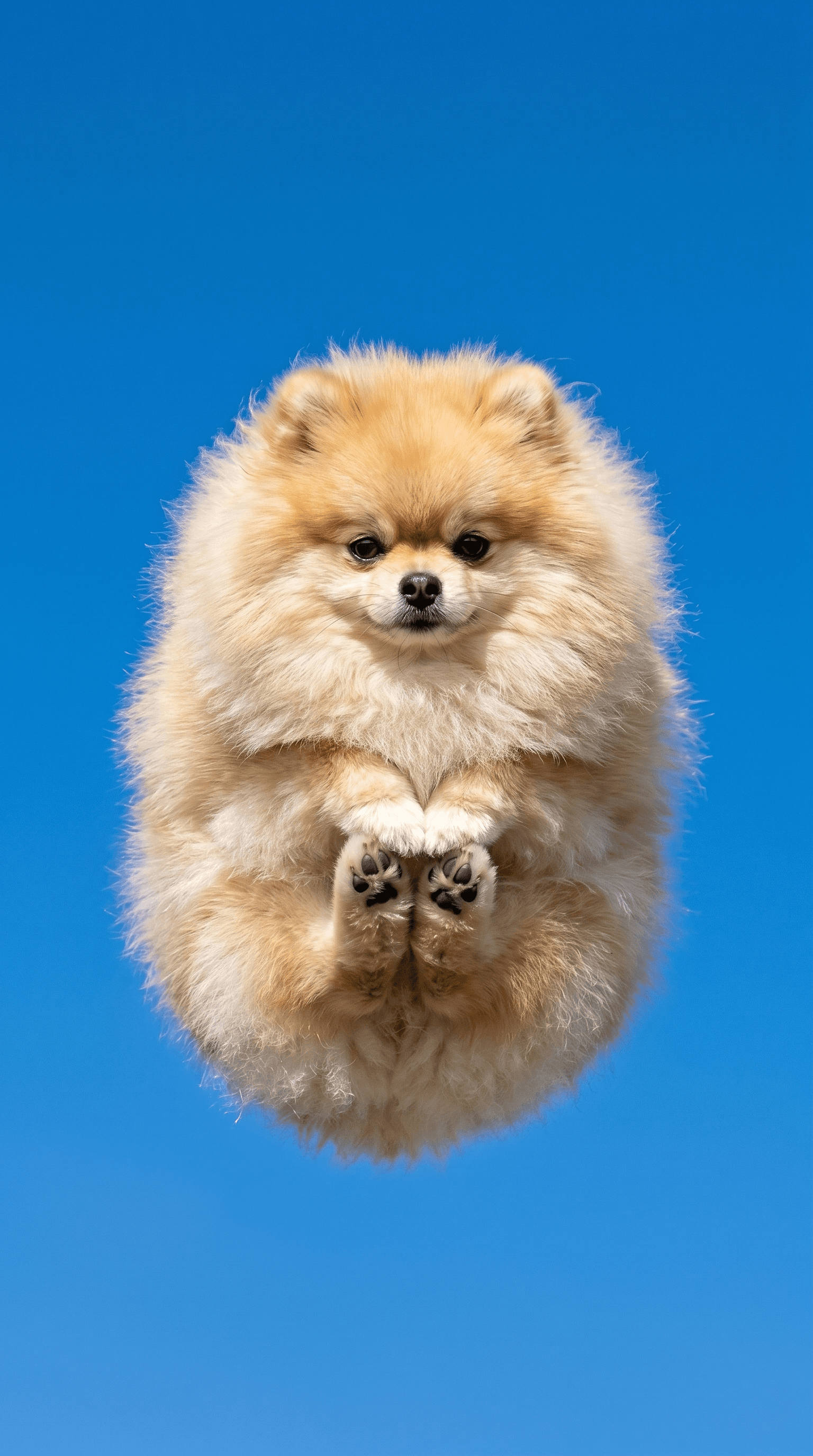
로켓발사 강아지 항공샷
GPT 이미지 2· 이미지
Two images attached: Image 1: The dog (use ONLY for face/fur/identity). Image 2: The pose/composition/background (replicate this pose EXACTLY). Mission: Place the dog from Image 1 into the exact position of the dog in Image 2. Keep Image 2's pose, angle, background, lighting, and atmosphere 100% intact. POSE: The dog is curled up into a small ball-like static pose, like a rocket ready for launch. All four legs gathered under the body, NOT spread out. Front paws tucked under chest with paw pads facing the camera. Back paws pulled under the body, barely visible. Head slightly tucked downward looking at the camera. Ears hanging calmly to the sides. EXPRESSION: A determined, brave, ready-for-launch expression — like a tiny astronaut dog about to be deployed on a mission. Eyes sharp and focused, alert but not shocked. Mouth gently closed, calm but resolute, mission-focused, serious. Absolutely forbidden: Superman pose, jumping/flying/diving poses, legs extended outward, clothing, hat, plaid pattern, collar, accessories, plush texture, blank expression, sleepy eyes, smiling face, scared face. Quality: 8K photograph, DSLR realism, National Geographic animal photography style. Background: blue sky only. Preserve the dog's identity from Image 1 exactly.
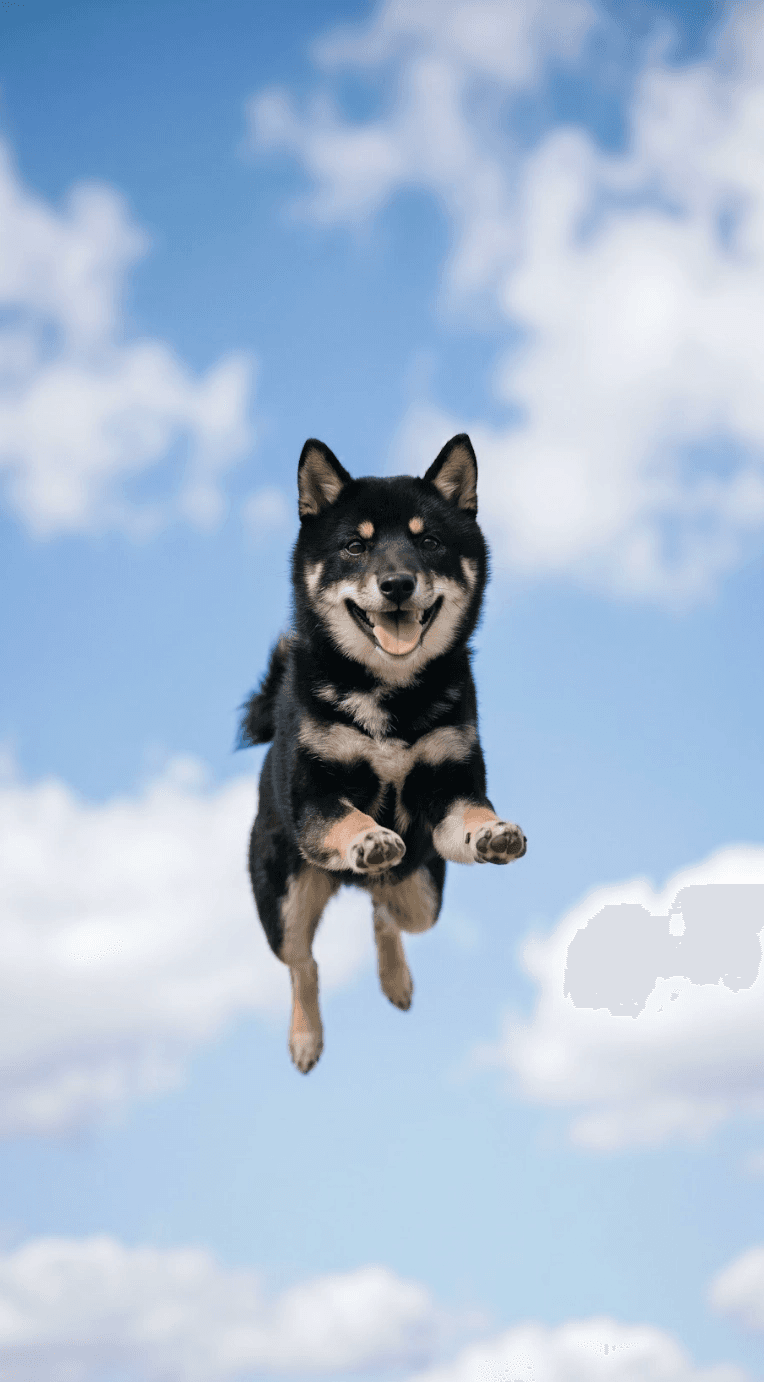
강아지 항공샷 둥실 점프
GPT 이미지 2· 이미지
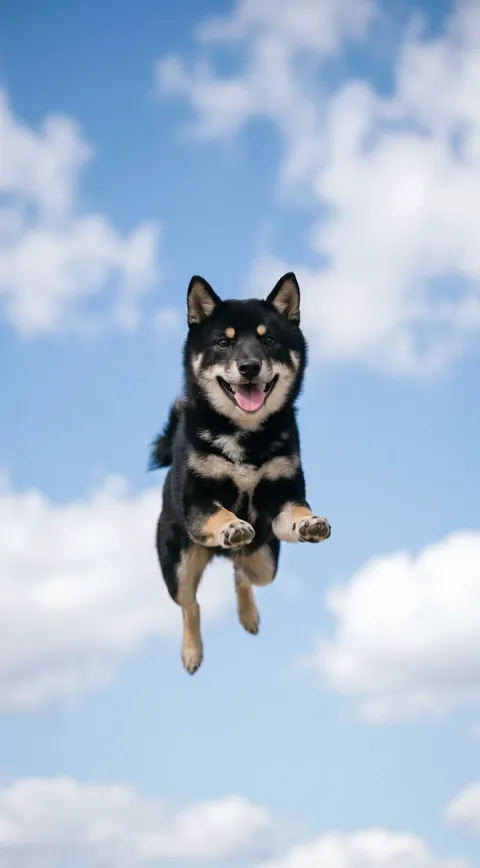
Based on the uploaded dog photo, generate an ultra-photorealistic image while preserving the same face and fur characteristics. A short, chubby, fluffy ball-shaped dog freely floating in the sky, captured from a low-angle looking up. Natural jump posture with slightly relaxed front and hind legs — no forced or stiff pose, just a soft and effortless mid-air float. Slightly open mouth with tongue gently out, happy and excited expression. Background: clear blue sky with only a few soft white clouds — clean and minimal. Ultra photorealistic, realistic candid photography, DSLR or iPhone photo aesthetic, natural lighting, realistic fur texture. No AI art style, no 3D rendering, no character stylization. Should feel exactly like a real viral candid dog photo.
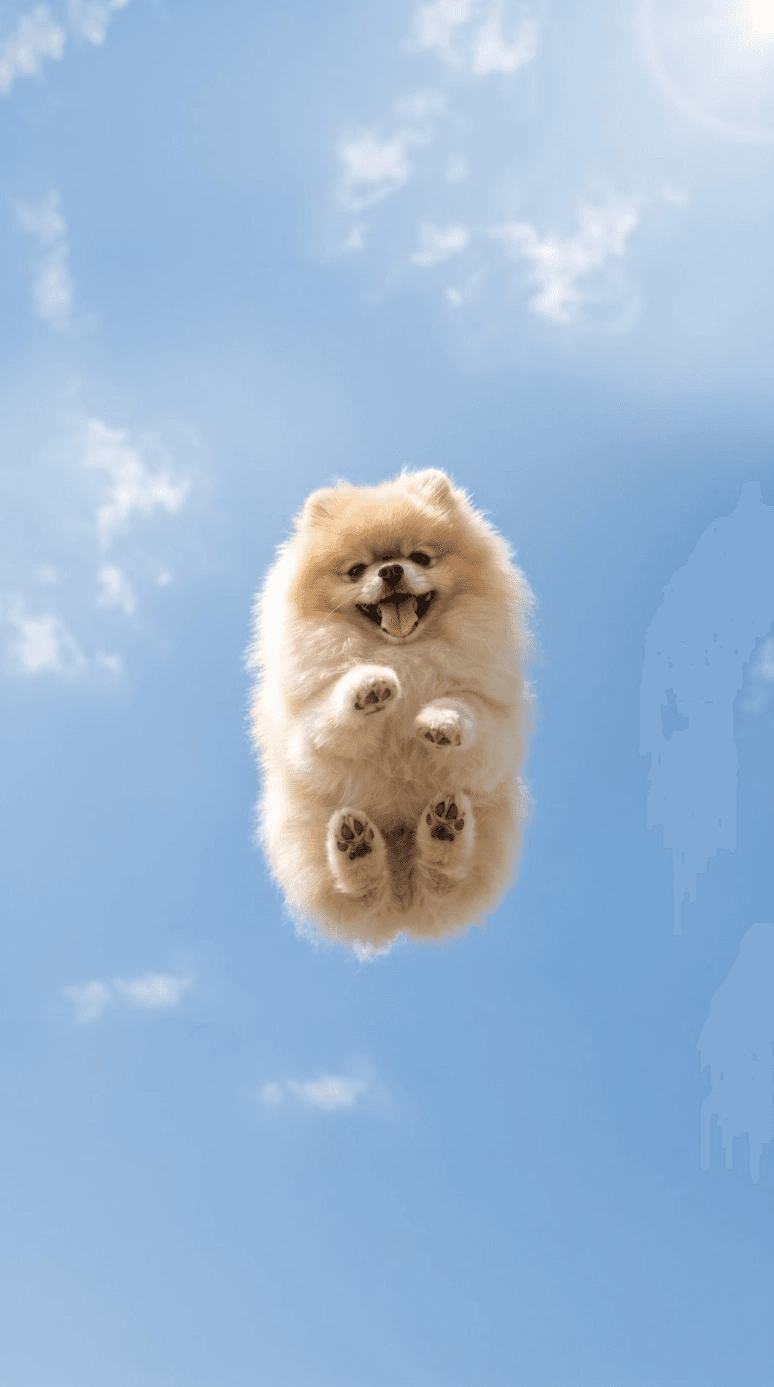
강아지 항공샷
GPT 이미지 2· 이미지
Based on the uploaded dog photo, generate an ultra-photorealistic image while preserving the exact same face, fur color, eye shape, and ear shape. A small, chubby, compact dog caught mid-jump in the air, shot from a low-angle perspective looking up from below. The camera is positioned slightly far away — the dog appears small in the center of the frame, surrounded by wide open blue sky, soft natural white clouds, and generous negative space. The dog’s body is naturally curled inward, front paws gently tucked toward the chest, with all four paws facing toward the camera. Slightly open mouth with tongue gently out, happy and carefree expression. Ultra photorealistic, realistic candid photography, DSLR or iPhone photo aesthetic, natural lighting, realistic fur texture.
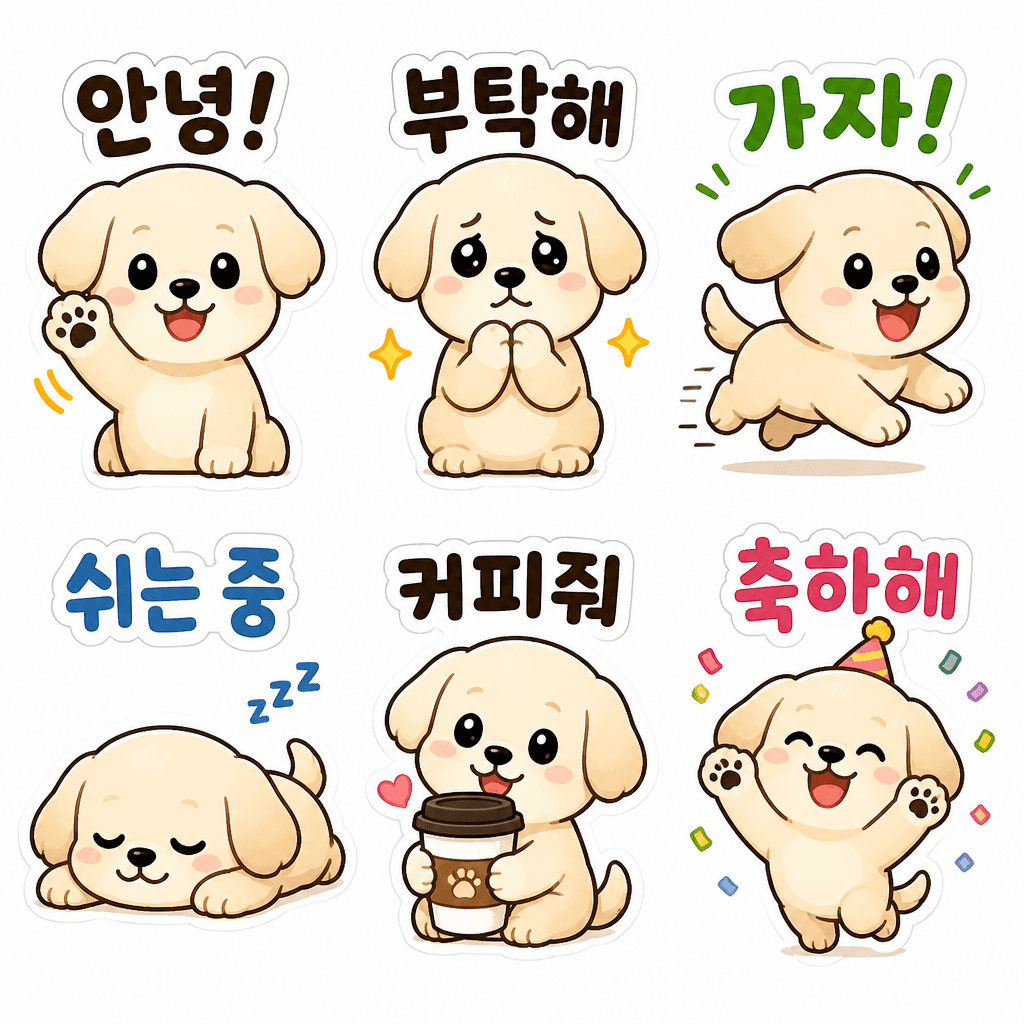
강아지 일상 이모티콘
GPT 이미지 2· 이미지
Create a cute puppy daily life emoticon sticker sheet with 6 stickers in a 2x3 grid. Character: small cream-colored puppy with floppy ears. Actions: waving hello, begging, running, lying down, holding coffee, celebrating. Korean phrases: '안녕!', '부탁해', '가자!', '쉬는 중', '커피줘', '축하해'. Clean bold outlines, consistent sticker style, highly readable Korean text, suitable for messenger emoticons.
강아지 항공샷 AI 프롬프트란?
강아지 항공샷 프롬프트는 위에서 내려다본 강아지 사진과 감성적인 펫 이미지 제작을 빠르게 구체화하기 위한 AI 프롬프트입니다. 캐럿에서는 GPT Image 2 같은 생성 모델로 이미지나 영상을 만들고, 결과물을 다시 수정하거나 비율 변경, 배경 제거, 화질 개선, 영상 변환 같은 후속 작업까지 이어갈 수 있습니다.
주요 활용 장면
- 위에서 내려다본 강아지 사진
- 산책 중 강아지 항공샷
- 카페 바닥 위 반려견 컷
- 잔디밭과 강아지 그림자 이미지
- 감성 펫 SNS 콘텐츠
이 태그가 유용한 이유
강아지 항공샷 작업은 단순히 보기 좋은 결과물을 만드는 것보다 사용 목적이 중요합니다. 강아지 항공샷은 일반적인 정면 반려견 사진보다 시점의 재미가 중요합니다. 위에서 내려다본 구도, 바닥 패턴, 리드줄, 그림자, 계절감 있는 배경을 함께 지정하면 귀엽고 공유하기 좋은 펫 콘텐츠가 됩니다. 프롬프트를 고를 때는 피사체, 구도, 스타일, 텍스트 배치, 활용 채널이 함께 드러나는 예시를 우선 확인하는 것이 좋습니다.
프롬프트 구성 팁
- 결과물이 쓰일 채널과 비율을 먼저 정하세요.
- 핵심 피사체, 배경, 조명, 카메라 구도를 구체적으로 적으세요.
- 필요한 경우 브랜드명, 제품명, 인물 특징, 색상 팔레트를 분리해서 지정하세요.
- 생성 후에는 텍스트 오류, 로고 정확도, 인물권·저작권 요소를 검수하세요.
캐럿에서는 프롬프트를 실행한 뒤 마음에 드는 결과물을 기준으로 다시 수정하거나, 이미지 비율 변경·배경 제거·화질 개선·영상 변환 같은 후속 작업을 이어갈 수 있습니다.