플라워 아트
플라워 아트 프롬프트. 캐럿에서 제공하는 플라워 아트 이미지 생성 프롬프트를 복사해 바로 사용해보세요.
2026.07.12
「플라워 아트」 원하는 대로 직접 만들어보세요「플라워 아트」 직접 만들어보세요
대화로 요청만 하면 최적화된 이미지·영상을 만들어줘요

매일 무료 100크레딧으로 바로 시작
·
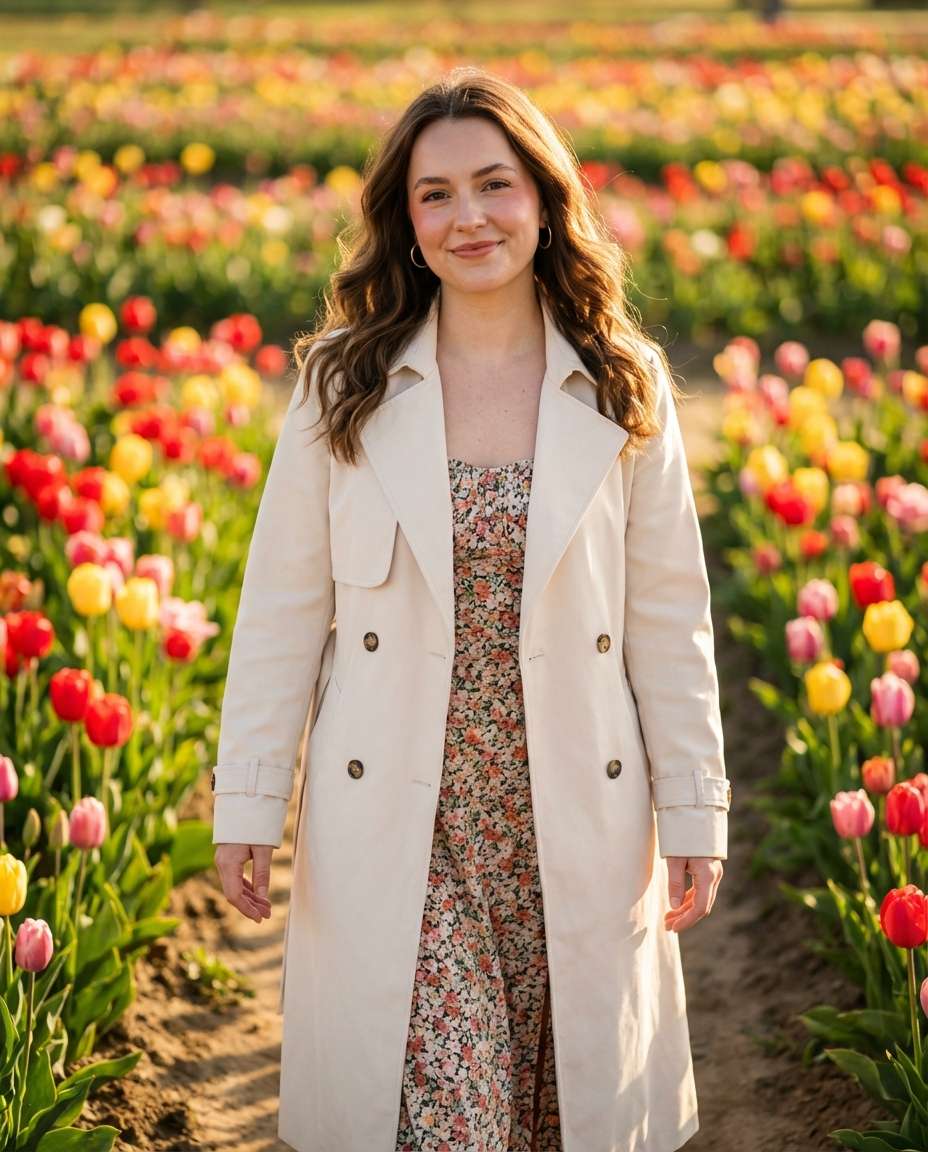
골든아워 튤립길 인물 사진
나노바나나 프로· 이미지
A joyful woman in her mid-20s with wavy chestnut hair and a soft smile walking along a narrow path between blooming tulip rows, wearing a cream trench coat over a light floral midi dress, delicate gold hoops, natural makeup with rosy blush, tulip garden in full spring color behind her, golden hour sunlight with warm rim light and long shadows, shot on Sony A7IV with 85mm f/1.4, shallow depth of field bokeh, half-body framing at eye level using rule of thirds, serene and romantic mood, photorealistic with ultra-realistic skin texture and natural pores, professional editorial photography, high resolution sharp focus, warm filmic color grading --ar 4:5
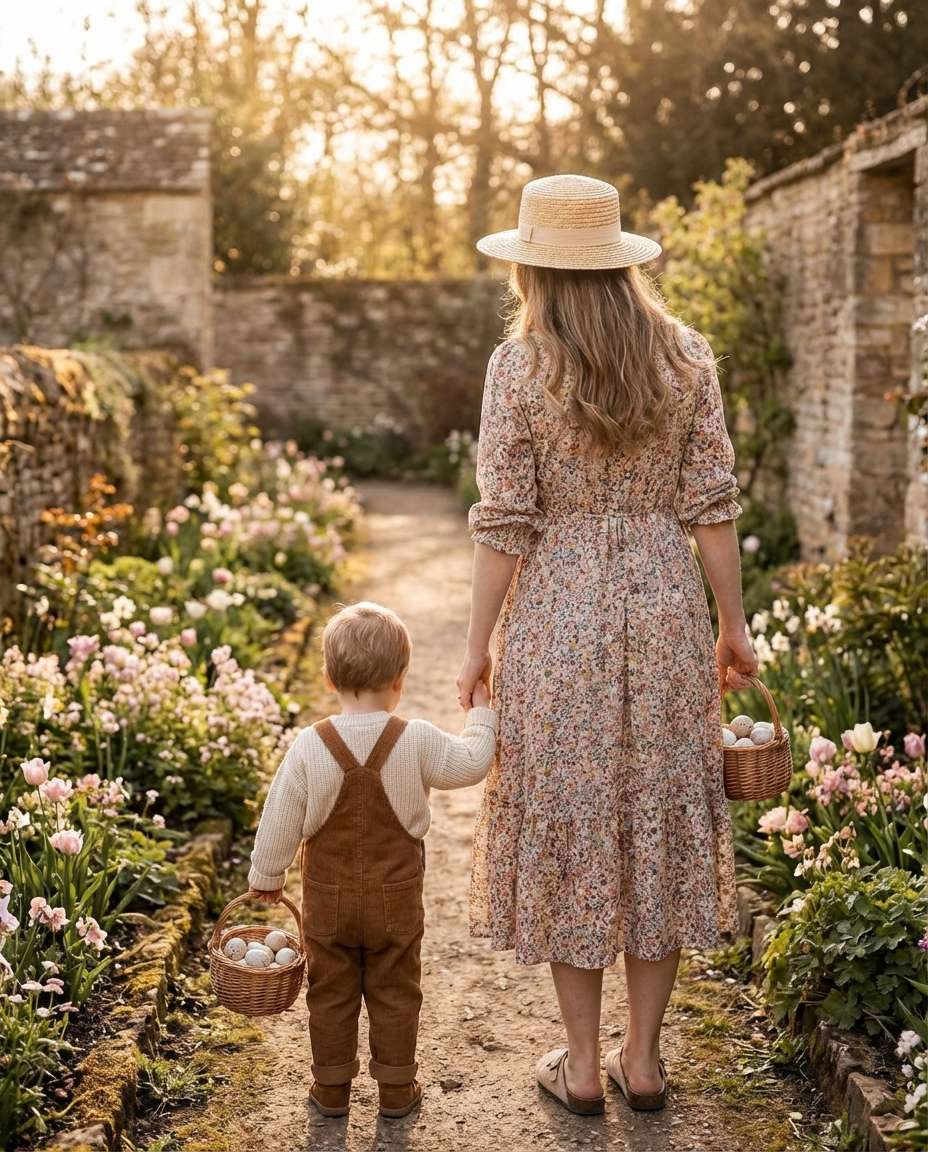
코티지코어 바구니 아기 사진
나노바나나 프로· 이미지
A mom (late 20s) holding hands with her toddler (2 years) on a garden path, toddler wearing a cream knit sweater and brown corduroy overalls, mom wearing a floral midi dress and straw hat, both carrying small wicker baskets with eggs, soft late afternoon light with warm highlights, shot on Canon R6 with 50mm f/1.8, full-body framing from behind with slight over-shoulder angle, gentle and storybook mood, photorealistic, natural skin texture, professional lifestyle photography, high resolution, sharp focus, airy pastel color grading --ar 4:5
플라워 아트 프롬프트란?
플라워 아트 이미지를 생성하기 위한 AI 프롬프트 모음입니다. 캐럿에서 제공하는 플라워 아트 프롬프트를 복사하여 AI 이미지 생성 도구에 붙여넣으면 전문가 수준의 결과물을 얻을 수 있습니다.
플라워 아트 프롬프트 활용 방법
- 원하는 프롬프트를 선택하여 복사합니다.
- 캐럿 에이전트에 붙여넣습니다.
- 필요에 따라 색상, 스타일, 구도를 수정합니다.
- 생성된 이미지를 다운로드하여 활용합니다.
플라워 아트 프롬프트 작성 팁
조명(Lighting), 질감(Texture), 구도(Composition), 렌즈(Lens) 정보를 구체적으로 명시하면 더 정밀한 결과를 얻을 수 있습니다. "No text, no watermark"를 추가하면 불필요한 텍스트를 방지할 수 있습니다.
플라워 아트 프롬프트 적용 사례
플라워 아트 프롬프트는 콘텐츠 제작, 마케팅, 디자인, 교육 자료 등 다양한 분야에서 활용됩니다. AI 이미지를 활용하면 제작 시간을 단축하면서도 전문적인 퀄리티를 유지할 수 있습니다.
플라워 아트 프롬프트 최적화 가이드
이미지 비율은 용도에 맞게 선택하세요. SNS용은 세로형(9:16), 웹 배너는 가로형(16:9), 제품 이미지는 정사각형(1:1)이 적합합니다.