본문으로 건너뛰기

소셜 앱 매칭 성공 화면
GPT 이미지 2· 이미지
Social dating app match success screen UI illustration. Two circular profile photo cards slide together with a heart burst animation effect in the center. Korean text: '매칭 성공! 지금 대화를 시작해보세요'. Pink and coral gradient background, playful Korean app UI design.
관련 프롬프트
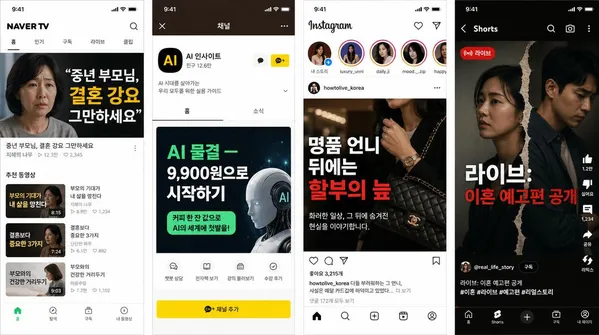
한국 멀티플랫폼 콘텐츠 스크린샷
GPT 이미지 2· 이미지
1. Naver TV content screenshot, topic: '중년 부모님, 결혼 강요 그만하세요', iPhone size.
2. KakaoTalk channel screenshot, topic: 'AI 물결 — 9,900원으로 시작하기', iPhone size.
3. Korean Instagram screenshot, topic: '명품 언니 뒤에는 할부의 늪', iPhone size.
4. YouTube Shorts screenshot, topic: '라이브: 이혼 예고편 공개', iPhone size.
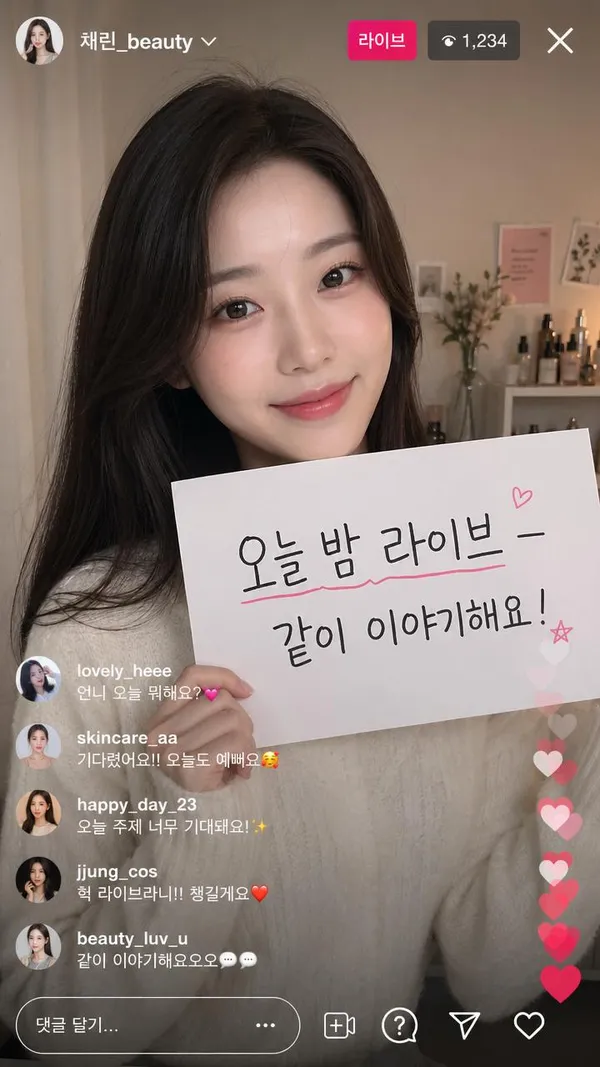
한국 인플루언서 인스타 라이브
GPT 이미지 2· 이미지
9:16 Korean Instagram live stream screenshot. Korean female beauty influencer doing a live broadcast. She holds a sign: '오늘 밤 라이브 — 같이 이야기해요!' Korean Instagram live UI — viewer count, heart reactions, Korean username, Korean comment bubbles visible.
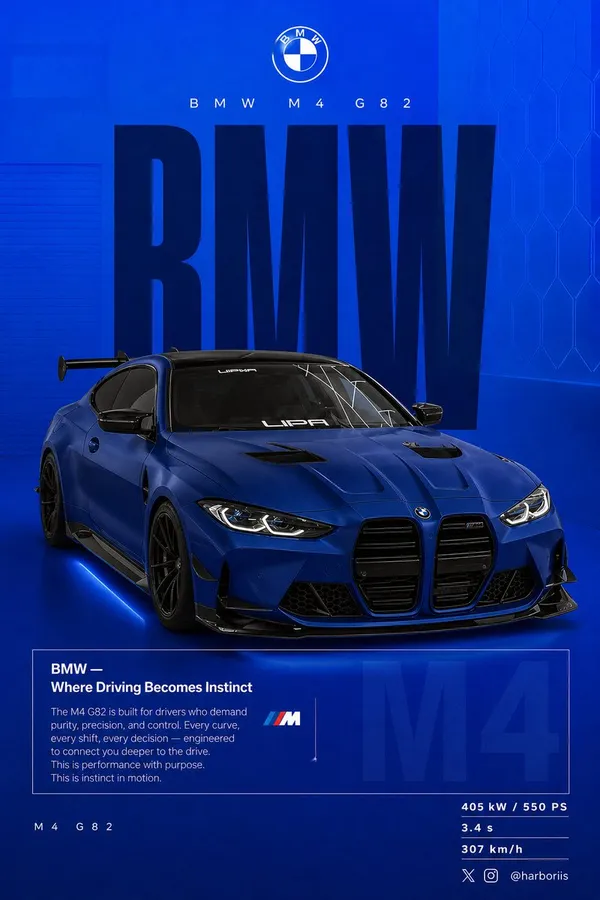
BMW 퍼포먼스 소셜 포스터
GPT 이미지 2· 이미지
Create a 4:5 vertical social poster in ultra high resolution, 8K print quality sharpness. Use the {argument name="car model" default="BMW car"} from the reference image as the main subject and use the background structure/composition from the reference image, but transform it into a BMW themed design. Replace all black tones with a flat {argument name="background color" default="high-saturation BMW blue"} background. Keep the same layout, spacing, visual balance, and poster composition from the reference image. Background should use a smooth gradient from slightly lighter electric blue at the top to deep navy blue at the bottom. Add subtle grain texture (2 to 3%) and faint rectangular overlays (2 to 4% opacity). Keep it clean, graphic, premium, and non-realistic. Add a soft contact shadow under the car. Use the same BMW from the reference image, changing only the {argument name="paint finish" default="matte frozen blue"} or deep metallic navy. Keep the original body shape, wheels, stance, and design details from the reference image. Show the car in a rear 3/4 perspective matching the reference image angle exactly. Use a slightly elevated camera angle. Position the car slightly right of center. Include visible carbon roof, aggressive rear diffuser, sharp controlled reflections, and subtle brake details. Keep composition identical to the reference image: Top: branding Middle: giant type Center: car overlapping text Bottom: editorial block and specs Typography: Primary text: “BMW” Ultra condensed bold sans serif, tall vertical scaling like the reference poster. Color deep navy or near black. Static text with no distortion. Acts as structural backdrop. Secondary header: “BMW M4 G82” Thin font with wide tracking. Logo area: BMW roundel centered above. Editorial block: Headline: “BMW — Where Driving Becomes Instinct” Body copy focused on: driver connection control performance precision Use the same boxed editorial layout as the reference image. Background faded text: “M4” large scale with 3 to 5% opacity behind the box. Bottom left: “ M4 G82” Bottom right specs: 405 kW / 550 PS 3.4 s 307 km/h Lighting should be clean studio lighting with sharp but controlled highlights. Color grading should use deep blues, high contrast, clean blacks. Camera lens: 50mm, slightly elevated rear 3/4 angle. Mood: Performance. Precision. Driver focus. Add Bottom-right watermark: harboriis , with small x and Instagram logo
UI 상태 변환 루프
Claude Opus 5.5· 영상
<inputs>
Ask me for: 8 to 12 UI states I want the shape to become (e.g. button, loader, player, slider, toggle, tabs, chart, command palette, toast), pure black and white or one accent color, and a royalty-free song around 120 BPM (e.g. Mixkit, free for commercial use).
</inputs>
<direction>
Dribbble-level UI motion. One shape, never cut: every state is the same element morphing its size, radius and color while its content swaps with a short blur. A cursor drives every change with real clicks and drags. Light warm-gray canvas, black and white components, one clean UI font (Geist). Springs everywhere, a tiny overshoot at most. The camera zooms so each state fills the frame. The last frame is the first frame, so it loops.
Banned: bouncy easing, particle bursts, glows, gradients on UI chrome, mismatched icon strokes, dead time, anything that looks like a template.
</direction>
<structure>
120 BPM, 7 bars, something happens on every beat.
Button → loader → check → dynamic island → music player with a play/pause morph → scrub the progress bar → it becomes a volume slider that stretches when dragged past max → a toggle flips on the beat → the knob becomes a liquid tab indicator → the tabs open into a chart that draws itself, with a tooltip on hover → it collapses into ⌘K → type to filter → enter → toast → back to the button.
</structure>
<build>
1. One HTML file, square 1440x1440. Every style is computed from time inside seek(t): no CSS transitions, no timers, no state carried between frames.
2. Springs are closed-form step responses. A value that changes target many times is the sum of one spring per change, so it stays a pure function of time.
3. The tab indicator's two edges ride different springs, so the leading edge stretches ahead of the trailing one. Same trick for the toggle knob.
4. Drags are direct manipulation: while the cursor is held, the value is computed from its position. On release it springs back from wherever it was.
5. Analyze the song with numpy for the beat grid and start on a downbeat. Place every UI sound by its measured peak.
6. Render with Playwright: 4 subframes per frame, blended with ffmpeg tmix for motion blur at 60fps.
7. Render one frame per beat before the full render. Fix anything off the grid, cramped or hard to read.
</build>
<gotchas>
Never put will-change on anything the camera scales or the text renders blurry. Text that swaps inside a morphing container needs its own enter and exit timing or it overlaps. Make the last frame identical to the first, cursor position and speed included, or the loop stutters.
</gotchas>
<start>
Ask me for the inputs, then show me the state list on the beat grid before you write any code.
</start>
Spotify 제품 필름
Claude Opus 5.5· 영상
Create a complete, polished Spotify-themed motion graphics video from the following brief. This prompt is self-contained: no reference video or supplied assets are required.
<deliverables> An 18-second MP4 at 1920×1080 and true 60 fps, with music and subtle sound effects Complete editable source Build, render, inspect, and refine the animation before delivering it Do not stop at a storyboard, still images, or an implementation plan </deliverables>
<art_direction>
A premium music-product film presented inside a large, nearly black rounded rectangular stage
The stage occupies roughly 80% of the canvas width and 75% of its height, centered horizontally and slightly below the vertical center
Outside the stage, use a soft atmospheric green background: luminous emerald near the upper-left corner, deeper forest green toward the sides, fading to near-black at the bottom
Inside the stage:
Near-black background
White primary typography
Muted gray secondary text
Spotify green # 1ED760 for emphasis and controls
One clean sans-serif font, such as Geist or Inter
Consistent icon strokes and restrained shadows
Keep compositions compact and centered, with substantial negative space
Text should feel like music-product advertising, not oversized presentation headings
Do not add an outer caption, creator watermark, decorative footer, or progress counter
</art_direction>
<artwork> Create original square album artwork for a fictional track called “Glass Tides” by “AURA”
The hero cover is an abstract macro image of flowing pearlescent liquid silk and molten glass
Use pastel lavender, powder cyan, blush pink, champagne gold, and subtle mint
Include broad three-dimensional folds, realistic reflective highlights, delicate striations, and a prominent sweeping S-shaped fold
Fill the square edge to edge
No text, logo, or border on this hero artwork
Use this same artwork consistently throughout the film
Create additional designed playlist sleeves:
“Late Nights” in mustard yellow
“Good Energy” in pink
“Deep Focus” in blue
“Daily Mix 1”, “Daily Mix 2”, and “Daily Mix 3” in complementary colors
These should look like finished graphic-design covers, with bold typography and simple geometric motifs
</artwork>
<timeline> 0.0–0.6 seconds: A green Spotify icon grows smoothly into the center of the dark stage Give it a confident arrival with minimal overshoot
0.6–1.5 seconds:
The icon transitions into a small Spotify identity above two centered lines:
“Discover”
“new music”
The first line is white; the second is green
Reveal them with short masked vertical movements
1.5–2.4 seconds:
A stylized Spotify desktop interface rises into view
Show a slim sidebar, “Made for you”, three album cards, and small supporting rows
Use a subtle perspective tilt during the entrance, settling toward a frontal view
2.4–3.2 seconds:
Move closer to the three featured covers
Show “New for you” above them
Keep the artwork crisp, with short album titles beneath
A narrow rounded player bar now anchors the bottom of the stage
3.2–4.0 seconds:
The featured cards withdraw into a compact “Fresh finds” list
Reveal four song rows with a slight stagger
Each row contains a thumbnail, short track title, artist, and a small menu icon
4.0–4.9 seconds:
Transition into a horizontal strip of colorful playlist covers
Heading: “Every mood”
Supporting line: “Find what moves you”
The strip slides smoothly sideways, with edge cards partially cropped by the stage
4.9–5.8 seconds:
A compact search field appears
Type “Glass Tides”
Reveal one selected result beneath it, with the iridescent artwork, “AURA”, and a green play icon
5.8–6.6 seconds:
The selected artwork expands into a large centered cover
Reveal “Glass Tides” underneath, followed by “AURA” in green
Keep the player bar visible
6.6–7.5 seconds:
The same cover slides left
Track information appears on the right:
“Glass Tides”
“AURA”
“A new frequency”
Add a rounded green Play button
Coordinate the cover movement and text reveals
7.5–8.3 seconds:
A brief brand-color transformation fills the inner stage with green
The artwork contracts into a smaller centered tile
Place a small dark Spotify identity underneath
The player briefly recedes
8.3–9.8 seconds:
Return to the dark stage
The same artwork expands dramatically toward the camera, becoming oversized and cropped by the rounded stage
Restore the player at the bottom
Use controlled motion blur during the fastest part of the zoom
9.8–11.2 seconds:
The artwork clears into a centered typographic statement:
“Find your”
“rhythm”
Use white for the first line and green for the second
The player remains visible and stable beneath it
11.2–12.5 seconds:
Show “Made for your every day”
Three playlist sleeves enter with gentle perspective and small opposing tilts
They spread into six smaller sleeves across the stage
Supporting line: “Your sound, always evolving”
12.5–14.0 seconds:
The playlist layout transitions into four floating album covers
Include the iridescent hero artwork
Use restrained rotation, perspective, depth ordering, and overlap
Keep their movement coordinated rather than randomly floating
14.0–15.2 seconds:
The covers converge toward the center and fold around a green Spotify icon
The artwork withdraws as the icon becomes the focal point
Fade the player away
The Spotify icon must emerge from the same central position as the converging covers
15.2–18.0 seconds:
The icon moves slightly left and settles beside a large white “Spotify” wordmark
Keep the icon and letters separated throughout the movement
Reveal:
“Discover new music”
“every day”
The first line is white; the second is green
Hold the finished composition cleanly through the end
</timeline>
<persistent_player>
For most of the middle sequence, keep one narrow rounded player bar near the bottom of the inner stage
Include:
Small hero-art thumbnail
“Glass Tides” and “AURA”
Play and skip controls
A thin progress track
A small volume icon
Subdued dark translucent styling with a fine border
This recurring player connects the changing shots
It must remain visually secondary to the artwork
</persistent_player>
<motion_quality>
Match the energy of a tightly edited premium product film
Most visual ideas last approximately one second, but transitions remain smooth
Use continuous acceleration and deceleration
Favor critically damped springs or carefully tuned smooth easing
No repeated bouncing or large elastic overshoots
Preserve the hero artwork’s identity and position relationships through search, album detail, brand tile, and zoom
Use match-position transitions, coordinated scaling, masked reveals, and perspective
Outgoing titles must disappear before incoming titles occupy the same space
Avoid overlapping text, sudden camera resets, long blank intervals, and arbitrary full-frame crossfades
Clip every oversized cover and camera move cleanly to the rounded stage
No particles, shockwave rings, lens flares, camera shake, or unrelated stock footage
</motion_quality>
<audio> Create or select commercially usable electronic music around 120 BPM Use a clean pulse, warm bass, restrained melodic elements, and subtle transition accents Align important entrances, selections, zooms, and the logo reveal with musical events Keep effects quieter than the music No voiceover Do not use copyrighted commercial tracks without permission </audio>
<implementation_and_validation>
Build a deterministic animation driven by absolute time through an async window. seek(t) function
Every transform, opacity, mask, and UI state must be reproducible when seeking frames in any order
Do not depend on live timers, accumulated physics, or CSS transition state during export
Render true 60 fps with spatial antialiasing
Use 3–5 temporal subframe samples per output frame for restrained motion blur
Keep stationary text and artwork sharp
Inspect contact sheets and moving playback
Check the fast heading changes, artwork handoffs, zoom, cover convergence, and final wordmark spacing
Verify evenly spaced frame timestamps and the full 18-second duration
Fix visual defects before delivering the final MP4 and editable source
</implementation_and_validation>
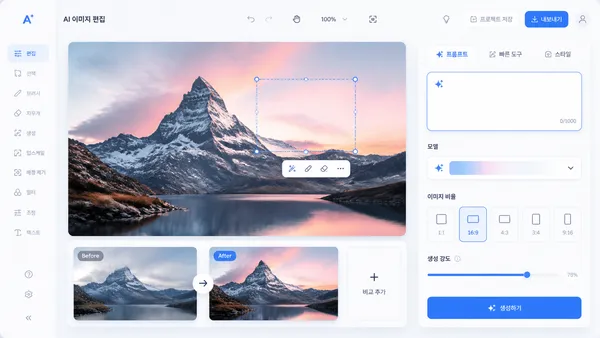
AI 이미지 편집툴 UI
GPT 이미지 2· 이미지
Create a polished UI screen mockup for an AI image editing tool, canvas area, side toolbar, prompt panel, before/after preview cards, modern SaaS dashboard style, Korean-friendly clean typography but no readable dense text, blue and white palette.
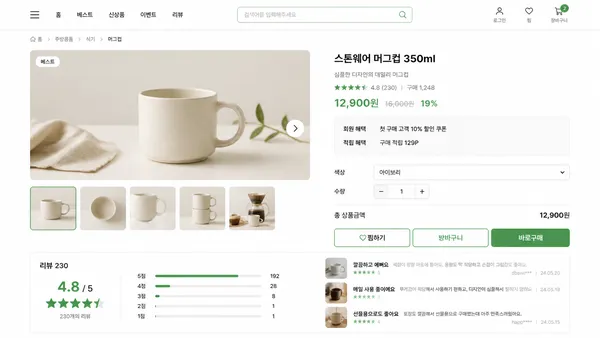
쇼핑몰 상품 페이지 UI
GPT 이미지 2· 이미지
Create a realistic ecommerce product page UI screen, product gallery, price area, option selectors, review summary, purchase CTA, clean Korean shopping mall interface style, white background, soft green accents, no brand logos.
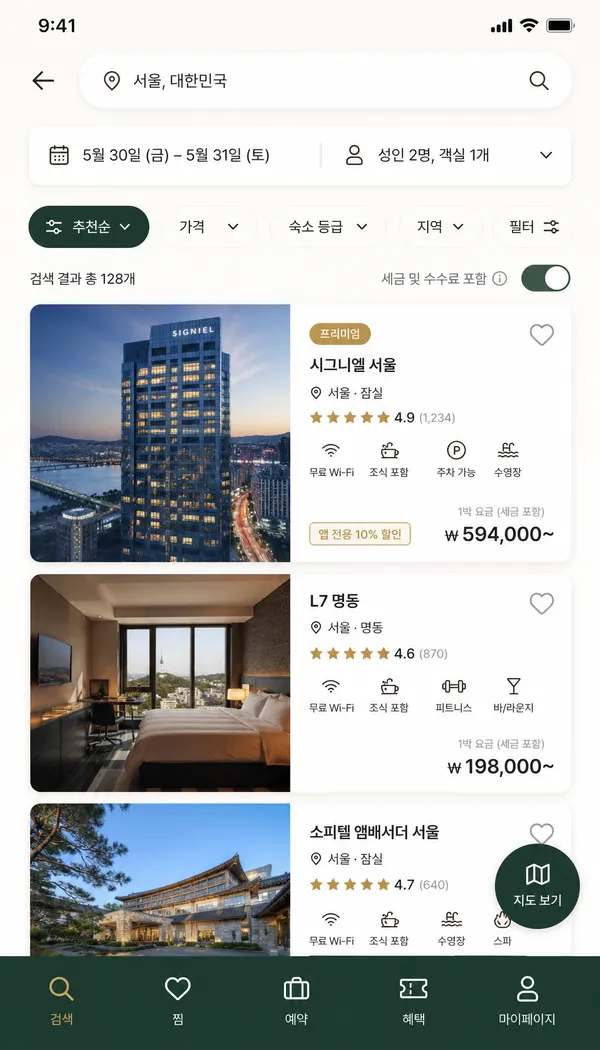
호텔 예약 앱 UI
GPT 이미지 2· 이미지
Create a realistic high-fidelity mobile hotel booking app UI screen, 9:16. Korean travel app search results page. Layout: destination search bar, date selector, filter chips, large hotel photo cards, rating, price, amenities icons, floating map button, bottom navigation. Use premium travel palette: ivory, deep green, muted gold. Realistic UI, readable Korean text, polished app design, no watermark.
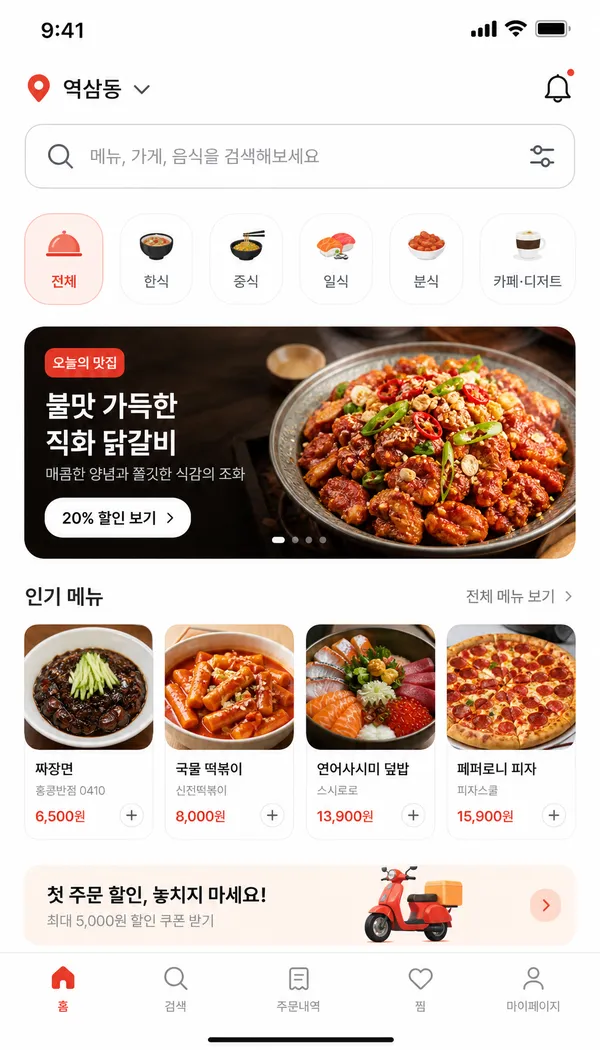
음식 배달 앱 UI
GPT 이미지 2· 이미지
Create a realistic high-fidelity mobile food delivery app UI screen, 9:16. Korean app home screen. Layout: location bar, search bar, category chips, featured restaurant card, menu grid, bottom navigation. Use appetizing but modern palette: warm white, tomato red, soft orange. Include realistic Korean UI labels, food photos in cards, clean rounded components, mobile app design system, readable typography, no watermark.
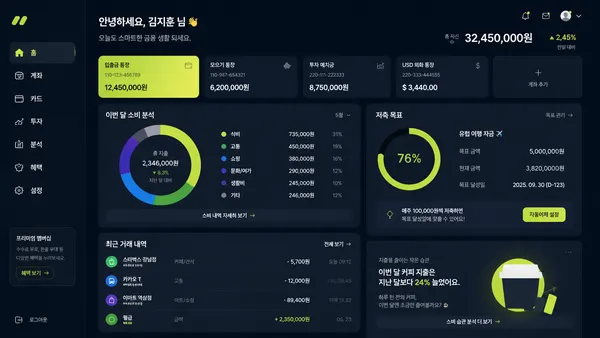
핀테크 대시보드 UI
GPT 이미지 2· 이미지
Create a modern fintech dashboard UI screen, spending chart, account cards, savings goal module, transaction list, dark navy and lime accents, premium Korean finance app style, no real bank logos.
앱 출시 배너
GPT 이미지 2· 이미지
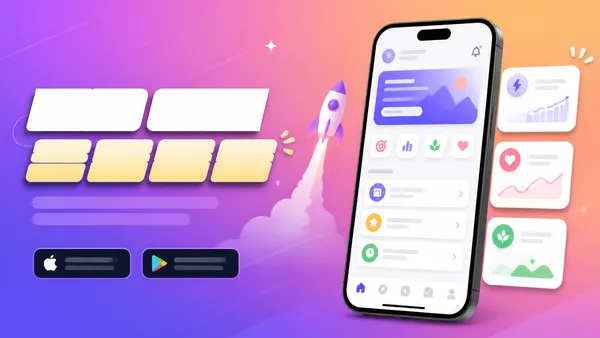
Create a horizontal app launch promotional banner, smartphone mockup, bright gradient background, clean UI cards, modern Korean startup marketing style, bold title area but no readable text, no brand logo.
부모 자식 소통 엇갈림 인포그래픽
GPT 이미지 2· 이미지
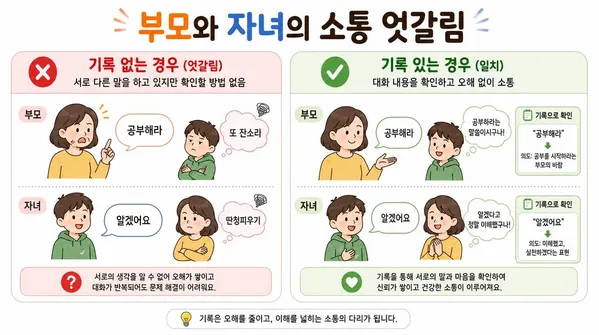
{"type":"Korean family communication infographic","style":"simple, easy-to-understand flat vector diagram, clean white background, rounded soft shapes, warm Korean family illustration style","title":"부모와 자녀의 소통 엇갈림","scenario":"Parent says '공부해라' but child hears '또 잔소리'. Child says '알겠어요' but parent hears '딴청피우기'.","left_column":{"label":"기록 없는 경우 (엇갈림)","icon":"red X","description":"서로 다른 말을 하고 있지만 확인할 방법 없음"},"right_column":{"label":"기록 있는 경우 (일치)","icon":"green checkmark","description":"대화 내용을 확인하고 오해 없이 소통"},"language":"Korean"}