carat

프롬프트 갤러리

/

제품 단면도

로그인
회원가입

제품 단면도

가전·자동차·전자기기 상세페이지에 바로 쓰는 제품 단면도 AI 프롬프트. 내부 구조를 드러낸 컷어웨이·분해도 이미지를 빠르게 만들 수 있습니다.

2026.07.01

·
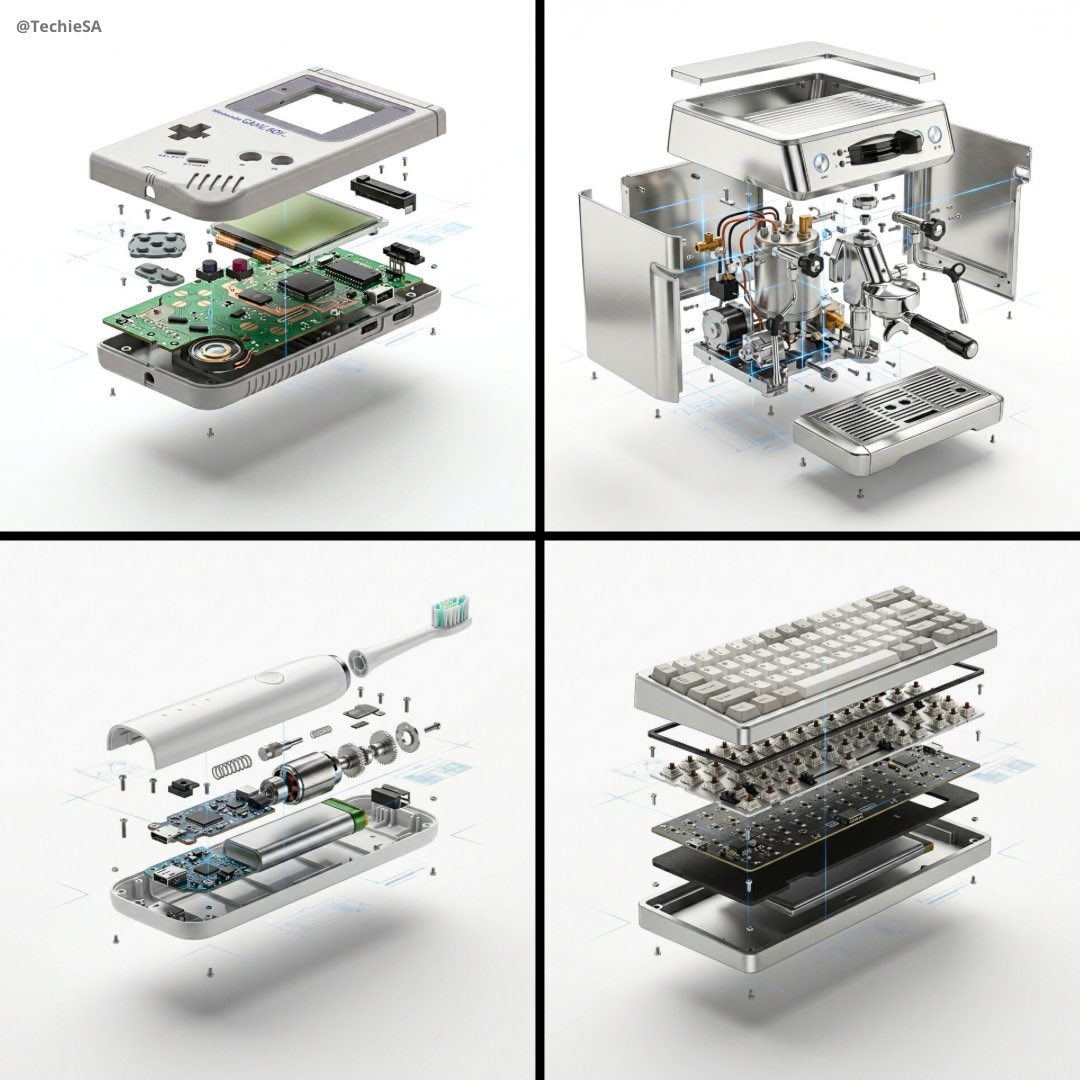
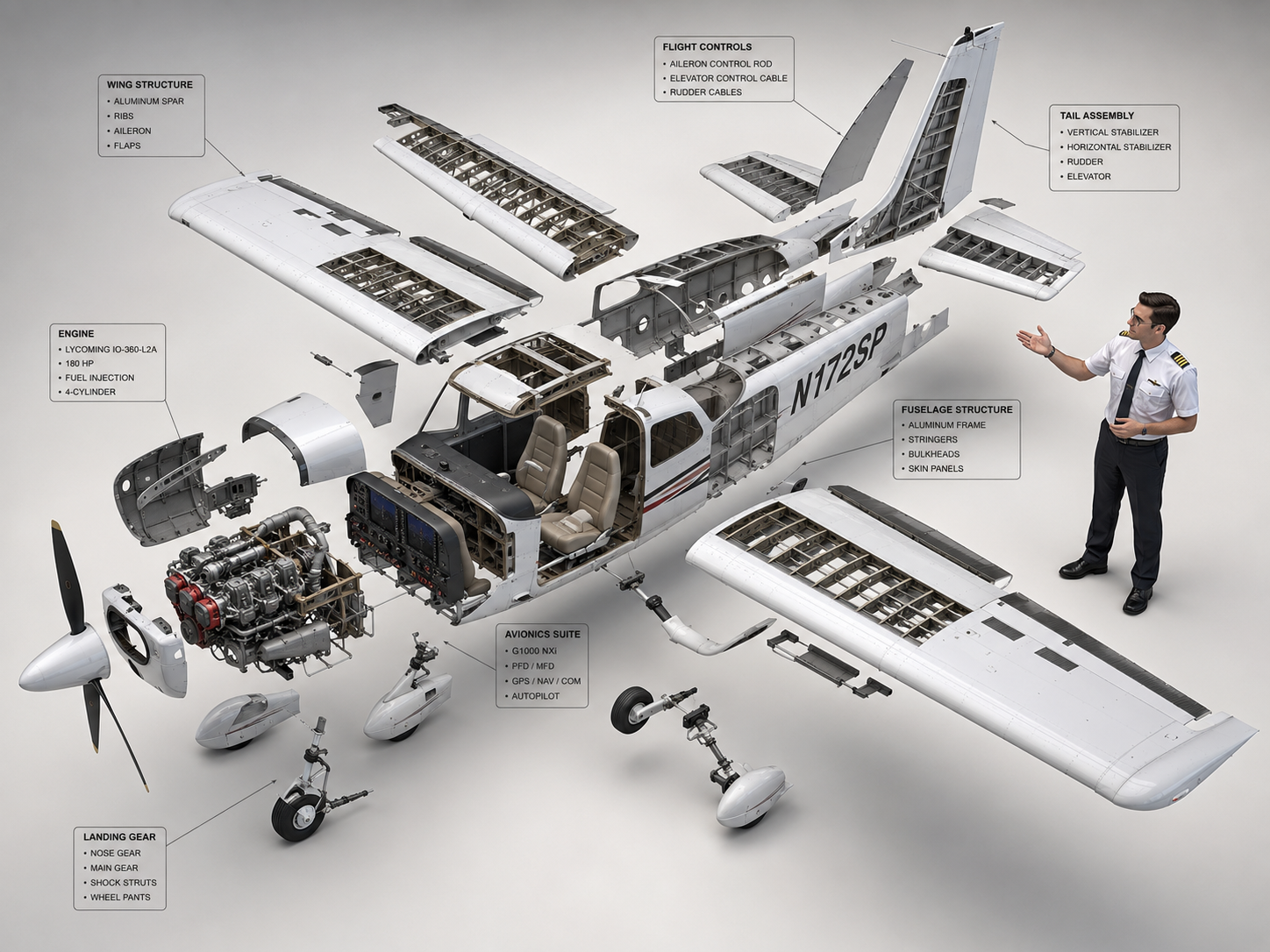
나노바나나 프로로 생성한 제품 분해도 광고

제품 분해도 광고

나노 바나나 프로· 이미지
[PRODUCT], high-end product advertising, white seamless background, exploded view with inner mechanics revealed, outer shell hovering above core, micro screws and components suspended, perfect alignment guides implied, crisp soft shadow, ultra realistic, macro product photography, 100mm lens look, f/8, 8k
@TechieBySA
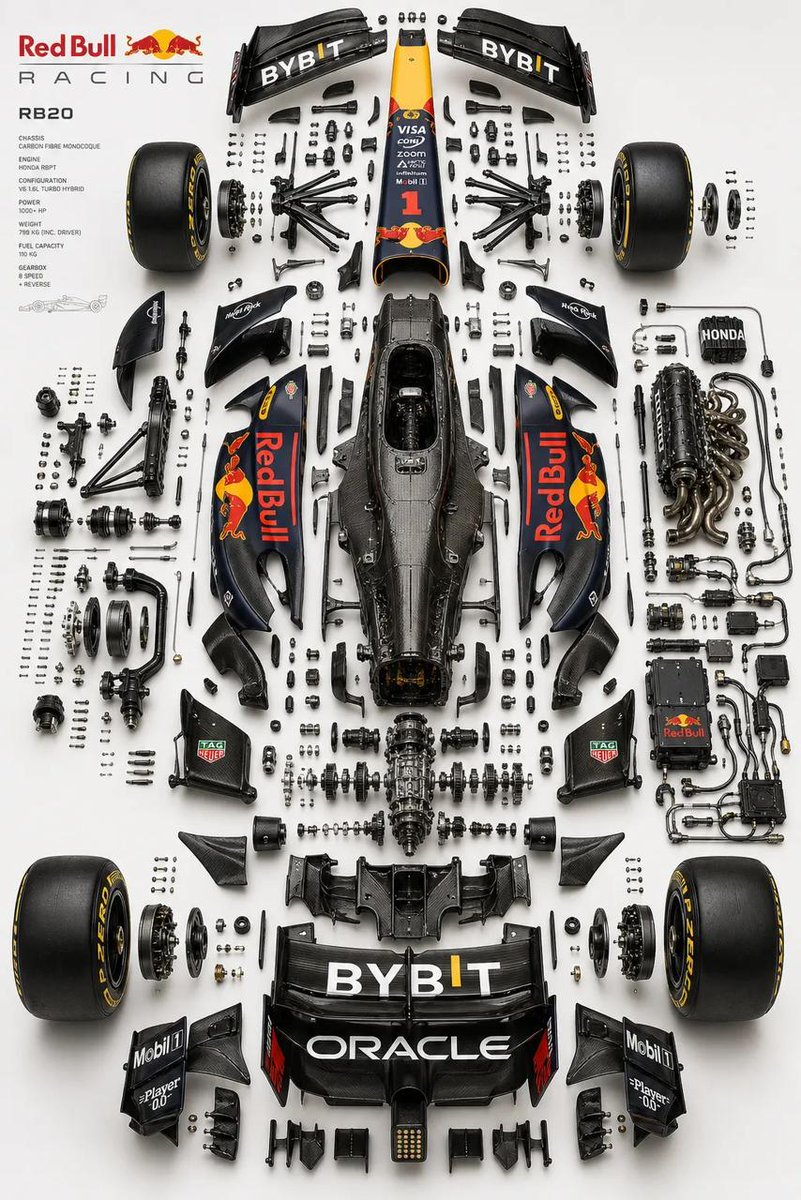
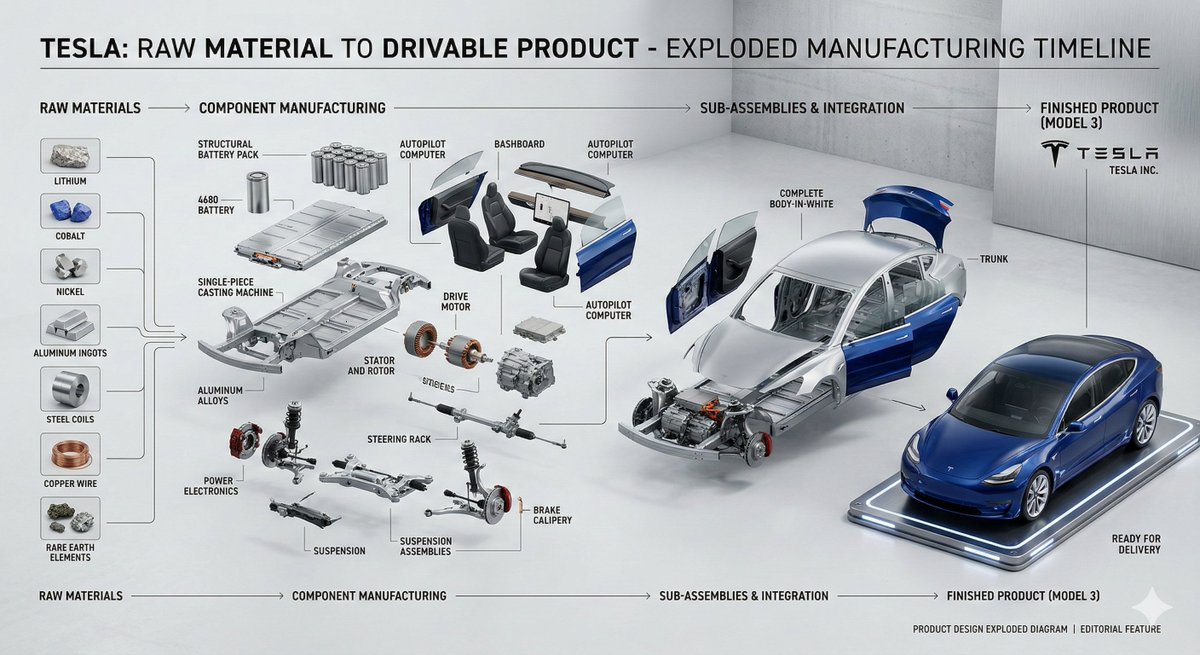
GPT 이미지 2로 생성한 자동차 부품 분해도

자동차 부품 분해도

GPT 이미지 2· 이미지
Place the primary chassis or structural platform perfectly centered as the core spine, and position the main body shell separately (left or top), aligned parallel as a reference form while preserving accurate proportions, stance, and geometry of the real vehicle. Design a multi-layered exploded system with components separated across depth (Z-axis) as well as planar spacing, using clear hierarchy: micro hardware (bolts, screws, washers) tightly grouped, functional assemblies moderately spaced, and major systems widely separated. Organize parts into realistic subsystems depending on the vehicle type, including front assembly (suspension, steering, brakes), rear assembly (suspension, drivetrain, differential), chassis/structure (frame, monocoque, subframes), powertrain (engine or motor with slight internal exposure, transmission, intake, exhaust, cooling), electronics (battery, ECU, wiring harness with clean routing), and wheel systems (4 wheels symmetrically placed with tire, rim, and hub separation). Ensure engineering realism by preserving mechanical relationships, aligning shafts and rotational axes, maintaining symmetry across left/right systems, and grouping micro components logically near their assembly points in precise micro-grid arrangements. Avoid random placement. Use a refined, high-end aesthetic: soft neutral gradient background (white to light grey or warm beige), studio-grade product lighting with soft top illumination, subtle directional shadows, and controlled reflections. Apply realistic materials such as brushed metal, carbon fiber, rubber, and glass with slight wear—avoid toy-like finishes. Maintain strong horizontal symmetry with controlled depth asymmetry for visual complexity, and ensure balanced negative space to avoid overcrowding. Render in ultra-realistic quality with razor-sharp edges, macro-level detail, subtle ambient occlusion, and ray-traced shadows. Output in 2K or 4K resolution, 4:5 aspect ratio. No text, no labels, no arrows, no branding overlays, no stylization, no perspective distortion. Style keywords: F1 engineering exploded diagram, luxury automotive technical poster, industrial design breakdown, Apple-style product visualization, ultra-precision mechanical layout, museum-grade presentation.
@Naiknelofar788
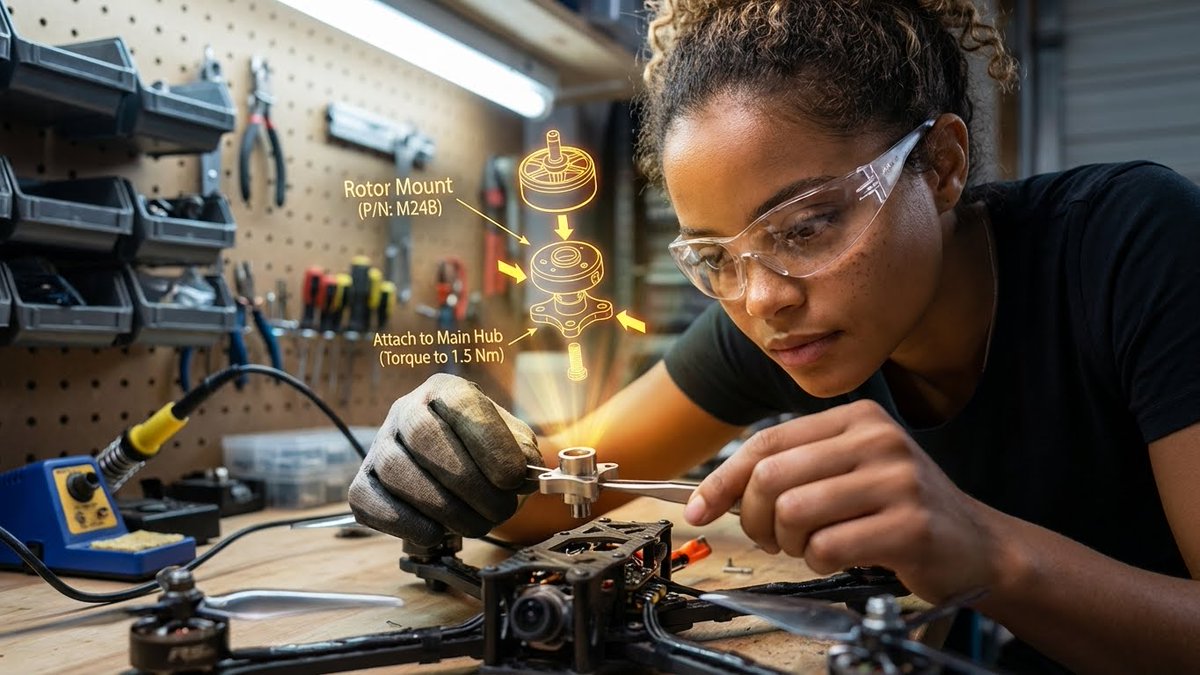
나노바나나 프로로 생성한 AR 조립 가이드 작업 장면 예시 이미지

AR 조립 가이드 작업 장면

나노 바나나 프로· 이미지
{"promptDetails":{"description":"A garage/workshop environment with the subject assembling a complex mechanical device, viewing a 3D exploded assembly diagram floating in space.","styleTags":["Industrial","High Detail","Technical","Action Shot"]},"scene":{"background":{"setting":"A cluttered but organized home workshop/garage bench","details":"Pegboard tool wall in the background, organized small parts containers, a soldering iron station, wood grain of the workbench, metal shavings (subtly)."},"subject":{"description":"The person defined by `[UPLOADED IMAGE]`, wearing safety glasses or a work glove, deeply concentrated.","pose":"Leaning over the bench, holding a small component (e.g., a rotor or circuit board) with tweezers or a small screwdriver.","focus":"Hands, component, and the diagram are the sharpest elements."}},"overlayObject":{"type":"3D Exploded View Assembly Hologram","relationshipToEnvironment":"Hovering directly above the disassembled drone parts on the workbench.","transform":"A fully rendered, rotating 3D model of the device, clearly showing where the held component fits.","surfaceInteraction":"Bright, high-contrast yellow/orange vector lines with directional arrows and part numbering. It must look spatially correct.","components":{"partID":"Rotor Mount (P/N: M24B)","instruction":"Attach to Main Hub (Torque to 1.5 Nm)","position":"Floating central to the workspace."}},"technicalStyle":{"aspectRatio":"16:9","photographyStyle":"Product/Technical, High Contrast","camera":{"shotType":"Close-Up","angle":"Slightly overhead (designer/technical perspective).","depthOfField":"Extremely shallow, focusing only on the hands, the component, and the projected diagram. The background should be a creamy blur (bokeh)."},"lighting":{"type":"Fluorescent Shop Light and Holographic Glow","description":"Cool, bright, uniform white light from above, contrasted by the warm, directional glow of the yellow/orange hologram."},"color":{"palette":"Greys, deep reds, metallic silver, and the neon yellow of the graphic."}}}
@HBCoop_
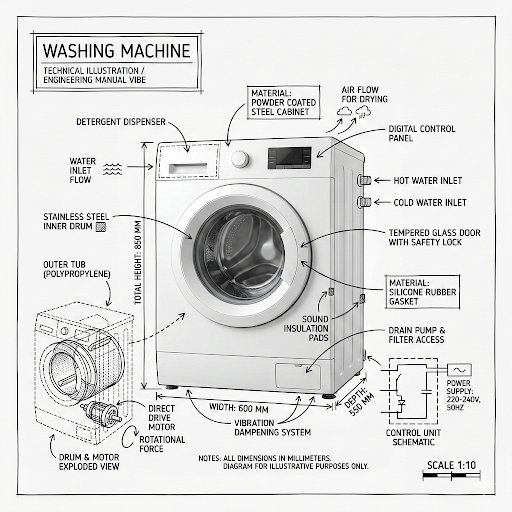
GPT 이미지 2로 생성한 세탁기 기술 인포그래픽

세탁기 기술 인포그래픽

GPT 이미지 2· 이미지
Create an infographic image of [washing machine], combining a realistic photograph or photoreal render of the object with technical annotation overlays placed directly on top. Use black ink–style line drawings and text (technical pen / architectural sketch look) on a pure white studio background, including: •Key component labels •Internal cutaway or exploded-view outlines •Measurements, dimensions, and scale markers •Material callouts and quantities •Arrows indicating function, force, or flow (air, sound, power, pressure) •Simple schematic or sectional diagrams where relevant Place the title [PRODUCT] inside a hand-drawn technical annotation box in one corner. Style & layout rules: •The real object remains clearly visible beneath the annotations •Annotations feel sketched, technical, and architectural •Clean composition with balanced negative space •Educational, museum-exhibit / engineering-manual vibe Visual style: Minimal technical illustration aesthetic, black linework over realistic imagery, precise but slightly hand-drawn feel. Color palette: White background, black annotation lines and text only. No colors. Output: 1080×1080, ultra-crisp, social-feed optimized, no watermark.
@Naiknelofar788
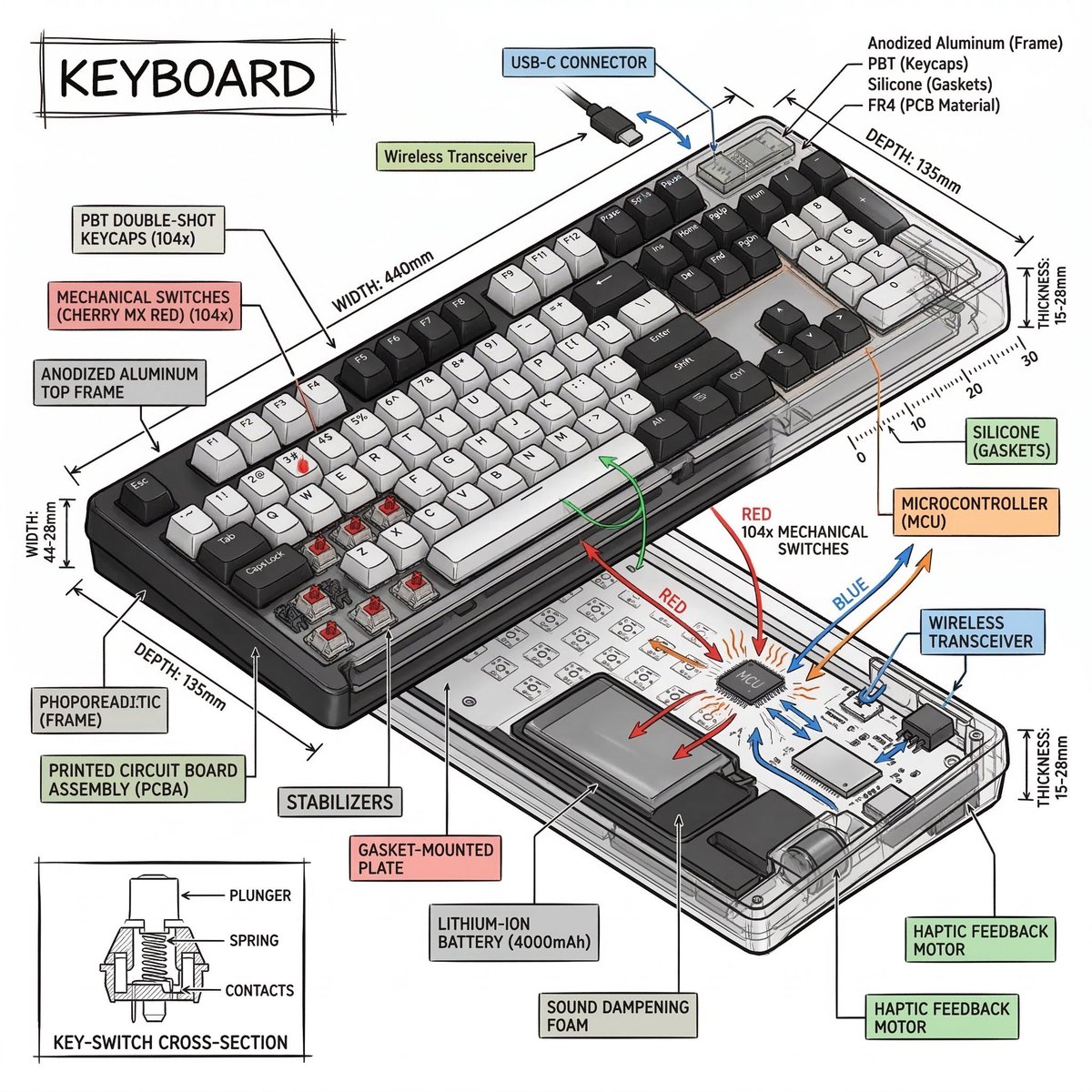
나노바나나 2로 생성한 아이소메트릭 기술 인포그래픽 예시 이미지

아이소메트릭 기술 인포그래픽

나노 바나나 2· 이미지
Create a technical infographic of [OBJECT] with a 45-degree isometric 3D perspective showing the device slightly tilted to reveal depth and dimension. Combine a realistic photoreal render with black ink technical annotations on pure white background. Include: Key component labels with color-coded callout boxes Internal component visibility through transparent/cutaway sections Measurements, dimensions, and precise scale markers Material callouts and quantities Color-coded arrows for function/flow: RED (power/battery), BLUE (data/connectivity), ORANGE (thermal/processor), GREEN (sensors/haptics) Simple schematics or cross-sectional diagrams where relevant Place “OBJECT” title in a hand-drawn technical box (top-left corner). Style: Black linework (technical pen/architectural), sketched but precise. Object remains clearly visible. Educational museum-exhibit vibe. Clean composition, balanced negative space. Perspective: Isometric 3D angle—tilted to show depth, dimension, and internal architecture dramatically. Like a professional product teardown or engineering manual. Colors: ~10-15% accent density. Black dominant. White background. Output: 1080×1080, ultra-crisp, social-feed optimized.
@heymarmot_ai
나노바나나 2로 생성한 제품 단면 컷어웨이 디자인

제품 단면 컷어웨이 디자인

나노 바나나 2· 이미지
product design, [object], cross-section cutaway view, internal anatomy revealed, white background, museum specimen aesthetic, scientific illustration style
@0x00_Krypt
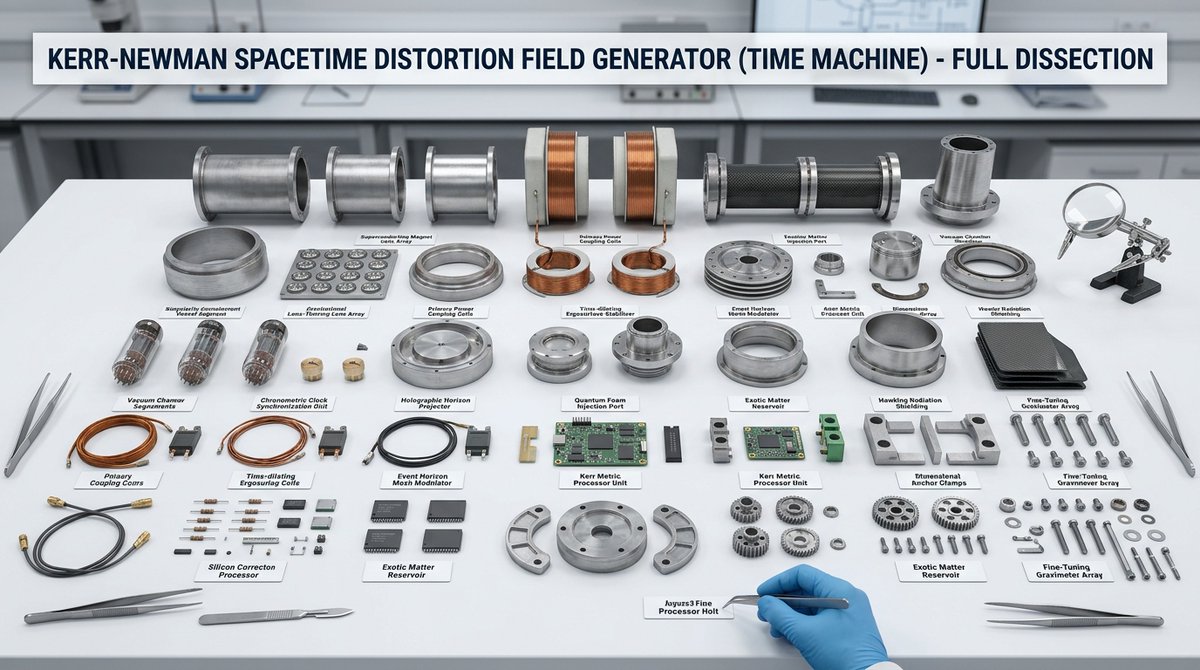
나노바나나 2로 생성한 오브젝트 분해 과학 실험실 컷

오브젝트 분해 과학 실험실 컷

나노 바나나 2· 이미지
hyper-realistic scientific laboratory dissection scene on a clean white lab table, [object] completely disassembled and neatly arranged into all its individual components, every single piece separated and perfectly organized in rows, each part clearly labeled with small white tags and precise black text naming exactly what it is, a clean professional banner at the top of the image with bold text reading the name of the object followed by "Dissection", professional clinical lighting with soft overhead illumination and subtle shadows, visible tools like tweezers, scalpel and magnifying glass around the edges, ultra-detailed textures, realistic materials, scientific educational style, clean and methodical composition, masterpiece, sharp focus
@ToshiArte
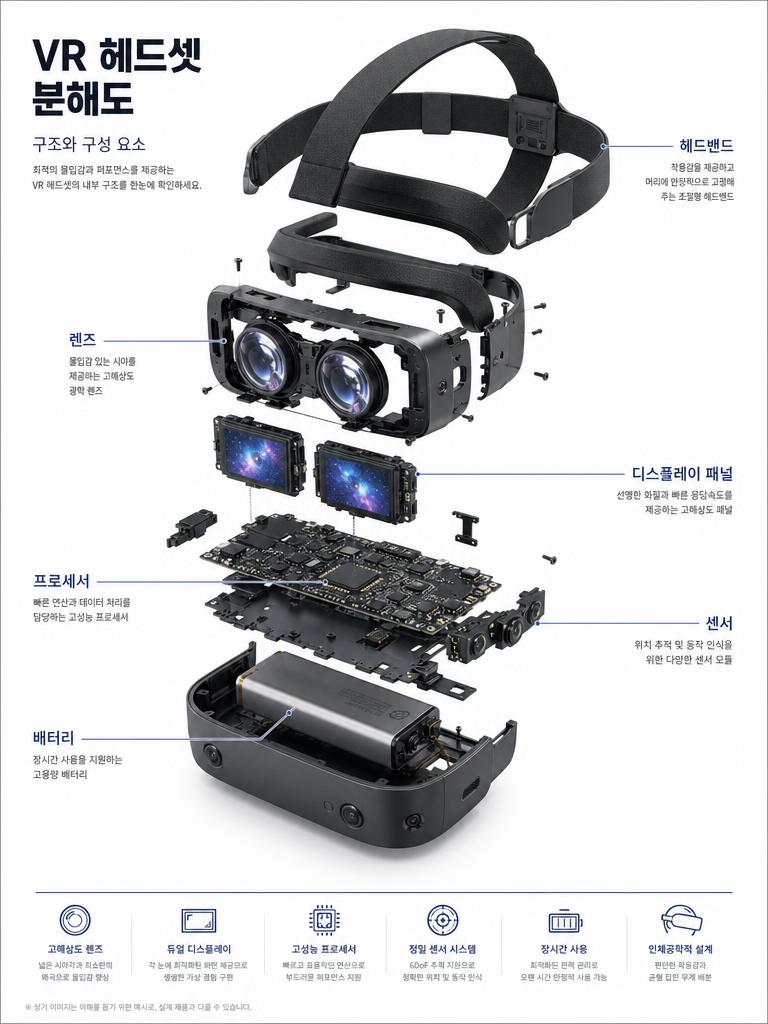
GPT 이미지 2로 생성한 VR 헤드셋 분해도 포스터

VR 헤드셋 분해도 포스터

GPT 이미지 2· 이미지
Exploded view technical diagram poster of a VR headset. Components floating in organized arrangement on white background. Korean annotation lines labeling: 렌즈, 디스플레이 패널, 프로세서, 센서, 배터리, 헤드밴드. Korean typography labels. Premium technical blueprint illustration quality.
@wory37303852
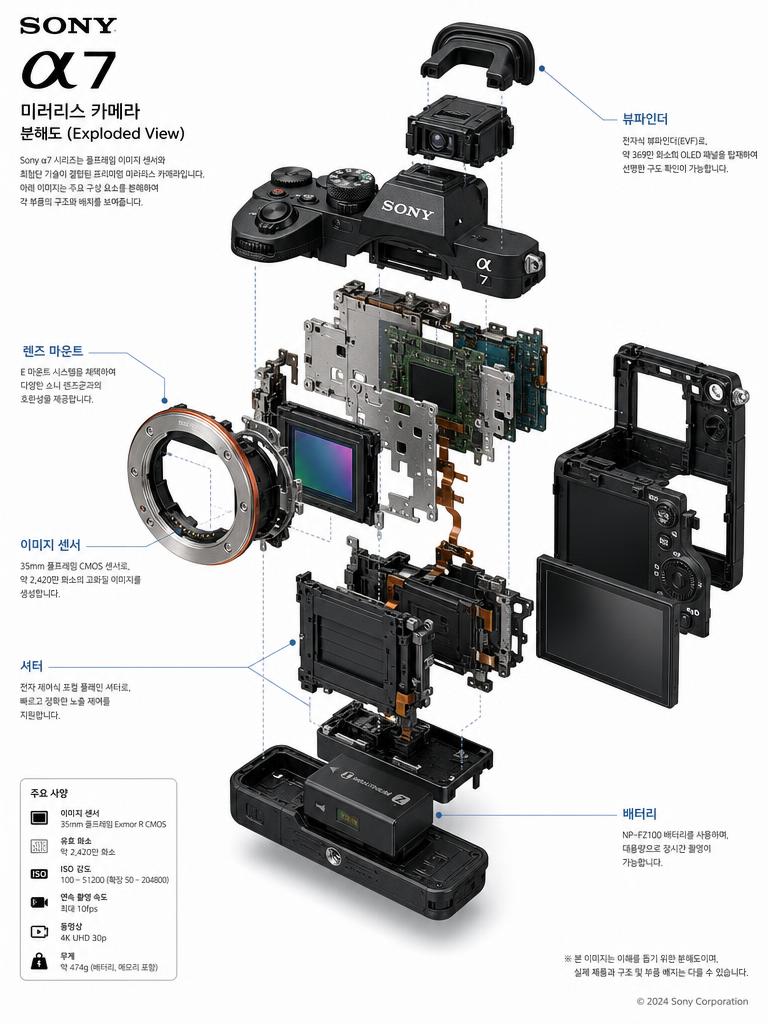
GPT 이미지 2로 생성한 소니 A7 카메라 분해도 포스터

소니 A7 카메라 분해도 포스터

GPT 이미지 2· 이미지
Detailed exploded view technical diagram poster of Sony A7 mirrorless camera. Clean white background, floating component parts with Korean annotation lines labeling: 렌즈 마운트, 이미지 센서, 뷰파인더, 배터리, 셔터. Korean typography labels, technical blueprint aesthetic, premium product illustration quality.
@iaPulse_

제품 단면도 AI 프롬프트란?

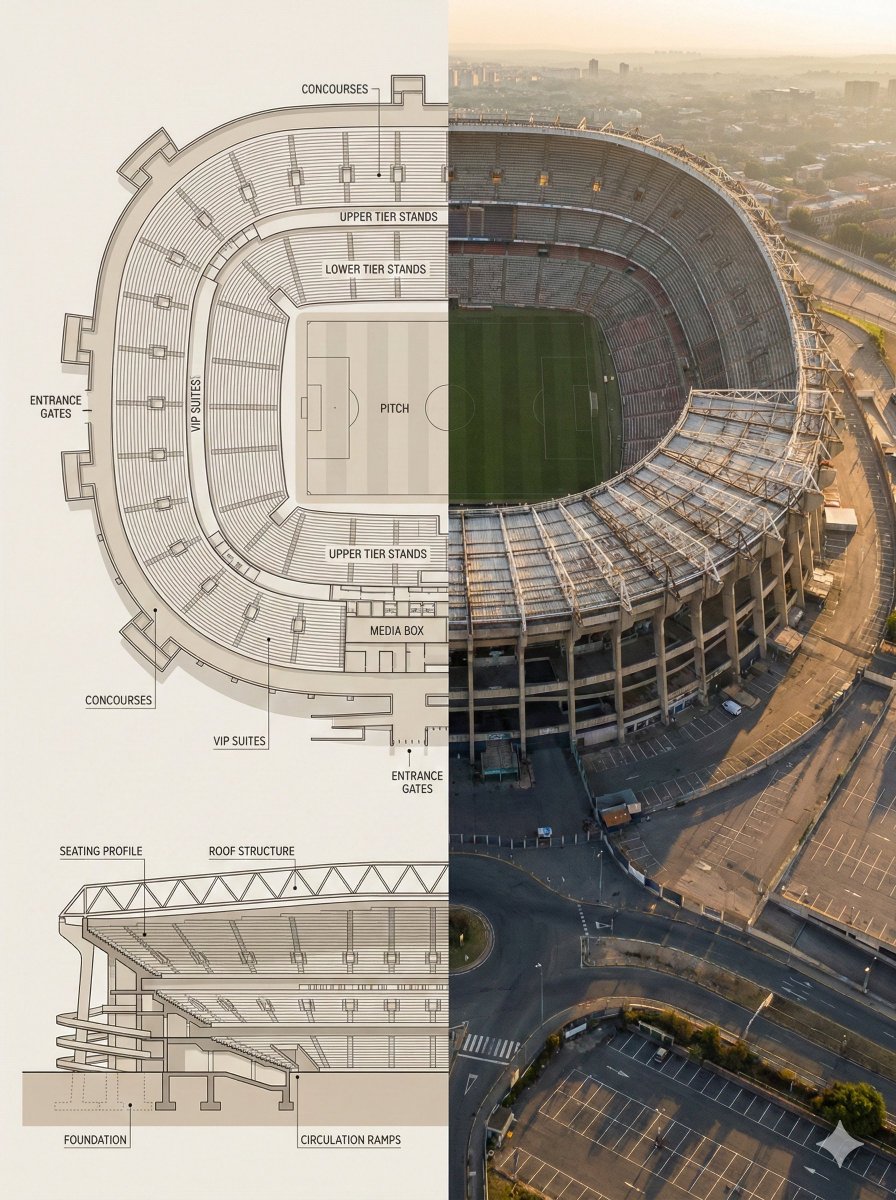
제품 단면도 AI 프롬프트는 제품의 겉면을 잘라내거나 부품을 분리해 내부 구조를 한눈에 보여주는 이미지를 만드는 프롬프트입니다. 겉모습만으로는 설명하기 어려운 내부 메커니즘, 부품 배치, 재질 구성을 시각적으로 드러내 상세페이지에서 제품의 완성도와 기술력을 전달하는 데 쓰입니다. 흰색 배경 위에 겉껍데기가 코어 위로 떠 있는 분해 구조, 내부 해부도를 드러낸 크로스섹션 컷어웨이, 부품마다 라벨을 붙인 기술 도해 등 다양한 형태를 GPT Image 2, Nano Banana Pro, Nano Banana 2 같은 모델로 손쉽게 생성할 수 있습니다.

주요 활용 장면

  • 가전·전자기기 상세페이지에서 내부 부품과 기술을 설명하는 컷어웨이 이미지
  • 자동차·모빌리티 제품의 섀시·본체 분해도로 구조와 완성도 강조
  • 카메라·VR 헤드셋 등 정밀 기기의 부품별 라벨 기술 도해 포스터
  • 크라우드펀딩·신제품 런칭에서 기술력을 어필하는 인포그래픽
  • 매뉴얼·제품 소개 자료에 넣는 내부 구조 일러스트

이 태그가 유용한 이유

제품 단면도는 소비자가 겉모습만으로 판단하기 어려운 부분, 즉 내부 설계와 부품 품질을 눈으로 확인시켜 신뢰를 높이는 강력한 설득 도구입니다. 특히 가전·자동차·전자기기처럼 내부 기술이 구매 결정에 영향을 주는 제품군에서, 실제 촬영으로는 재현하기 힘든 절개 단면과 분해 구조를 AI로 빠르게 만들 수 있어 촬영·CG 비용과 시간을 크게 줄여 줍니다. 흰색 배경과 정돈된 부품 배치, 라벨 도해 스타일을 프롬프트로 지정하면 상세페이지와 포스터에 바로 얹을 수 있는 일관된 결과물을 얻을 수 있습니다.

관련 프롬프트 더 보기

  • 컷어웨이 단면도
  • 분해도
  • 도면 시트
  • 상세페이지
  • 제품 광고 이미지
  • 인포그래픽
  • 패키지 디자인

프롬프트 구성 팁

  1. 단면 방식을 명확히 지정하세요. "cross-section cutaway(절개 단면)"과 "exploded view(부품 분리 분해도)"는 결과가 크게 다르므로 원하는 형태를 콕 집어 넣습니다.
  2. 배경과 조명을 통일하세요. "white seamless background(흰색 배경)"에 부드러운 그림자를 더하면 상세페이지에 바로 쓸 수 있는 깔끔한 톤이 나옵니다.
  3. 라벨이 필요하면 부품명을 직접 나열하세요. 렌즈·센서·배터리처럼 라벨링할 부품을 한글 또는 영문으로 적어 주면 기술 도해 형태로 만들어 줍니다.
  4. 품질 키워드로 완성도를 높이세요. "ultra realistic, macro product photography, technical blueprint" 같은 표현으로 정밀한 광고용 퀄리티를 유도합니다.

제품의 어떤 부분을 보여주고 싶은지 먼저 정하고, 단면 방식·배경·라벨을 순서대로 지정하면 상세페이지에 바로 활용할 수 있는 제품 단면도를 완성할 수 있습니다.
자주 묻는 질문

관련 프롬프트

이중 노출

이중 노출

프롬프트 4개

플래시 사진

플래시 사진

프롬프트 24개

필름 사진

필름 사진

프롬프트 57개

신문

신문

프롬프트 1개

캐럿 프롬프트 갤러리

지금 유행하는 AI 프롬프트를 바로 만들 수 있어요

프롬프트

  • 로고
  • PPT 디자인
  • 썸네일
  • 포스터
  • 웹소설 표지
  • 증명사진
  • 캐리커처
  • 상세페이지
  • 배너

모델

  • GPT 이미지 2
  • 씨댄스 2.0
  • 나노바나나 프로
  • 나노바나나 2

캐럿

  • 시작하기
  • 서비스 소개
  • 블로그
  • 채용
  • 문의
  • 파트너십
  • 이용약관
  • 개인정보 처리방침

© 2026 Paradot.Inc All rights reserved.