carat

프롬프트 갤러리

/

쇼핑백 목업

로그인
회원가입

쇼핑백 목업

브랜드 로고와 패키지 그래픽을 실제 매장 장면처럼 보여주는 쇼핑백 목업 프롬프트입니다.

2026.07.17

·
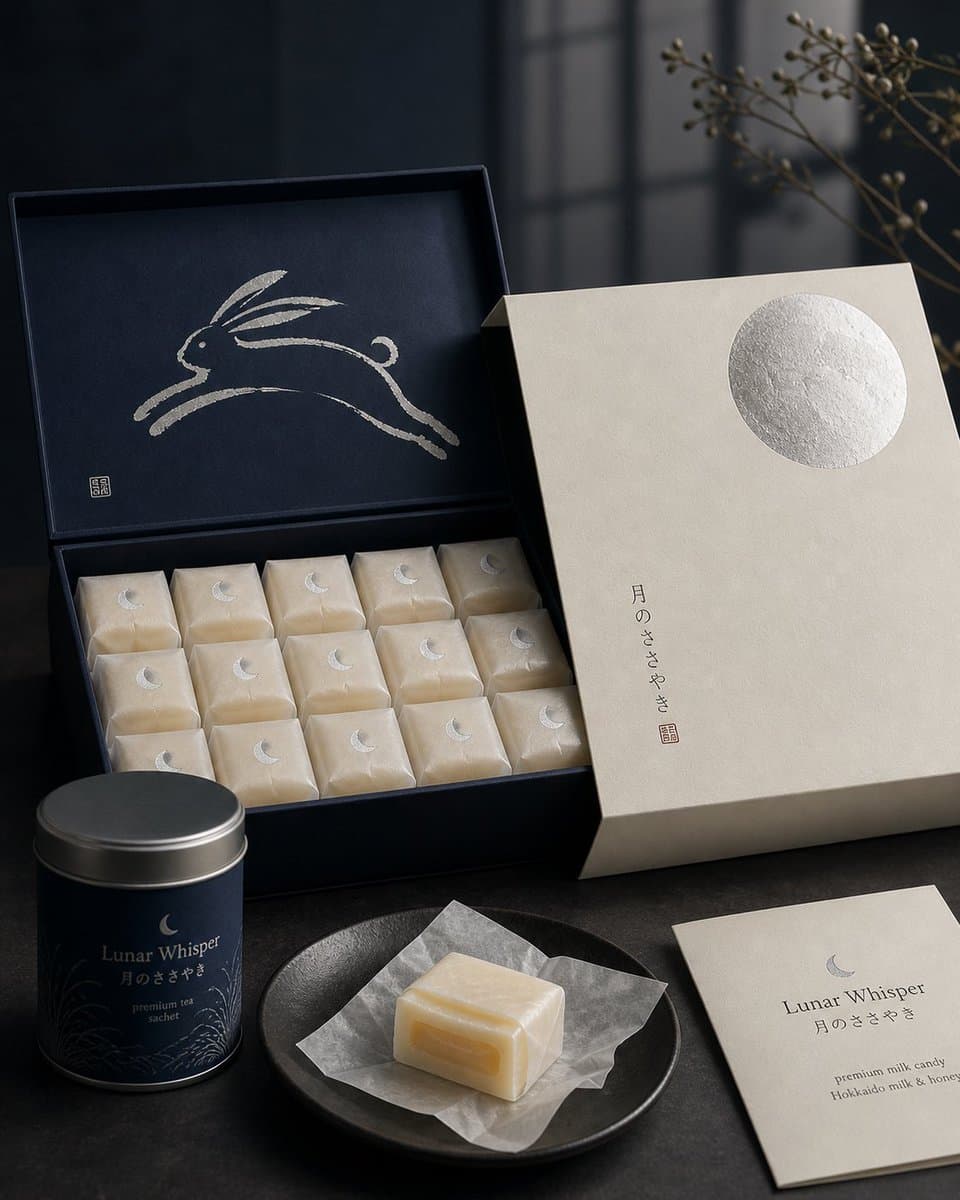
GPT 이미지 2로 생성한 일본 과자 패키지 디자인

일본 과자 패키지 디자인

GPT 이미지 2· 이미지
Premium Japanese confectionery packaging concept, “Lunar Whisper” / 月のささやき, inspired by moon rabbit folklore and refined milk candy nostalgia, rigid uncoated cream paper outer sleeve with smooth eggshell texture, minimal negative space, single cool silver embossed full moon in upper-right corner, small vertical Japanese sumi ink typography, sleeve sliding open to reveal deep matte midnight indigo inner box, inside lid printed with elegant single brushstroke leaping rabbit in shimmering pearl ink, sumi-e style, abstract folkloric rabbit, rows of individually wrapped milk candies in translucent washi-style paper, tiny silver crescent moon stickers, pale ivory candies glowing softly through paper, one candy partially unwrapped showing silky nama caramel like milk core with delicate edible rice paper film, Hokkaido cream and honey feeling, quiet ceremonial unboxing, reusable keepsake tea sachet container, Japanese minimalism, luxury packaging design, tactile paper materials, pearl ink, silver foil embossing, soft diffused moonlight, editorial product photography, refined negative space, calm nocturnal atmosphere, award winning packaging render, high end boutique confectionery brand presentation.
@IamEmily2050
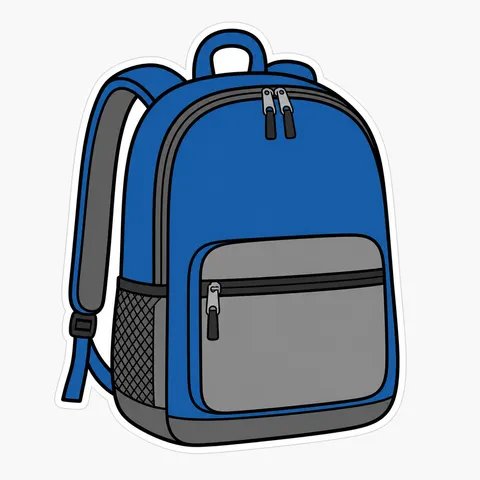
GPT 이미지 2로 생성한 패키지 목업

패키지 목업

GPT 이미지 2· 이미지
패키지-목업. decorative flat illustration, clean layers, harmonious color system, generous negative space. three-quarter view with clear silhouette and subtle depth. high-contrast saturated palette for small-screen readability. Make the subject immediately recognizable at thumbnail size. Use clean composition, purposeful details, and no watermark. Choose the medium intentionally; do not default to any single decorative style.
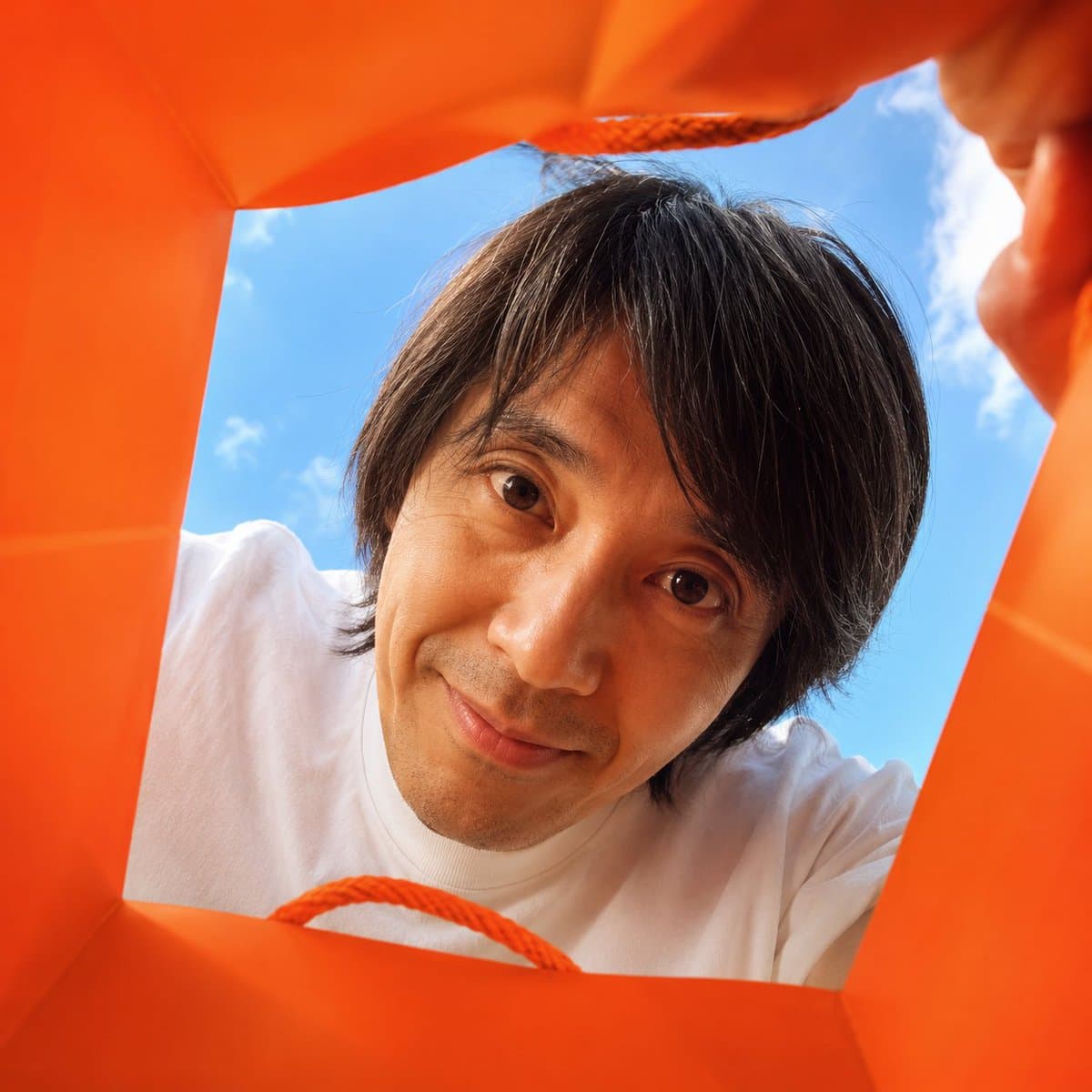
GPT 이미지 2로 생성한 쇼핑백 속 광고 컷

쇼핑백 속 광고 컷

GPT 이미지 2· 이미지
Create a vibrant, adorable, high-end advertising photo shot from inside a shopping bag, looking upward through the wide open top toward the sky. The camera is placed deep inside the shopping bag, using a wide-angle lens at f/1.4 to create a playful close-up perspective with slight but charming wide-angle distortion. This distortion is important and must be clearly preserved, giving the image a fun, immersive, premium-advertising feel. The edges of the shopping bag should naturally frame the image, showing premium paper texture, soft folds, handles, and a clean commercial packaging aesthetic. The shopping bag should be a high-saturation color, with the model randomly choosing a vivid tone such as hot pink, saturated yellow, blood orange, cobalt blue, vivid green, electric purple, deep cyan, or other bold commercial colors. The overall image should feel bright, cheerful, colorful, and visually striking. Main subject: If FACE_REF is uploaded: Strictly preserve the uploaded person’s facial identity with 100% fidelity. Maintain the exact facial structure, eyes, eyelids, nose, lips, jawline, cheekbones, skin texture, age impression, hairstyle tendency, and overall identity. No beautification drift, no face reshaping, no age change, no ethnicity change, and no invented features. If only PERSON_NAME is provided: Create a highly recognizable portrait based on the public image of [周星驰], preserving their iconic facial features, hairstyle, expression tendency, posture, and personal aura as faithfully as possible. The person leans deeply into the shopping bag from above, fully immersing their head into the opening as if curiously discovering something inside. Their face is very close to the camera lens, looking directly into it with wide, soulful, endearing eyes and a warm, adorable expression. The pose should feel playful, intimate, and heart-melting, as if they are curiously peeking into the bag and unexpectedly making eye contact with the viewer. Lighting should feel bright, natural, and uplifting, with soft sunlight from the sky above. The image should maximize cuteness, charm, and “aww” factor while still feeling like a polished luxury advertising photo. The final result should instantly make the viewer smile. 1:
@hx831126

쇼핑백 목업 AI 프롬프트란?

쇼핑백 목업은 로고, 패턴, 컬러와 인쇄 면을 실제 종이백에 적용한 것처럼 미리 확인하는 시각 자료입니다. 디자인 파일만 볼 때 놓치기 쉬운 손잡이 위치, 접히는 면, 옆면의 색상, 재질의 질감을 한 장면에서 검토할 수 있어 브랜드 제안서와 패키지 포트폴리오에 유용합니다. 프롬프트에는 쇼핑백의 형태와 크기, 종이의 두께, 표면 마감, 손잡이 소재, 배경과 촬영 시점을 함께 적어야 원하는 결과에 가까워집니다.

활용하기 좋은 장면

매장 오픈 안내, 패키지 리뉴얼 제안, 브랜드 아이덴티티 발표, 온라인 포트폴리오와 제품 상세 페이지의 대표 이미지로 활용할 수 있습니다. 한 장의 정면 컷은 로고와 색상 확인에 적합하고, 여러 개가 자연스럽게 놓인 장면은 실제 판매 환경을 상상하게 합니다. 선물 포장이나 테이크아웃 패키지라면 사용 상황에 맞는 소품을 지정하되 쇼핑백이 주인공으로 남도록 구성하세요.

프롬프트에 넣을 요소

종이백의 폭과 높이, 세로형 또는 가로형 비율, 손잡이의 색과 재질, 인쇄 영역, 광택 또는 무광 마감, 접힌 모서리와 그림자의 정도를 구체적으로 지정하세요. 로고를 중앙에 둘지 한쪽에 작게 둘지, 앞면과 옆면에 같은 그래픽을 쓸지도 명시하면 검토 목적이 분명해집니다. 실제 브랜드 로고와 긴 문구는 생성 결과에서 틀릴 수 있으므로 편집 단계에서 교체할 것을 전제로 합니다.

보기 좋은 연출

밝은 스튜디오 배경은 색상과 재질을 비교하기 좋고, 매장 카운터나 선반을 배경으로 하면 사용 장면이 자연스럽게 드러납니다. 너무 많은 소품은 인쇄 디자인을 가리므로 제품과 관련된 물건만 남기세요. 정면, 사선, 손에 들고 있는 장면처럼 목적이 다른 컷을 나누면 하나의 시안으로도 활용 범위를 넓힐 수 있습니다.

게시 전 검수

실제 인쇄 전에는 로고의 비율, 안전 여백, 재단선과 접힘 위치를 원본 도면과 대조하세요. 목업의 그림자나 주름 때문에 색이 달라 보일 수 있으므로 최종 색상은 인쇄 교정본으로 확인해야 합니다. 쇼핑백에 들어갈 물건의 무게와 손잡이 강도, 사용 장면의 상표 노출 여부도 함께 점검하면 제안서와 광고에 안전하게 사용할 수 있습니다.

자주 묻는 질문

관련 프롬프트

제품 광고 이미지

제품 광고 이미지

프롬프트 514개

패키지 목업

패키지 목업

프롬프트 1개

명품백 광고

명품백 광고

프롬프트 4개

가방 디자인

가방 디자인

프롬프트 6개

캐럿 프롬프트 갤러리

지금 유행하는 AI 프롬프트를 바로 만들 수 있어요

프롬프트

  • 로고
  • PPT 디자인
  • 썸네일
  • 포스터
  • 웹소설 표지
  • 증명사진
  • 캐리커처
  • 상세페이지
  • 배너

모델

  • GPT 이미지 2
  • 씨댄스 2.0
  • 나노바나나 프로
  • 나노바나나 2

캐럿

  • 시작하기
  • 서비스 소개
  • 블로그
  • 채용
  • 문의
  • 파트너십
  • 이용약관
  • 개인정보 처리방침

© 2026 Paradot.Inc All rights reserved.