
여름 이벤트 배너
여름 이벤트 배너 프롬프트. 캐럿에서 제공하는 여름 이벤트 배너 이미지 생성 프롬프트를 복사해 바로 사용해보세요.
2026.07.13
「여름 이벤트 배너」 원하는 대로 직접 만들어보세요「여름 이벤트 배너」 직접 만들어보세요
대화로 요청만 하면 최적화된 이미지·영상을 만들어줘요

매일 무료 100크레딧으로 바로 시작
·
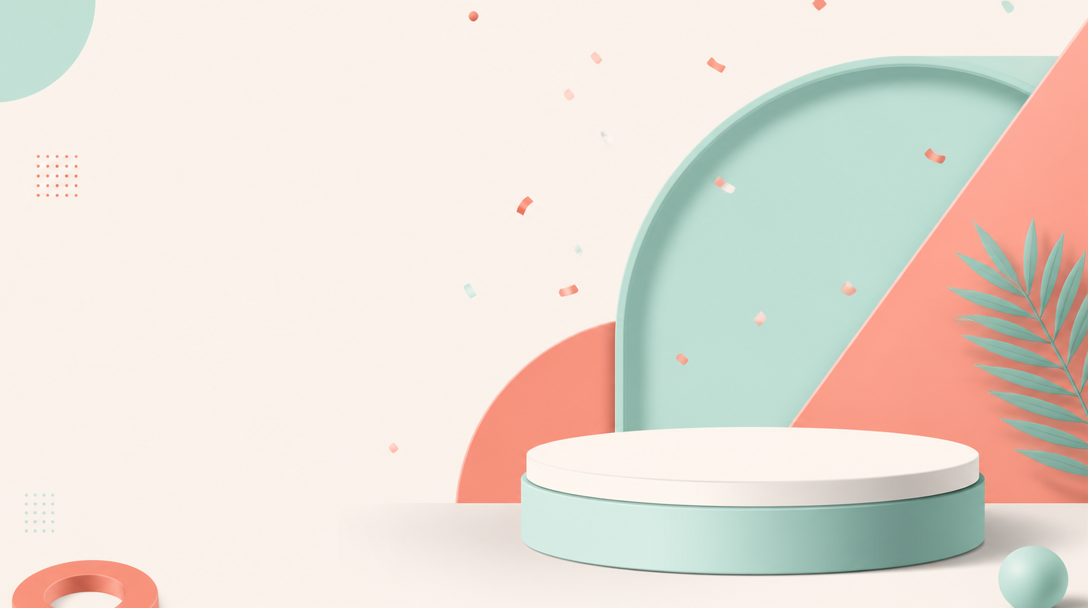
프로모션 배너 템플릿
GPT 이미지 2· 이미지
A modern e-commerce promotion banner template design. Clean layout with geometric shapes in coral and mint colors, abstract product podium in center with soft shadow, subtle confetti particles floating. Minimalist flat design with depth, professional marketing aesthetic. Plenty of negative space on left for text placement. No actual text, no watermark.
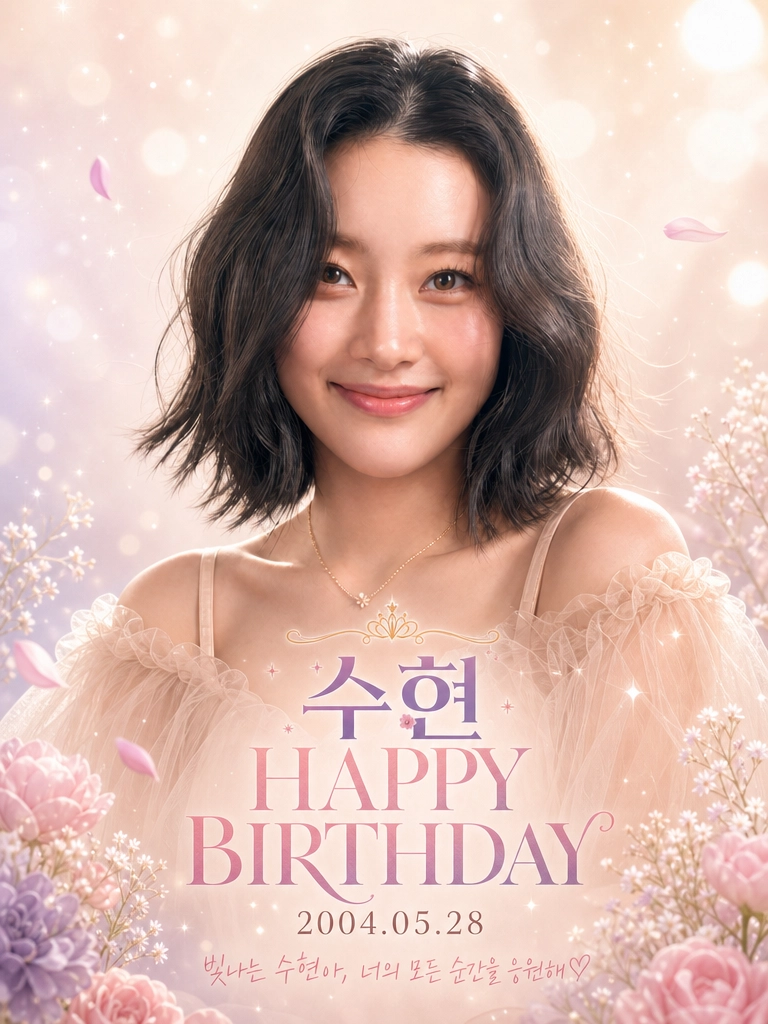
생일 광고 포스터 디자인 (세로형)
GPT 이미지 2· 이미지
Transform this photo into a premium K-pop idol-style birthday celebration portrait ad.
【COMPOSITION】
- 3:4 vertical portrait layout
- The person fills approximately 80% of the frame in a bust shot (head to mid-chest)
- Face is large, centered in the upper-middle area
- Small margin of dreamy background visible above the head (about 5-10% of image height)
- All text overlaid on the chest/torso area in the lower portion of the image
【PERSON STYLING】
- Enhance the subject with "glass skin" aesthetic: dewy, luminous, flawless complexion with soft peachy-pink blush
- Soft-focus beauty retouching while preserving facial identity
- Apply bright soft-box studio lighting with a strong rim light / halo effect on hair and shoulders
- Dress the subject in a light peachy-beige (nude tone) off-the-shoulder ruffled sheer tulle gown with gathered fabric at the neckline
- Add a fine gold delicate chain necklace with a small minimalist floral pendant
- Gentle, warm, closed-mouth smile expression
- Hair styled with soft, loose, voluminous waves
【BACKGROUND】
- Radial gradient: creamy white at the top corners → soft lavender/lilac in the mid-section → warm pinks/beiges at the bottom
- Large, soft-focus circular bokeh light spots scattered throughout, denser toward the top
- Multi-pointed digital glitter starbursts and sparkle flares floating across the image
- Dreamy ethereal light leaks contributing to a soft-focus, angelic glow
- Floating loose flower petals slightly out of focus for depth
【TEXT OVERLAY — All center-aligned, stacked vertically on the chest/dress area】
1. A small delicate gold line-art crown icon at the top
2. A thin swirled ornamental flourish divider line below the crown
3. "수현" — Large, bold serif Hangeul font with a purple-to-pink vertical gradient, with a tiny pink cherry blossom icon beside it
4. "HAPPY BIRTHDAY" — All caps, elegant Didot/Bodoni-style serif typeface, vertical gradient from deep purple at top to lighter pink/lavender at bottom, slightly smaller than the name
5. "2004.05.28" — Clean sans-serif font, muted warm gray-brown color, smaller size
6. "빛나는 수현아, 너의 모든 순간을 응원해 ♡" — Thin elegant handwriting/script font, light purple color, positioned at the bottom of the text block
【FLORAL DECORATION】
- Clusters of pastel flowers at bottom-left and bottom-right corners: baby's breath (gypsophila), soft peonies, and rose-like blooms
- Flower colors: soft lilac, dusty rose, cream white
- A few loose petals floating in the mid-frame, slightly blurred for depth of field
【COLOR PALETTE】
- Primary: peachy-beige (nude), soft lavender, lilac, cream white
- Accent: gold (necklace, crown icon), muted rosy pink, deep espresso brown (hair)
- Text gradients: purple (#7B4B94) to pink (#D4829C) to lavender (#C8A2C8)
【MOOD & AESTHETIC】
- Romantic, angelic, celebratory, premium "K-pop fairy" aesthetic
- Heavy soft-focus glow around the subject creating a halo quality
- Highly polished, no harsh shadows, fantasy-like ethereal atmosphere
- Professional idol birthday fan-made graphic quality, 8K resolution feel
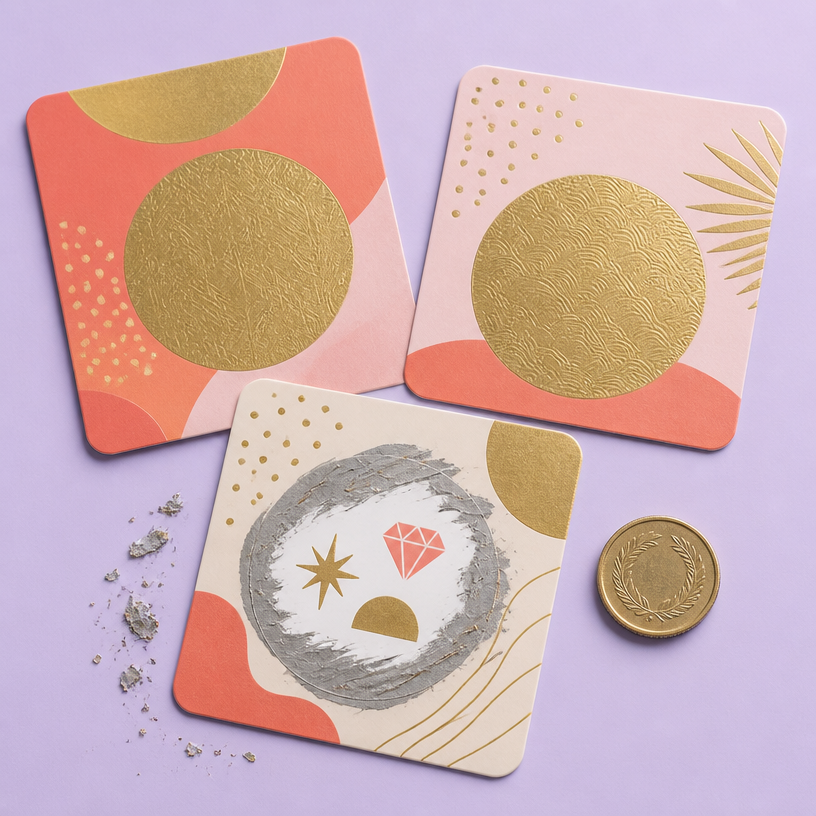
스크래치 쿠폰
GPT 이미지 2· 이미지
Square studio flat-lay of three premium scratch-off promotional coupons on a pale lavender background, rounded cards with playful coral and gold geometric patterns, one card partially scratched to reveal abstract prize symbols, small metallic scratch flakes and a coin nearby, tactile foil texture, crisp soft shadows, polished retail campaign design. No readable text, no logo, no watermark.
fal:241180
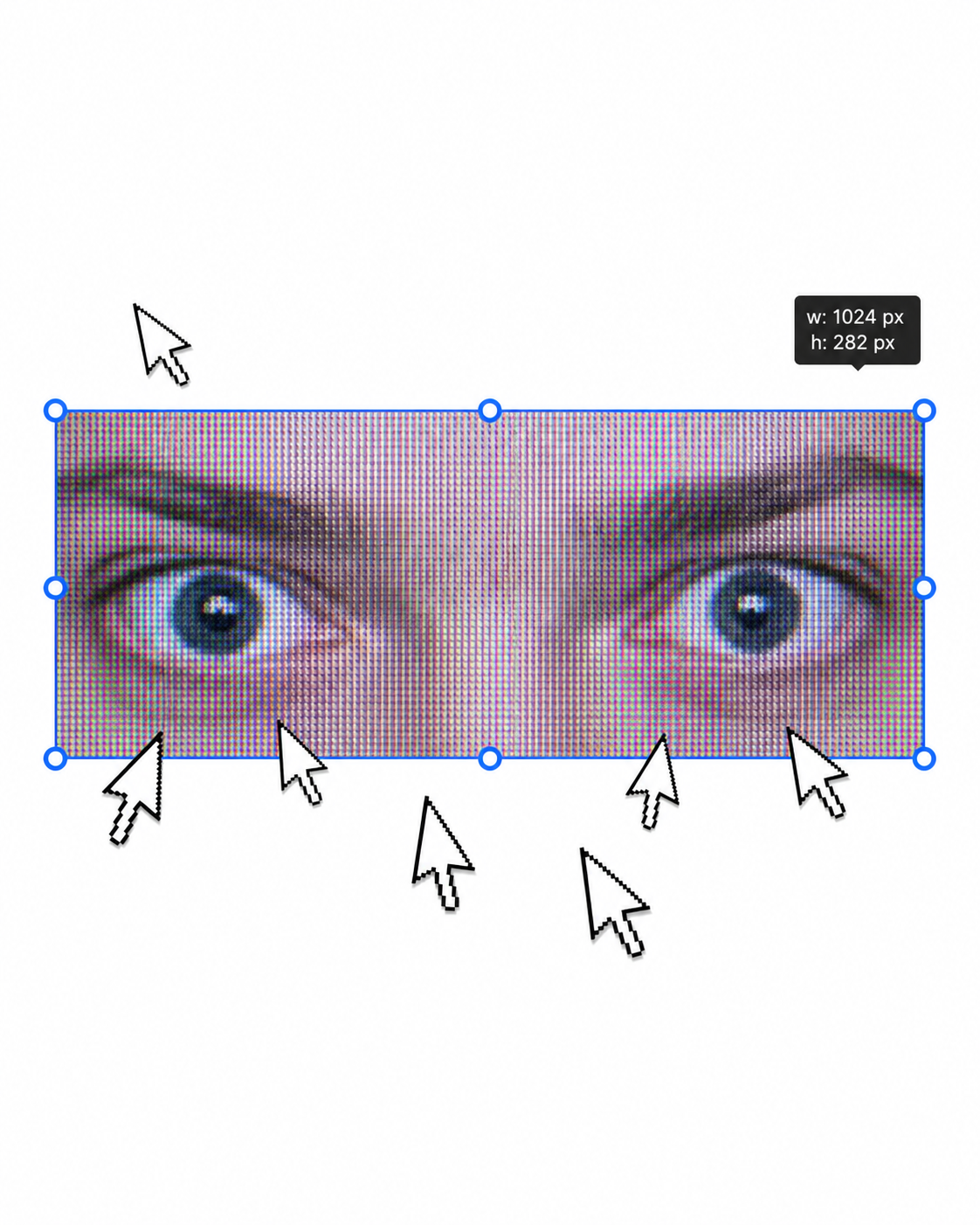
어반 패션 에디토리얼 포스터
GPT 이미지 2· 이미지
1. json prompt version
```json
{
"subject": {
"description": "A cropped, low-resolution digital image of a person's eyes inside a rectangular selection box, resembling an image-editing canvas or screenshot. Only the eye area and eyebrows are visible; the rest of the face and body are cut off.",
"mirror_rules": "Not a mirror selfie. Preserve the screen-capture / interface-editing feel rather than treating it as a conventional portrait.",
"age": "adult or young adult, exact age unclear due to extreme crop and pixelation",
"expression": {
"eyes": {
"look": "wide, direct, slightly tense gaze",
"energy": "alert, uncanny, quietly confrontational",
"direction": "looking straight toward the viewer"
},
"mouth": {
"position": "not visible",
"energy": "not applicable"
},
"overall": "fragmented and decontextualized, with the eyes carrying all emotional weight"
},
"face": {
"preserve_original": "Preserve the exact cropped eye-band framing, visible eyebrows, dark pupils, low-resolution halftone texture, and slight pink-gray screen tint.",
"makeup": "No clear makeup is visible. The face should read as a raw, pixelated screen image rather than a polished beauty portrait."
}
},
"hair": {
"color": "not visible",
"style": "not visible",
"effect": "not applicable"
},
"body": {
"frame": "not visible",
"waist": "not visible",
"chest": "not visible",
"legs": "not visible",
"skin": {
"visible_areas": "Only a narrow strip of facial skin around the eyes, eyelids, under-eye area, bridge of the nose, and brow region is visible. No shoulders, chest, waist, hips, legs, back, or arms are visible.",
"tone": "pale pink-gray skin tone distorted by screen pixels and scanline-like color separation",
"texture": "The skin appears roughened by digital pixel structure, like it would feel visually grainy or screen-printed rather than physically smooth; any natural skin texture is obscured by the low-resolution display pattern.",
"lighting_effect": "The skin is not lit by natural photographic light; it appears illuminated through a flat digital screen or screenshot, with no realistic shadow depth, only pixel-level contrast and faint magenta-gray banding."
}
},
"pose": {
"position": "Only the eyes are framed horizontally inside a selected rectangular crop.",
"base": "No body pose visible.",
"overall": "The composition feels like a fragment being actively selected, edited, or dragged inside a design interface."
},
"clothing": {
"top": {
"type": "not visible",
"color": "not visible",
"details": "not visible",
"effect": "not applicable"
},
"bottom": {
"type": "not visible",
"color": "not visible",
"details": "not visible"
}
},
"accessories": {
"device": "Implied computer interface or editing software canvas",
"prop": "Multiple oversized black-and-white mouse cursor arrows surrounding and pointing toward the selected eye image"
},
"photography": {
"camera_style": "Not a traditional photograph; a screenshot-like digital collage or UI-capture aesthetic with a pasted low-resolution eye image.",
"angle": "Straight-on, flat frontal view with no perspective depth.",
"shot_type": "Extreme close-up crop of eyes embedded in a graphic interface composition.",
"aspect_ratio": "Overall image is near 4:5 vertical canvas; the selected eye strip is a long horizontal rectangle.",
"texture": "Visible pixel grid, moire-like vertical RGB scanlines, compressed low-res texture, hard-edged UI elements, clean white canvas background.",
"lighting": "Flat screen illumination, no cinematic lighting, no natural directionality; contrast comes from the digital image and interface overlay.",
"depth_of_field": "No optical depth of field; all elements appear flattened like a graphic screenshot."
},
"background": {
"setting": "Minimal white digital workspace or blank canvas",
"wall_color": "white",
"elements": [
"bright cyan-blue rectangular selection outline",
"round blue resize handles on corners and midpoints",
"small dark floating size tooltip near the top-right edge",
"several repeated mouse cursor arrows arranged around the eye crop",
"large empty white space above and below the selected image"
],
"atmosphere": "Sparse, internet-art, meme-adjacent, slightly uncanny and obsessive",
"lighting": "Pure digital white background with no physical environmental light"
},
"the_vibe": {
"energy": "hyper-focused, intrusive, glitchy",
"mood": "uncanny, anxious, surveillance-like, absurdly intimate",
"aesthetic": "early internet collage, screenshot art, low-res UI manipulation, digital found-image surrealism",
"authenticity": "Should feel like an imperfect screenshot taken during editing, not a clean vector recreation or polished poster.",
"intimacy": "The extreme eye crop creates uncomfortable closeness while the interface elements keep it emotionally detached.",
"story": "It feels as if someone had been selecting a stranger's gaze on a blank canvas, and the repeated cursors are still converging on it.",
"caption_energy": "something that was clicked too many times, a gaze trapped inside an editing box"
},
"constraints": {
"must_keep": [
"white blank background",
"horizontal rectangular crop containing only both eyes and eyebrows",
"cyan-blue selection box with circular resize handles",
"visible pixelated / scanline texture across the eye image",
"multiple large black-and-white cursor arrows pointing toward or around the eyes",
"small size-tooltip near the upper right of the selection box",
"flat screenshot-like composition",
"uncanny direct gaze"
],
"avoid": [
"do not turn it into a full-face portrait",
"do not add visible body, clothing, hair, or environment",
"do not make the image high-fashion or cinematic",
"do not remove the UI selection handles",
"do not smooth out the pixel grid",
"do not replace the cursors with realistic hands or objects",
"do not add dramatic shadows or realistic depth"
]
},
"negative_prompt": [
"full body",
"full face",
"beauty portrait",
"cinematic lighting",
"realistic background",
"smooth skin",
"high resolution glamour",
"fashion editorial",
"hands",
"extra facial features",
"removed cursor arrows",
"removed selection box",
"3D depth",
"polished vector art"
]
}
```
2. Natural language prompt
Create a flat, screenshot-like digital collage on a mostly blank white canvas. In the center, place a long horizontal rectangular crop showing only a person's eyes, eyebrows, eyelids, under-eye area, and a narrow strip of pale pink-gray facial skin. The gaze should look straight at the viewer, wide and slightly tense, with an uncanny, alert emotional residue. Do not show the full face, mouth, hair, body, clothing, shoulders, chest, waist, hips, legs, arms, or any physical environment.
The eye crop should look low-resolution and screen-captured, with visible pixel grid, vertical RGB scanline texture, faint moire, compression artifacts, and a slightly gray-magenta digital tint. The skin should not look polished or naturally lit; it should feel visually grainy, like a rough screen-printed or monitor-textured surface rather than smooth real skin. Lighting should be flat screen illumination with no realistic shadows, no cinematic directionality, and no depth-of-field blur.
Surround the eye strip with a bright cyan-blue editing selection rectangle, including circular resize handles on the corners and midpoints. Add a small dark size-tooltip near the upper-right edge of the selected rectangle, as if the image is actively being resized in editing software. Place several oversized black-and-white mouse cursor arrows around the eye crop, some pointing toward the eyes and some overlapping the area below, creating a repetitive obsessive clicking energy.
The composition should remain front-facing, flat, and graphic, with a near 4:5 vertical canvas and a large amount of empty white space above and below the selected eye strip. Preserve the imperfect screenshot feeling: slightly awkward placement, low-res texture, hard UI edges, and a casual internet-art quality. The image should feel as if someone had been selecting a stranger's gaze on a blank canvas, and the cursors are still converging on it.
Avoid turning it into a full portrait, beauty shot, fashion editorial, cinematic scene, polished vector poster, or realistic environment. Keep the selection box, cursor arrows, pixelation, flat white background, and direct uncanny gaze as the core visual identity.
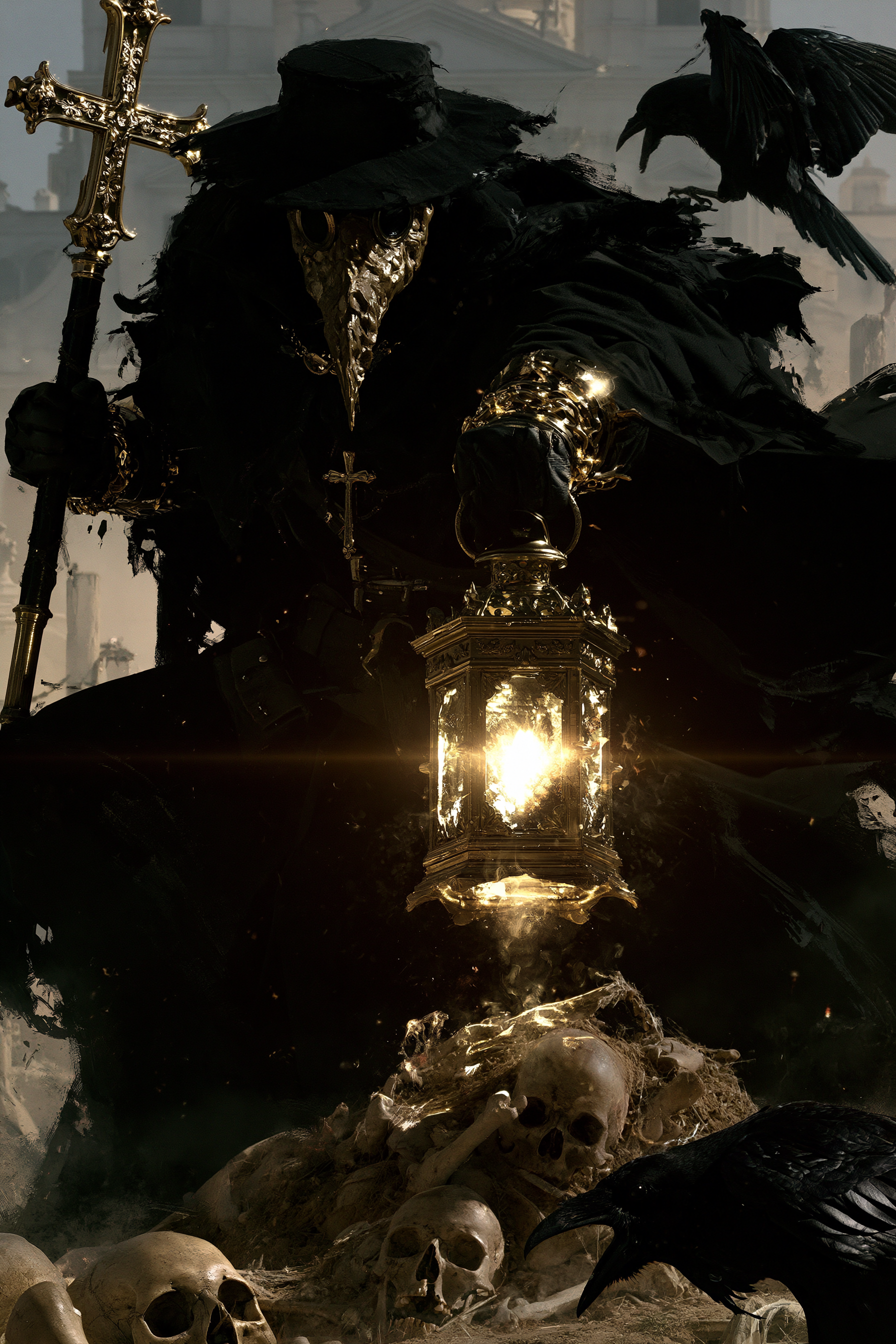
묘지의 역병 의사 포스터
미드저니· 이미지
A plague doctor with a textured mask, holding a lantern and a staff with a cross, standing in a graveyard, dynamic pose, surrounded by skulls and remains, Raven, hazy architectural background, dramatic high contrast lighting, realistic 4K --chaos 11 --ar 2:3 --exp 35 --raw --sref 931379730 3600739026 2856554496 2403970710 --profile gw85t4j rxbd514 --hd --preview
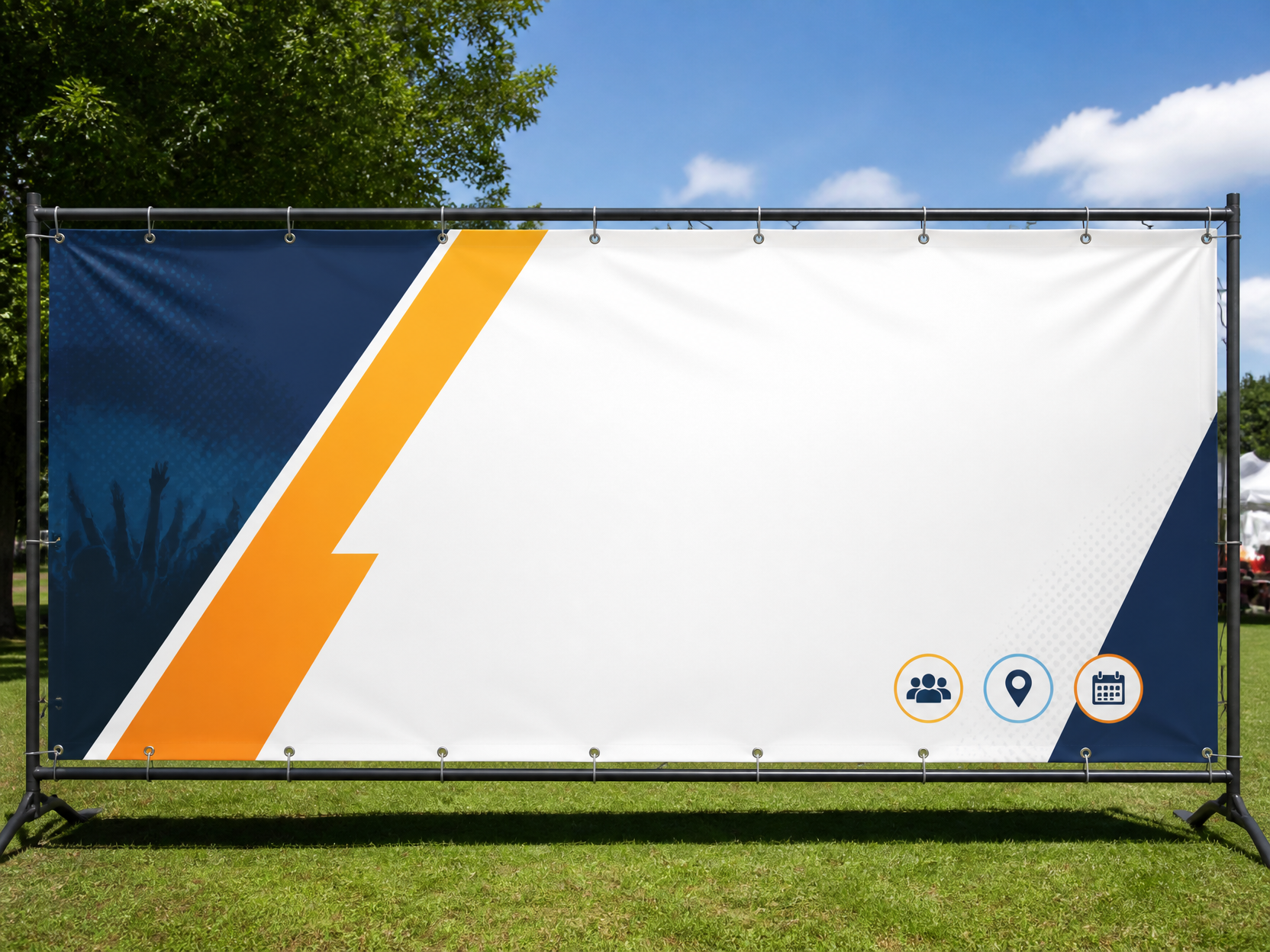
현수막 디자인 예시 3
GPT 이미지 2· 이미지
Event outdoor banner template, wide panoramic ratio, grommet details, simple icons and big blank copy zones, realistic print mockup, no readable text.
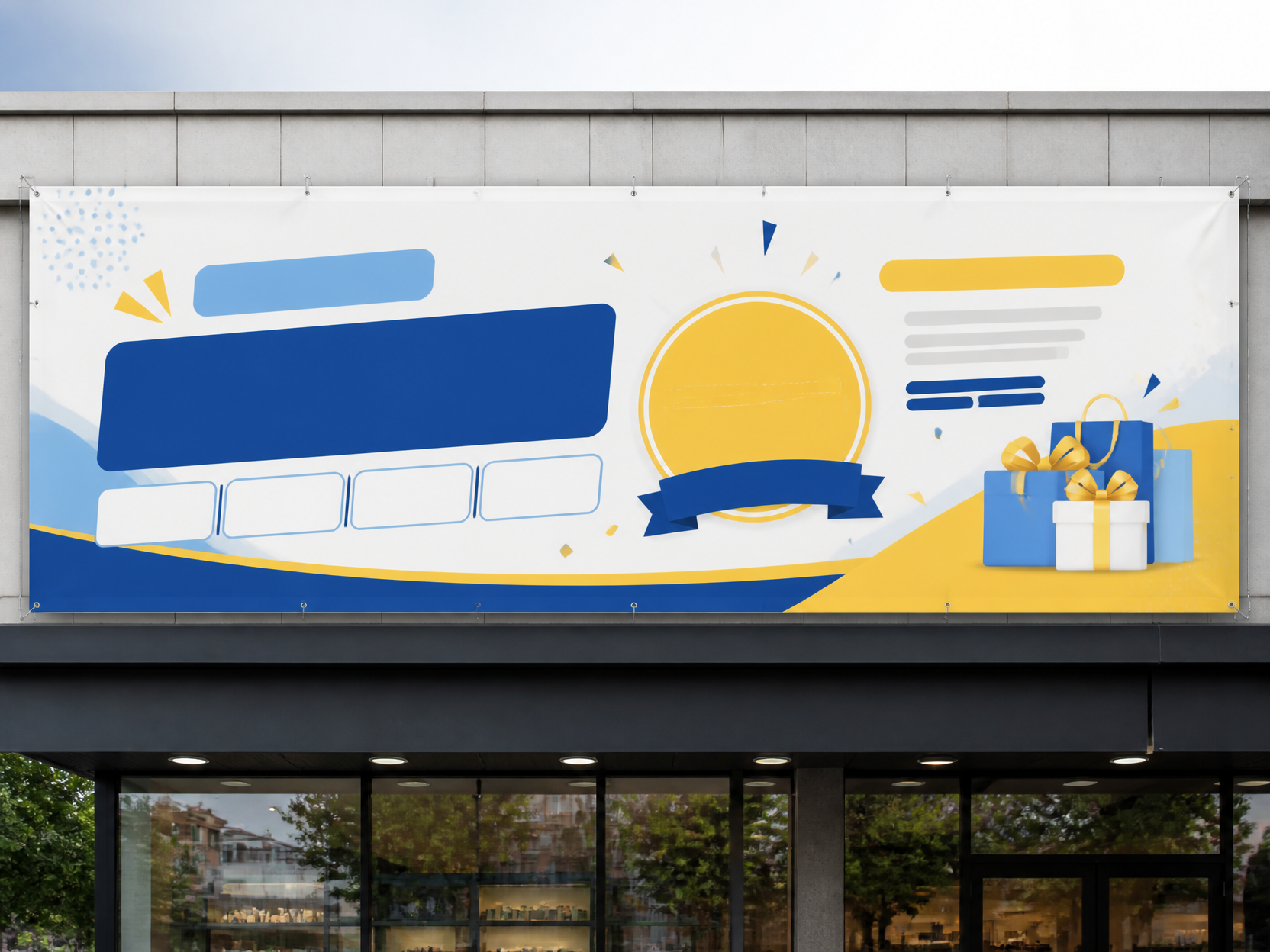
현수막 디자인 예시 2
GPT 이미지 2· 이미지
Korean storefront outdoor banner design, long horizontal vinyl banner on building facade, clean promotional layout, bright but balanced colors, placeholder text blocks only, no readable text.
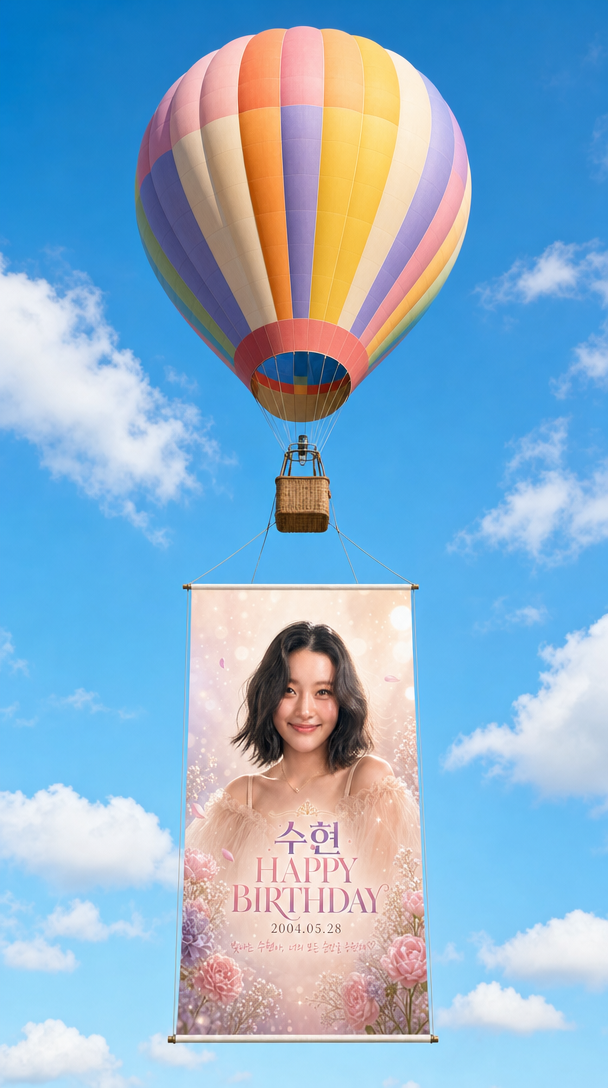
열기구 생일 배너
GPT 이미지 2· 이미지
A single classic teardrop-shaped hot air balloon floating in a bright blue sky, viewed from a slightly low eye-level perspective looking upward.
[HOT AIR BALLOON]
- Wide vertical panels in a vibrant gradient color palette: light periwinkle, soft blue, pale yellow, bright orange, pink, lavender, and soft violet.
- The bottom throat of the balloon has a small grid-like pattern with red, yellow, and blue squares.
- Below the balloon, a traditional light-brown woven wicker basket is suspended by slender vertical ropes.
[ADVERTISING BANNER]
- Hanging directly below the wicker basket, a large rectangular vertical banner is attached via four thin taut suspension lines connected to a thin dark horizontal rod at the top and bottom of the banner.
- The banner displays the provided source image EXACTLY as-is — preserve all text, typography, portrait photo, floral decorations, colors, and layout without any modification.
- The banner is significant in scale, roughly as tall as the balloon and basket combined.
[SKY & ATMOSPHERE]
- Crisp, bright, saturated cerulean blue sky.
- A few wispy white cumulus clouds scattered sparsely across the background, adding depth without obscuring the main subject.
- Soft, diffuse daylight lighting suggesting a sunny day.
[COMPOSITION & FRAMING]
- 9:16 vertical portrait format.
- The balloon is positioned in the upper third, the basket in the center, and the banner dominates the lower two-thirds.
- The ENTIRE assembly (balloon envelope + basket + full banner) must be fully visible within the frame with comfortable margins on all sides — nothing cropped or cut off.
- Ample negative space around the sides to keep the image feeling airy and spacious.
- Centered, balanced composition.
- Photorealistic style with clean, sharp details.
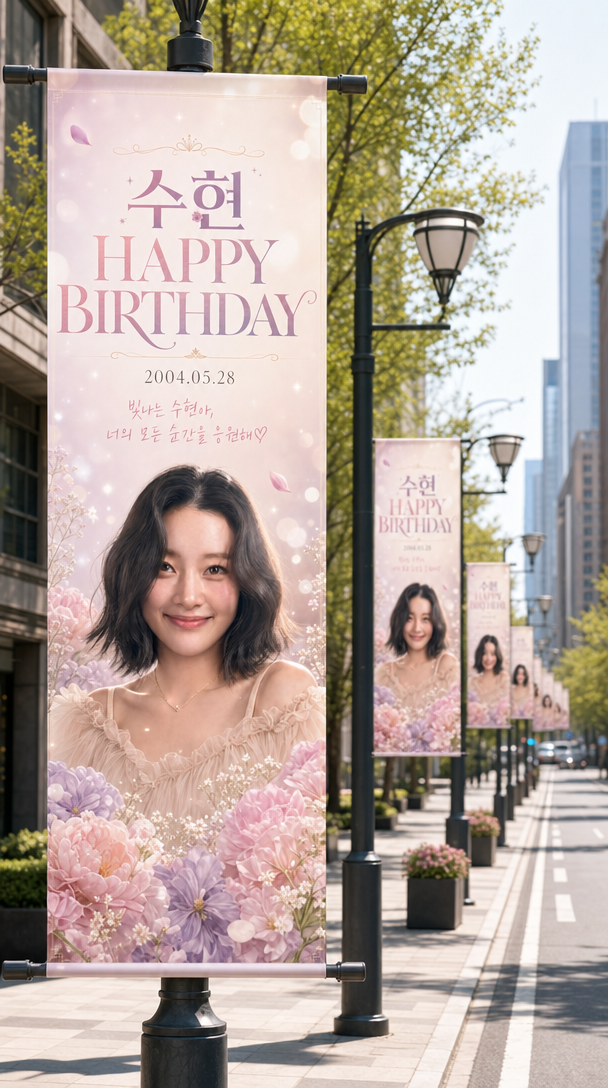
가로등 배너 생일 광고
GPT 이미지 2· 이미지
Transform the attached image into a pole banner and create a scene of pole banners lined up along a city street.
[IMAGE RATIO]
- 9:16 vertical portrait orientation
[COMPOSITION & CAMERA]
- Eye-level perspective, one-point perspective along the road
- The nearest pole banner occupies more than 1/3 of the frame
- 6 or more banners receding into the distance, progressively smaller along the street
[DEPTH OF FIELD]
- Very shallow depth of field
- Only the nearest banner is perfectly sharp; progressively stronger bokeh blur toward the back
- The farthest banners and background buildings are in soft out-of-focus
[POLE BANNERS]
- Shape: tall vertical rectangle, secured with metal rods at top and bottom, attached to black lamppost poles
- Each lamppost has one identical banner on each side (2 banners per pole)
- Banner content: reproduced exactly as if printed on the attached image
- ⚠️ DO NOT MODIFY: the person's face, expression, hair, outfit, all text (characters, fonts, colors, placement), decorative elements (flowers, frames, sparkles, etc.), and the overall color palette and design must remain exactly as in the original
[STREET ENVIRONMENT]
- Foreground: light-colored paving blocks + grey asphalt road
- Both sides: clean buildings + spring green street trees
- Background: modern downtown skyline (out of focus)
- Empty and serene street — no people or vehicles
[LIGHTING]
- Bright, sunny afternoon natural light
- Warm highlights on the person's face on the banner and on the tree leaves
[COLOR & MOOD]
- Naturally reflect the overall color palette (including accent colors) of the attached image into the street atmosphere
- Festive yet luxurious and dreamy mood
- Photorealistic, commercial advertising-level quality
- Banners should look naturally printed on real fabric with realistic shadows and light reflections
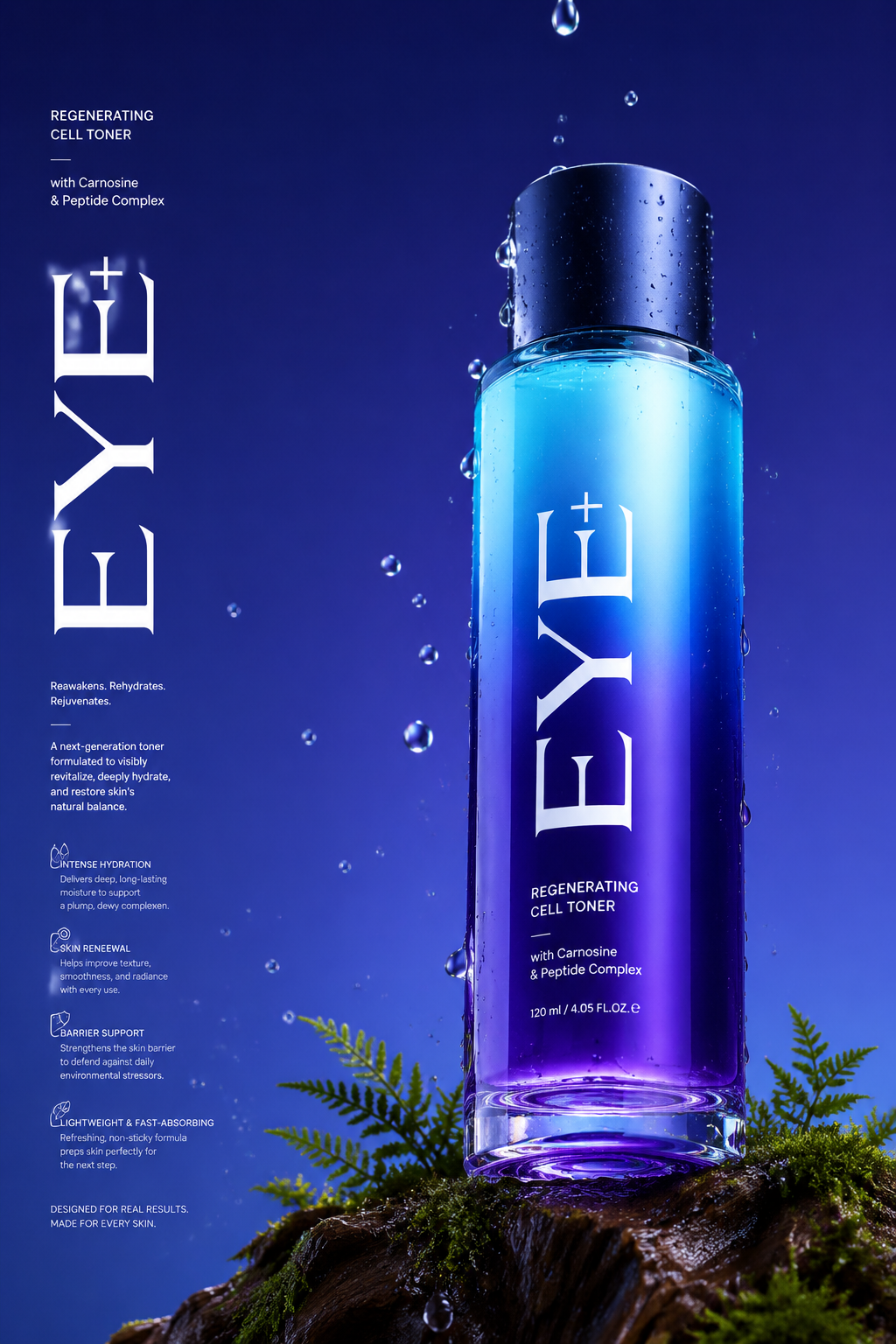
럭셔리 향수 제품 사진
GPT 이미지 2· 이미지
Long Commercial luxury product photography poster, photorealistic, ultra high detail, 8K quality. A gradient deep violet glass base in royal purple and electric blue gradually transitioning to a lighter cyan at the top. The bottle is placed on a trunk with dark moss and tiny ferns appearing in the scene. Name of brand "Eye+" Low angle 45° side camera view to make the bottle feel tall and powerful. The bottom of the bottle is partially visible. Realistic water droplets in air, around the bottle and in background, the bottle has a matte midnight blue cap. With a few drops falling, frozen mid-drip for a time-stopped effect. Background with no texture. Soft, even studio lighting with clean reflections, premium advertising look, sharp focus, realistic materials, no distractions. Light refraction & retention at the bottom of the bottle contact with glass. Big text vertically stretched EYE+ in white and a lot of small text in background in white product description, advantages in product. Etc.
여름 이벤트 배너 프롬프트란?
여름 이벤트 배너 이미지를 생성하기 위한 AI 프롬프트 모음입니다. 캐럿에서 제공하는 여름 이벤트 배너 프롬프트를 복사하여 AI 이미지 생성 도구에 붙여넣으면 전문가 수준의 결과물을 얻을 수 있습니다.
여름 이벤트 배너 프롬프트 활용 방법
- 원하는 프롬프트를 선택하여 복사합니다.
- 캐럿 에이전트에 붙여넣습니다.
- 필요에 따라 색상, 스타일, 구도를 수정합니다.
- 생성된 이미지를 다운로드하여 활용합니다.
여름 이벤트 배너 프롬프트 작성 팁
조명(Lighting), 질감(Texture), 구도(Composition), 렌즈(Lens) 정보를 구체적으로 명시하면 더 정밀한 결과를 얻을 수 있습니다. "No text, no watermark"를 추가하면 불필요한 텍스트를 방지할 수 있습니다.
여름 이벤트 배너 프롬프트 적용 사례
여름 이벤트 배너 프롬프트는 콘텐츠 제작, 마케팅, 디자인, 교육 자료 등 다양한 분야에서 활용됩니다. AI 이미지를 활용하면 제작 시간을 단축하면서도 전문적인 퀄리티를 유지할 수 있습니다.
여름 이벤트 배너 프롬프트 최적화 가이드
이미지 비율은 용도에 맞게 선택하세요. SNS용은 세로형(9:16), 웹 배너는 가로형(16:9), 제품 이미지는 정사각형(1:1)이 적합합니다.