carat

Prompt Gallery

/

Vending Machine Mockup

Login
Sign Up

Vending Machine Mockup

Prompts for creating vending machine mockup concepts that leave space for beverage and snack branding.

2026.07.17

·
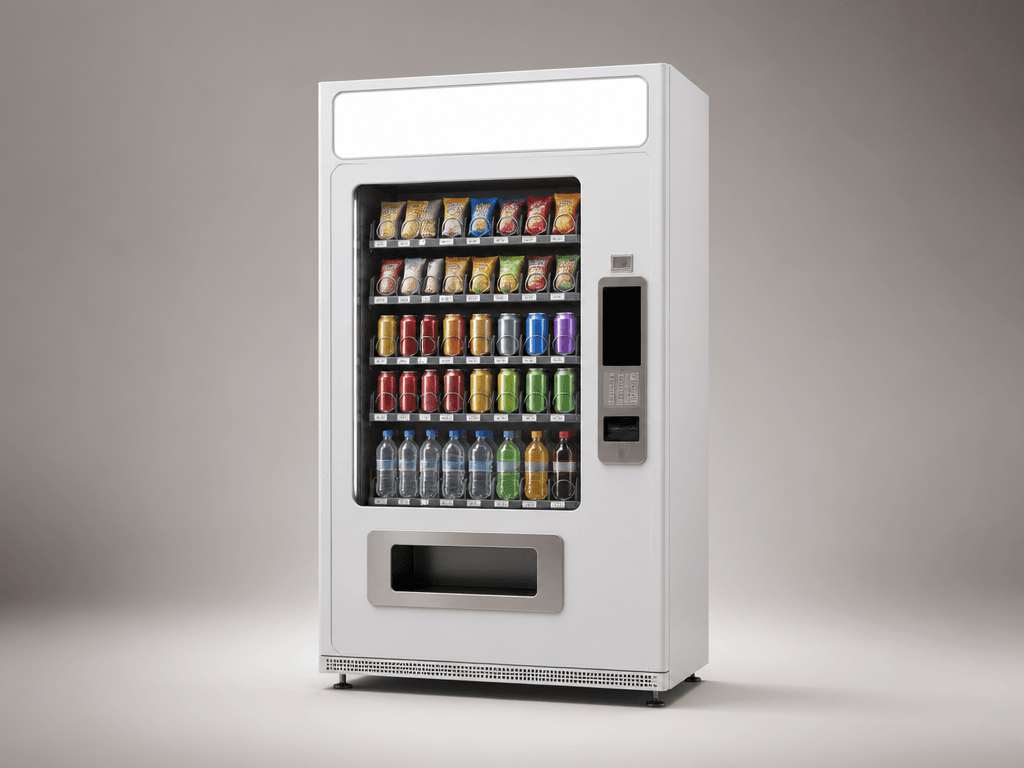
GPT 이미지 2로 생성한 자판기 목업

자판기 목업

GPT Image 2· Image
A realistic blank vending machine mockup for packaging, beverage, and retail branding presentations, with a clean front panel reserved for editable graphics. clean commercial template design, product-friendly layout, clear content blocks, modern Korean design sensibility. front-facing centered composition with generous padding. bright friendly palette suitable for Korean mobile UI. Make the subject immediately recognizable at thumbnail size. Use clean composition, purposeful details, and no watermark. Keep the layout organized, readable, and purposeful; avoid clutter and illegible typography.

What are vending machine mockup AI prompts?

Vending machine mockup AI prompts create presentation visuals that show beverage, snack, or merchandise branding in a realistic retail setting. By defining the machine body, product window, payment panel, dispensing bay, header sign, materials, and lighting, you can explore a brand concept before applying final graphics. These mockups work well for store installation proposals, pop-up planning, package branding, product launches, and campaign mood boards.

Common use cases

  • Packaging application concepts for drinks and snacks
  • Installation proposals for convenience and unmanned stores
  • Sales equipment concepts for events and pop-ups
  • Promotional visuals for limited merchandise
  • Spatial direction for outdoor campaigns

Elements to define

Choose the machine shape and whether the view is straight-on or three-quarter. Describe the body material, such as matte metal, painted panels, or transparent glass, then separate the product window, cans and bottles, dispensing bay, payment panel, and header sign. Leave a clean blank area where final branding will be placed. Specify floor shadows, reflection strength, and whether the background is a studio or a store so the result fits a presentation context.

Prompt tips

Start with the product category and intended audience, then add machine color, camera height, lens feel, and lighting. Premium drinks may suit restrained metal and a dark background, while youth merchandise may need bright color and soft light. Keep the machine large enough to read as a thumbnail and request generous surrounding space. For a proposal, generate both a frontal view for graphic review and a three-quarter view for depth and placement.

Final checks

Generated labels, prices, and product names are not real sales information. Do not insert copyrighted logos, contact details, or licensed artwork without permission. A button or payment panel that looks functional does not prove that the machine can operate that way; confirm specifications separately. Before presenting the mockup, check that graphics follow the perspective and curved surfaces correctly and that products are not hidden by decorative elements.

Frequently Asked Questions

Related Prompts

100-Day Celebration

100-Day Celebration

4 prompts

2D Anime

121 prompts

3D Avatar

3D Avatar

6 prompts

3D Cartoon

379 prompts

Carat Prompt Gallery

Create trending AI prompts instantly

Prompts

  • Logo
  • PPT Design
  • Thumbnail
  • Poster
  • Web Novel Cover
  • ID Photo
  • Caricature
  • Product Detail Page
  • Banner

Models

  • GPT Image 2
  • Seedance 2.0
  • NanoBanana Pro
  • NanoBanana 2

Carat

  • Get started
  • About
  • Blog
  • Careers
  • Contact
  • Partnership
  • Terms
  • Privacy

© 2026 Paradot.Inc All rights reserved.