carat

Prompt Gallery

/

Certificate Design

Login
Sign Up

Certificate Design

Create professional ID photos and clean portrait designs with AI certificate design prompts.

2026.07.04

·
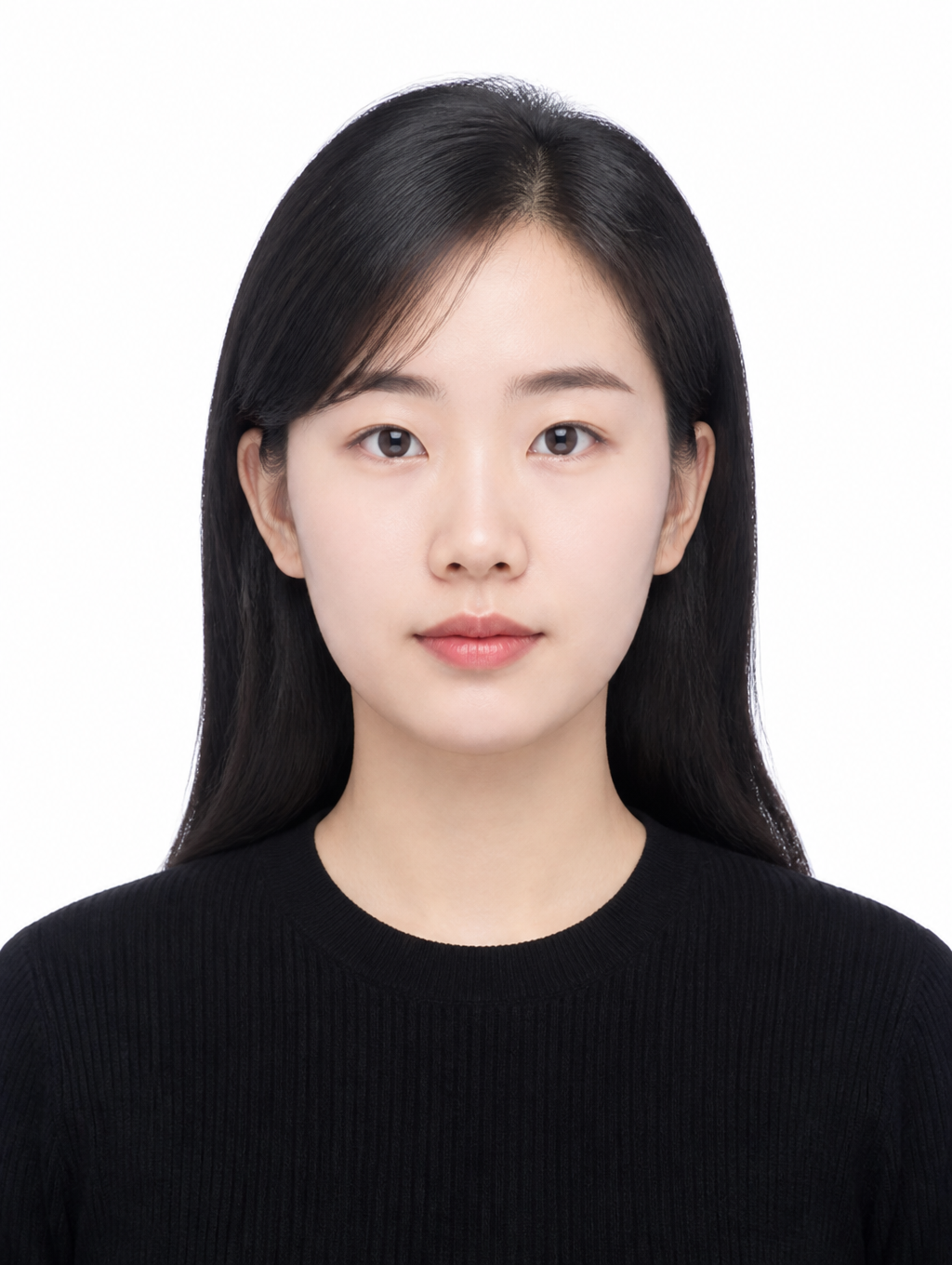
AI-generated Clean Basic ID Photo made with GPT Image 2

Clean Basic ID Photo

GPT Image 2· Image
첨부된 인물 사진을 참고해서 깔끔한 기본 증명사진으로 만들어줘. 얼굴 특징과 인상은 유지하고, 정면 구도, 무표정에 가까운 자연스러운 표정, 심플한 검정 상의, 흰색 배경, 그림자 없는 부드러운 조명, 가슴 위까지 보이는 official ID photo crop, 3:4 vertical ratio로 구성해줘. 공식 문서용 사진처럼 단정하게 만들고 텍스트와 워터마크는 넣지 마.
GPT 이미지 2로 생성한 증명사진 일러스트

증명사진 일러스트

GPT Image 2· Image
A clean illustration of a fictional person in a standard ID photo format, neutral expression, white background, centered composition, simple flat art style, shoulders up, suitable for document use, no text
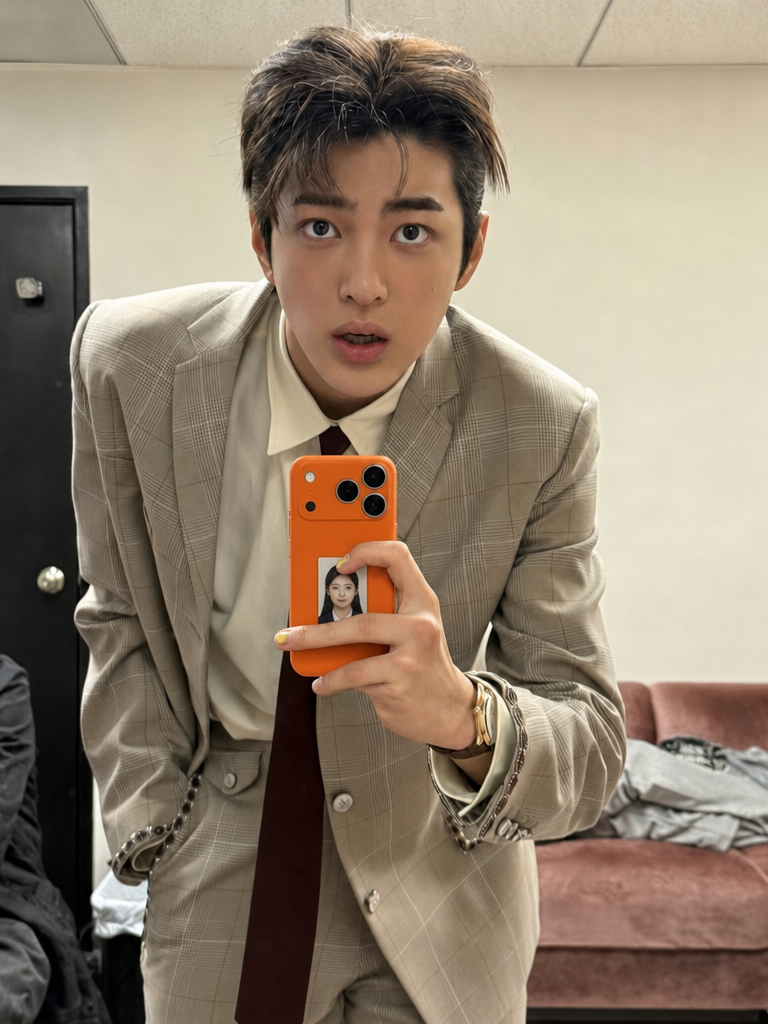
Transparent phone case ID photo composite generated with GPT Image 2

ID Photo in Transparent Phone Case Composite Prompt
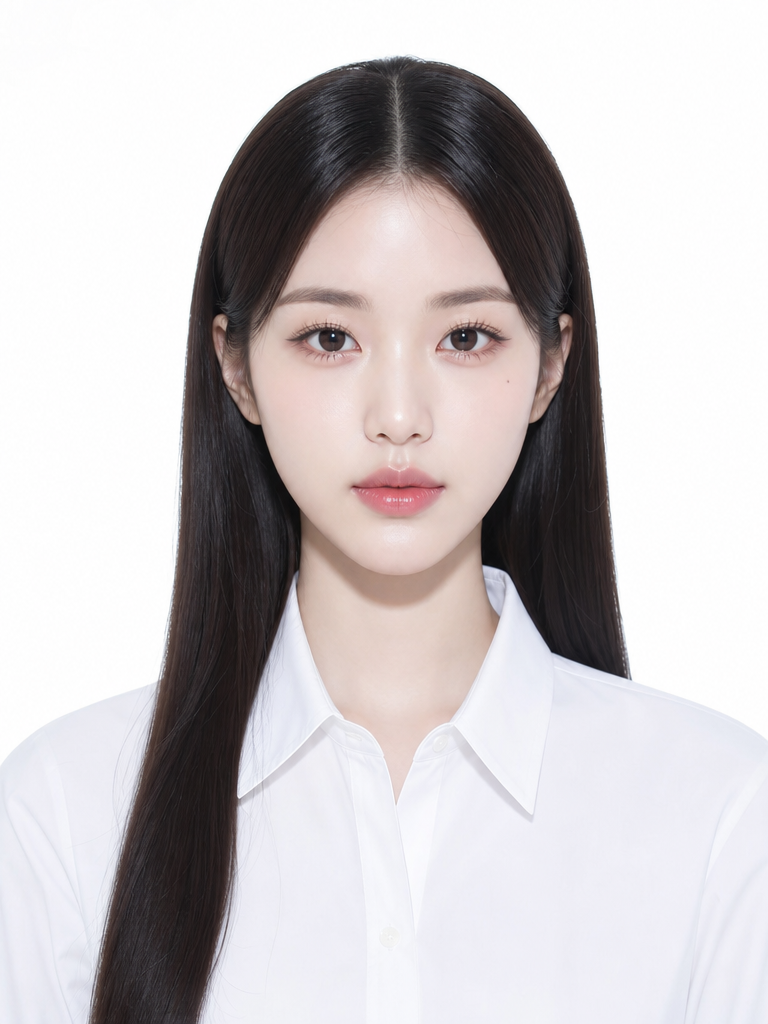
GPT Image 2· Image
첫 번째 사진 속 사람의 거울셀카 속에 보이는 휴대폰 케이스에 두 번째로 첨부한 내 증명사진을 넣어서 연인들 사이에 증명사진을 넣고 다니는 것처럼 합성해줘. 사진 사이즈는 아주 작게, 얼마나 작냐면 휴대폰 카메라 렌즈 1개에서 1.5개정도 사이즈야. 투명 케이스 안에 실제로 인쇄한 증명사진이 들어가 있는 것처럼 재질처리를 부탁해. 이미지를 그냥 합성한 느낌이 아니라 휴대폰을 들고 있는 사람이 직접 사진을 휴대폰 안에 넣어서 들고 다니고 있다는 게 보여져야 해. 그렇기 때문에 사진의 위치는 카메라 렌즈 부분을 침범하면 절대 안되지만 휴대폰 케이스를 쥐고 있는 손가락으로 인해 증명사진이 가려지는 걸 꼭 살려야 해. 폰을 쥔 손가락이 자연스럽게 증명사진을 가리고 있는 것도 잊지 마. 증명사진 스티커의 가장자리에 부드럽게 그림자를 드리우도록 처리해줘. 손가락과 스티커 사이의 접점에서 빛 번짐과 반사율을 맞추어 증명사진 스티커가 휴대폰 표면보다 더 튀어나오지 않으며, 화질도 두개의 사진 똑같이 맞춰줘. 손가락의 색감과 조명 톤이 스티커 표면에도 일관되게 반영되도록 해줘. 증명사진 스티커는 휴대폰 표면의 광택, 재질, 조명 방향에 따라 동일하게 반사되며, 증명사진 스티커 위에 손이 가까이 있을 때 생기는 미세한 난반사와 그림자 농도도 실제처럼 자연스럽게 표현해줘. 그리고 첨부한 증명사진의 이미지를 최대한 변경하지 말아줘. [절대 금지 사항 (오류방지)] 절대 증명사진이 손가락 위에 어색하게 얹힌 것처럼 합성하지 마. 절대 휴대폰 표면에 그냥 붙인 평면적인 스티커처럼 보이게 하지 마. 절대 증명사진이 원본보다 튀어나와 보이거나 이질감이 느껴지면 안 돼. 절대 카메라 렌즈를 가리면 안 돼. 절대 폰 케이스나 폰 본체의 색상을 바꾸지 마. 원본 이미지의 폰 외관을 100% 그대로 유지해야 해. 절대 증명사진을 카메라 렌즈 1.5개 크기보다 크게 그리지 마. 증명사진이 폰 화면의 1/4 이상을 차지하거나 크게 보이면 완전히 틀린 결과야. 반드시 렌즈 하나 크기를 기준으로 아주 작게 배치해. 증명사진의 원본 형태와 특징을 100% 유지하며, 어떠한 변경이나 보정도 하지 말아줘.
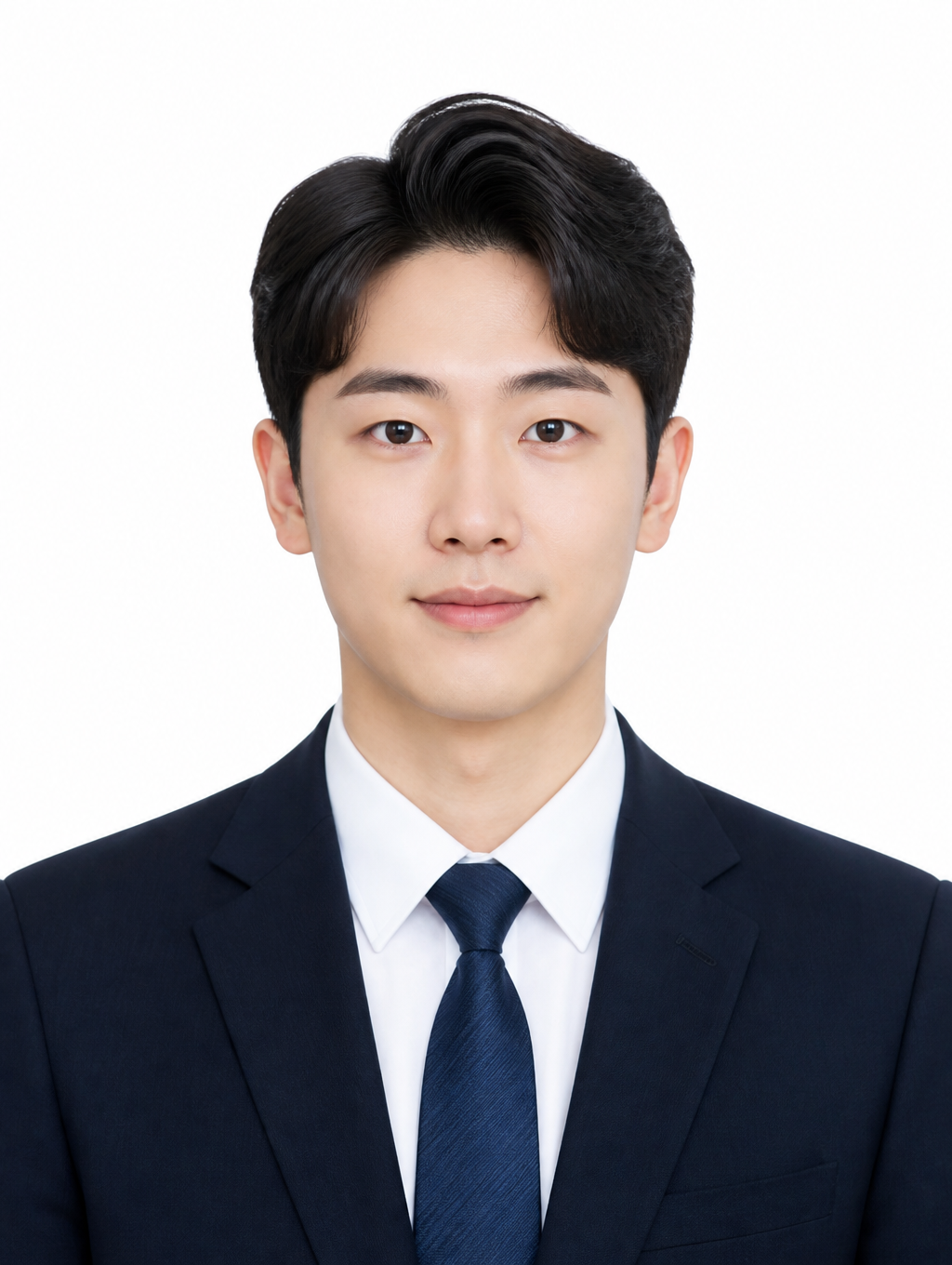
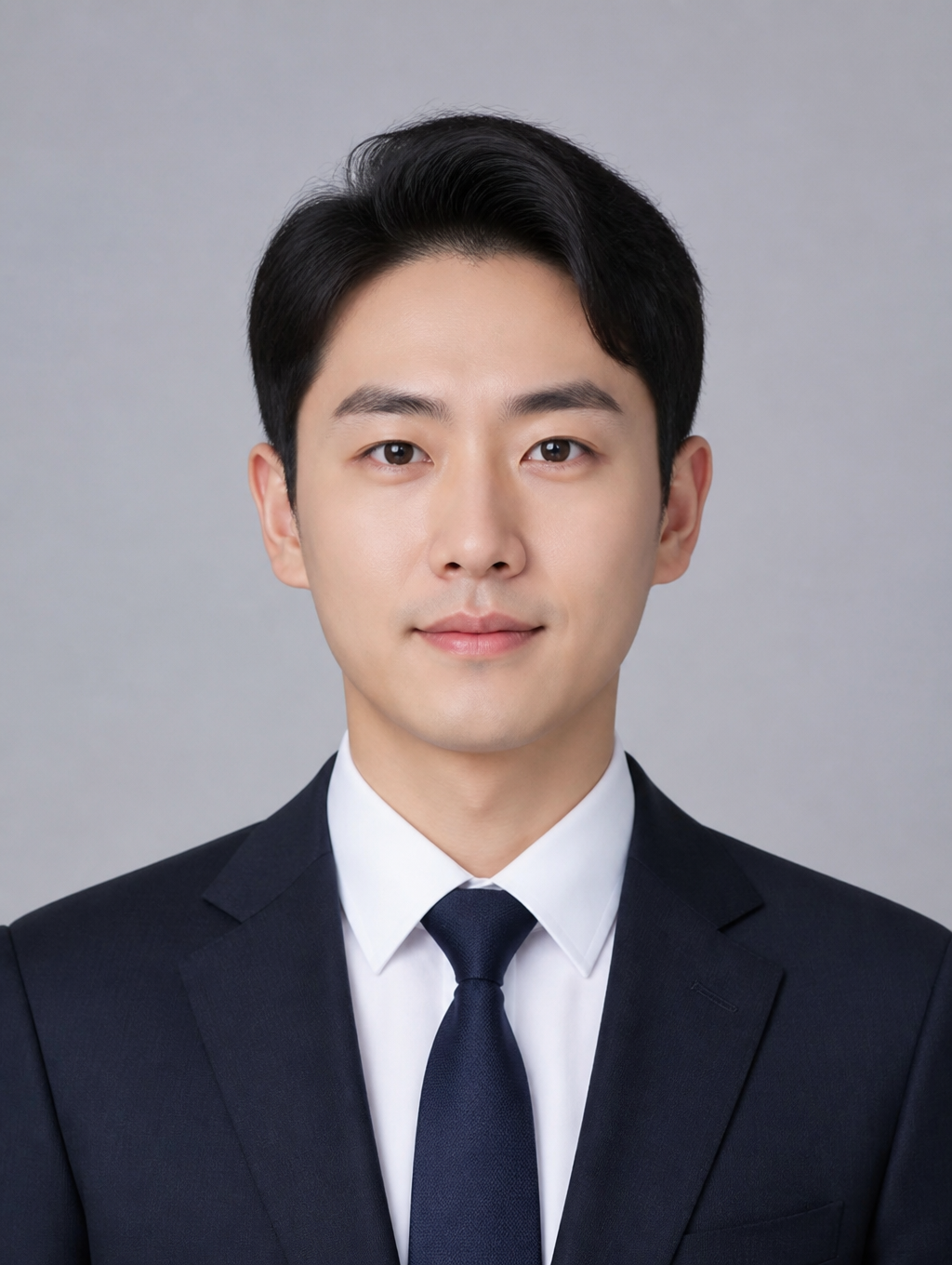
AI-generated Business ID Photo made with GPT Image 2

Business ID Photo

GPT Image 2· Image
첨부된 인물 사진을 참고해서 비즈니스용 증명사진으로 만들어줘. 얼굴 특징과 인상은 자연스럽게 유지하고, 정면을 바라보는 구도, 단정한 어두운 정장과 흰 셔츠, 밝은 회색 스튜디오 배경, 부드럽고 균일한 조명, 가슴 위까지 보이는 official ID photo crop, 3:4 vertical ratio로 구성해줘. 과한 보정 없이 자연스럽고 전문적인 분위기. 텍스트와 워터마크는 넣지 마.
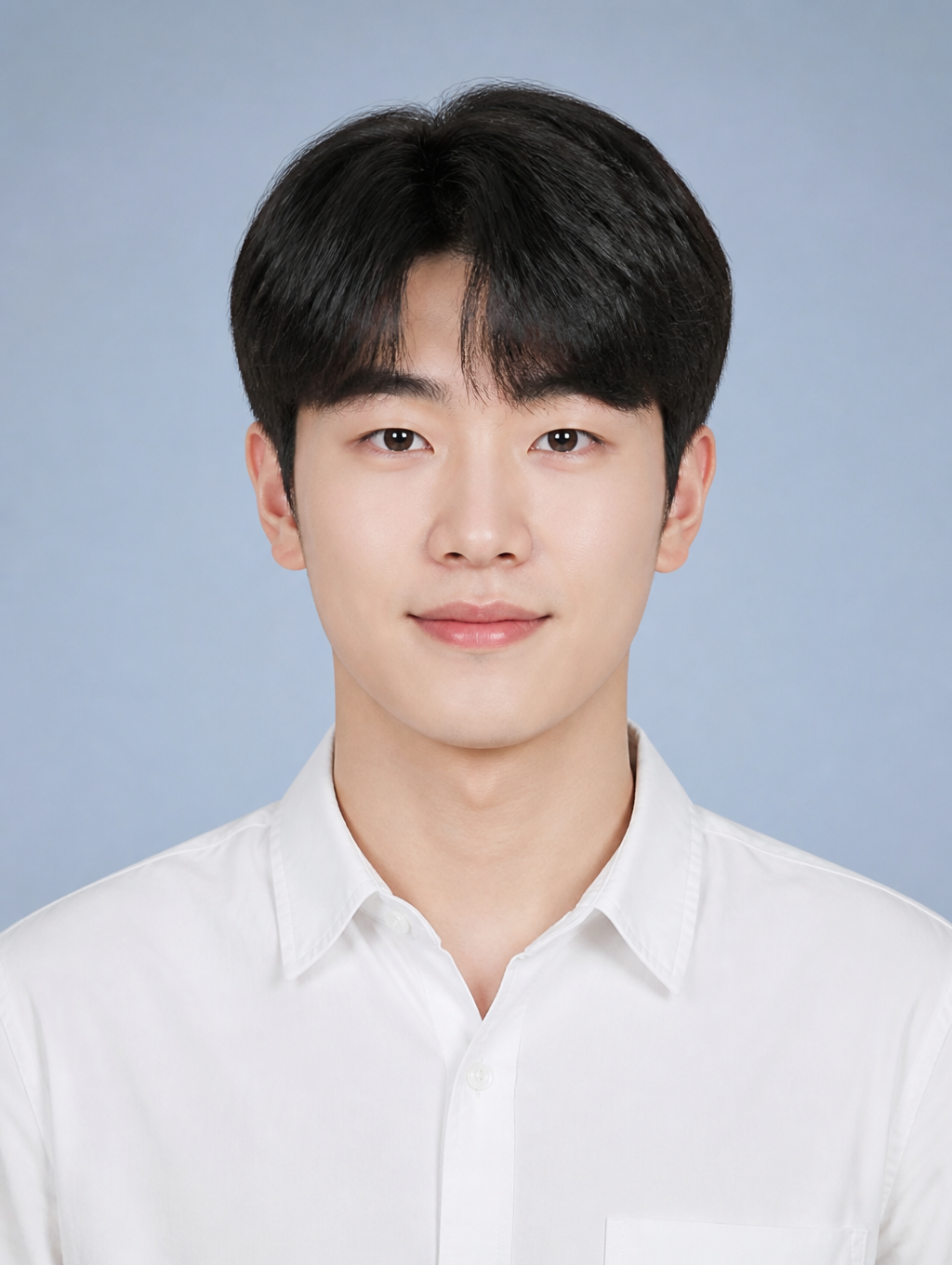
AI-generated Student ID Photo made with GPT Image 2

Student ID Photo

GPT Image 2· Image
첨부된 인물 사진을 참고해서 학생용 증명사진으로 만들어줘. 얼굴 특징은 자연스럽게 유지하고, 정면을 바라보는 구도, 단정한 흰 셔츠, 깔끔한 헤어스타일, 밝은 블루그레이 스튜디오 배경, 부드러운 균일 조명, 가슴 위까지 보이는 official ID photo crop, 3:4 vertical ratio로 구성해줘. 자연스러운 미소 정도만 허용하고 텍스트와 워터마크는 넣지 마.
AI-generated Profile ID Photo made with GPT Image 2

Profile ID Photo

GPT Image 2· Image
첨부된 인물 사진을 참고해서 프로필용 증명사진으로 만들어줘. 얼굴 특징은 자연스럽게 유지하고, 정면을 바라보는 구도, 따뜻한 미소, 베이지 톤 재킷, 웜그레이 스튜디오 배경, 깨끗한 조명, 가슴 위까지 보이는 official ID photo crop, 3:4 vertical ratio로 구성해줘. 이력서나 링크드인에 쓸 수 있는 자연스럽고 단정한 분위기. 텍스트와 워터마크는 넣지 마.
AI-generated Job Application ID Photo made with GPT Image 2

Job Application ID Photo

GPT Image 2· Image
첨부된 인물 사진을 참고해서 취업용 증명사진으로 만들어줘. 얼굴 특징과 실제 인상은 유지하되, 정면 구도, 네이비 블레이저, 깔끔한 헤어와 단정한 인상, 흰색 배경, 부드러운 스튜디오 조명, 가슴 위까지 보이는 official ID photo crop, 3:4 vertical ratio로 구성해줘. 신뢰감 있고 전문적인 분위기, 과한 보정 금지, 텍스트와 워터마크 금지.
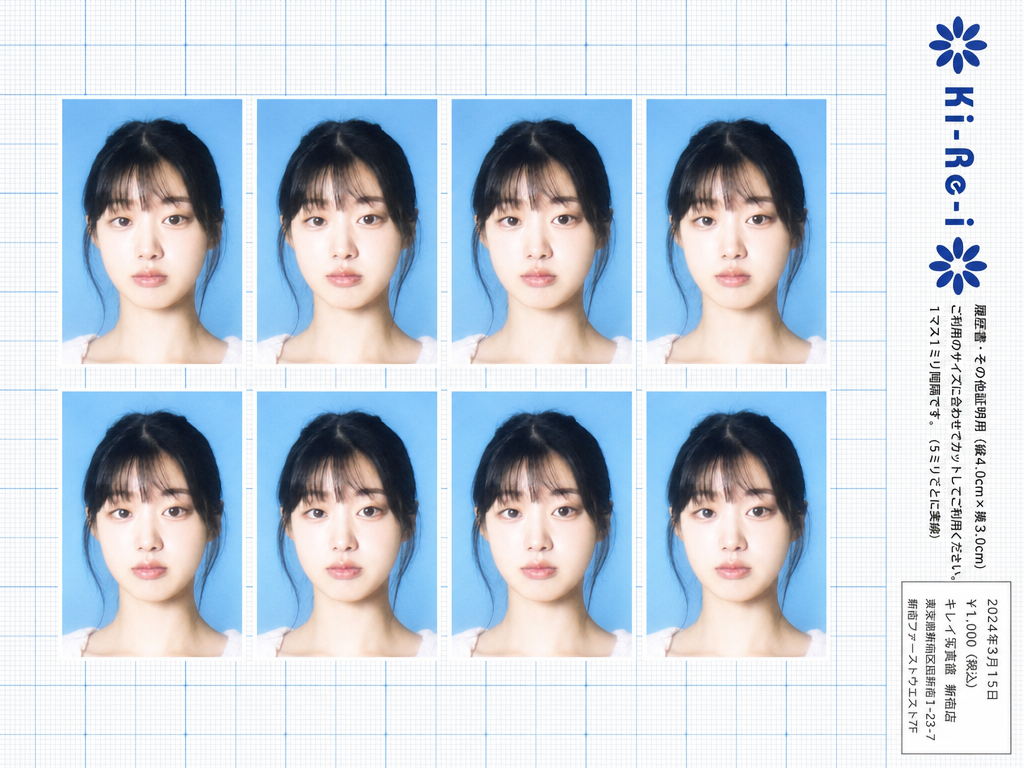
Ki-Re-i ID photo sheet generated with GPT Image 2

Ki-Re-i ID Photo Sheet

GPT Image 2· Image
Use the provided photo as the subject for all 8 ID photos. If the provided photo's aspect ratio does not match 3:4 (portrait), automatically crop it centered on the face — like a standard passport/ID photo crop — so it fits the 3:4 frame naturally. Do not stretch or distort. A Japanese Ki-Re-i (キレイ) ID photo booth print sheet in landscape orientation (wider than tall). BACKGROUND: White(#FFFFFF) graph paper. Fine thin blue(#214384) grid lines creating small squares, with slightly darker/thicker blue lines every 5 small squares — forming a 5×5 thin-grid pattern between each pair of thick lines. Japanese 方眼紙 (graph paper) style. PHOTO GRID: 8 identical ID passport-style photos arranged in a strict 2-row × 4-column grid, occupying the left ~82% of the sheet. Each photo has a 3:4 aspect ratio (portrait, taller than wide). Each photo shows the subject from the provided image: upper-body frontal portrait, neutral expression, soft studio flash lighting, blue(#1084EF) background — standard 証明写真 style. Thin white border around each photo. Evenly spaced on the graph paper. *Each photo has a slightly soft focus, gentle overexposure (+0.5 EV), and a luminous bloom glow — reminiscent of early 2000s Japanese digicam output: subtly blown highlights, slightly desaturated, muted color tones, creamy bright skin tones, and a hazy softness* RIGHT SIDE STRIP (rightmost ~18% of sheet): All text and logo elements are rotated 90° clockwise (letter tops point LEFT toward the left edge of the image; reading direction goes from BOTTOM of the image to TOP; viewer rotates paper 90° clockwise to read normally). KI-RE-I LOGO (upper area of right strip, rotated 90° CW): A branded logotype block stacked vertically top-to-bottom (all in navy blue): ① A solid navy blue 8-petal rosette icon with this exact geometry: 8 oval/elliptical petals radiating from the center at 45° intervals, each petal has exact geometry: 8 oval/elliptical petals radiating from the center at 45° intervals, each petal has a smooth rounded outer tip; all petals are solid navy blue fill; a small circular hollow (donut hole negative space) at the very center where petals meet — like a stylized chrysanthemum rosette. Overall silhouette is circular. Diameter ≈ one character height of the Ki-Re-i text. ② The exact brand name "Ki-Re-i" in navy blue rounded bold display/logotype font — spelled with hyphens exactly as Ki-Re-i. ③ An identical solid navy blue 8-petal rosette (mirror of ①). All three elements centered and evenly spaced. Absolutely NO person silhouette or human figure icon anywhere. BODY TEXT (placed directly below the Ki-Re-i logo, rotated 90° CW, black gothic/sans-serif): The Ki-Re-i logo block and the body text block are stacked VERTICALLY — logo on top, body text directly below it. Both are left-aligned to the same left edge of the strip. NO horizontal side-by-side placement between logo and body text. - 「履歴書・その他証明用(縦4.0cm×横3.0cm)」 - 「ご利用のサイズに合わせてカットしてご利用ください。1マス1ミリ間隔です。(5ミリごとに実線)」 If lines are too long, WRAP into 2 or more lines. Must NOT extend into or overlap the white receipt box area — clear gap required. WHITE RECEIPT BOX(lower portion of the right strip, seperate from logo and body text above): A solid white rectangle with a thin border, standing out clearly against the blue graph paper. Inside (rotated 90° CW, small monospaced Japanese font): date (2024年3月15日), price 「¥1,000(税込)」, store name and address. STYLE: Flat 2D scanned document. Functional administrative aesthetic. DNP Photo Imaging Japan style. No shadows, no 3D effects. Cool pale blue palette. Looks exactly like a real scanned Ki-Re-i photo booth output paper sheet.

What Are Certificate Design AI Prompts?

Certificate Design AI Prompts are precise sets of instructions intended to guide artificial intelligence in creating high-quality, professional-grade portraits suitable for official documents, identifications, and certificates. Unlike general portrait photography, these prompts emphasize technical accuracy, standard lighting, formal attire, and neutral backgrounds that meet the requirements of professional and governmental institutions. Whether you need to generate a clean headshot for a professional certification, a standardized ID photo composite, or a high-end corporate profile for a business directory, these prompts provide the foundational structure. They incorporate photographic techniques such as 'butterfly lighting' or 'three-point studio setup' to ensure that the subject is illuminated correctly and presented with a sense of dignity and professionalism. By controlling variables such as posture, facial expression, and clothing style, these prompts allow for the creation of consistent and trustworthy visual identities without the need for an expensive studio session.

Best Use Cases

The utility of Certificate Design AI prompts is centered around career advancement and official documentation. Job seekers frequently use these prompts to generate polished resume photos or LinkedIn profile pictures that convey professionalism and confidence. For organizations, these prompts are an efficient way to create uniform employee ID photos or member directories, ensuring a consistent brand image across the company. They are also highly effective for creating 'proof of concept' photos for digital certificates, badges, and award documents where a representative human element adds authenticity. In the freelance and creative world, professionals use these prompts to build diverse portfolios of business-ready headshots that cater to different industries, from conservative corporate sectors to creative marketing firms. Any scenario that requires a person to be presented in their best, most formal light is an ideal application for these specialized prompts.

Why This Tag Works

The Certificate Design tag is exceptionally effective because it adheres to the 'less is more' principle of formal portraiture. It provides users with pre-tested keyword combinations that avoid the common pitfalls of AI-generated portraits, such as overly dramatic lighting or cluttered backgrounds. By focusing on terms like 'neutral grey backdrop', 'sharp focus', and 'centered composition', this tag ensures that the AI stays within the bounds of what is considered professional and acceptable for certificates. It offers a standardized approach that saves users time and credit by reducing the need for multiple regenerations. For people who may feel self-conscious in front of a camera, this tag allows them to experiment with different looks and find the most flattering, yet accurate, representation of themselves in a controlled digital environment. It combines the precision of high-end photography with the accessibility of modern AI.

Explore Related Prompts

To further refine your personal or corporate brand, check out our other professional categories. For a more casual yet still polished look, explore Profile Photo. When you need specific legal dimensions, our ID Photo tag provides targeted prompts. For more creative renditions of individuals, look into our Illustration and Character sections. If you are preparing marketing materials that include professional portraits, our Card News Template and Poster tags offer excellent layout options. Additionally, for a dynamic and modern introduction, our Cinematic Video category can help you create short, professional video profiles that stand out in today's digital landscape.

Prompt Building Tips

Building a successful Certificate Design prompt requires a focus on clarity and formality. Start with the core technical requirements: 'studio lighting', 'high-resolution 8k portrait', and 'neutral solid background'. For the subject's appearance, specify professional clothing like 'crisp white shirt and dark blazer' or 'academic graduation gown' to set the right context. Guidance on posture and expression is vital; use keywords such as 'shoulders squared', 'direct eye contact', and 'slight professional smile' to ensure a confident and approachable look. To make the image more usable for various document formats, include 'chest-up framing' and 'centered alignment' to allow for easy cropping. Finally, for a more natural and high-quality finish, add keywords like 'detailed skin texture' and 'natural hair detail' to prevent the image from looking overly smoothed or artificial. Following these tips will ensure your AI-generated certificate designs are ready for any professional use.

Frequently Asked Questions

Related Prompts

Passport Photo

Passport Photo

7 prompts

ID Photo

ID Photo

8 prompts

Camera Illustration

Camera Illustration

70 prompts

Digital Camera Selfie

Digital Camera Selfie

8 prompts

Carat Prompt Gallery

Create trending AI prompts instantly

Prompts

  • Logo
  • PPT Design
  • Thumbnail
  • Poster
  • Web Novel Cover
  • ID Photo
  • Caricature
  • Product Detail Page
  • Banner

Models

  • GPT Image 2
  • Seedance 2.0
  • NanoBanana Pro
  • NanoBanana 2

Carat

  • Get started
  • About
  • Blog
  • Careers
  • Contact
  • Partnership
  • Terms
  • Privacy

© 2026 Paradot.Inc All rights reserved.