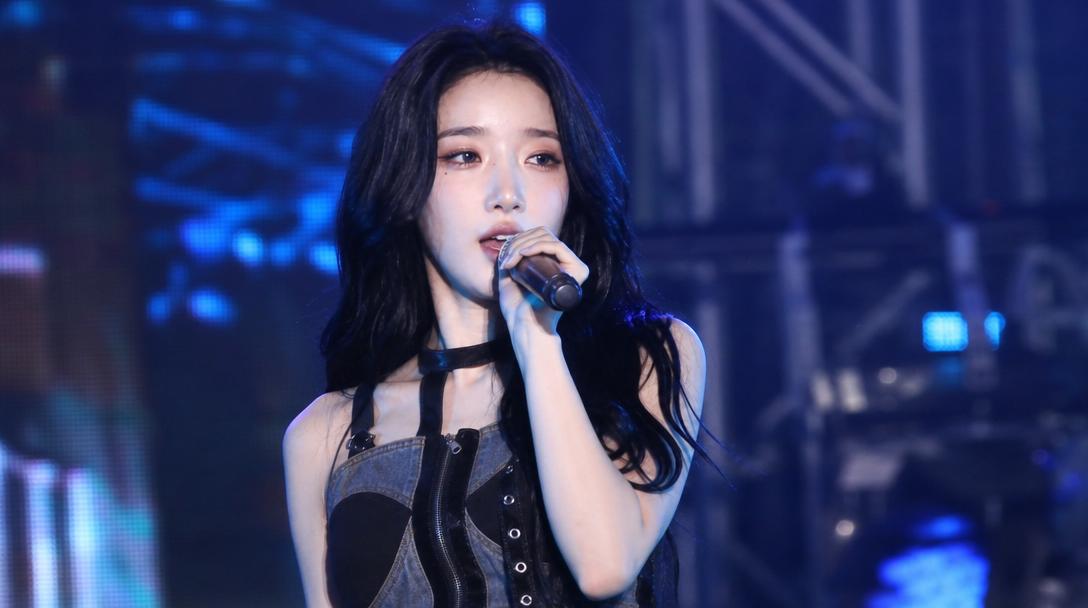
Event Video
Capture the energy of parties, festivals, and concerts with our AI-powered event video prompts.
2026.07.04
Make “Event Video” exactly the way you wantCreate your own “Event Video”
Just ask in plain language — Carat generates optimized images and videos for you.

Start now with 100 free credits daily
Rainbow Hair Festival
Coser Resting on Tatami After Party
Astronaut Martian High Heels Ad
Summer Festival Takoyaki Montage
Balcony Dialogue Acting Performance
Astronaut Transforms Into Ice Adapted Humanoid on Frozen Exoplanet
EDM Dance Festival Live Crowd
Futuristic Spaceship Zero-Gravity Party Montage
Tropical Beach Club Montage
Luxury Supercar Delivery Ceremony Vlog
What Are Event Video AI Prompts?
Event video AI prompts are sophisticated sets of instructions designed to recreate the vibrant energy, intricate lighting, and communal atmosphere of various gatherings, such as festivals, concerts, weddings, and corporate parties. These prompts guide AI models to synthesize complex scenes involving large crowds, dynamic stage performances, and atmospheric environmental details. By using Carat's event video prompts, you can generate high-fidelity footage that captures the 'spirit' of an event without the need for on-site production, extensive lighting rigs, or professional camera crews.
These prompts focus on the interplay of light and motion, ensuring that the resulting video feels authentic and immersive. Whether you need a high-octane clip of an EDM festival or a dignified record of a gala dinner, these prompts provide the creative blueprint to achieve professional results that resonate with viewers' memories and expectations of live events. The integration of advanced temporal consistency in modern AI models ensures that the crowds move naturally and the lights flicker with realistic intensity throughout the duration of the clip.
Best Use Cases
The versatility of event video prompts makes them a powerful asset for promoters and storytellers alike. Marketing teams use these prompts to create teaser videos for upcoming events, building excitement by showing potential attendees what the experience will look like. Social media managers utilize them to produce high-energy content that captures the 'FOMO' factor, driving engagement and shares across platforms like Instagram and TikTok.
For event planners, these prompts are invaluable for visualizing concepts during the pitch phase, allowing clients to see the proposed lighting and layout in motion before any physical setup begins. In the entertainment industry, they serve as high-quality B-roll for music videos or commercials, providing rich, crowded backgrounds that would otherwise be cost-prohibitive to film. From a 15-second viral highlight to a cinematic montage of a corporate milestone, these prompts cover the entire spectrum of event-based visual storytelling, making them a staple in the modern creator's toolkit.
Why This Tag Works
This tag is particularly effective because it bridges the gap between static descriptions and the kinetic energy of a live gathering. Capturing an event visually is difficult because it involves managing chaotic elements like moving crowds and shifting lights; our prompts simplify this by using optimized keywords like 'Dynamic strobe lighting,' 'Cinematic handheld shakiness,' and 'Lens flare effects.' This ensures the AI understands not just the subject, but the feeling of being in a crowd.
The tag offers a wide range of perspectives, from 'Stage-side view' to 'POV from the middle of a mosh pit,' allowing for diverse storytelling angles that match your project's specific tone. By leveraging these tested instructions, users can avoid the 'uncanny valley' of stiff AI movements and instead produce videos that have the raw, organic pulse of a real human celebration. This high level of realism is what makes these prompts so valuable for professional-grade content where quality and emotional impact are non-negotiable.
Explore Related Prompts
Complete your event production with these related categories:
- Cinematic Video: Add a polished, filmic look to your event highlights and recaps.
- Ad Video: Perfect for creating commercial-grade promotional content for your events.
- Shortform Video: Transform event footage into viral-ready clips for social platforms.
- Character: Define the specific types of people attending your virtual event.
- Illustration: Create conceptual art for event planning or themed marketing.
- Poster: Design the primary visual identity for your event announcements.
- UGC Video: Generate raw, authentic-looking footage that mimics guest-taken videos.
Prompt Building Tips
To build a high-impact event video prompt, start by defining the 'Energy Level'-use terms like 'High-octane,' 'Serene,' or 'Chaos' to set the baseline. Focus heavily on 'Lighting and Visual Effects'; keywords like 'Neon glow,' 'Volumetric stage lights,' and 'Floating confetti' add layers of depth and excitement to the scene. Incorporate 'Crowd Dynamics' by describing the attendees' actions, such as 'Crowd jumping in unison' or 'People mingling in elegant attire.'
The 'Camera Perspective' is vital; choose 'First-person POV' for immersion or 'Sweeping crane shot' for a grand overview of the festival grounds. Don't forget 'Acoustic Visuals'-while the video has no sound, prompting for 'Bass-heavy speakers vibrating' or 'Singing audience' helps the AI visualize the sound's impact on the environment, leading to more believable motion. Finally, add quality modifiers like 'Professional grading,' 'Sharp focus on subject,' and 'Smooth motion' to ensure the output is ready for any professional platform, from a high-definition jumbo screen to a mobile social feed.