carat

Prompt Gallery

/

Live Streaming

Login
Sign Up

Live Streaming

AI live streaming prompts you can use right away for live commerce and broadcast screen design. Quickly create shopping live screens, broadcast UI, and creator scenes.

2026.05.22

·

Seedance 2 0 Video Prompt for Northeast Mc Style Live Stream

Seedance 2.0· Video
[Style] Kuaishou/Douyin Northeast MC Style, Tuhai Slow Roll (DJ Slow Roll), high saturation neon lights, extremely strong sense of rhythm, Social Shake dance. [Duration] 15 seconds [Character] MC Brother: Wearing sunglasses, a large gold chain, a tight black T-shirt, a buzz cut, holding a dedicated live sound card microphone. [Scene] A colorful live broadcast room, with rotating laser lights and giant "Seedance 2.0" special effect text in the background. [00:00-00:05] Shot 1: Setting the Vibe (The Beat Drop). Action: Dynamic Tuhai DJ music starts. The brother shakes his head wildly to the rhythm (Social Shake), scratching records with both hands or pointing at the camera. Effects: The screen vibrates with the heavy bass, flashing huge red and yellow text: "Status!" "Arranged!" [MC Lyrics/Sound Effects]: "I'll brave mountains of knives and seas of fire for you, Seedance AI must be praised! My friends, double-tap 666! Don't randomly send flowers and grass, listen to me praise this divine tool!" [00:05-00:10] Shot 2: Outputting the Flow (The Flow). Action: The brother pulls down his cap, holds the microphone with one hand, looking extremely intoxicated and arrogant, swaying his body significantly with the rhythm. Various video materials generated by Seedance, such as beautiful women and luxury cars, float across the screen. [MC Lyrics/Rhyme]: "This quality, so glorious, it is the king of video generation! No need for graphics cards, no need to be crazy, Seedance 2.0 is the strongest of the strong! Charming features, charming hair, charming videos brought home!" [00:10-00:15] Shot 3: Passionate Ending (The Climax). Action: The brother suddenly stands up, puts one foot on the gaming chair, and screams into the microphone, with dry ice smoke spraying out behind him. Effects: The screen is filled with gift effects (sports cars, rockets) and the word "Order Now" flashing wildly. [MC Lyrics]: "The link is below, don't be afraid if you want to make videos! You must take it down today! Lowest price network-wide! Give me a hand! Arranged!"
@johnAGI168
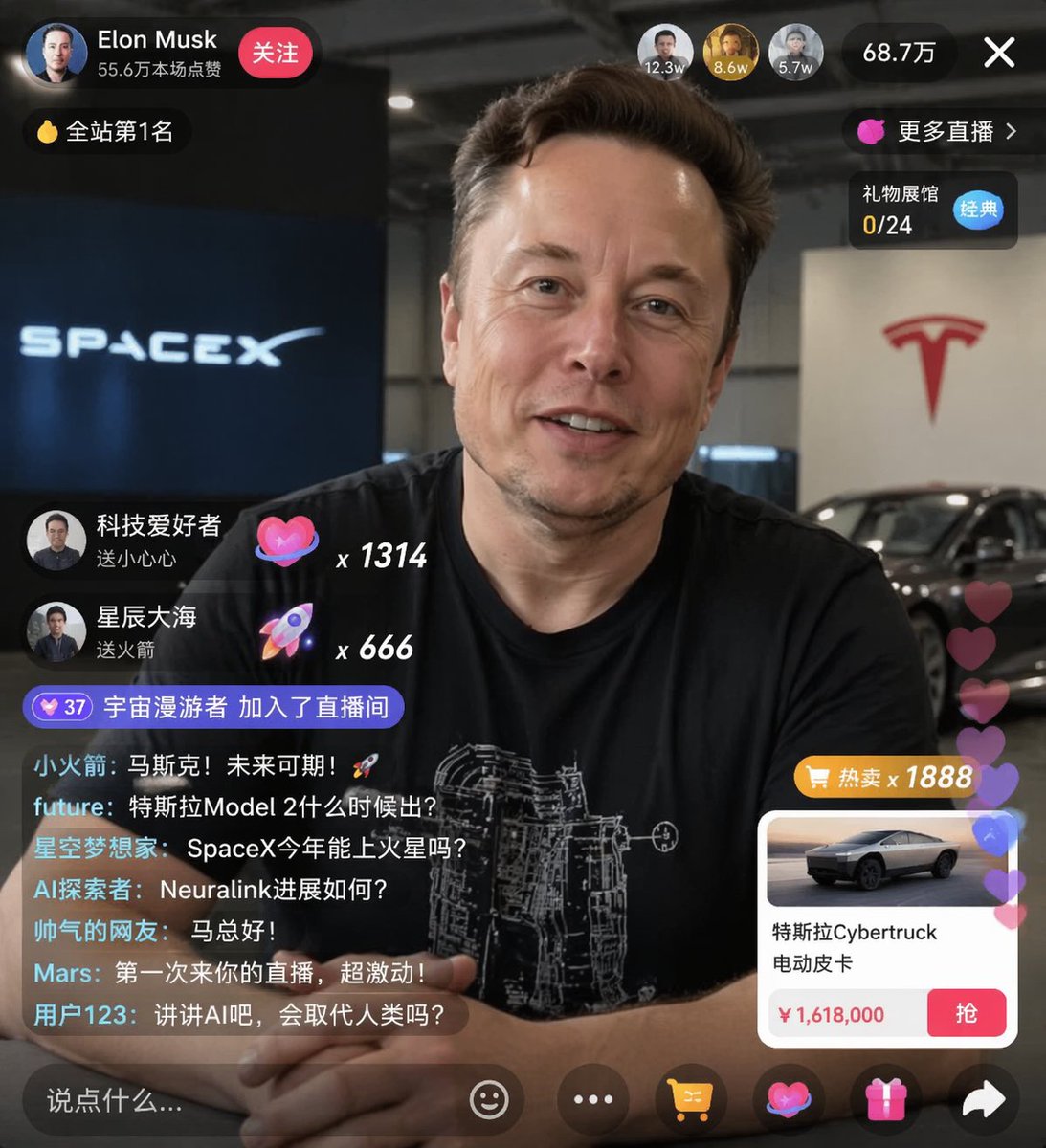
AI-generated {"type": "Live Stream UI Mockup" made with GPT Image 2

{"type": "Live Stream UI Mockup"

GPT Image 2· Image
{"type": "live stream UI mockup", "subject": {"description": "portrait of {argument name=\"host name\" default=\"Elon Musk\"}, smiling, wearing a black t-shirt with a white technical schematic graphic", "background": "left side shows a screen with '{argument name=\"left background logo\" default=\"SPACEX\"}' text, right side shows a red '{argument name=\"right background logo\" default=\"Tesla T logo\"}' and a dark car"}, "ui_overlay": {"top_header": {"host_info": "avatar, name '{argument name=\"host name\" default=\"Elon Musk\"}', subtext '556K likes this session', red 'Follow' button"}}}
@sjbbxhz
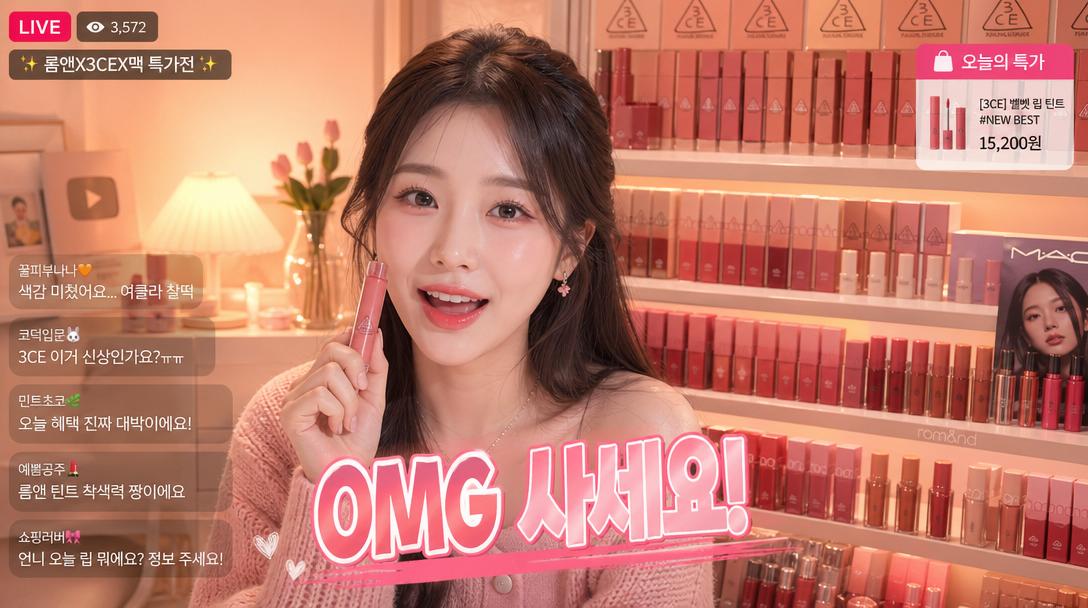
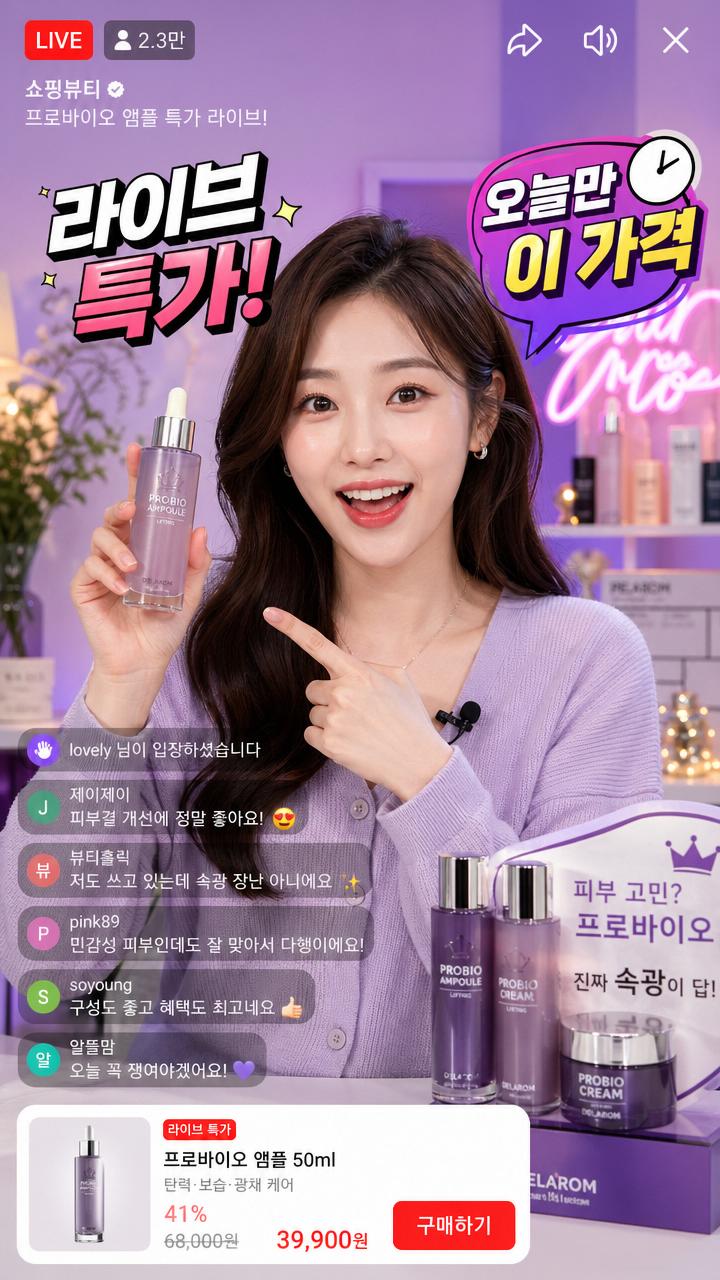
AI-generated Vertical Illustration of a Korean E-commerce Live Shopping Host made with GPT Image 2
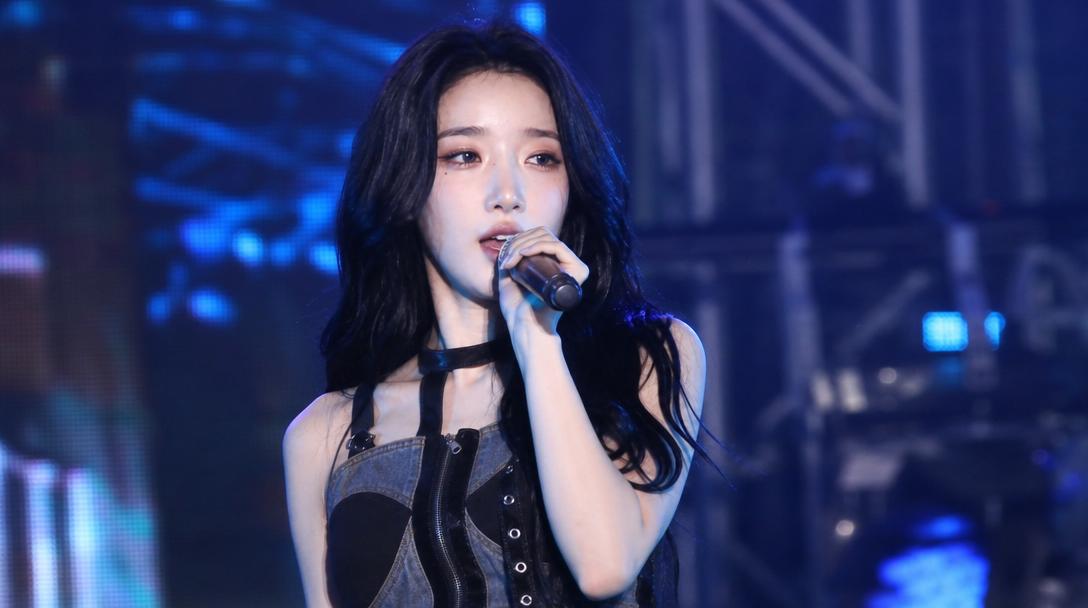
Vertical Illustration of a Korean E-commerce Live Shopping Host

GPT Image 2· Image
Vertical illustration of a Korean e-commerce live shopping host. Stylish Korean woman presenter with bright studio lighting, colorful product displays behind her. Floating Korean text overlays: '라이브 특가!', '오늘만 이 가격', viewer count badge. Korean live commerce aesthetic, vibrant and energetic.
@LVWANGJI_0327
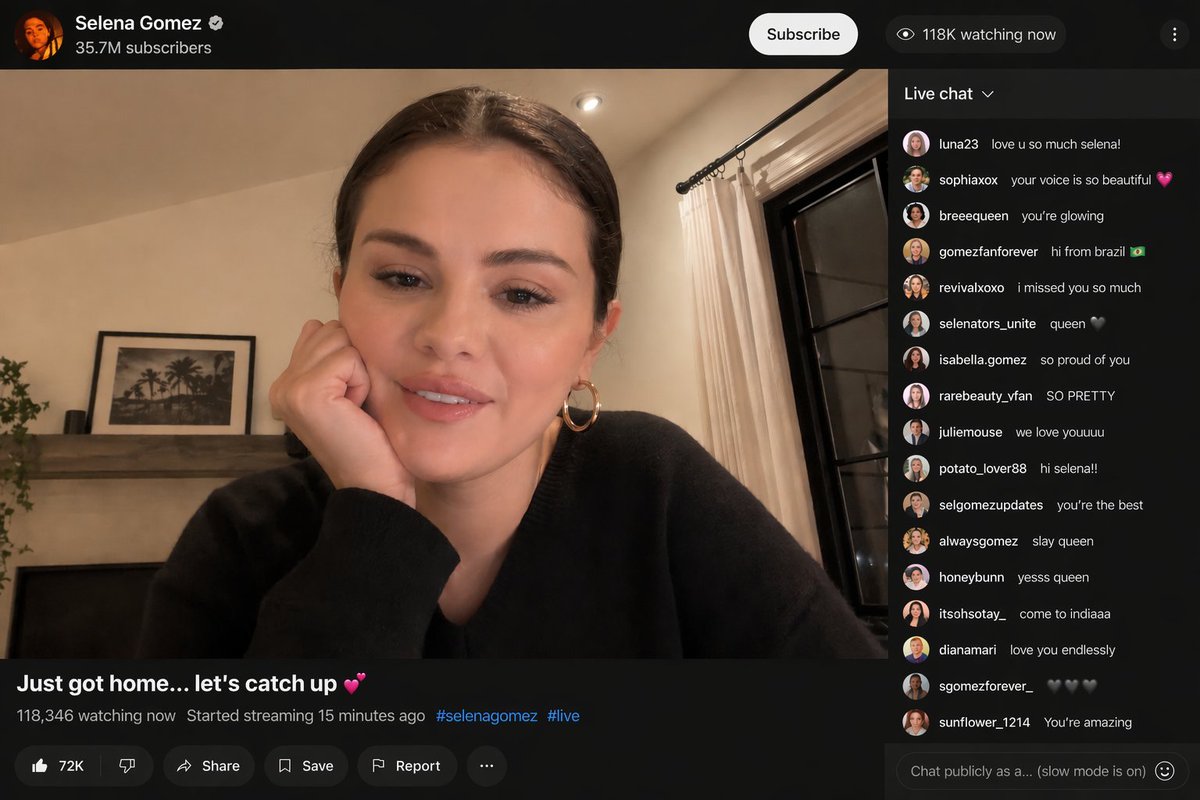
AI-generated Selena Gomez Started a Surprise Youtube Livestream made with GPT Image 2

Selena Gomez Started a Surprise Youtube Livestream

GPT Image 2· Image
{argument name="celebrity" default="selena gomez"} started a surprise {argument name="platform" default="youtube"} livestream.
@SelenaGmzIN

What Are Live Streaming AI Prompts?

Live streaming prompts are AI prompts for quickly shaping shopping-live screens, broadcast scenes, and creator streaming visuals. In Carat, you can generate images or video with models like GPT Image 2, then keep going with follow-up work such as editing the result, changing the aspect ratio, removing the background, or converting to video.

Where You'll Use It

  • Live commerce broadcast screens
  • Streaming UI and overlay mockups
  • Creator streaming scenes
  • Shopping-live thumbnails
  • Broadcast screen-capture concepts

Why This Tag Is Useful

A live streaming screen is less about a plain portrait and more about the screen layout and broadcast UI elements like captions, product info placement, chat, and overlays. When choosing a prompt, look first for examples that show the screen layout, ratio, text placement, and intended channel.

Tips for Building Your Prompt

  1. Decide the broadcast type and aspect ratio first.
  2. Spell out the placement of the person, product, background, and overlays.
  3. If needed, separate out captions, the chat panel, and price/brand elements.
  4. After generating, check for text errors, likeness rights, and copyright.

In Carat, you can refine the screen layout from the result, or continue with follow-up work like changing the aspect ratio, removing the background, or converting to video.
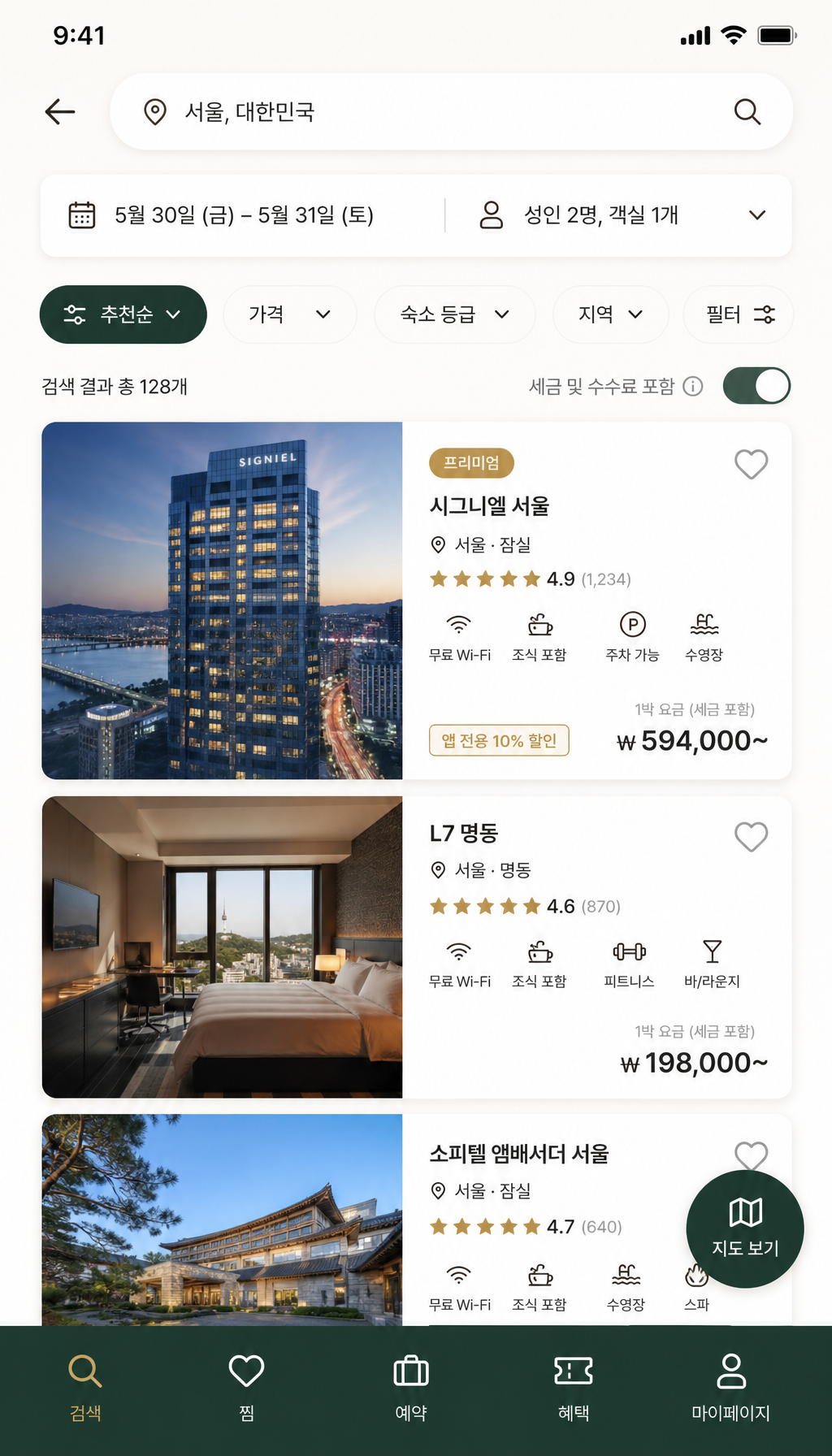
Frequently Asked Questions

Related Prompts

Food Photo

Food Photo

7 prompts

Vlog Thumbnail

Vlog Thumbnail

2 prompts

Webtoon

Webtoon

6 prompts

Music Video

9 prompts

Carat Prompt Gallery

Create trending AI prompts instantly

Prompts

  • Logo
  • PPT Design
  • Thumbnail
  • Poster
  • Web Novel Cover
  • ID Photo
  • Caricature
  • Product Detail Page
  • Banner

Models

  • GPT Image 2
  • Seedance 2.0
  • NanoBanana Pro
  • NanoBanana 2

Carat

  • Get started
  • About
  • Blog
  • Careers
  • Contact
  • Partnership
  • Terms
  • Privacy

© 2026 Paradot.Inc All rights reserved.