carat

Prompt Gallery

/

Nature Illustration

Login
Sign Up

Nature Illustration

Explore high-quality AI prompts for nature landscapes, lush forests, and serene meadows to create breathtaking art.

2026.07.04

·
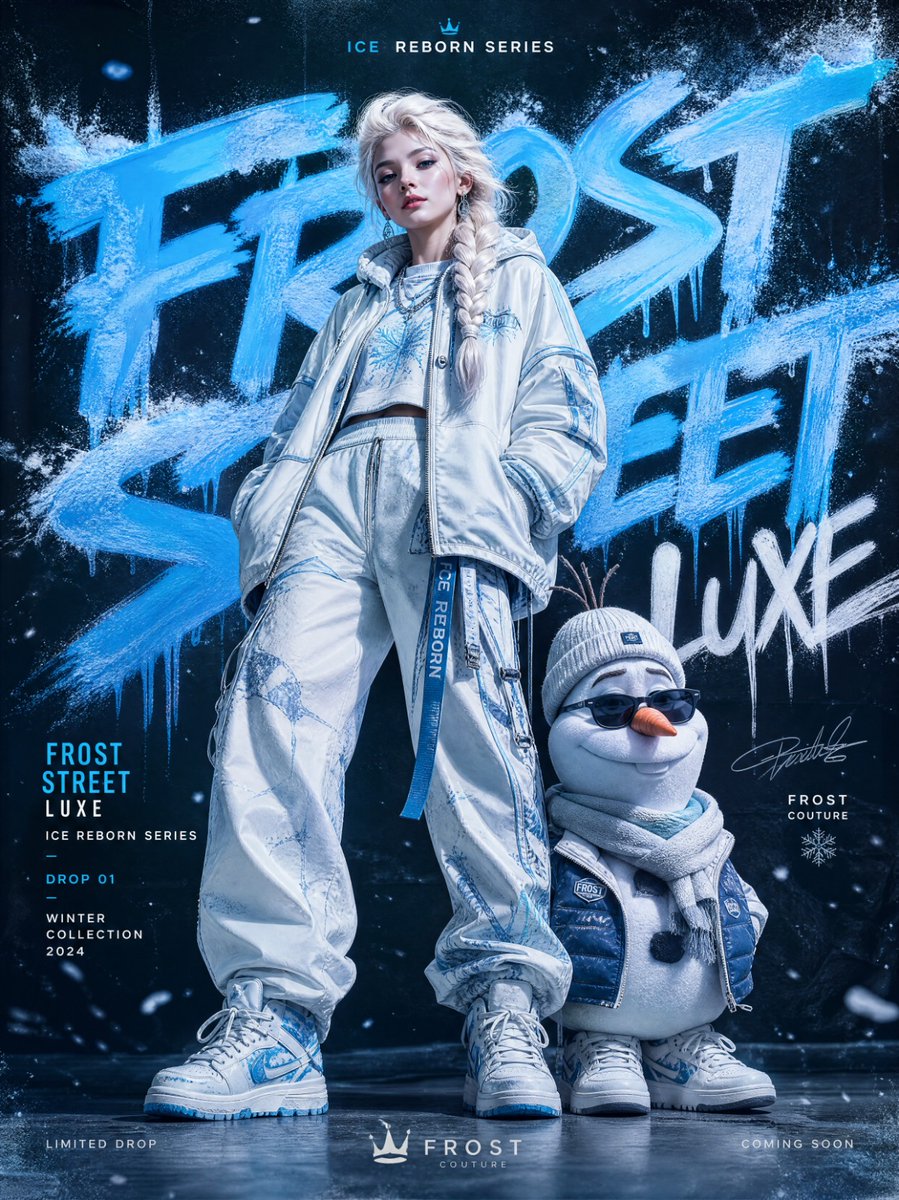
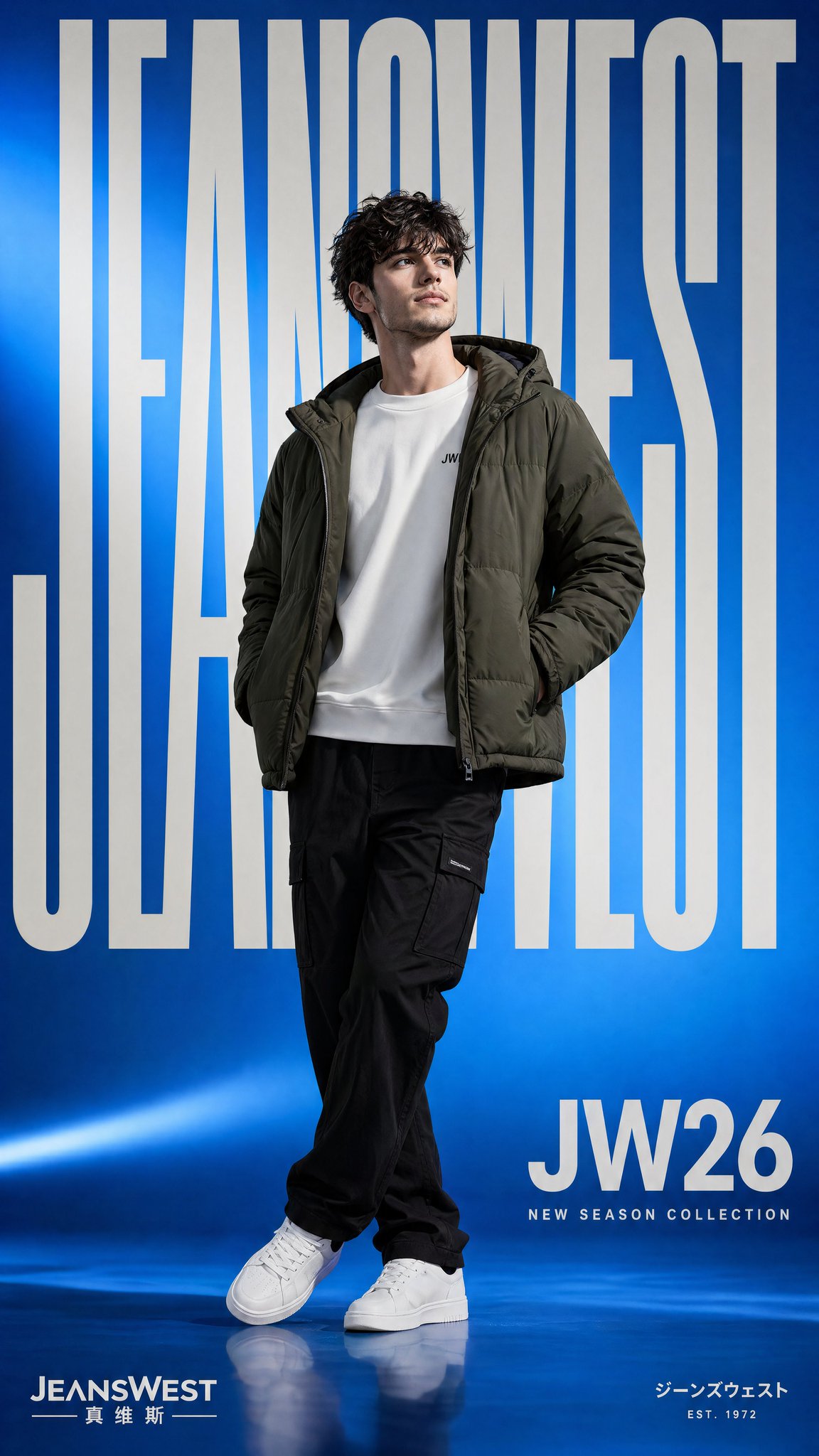
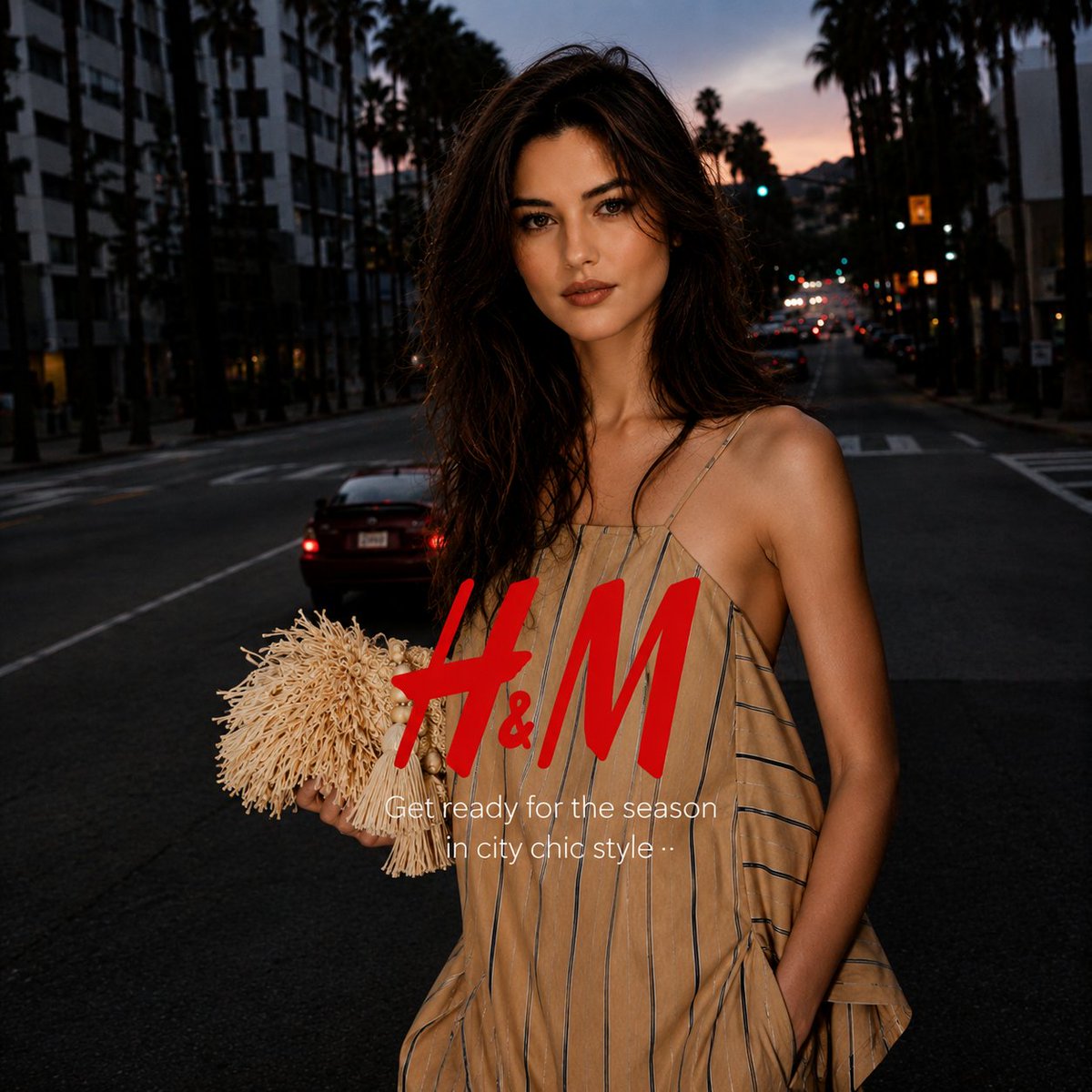
AI-generated Digital Collage Brand Ad made with GPT Image 2

Digital Collage Brand Ad

GPT Image 2· Image
[BRAND NAME = CHANGE TO YOUR BRAND]. Act as a Social Media Art Director and Digital Collage Artist specializing in bold, youth-oriented brand content for Instagram and digital campaigns. PHASE 1: CONCEPTUAL FRAMEWORK Create a dynamic digital collage that merges fashion photography with graphic design chaos. This is controlled rebellion – a composition that feels spontaneous and energetic while maintaining brand coherence. The aesthetic is anti-polished: torn edges, layered textures, hand-drawn elements, and bold color blocking that screams confidence and movement. PHASE 2: MODEL & PHOTOGRAPHY - Subject: One model (diverse casting, age 18-30) in a dynamic, confident pose - Pose Energy: 80% attitude, 20% natural – sitting, jumping, mid-motion, or power stance (avoid static standing) - Outfit: Street style/athleisure that aligns with [BRAND NAME] aesthetic – casual but styled - Hero Product: Feature 1 signature [BRAND NAME] product prominently (sneakers, bag, apparel) – this is the visual anchor - Photography Style: Editorial fashion cutout – model extracted from background with clean edges - Camera Angle: Slight low angle to empower subject (hero perspective) - Crop: Full body or 3/4 body showing hero product clearly - Background Removal: Model cut out cleanly for layering over collage elements PHASE 3: COLOR BLOCKING FOUNDATION - Primary Color Blob: Large organic shape (40-60% of composition) in bold, saturated brand color behind/around model - Shape Style: Irregular, hand-painted aesthetic – think Photoshop brush strokes or torn paper texture (NOT perfect geometric shapes) - Color Selection (Autonomous): Choose 1 hero color from [BRAND NAME] palette: - Texture: Visible brush strokes, grain, or subtle noise (15-25% opacity) – avoid flat digital fills - Placement: Blob positioned to frame model without obscuring key product details PHASE 4: GRAPHIC ELEMENTS LAYER Add 3-5 abstract graphic elements scattered across composition: - Element Types: - Color Palette: Use 2-3 accent colors total (main blob color + 1-2 contrasting tones from brand palette) - Placement: Asymmetric scatter – top-left and bottom-right zones primarily (avoid center crowding) - Scale: Mix small (5% of canvas) and medium (15% of canvas) elements – nothing overpowering - Aesthetic: Analog/handmade feel – imperfect circles, rough edges, visible texture PHASE 5: TYPOGRAPHY INTEGRATION - Brand Logo: Clean [BRAND NAME] logo placed in upper-left or upper-right quadrant (10-15% of width) - Slogan/Tagline: If [BRAND NAME] has an iconic slogan, integrate it using: - Supporting Copy: Optional 1-line descriptor (e.g., "A MOMENT OF YOUR STYLE") in smaller uppercase sans-serif - Type Treatment: Mix of aligned and slightly rotated text (2-5° angles) for dynamic energy - Hierarchy: Logo largest → Slogan medium → Copy smallest PHASE 6: TEXTURE & BACKGROUND - Base Layer: Off-white or light gray textured background (NOT pure white) - Texture Options (Autonomous selection): - Color: RGB 245-250 (near-white with warmth) – maintains brightness while adding depth - Treatment: Texture should be felt, not seen – enhances tactility without competing with foreground PHASE 7: COMPOSITION RULES - Layout: Asymmetric balance – model off-center, graphic elements counter-balance - Breathing Room: 15-20% negative space (textured background visible) to prevent claustrophobia - Layering Order: Background texture → Color blob → Graphic elements → Model (cutout) → Typography top layer - Focal Point: Model + hero product = primary focus (60% visual weight), graphics support (40%) - Movement: Diagonal lines and angled elements create directional flow (top-left to bottom-right or vice versa) PHASE 8: BRAND INTELLIGENCE (AUTONOMOUS) Autonomously adapt composition based on [BRAND NAME] personality: - Streetwear/Sportswear (Nike, Adidas, Supreme): - Luxury Streetwear (Balenciaga, Off-White, Gucci): - Beauty/Lifestyle (Glossier, Fenty, Skims): - Tech/Modern (Apple, Tesla, Beats): PHASE 9: SOCIAL MEDIA FOOTER (OPTIONAL) - Bottom Strip: Clean white or light gray bar at bottom 8-10% of frame - Content: Social media handles (Instagram, Facebook, Twitter) in small sans-serif - Layout: Three-column grid with platform icons or text handles - Aesthetic: Minimal and professional – contrast with chaotic collage above TECHNICAL SPECS: - Aspect Ratio: 4:5 (Instagram feed) or 1:1 (square social post) - Resolution: 2400x3000px minimum (high-quality for zoom and detail) - Color Mode: sRGB, vibrant saturation (Instagram-optimized) - File Aesthetic: Digital collage that mimics analog craft (Photoshop + hand-drawn hybrid) - Model Photography: 85mm lens, f/2.8, shallow depth of field on original shoot (before cutout) - Style Reference: Nike social campaigns, Spotify wrapped graphics, Gen Z Instagram aesthetics, Hypebeast x streetwear collabs - Mood: Confident, energetic, youthful, authentic chaos, anti-corporate polish
@youraipulse
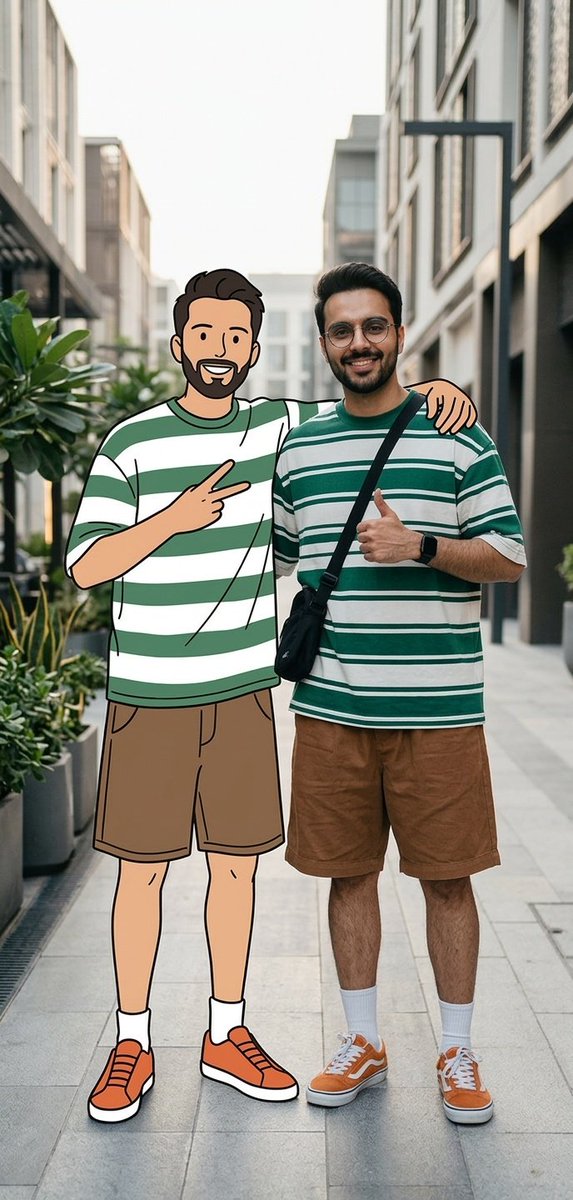
Example image of Real Person and 2D Character Street Scene generated with Nano Banana 2
Real Person and 2D Character Street Scene

Nano Banana 2· Image
A cinematic street fashion scene featuring me with exact same facial and physical identity from the uploaded image standing together with my 2D cartoon illustrated version, both interacting naturally. i wearing round glasses, a green and white striped oversized t-shirt, loose brown shorts, white socks, orange sneakers, and a black crossbody bag. Standing beside me is my cartoon character version, drawn in a clean minimal line-art illustration style with flat colors, wearing the exact same outfit and hairstyle. we are standing close together with their arms around each other's shoulders like good friends. i am smiling confidently and giving a thumbs-up gesture with my free hand, while the cartoon version is making a playful peace sign with two fingers. The interaction feels warm, friendly, and playful, showing a connection between the real world and the illustrated world. Background: modern minimal street environment with plants and soft urban elements. Composition: editorial fashion photography mixed with illustration, ultra photorealistic human, clean cartoon illustration, perfect lighting balance, cinematic depth of field, 8k ultra detailed. ar -9:16 negative prompt blurry, distorted hands, extra fingers, duplicate faces, malformed body, incorrect anatomy, messy illustration, inconsistent clothing
@Goodmanprotocol
AI-generated Anime Streetwear Lock Screen Wallpaper made with GPT Image 2

Anime Streetwear Lock Screen Wallpaper

GPT Image 2· Image
Use the uploaded image as the character identity and fashion reference. Reimagine the uploaded character as a premium Japanese streetwear anime lock screen wallpaper while preserving the character’s recognizable face, hairstyle, facial proportions, silhouette, personality, expression, clothing identity, and overall visual DNA. IMPORTANT WALLPAPER COMPOSITION: Create the artwork specifically for an iPhone lock screen wallpaper (1290×2796 vertical composition). Design around the lock screen UI. Leave the upper 25–30% of the image intentionally clean with minimal visual detail to provide negative space for the clock, date, widgets, and notifications. Do not place the character’s face, eyes, typography, weapons, logos, or important design elements behind the clock area. Position the character lower in the composition, occupying the lower two-thirds of the canvas. The character should remain the focal point while naturally framing the lock screen interface above. IMPORTANT CHARACTER DIRECTION: The character should maintain direct eye contact with the viewer and face forward. Preserve the recognizable facial identity while reconstructing the face into a front-facing fashion-editorial pose. The expression should feel calm, confident, stylish, and slightly intimidating. POSE: Low crouching Japanese streetwear pose. Strong silhouette. Relaxed confidence. Fashion-editorial body language. If the original character has a weapon, redesign and preserve the weapon. The weapon should help frame the composition without blocking the character’s face. STYLE: Minimalist Japanese graphic design poster, Nogi-inspired streetwear artwork, ultra-clean anime illustration, bold black ink linework, crisp vector-inspired shapes, graphic novel aesthetics, luxury streetwear fashion illustration, collectible designer poster art, strong silhouette readability, premium graphic design composition. COLOR PALETTE: The image should remain overwhelmingly black, white, and grayscale. Extract the brightest accent color from the uploaded character and use it as the only accent color throughout the artwork. The accent color should occupy less than 10% of the image and be reserved for subtle highlights, clothing details, weapon accents, jewelry, symbols, typography, and reflections. BACKGROUND: Large vertical Japanese katakana typography integrated into the design. The typography should sit behind the character and extend beyond the canvas edges. Keep the upper clock-safe area significantly cleaner than the rest of the composition. Use strong negative space and premium poster design principles. LOCK SCREEN OPTIMIZATION: The character’s head should sit just below the clock area. Important facial features must remain unobstructed by lock screen UI. The overall wallpaper should feel intentionally designed around Apple’s lock screen layout rather than simply cropped from a poster. Premium wallpaper quality, balanced composition, elegant spacing, and strong visual hierarchy.
@mdmadeit
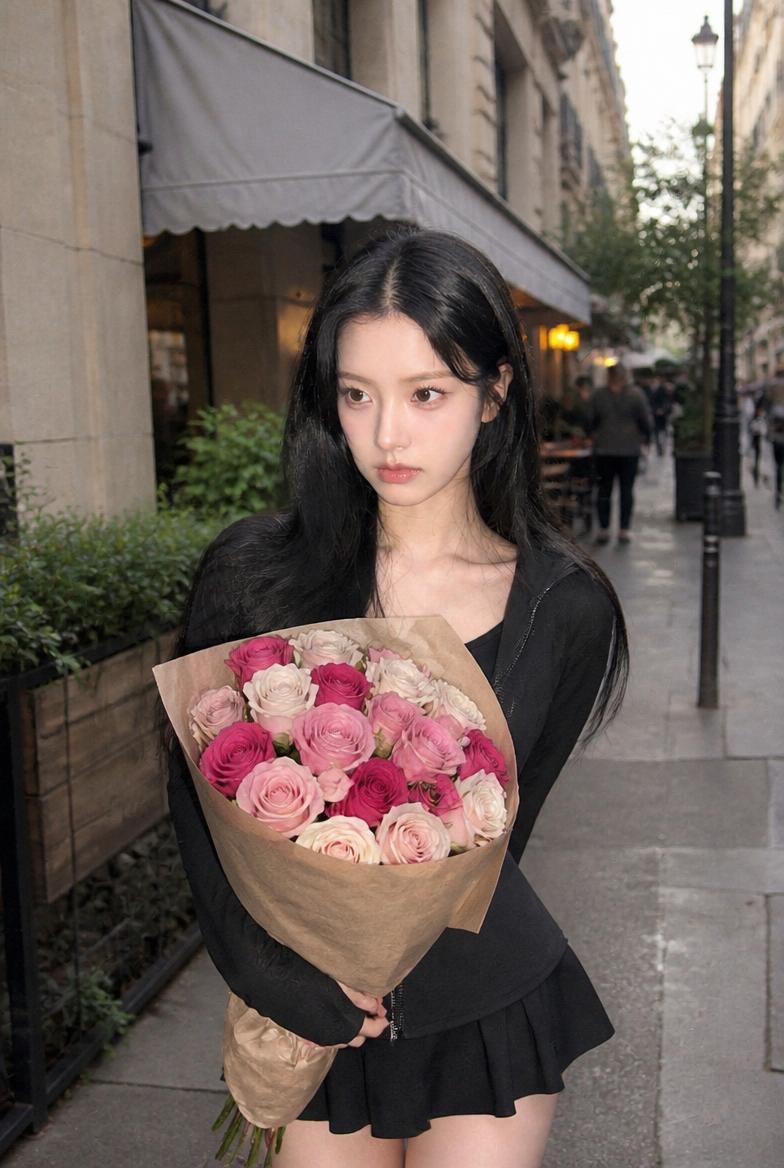
AI-generated City Street Rose Bouquet Snap made with GPT Image 2

City Street Rose Bouquet Snap

GPT Image 2· Image
Use the uploaded person as the identity anchor. Preserve the model's recognizable face shape, eyes, nose, lips, skin tone relationship, hairstyle impression, and natural expression. Transform the image into a trendy rose-themed social media portrait inspired by viral Instagram rose photo shoots. The person must remain the clear main subject, with the rose styling, props, and background redesigned around them. Keep it realistic, like a high-quality iPhone friend-shot or lightly retouched editorial SNS photo, not a 3D render. Rose photo aesthetic: romantic close-up composition, lush roses as the main visual motif, soft dreamy light, shallow depth of field, gentle film grain, creamy skin tone, subtle beauty retouch, natural but polished makeup, glossy lips, softly defined eyes, healthy blush. Use real fresh roses with layered petals, visible stems or bouquet wrapping when relevant. Avoid plastic-looking flowers. No text, no watermark, no readable logo, no duplicate person, no distorted hands, no extra fingers, no melted roses. Concept 5 — city street rose bouquet snap. The model walks on a stylish city street or café terrace holding a wrapped bouquet of roses, like a spontaneous birthday or date-day photo. Full-body or three-quarter body framing, motion in hair and skirt/jacket, rose bouquet prominent in the foreground. Bright overcast daylight, natural smartphone texture, stylish SNS lifestyle mood. Camera and output: vertical 4:5 or 9:16 social media portrait, realistic smartphone photography, soft bokeh, natural skin detail, high-resolution editorial yet candid feel.
AI-generated Forest Perfume Product Shot made with Nano Banana Pro

Forest Perfume Product Shot

Nano Banana Pro· Image
Ultra-realistic premium fragrance product shot of a perfume bottle (Forest Essence Elixir), positioned at a (low macro angled shot) resting diagonally on lush (deep green moss surface in a forest setting), cylindrical design with a transparent glass center revealing green-tinted liquid, textured (matte black base) and brushed (metallic silver cap) with visible condensation droplets, surrounded by dense (forest foliage and pine branches) softly framing the scene, subtle (morning mist
@oggii_0
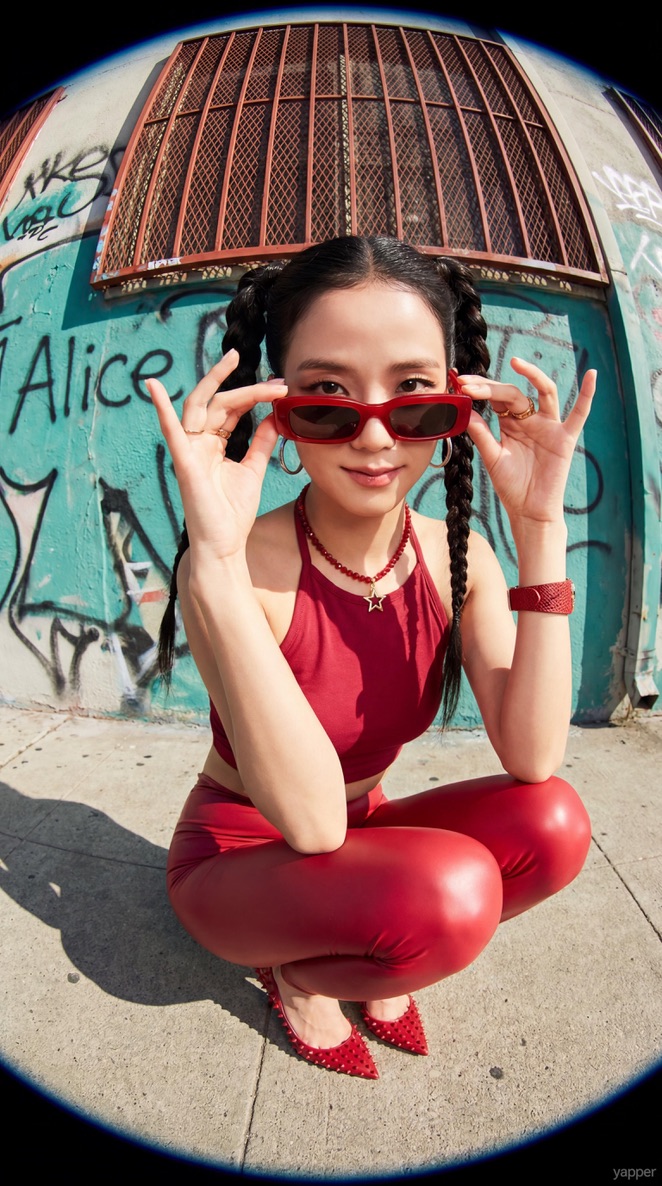
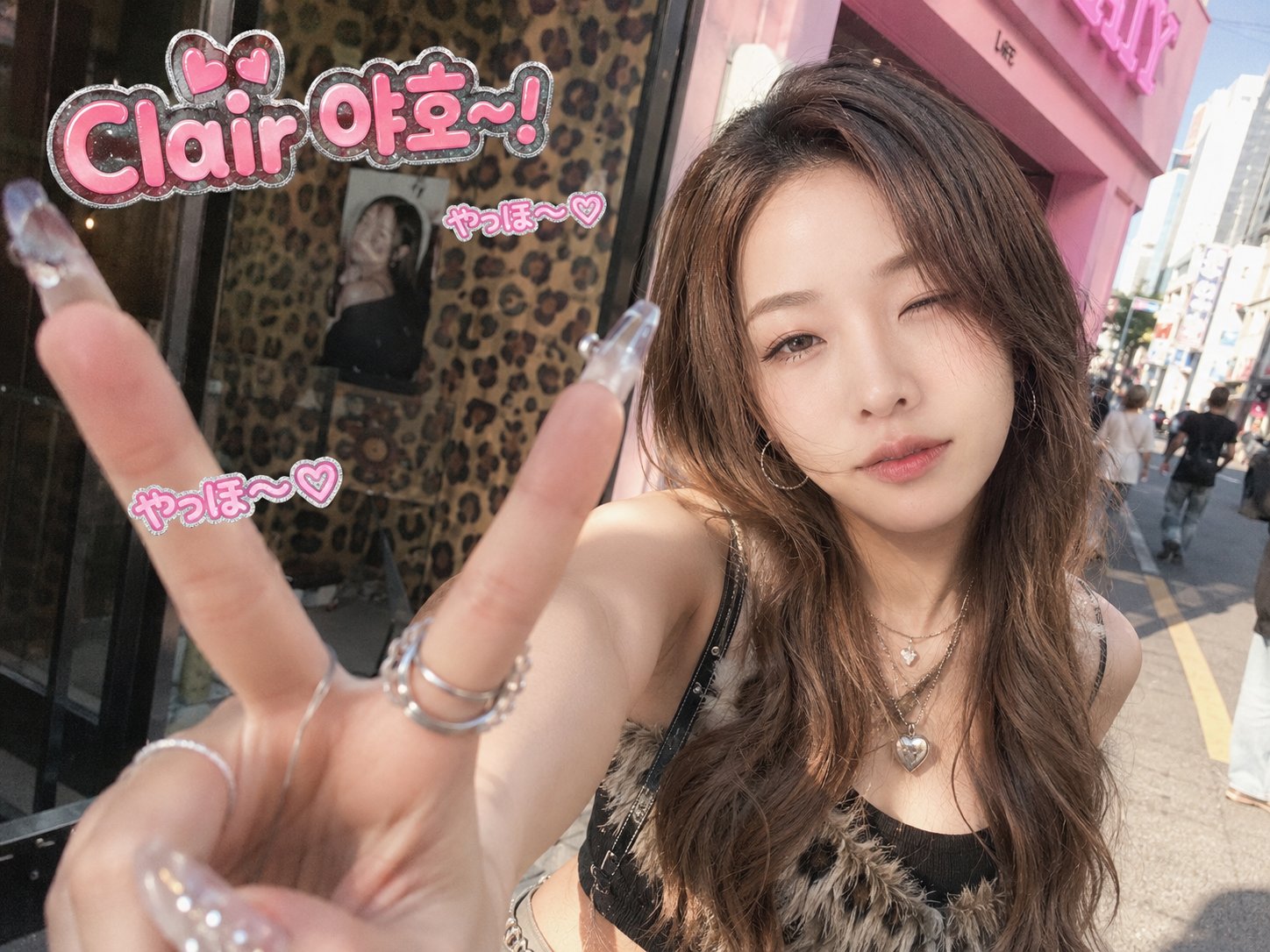
K-gyaru street selfie generated with GPT Image 2

K-Gyaru Street Selfie

GPT Image 2· Image
✏️ 수정 포인트 • [이름/닉네임]: 6번째 문단의 "OOO 야호-!"에서 OOO를 원하는 이름이나 닉네임으로 바꿔 주세요. 예) "민지 야호-!", "Clair 야호-!" --- Transform the provided reference image into a cute, trendy, photorealistic K-gyaru street snap. Preserve the original person's identity, facial likeness, natural expression, and realistic atmosphere. The image should look like a candid daytime photo taken by a friend on a Korean street, not a poster. The key pose is an energetic "Yaho!" greeting with a gyaru-style palm-forward V hand pose. The subject extends one hand toward the camera, palm facing forward, with the thumb and index finger spread wide into a large V/L-shaped gesture, similar to a playful gyaru claw pose. The other fingers are softly bent and visible. Use a close ultra-wide-angle perspective so the hand appears slightly enlarged in the foreground, while the smiling or playful winking face is naturally behind it. Make the long crystal nails, rings, fingers, and palm details clear, sharp, and natural. Style the subject with a modern, wearable K-gyaru mood: glossy blonde-brown or warm ash-brown layered hair, soft waves, face-framing bangs, heart or star accessories, glitter eyeshadow, defined eyeliner, long lashes, bright under-eye makeup, pink blush, glossy lips, crystal nails, rings, hoop earrings, layered necklaces, heart pendant, chain details, cropped top, mini skirt, belt, and subtle fur or sparkling accents blended with trendy Korean street fashion. Use a realistic daytime Korean street background: leopard-pattern storefront or poster wall, hot-pink café sign or fashion-shop exterior, or casual K-gyaru street snap atmosphere. Add soft natural light, urban reflections, pastel street colors, subtle bokeh, and casual street details. Place the exact text "OOO 야호-!" clearly in the upper-left or upper-right empty space. It must be easy to find, accurately readable, and spelled exactly as "Clair 야per-right empty space. It must be easy to find, accurately readable, and spelled exactly as "Clair 야호-!" Style it as a medium-sized cute SNS sticker caption with hot-pink bubble letters, white highlights, a subtle silver glitter outline, and small heart accents. Do not cover the face, extended hand, nails, or important body details. Add 2-3 small "やっほ〜♡" bubble stickers nearby, secondary to the main text. Make the final image feel like a spontaneous compact film camera or disposable camera snapshot, with slight motion blur, soft focus, subtle film grain, realistic daylight highlights, natural skin texture, mild noise, sunlit street atmosphere, and a hot-pink, cute, confident, playful, sparkly mood. Avoid: night lighting, dark neon atmosphere, unreadable or incorrect text, hidden text, extra fingers, deformed hands, hidden nails, covered face, oversized text, over-retouched skin, HDR look, stiff posing, costume-like styling, studio editorial look, or losing the reference likeness.
2063976960343376233
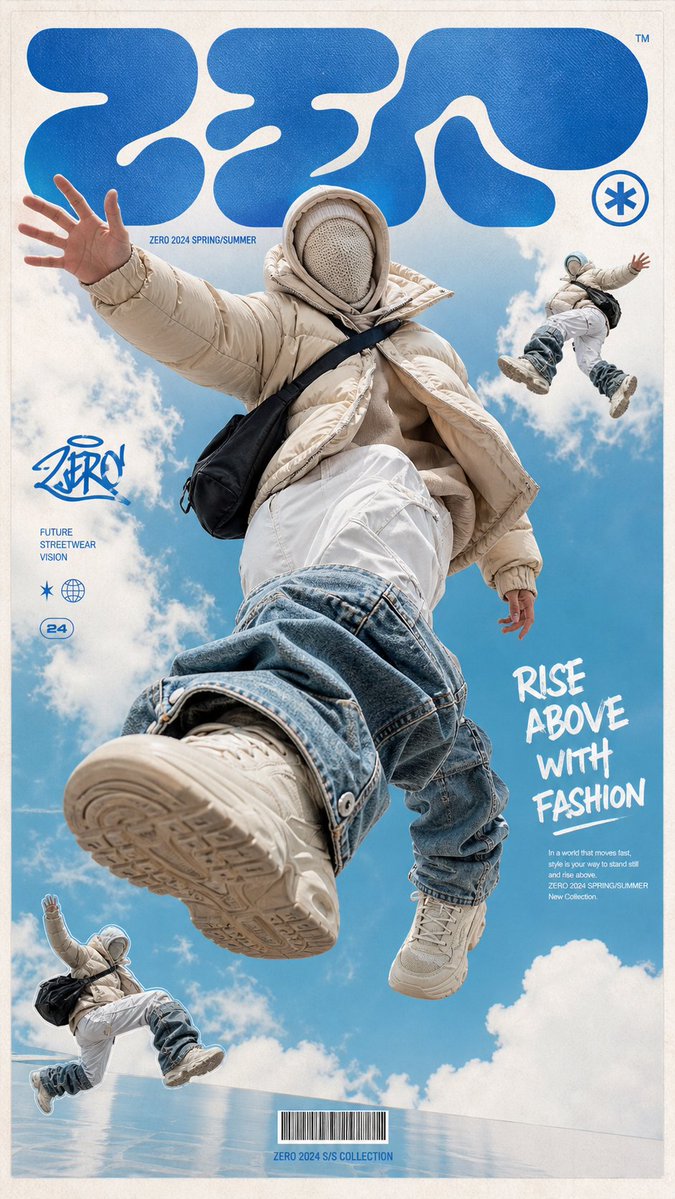
AI-generated Floating Streetwear Fashion Poster made with GPT Image 2

Floating Streetwear Fashion Poster

GPT Image 2· Image
一张高端潮流街头服装海报,画面主体是一位无脸的未来感模特漂浮跳跃在天空中,穿着超大号米色羽绒服、层叠兜帽和针织面罩,面部被完全遮住;下身穿白色宽松工装裤,裤腿外叠加夸张的浅蓝与深蓝堆叠牛仔护腿,脚穿米色运动鞋,背着黑色单肩包。 主体采用极低机位仰拍视角,腿部和鞋子被夸张放大,形成强烈的视觉冲击,仿佛人物正在从观众头顶跃起。动作充满反重力感,一只手向外伸展,一条腿向前踢出,整体姿态动感、飘浮、超现实。 背景是明亮的青蓝色天空和柔软白云,日光清透,空气感强。整体融合时尚大片摄影、超现实潮流广告和街头海报设计。在画面右上角和左下角加入两个缩小版的人物剪影拼贴,一个在空中漂浮,一个正在跳跃,形成时装杂志拼贴感。 海报排版为方形杂志封面设计,顶部加入巨大的抽象圆角字体,类似 Y2K 泡泡字和实验性街头品牌 LOGO;左侧加入小型涂鸦风品牌标识;右侧加入白色手写刷字标题“RISE ABOVE WITH FASHION”,下方配极小号编辑说明文字;底部中央加入小型条形码。整体带细白边框和淡米白纸张纹理。 风格关键词:未来街头时尚、先锋服装设计、Y2K 平面设计、杂志封面排版、拼贴剪影、超低机位仰拍、天空背景、超现实漂浮、夸张透视、潮流广告大片、真实布料质感、高清细节、干净高级。 Make the aspect ratio 9:16
@ponyodong
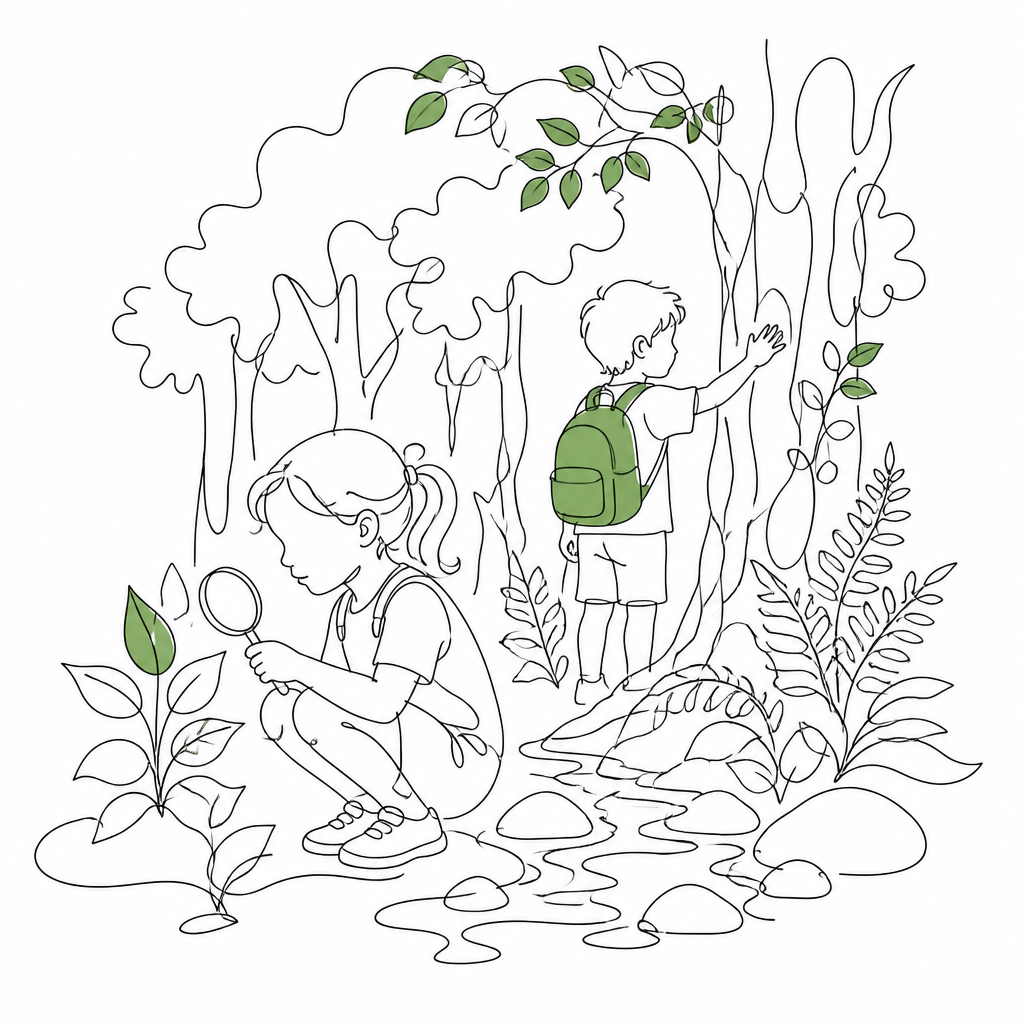
GPT 이미지 2로 생성한 숲 체험 일러스트

숲 체험 일러스트

GPT Image 2· Image
Children exploring a lush green forest, one holding a magnifying glass examining a leaf, another touching tree bark, dappled sunlight through canopy, small stream nearby., Continuous line art with selective color fills, flat, no strong directional light, elegant, modern, sparse mood, monochrome ink with 1-2 selective color accents, centered, generous white space, organic flow, No text, no watermark.
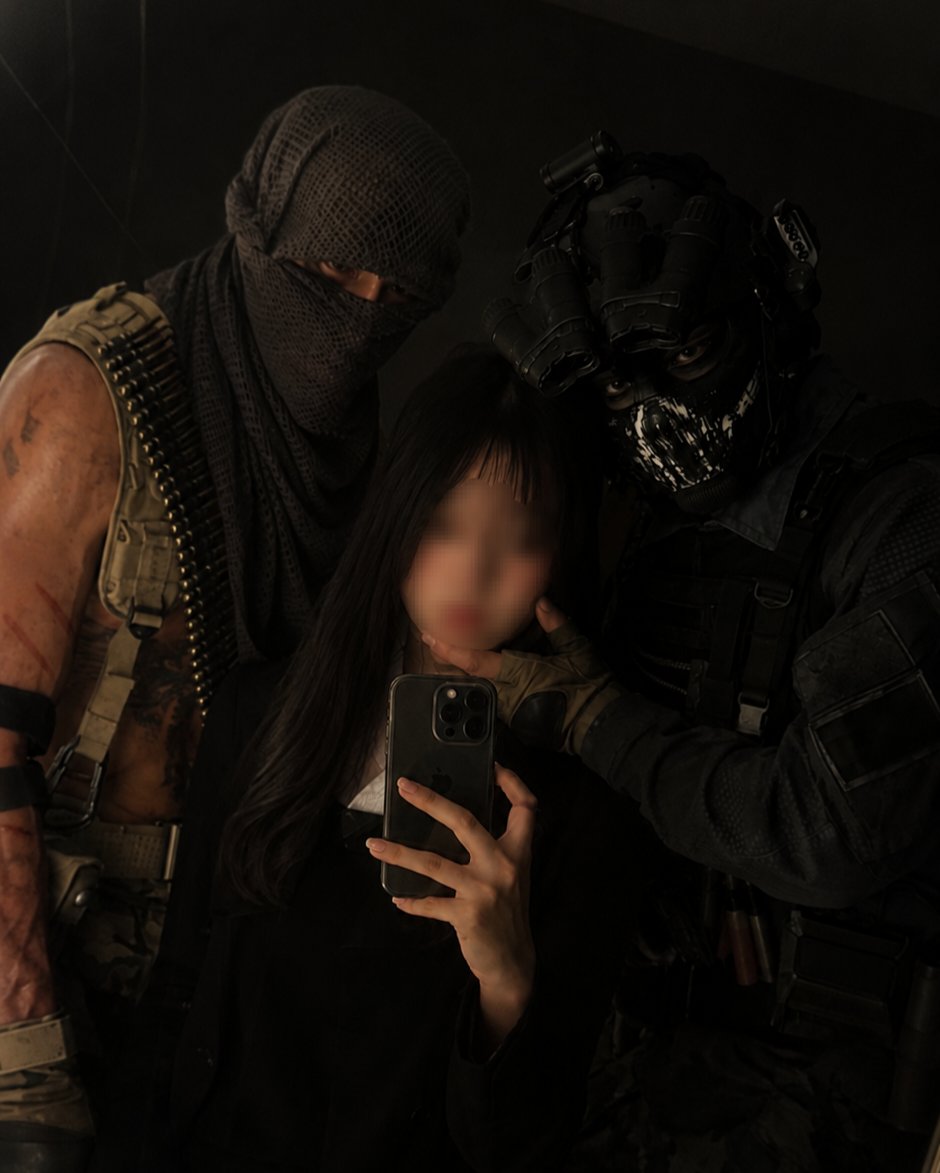
AI-generated Street Selfie Snap made with GPT Image 2

Street Selfie Snap

GPT Image 2· Image
첨부된 인물 사진을 참고해서 거리 셀카 스냅처럼 만들어줘. 서울의 조용한 거리 배경, 흐린 날의 부드러운 자연광, 살짝 흐릿한 도시 배경, 자연스러운 표정, 스마트폰 전면 카메라로 찍은 듯한 현실적인 구도로 구성해줘. 과한 보정이나 뷰티 필터 느낌은 피하고 텍스트와 워터마크는 넣지 마.
GPT 이미지 2로 생성한 소나무 일러스트

소나무 일러스트

GPT Image 2· Image
Clean vector sticker illustration of a pine tree with layered evergreen branches and simple trunk, flat green colors, no text.
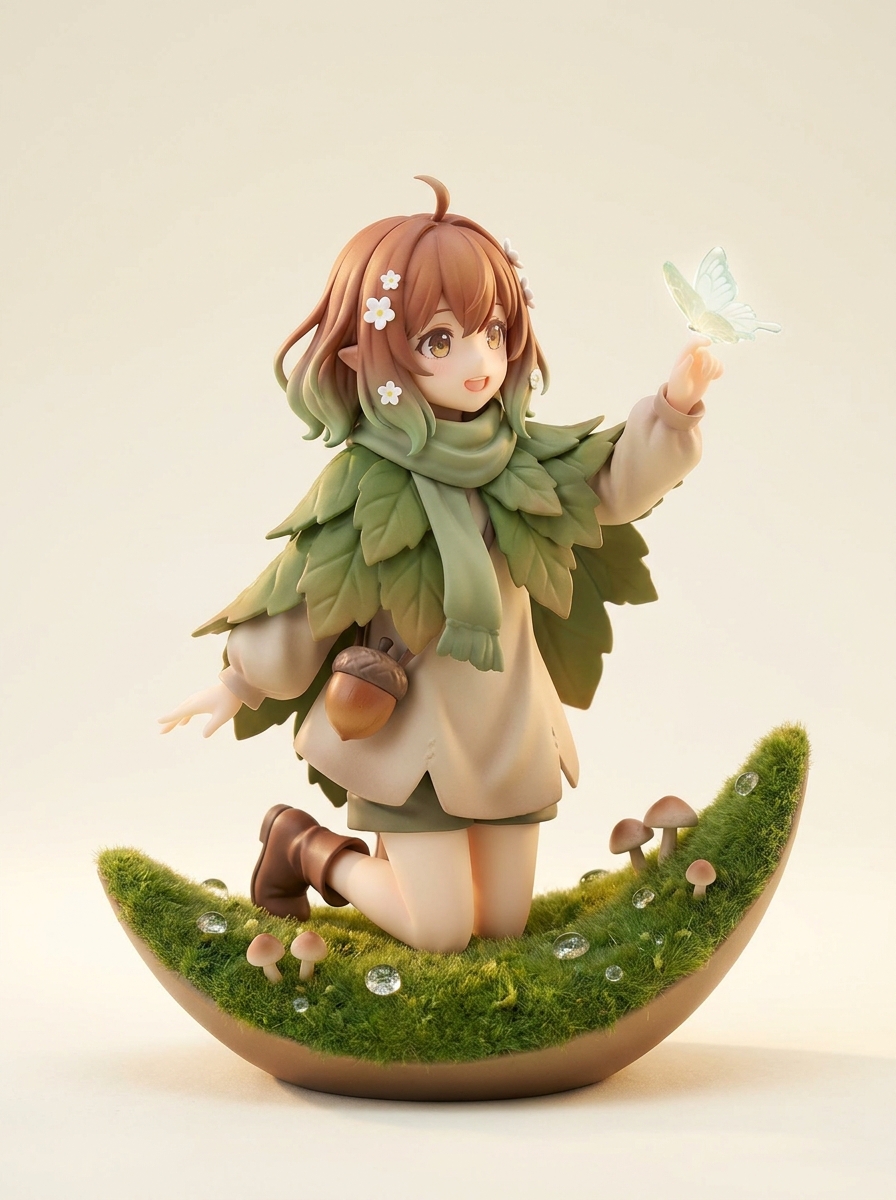
AI-generated Forest Sprite Figure made with Nano Banana Pro

Forest Sprite Figure

Nano Banana Pro· Image
Create an original AI figure product photo: a gentle forest sprite figure standing on a mossy crescent-shaped base with tiny mushrooms and dew drops. She wears a layered leaf-textured cape, soft beige tunic, sage green scarf, brown ankle boots, and a small acorn pouch. Hair is warm chestnut with soft green gradient tips, decorated with tiny white flowers. Pose: kneeling slightly, reaching toward a glowing butterfly perched on her finger. Background: clean warm ivory studio backdrop, soft natural rim light, miniature nature diorama feeling. Do not imitate any existing character or reference outfit. Highly detailed collectible AI figure, 1/8 scale anime figure, premium matte PVC and resin texture, delicate airbrushed gradient painting, smooth sculpted skin, crisp clothing folds, tiny accessories, soft studio lighting, macro product photography, shallow depth of field, clean display base, luxury toy photography. Original character design, do not copy existing characters, no brand logos, no readable text, no watermark.
GPT 이미지 2로 생성한 나무 일러스트

나무 일러스트

GPT Image 2· Image
A clean tree illustration for posters and educational materials: full leafy tree with visible trunk and branches, fresh green palette, simple friendly shapes, light paper texture, centered composition, no readable text, no logo, no watermark.

What Are Nature Illustration AI Prompts?

Nature Illustration AI Prompts are comprehensive digital blueprints that guide AI models in visualizing the boundless beauty of the natural world. These prompts are meticulously constructed to describe not only the physical subjects-such as ancient forests, towering peaks, and meandering rivers-but also the atmospheric conditions and lighting that breathe life into a scene. Using advanced descriptors, these prompts allow the AI to synthesize diverse artistic styles, from classical landscape oil paintings to modern minimalist vector art. The goal of a nature illustration prompt is to evoke a specific emotional response, whether it be the peaceful serenity of a sun-dappled meadow or the awe-inspiring power of a mountain storm. Carat's nature illustration tag provides users with a library of verified phrases that capture the intricate textures of bark, the transparency of water, and the vastness of the horizon, ensuring that every generated image feels like a cohesive masterpiece of environmental storytelling.

Best Use Cases

The applications for nature illustrations generated via AI are incredibly diverse and impact various creative industries. Educators and environmentalists use these prompts to create engaging visual aids for presentations and educational materials regarding biodiversity and conservation. Graphic designers often rely on these illustrations to provide calming backgrounds for meditation apps, health and wellness websites, and sustainable brand identities. In the publishing world, these prompts are perfect for creating atmospheric cover art for novels or detailed internal illustrations for children's books focused on outdoor adventures. For individual creators, nature illustration prompts offer a way to generate high-resolution desktop wallpapers or custom prints for home decor. They are also widely used in social media content creation to accompany inspirational quotes or travel-related posts, providing a high-quality visual anchor that resonates with viewers' love for the outdoors. Furthermore, they serve as excellent concept art for game designers and filmmakers looking to establish the visual tone of a fictional environment.

Why This Tag Works

The Nature Illustration tag is engineered to overcome the common challenges of depicting organic complexity. AI often struggles with the chaotic yet ordered patterns of nature, such as the branching of trees or the flow of water, without proper guidance. This tag solves that by providing structural keywords that define perspective and layering, such as 'foreground foliage' and 'atmospheric haze.' It also excels at specifying lighting conditions that are notoriously difficult to capture, like the 'Tyndall effect' (light beams through trees) or 'alpenglow' on mountain tops. By utilizing these prompts, users can achieve a level of realism and artistic depth that would otherwise require hours of manual tweaking. The tag also categorizes prompts by biomes and climates, allowing for precise control over the visual output-whether you need a dry desert scene or a humid tropical rainforest. This systematic approach ensures that the generated images are not just random landscapes, but purposeful illustrations with professional-grade composition and color harmony.

Explore Related Prompts

  • Illustration
  • Poster
  • Card News Template
  • Character
  • Watercolor Style
  • Oil Painting Style
  • Diary Sticker

Prompt Building Tips

When building a nature illustration prompt, always start with the time of day and the specific weather conditions, as these define the entire color palette. For example, 'dawn in a foggy pine forest' will produce cool blues and greys, while 'sunset over a rolling prairie' will result in warm golds and purples. Next, describe the specific vegetation or geological features you want to emphasize-mentioning 'moss-covered stones' or 'winding riverbed' adds tactile realism. Compositional keywords are your best friend; use terms like 'wide-angle landscape view,' 'low-angle shot,' or 'rule of thirds' to direct the AI's eye. To add an artistic flair, specify a medium like 'impasto oil paint,' 'charcoal sketch,' or 'vibrant flat illustration.' If you want to include wildlife, ensure they are placed naturally within the scene, such as 'a lone wolf standing on a rocky outcrop.' Finally, for high-detail results, include technical modifiers like '8k resolution,' 'highly detailed textures,' and 'cinematic lighting' to push the AI to its maximum creative potential.
Frequently Asked Questions

Related Prompts

Street Illustration

Street Illustration

51 prompts

Streetwear Illustration

Streetwear Illustration

27 prompts

Realistic Photo

Realistic Photo

460 prompts

Poster

Poster

534 prompts

Carat Prompt Gallery

Create trending AI prompts instantly

Prompts

  • Logo
  • PPT Design
  • Thumbnail
  • Poster
  • Web Novel Cover
  • ID Photo
  • Caricature
  • Product Detail Page
  • Banner

Models

  • GPT Image 2
  • Seedance 2.0
  • NanoBanana Pro
  • NanoBanana 2

Carat

  • Get started
  • About
  • Blog
  • Careers
  • Contact
  • Partnership
  • Terms
  • Privacy

© 2026 Paradot.Inc All rights reserved.