carat

Prompt Gallery

/

Student ID Photo

Login
Sign Up

Student ID Photo

Create student ID photos and school identification portraits with AI prompt templates.

2026.07.08

·
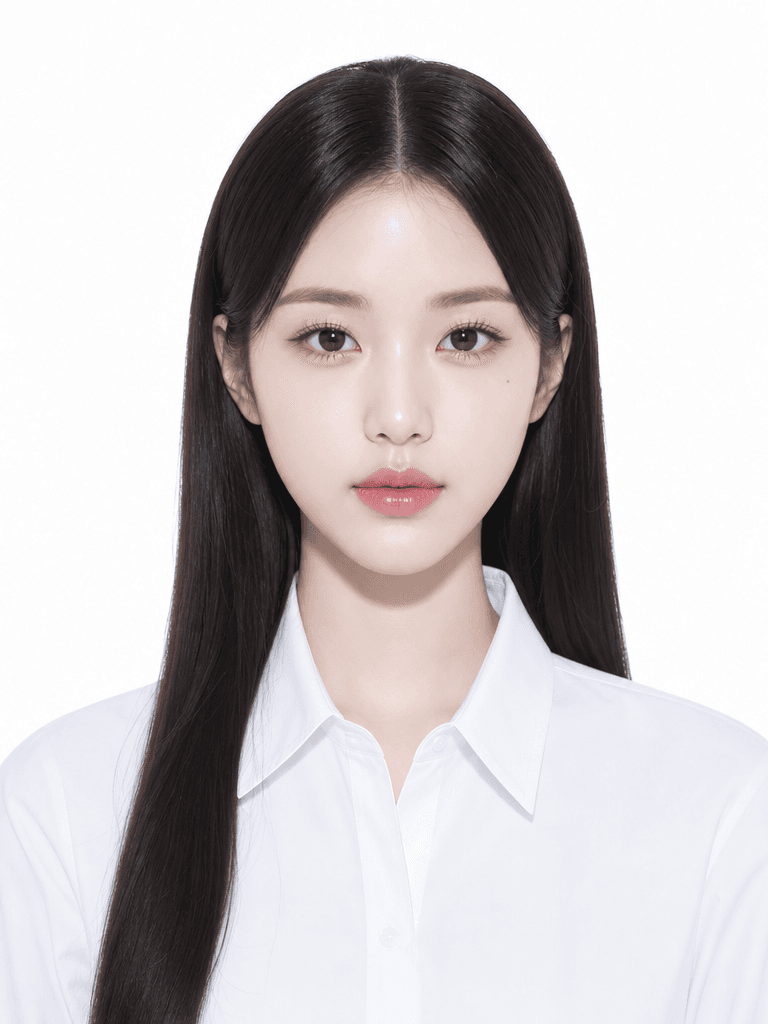
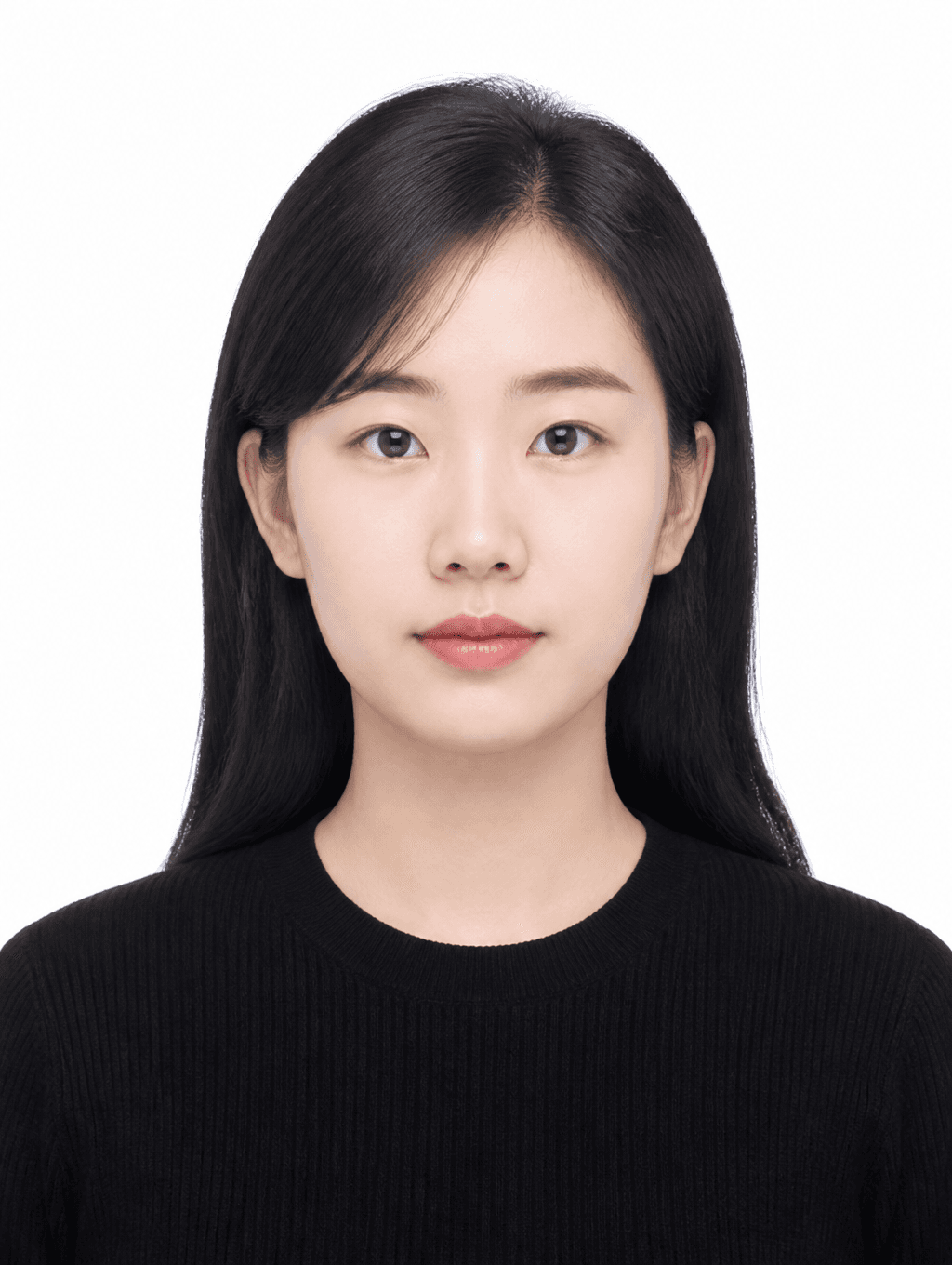
AI-generated Clean Basic ID Photo made with GPT Image 2

Clean Basic ID Photo

GPT Image 2· Image
첨부된 인물 사진을 참고해서 깔끔한 기본 증명사진으로 만들어줘. 얼굴 특징과 인상은 유지하고, 정면 구도, 무표정에 가까운 자연스러운 표정, 심플한 검정 상의, 흰색 배경, 그림자 없는 부드러운 조명, 가슴 위까지 보이는 official ID photo crop, 3:4 vertical ratio로 구성해줘. 공식 문서용 사진처럼 단정하게 만들고 텍스트와 워터마크는 넣지 마.
AI-generated Profile ID Photo made with GPT Image 2

Profile ID Photo

GPT Image 2· Image
첨부된 인물 사진을 참고해서 프로필용 증명사진으로 만들어줘. 얼굴 특징은 자연스럽게 유지하고, 정면을 바라보는 구도, 따뜻한 미소, 베이지 톤 재킷, 웜그레이 스튜디오 배경, 깨끗한 조명, 가슴 위까지 보이는 official ID photo crop, 3:4 vertical ratio로 구성해줘. 이력서나 링크드인에 쓸 수 있는 자연스럽고 단정한 분위기. 텍스트와 워터마크는 넣지 마.
GPT 이미지 2로 생성한 증명사진 일러스트

증명사진 일러스트

GPT Image 2· Image
A clean illustration of a fictional person in a standard ID photo format, neutral expression, white background, centered composition, simple flat art style, shoulders up, suitable for document use, no text
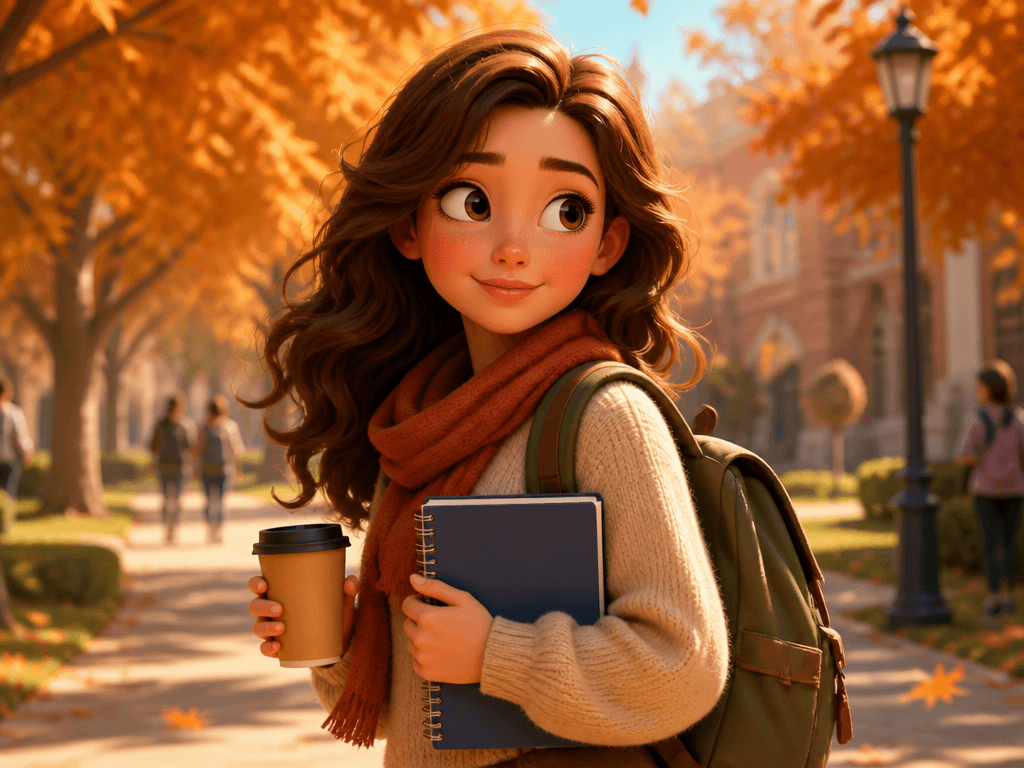
GPT 이미지 2로 생성한 대학생 일러스트

대학생 일러스트

GPT Image 2· Image
A college student with a backpack walking across a university campus, holding a notebook and coffee cup, autumn trees with falling leaves in the background., Pixar-style 3D character render, warm cinematic lighting with soft ambient occlusion, playful, endearing, expressive mood, vibrant warm palette, subtle subsurface scattering on skin, eye-level medium shot, slight dynamism in pose, No text, no watermark.
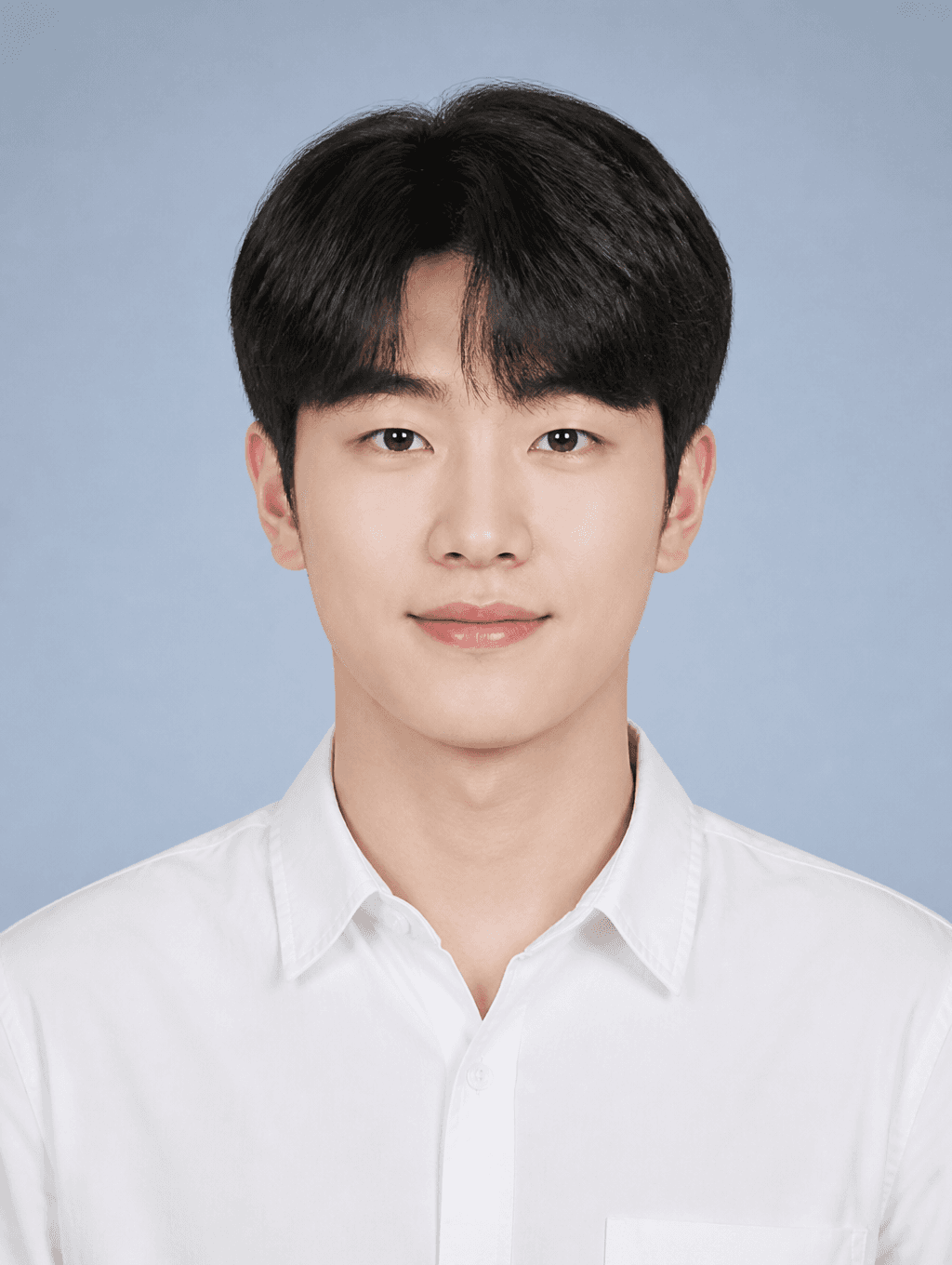
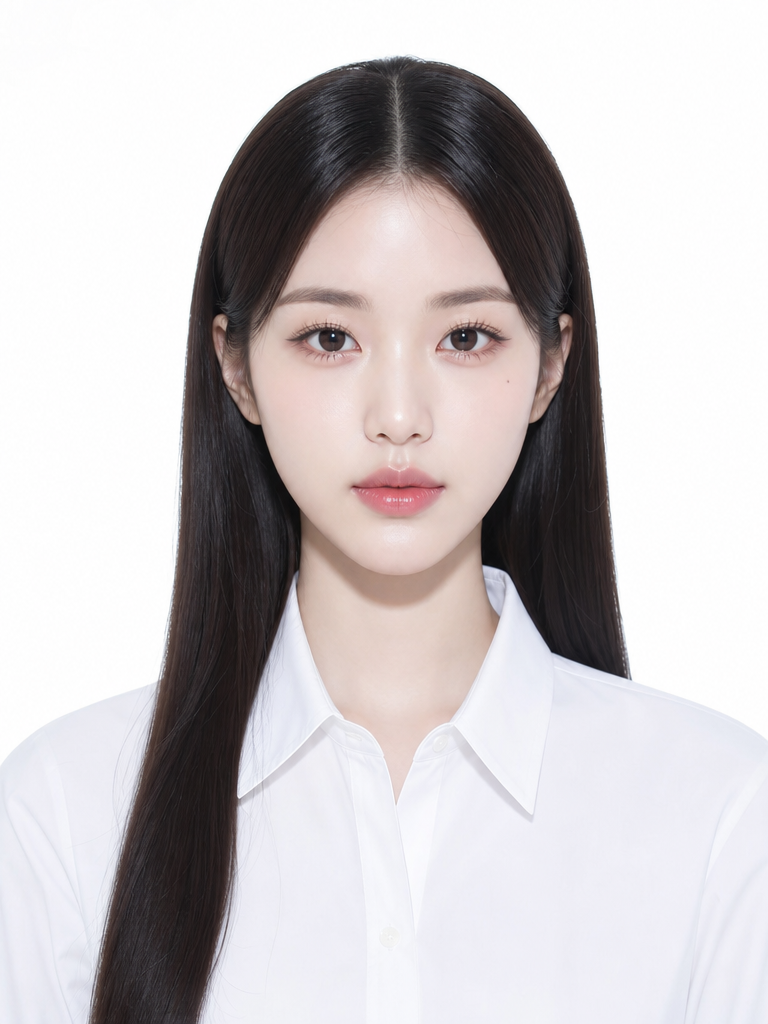
AI-generated Student ID Photo made with GPT Image 2

Student ID Photo

GPT Image 2· Image
첨부된 인물 사진을 참고해서 학생용 증명사진으로 만들어줘. 얼굴 특징은 자연스럽게 유지하고, 정면을 바라보는 구도, 단정한 흰 셔츠, 깔끔한 헤어스타일, 밝은 블루그레이 스튜디오 배경, 부드러운 균일 조명, 가슴 위까지 보이는 official ID photo crop, 3:4 vertical ratio로 구성해줘. 자연스러운 미소 정도만 허용하고 텍스트와 워터마크는 넣지 마.
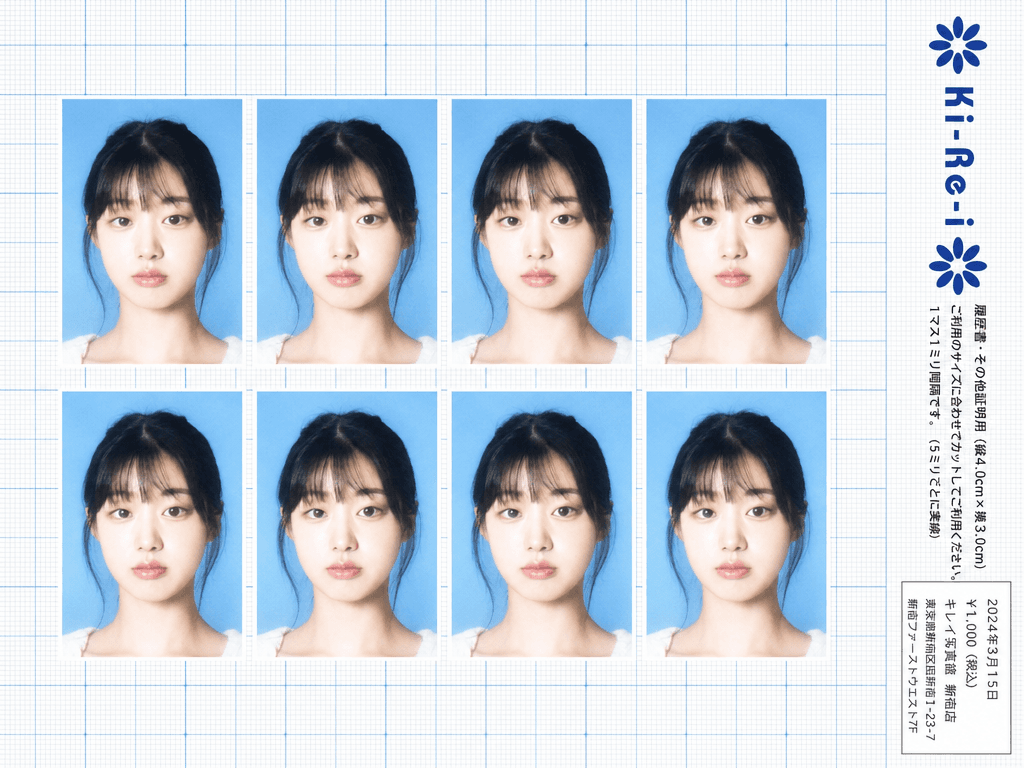
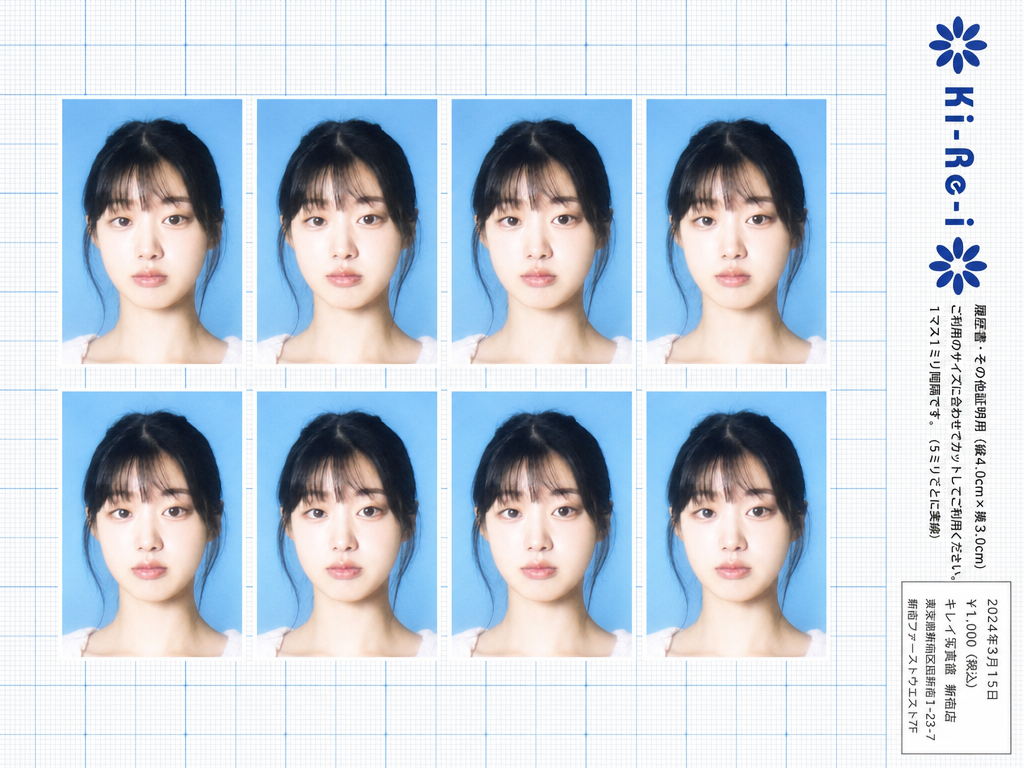
Ki-Re-i ID photo sheet generated with GPT Image 2

Ki-Re-i ID Photo Sheet

GPT Image 2· Image
Use the provided photo as the subject for all 8 ID photos. If the provided photo's aspect ratio does not match 3:4 (portrait), automatically crop it centered on the face — like a standard passport/ID photo crop — so it fits the 3:4 frame naturally. Do not stretch or distort. A Japanese Ki-Re-i (キレイ) ID photo booth print sheet in landscape orientation (wider than tall). BACKGROUND: White(#FFFFFF) graph paper. Fine thin blue(#214384) grid lines creating small squares, with slightly darker/thicker blue lines every 5 small squares — forming a 5×5 thin-grid pattern between each pair of thick lines. Japanese 方眼紙 (graph paper) style. PHOTO GRID: 8 identical ID passport-style photos arranged in a strict 2-row × 4-column grid, occupying the left ~82% of the sheet. Each photo has a 3:4 aspect ratio (portrait, taller than wide). Each photo shows the subject from the provided image: upper-body frontal portrait, neutral expression, soft studio flash lighting, blue(#1084EF) background — standard 証明写真 style. Thin white border around each photo. Evenly spaced on the graph paper. *Each photo has a slightly soft focus, gentle overexposure (+0.5 EV), and a luminous bloom glow — reminiscent of early 2000s Japanese digicam output: subtly blown highlights, slightly desaturated, muted color tones, creamy bright skin tones, and a hazy softness* RIGHT SIDE STRIP (rightmost ~18% of sheet): All text and logo elements are rotated 90° clockwise (letter tops point LEFT toward the left edge of the image; reading direction goes from BOTTOM of the image to TOP; viewer rotates paper 90° clockwise to read normally). KI-RE-I LOGO (upper area of right strip, rotated 90° CW): A branded logotype block stacked vertically top-to-bottom (all in navy blue): ① A solid navy blue 8-petal rosette icon with this exact geometry: 8 oval/elliptical petals radiating from the center at 45° intervals, each petal has exact geometry: 8 oval/elliptical petals radiating from the center at 45° intervals, each petal has a smooth rounded outer tip; all petals are solid navy blue fill; a small circular hollow (donut hole negative space) at the very center where petals meet — like a stylized chrysanthemum rosette. Overall silhouette is circular. Diameter ≈ one character height of the Ki-Re-i text. ② The exact brand name "Ki-Re-i" in navy blue rounded bold display/logotype font — spelled with hyphens exactly as Ki-Re-i. ③ An identical solid navy blue 8-petal rosette (mirror of ①). All three elements centered and evenly spaced. Absolutely NO person silhouette or human figure icon anywhere. BODY TEXT (placed directly below the Ki-Re-i logo, rotated 90° CW, black gothic/sans-serif): The Ki-Re-i logo block and the body text block are stacked VERTICALLY — logo on top, body text directly below it. Both are left-aligned to the same left edge of the strip. NO horizontal side-by-side placement between logo and body text. - 「履歴書・その他証明用(縦4.0cm×横3.0cm)」 - 「ご利用のサイズに合わせてカットしてご利用ください。1マス1ミリ間隔です。(5ミリごとに実線)」 If lines are too long, WRAP into 2 or more lines. Must NOT extend into or overlap the white receipt box area — clear gap required. WHITE RECEIPT BOX(lower portion of the right strip, seperate from logo and body text above): A solid white rectangle with a thin border, standing out clearly against the blue graph paper. Inside (rotated 90° CW, small monospaced Japanese font): date (2024年3月15日), price 「¥1,000(税込)」, store name and address. STYLE: Flat 2D scanned document. Functional administrative aesthetic. DNP Photo Imaging Japan style. No shadows, no 3D effects. Cool pale blue palette. Looks exactly like a real scanned Ki-Re-i photo booth output paper sheet.

What Is a Student ID Photo?

A student ID photo is an identification photograph attached to student identity cards issued by schools, universities, and educational institutions. Each school establishes specific requirements for background color, image dimensions, dress code, and facial expression, which students must comply with when submitting their photos. These photos are typically taken at the beginning of each semester or during freshman orientation, and they appear on student ID cards used for campus access, library services, attendance systems, and student discounts. The requirements vary by school level, with high schools often mandating school uniforms while universities may allow smart casual attire. With AI image generation tools, students and parents can now produce regulation-compliant student ID photos at home without visiting a professional photo studio, making the process faster, more convenient, and more affordable.

How to Write AI Student ID Photo Prompts

When generating a student ID photo with AI, specify a front-facing composition, appropriate attire, natural expression, regulation background, and student-appropriate tone as key elements. Include prompt phrases like "front-facing composition," "school uniform or neat casual," "natural smile," "white background," and "youthful clean impression." It is essential to accurately specify the background color and dimensions to match the specific school's requirements, as these vary between institutions. For high school student IDs, add descriptors like "school uniform" and "teenage student" to ensure the generated image reflects the appropriate age and formality. For university student IDs, specify "young adult" and "smart casual attire" to create a more mature, professional appearance. The expression should be natural and approachable, avoiding both overly stern looks and exaggerated smiles.

Student ID Photo Prompt Examples

A student certificate photo prompt generates a neat portrait of a student in school uniform, suitable for direct use on a student ID card with a white background and front-facing composition. A clean basic ID photo prompt produces a simple front-facing portrait against a white background in appropriate attire, versatile enough for various school identification purposes. A profile-use ID photo prompt creates a polished portrait suitable for school profile pages and online student directories, with slightly more refined styling while maintaining the required formal composition. A kirei ID photo prompt generates a Japanese photo studio-style portrait with refined lighting and polished styling, offering a more sophisticated aesthetic that still meets student ID requirements. A university student illustration prompt creates a casually neat portrait appropriate for university student IDs, capturing the more relaxed yet professional tone expected at the higher education level.

Tips for Using AI Student ID Photos

Generated student ID photos can be used for student card issuance, school profiles, attendance systems, library cards, and student discount services. Always verify the exact specifications required by the target school before using an AI-generated photo for official purposes, as each institution has its own requirements for background color, image dimensions, and dress code. Adjust the background color and dimensions in the prompt to match the specific school's regulations, and generate both uniform and casual versions for different purposes. AI tools save the time and expense of visiting a photo studio while producing compliant student ID photos quickly and conveniently. For families with multiple children, creating matching student ID photos with consistent backgrounds and styles creates a cohesive set for all siblings. Always double-check that the generated photo meets all school requirements regarding background color, head size, facial expression, and image quality before submitting it to the school administration.

Frequently Asked Questions About Student ID Photo Prompts

Common questions include whether AI student ID photos meet school regulations, whether school uniforms can be specified, whether background colors can be changed, whether separate versions for university and high school students can be created, and whether multiple photos of the same person can be generated. With precise prompting, AI tools produce student ID photos that meet official size and background requirements with full control over composition, attire, and expression. The key is researching the exact student ID photo requirements for the target school and specifying all technical parameters accurately in the prompt to generate a compliant, professional identification photograph.

Frequently Asked Questions

Related Prompts

Certificate Design

Certificate Design

8 prompts

Passport Photo

Passport Photo

7 prompts

ID Photo

ID Photo

8 prompts

Job Interview Photo

Job Interview Photo

7 prompts

Carat Prompt Gallery

Create trending AI prompts instantly

Prompts

  • Logo
  • PPT Design
  • Thumbnail
  • Poster
  • Web Novel Cover
  • ID Photo
  • Caricature
  • Product Detail Page
  • Banner

Models

  • GPT Image 2
  • Seedance 2.0
  • NanoBanana Pro
  • NanoBanana 2

Carat

  • Get started
  • About
  • Blog
  • Careers
  • Contact
  • Partnership
  • Terms
  • Privacy

© 2026 Paradot.Inc All rights reserved.