carat

프롬프트 갤러리

/

레트로 일러스트

로그인
회원가입

레트로 일러스트

레트로 일러스트 제작에 바로 활용할 수 있는 AI 프롬프트와 구성 팁을 제공합니다.

2026.07.06

·
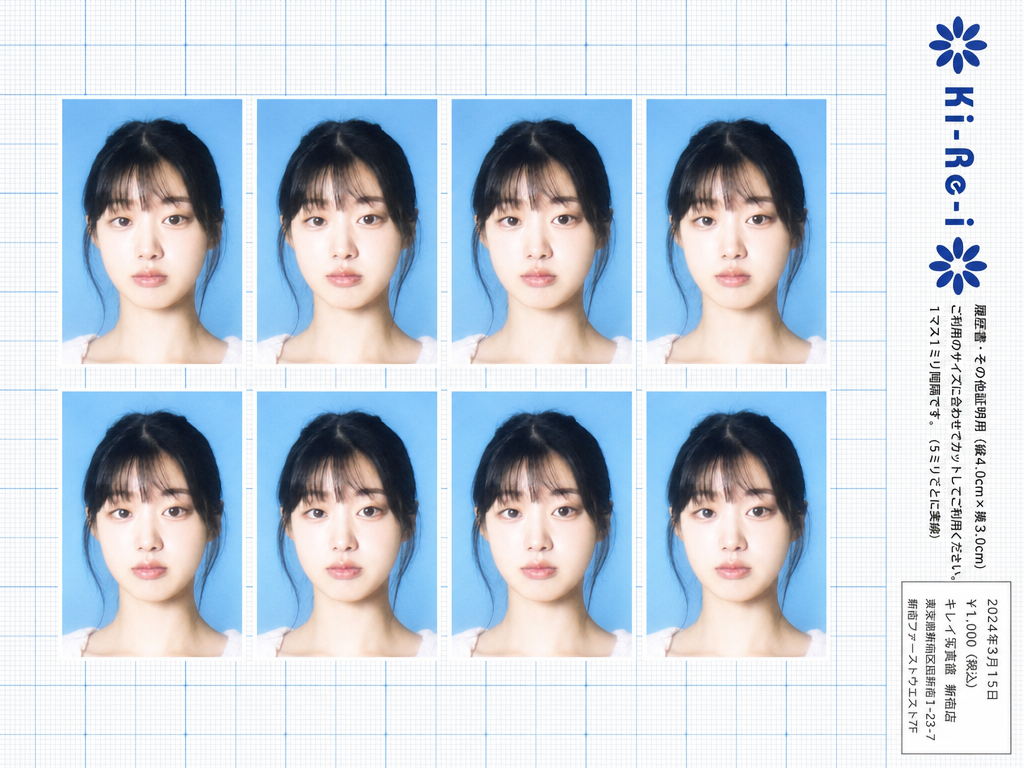
GPT Image 2로 생성한 키레이 증명사진

키레이 증명사진

GPT 이미지 2· 이미지
Use the provided photo as the subject for all 8 ID photos. If the provided photo's aspect ratio does not match 3:4 (portrait), automatically crop it centered on the face — like a standard passport/ID photo crop — so it fits the 3:4 frame naturally. Do not stretch or distort. A Japanese Ki-Re-i (キレイ) ID photo booth print sheet in landscape orientation (wider than tall). BACKGROUND: White(#FFFFFF) graph paper. Fine thin blue(#214384) grid lines creating small squares, with slightly darker/thicker blue lines every 5 small squares — forming a 5×5 thin-grid pattern between each pair of thick lines. Japanese 方眼紙 (graph paper) style. PHOTO GRID: 8 identical ID passport-style photos arranged in a strict 2-row × 4-column grid, occupying the left ~82% of the sheet. Each photo has a 3:4 aspect ratio (portrait, taller than wide). Each photo shows the subject from the provided image: upper-body frontal portrait, neutral expression, soft studio flash lighting, blue(#1084EF) background — standard 証明写真 style. Thin white border around each photo. Evenly spaced on the graph paper. *Each photo has a slightly soft focus, gentle overexposure (+0.5 EV), and a luminous bloom glow — reminiscent of early 2000s Japanese digicam output: subtly blown highlights, slightly desaturated, muted color tones, creamy bright skin tones, and a hazy softness* RIGHT SIDE STRIP (rightmost ~18% of sheet): All text and logo elements are rotated 90° clockwise (letter tops point LEFT toward the left edge of the image; reading direction goes from BOTTOM of the image to TOP; viewer rotates paper 90° clockwise to read normally). KI-RE-I LOGO (upper area of right strip, rotated 90° CW): A branded logotype block stacked vertically top-to-bottom (all in navy blue): ① A solid navy blue 8-petal rosette icon with this exact geometry: 8 oval/elliptical petals radiating from the center at 45° intervals, each petal has exact geometry: 8 oval/elliptical petals radiating from the center at 45° intervals, each petal has a smooth rounded outer tip; all petals are solid navy blue fill; a small circular hollow (donut hole negative space) at the very center where petals meet — like a stylized chrysanthemum rosette. Overall silhouette is circular. Diameter ≈ one character height of the Ki-Re-i text. ② The exact brand name "Ki-Re-i" in navy blue rounded bold display/logotype font — spelled with hyphens exactly as Ki-Re-i. ③ An identical solid navy blue 8-petal rosette (mirror of ①). All three elements centered and evenly spaced. Absolutely NO person silhouette or human figure icon anywhere. BODY TEXT (placed directly below the Ki-Re-i logo, rotated 90° CW, black gothic/sans-serif): The Ki-Re-i logo block and the body text block are stacked VERTICALLY — logo on top, body text directly below it. Both are left-aligned to the same left edge of the strip. NO horizontal side-by-side placement between logo and body text. - 「履歴書・その他証明用(縦4.0cm×横3.0cm)」 - 「ご利用のサイズに合わせてカットしてご利用ください。1マス1ミリ間隔です。(5ミリごとに実線)」 If lines are too long, WRAP into 2 or more lines. Must NOT extend into or overlap the white receipt box area — clear gap required. WHITE RECEIPT BOX(lower portion of the right strip, seperate from logo and body text above): A solid white rectangle with a thin border, standing out clearly against the blue graph paper. Inside (rotated 90° CW, small monospaced Japanese font): date (2024年3月15日), price 「¥1,000(税込)」, store name and address. STYLE: Flat 2D scanned document. Functional administrative aesthetic. DNP Photo Imaging Japan style. No shadows, no 3D effects. Cool pale blue palette. Looks exactly like a real scanned Ki-Re-i photo booth output paper sheet.
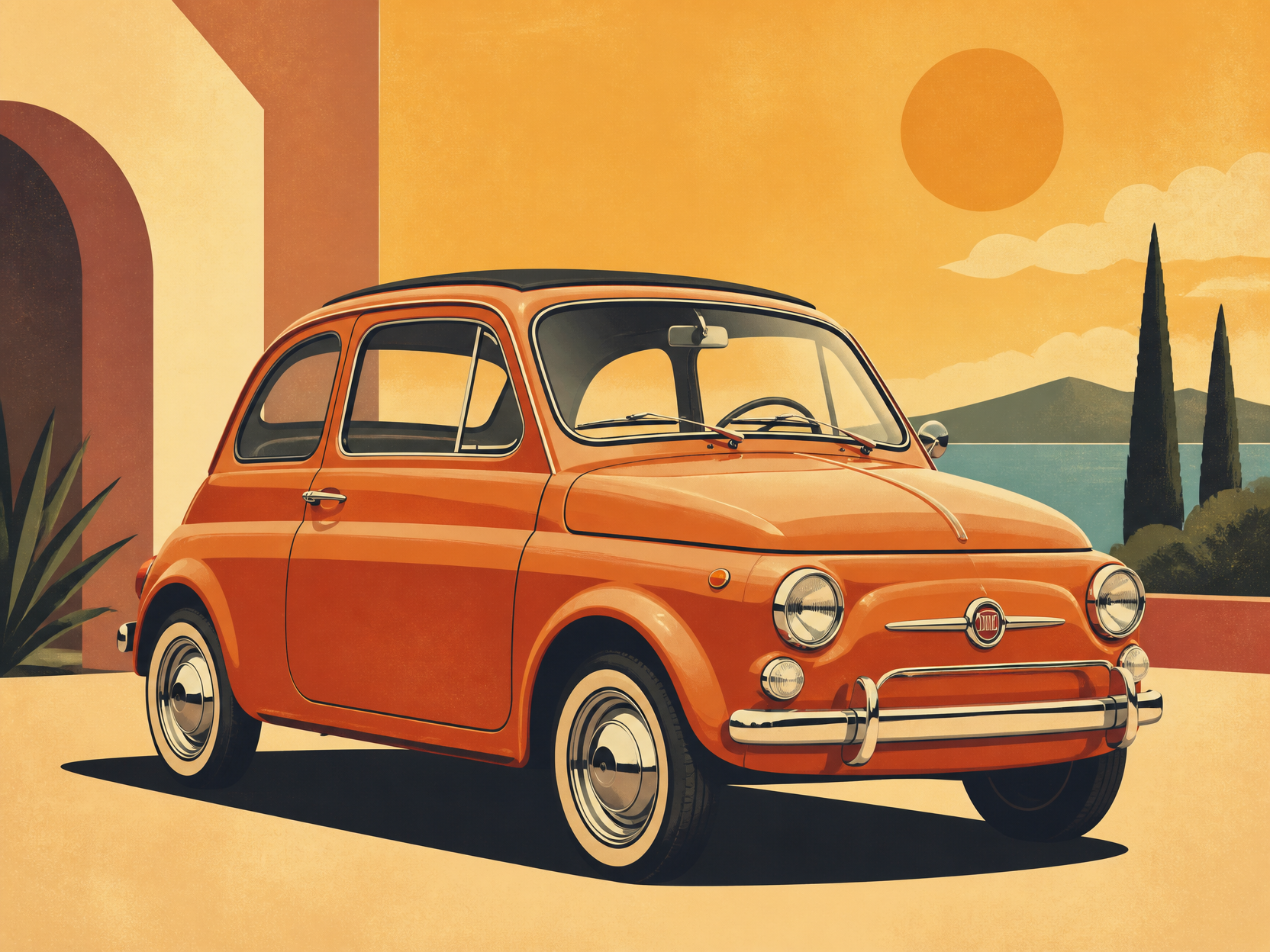
GPT 이미지 2로 생성한 레트로 자동차 일러스트

레트로 자동차 일러스트

GPT 이미지 2· 이미지
retro car illustration, vintage compact car, warm color palette, clean poster-like vector art, subtle grain texture, no text
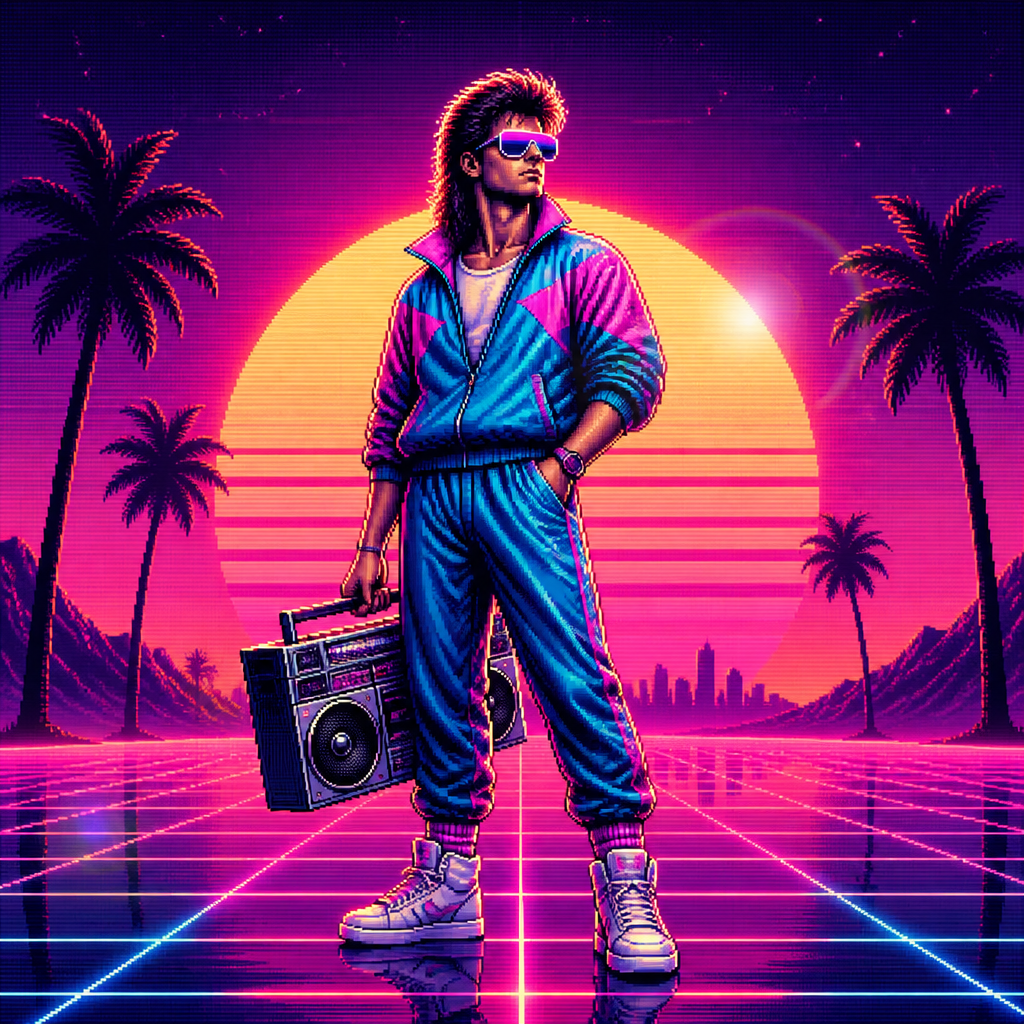
GPT 이미지 2로 생성한 레트로 캐릭터

레트로 캐릭터

GPT 이미지 2· 이미지
A stylized retro 80s character with big hair, neon sunglasses, vintage tracksuit, standing confidently with a cassette boombox, pixelated VHS aesthetic., 1980s retro digital illustration, synthwave aesthetic, sunset gradient glow, lens flare, nostalgic, bold, retro-futuristic mood, hot pink, electric blue, sunset orange, deep purple, centered with horizon-line symmetry or grid perspective, No text, no watermark.
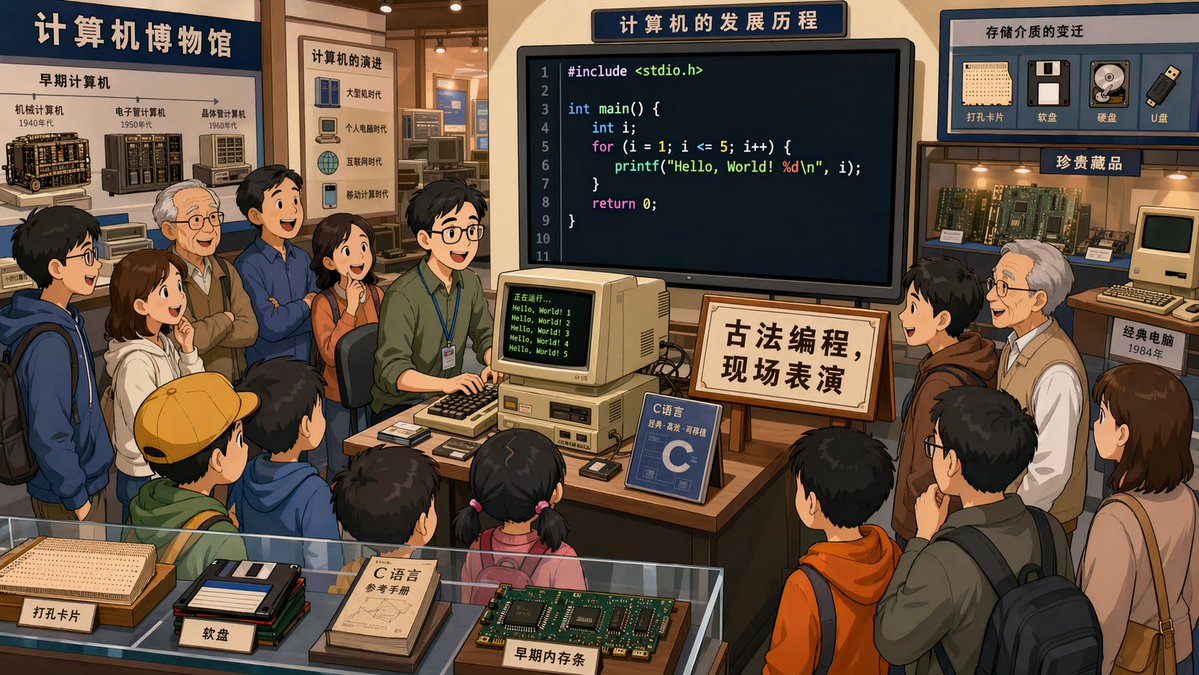
GPT 이미지 2로 생성한 레트로 프로그래밍 박물관 카툰

레트로 프로그래밍 박물관 카툰

GPT 이미지 2· 이미지
In a computer museum, a programmer is in the center of the exhibition hall demonstrating C language programming, with many visitors gathered around watching. The code on the screen is clearly visible. A sign beside it reads: "Traditional Programming — Live Demonstration." 2D cartoon style, 16:9.
@XiaohuiAI666
GPT 이미지 2로 생성한 복고 스타일

복고 스타일

GPT 이미지 2· 이미지
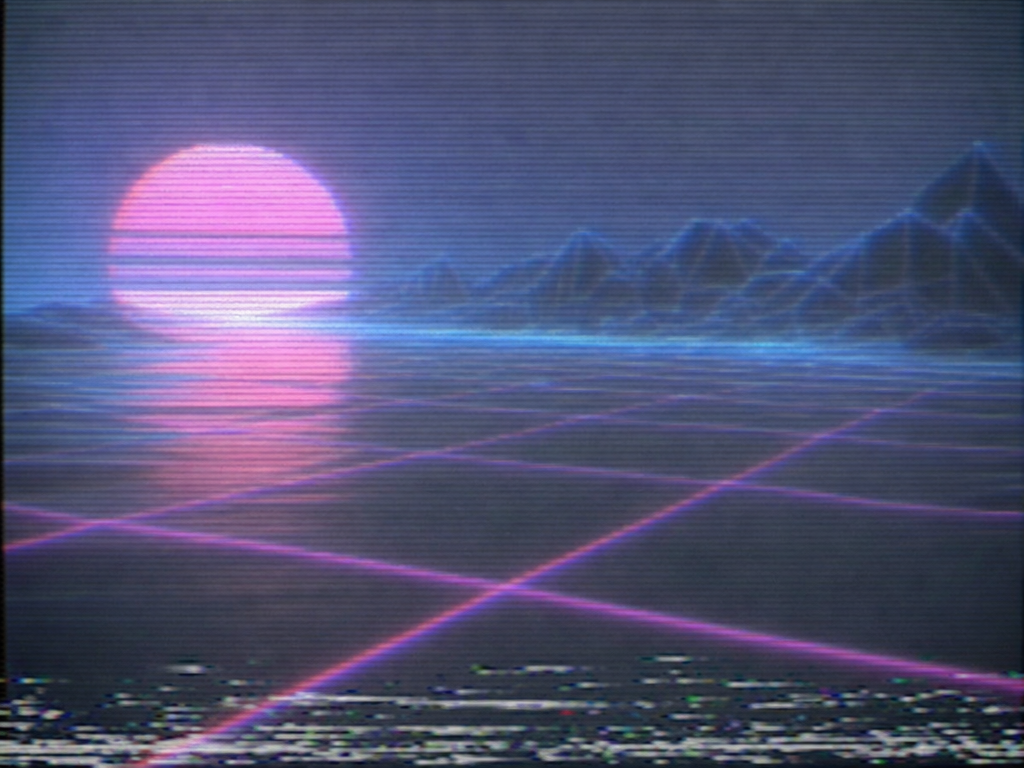
A retro 1980s style illustration of a neon sunset over a geometric grid landscape, synthwave aesthetic, magenta and teal color palette, VHS tape scan lines, chrome sun. No text.
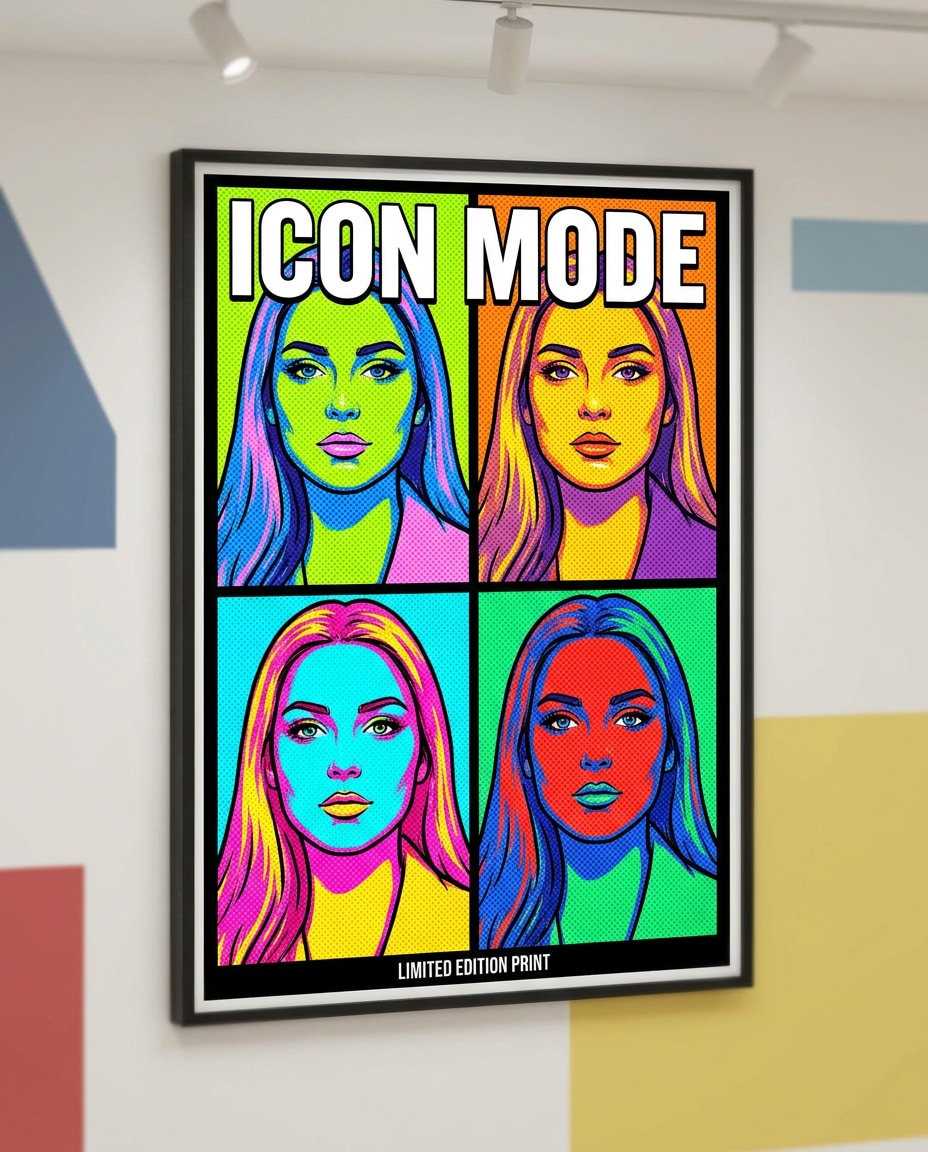
나노바나나 프로로 생성한 워홀풍 4분할 팝아트 초상화

워홀풍 4분할 팝아트 초상화

나노바나나 프로· 이미지
Pop art style poster of a confident young woman, 4-panel grid layout with different neon colorways per panel, bold black outlines, heavy halftone dots, screenprint texture, high-contrast shadows, minimal flat background shapes, headline text: "ICON MODE", small caption line, gallery-ready composition, professional illustration quality, 85mm lens, shallow depth of field, soft cinematic lighting --ar 4:5
media.io:warhol-quad-portrait
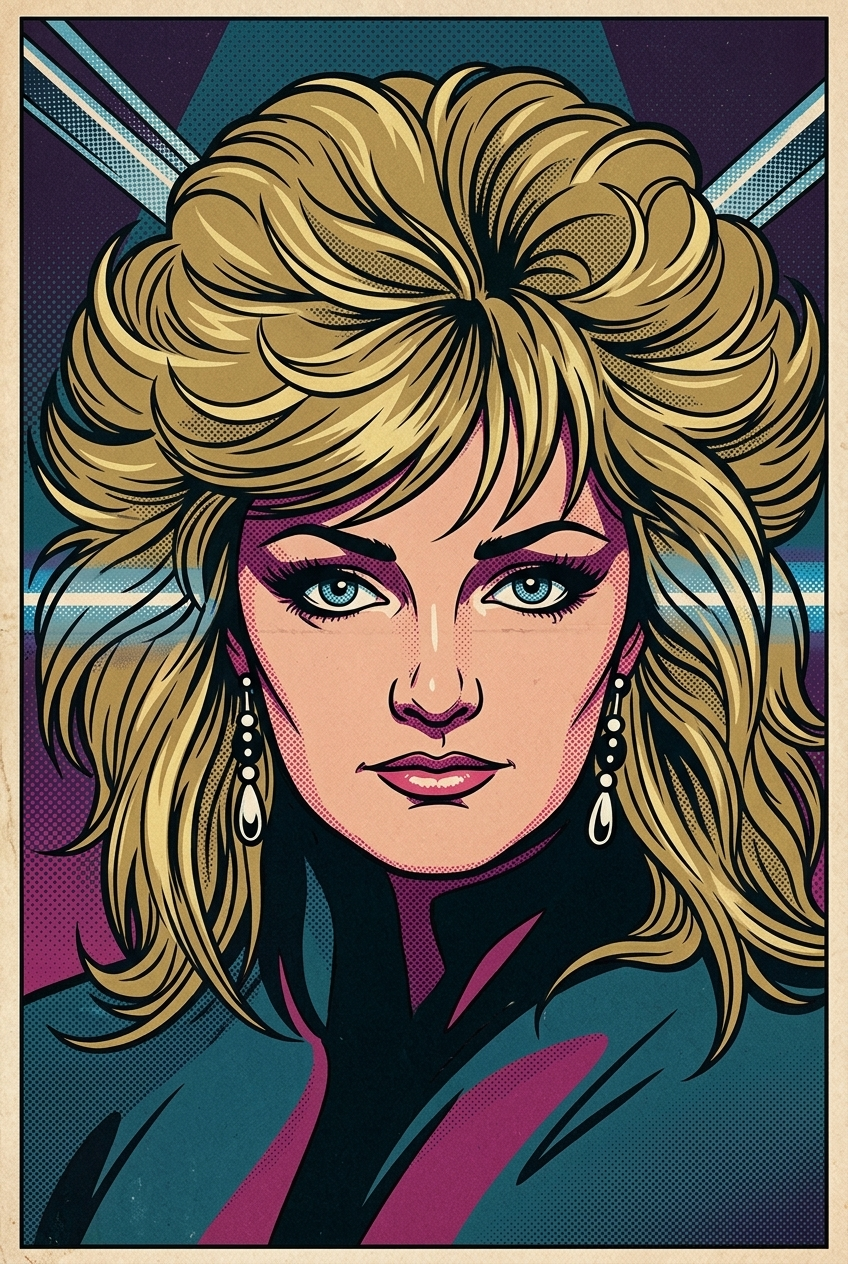
나노바나나 2로 생성한 1960년대 팝아트 변환

1960년대 팝아트 변환

나노바나나 2· 이미지
Transform the image into a 1960s comic-book Pop Art illustration. Use bold black contour lines, flat saturated colors, and dense halftone dot shading typical of vintage comic printing. The facial features should be expressive, stylized, and slightly exaggerated, as if captured in a dramatic single comic panel. The color palette should be carefully chosen to match the mood, atmosphere, and emotional tone of the subject, using harmonious and era-appropriate Pop Art colors rather than random primaries. Maintain a clean, graphic composition with strong Pop-Art energy and vintage print texture. Important: The artwork must contain no speech bubbles, no captions, no text, no words, and no letters of any kind.The image should be full-bleed (no borders) and composed as a 2:3 vertical format, with the subject clearly centered and visually prominent.
c1dc0d9816b4500003699e8c00ea43bc
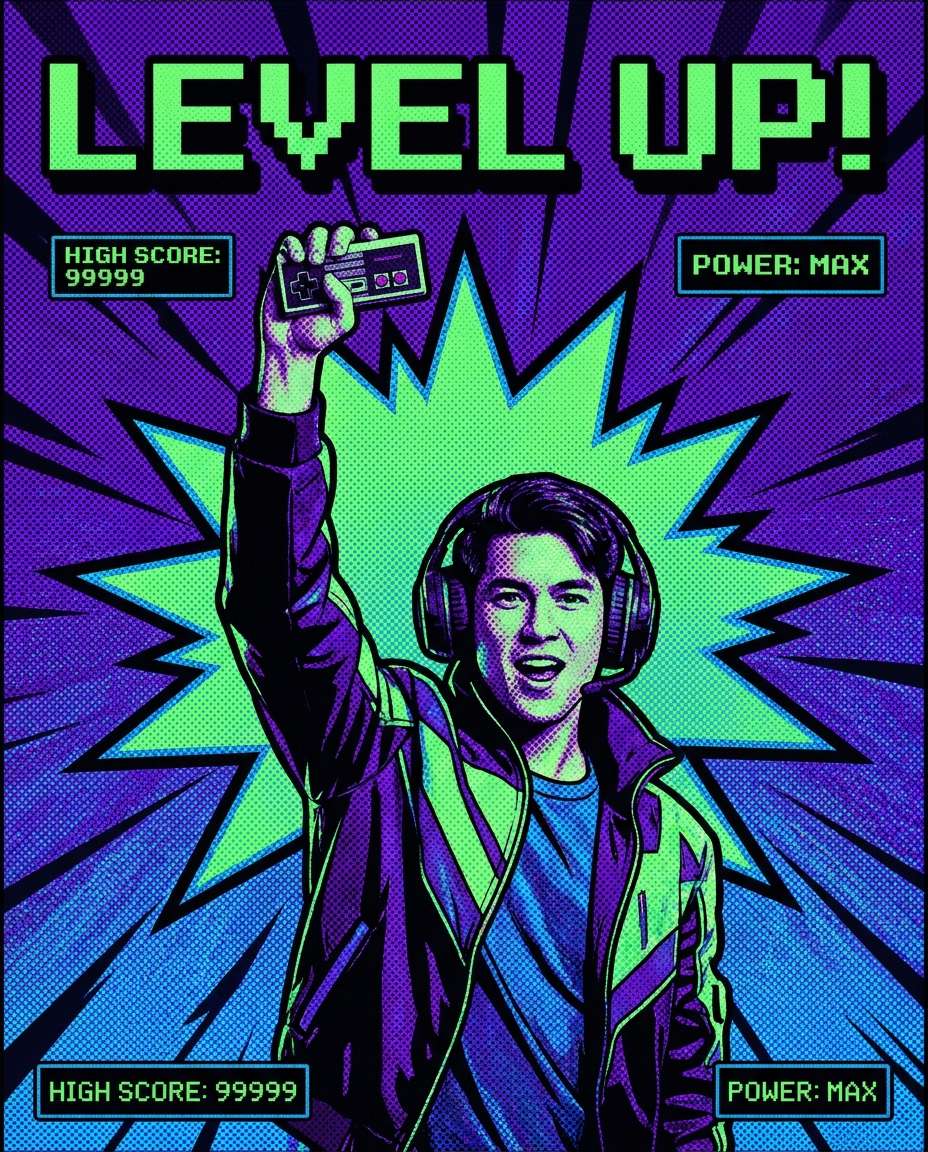
나노바나나 프로로 생성한 게이머 승리 화면 포스터

게이머 승리 화면 포스터

나노바나나 프로· 이미지
Pop art style poster of a gamer holding a controller, celebratory pose, pixel-like halftone pattern, bold purple and neon green palette, thick outlines, explosive comic burst behind, big text: "LEVEL UP", small UI-style captions, screenprint texture, energetic layout, 85mm lens, shallow depth of field, soft cinematic lighting --ar 4:5
media.io:gamer-victory-screen
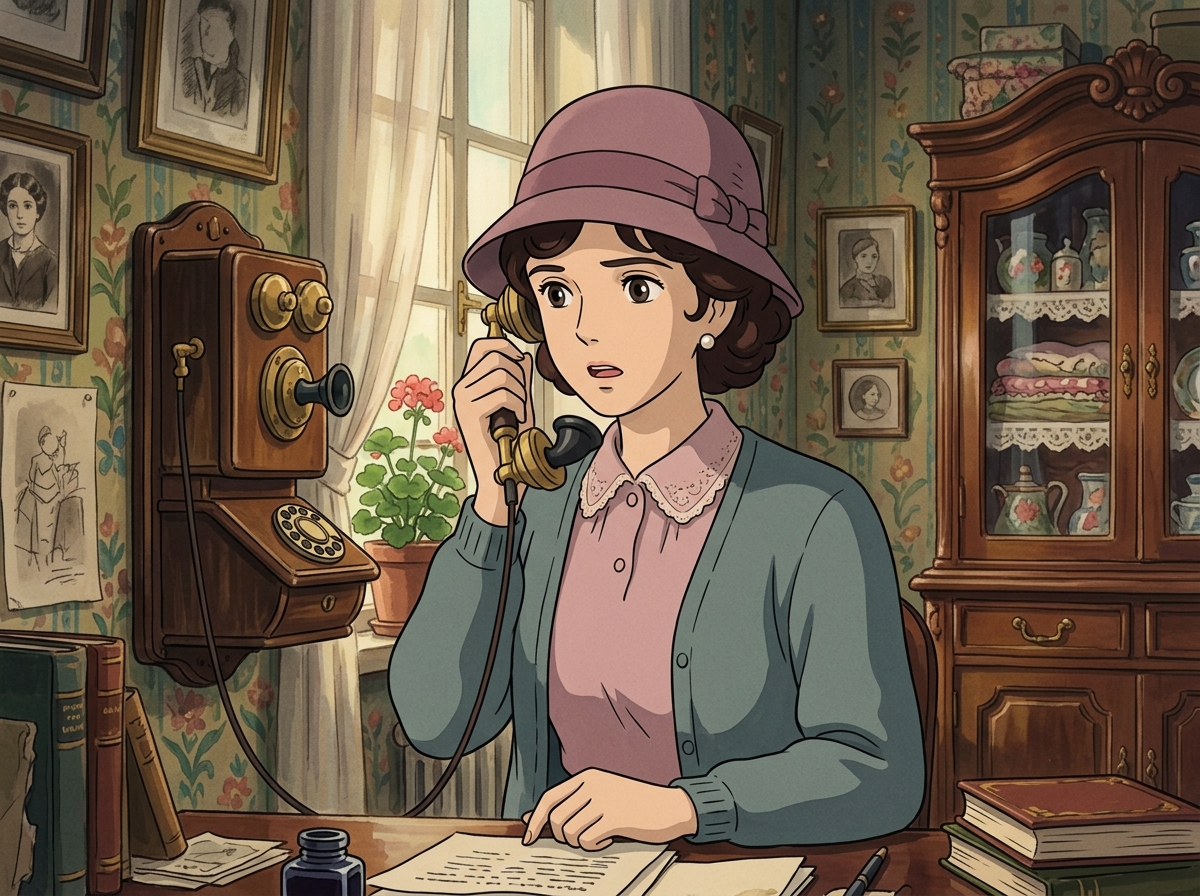
나노바나나 2으로 생성한 레트로 전화기 숙녀

레트로 전화기 숙녀

나노바나나 2· 이미지
Create a Studio Ghibli anime style scene strongly inspired by Howl’s Moving Castle. Make this look like a still frame from a classic Studio Ghibli movie. An elegant vintage woman is speaking on an antique telephone, wearing a 1920s-inspired cloche hat, softly curled hair, pearl earrings, and a refined pastel outfit. Background: cozy old-fashioned European interior, framed pictures, patterned wallpaper, wooden table, antique telephone receiver in hand. Studio Ghibli style, Howl’s Moving Castle atmosphere, hand-painted background, soft cel shading, pastel color palette, delicate retro linework, romantic mysterious mood. Strongly match the look of official Studio Ghibli film stills: soft hand-drawn anime faces, painterly watercolor backgrounds, warm nostalgic lighting, expressive eyes, simple but emotional character acting, 1980s–1990s Japanese animation texture, no photorealism, no 3D render. No brand logos, no readable text.
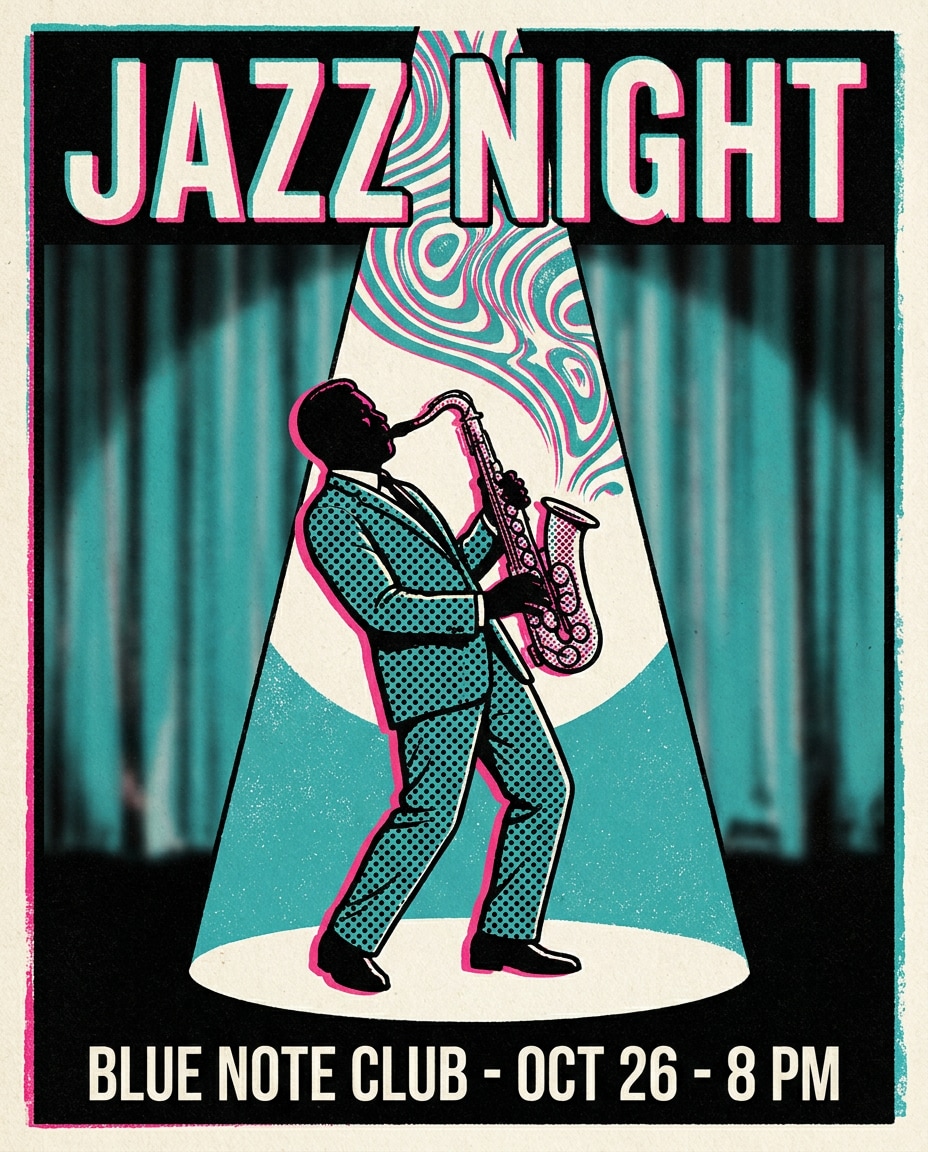
나노바나나 프로로 생성한 재즈 클럽 색소폰 포스터

재즈 클럽 색소폰 포스터

나노바나나 프로· 이미지
Pop art style poster of a saxophone player under a stage spotlight, swirling sound-wave shapes, halftone dots across suit and instrument, bold teal and hot pink palette, thick outlines, headline text: "JAZZ NIGHT", minimal venue info lines, classy yet punchy layout, screenprint texture, 85mm lens, shallow depth of field --ar 4:5
media.io:jazz-club-spotlight
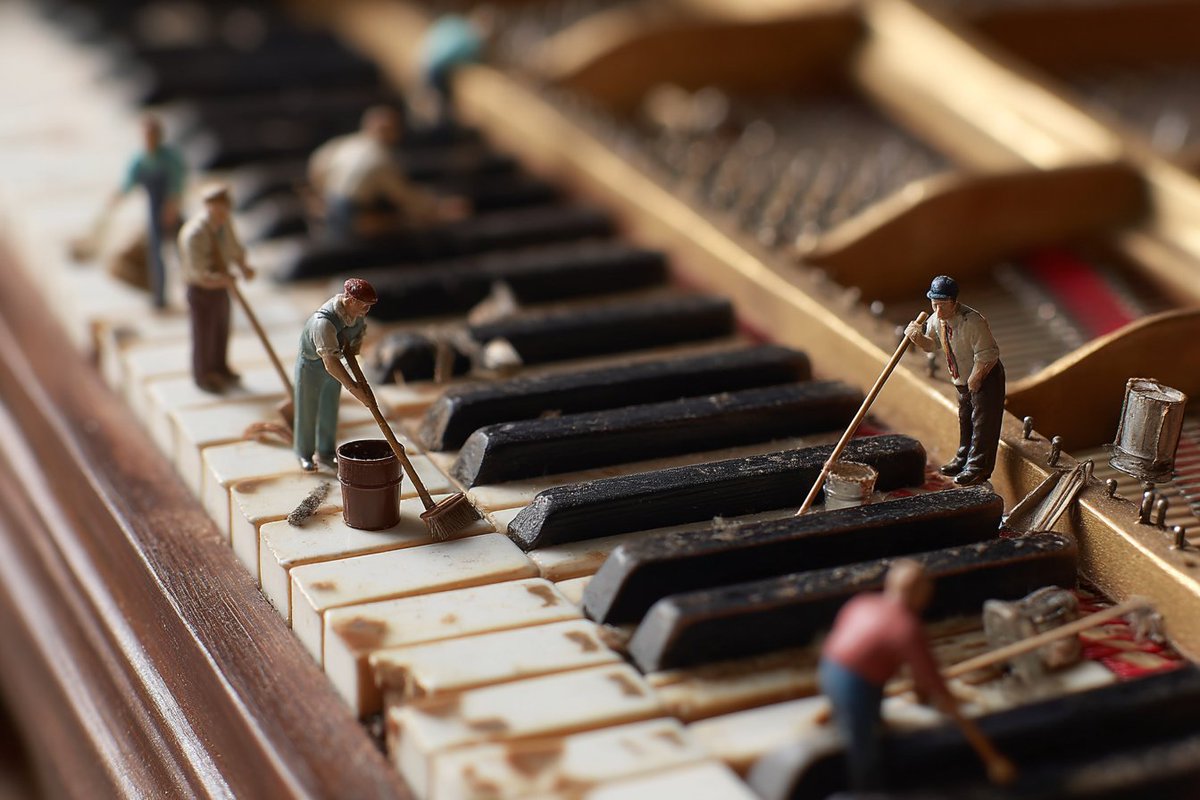
나노바나나 프로로 생성한 피아노 건반 미니어처 청소 장면 예시 이미지

피아노 건반 미니어처 청소 장면

나노바나나 프로· 이미지
tilt-shift photo of a grand piano keyboard, side view from the left looking along the keys to the right, shallow depth of field, tiny human figures cleaning the piano keys with brushes, cloths, and buckets, whimsical and surreal scene, soft lighting, hyper-detailed, high realism --ar 3:2
@BeanieBlossom
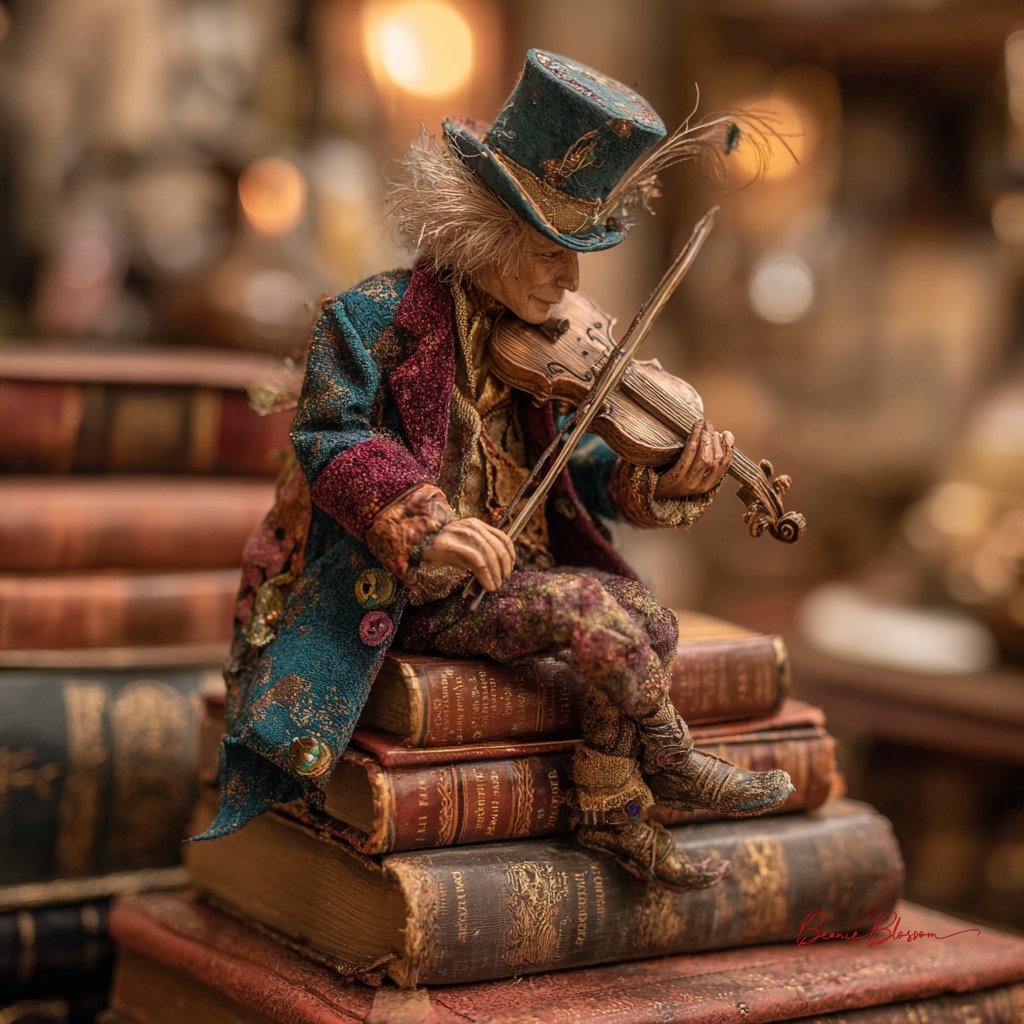
나노바나나 프로로 생성한 책 위의 미니어처 거리 음악가 예시 이미지

책 위의 미니어처 거리 음악가

나노바나나 프로· 이미지
a diminutive street musician, no taller than a wine bottle, performing atop a stack of vintage leather-bound books in a cozy Parisian bookshop. The tiny violinist wears a patchwork coat of jewel-toned velvet scraps and miniature brass buttons, their wild silver hair crowned with a thimble-sized top hat adorned with peacock feathers. Golden afternoon light streams through dust motes, in the warm, honey-colored atmosphere.
@BeanieBlossom

레트로 일러스트 AI 프롬프트란?

레트로 일러스트 AI 프롬프트는 특정 장면이나 캐릭터, 스타일의 분위기를 일관성 있게 만들어내기 위한 세부 태그입니다. 단순히 대상 이름만 적는 것보다 조명, 카메라 거리, 색감, 소재, 배경 맥락을 함께 넣으면 결과가 훨씬 더 정교해집니다. 이 태그는 검색자가 바로 활용할 수 있는 프롬프트를 찾도록 돕고, 비슷한 주제 안에서도 레트로 일러스트만의 고유한 장면성을 분리해 줍니다. 특히 복고 캐릭터, 레트로 포스터, 80년대 감성, 빈티지 패키지, 클래식 자동차 같은 목적에서 반복적으로 쓰기 좋습니다.

주요 활용 장면

  • 브랜드나 개인 프로젝트의 콘셉트 시안 만들기
  • 상세페이지, 카드뉴스, 릴스 커버, 숏폼 썸네일 제작
  • 캐릭터나 제품을 특정 공간과 분위기 안에 배치하기
  • 계절, 색감, 조명, 렌즈감을 바꿔 여러 방향 비교하기
  • 기존 이미지를 참고해 더 구체적인 스타일 버전 만들기

이 태그가 유용한 이유

레트로 일러스트은 결과물이 너무 넓게 퍼지는 문제를 줄여 줍니다. 예를 들어 프롬프트에 핵심 대상만 입력하면 생성 모델은 임의로 배경과 스타일을 정하지만, 이 태그를 사용하면 사용자가 원하는 검색 의도와 제작 목적이 더 분명해집니다. muted palette, halftone texture, old paper, vintage typography, faded color, 80s gradient 같은 시각 단서를 함께 쓰면 장면의 밀도와 설득력이 올라갑니다. 또한 같은 주제라도 포스터형, 제품컷형, 라이프스타일형, 애니메이션형으로 나누어 테스트하기 좋습니다.

관련 프롬프트 더 보기

  • 일러스트
  • 포스터
  • 캐릭터
  • 애니메이션 스타일
  • 유화 스타일
  • 수채화 스타일
  • 픽셀아트

프롬프트 구성 팁

  1. 대상과 공간을 먼저 적고, 그다음 조명과 색감을 구체화하세요.
  2. 카메라 거리, 렌즈, 구도, 화면비를 넣으면 결과가 더 안정적입니다.
  3. 사용할 매체가 광고, 카드뉴스, 숏폼, 상세페이지 중 무엇인지 적어 주세요.
  4. 피하고 싶은 요소를 negative prompt처럼 짧게 정리하면 후처리 시간이 줄어듭니다.
    레트로 일러스트 프롬프트는 작은 단서 차이로 결과가 크게 달라지는 주제이므로, 목적에 맞는 장면 단어와 스타일 단어를 함께 조합하는 것이 좋습니다.

자주 묻는 질문

관련 프롬프트

노스텔지어 디자인

노스텔지어 디자인

프롬프트 43개

빈티지 디자인

빈티지 디자인

프롬프트 102개

레트로

레트로

프롬프트 68개

일러스트

일러스트

프롬프트 774개

캐럿 프롬프트 갤러리

지금 유행하는 AI 프롬프트를 바로 만들 수 있어요

프롬프트

  • 로고
  • PPT 디자인
  • 썸네일
  • 포스터
  • 웹소설 표지
  • 증명사진
  • 캐리커처
  • 상세페이지
  • 배너

모델

  • GPT 이미지 2
  • 씨댄스 2.0
  • 나노바나나 프로
  • 나노바나나 2

캐럿

  • 시작하기
  • 서비스 소개
  • 블로그
  • 채용
  • 문의
  • 파트너십
  • 이용약관
  • 개인정보 처리방침

© 2026 Paradot.Inc All rights reserved.