carat

Prompt Gallery

/

Teapot Illustration

Login
Sign Up

Teapot Illustration

Discover the best AI prompts for generating professional Teapot Illustration visuals in various artistic styles.

2026.07.04

·
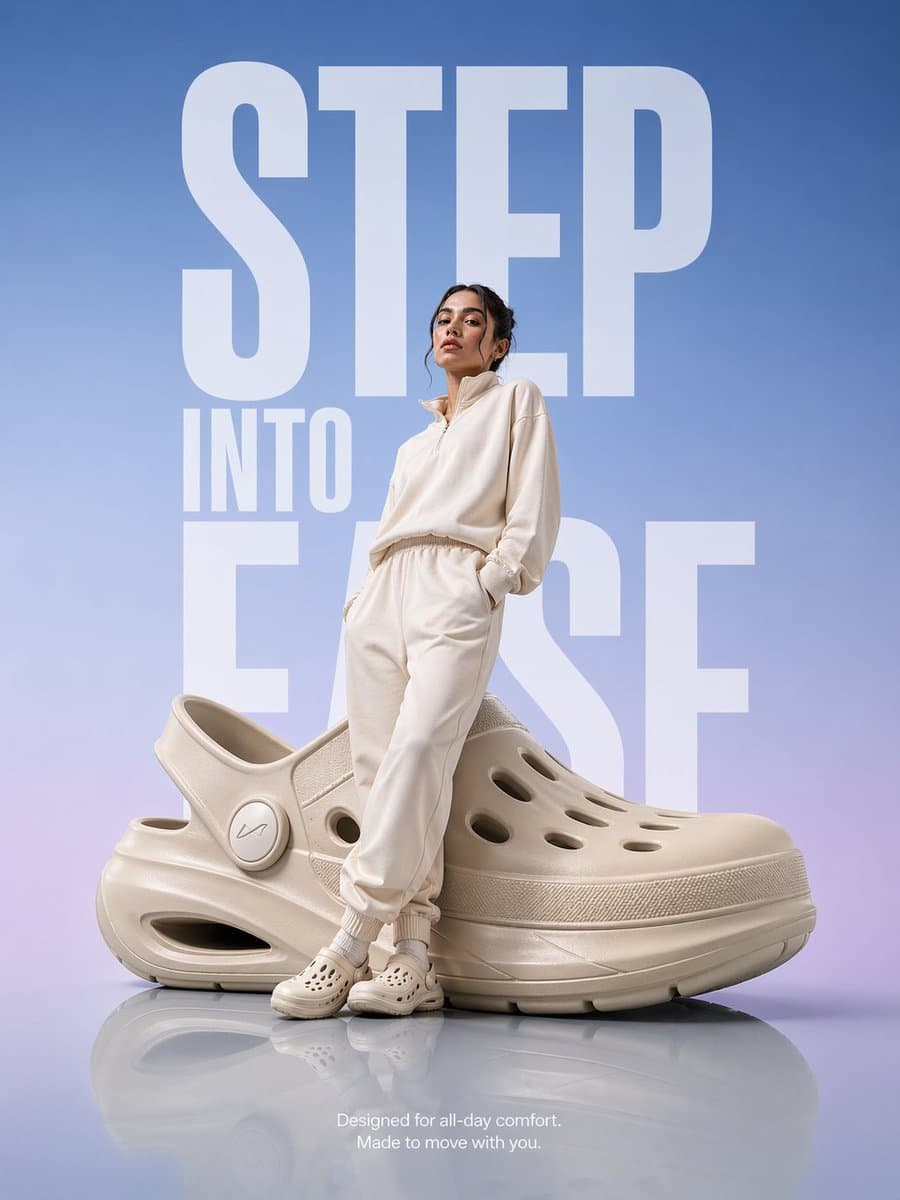
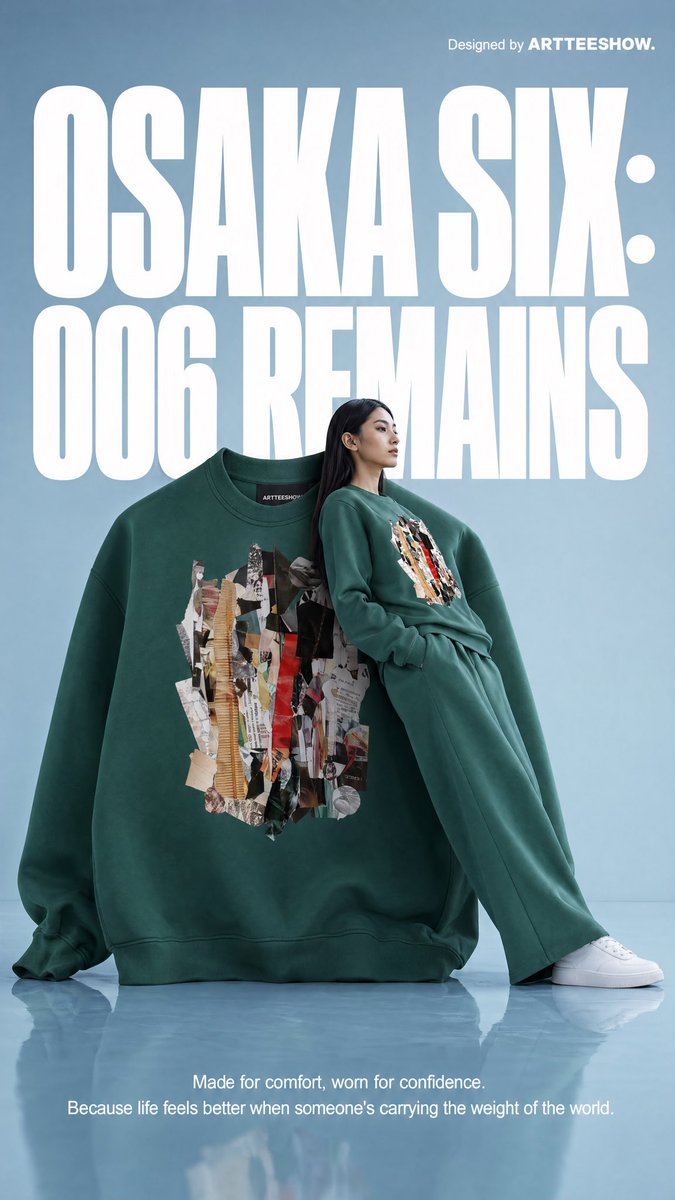
A premium product advertisement featuring an oversized futuristic comfort clog and a neutral athleisure model on a glossy floor.

Oversized Comfort Clog Advertisement

GPT Image 2· Image
A hyper-realistic premium product advertisement featuring an oversized futuristic comfort clog placed on a smooth glossy reflective floor. A modern model dressed in soft neutral-toned athleisure (off-white / beige) stands slightly leaning against the giant shoe with a relaxed, confident posture. Background: clean gradient blending soft sky blue into subtle lavender tones, with massive bold typography in the background reading “STEP INTO EASE” in a modern sans-serif font, stretched vertically and partially behind the subject. Lighting: high-end studio lighting with soft highlights, gentle reflections on the floor, and subtle rim light outlining the model and product for depth. Composition: editorial magazine layout, perfectly centered subject, strong negative space, luxury branding feel. Additional text (small, minimal placement at bottom): “Designed for all-day comfort. Made to move with you.” Style: ultra-clean, Apple-style minimalism meets fashion campaign, hyper-realistic, premium commercial photography, 8K, sharp details.
2047729312384901449
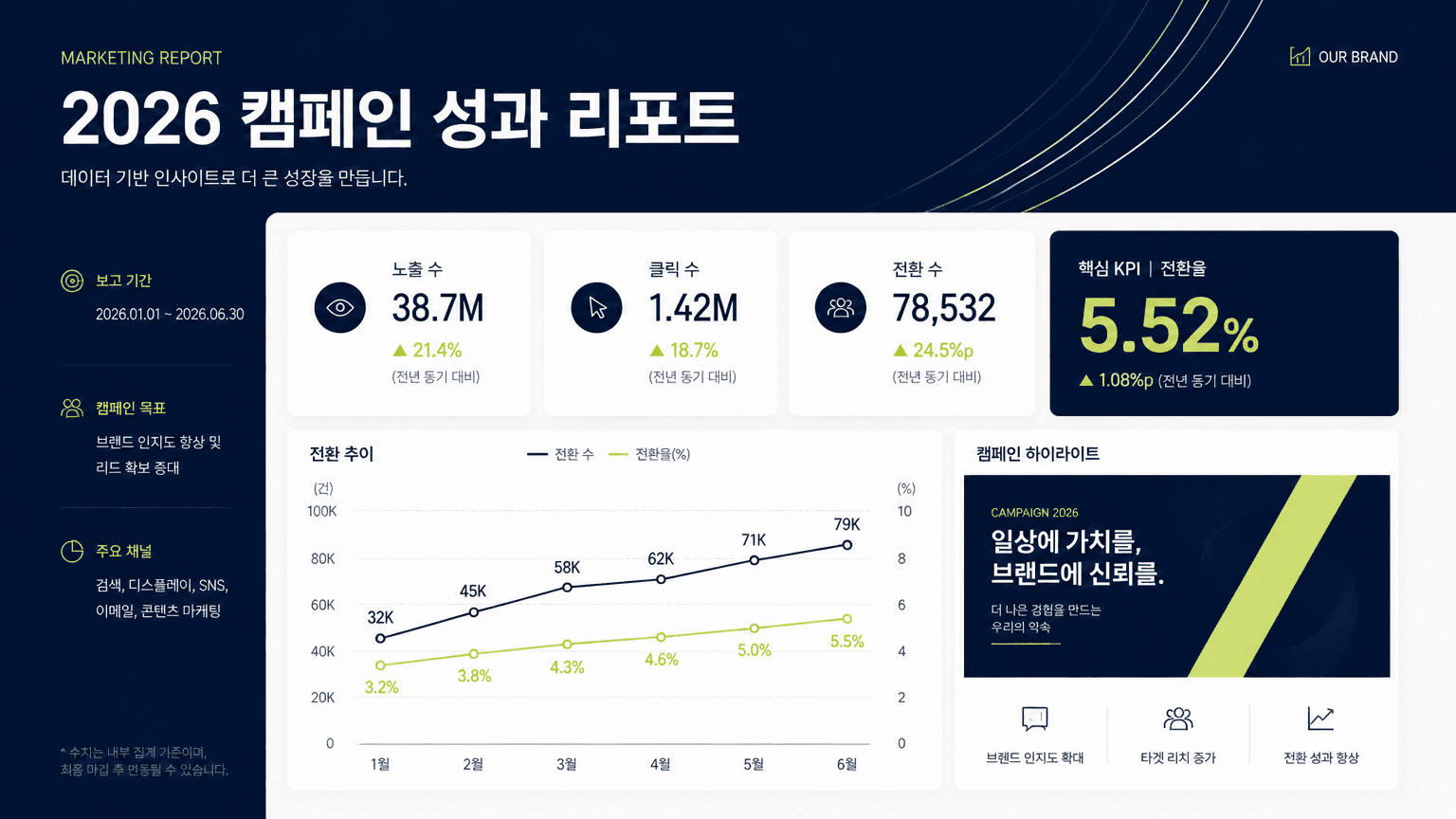
AI-generated Marketing Report Presentation Slide made with GPT Image 2

Marketing Report Presentation Slide

GPT Image 2· Image
Design a 16:9 Korean marketing report presentation slide. Main title: '2026 캠페인 성과 리포트'. Include three clean data cards, a simple line chart, one highlighted KPI number, and a small campaign visual block. Use premium corporate design: navy, off-white, muted lime accent. Crisp sans-serif typography, clear grid layout, realistic business deck style. All text should be clean and legible. No stock photo collage, no 3D characters.
AI-generated Studio Fashion Portrait with Abstract Pattern made with Nano Banana Pro
Studio Fashion Portrait with Abstract Pattern

NanoBanana Pro· Image
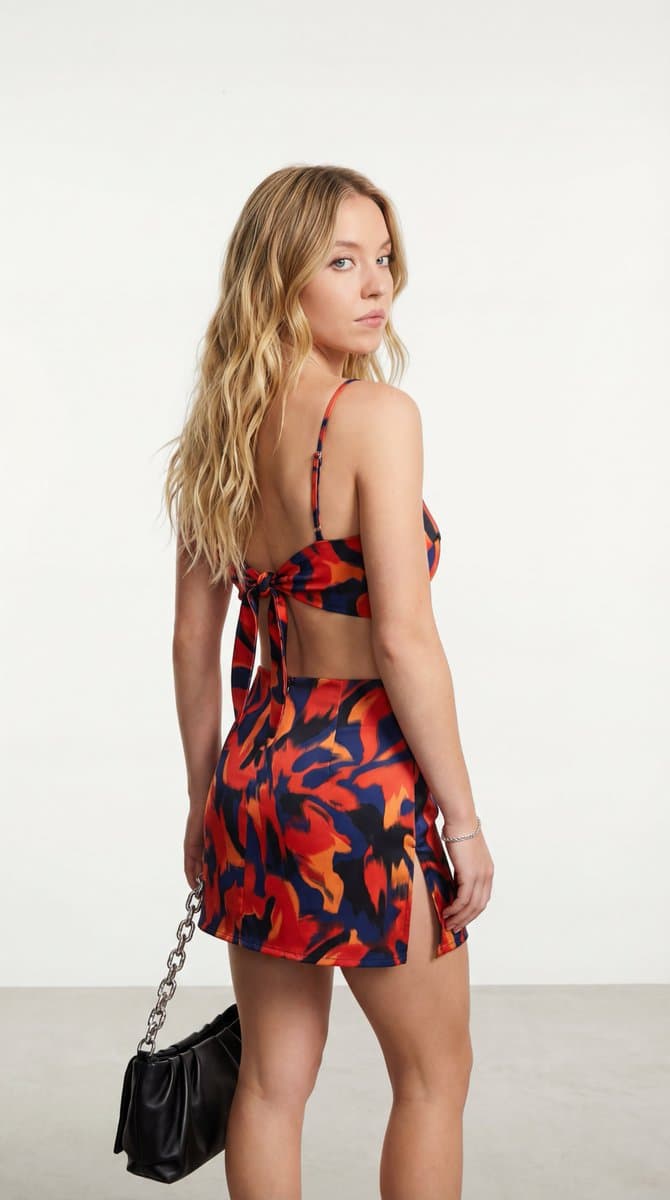
{ “image_description”: “A medium shot three-quarter back view photograph of a young woman with long, wavy blonde hair. She is turning to look over her shoulder. She is wearing a matching abstract patterned two-piece set, consisting of a tie-back crop top and a mini skirt with a high side slit. She holds a black bag with a silver chain. The background is a plain white studio setting.”, “subject”: { “gender”: “Female”, “appearance”: “Young woman with light skin and voluminous, wavy {argument name="hair color" default="blonde"} hair falling down her back.”, “pose”: “Three-quarter back view, turning slightly to her left and looking back over her left shoulder towards the camera. Her left arm holds a black bag, her right arm is bent near her body.”, “expression”: “A side-glance expression looking towards the viewer.” }, “clothing”: { “outfit”: “{argument name="outfit" default="Matching two-piece set"}.”, “top”: “Red and orange multi-color abstract patterned tie-back crop top with thin straps.”, “skirt”: “Matching mini skirt with a prominent, high slit on the left side (visible from the side/back view).”, “pattern_details”: “Abstract, irregular print pattern using red, orange, navy blue, and black accents.” }, “accessories”: { “bag”: “A black shoulder bag made of soft leather-like material, with a chunky silver chain strap, held in her left hand and slung over her left shoulder.”, “jewelry”: “A delicate silver chain bracelet on her right wrist.” }, “setting”: { “environment”: “Inside a professional photography studio.”, “background”: “{argument name="background" default="Solid, seamless white background"}.”, “flooring”: “Light gray or white textured studio floor, slightly out of focus.” }, “composition”: { “shot_type”: “Medium shot.”, “angle”: “Eye level, slightly behind and to the side of the subject.”, “framing”: “Focuses on the subject from the head to just above the ankles, highlighting the back detailing and the skirt slit.” }, “lighting”: { “type”: “Bright, even studio lighting, casting subtle shadows to define form.” } }
@l_w_lorenzen
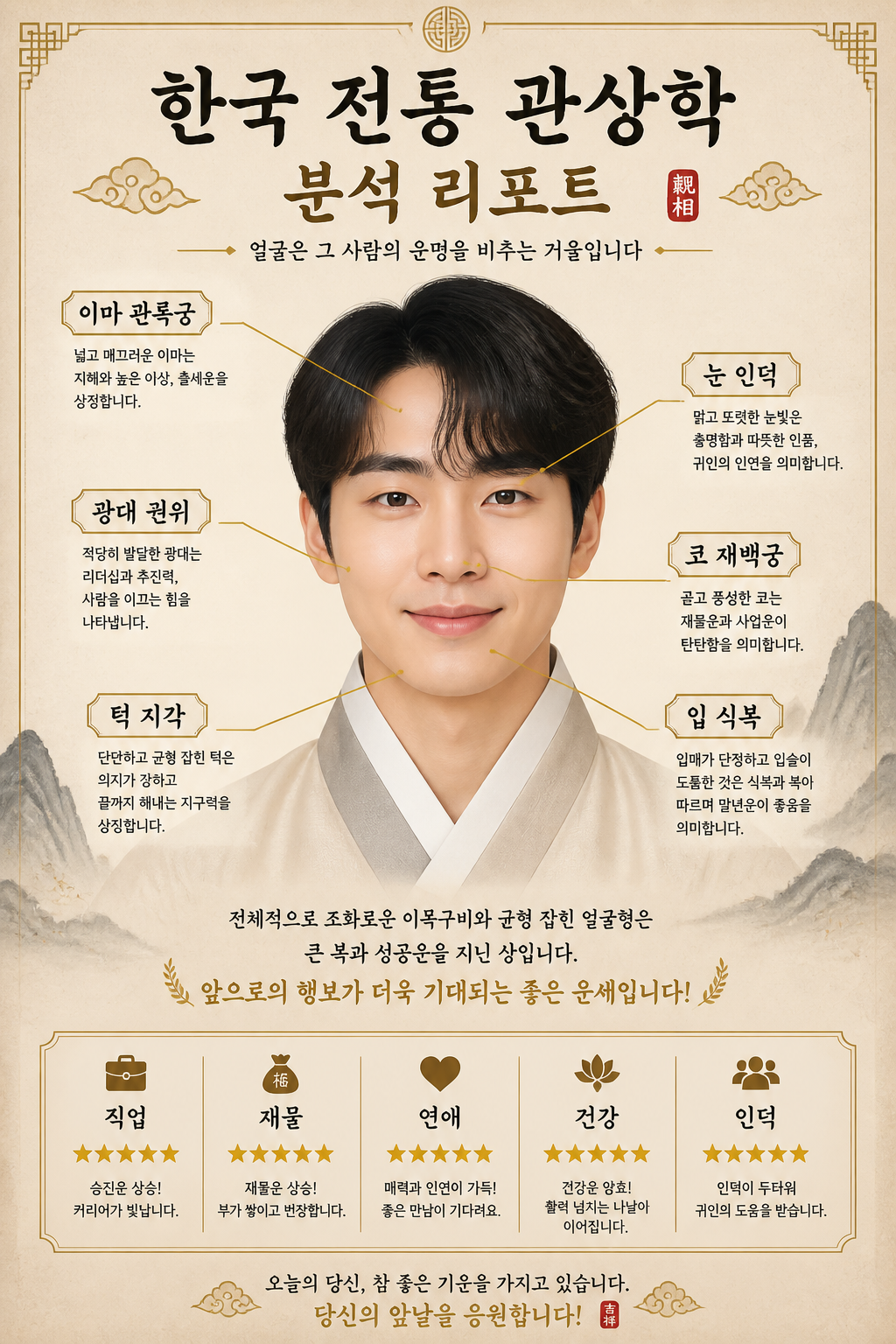
AI-generated Face Reading Report made with GPT Image 2

Face Reading Report

GPT Image 2· Image
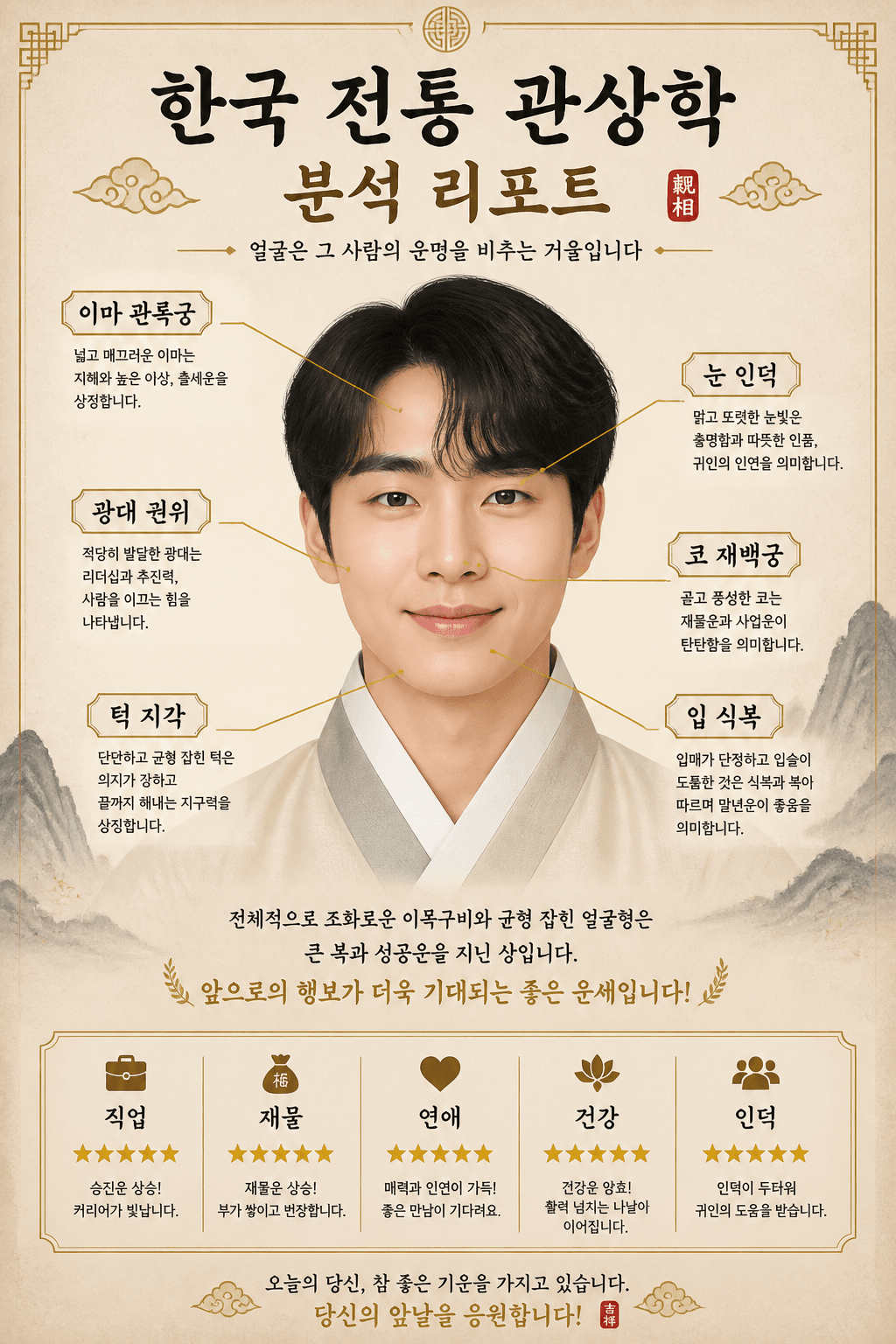
첨부된 인물 사진을 참고해서 한국 전통 관상 분석 리포트형 인포그래픽으로 만들어줘. 얼굴 사진을 중앙에 배치하고, 따뜻한 한지 베이지 배경, 먹색과 골드 포인트, 얼굴 부위별 얇은 화살표와 라벨을 사용해줘. 문구는 '한국 전통 관상학 분석 리포트', '이마', '관록궁', '눈', '인덕', '코', '재백궁', '입', '식복', '턱', '지각', '광대', '권위', '직업', '재물', '연애', '건강', '인덕'이 읽히게 넣어줘. 모든 해석은 재미용의 부드럽고 긍정적인 톤으로 구성해줘.
AI-generated Detailed Korean Palm Reading Fortune Report Illustration made with GPT Image 2
Detailed Korean Palm Reading Fortune Report Illustration

GPT Image 2· Image
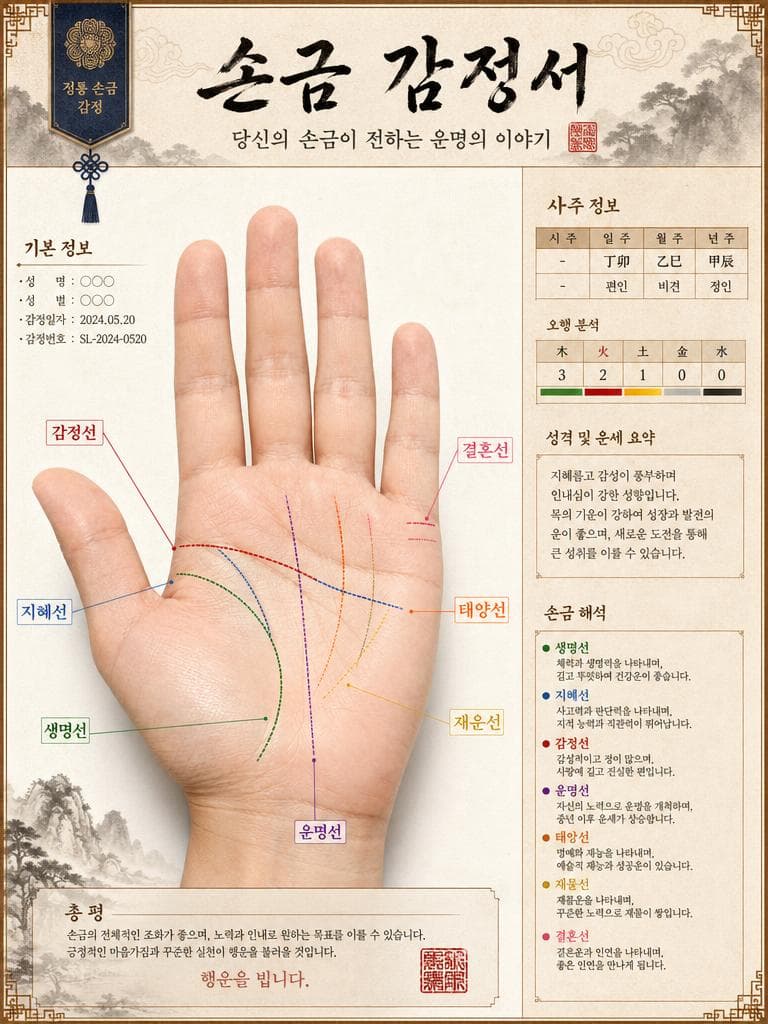
Detailed Korean palm reading fortune report illustration. Realistic palm photo with annotation lines labeling all major lines in Korean: 생명선, 지혜선, 감정선, 운명선, 태양선, 재운선, 결혼선. Korean calligraphy title: '손금 감정서'. Traditional Korean fortune telling aesthetic with saju chart elements. Premium Korean divination report design.
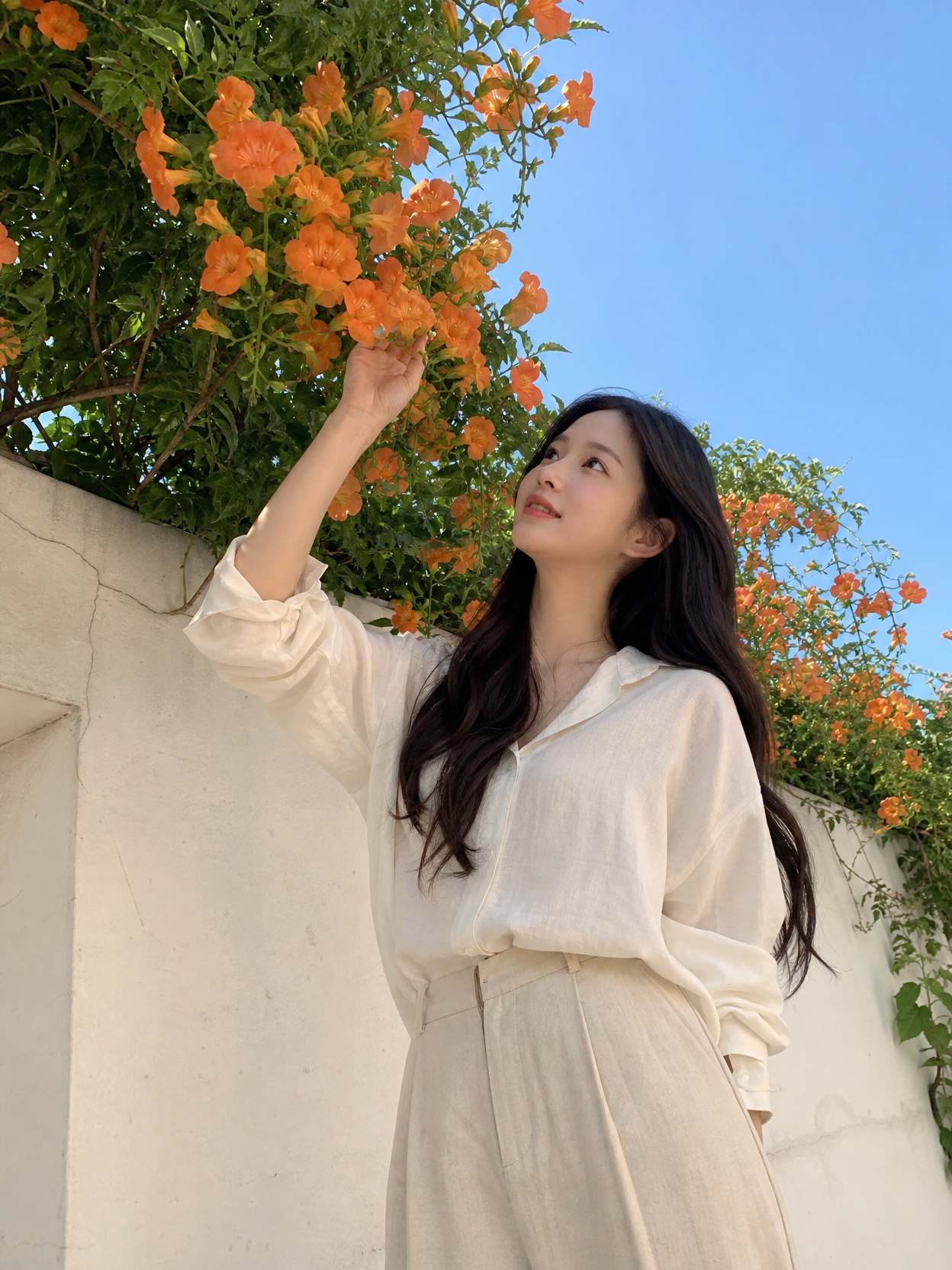
Example image of Smartphone Selfie Style Portrait generated with Nano Banana 2

Smartphone Selfie Style Portrait

NanoBanana 2· Image
{"aspect_ratio":"9:16","prompt":"A realistic front-facing smartphone selfie of the same woman (use uploaded photo as exact face reference, preserve every facial feature, skin detail and expression without alteration or beautification) taken inside a modern car during daytime. Framed from upper chest to top of head, she's sitting in the driver's seat, holding a dark gray iPhone (visible triple-camera module) in her right hand extended at classic selfie distance (~arm's length), looking directly into the phone screen with a relaxed, subtle closed-mouth smile and natural eye contact. Slight 5-10° head tilt to her left for candid feel. Shot simulation: smartphone front camera ~24-28mm equivalent, natural wide-angle perspective with very mild edge distortion typical of phone selfies, eye-level framing. Bright natural daylight streaming through windshield and side windows (mid-morning to early afternoon, clear weather), creating soft even illumination on face with gentle highlights on cheekbones/nose/forehead, subtle catchlights in eyes, realistic soft shadows under chin and from dashboard below. Preserve authentic skin: visible pores, natural texture, light imperfections, subtle oil sheen if present, no smoothing or filters. Medium-length dark brown hair with soft loose waves, slightly tousled from driving, a few strands across forehead. Wearing casual everyday outfit: fitted white cotton t-shirt or simple crew-neck tee, light denim jacket or open cardigan, small gold necklace and stud earrings. Delicate fine-line tattoo visible on inner right forearm if in reference. Background: clean modern car interior — black or gray leather seats, visible steering wheel on left, dashboard with subtle reflections, side window showing blurred outdoor street/parking lot scene (trees, buildings or road softly out of focus with natural bokeh), everything believable and non-distracting. Ultra-sharp focus on face and phone hand, photorealistic color grading with natural contrast, high dynamic range, candid everyday smartphone selfie aesthetic, authentic lens character, no artificial glow, no over-sharpening, no beauty edits.","negative_prompt":"blurry, deformed face, changed facial features, plastic skin, beauty filter, airbrushed, doll-like, heavy makeup, exaggerated symmetry, bad hands, extra fingers, warped reflection, text, watermark, logo, oversaturated, cartoonish, 3D render, low quality, jpeg artifacts, noise, night time, dim lighting, suggestive pose, exposed skin beyond normal casual","style":"hyper-photorealistic, candid smartphone car selfie","quality":"high-resolution, ultra-detailed skin pores/hair/texture"}
@MrDasOnX

What Are Teapot Illustration AI Prompts?

Teapot Illustration AI prompts are specialized sets of descriptive instructions designed to guide artificial intelligence models in generating high-quality visual representations of Teapot Illustrations. Whether you are looking for a photorealistic depiction of a functional object or a whimsical artistic interpretation, these prompts serve as the essential bridge between your creative vision and the final generated image. By utilizing Carat's curated Teapot Illustration prompts, users can effectively control intricate details such as lighting, perspective, material properties, and artistic style. This technology empowers creators to produce professional-grade assets for various digital and print media without the need for traditional illustration skills. From the metallic sheen of a industrial component to the delicate patterns on a decorative piece, these prompts enable the precise rendering of complex shapes and textures that define teapot illustration, tea kettle, ceramic teapot, porcelain teapot art.

Best Use Cases

The versatility of Teapot Illustration visuals makes them indispensable across a wide range of industries and creative disciplines. Here are some of the most effective ways to utilize these assets:

  1. Digital Interface Design: Enhance user interfaces with unique Teapot Illustration icons for websites, mobile applications, and software dashboards, adding both functionality and aesthetic appeal.
  2. Marketing and Advertising: Create eye-catching visuals for social media campaigns, newsletters, and promotional banners that stand out in a crowded digital landscape.
  3. Editorial Content: Complement blog posts, articles, and whitepapers with symbolic illustrations that help illustrate key concepts like security, infrastructure, tranquility, or warmth.
  4. Educational Materials: Use clear and engaging Teapot Illustration diagrams or illustrations in textbooks and presentations to help students visualize and understand specific objects or systems.
  5. Interior Decor and Merchandising: Generate stunning artwork for posters, wall art, or customized merchandise like diary stickers and stationery.
  6. Concept Art and Storyboarding: Rapidly prototype visual ideas for films, video games, or comic books by generating consistent environment assets.
  7. Brand Identity: Incorporate specialized Teapot Illustration imagery into brand guidelines to establish a unique and recognizable visual language for your company or personal project.

Why This Tag Works

The Teapot Illustration tag is a powerful tool for creators because it focuses on a specific, high-demand visual element that often requires significant technical skill to draw manually. By leveraging AI through this tag, you gain immediate access to a vast library of styles and iterations. The efficiency of AI generation allows for rapid exploration-you can compare a dozen different Teapot Illustration designs in the time it would take to sketch a single one. Furthermore, these prompts are optimized for consistency; you can maintain the same level of quality across multiple related images. The tag also encourages creative cross-pollination, allowing you to blend the mechanical or structural nature of a Teapot Illustration with diverse art styles like impressionism, cyberpunk, or minimalism. This ability to manipulate material realism and atmospheric lighting ensures that the resulting image is not just a picture of an object, but a compelling piece of visual storytelling.

Explore Related Prompts

  • Illustration
  • Poster
  • Card News Template
  • Character
  • Watercolor Style
  • Oil Painting Style
  • Diary Sticker

Prompt Building Tips

To get the most out of your Teapot Illustration generations, consider these professional prompting strategies:

  • Define the Core Material: Be explicit about what the Teapot Illustration is made of. Use terms like 'brushed nickel', 'weathered copper', 'translucent porcelain', or 'matte plastic' to give the AI clear direction on surface reflections.
  • Specify the Environment: Place your Teapot Illustration in a context. Instead of a floating object, describe it 'resting on a polished wooden table' or 'illuminated by the setting sun in a foggy alleyway'.
  • Use Descriptive Adjectives: Add character to your subject. Words like 'ornate', 'industrial', 'futuristic', 'ancient', or 'minimalist' dramatically change the fundamental design of the Teapot Illustration.
  • Control the Camera Angle: Direct the viewer's gaze by specifying the shot type. Try 'close-up macro photography', 'low-angle shot for a sense of scale', or 'isometric view' for a clean, structural look.
  • Experiment with Lighting: Lighting is the secret to a professional look. Request 'volumetric lighting', 'warm golden hour glow', 'harsh neon highlights', or 'soft studio lighting' to set the right mood.
  • Negative Prompting: If you find certain unwanted elements appearing, remember to exclude them to keep the focus purely on the Teapot Illustration and its intended style.
  • Blend Styles: Don't be afraid to combine the Teapot Illustration with unexpected tags, such as 'steampunk Teapot Illustration' or 'watercolor Teapot Illustration in the style of Studio Ghibli', to achieve truly unique results.
Frequently Asked Questions

Related Prompts

Dress Illustration

Dress Illustration

155 prompts

Editorial

Editorial

193 prompts

Fashion Photo

Fashion Photo

142 prompts

Badge Design

Badge Design

78 prompts

Carat Prompt Gallery

Create trending AI prompts instantly

Prompts

  • Logo
  • PPT Design
  • Thumbnail
  • Poster
  • Web Novel Cover
  • ID Photo
  • Caricature
  • Product Detail Page
  • Banner

Models

  • GPT Image 2
  • Seedance 2.0
  • NanoBanana Pro
  • NanoBanana 2

Carat

  • Get started
  • About
  • Blog
  • Careers
  • Contact
  • Partnership
  • Terms
  • Privacy

© 2026 Paradot.Inc All rights reserved.