carat

Prompt Gallery

/

Collage Design

Login
Sign Up

Collage Design

Discover the best AI prompts for creating professional-grade Collage Design visual content.

2026.07.04

·
AI-generated Digital Collage Brand Ad made with GPT Image 2

Digital Collage Brand Ad

GPT Image 2· Image
[BRAND NAME = CHANGE TO YOUR BRAND]. Act as a Social Media Art Director and Digital Collage Artist specializing in bold, youth-oriented brand content for Instagram and digital campaigns. PHASE 1: CONCEPTUAL FRAMEWORK Create a dynamic digital collage that merges fashion photography with graphic design chaos. This is controlled rebellion – a composition that feels spontaneous and energetic while maintaining brand coherence. The aesthetic is anti-polished: torn edges, layered textures, hand-drawn elements, and bold color blocking that screams confidence and movement. PHASE 2: MODEL & PHOTOGRAPHY - Subject: One model (diverse casting, age 18-30) in a dynamic, confident pose - Pose Energy: 80% attitude, 20% natural – sitting, jumping, mid-motion, or power stance (avoid static standing) - Outfit: Street style/athleisure that aligns with [BRAND NAME] aesthetic – casual but styled - Hero Product: Feature 1 signature [BRAND NAME] product prominently (sneakers, bag, apparel) – this is the visual anchor - Photography Style: Editorial fashion cutout – model extracted from background with clean edges - Camera Angle: Slight low angle to empower subject (hero perspective) - Crop: Full body or 3/4 body showing hero product clearly - Background Removal: Model cut out cleanly for layering over collage elements PHASE 3: COLOR BLOCKING FOUNDATION - Primary Color Blob: Large organic shape (40-60% of composition) in bold, saturated brand color behind/around model - Shape Style: Irregular, hand-painted aesthetic – think Photoshop brush strokes or torn paper texture (NOT perfect geometric shapes) - Color Selection (Autonomous): Choose 1 hero color from [BRAND NAME] palette: - Texture: Visible brush strokes, grain, or subtle noise (15-25% opacity) – avoid flat digital fills - Placement: Blob positioned to frame model without obscuring key product details PHASE 4: GRAPHIC ELEMENTS LAYER Add 3-5 abstract graphic elements scattered across composition: - Element Types: - Color Palette: Use 2-3 accent colors total (main blob color + 1-2 contrasting tones from brand palette) - Placement: Asymmetric scatter – top-left and bottom-right zones primarily (avoid center crowding) - Scale: Mix small (5% of canvas) and medium (15% of canvas) elements – nothing overpowering - Aesthetic: Analog/handmade feel – imperfect circles, rough edges, visible texture PHASE 5: TYPOGRAPHY INTEGRATION - Brand Logo: Clean [BRAND NAME] logo placed in upper-left or upper-right quadrant (10-15% of width) - Slogan/Tagline: If [BRAND NAME] has an iconic slogan, integrate it using: - Supporting Copy: Optional 1-line descriptor (e.g., "A MOMENT OF YOUR STYLE") in smaller uppercase sans-serif - Type Treatment: Mix of aligned and slightly rotated text (2-5° angles) for dynamic energy - Hierarchy: Logo largest → Slogan medium → Copy smallest PHASE 6: TEXTURE & BACKGROUND - Base Layer: Off-white or light gray textured background (NOT pure white) - Texture Options (Autonomous selection): - Color: RGB 245-250 (near-white with warmth) – maintains brightness while adding depth - Treatment: Texture should be felt, not seen – enhances tactility without competing with foreground PHASE 7: COMPOSITION RULES - Layout: Asymmetric balance – model off-center, graphic elements counter-balance - Breathing Room: 15-20% negative space (textured background visible) to prevent claustrophobia - Layering Order: Background texture → Color blob → Graphic elements → Model (cutout) → Typography top layer - Focal Point: Model + hero product = primary focus (60% visual weight), graphics support (40%) - Movement: Diagonal lines and angled elements create directional flow (top-left to bottom-right or vice versa) PHASE 8: BRAND INTELLIGENCE (AUTONOMOUS) Autonomously adapt composition based on [BRAND NAME] personality: - Streetwear/Sportswear (Nike, Adidas, Supreme): - Luxury Streetwear (Balenciaga, Off-White, Gucci): - Beauty/Lifestyle (Glossier, Fenty, Skims): - Tech/Modern (Apple, Tesla, Beats): PHASE 9: SOCIAL MEDIA FOOTER (OPTIONAL) - Bottom Strip: Clean white or light gray bar at bottom 8-10% of frame - Content: Social media handles (Instagram, Facebook, Twitter) in small sans-serif - Layout: Three-column grid with platform icons or text handles - Aesthetic: Minimal and professional – contrast with chaotic collage above TECHNICAL SPECS: - Aspect Ratio: 4:5 (Instagram feed) or 1:1 (square social post) - Resolution: 2400x3000px minimum (high-quality for zoom and detail) - Color Mode: sRGB, vibrant saturation (Instagram-optimized) - File Aesthetic: Digital collage that mimics analog craft (Photoshop + hand-drawn hybrid) - Model Photography: 85mm lens, f/2.8, shallow depth of field on original shoot (before cutout) - Style Reference: Nike social campaigns, Spotify wrapped graphics, Gen Z Instagram aesthetics, Hypebeast x streetwear collabs - Mood: Confident, energetic, youthful, authentic chaos, anti-corporate polish
@youraipulse
Example image of Weekend Photo Dump Nine Grid generated with Nano Banana Pro

Weekend Photo Dump Nine Grid

Nano Banana Pro· Image
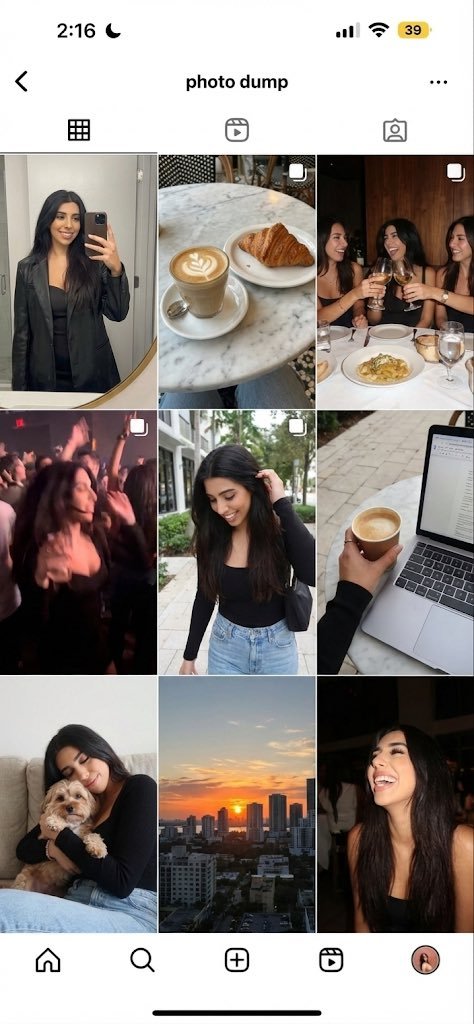
Generate a 9-image ‘photo dump’ grid of this person’s weekend: a mirror selfie, a café shot, friends at dinner, a blurry party photo, a walking shot, a laptop/coffee work shot, a pet moment, a sunset, and a candid laugh.
@imaxichuhai
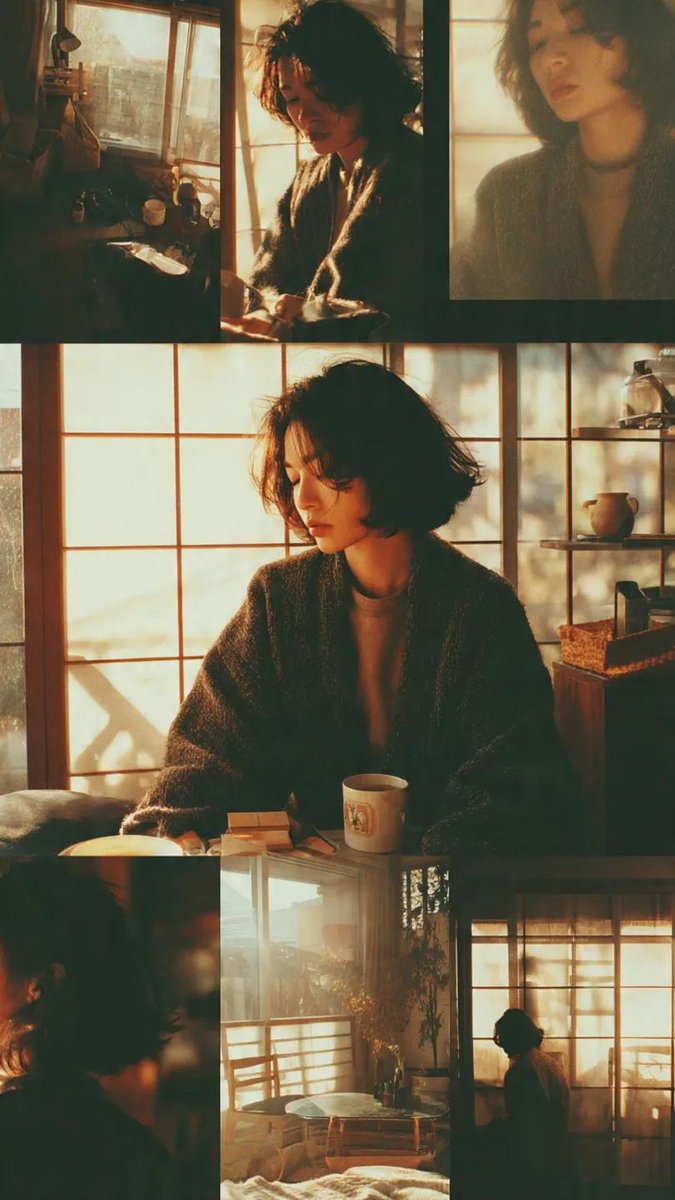
AI-generated Daily Vlog Thumbnail made with GPT Image 2

Daily Vlog Thumbnail

GPT Image 2· Image
일상 브이로그용 썸네일을 만들어줘. 정돈된 침대, 커피잔과 책, 햇살이 들어오는 작은 책상을 3컷 사진 콜라주로 배치하고, 여백을 많이 둔 차분한 구성으로 만들어줘. 한글 제목 '느린 일요일'은 작고 감성적인 폰트로 넣어줘. 크림 톤, 자연스러운 그림자, 실제 생활 사진 질감을 살리고, 과한 색감/스티커/AI 같은 인물은 넣지 마.
AI-generated Vertical Korean Poster Using a Premium Cutout Collage Layout made with GPT Image 2

Vertical Korean Poster Using a Premium Cutout Collage Layout

GPT Image 2· Image
Design a vertical Korean poster using a premium cutout collage layout. Theme: summer lifestyle pop-up store. Use a clean cream background with layered cutout objects: a glass of sparkling citrus drink, folded linen cloth, small flower, receipt strip, and sticker-like price label. Arrange objects diagonally from bottom-left to top-right with shadows and editorial spacing. Add Korean text: main title '여름의 물건들', subtitle '라이프스타일 팝업 스토어', date '2026.07.12 — 07.20', venue '한남 쇼룸'. Typography: bold modern Korean sans-serif for the title, small neat information blocks, one circular badge reading 'POP-UP'. Style: polished commercial poster, Pinterest-worthy, Korean boutique brand aesthetic, no real logos.
AI-generated Urban Fashion Collage Poster made with GPT Image 2

Urban Fashion Collage Poster

GPT Image 2· Image
Create a high-resolution 8K portrait poster in an Urban Fashion Editorial Collage style, blending contemporary street-fashion aesthetics with premium editorial magazine design. The overall composition should feel bold, stylish, modern, and visually layered, combining elements of luxury fashion campaigns, urban culture, and artistic collage experimentation. Incorporate dynamic poster ornaments and decorative elements that strongly reflect the Urban Fashion Editorial Collage aesthetic, such as ripped paper textures, layered magazine cutouts, abstract geometric accents, expressive brush strokes, typography fragments, street-style graphic overlays, halftone textures, tape effects, paint splashes, handwritten scribbles, and fashionable editorial layout compositions. Every decorative element should feel intentional, stylish, and visually balanced rather than overcrowded. Humanity really looked at torn paper and graffiti textures and decided, “yes, this is luxury now.” Somehow it works. The subject’s pose must not resemble the reference photo. Create a completely different body posture and facial expression with a more natural, expressive, and emotionally alive presence. Avoid stiff, awkward, flat, or overly symmetrical posing. The subject should radiate the confident elegance of an international fashion model, with fluid body language, subtle movement, and a cinematic editorial attitude. The expression should feel charismatic, effortless, fashionable, and modern, as if captured during a high-end streetwear magazine photoshoot rather than a static studio portrait. Add slight motion energy through posture, clothing movement, hand placement, camera angle, or gaze direction to make the composition feel more alive and dynamic. The outfit must feature modern casual fashion with a stylish and trendy urban aesthetic. Avoid monotonous clothing design, colors, or materials. Combine fashionable layers, contemporary cuts, unique textures, stylish accessories, and varied color palettes that complement the poster composition. The clothing should feel premium, youthful, and fashion-forward, inspired by global streetwear and luxury casual editorial styling. Mix different fabric materials, patterns, and tones naturally to create visual richness without making the outfit look chaotic or overly exaggerated. Use dramatic editorial lighting with strong contrast and depth to enhance the fashion atmosphere. The background should integrate seamlessly with the collage elements, creating a visually immersive poster composition filled with layered urban energy and modern fashion identity. Maintain a clean balance between subject visibility and decorative complexity so the poster still feels premium and professionally art-directed. The final result should look like a sophisticated international fashion campaign poster with a strong urban editorial character, ultra-detailed textures, crisp focus, cinematic color grading, and highly polished visual quality in ultra-detailed 8K resolution.
@SimplyAnnisa
AI-generated Travel Vlog Thumbnail made with GPT Image 2

Travel Vlog Thumbnail

GPT Image 2· Image
여행 브이로그용 썸네일을 만들어줘. 얇은 흰 여백이 있는 4컷 사진 콜라주 구성으로, 차창 밖 해안도로, 푸른 바다, 호텔방 캐리어, 뒷모습 여행자 컷을 배치해줘. 한글 제목 '제주 2박 3일'은 크지 않게 깔끔한 산세리프 폰트로 넣어줘. 실제 스마트폰/미러리스 사진처럼 자연광과 현실적인 색감으로 만들고, 과한 노란 보정이나 스티커, AI 같은 얼굴은 피해야 해.
AI-generated American Eagle Denim Collage made with Nano Banana Pro

American Eagle Denim Collage

Nano Banana Pro· Image
{ "file_metadata": { "filename": "sydney_sweeney_ae_campaign_collage.jpg", "category": "High-End Fashion Photography", "project": "American Eagle Denim Collection 2024", "talent": "Sydney Sweeney" }, "visual_composition": { "layout_type": "4-Panel Asymmetrical Collage", "color_palette": { "primary": "Indigo Blue (Denim Wash)", "secondary": "Creamy White (Top & Background)", "accent": "Dusty Rose / Blush Pink (Butterfly Detail)", "vibe": "Warm, Nostalgic, Y2K Grunge" }, "lighting": "Soft diffused studio light with warm highlight tones", "aesthetic_tags": ["Vintage Revival", "Baggy Silhouette", "Main Character Energy"] }, "detailed_frame_analysis": { "panel_1_left": { "focus": "Full Body Silhouette", "pose": "Mirror selfie aesthetic with a slight lean", "outfit_details": { "top": "White ribbed racerback crop tank", "bottom": "Extra wide-leg low-rise indigo jeans", "footwear": "White pointed-toe stilettos", "accessories": "Delicate gold bracelets and a floral-patterned phone case" } }, "panel_2_top_right": { "focus": "Beauty & Expression", "pose": "Reclined, looking directly into the lens", "styling": "Oversized denim jacket draped off-the-shoulder", "hair": "Center-parted blonde waves with natural volume", "makeup": "Minimalist 'Clean Girl' look with dewy skin" }, "panel_3_bottom_center": { "focus": "Product Detail & Embroidery", "subject": "Denim back pocket", "features": [ "Intricate pink and orange butterfly embroidery", "Pink leather brand patch with American Eagle logo", "Contrast stitching on heavy-duty denim fabric" ] }, "panel_4_bottom_right": { "focus": "Style Statement", "pose": "Symmetrical crouched pose on a dark background", "outfit": "Full denim jumpsuit/set (Double Denim)", "mood": "Bold and confident" } }, "garment_dna": { "fabric": "Non-stretch, premium weight cotton denim", "wash": "Medium indigo stone-wash with vintage fading", "fit_profile": "Loose, oversized, baggy, and low-slung waist" }, "marketing_tags": { "target_audience": "Gen-Z and Millennial Fashion Seekers", "trending_hashtags": [" "alt_text": "A fashion collage of Sydney Sweeney for American Eagle showcasing wide-leg jeans with butterfly embroidery and a white crop top in various professional poses." } }
@BaharAzamm561
AI-generated Fashion Lookbook Collage made with Nano Banana Pro

Fashion Lookbook Collage

Nano Banana Pro· Image
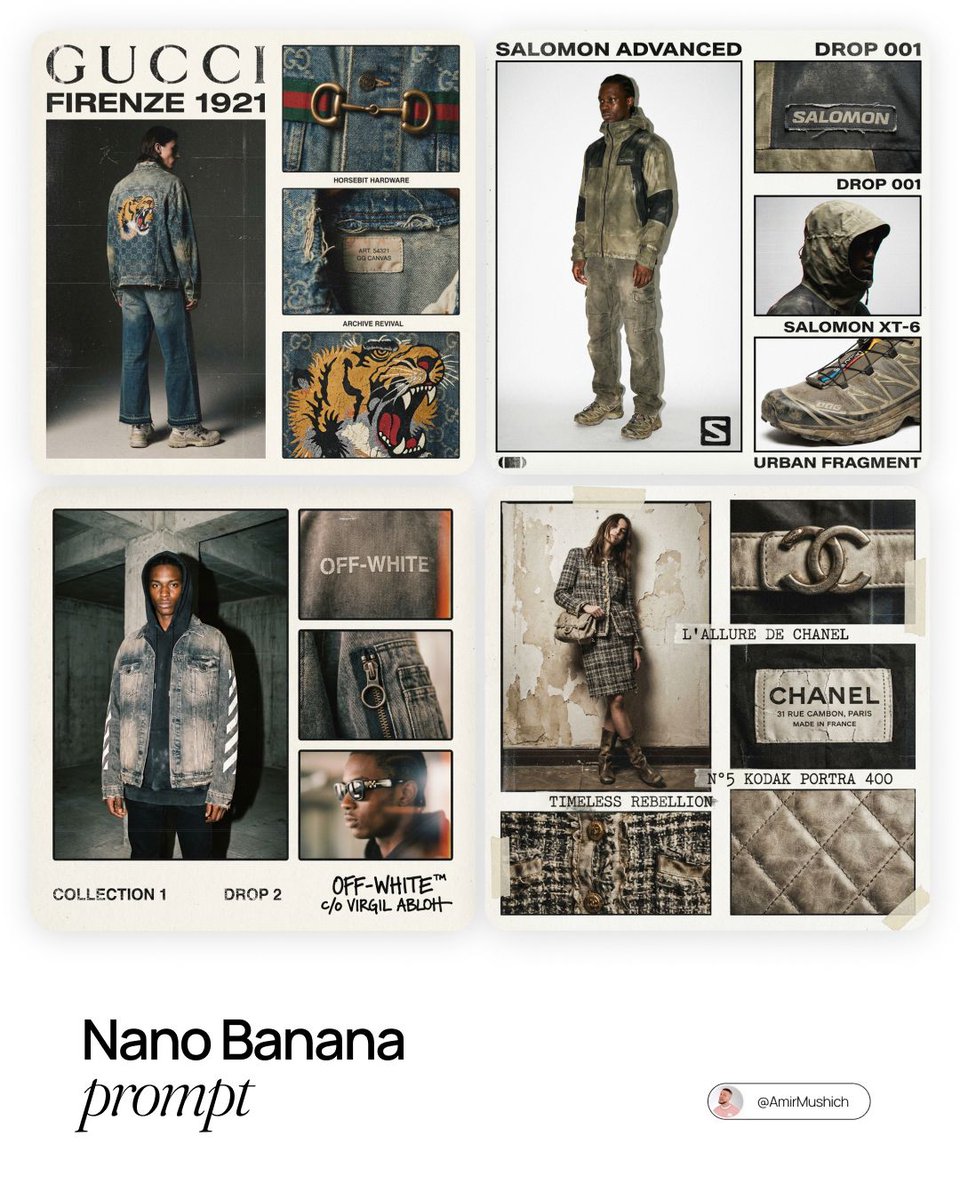
[BRAND NAME]. Act as a Creative Director and Brand Strategist. PHASE 1: CONCEPT & COMPOSITION. Create a multi-panel fashion lookbook collage (grid layout) on a clean off-white background. - Main Shot: A full-body editorial pose of a model wearing a signature [BRAND NAME] piece. - Detail Shots: 3-4 smaller rectangular frames showing macro crops of fabric, hardware, and stitching. - Autonomously determine the garment type based on the brand's current hype items. PHASE 2: VISUAL STYLE & TEXTURE. "High-End Lo-fi" aesthetic. Intense film grain, analog noise, and scanline artifacts. Heavy, premium clothing textures: faded vintage washes, distressed edges, and high-quality "cracked" screen prints. Muted, moody color palette with brand-specific accents. PHASE 3: DYNAMIC TYPOGRAPHY & LOGIC. Autonomously analyze the [BRAND NAME] heritage and core identity to generate unique typography. - Content: Instead of generic "Drop" labels, generate text based on the brand’s DNA: - Style: Match the font to the brand's era (e.g., brutalist sans-serif for modern labels, elegant serif for luxury house heritage). Integrate the [BRAND NAME] logo with a distressed, "Xerox-copied" texture. TECH SPECS: 35mm film look (Kodak Portra 400), f/5.6 for raw sharpness, high ISO grain. High-contrast editorial flash, deep shadows. Octane render quality with an analog scan soul.17
@AmirMushich
AI-generated Retro Magazine Collage image with GPT Image 2

Retro Magazine Collage

GPT Image 2· Image
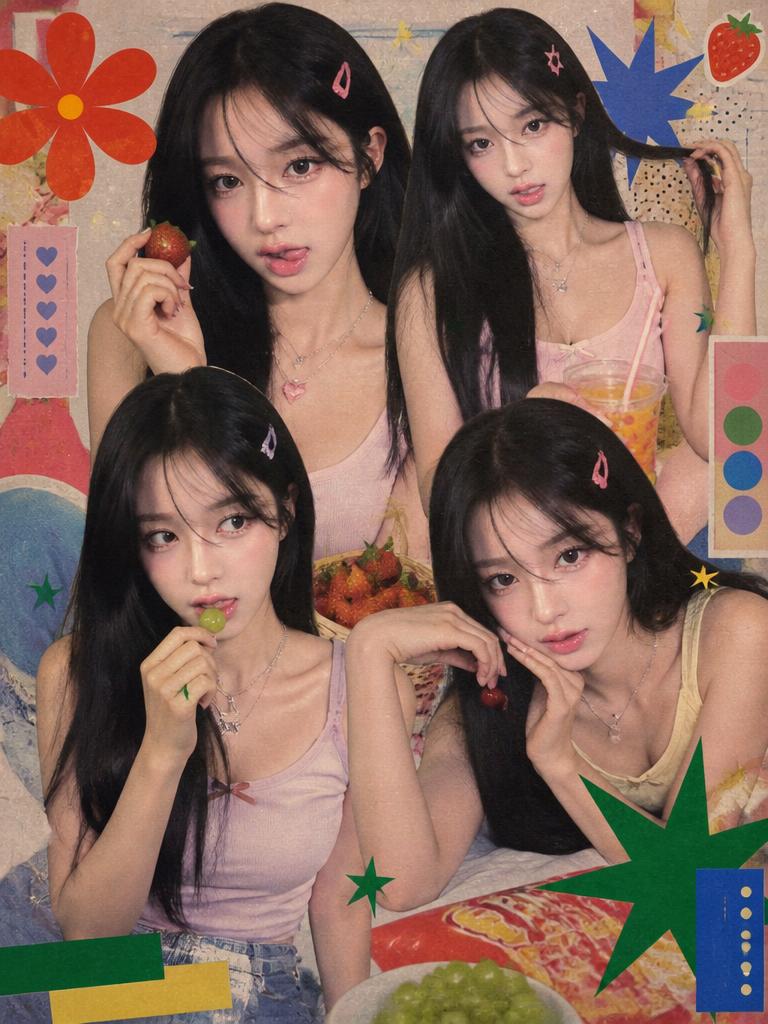
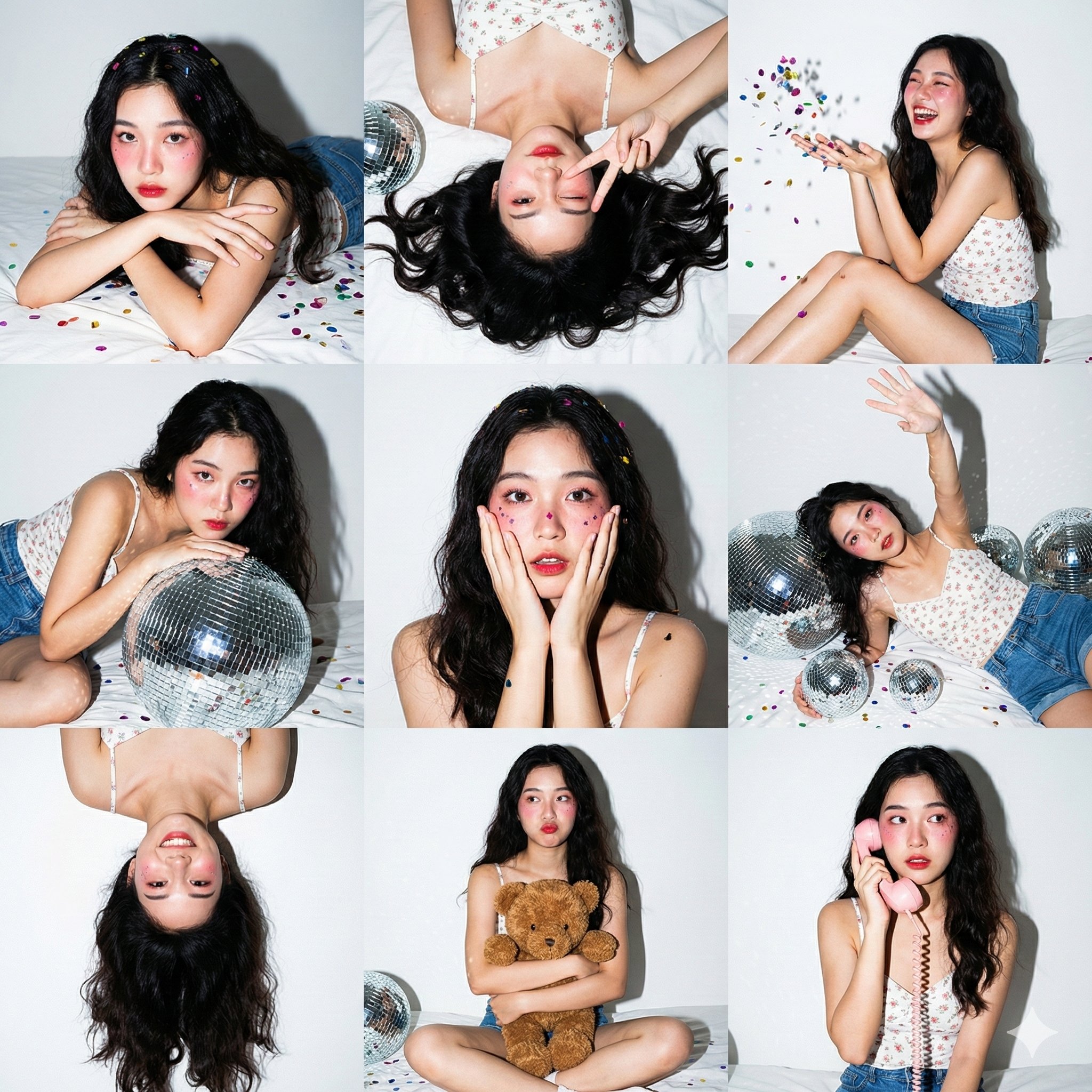
Use Image1 as the retro layout/style reference and Image2 as the person identity reference. Create a vertical 90s/Y2K Korean teen magazine collage featuring the uploaded woman as the main subject repeated in 3-4 candid poses. Preserve her facial identity. Keep the reference's warm grainy magazine texture, close-up cutout composition, snack/fruit casual props, saturated nostalgic print colors, and playful idol-fanpage energy. Change the clothing to soft pastel tank tops, denim, layered necklaces, and hair clips. Include decorative shapes and fake magazine design blocks, but no readable real words or logos.
AI-generated {"type":"16-photo Nostalgic Contact Sheet Collage" made with GPT Image 2
{"type":"16-photo Nostalgic Contact Sheet Collage"

GPT Image 2· Image
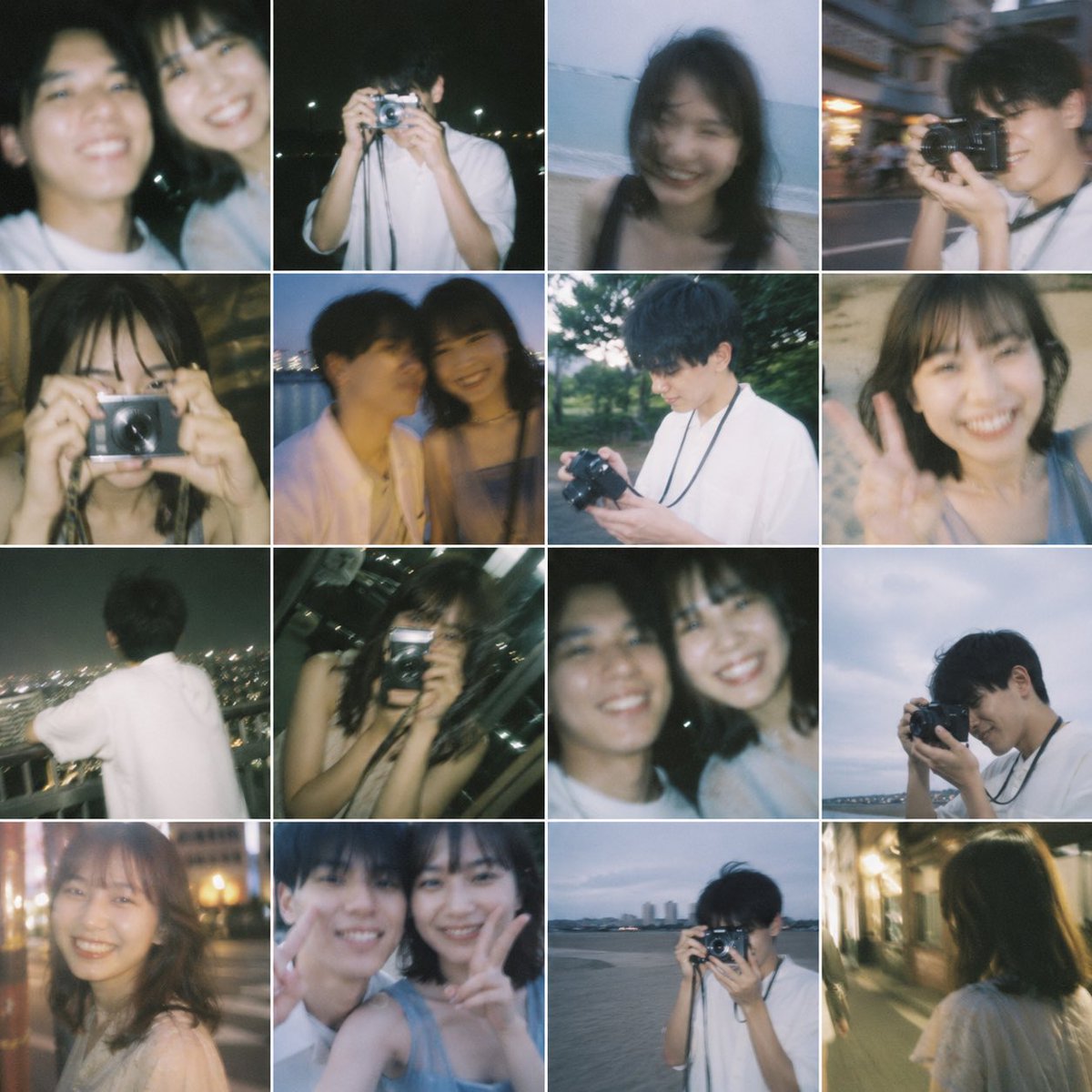
{"type":"16-photo nostalgic contact sheet collage","style":"dreamy film photography, soft blur, slightly underexposed, candid youthful romance, flash snapshots mixed with ambient dusk light, subtle grain, sentimental and bittersweet mood","subject":{"people_count":2,"relationship":"young couple or former lovers spending time together","ages":"early 20s","appearance":{"male":{"build":"slim","hair":"short dark hair","clothing":"loose white short-sleeve shirt, camera strap around neck in several shots"},"female":{"build":"slim","hair":"shoulder-length dark hair","clothing":"light sleeveless tops or soft casual summer clothes"}},"faces":"intentionally obscured by soft rectangular blur blocks over every visible face"},"layout":{"grid":{"rows":4,"columns":4,"count":16,"border":"thin white dividers, equal square cells"},"images":[{"position":"row 1 col 1","description":"close cropped portrait of the woman in a white top at night, soft flash, dark background"},{"position":"row 1 col 2","description":"close cropped blurred two-person selfie framing, both subjects partially visible, dark nighttime setting"},{"position":"row 1 col 3","description":"young man standing at night and holding a compact silver camera up to his face, white shirt, distant lights behind him"},{"position":"row 1 col 4","description":"woman on a beach or shoreline in low light, softly blurred, ocean horizon behind her"},{"position":"row 2 col 1","description":"street candid of the man holding a camera near his face while walking outdoors in the evening, urban background with motion blur"},{"position":"row 2 col 2","description":"close-up of the woman indoors or in a dim warm setting, hand raised near her face, flash-lit snapshot"},{"position":"row 2 col 3","description":"blurred two-shot of the couple sitting close together by water at dusk, intimate candid composition"},{"position":"row 2 col 4","description":"young man outdoors in greenery during daytime or early evening, looking down at a camera in his hands, white shirt and camera strap visible"},{"position":"row 3 col 1","description":"woman close to the camera giving a peace sign, casual sleeveless top, sandy or beachlike background"},{"position":"row 3 col 2","description":"back view of the man in a white shirt looking out over a cityscape at night from a high vantage point"},{"position":"row 3 col 3","description":"woman indoors at night holding a compact camera directly toward the viewer, city lights beyond a window, flash aesthetic"},{"position":"row 3 col 4","description":"tight cropped two-person selfie-like frame with both subjects partially visible, dark background"},{"position":"row 4 col 1","description":"young man at the waterfront at dusk holding a camera to his eye, cloudy blue sky and distant shoreline behind him"},{"position":"row 4 col 2","description":"soft night portrait of the woman on a city street with warm bokeh lights in the background"},{"position":"row 4 col 3","description":"close intimate couple snapshot with both faces near each other, one subject making a peace sign, heavy blur and flash look"},{"position":"row 4 col 4","description":"rear view of the woman walking alone down a warmly lit narrow street at night, shoulder-length hair and light top visible"}]},"composition":"each square feels like a memory fragment from one summer evening and a few nearby outings, varied framing, natural imperfection, casual amateur photography","color_palette":"muted blues, warm tungsten yellows, soft skin tones, dark greens, charcoal night shadows, faded white clothing","camera_look":"35mm point-and-shoot or disposable camera feel, shallow focus, motion blur, bloom around lights, occasional flash overexposure","quality":"high-resolution collage with authentic analog softness, emotionally evocative and realistic"}
@zenkaiAI
AI-generated Anime Couple Date Photo Collage made with GPT Image 2

Anime Couple Date Photo Collage

GPT Image 2· Image
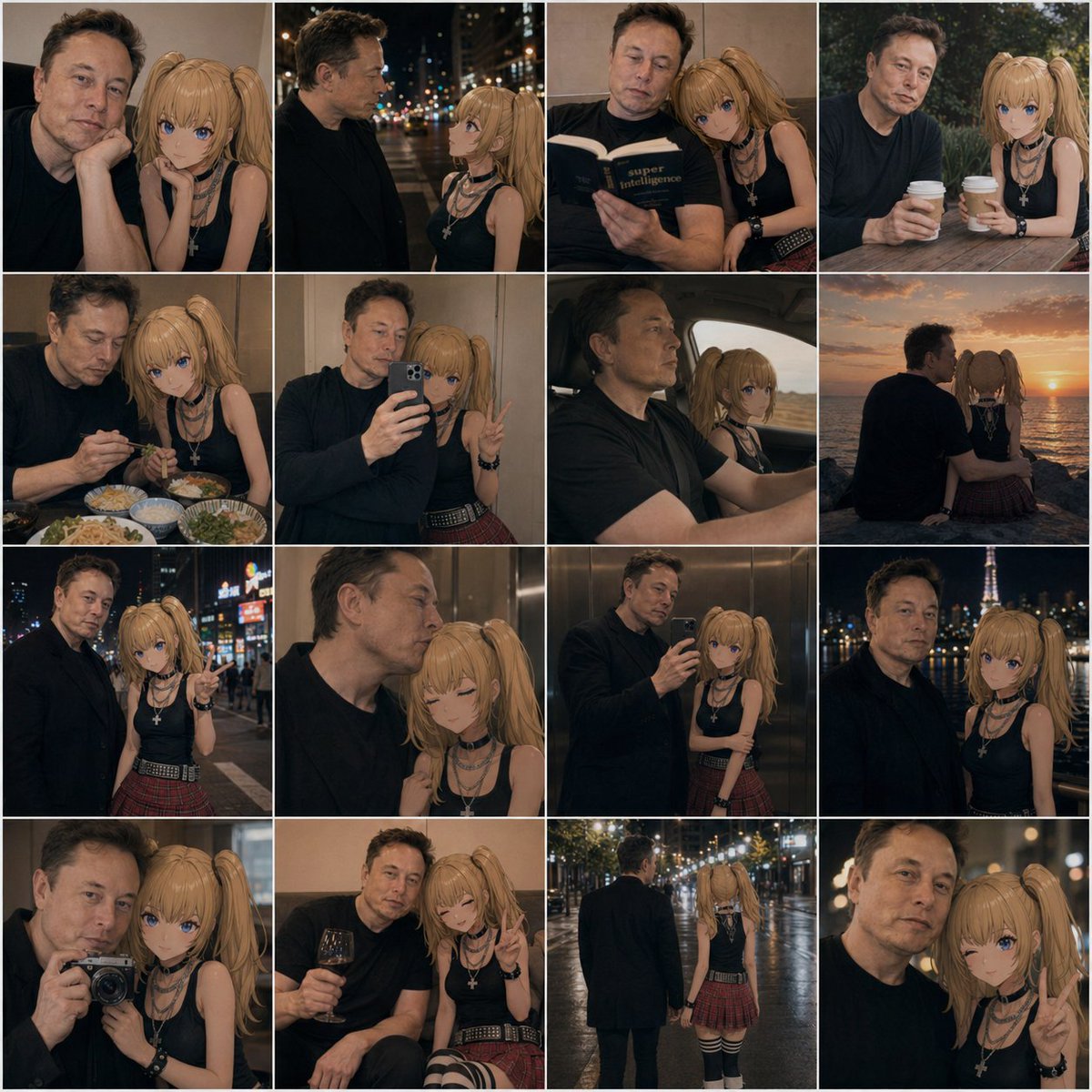
A 4x4 photo collage of 16 warm, cinematic lifestyle snapshots featuring a real adult man and an anime-style young woman companion posed together as if in casual date photos. The man has short dark hair, light skin, an average build, and wears a plain dark navy or black long-sleeve shirt; his face is intentionally obscured and softly blurred in every frame. The anime girl has long blonde twin ponytails, large blue eyes, light skin, and a slim petite build, wearing a black sleeveless top, layered silver necklaces including a cross pendant, black wrist accessories, a red plaid pleated mini skirt, and black-and-white striped thigh-high socks. Blend realistic photography with a convincingly integrated 2D anime character, keeping her clean cel-shaded look while matching the scene lighting, perspective, focus, and color grading so she appears naturally present beside him. Use moody evening tones, soft bokeh, shallow depth of field, and intimate candid couple energy. The 16 panels are: 1) close indoor portrait with both seated close together, the girl resting beside him; 2) nighttime city street side profile conversation under blurred streetlights; 3) indoors, both reading a book together, the girl leaning on his shoulder; 4) outdoor cafe table, both holding takeaway coffee cups; 5) restaurant table with multiple dishes visible, dining together; 6) mirror selfie in an elevator, the man holding a smartphone while the girl makes a peace sign; 7) car interior road-trip shot, the man driving and the anime girl in the passenger seat; 8) seaside sunset from behind, both sitting side by side watching the ocean; 9) neon-lit city night portrait, the girl pointing toward the camera; 10) intimate elevator close-up, the girl with eyes closed leaning affectionately against him; 11) full mirror selfie in an elevator showing more of both outfits; 12) night city skyline portrait with a lit tower in the background; 13) camera selfie close-up, the man holding a compact camera toward a mirror or reflective surface; 14) cozy indoor lounge moment, the man holding a glass of red wine while the girl smiles and makes a peace sign; 15) rear full-body rainy night street shot, the pair walking away hand in hand under glowing streetlights; 16) extreme close-up night portrait with the girl flashing a peace sign. Keep the collage tightly gridded with thin white dividers, square overall format, consistent amber-brown color grading, romantic urban realism, and subtle social-media photo-dump aesthetics.
@AIillust_studio
AI-generated Vertical Korean Editorial Poster in a Modular Crop Layout made with GPT Image 2
Vertical Korean Editorial Poster in a Modular Crop Layout

GPT Image 2· Image
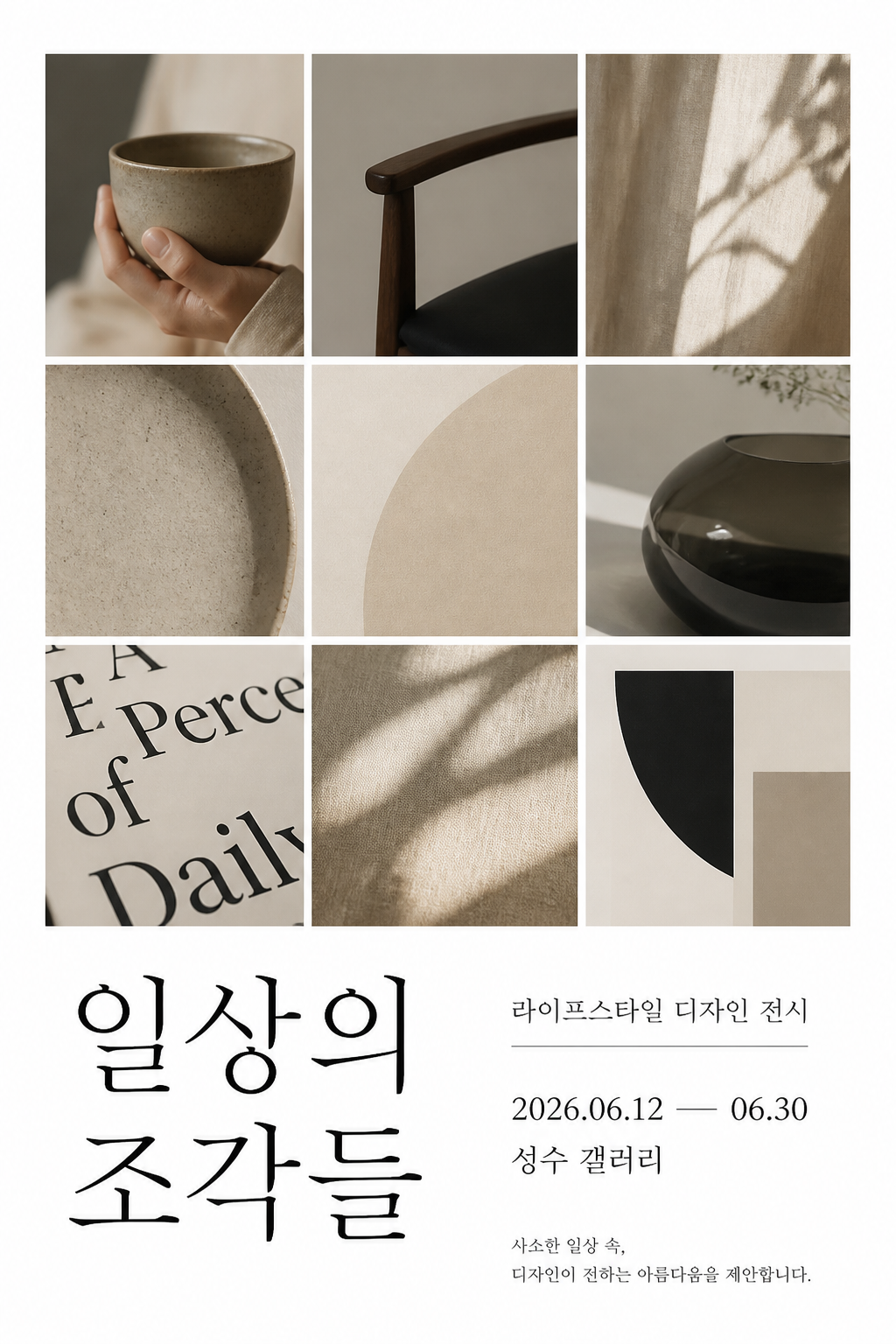
Create a vertical Korean editorial poster in a modular crop layout. Theme: contemporary lifestyle design exhibition. Use a clean white background with a 3x4 grid of cropped photo fragments: hands holding a ceramic cup, a minimalist chair detail, soft sunlight on fabric, a close-up of typography, and abstract beige shapes. Add crisp Korean text: main title '일상의 조각들', subtitle '라이프스타일 디자인 전시', date '2026.06.12 — 06.30', venue '성수 갤러리'. Style: modern Korean design magazine, refined spacing, elegant black typography, subtle beige and charcoal palette, premium print poster, no mockup, no frame.

What Are Collage Design AI Prompts?

Collage Design AI Prompts are specialized sets of instructions designed to help artificial intelligence models generate high-quality visual content centered around 콜라주 아트, 매거진 컷 아트, 오버레이 디자인. These prompts serve as a bridge between human creativity and algorithmic execution, translating abstract concepts like mood, lighting, and texture into a language that AI models can understand and replicate with precision. In the realm of digital art and design, achieving a specific aesthetic often requires a deep understanding of artistic terminology, and our curated Collage Design prompts simplify this process significantly. By utilizing these prompts on the Carat platform, users can explore the vast potential of AI generation to create unique, professional-grade images that resonate with their specific vision. Whether you are looking to capture the nostalgic essence of a bygone era or the sharp, modern lines of contemporary design, these prompts provide a robust foundation. They are engineered to handle the nuances of visual storytelling, ensuring that every generated piece has a sense of purpose and professional finish. As AI technology continues to evolve, the ability to prompt effectively has become a new form of digital craftsmanship, and this tag is your gateway to mastering it.

Best Use Cases

The versatility of Collage Design AI prompts makes them suitable for a wide array of professional and personal projects. One of the most common applications is in digital marketing and social media content creation. Brands looking to establish a distinct visual identity often turn to Collage Design styles to set themselves apart from the generic imagery found online. These images can be used for Instagram posts, YouTube thumbnails, or banner ads to evoke specific emotional responses from an audience. Another significant use case is in the field of editorial and web design. Designers can generate custom illustrations for articles, blog headers, or website backgrounds that align perfectly with their site's UI/UX goals. Furthermore, these prompts are invaluable for creative professionals in the brainstorming phase. Generating rapid prototypes and mood boards allows for faster iteration and better communication of ideas with clients or team members. For independent artists and hobbyists, Collage Design prompts offer an endless sandbox for experimentation, allowing them to produce intricate artworks that might have otherwise taken hours of manual labor to draft. Lastly, they are perfect for creating unique physical assets such as custom apparel prints, posters, and stationery, bridging the gap between digital generation and tangible products.

Why This Tag Works

What sets this Collage Design tag apart is the rigorous testing and optimization behind every suggested prompt. We understand that AI generation can sometimes be unpredictable, which is why we have focused on keywords that provide consistent, high-fidelity results. This tag eliminates the guesswork for users, offering a curated selection of prompts that emphasize the core characteristics of the Collage Design aesthetic. Whether it is the specific grain of a vintage photo, the complex layering of a collage, or the ethereal glow of a fantasy landscape, the prompts under this tag are built to prioritize those elements. This ensures that the AI model does not just produce a random image, but one that adheres to the stylistic constraints required by the user. Additionally, the tag system is designed for interoperability within the Carat ecosystem. It allows for seamless transitions between different styles, enabling users to layer concepts and refine their outputs without losing the original intent. The efficiency gained by using these optimized prompts translates directly into cost and time savings, making it a critical tool for anyone looking to scale their content production without compromising on artistic quality. By focusing on observable characteristics and technical precision, this tag empowers users to achieve a level of sophistication in their AI art that is usually reserved for professional prompt engineers.

Explore Related Prompts

Illustration, Poster, Card News Template, Character, Watercolor Style, Oil Painting Style, Diary Sticker

Prompt Building Tips

To get the most out of your Collage Design AI prompts, it is essential to think about the composition beyond just the subject matter. Start by defining the primary subject clearly, then layer in modifiers that describe the environment and atmosphere. For example, adding descriptors for lighting like 'golden hour,' 'cinematic lighting,' or 'soft diffusion' can dramatically change the impact of the final image. Technical camera settings such as '35mm lens,' 'f/1.8,' or 'long exposure' also help guide the AI toward a more realistic or stylized look. When working with Collage Design styles, don't forget to specify the medium-mentioning things like 'canvas texture,' 'matte finish,' or 'ink on paper' provides the model with crucial context about the physical properties of the art. Another expert tip is to use the weight of words; placing the most important concepts at the beginning of the prompt usually yields better results. We also recommend experimenting with 'negative prompts' to exclude unwanted elements like 'blurry,' 'low resolution,' or 'distorted features,' which keeps the output clean and professional. Finally, the best way to master prompting is through iterative testing. Take a base prompt from our gallery, change one or two variables, and observe how the AI reacts. This process of trial and error is where the most unique and personalized styles are discovered. By combining Carat's optimized base prompts with your own creative tweaks, the possibilities for unique visual expression are truly limitless.
Frequently Asked Questions

Related Prompts

Collage Illustration

Collage Illustration

32 prompts

Collage

Collage

14 prompts

Collage Art

Collage Art

14 prompts

Editorial

Editorial

249 prompts

Carat Prompt Gallery

Create trending AI prompts instantly

Prompts

  • Logo
  • PPT Design
  • Thumbnail
  • Poster
  • Web Novel Cover
  • ID Photo
  • Caricature
  • Product Detail Page
  • Banner

Models

  • GPT Image 2
  • Seedance 2.0
  • NanoBanana Pro
  • NanoBanana 2

Carat

  • Get started
  • About
  • Blog
  • Careers
  • Contact
  • Partnership
  • Terms
  • Privacy

© 2026 Paradot.Inc All rights reserved.