carat

Prompt Gallery

/

Collage Illustration

Login
Sign Up

Collage Illustration

Create stunning AI art featuring collage illustration with professional prompts.

2026.07.04

·
GPT 이미지 2로 생성한 합성사진

합성사진

GPT Image 2· Image
A surreal composite photograph combining a desert landscape with a floating ocean wave above it, dreamlike double exposure style, seamless blending, warm sunset lighting, artistic photo manipulation, no people
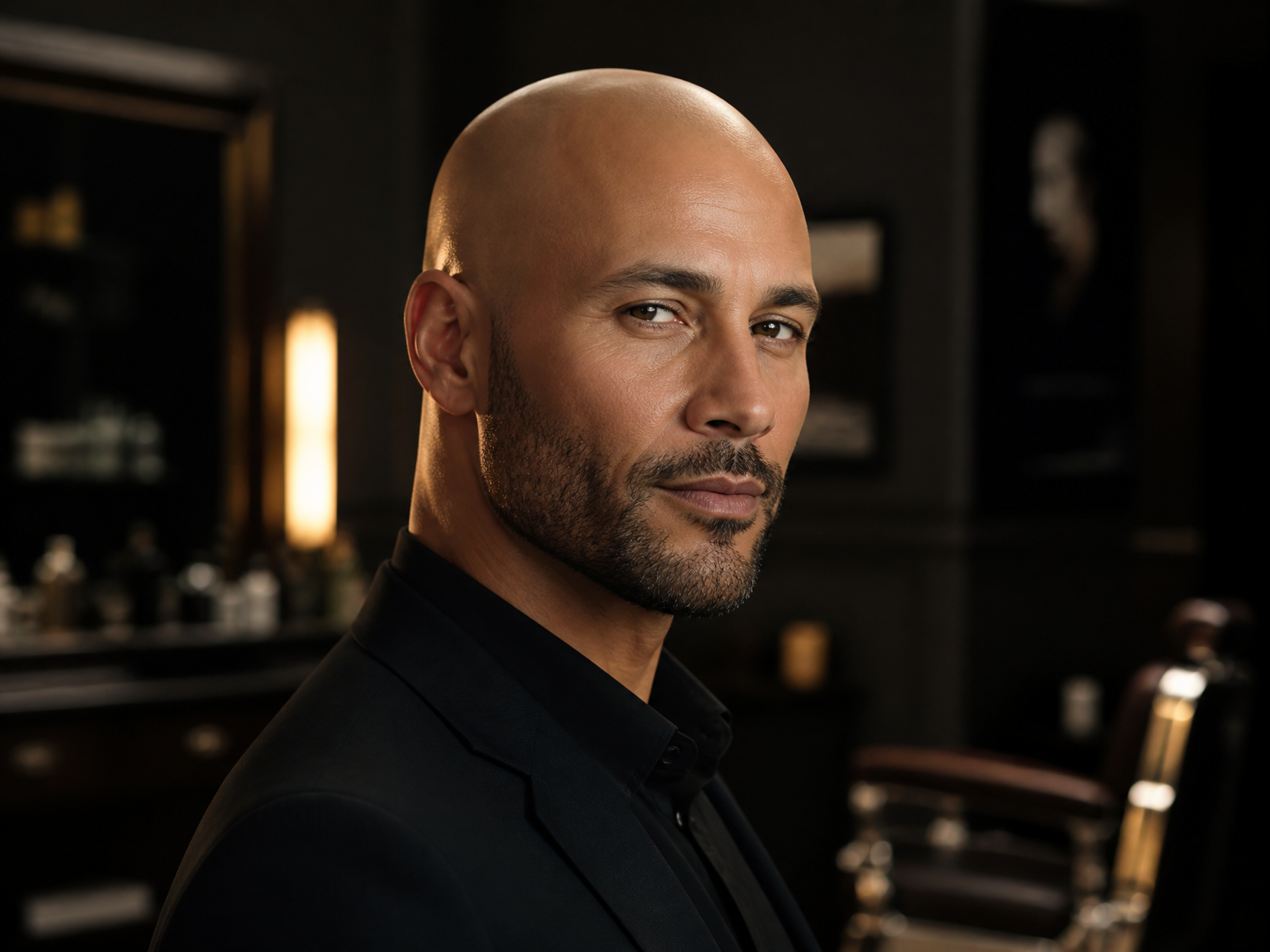
GPT 이미지 2로 생성한 대머리 합성 예시 3

대머리 합성 예시 3

GPT Image 2· Image
Professional grooming visual of a bald head style, confident adult male portrait, soft rim light, premium barber campaign mood, no readable text.
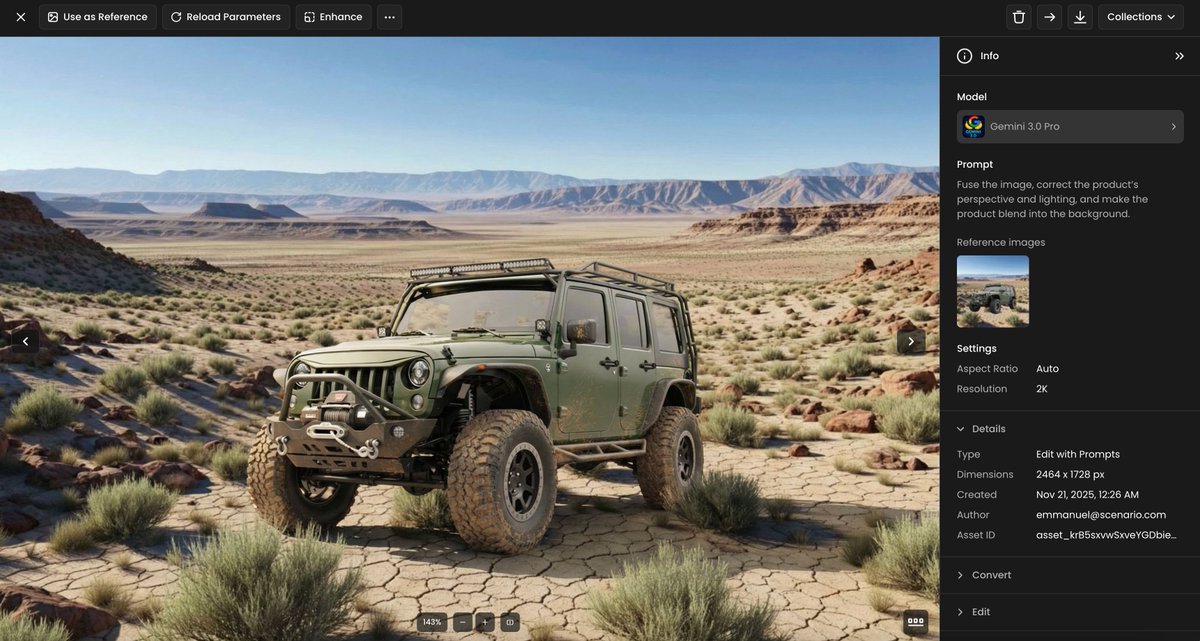
Example image of Product Perspective Lighting Blend generated with Nano Banana Pro

Product Perspective Lighting Blend

Nano Banana Pro· Image
Fuse the image, correct the product’s perspective and lighting, and make the product blend into the background.
@emmanuel_2m
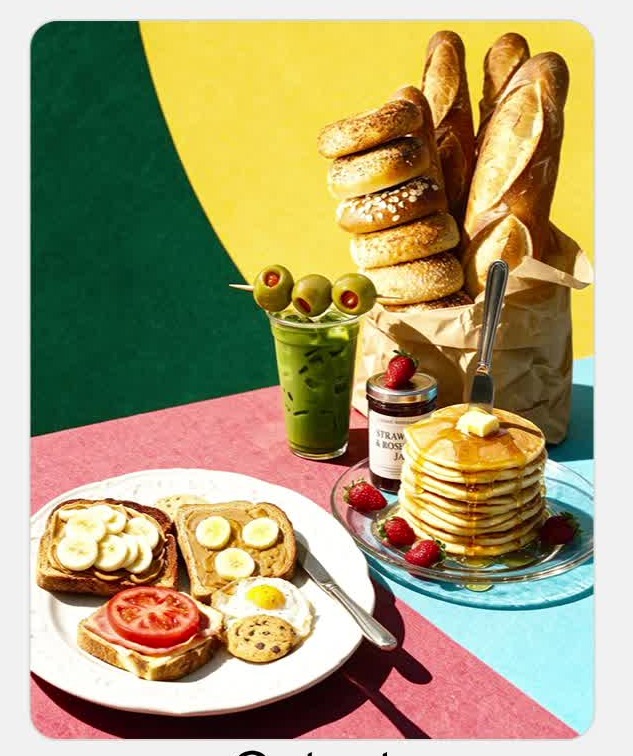
AI-generated Multi-Reference Food Composition Edit made with Seedream 5.0 Pro
Multi-Reference Food Composition Edit

Seedream 5.0 Pro· Image
Merge these food reference images into my assembled composition, and generate a lifelike sunlit scene featuring one European-style porcelain plate and one clear glass plate.
ByteDance Seed
GPT 이미지 2로 생성한 얼굴 합성 아트

얼굴 합성 아트

GPT Image 2· Image
An artistic face composite made of overlapping geometric fragments and colorful paper cutouts, cubist-inspired portrait of a fictional character, vibrant collage style, mixed media artwork, no real person
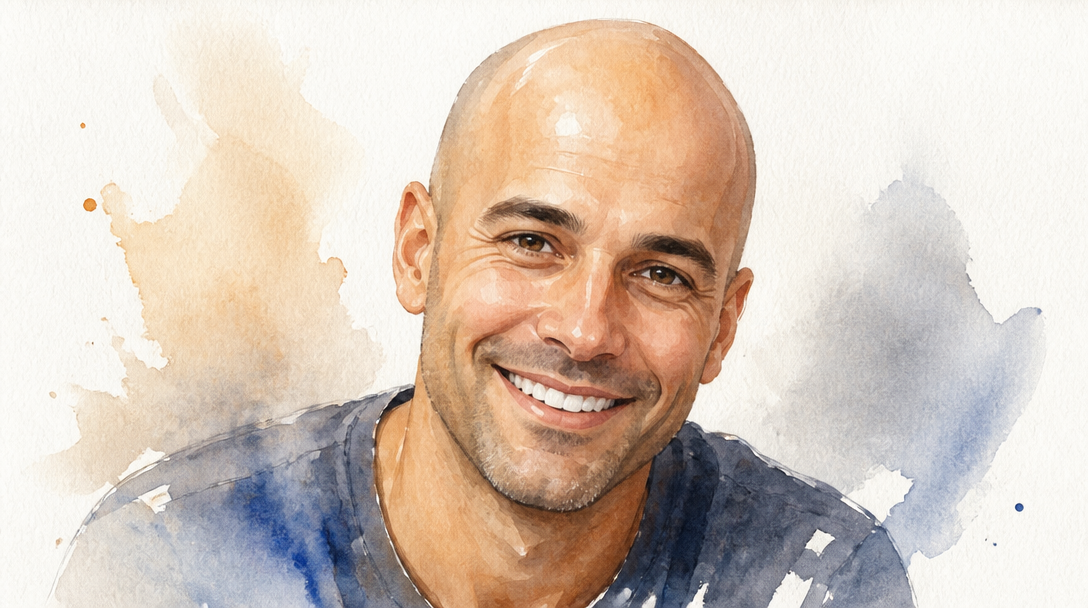
GPT 이미지 2로 생성한 대머리 합성

대머리 합성

GPT Image 2· Image
A portrait of a smiling man with a completely bald head, clean shiny scalp, neutral studio background., Loose watercolor illustration on textured paper, soft natural wash, translucent layering, gentle, artistic, handcrafted mood, muted pastel palette with occasional bold pigment strokes, centered or organic asymmetry, generous white space, No text, no watermark.
GPT 이미지 2로 생성한 합성 사진

합성 사진

GPT Image 2· Image
A surreal composite photograph of a floating island with cascading waterfalls above a sea of clouds at golden hour. Dreamlike montage, seamlessly blended multiple landscape elements. No text.
GPT 이미지 2로 생성한 대머리 합성 예시 2

대머리 합성 예시 2

GPT Image 2· Image
Clean humorous but respectful bald photo edit concept, generic smiling person with smooth shaved head look, natural skin texture, smartphone portrait style, no text.
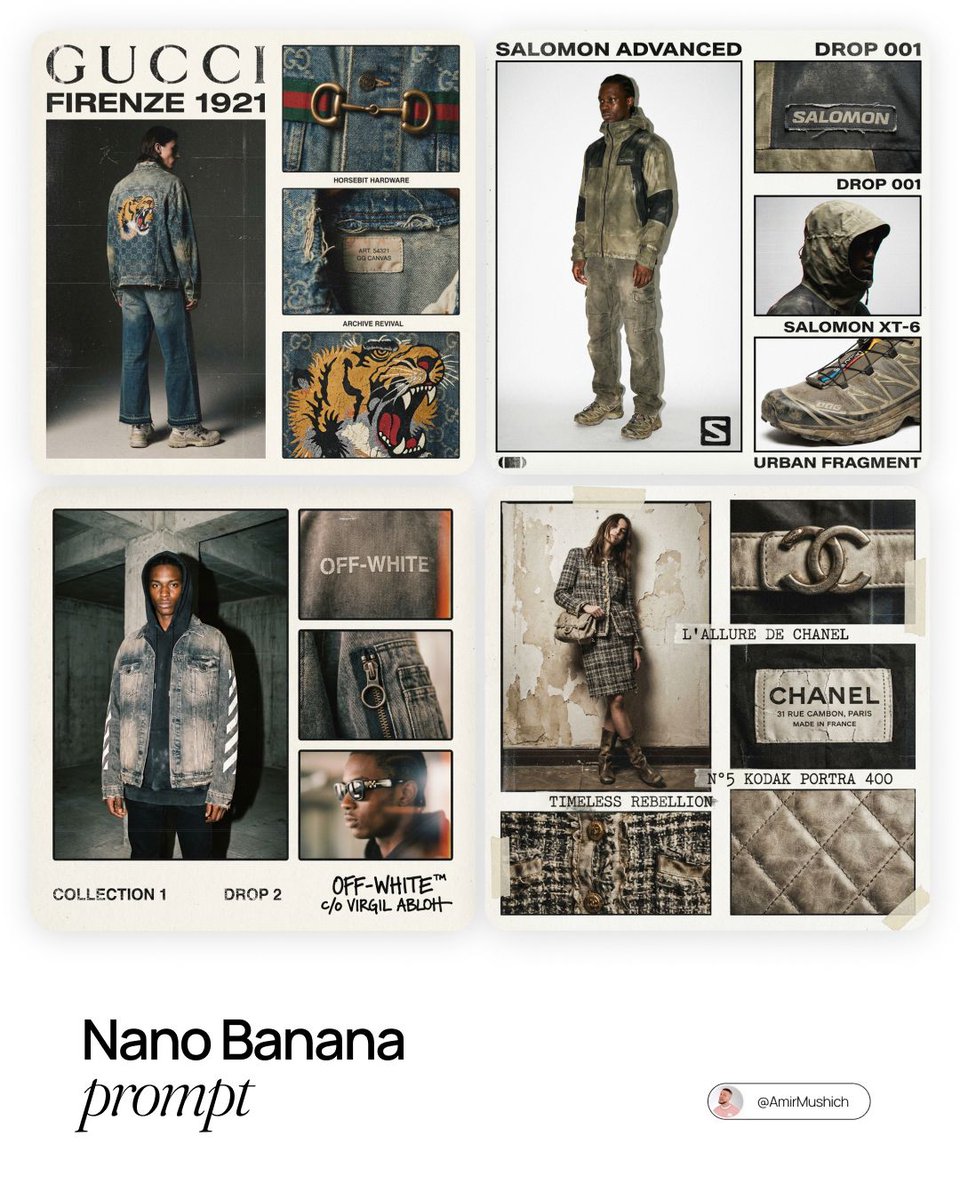
AI-generated Fashion Lookbook Collage made with Nano Banana Pro

Fashion Lookbook Collage

Nano Banana Pro· Image
[BRAND NAME]. Act as a Creative Director and Brand Strategist. PHASE 1: CONCEPT & COMPOSITION. Create a multi-panel fashion lookbook collage (grid layout) on a clean off-white background. - Main Shot: A full-body editorial pose of a model wearing a signature [BRAND NAME] piece. - Detail Shots: 3-4 smaller rectangular frames showing macro crops of fabric, hardware, and stitching. - Autonomously determine the garment type based on the brand's current hype items. PHASE 2: VISUAL STYLE & TEXTURE. "High-End Lo-fi" aesthetic. Intense film grain, analog noise, and scanline artifacts. Heavy, premium clothing textures: faded vintage washes, distressed edges, and high-quality "cracked" screen prints. Muted, moody color palette with brand-specific accents. PHASE 3: DYNAMIC TYPOGRAPHY & LOGIC. Autonomously analyze the [BRAND NAME] heritage and core identity to generate unique typography. - Content: Instead of generic "Drop" labels, generate text based on the brand’s DNA: - Style: Match the font to the brand's era (e.g., brutalist sans-serif for modern labels, elegant serif for luxury house heritage). Integrate the [BRAND NAME] logo with a distressed, "Xerox-copied" texture. TECH SPECS: 35mm film look (Kodak Portra 400), f/5.6 for raw sharpness, high ISO grain. High-contrast editorial flash, deep shadows. Octane render quality with an analog scan soul.17
@AmirMushich
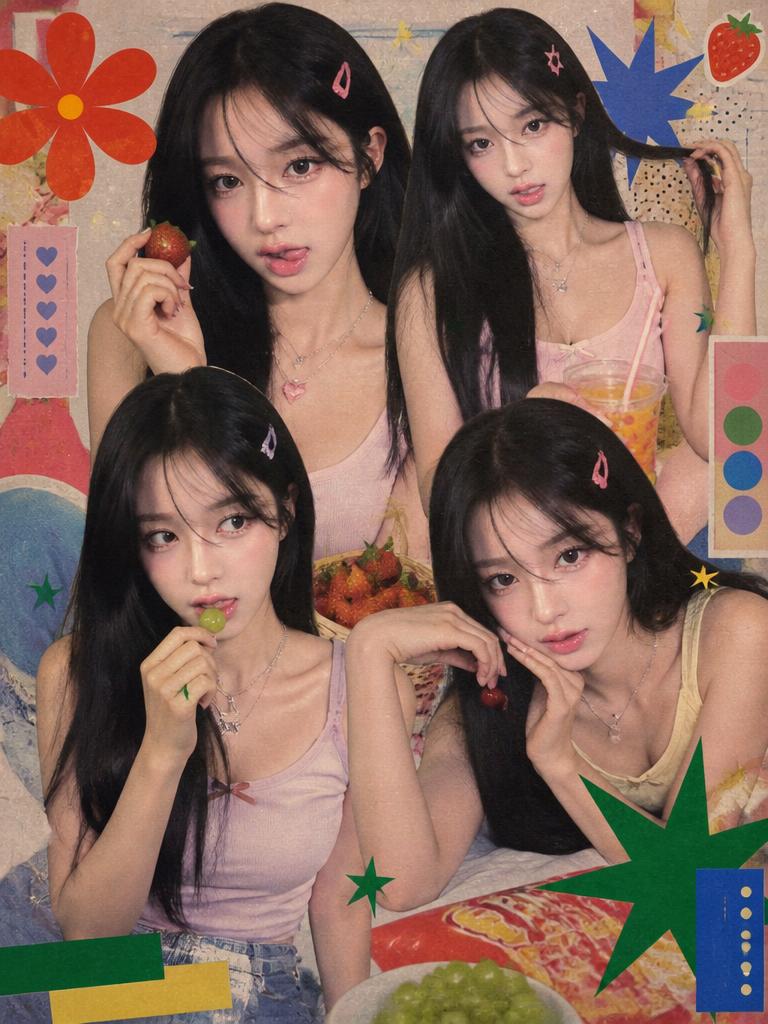
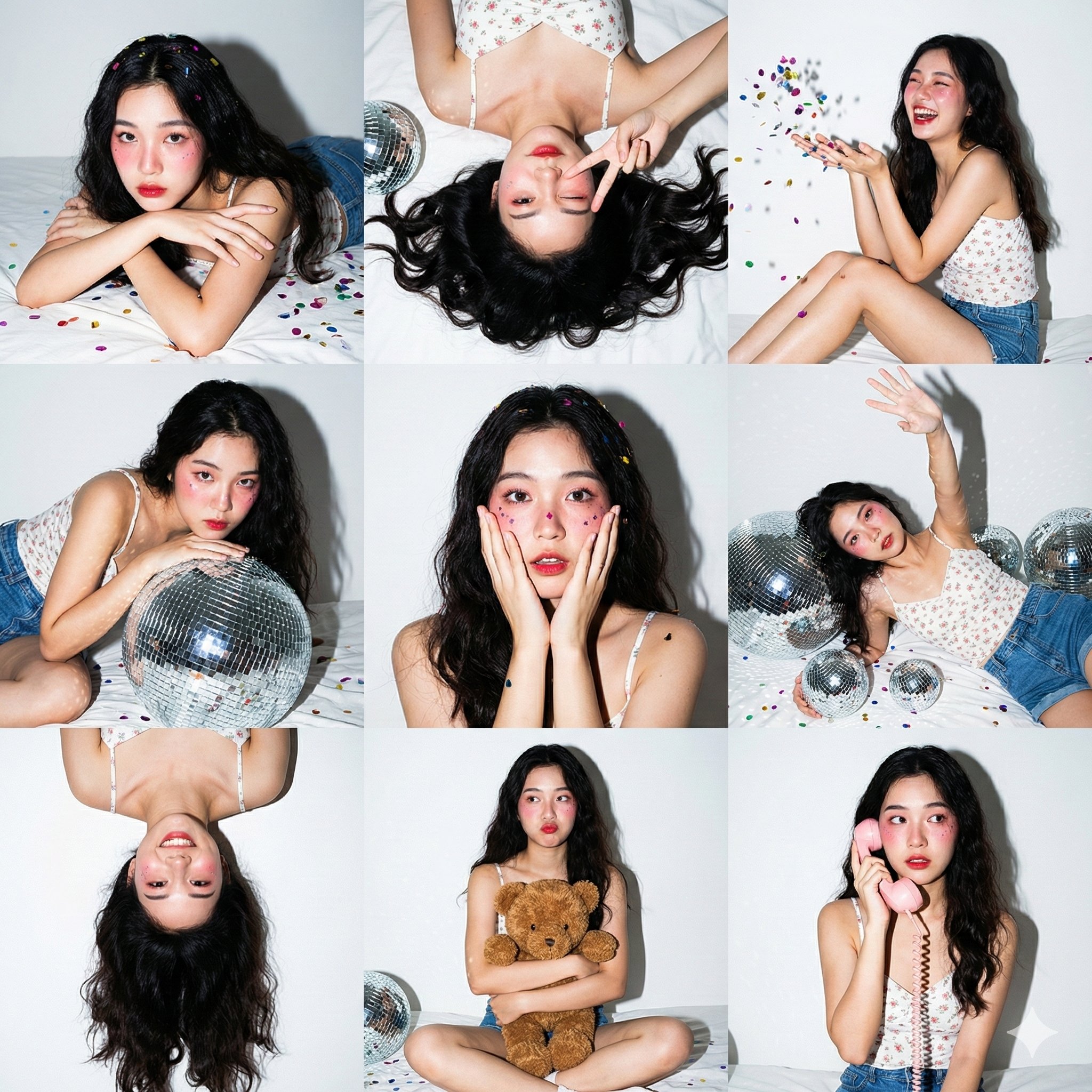
AI-generated Retro Magazine Collage image with GPT Image 2

Retro Magazine Collage

GPT Image 2· Image
Use Image1 as the retro layout/style reference and Image2 as the person identity reference. Create a vertical 90s/Y2K Korean teen magazine collage featuring the uploaded woman as the main subject repeated in 3-4 candid poses. Preserve her facial identity. Keep the reference's warm grainy magazine texture, close-up cutout composition, snack/fruit casual props, saturated nostalgic print colors, and playful idol-fanpage energy. Change the clothing to soft pastel tank tops, denim, layered necklaces, and hair clips. Include decorative shapes and fake magazine design blocks, but no readable real words or logos.
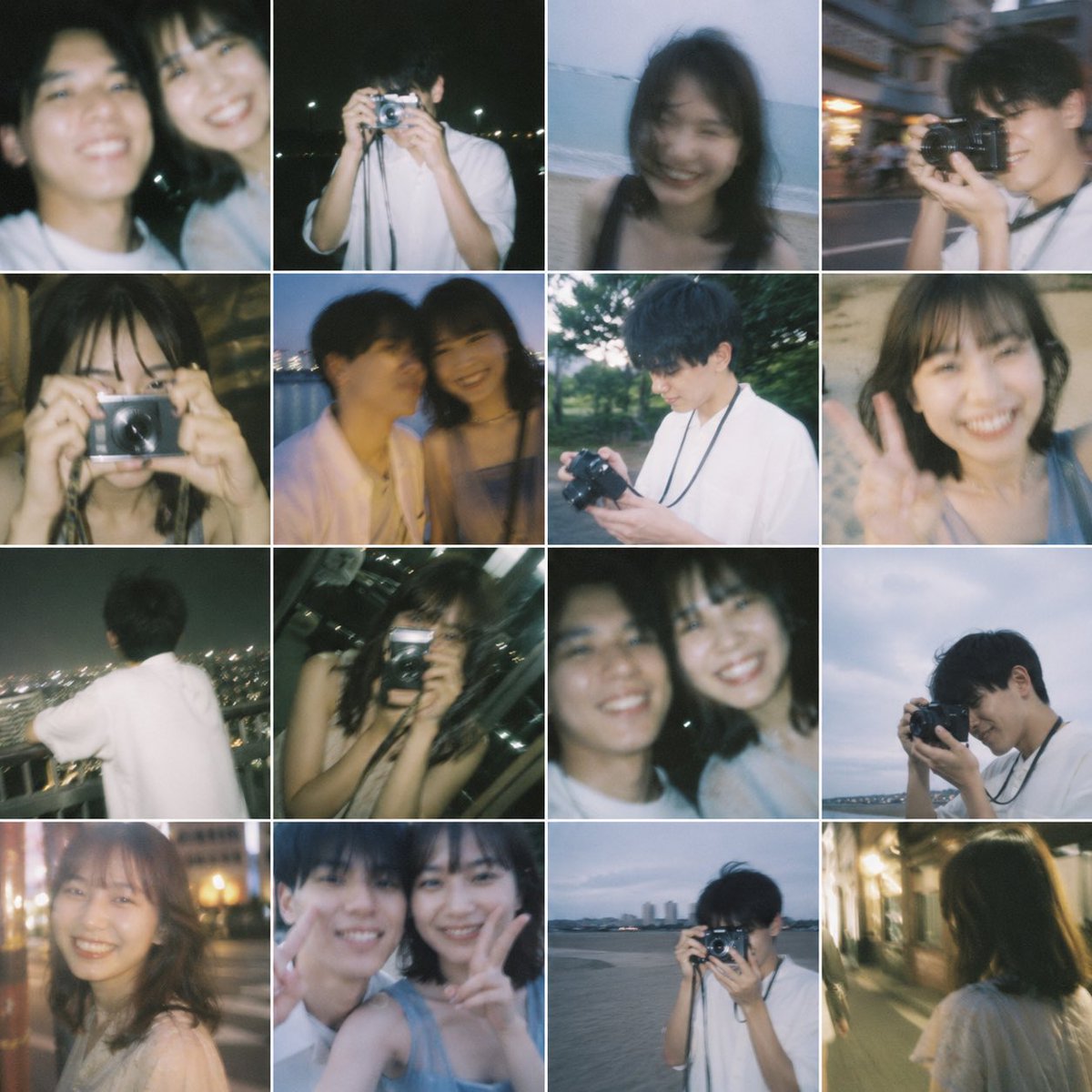
AI-generated {"type":"16-photo Nostalgic Contact Sheet Collage" made with GPT Image 2
{"type":"16-photo Nostalgic Contact Sheet Collage"

GPT Image 2· Image
{"type":"16-photo nostalgic contact sheet collage","style":"dreamy film photography, soft blur, slightly underexposed, candid youthful romance, flash snapshots mixed with ambient dusk light, subtle grain, sentimental and bittersweet mood","subject":{"people_count":2,"relationship":"young couple or former lovers spending time together","ages":"early 20s","appearance":{"male":{"build":"slim","hair":"short dark hair","clothing":"loose white short-sleeve shirt, camera strap around neck in several shots"},"female":{"build":"slim","hair":"shoulder-length dark hair","clothing":"light sleeveless tops or soft casual summer clothes"}},"faces":"intentionally obscured by soft rectangular blur blocks over every visible face"},"layout":{"grid":{"rows":4,"columns":4,"count":16,"border":"thin white dividers, equal square cells"},"images":[{"position":"row 1 col 1","description":"close cropped portrait of the woman in a white top at night, soft flash, dark background"},{"position":"row 1 col 2","description":"close cropped blurred two-person selfie framing, both subjects partially visible, dark nighttime setting"},{"position":"row 1 col 3","description":"young man standing at night and holding a compact silver camera up to his face, white shirt, distant lights behind him"},{"position":"row 1 col 4","description":"woman on a beach or shoreline in low light, softly blurred, ocean horizon behind her"},{"position":"row 2 col 1","description":"street candid of the man holding a camera near his face while walking outdoors in the evening, urban background with motion blur"},{"position":"row 2 col 2","description":"close-up of the woman indoors or in a dim warm setting, hand raised near her face, flash-lit snapshot"},{"position":"row 2 col 3","description":"blurred two-shot of the couple sitting close together by water at dusk, intimate candid composition"},{"position":"row 2 col 4","description":"young man outdoors in greenery during daytime or early evening, looking down at a camera in his hands, white shirt and camera strap visible"},{"position":"row 3 col 1","description":"woman close to the camera giving a peace sign, casual sleeveless top, sandy or beachlike background"},{"position":"row 3 col 2","description":"back view of the man in a white shirt looking out over a cityscape at night from a high vantage point"},{"position":"row 3 col 3","description":"woman indoors at night holding a compact camera directly toward the viewer, city lights beyond a window, flash aesthetic"},{"position":"row 3 col 4","description":"tight cropped two-person selfie-like frame with both subjects partially visible, dark background"},{"position":"row 4 col 1","description":"young man at the waterfront at dusk holding a camera to his eye, cloudy blue sky and distant shoreline behind him"},{"position":"row 4 col 2","description":"soft night portrait of the woman on a city street with warm bokeh lights in the background"},{"position":"row 4 col 3","description":"close intimate couple snapshot with both faces near each other, one subject making a peace sign, heavy blur and flash look"},{"position":"row 4 col 4","description":"rear view of the woman walking alone down a warmly lit narrow street at night, shoulder-length hair and light top visible"}]},"composition":"each square feels like a memory fragment from one summer evening and a few nearby outings, varied framing, natural imperfection, casual amateur photography","color_palette":"muted blues, warm tungsten yellows, soft skin tones, dark greens, charcoal night shadows, faded white clothing","camera_look":"35mm point-and-shoot or disposable camera feel, shallow focus, motion blur, bloom around lights, occasional flash overexposure","quality":"high-resolution collage with authentic analog softness, emotionally evocative and realistic"}
@zenkaiAI
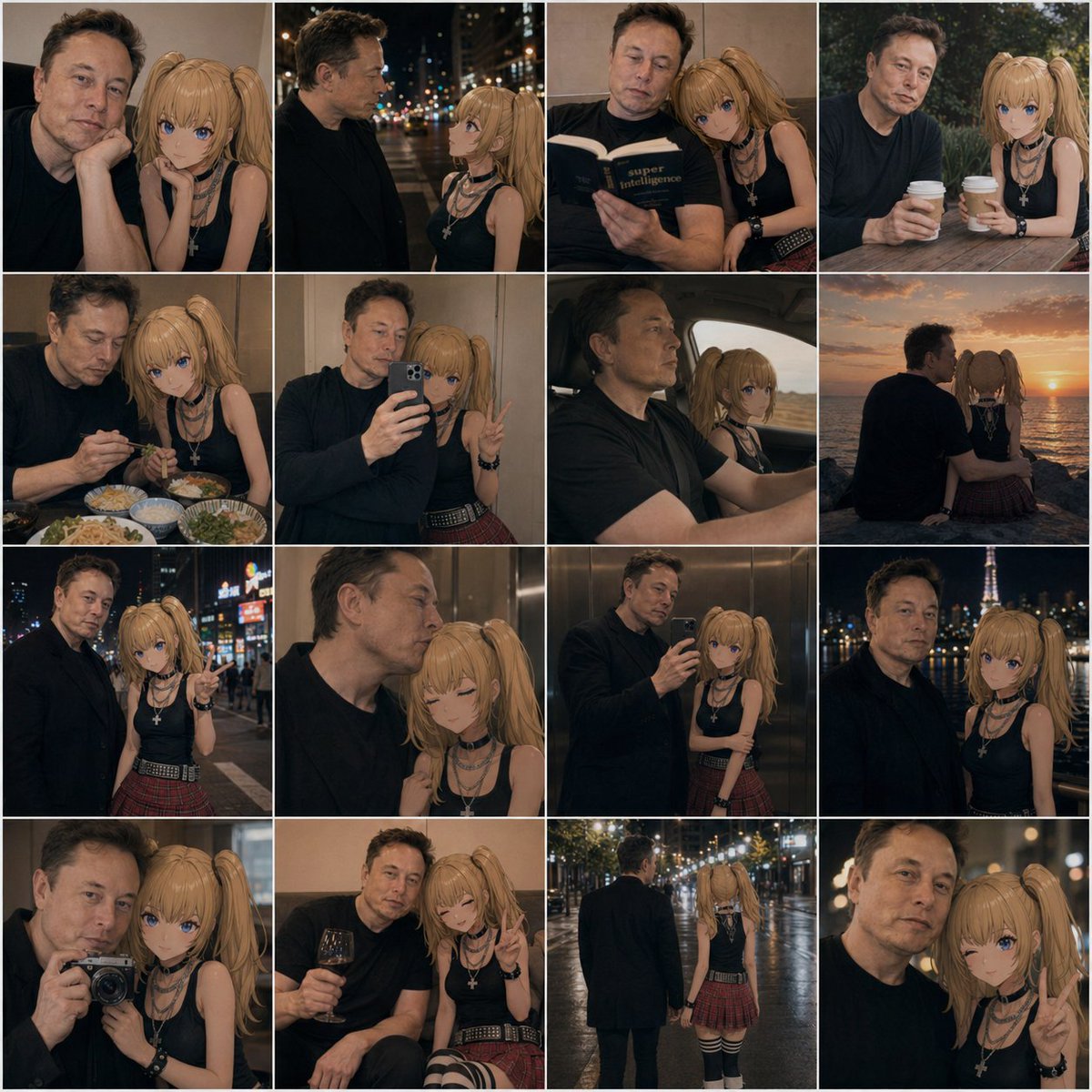
AI-generated Anime Couple Date Photo Collage made with GPT Image 2

Anime Couple Date Photo Collage

GPT Image 2· Image
A 4x4 photo collage of 16 warm, cinematic lifestyle snapshots featuring a real adult man and an anime-style young woman companion posed together as if in casual date photos. The man has short dark hair, light skin, an average build, and wears a plain dark navy or black long-sleeve shirt; his face is intentionally obscured and softly blurred in every frame. The anime girl has long blonde twin ponytails, large blue eyes, light skin, and a slim petite build, wearing a black sleeveless top, layered silver necklaces including a cross pendant, black wrist accessories, a red plaid pleated mini skirt, and black-and-white striped thigh-high socks. Blend realistic photography with a convincingly integrated 2D anime character, keeping her clean cel-shaded look while matching the scene lighting, perspective, focus, and color grading so she appears naturally present beside him. Use moody evening tones, soft bokeh, shallow depth of field, and intimate candid couple energy. The 16 panels are: 1) close indoor portrait with both seated close together, the girl resting beside him; 2) nighttime city street side profile conversation under blurred streetlights; 3) indoors, both reading a book together, the girl leaning on his shoulder; 4) outdoor cafe table, both holding takeaway coffee cups; 5) restaurant table with multiple dishes visible, dining together; 6) mirror selfie in an elevator, the man holding a smartphone while the girl makes a peace sign; 7) car interior road-trip shot, the man driving and the anime girl in the passenger seat; 8) seaside sunset from behind, both sitting side by side watching the ocean; 9) neon-lit city night portrait, the girl pointing toward the camera; 10) intimate elevator close-up, the girl with eyes closed leaning affectionately against him; 11) full mirror selfie in an elevator showing more of both outfits; 12) night city skyline portrait with a lit tower in the background; 13) camera selfie close-up, the man holding a compact camera toward a mirror or reflective surface; 14) cozy indoor lounge moment, the man holding a glass of red wine while the girl smiles and makes a peace sign; 15) rear full-body rainy night street shot, the pair walking away hand in hand under glowing streetlights; 16) extreme close-up night portrait with the girl flashing a peace sign. Keep the collage tightly gridded with thin white dividers, square overall format, consistent amber-brown color grading, romantic urban realism, and subtle social-media photo-dump aesthetics.
@AIillust_studio

What Are Collage Illustration AI Prompts?

Collage Illustration AI prompts are specialized sets of descriptive instructions designed to guide artificial intelligence models in generating high-quality visual representations centered around the theme of 콜라주 일러스트, 합성, 몽타주, collage illustration, mixed media, paper collage, digital collage, photo collage art. These prompts focus on capturing the intricate details, unique textures, and aesthetic essence of the subject matter, whether it involves the metallic precision of a needle, the layered complexity of a collage, or the iconic silhouette of a sneaker. By utilizing these prompts on Carat, users can bypass the technical hurdles of traditional graphic design and directly translate their creative visions into stunning digital imagery. The prompts are meticulously curated to ensure that the AI understands the physical properties of the materials involved, from the reflective surfaces of stainless steel to the matte finish of premium fabrics or the weathered edges of vintage paper. This makes them an indispensable resource for anyone looking to produce professional-grade visuals for professional, educational, or personal projects. The power of these prompts lies in their ability to provide the AI with a structured framework, allowing for consistent results that adhere to specific artistic standards. As AI technology continues to evolve, the precision and artistic range of these prompts grow, enabling creators to explore new frontiers in digital art and design without the need for extensive manual labor or specialized software expertise.

Best Use Cases

The versatility of Collage Illustration prompts allows them to be applied across a wide spectrum of industries and creative endeavors. In the fashion and apparel industry, these prompts are perfect for creating conceptual sketches, detailing intricate stitching patterns, or visualizing new footwear designs before they enter the prototyping stage. For digital marketers and content creators, they provide a wealth of unique, eye-catching assets for social media campaigns, blog headers, and website landing pages. Artists and illustrators can use these generated images as high-fidelity references, textures, or foundational layers for mixed-media projects. Furthermore, in the realm of publishing and editorial design, Collage Illustration visuals can serve as compelling illustrations for articles about craftsmanship, street style, or contemporary art trends. They are also exceptionally useful for creating customized stationery, branding materials, and interior decor elements that require a specific, curated aesthetic. Educational platforms can leverage these prompts to generate clear and detailed diagrams for instructional content, while interior designers might find them useful for creating mood boards that feature specific textures and color palettes. The possibilities are truly limitless, as these prompts can be adapted to suit any visual narrative, from minimalist corporate presentations to avant-garde artistic exhibitions.

Why This Tag Works

The effectiveness of the Collage Illustration tag lies in its ability to bridge the gap between abstract concepts and precise visual execution. AI generation often struggles with maintaining the correct proportions and lighting for small or complex objects, but this tag incorporates specific architectural and material keywords that anchor the AI's output to reality. It ensures that light interacts correctly with different surfaces, creating believable shadows and highlights that give the image a three-dimensional feel. The prompt architecture is built on a foundation of professional photography and digital art terminology, which instructs the model to prioritize clarity, composition, and color harmony. This results in outputs that are not only visually appealing but also technically sound, making them suitable for high-resolution printing and large-scale digital displays. By using this tag, creators can achieve a level of consistency and quality that would otherwise take hours of manual editing or complex 3D modeling. Furthermore, the tag acts as a quality filter, guiding the AI away from common artifacts and towards a more polished, professional look. This reliability is essential for commercial projects where deadlines are tight and quality cannot be compromised. The tag also facilitates better control over the final output, allowing users to fine-tune aspects like contrast, saturation, and depth of field with simple linguistic adjustments.

Explore Related Prompts

Expand your creative horizons by exploring these complementary prompts and styles available in our gallery:

  • Illustration
  • Poster
  • Character
  • Watercolor Style
  • Oil Painting Style
  • Diary Sticker
  • Card News Template

Prompt Building Tips

To get the best possible results from Collage Illustration prompts, it is crucial to focus on the sensory details of the scene. Start by defining the primary material-think terms like 'brushed chrome', 'weathered leather', 'recycled cardstock', or 'vibrant synthetic mesh'. Next, consider the environment and lighting; a 'sun-drenched studio' or 'dimly lit workshop with dramatic rim lighting' can completely change the mood of the image. Don't forget to specify the camera angle-using 'macro photography' or 'extreme close-up' will highlight the fine-tuned details that make these subjects interesting. If you are working with collage styles, mention 'overlapping layers', 'torn paper edges', and 'varied opacities' to enhance the analog feel. For fashion items like sneakers or hoodies, adding style descriptors like 'hyper-realistic streetwear aesthetic' or 'minimalist flat-lay' will help the AI align with your specific vision. Experimenting with different artistic movements, such as Bauhaus for structure or Pop Art for color, can also yield surprisingly innovative results. Additionally, you can refine the output by including technical specifications such as '8k resolution', 'highly detailed textures', and 'photorealistic rendering'. Remember that the AI responds best to clear, concise, yet highly descriptive language, so try to balance broad concepts with specific, granular details. Combining these elements effectively will allow you to unlock the full potential of the Collage Illustration tag and create images that truly stand out in any digital or physical space.
Frequently Asked Questions

Related Prompts

Collage Design

Collage Design

21 prompts

Editorial

Editorial

250 prompts

Collage

Collage

14 prompts

Collage Art

Collage Art

14 prompts

Carat Prompt Gallery

Create trending AI prompts instantly

Prompts

  • Logo
  • PPT Design
  • Thumbnail
  • Poster
  • Web Novel Cover
  • ID Photo
  • Caricature
  • Product Detail Page
  • Banner

Models

  • GPT Image 2
  • Seedance 2.0
  • NanoBanana Pro
  • NanoBanana 2

Carat

  • Get started
  • About
  • Blog
  • Careers
  • Contact
  • Partnership
  • Terms
  • Privacy

© 2026 Paradot.Inc All rights reserved.