carat

Prompt Gallery

/

Collage Illustration

Login
Sign Up

Collage Illustration

Create stunning AI art featuring collage illustration with professional prompts.

2026.07.04

·
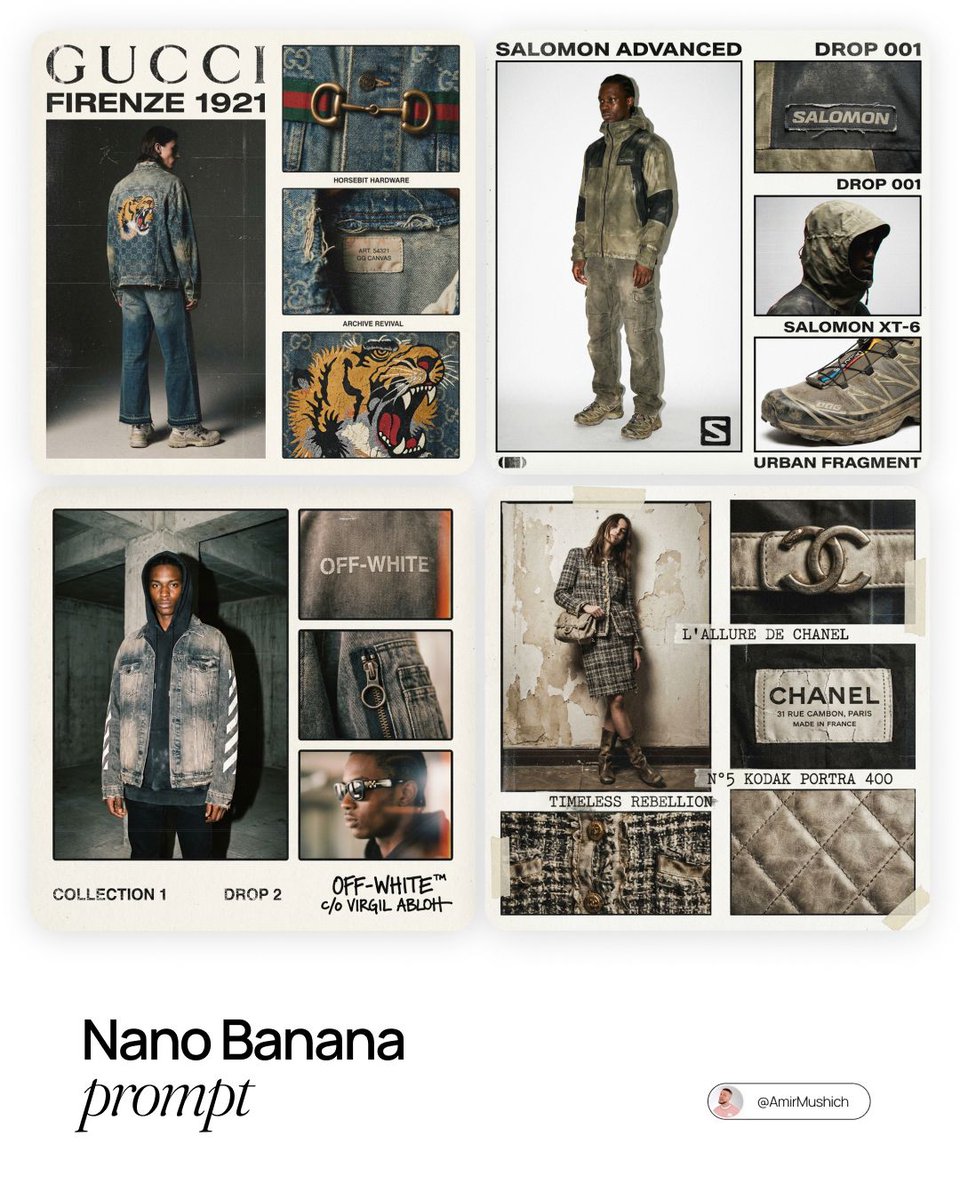
AI-generated Digital Collage Brand Ad made with GPT Image 2

Digital Collage Brand Ad

GPT Image 2· Image
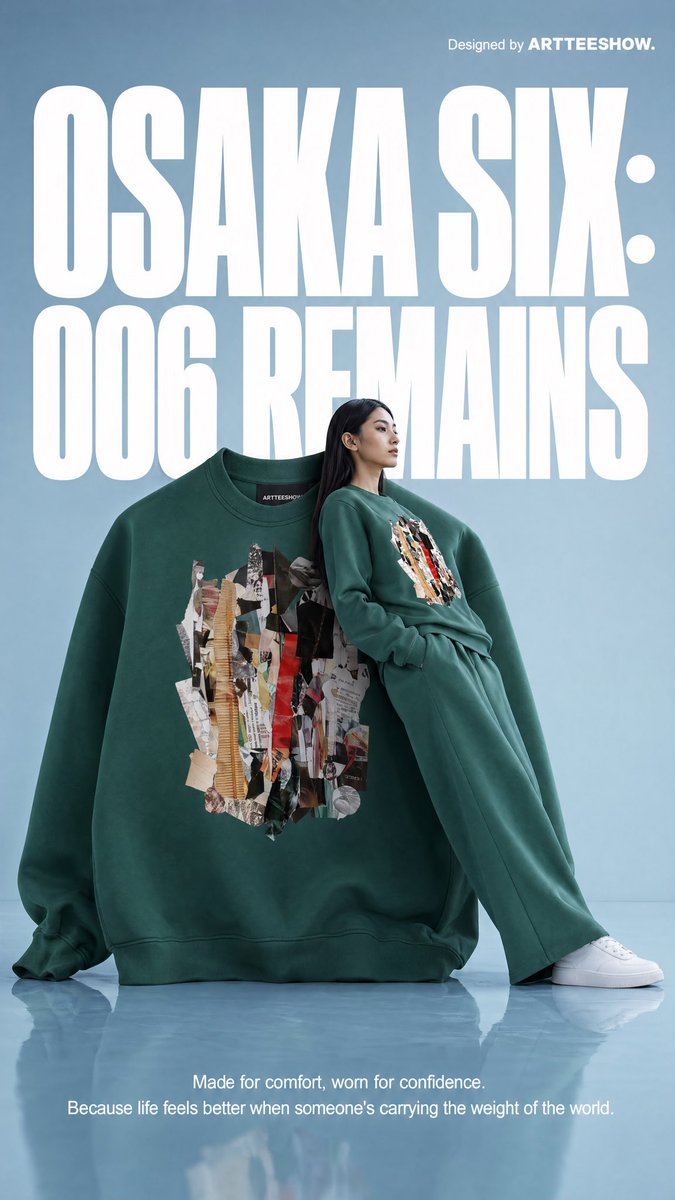
[BRAND NAME = CHANGE TO YOUR BRAND]. Act as a Social Media Art Director and Digital Collage Artist specializing in bold, youth-oriented brand content for Instagram and digital campaigns. PHASE 1: CONCEPTUAL FRAMEWORK Create a dynamic digital collage that merges fashion photography with graphic design chaos. This is controlled rebellion – a composition that feels spontaneous and energetic while maintaining brand coherence. The aesthetic is anti-polished: torn edges, layered textures, hand-drawn elements, and bold color blocking that screams confidence and movement. PHASE 2: MODEL & PHOTOGRAPHY - Subject: One model (diverse casting, age 18-30) in a dynamic, confident pose - Pose Energy: 80% attitude, 20% natural – sitting, jumping, mid-motion, or power stance (avoid static standing) - Outfit: Street style/athleisure that aligns with [BRAND NAME] aesthetic – casual but styled - Hero Product: Feature 1 signature [BRAND NAME] product prominently (sneakers, bag, apparel) – this is the visual anchor - Photography Style: Editorial fashion cutout – model extracted from background with clean edges - Camera Angle: Slight low angle to empower subject (hero perspective) - Crop: Full body or 3/4 body showing hero product clearly - Background Removal: Model cut out cleanly for layering over collage elements PHASE 3: COLOR BLOCKING FOUNDATION - Primary Color Blob: Large organic shape (40-60% of composition) in bold, saturated brand color behind/around model - Shape Style: Irregular, hand-painted aesthetic – think Photoshop brush strokes or torn paper texture (NOT perfect geometric shapes) - Color Selection (Autonomous): Choose 1 hero color from [BRAND NAME] palette: - Texture: Visible brush strokes, grain, or subtle noise (15-25% opacity) – avoid flat digital fills - Placement: Blob positioned to frame model without obscuring key product details PHASE 4: GRAPHIC ELEMENTS LAYER Add 3-5 abstract graphic elements scattered across composition: - Element Types: - Color Palette: Use 2-3 accent colors total (main blob color + 1-2 contrasting tones from brand palette) - Placement: Asymmetric scatter – top-left and bottom-right zones primarily (avoid center crowding) - Scale: Mix small (5% of canvas) and medium (15% of canvas) elements – nothing overpowering - Aesthetic: Analog/handmade feel – imperfect circles, rough edges, visible texture PHASE 5: TYPOGRAPHY INTEGRATION - Brand Logo: Clean [BRAND NAME] logo placed in upper-left or upper-right quadrant (10-15% of width) - Slogan/Tagline: If [BRAND NAME] has an iconic slogan, integrate it using: - Supporting Copy: Optional 1-line descriptor (e.g., "A MOMENT OF YOUR STYLE") in smaller uppercase sans-serif - Type Treatment: Mix of aligned and slightly rotated text (2-5° angles) for dynamic energy - Hierarchy: Logo largest → Slogan medium → Copy smallest PHASE 6: TEXTURE & BACKGROUND - Base Layer: Off-white or light gray textured background (NOT pure white) - Texture Options (Autonomous selection): - Color: RGB 245-250 (near-white with warmth) – maintains brightness while adding depth - Treatment: Texture should be felt, not seen – enhances tactility without competing with foreground PHASE 7: COMPOSITION RULES - Layout: Asymmetric balance – model off-center, graphic elements counter-balance - Breathing Room: 15-20% negative space (textured background visible) to prevent claustrophobia - Layering Order: Background texture → Color blob → Graphic elements → Model (cutout) → Typography top layer - Focal Point: Model + hero product = primary focus (60% visual weight), graphics support (40%) - Movement: Diagonal lines and angled elements create directional flow (top-left to bottom-right or vice versa) PHASE 8: BRAND INTELLIGENCE (AUTONOMOUS) Autonomously adapt composition based on [BRAND NAME] personality: - Streetwear/Sportswear (Nike, Adidas, Supreme): - Luxury Streetwear (Balenciaga, Off-White, Gucci): - Beauty/Lifestyle (Glossier, Fenty, Skims): - Tech/Modern (Apple, Tesla, Beats): PHASE 9: SOCIAL MEDIA FOOTER (OPTIONAL) - Bottom Strip: Clean white or light gray bar at bottom 8-10% of frame - Content: Social media handles (Instagram, Facebook, Twitter) in small sans-serif - Layout: Three-column grid with platform icons or text handles - Aesthetic: Minimal and professional – contrast with chaotic collage above TECHNICAL SPECS: - Aspect Ratio: 4:5 (Instagram feed) or 1:1 (square social post) - Resolution: 2400x3000px minimum (high-quality for zoom and detail) - Color Mode: sRGB, vibrant saturation (Instagram-optimized) - File Aesthetic: Digital collage that mimics analog craft (Photoshop + hand-drawn hybrid) - Model Photography: 85mm lens, f/2.8, shallow depth of field on original shoot (before cutout) - Style Reference: Nike social campaigns, Spotify wrapped graphics, Gen Z Instagram aesthetics, Hypebeast x streetwear collabs - Mood: Confident, energetic, youthful, authentic chaos, anti-corporate polish
@youraipulse
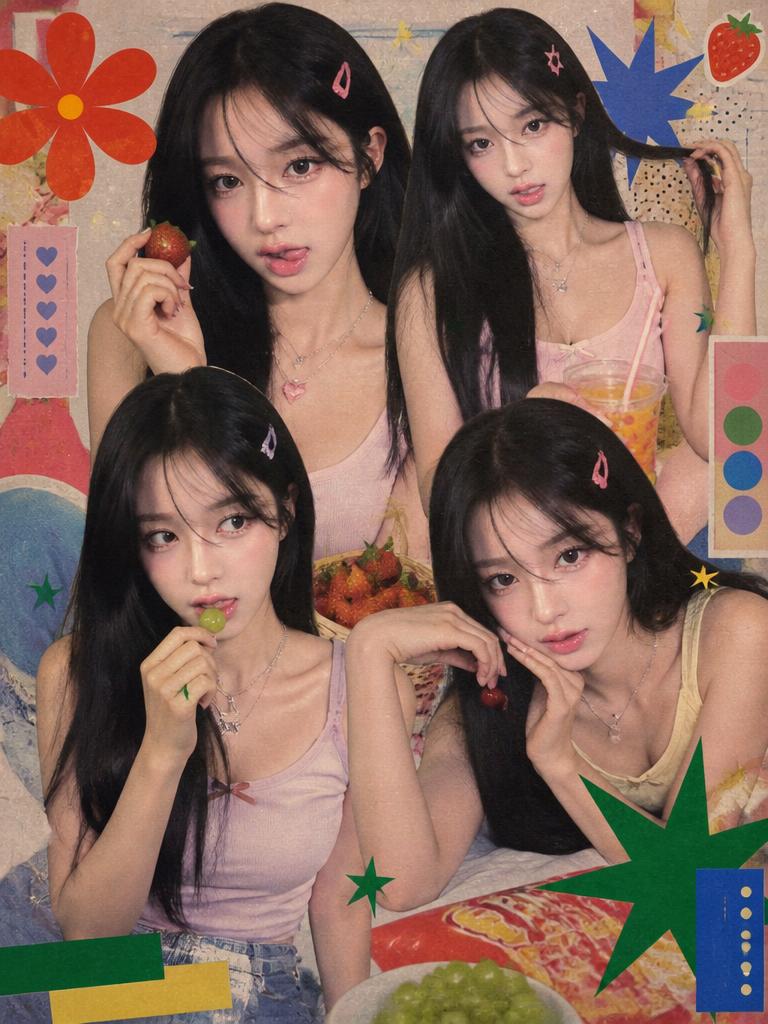
AI-generated American Eagle Denim Collage made with Nano Banana Pro

American Eagle Denim Collage

NanoBanana Pro· Image
{ "file_metadata": { "filename": "sydney_sweeney_ae_campaign_collage.jpg", "category": "High-End Fashion Photography", "project": "American Eagle Denim Collection 2024", "talent": "Sydney Sweeney" }, "visual_composition": { "layout_type": "4-Panel Asymmetrical Collage", "color_palette": { "primary": "Indigo Blue (Denim Wash)", "secondary": "Creamy White (Top & Background)", "accent": "Dusty Rose / Blush Pink (Butterfly Detail)", "vibe": "Warm, Nostalgic, Y2K Grunge" }, "lighting": "Soft diffused studio light with warm highlight tones", "aesthetic_tags": ["Vintage Revival", "Baggy Silhouette", "Main Character Energy"] }, "detailed_frame_analysis": { "panel_1_left": { "focus": "Full Body Silhouette", "pose": "Mirror selfie aesthetic with a slight lean", "outfit_details": { "top": "White ribbed racerback crop tank", "bottom": "Extra wide-leg low-rise indigo jeans", "footwear": "White pointed-toe stilettos", "accessories": "Delicate gold bracelets and a floral-patterned phone case" } }, "panel_2_top_right": { "focus": "Beauty & Expression", "pose": "Reclined, looking directly into the lens", "styling": "Oversized denim jacket draped off-the-shoulder", "hair": "Center-parted blonde waves with natural volume", "makeup": "Minimalist 'Clean Girl' look with dewy skin" }, "panel_3_bottom_center": { "focus": "Product Detail & Embroidery", "subject": "Denim back pocket", "features": [ "Intricate pink and orange butterfly embroidery", "Pink leather brand patch with American Eagle logo", "Contrast stitching on heavy-duty denim fabric" ] }, "panel_4_bottom_right": { "focus": "Style Statement", "pose": "Symmetrical crouched pose on a dark background", "outfit": "Full denim jumpsuit/set (Double Denim)", "mood": "Bold and confident" } }, "garment_dna": { "fabric": "Non-stretch, premium weight cotton denim", "wash": "Medium indigo stone-wash with vintage fading", "fit_profile": "Loose, oversized, baggy, and low-slung waist" }, "marketing_tags": { "target_audience": "Gen-Z and Millennial Fashion Seekers", "trending_hashtags": [" "alt_text": "A fashion collage of Sydney Sweeney for American Eagle showcasing wide-leg jeans with butterfly embroidery and a white crop top in various professional poses." } }
@BaharAzamm561
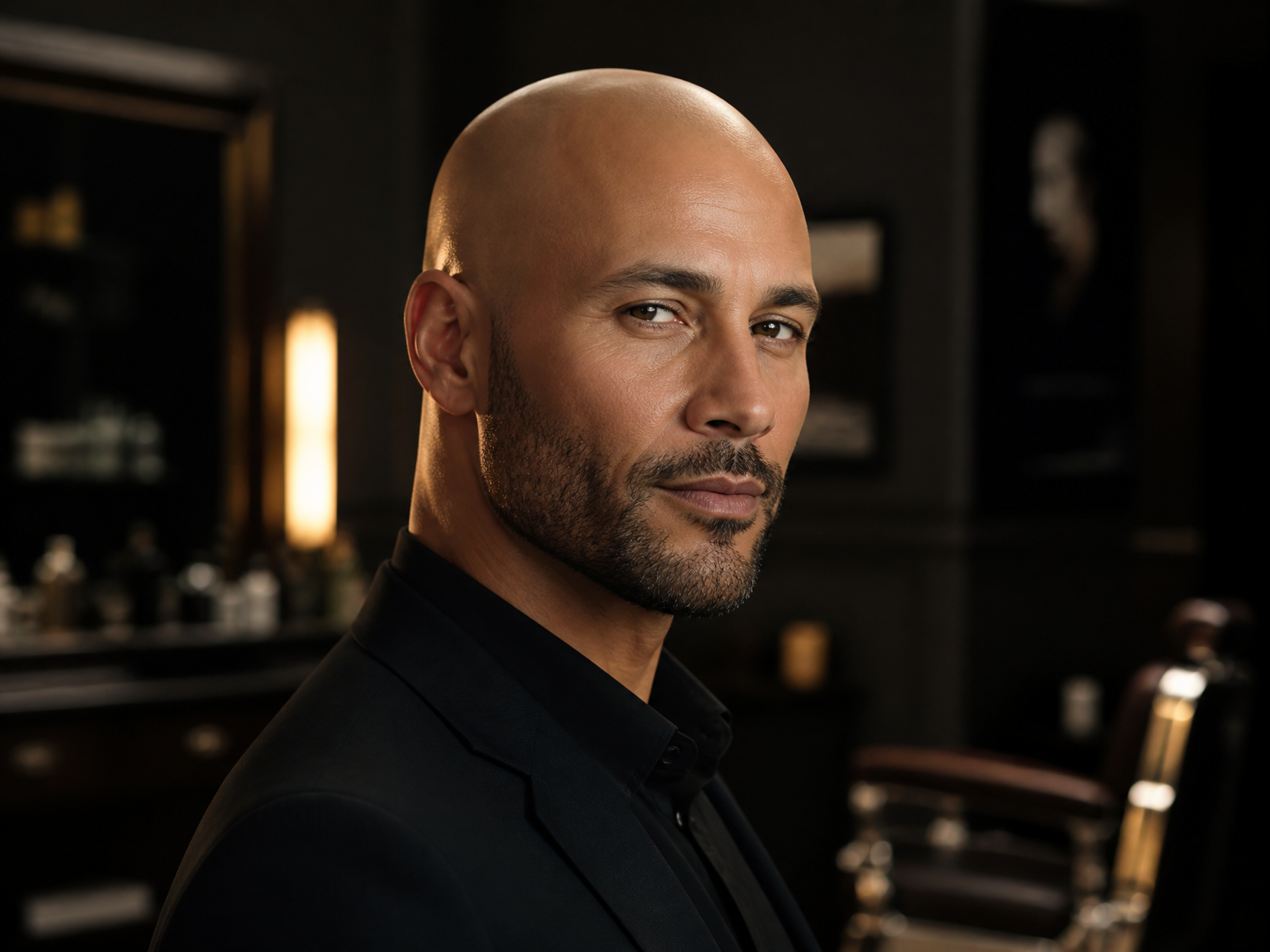
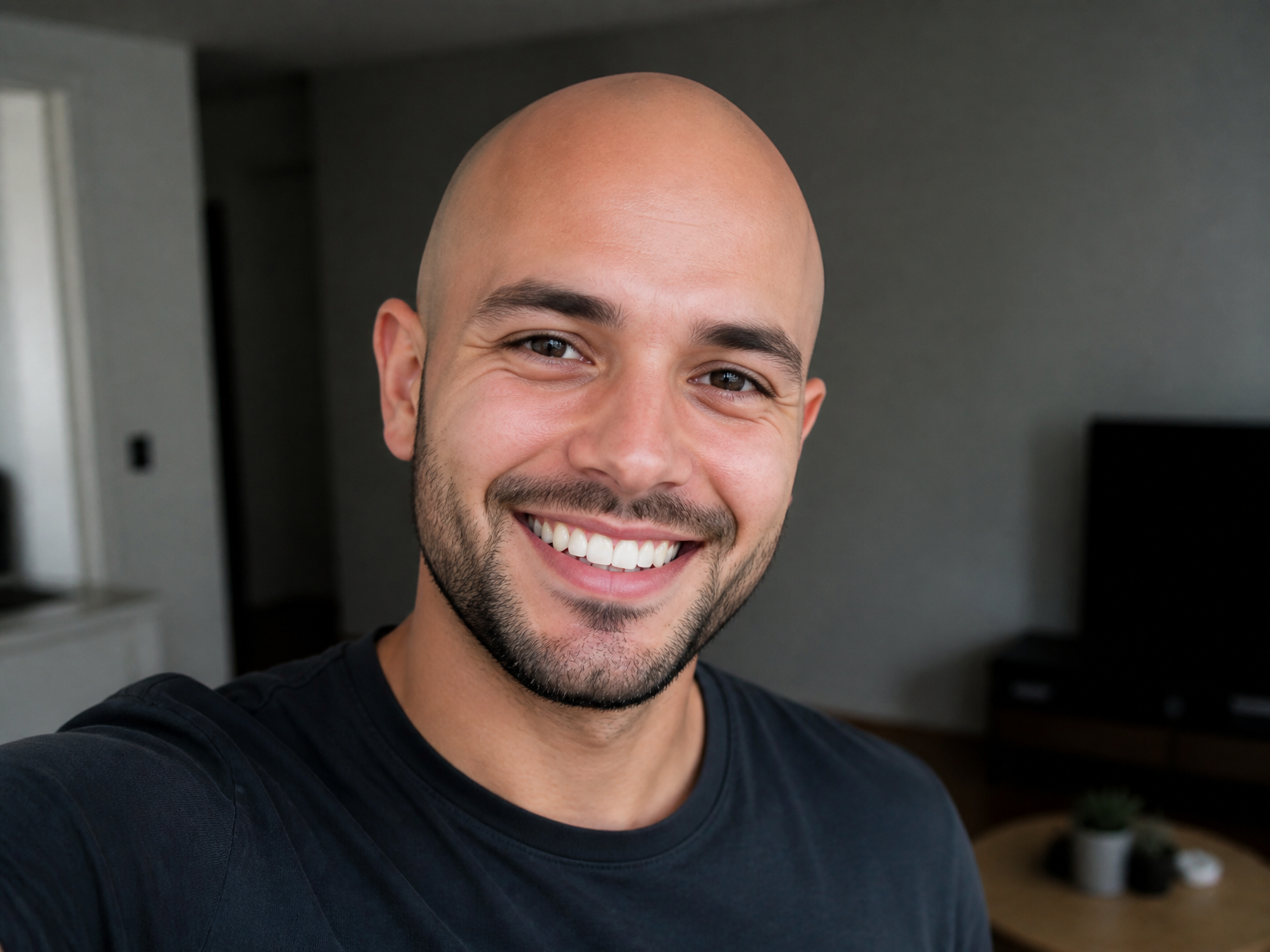
GPT 이미지 2로 생성한 대머리 합성 예시 3

대머리 합성 예시 3

GPT Image 2· Image
Professional grooming visual of a bald head style, confident adult male portrait, soft rim light, premium barber campaign mood, no readable text.
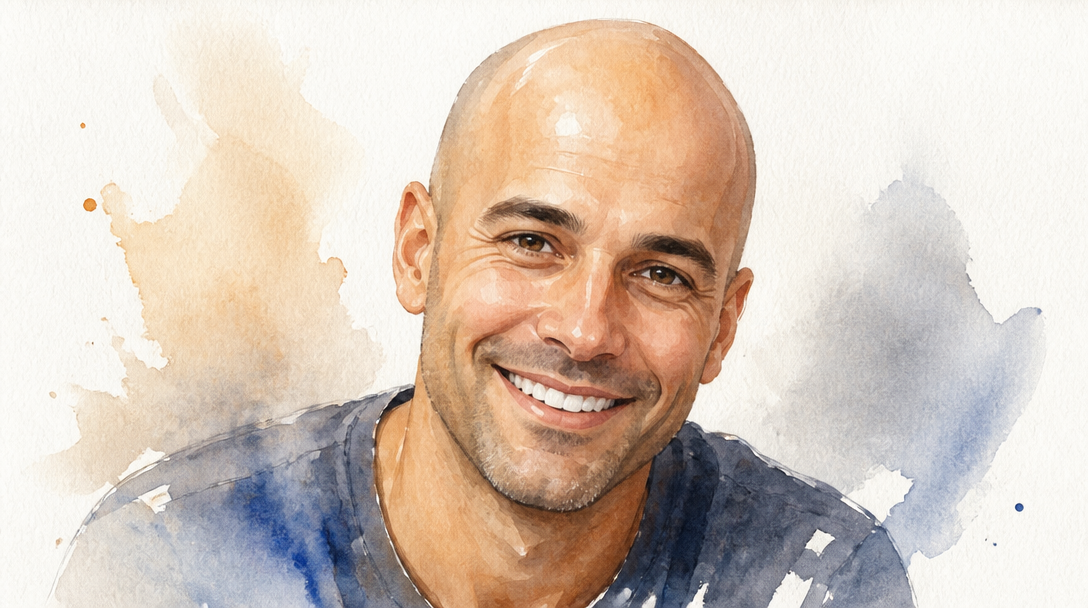
GPT 이미지 2로 생성한 대머리 합성 예시 2

대머리 합성 예시 2

GPT Image 2· Image
Clean humorous but respectful bald photo edit concept, generic smiling person with smooth shaved head look, natural skin texture, smartphone portrait style, no text.
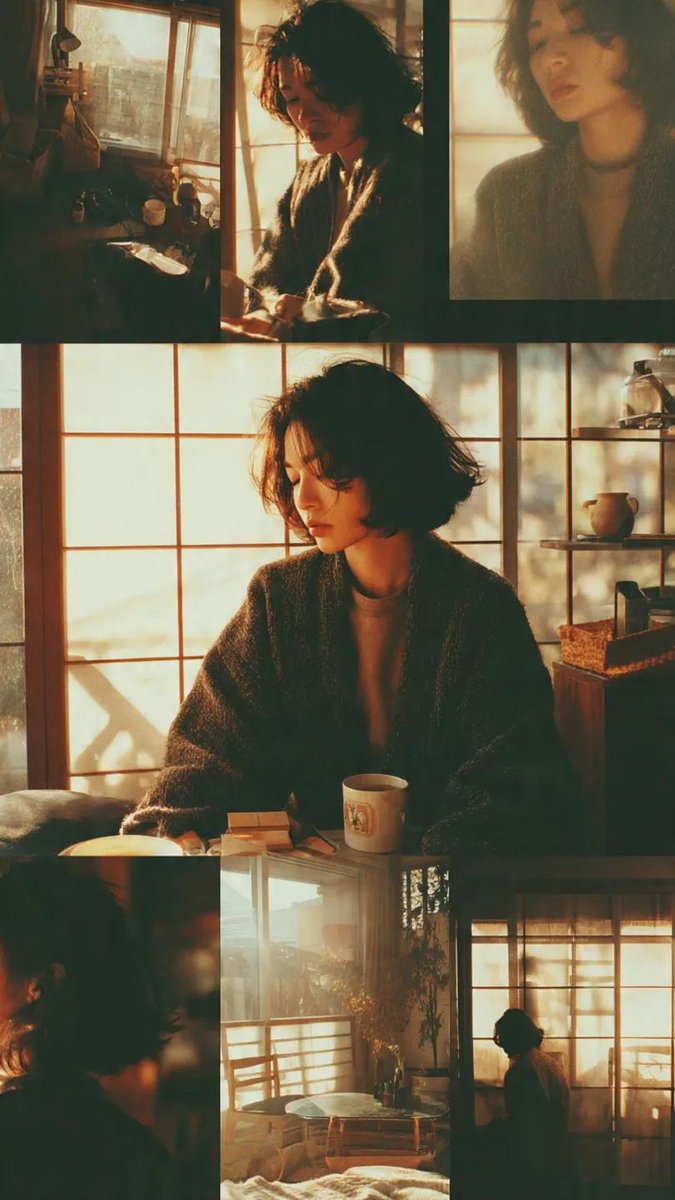
Example image of Japanese Morning Lifestyle Photo Collage generated with Nano Banana Pro

Japanese Morning Lifestyle Photo Collage

NanoBanana Pro· Image
Japanese photo collage, young woman in cozy living room, morning sunlight, shoji windows, 90s cinematic tone, soft film grain, nostalgic mood, calm atmosphere, multiple shots showing small daily moments, warm colors
@oggii_0
AI-generated Ink Silhouette Collage Poster made with GPT Image 2

Ink Silhouette Collage Poster

GPT Image 2· Image
[Main Roles] the most recognizable head, face outline, mask or outer outline of the figure is the large visual subject, forming a highly recognizable silhouette main shape; the middle and lower part is arranged with the complete figure as the second subject, showing a stable standing or slight movement posture, forming the visual core of the picture.Double exposure and collage narrative compositions inside and around the large outline, combining multiple scenes, images, small character relationships, auxiliary elements and environmental layers in clouds, ink, and whitening. The left and right side is equipped with an echoing side of the scene, which creates story tension and space changes. Link the main character, internal collage, and large outline above with a flow of clues across the screen to enhance integrity and vision guidance.The overall picture retains a large area of whiteness, and the edge is stained with ink and virtual broken, creating a real relationship and breath in the Oriental aesthetics. Overall style uniform, advanced and restrained, emphasizing layers, narrative, main visual impact and serialized poster language. Size: 9:16.
@SimplyAnnisa
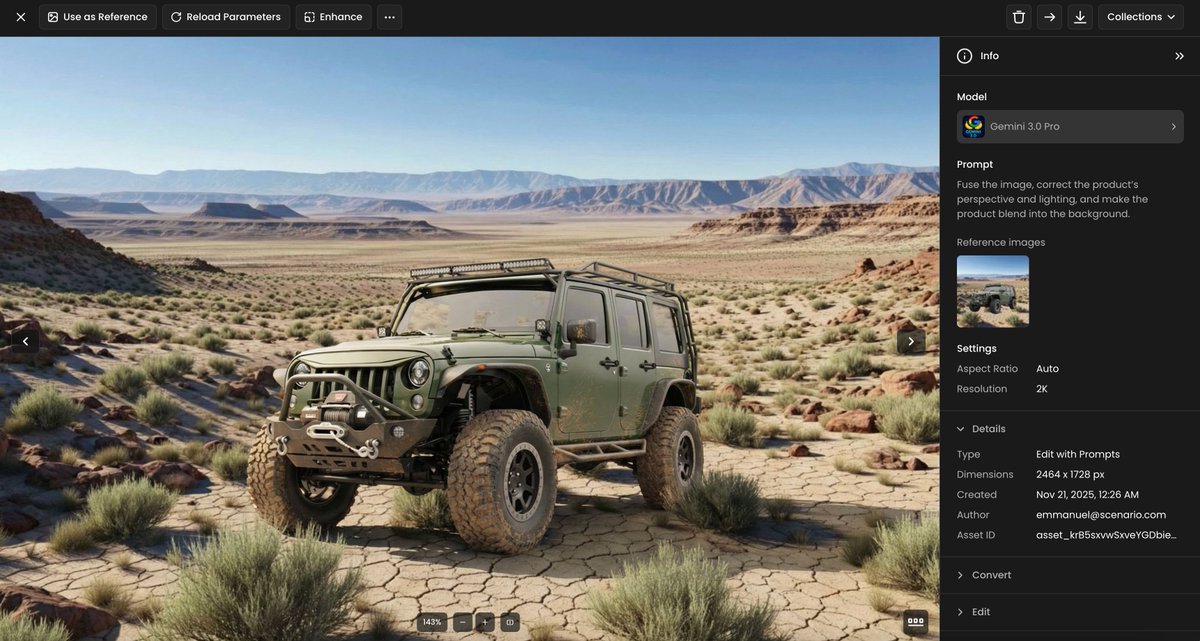
Example image of Product Perspective Lighting Blend generated with Nano Banana Pro

Product Perspective Lighting Blend

NanoBanana Pro· Image
Fuse the image, correct the product’s perspective and lighting, and make the product blend into the background.
@emmanuel_2m
AI-generated Avant-Garde Editorial with Tech Overlay made with GPT Image 2

Avant-Garde Editorial with Tech Overlay

GPT Image 2· Image
Ultra-realistic fashion editorial portrait of a confident woman in avant-garde white couture with dramatic structured shoulders, hands reaching toward camera (perspective distortion), intense gaze, long wind-blown messy hair, studio soft lighting, grey textured background, high contrast, Vogue-style. Add overlays: face detection box centered on face, thin white frame with corner handles, subtle grid, UI markers, cursor, tracking points, experimental tech overlay, magazine layout with bold text “AVANT MODE”, barcode. Ultra-sharp, cinematic lighting, 8K, professional fashion photography, --ar 3:4 --v 6 --style raw
@MissDelulu9
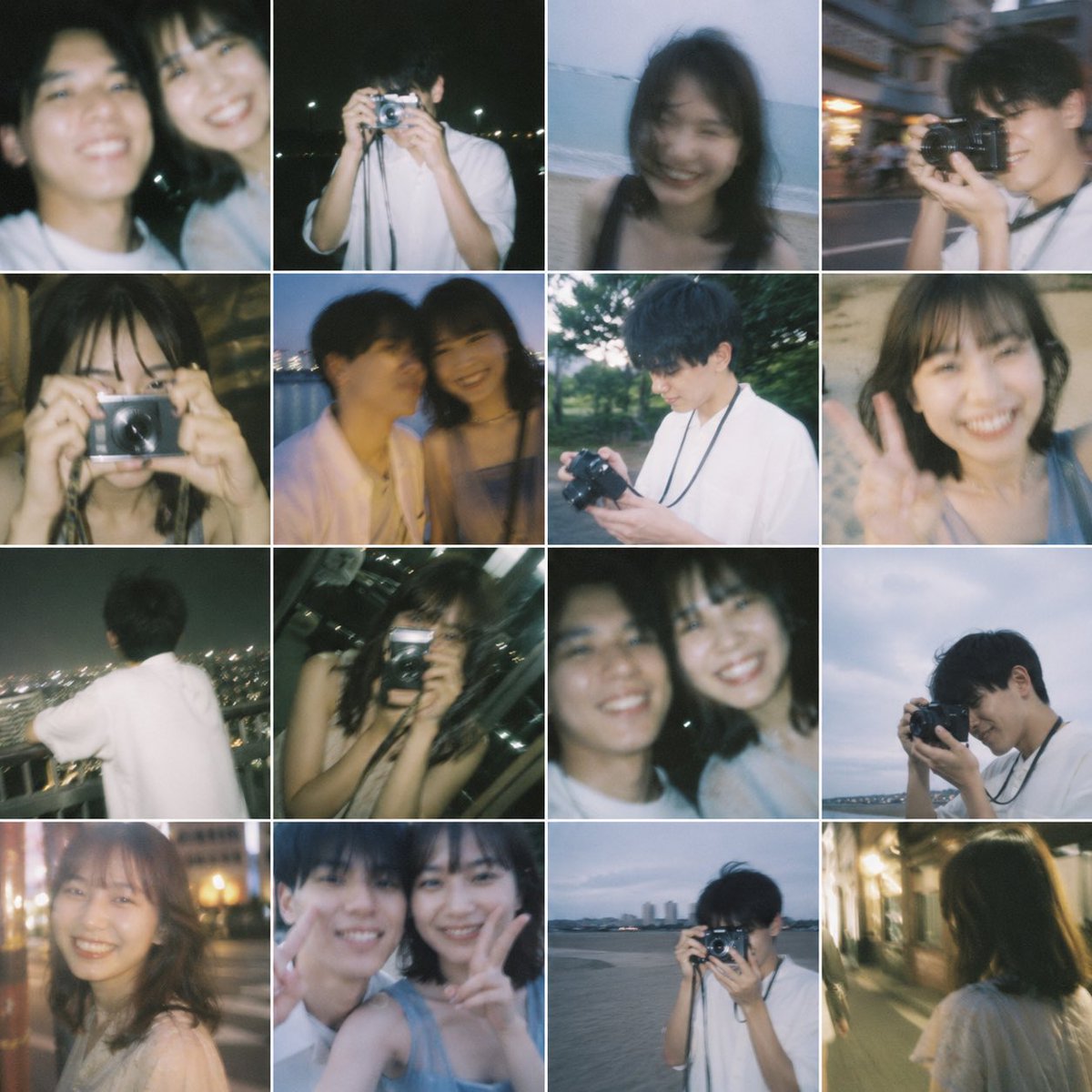
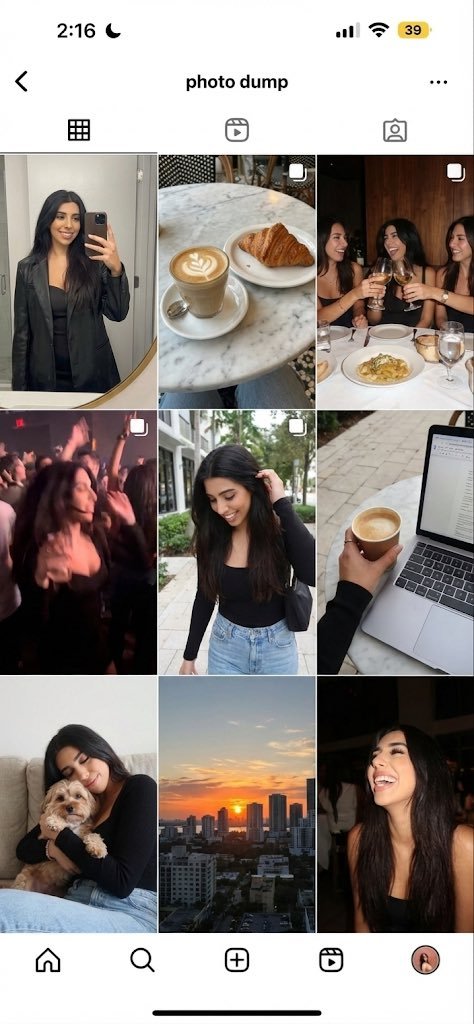
Example image of Weekend Photo Dump Nine Grid generated with Nano Banana Pro

Weekend Photo Dump Nine Grid

NanoBanana Pro· Image
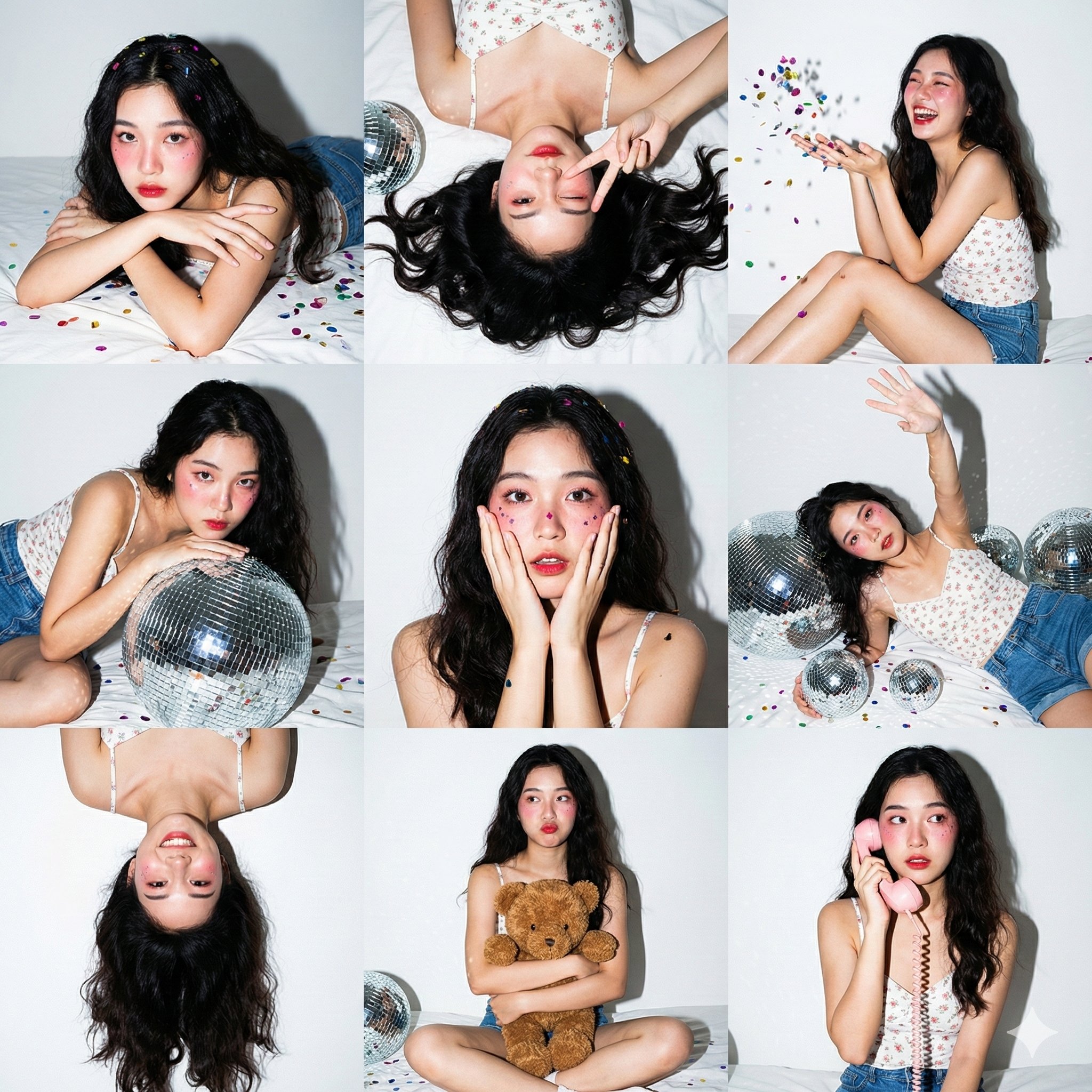
Generate a 9-image ‘photo dump’ grid of this person’s weekend: a mirror selfie, a café shot, friends at dinner, a blurry party photo, a walking shot, a laptop/coffee work shot, a pet moment, a sunset, and a candid laugh.
@imaxichuhai
GPT 이미지 2로 생성한 합성 사진

합성 사진

GPT Image 2· Image
A surreal composite photograph of a floating island with cascading waterfalls above a sea of clouds at golden hour. Dreamlike montage, seamlessly blended multiple landscape elements. No text.
GPT 이미지 2로 생성한 합성사진

합성사진

GPT Image 2· Image
A surreal composite photograph combining a desert landscape with a floating ocean wave above it, dreamlike double exposure style, seamless blending, warm sunset lighting, artistic photo manipulation, no people
GPT 이미지 2로 생성한 얼굴 합성 아트

얼굴 합성 아트

GPT Image 2· Image
An artistic face composite made of overlapping geometric fragments and colorful paper cutouts, cubist-inspired portrait of a fictional character, vibrant collage style, mixed media artwork, no real person

What Are Collage Illustration AI Prompts?

Collage Illustration AI prompts are specialized sets of descriptive instructions designed to guide artificial intelligence models in generating high-quality visual representations centered around the theme of 콜라주 일러스트, 합성, 몽타주, collage illustration, mixed media, paper collage, digital collage, photo collage art. These prompts focus on capturing the intricate details, unique textures, and aesthetic essence of the subject matter, whether it involves the metallic precision of a needle, the layered complexity of a collage, or the iconic silhouette of a sneaker. By utilizing these prompts on Carat, users can bypass the technical hurdles of traditional graphic design and directly translate their creative visions into stunning digital imagery. The prompts are meticulously curated to ensure that the AI understands the physical properties of the materials involved, from the reflective surfaces of stainless steel to the matte finish of premium fabrics or the weathered edges of vintage paper. This makes them an indispensable resource for anyone looking to produce professional-grade visuals for professional, educational, or personal projects. The power of these prompts lies in their ability to provide the AI with a structured framework, allowing for consistent results that adhere to specific artistic standards. As AI technology continues to evolve, the precision and artistic range of these prompts grow, enabling creators to explore new frontiers in digital art and design without the need for extensive manual labor or specialized software expertise.

Best Use Cases

The versatility of Collage Illustration prompts allows them to be applied across a wide spectrum of industries and creative endeavors. In the fashion and apparel industry, these prompts are perfect for creating conceptual sketches, detailing intricate stitching patterns, or visualizing new footwear designs before they enter the prototyping stage. For digital marketers and content creators, they provide a wealth of unique, eye-catching assets for social media campaigns, blog headers, and website landing pages. Artists and illustrators can use these generated images as high-fidelity references, textures, or foundational layers for mixed-media projects. Furthermore, in the realm of publishing and editorial design, Collage Illustration visuals can serve as compelling illustrations for articles about craftsmanship, street style, or contemporary art trends. They are also exceptionally useful for creating customized stationery, branding materials, and interior decor elements that require a specific, curated aesthetic. Educational platforms can leverage these prompts to generate clear and detailed diagrams for instructional content, while interior designers might find them useful for creating mood boards that feature specific textures and color palettes. The possibilities are truly limitless, as these prompts can be adapted to suit any visual narrative, from minimalist corporate presentations to avant-garde artistic exhibitions.

Why This Tag Works

The effectiveness of the Collage Illustration tag lies in its ability to bridge the gap between abstract concepts and precise visual execution. AI generation often struggles with maintaining the correct proportions and lighting for small or complex objects, but this tag incorporates specific architectural and material keywords that anchor the AI's output to reality. It ensures that light interacts correctly with different surfaces, creating believable shadows and highlights that give the image a three-dimensional feel. The prompt architecture is built on a foundation of professional photography and digital art terminology, which instructs the model to prioritize clarity, composition, and color harmony. This results in outputs that are not only visually appealing but also technically sound, making them suitable for high-resolution printing and large-scale digital displays. By using this tag, creators can achieve a level of consistency and quality that would otherwise take hours of manual editing or complex 3D modeling. Furthermore, the tag acts as a quality filter, guiding the AI away from common artifacts and towards a more polished, professional look. This reliability is essential for commercial projects where deadlines are tight and quality cannot be compromised. The tag also facilitates better control over the final output, allowing users to fine-tune aspects like contrast, saturation, and depth of field with simple linguistic adjustments.

Explore Related Prompts

Expand your creative horizons by exploring these complementary prompts and styles available in our gallery:

  • Illustration
  • Poster
  • Character
  • Watercolor Style
  • Oil Painting Style
  • Diary Sticker
  • Card News Template

Prompt Building Tips

To get the best possible results from Collage Illustration prompts, it is crucial to focus on the sensory details of the scene. Start by defining the primary material-think terms like 'brushed chrome', 'weathered leather', 'recycled cardstock', or 'vibrant synthetic mesh'. Next, consider the environment and lighting; a 'sun-drenched studio' or 'dimly lit workshop with dramatic rim lighting' can completely change the mood of the image. Don't forget to specify the camera angle-using 'macro photography' or 'extreme close-up' will highlight the fine-tuned details that make these subjects interesting. If you are working with collage styles, mention 'overlapping layers', 'torn paper edges', and 'varied opacities' to enhance the analog feel. For fashion items like sneakers or hoodies, adding style descriptors like 'hyper-realistic streetwear aesthetic' or 'minimalist flat-lay' will help the AI align with your specific vision. Experimenting with different artistic movements, such as Bauhaus for structure or Pop Art for color, can also yield surprisingly innovative results. Additionally, you can refine the output by including technical specifications such as '8k resolution', 'highly detailed textures', and 'photorealistic rendering'. Remember that the AI responds best to clear, concise, yet highly descriptive language, so try to balance broad concepts with specific, granular details. Combining these elements effectively will allow you to unlock the full potential of the Collage Illustration tag and create images that truly stand out in any digital or physical space.
Frequently Asked Questions

Related Prompts

Collage Design

Collage Design

21 prompts

Editorial

Editorial

193 prompts

Collage

Collage

14 prompts

Collage Art

Collage Art

14 prompts

Carat Prompt Gallery

Create trending AI prompts instantly

Prompts

  • Logo
  • PPT Design
  • Thumbnail
  • Poster
  • Web Novel Cover
  • ID Photo
  • Caricature
  • Product Detail Page
  • Banner

Models

  • GPT Image 2
  • Seedance 2.0
  • NanoBanana Pro
  • NanoBanana 2

Carat

  • Get started
  • About
  • Blog
  • Careers
  • Contact
  • Partnership
  • Terms
  • Privacy

© 2026 Paradot.Inc All rights reserved.