carat

프롬프트 갤러리

/

이력서 사진

로그인
회원가입

이력서 사진

AI로 이력서용 사진을 만들 때 바로 복사해서 쓸 수 있는 프롬프트입니다.

2026.07.08

·
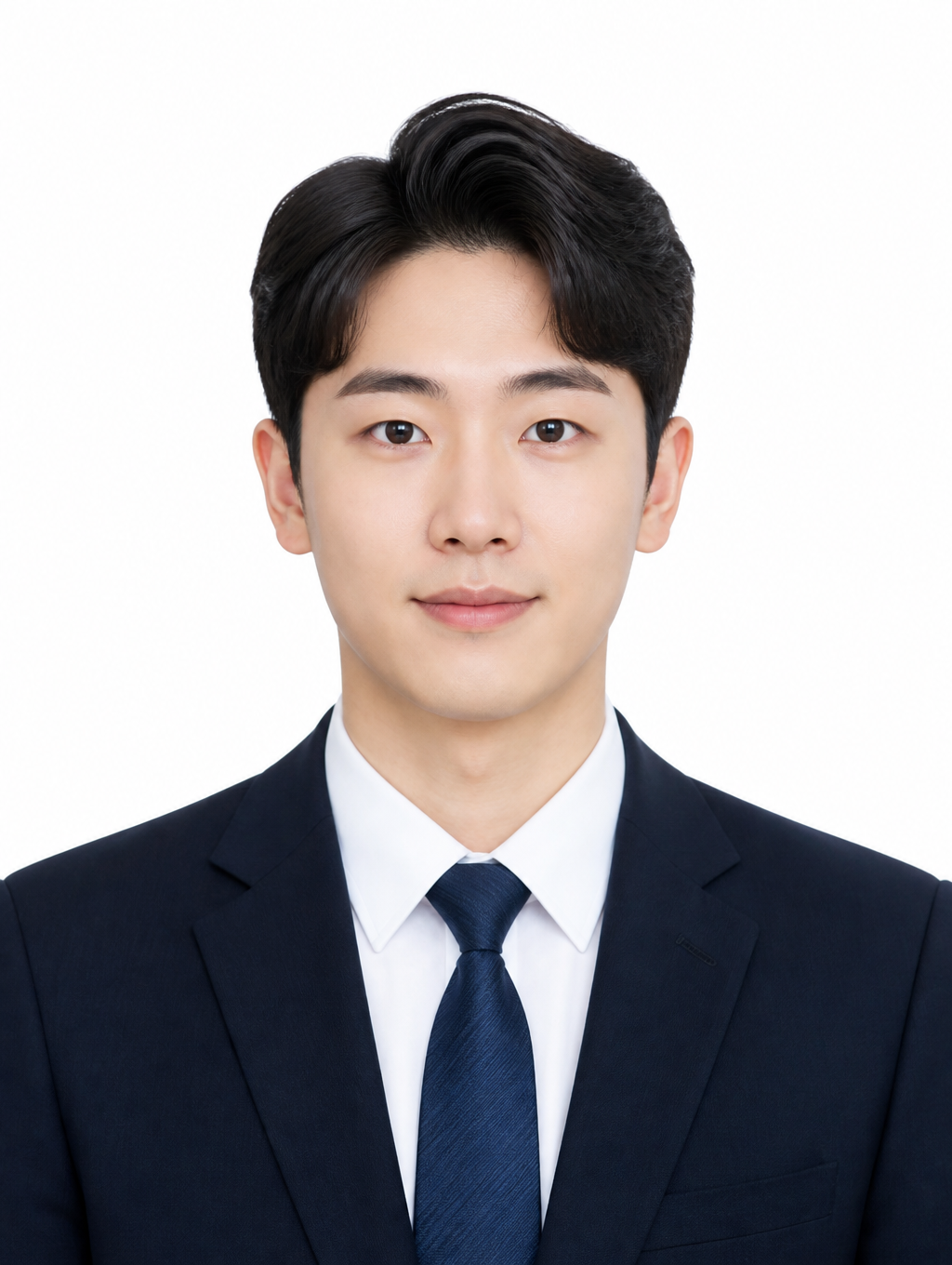
GPT 이미지 2로 생성한 정장 비즈니스 증명사진

정장 비즈니스 증명사진

GPT 이미지 2· 이미지
Professional studio portrait of a Korean man in a navy tailored suit with white shirt and subtle pattern tie. Clean gray gradient background, softbox lighting from front-left, rim light from right. Confident expression, arms crossed. Shot at 85mm f/2.8, sharp focus on face, professional headshot quality. No text, no watermark.
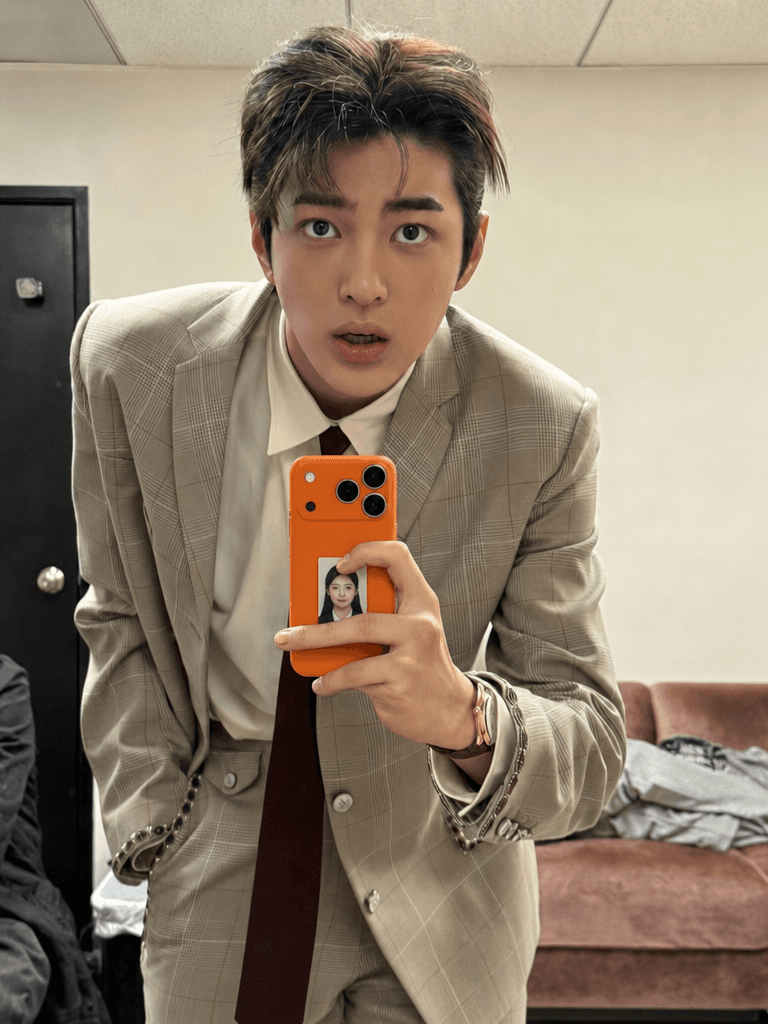
GPT Image 2로 생성한 투명 케이스 증명사진 합성

케이스 증명사진 합성 프롬프트

GPT 이미지 2· 이미지
첫 번째 사진 속 사람의 거울셀카 속에 보이는 휴대폰 케이스에 두 번째로 첨부한 내 증명사진을 넣어서 연인들 사이에 증명사진을 넣고 다니는 것처럼 합성해줘. 사진 사이즈는 아주 작게, 얼마나 작냐면 휴대폰 카메라 렌즈 1개에서 1.5개정도 사이즈야. 투명 케이스 안에 실제로 인쇄한 증명사진이 들어가 있는 것처럼 재질처리를 부탁해. 이미지를 그냥 합성한 느낌이 아니라 휴대폰을 들고 있는 사람이 직접 사진을 휴대폰 안에 넣어서 들고 다니고 있다는 게 보여져야 해. 그렇기 때문에 사진의 위치는 카메라 렌즈 부분을 침범하면 절대 안되지만 휴대폰 케이스를 쥐고 있는 손가락으로 인해 증명사진이 가려지는 걸 꼭 살려야 해. 폰을 쥔 손가락이 자연스럽게 증명사진을 가리고 있는 것도 잊지 마. 증명사진 스티커의 가장자리에 부드럽게 그림자를 드리우도록 처리해줘. 손가락과 스티커 사이의 접점에서 빛 번짐과 반사율을 맞추어 증명사진 스티커가 휴대폰 표면보다 더 튀어나오지 않으며, 화질도 두개의 사진 똑같이 맞춰줘. 손가락의 색감과 조명 톤이 스티커 표면에도 일관되게 반영되도록 해줘. 증명사진 스티커는 휴대폰 표면의 광택, 재질, 조명 방향에 따라 동일하게 반사되며, 증명사진 스티커 위에 손이 가까이 있을 때 생기는 미세한 난반사와 그림자 농도도 실제처럼 자연스럽게 표현해줘. 그리고 첨부한 증명사진의 이미지를 최대한 변경하지 말아줘. [절대 금지 사항 (오류방지)] 절대 증명사진이 손가락 위에 어색하게 얹힌 것처럼 합성하지 마. 절대 휴대폰 표면에 그냥 붙인 평면적인 스티커처럼 보이게 하지 마. 절대 증명사진이 원본보다 튀어나와 보이거나 이질감이 느껴지면 안 돼. 절대 카메라 렌즈를 가리면 안 돼. 절대 폰 케이스나 폰 본체의 색상을 바꾸지 마. 원본 이미지의 폰 외관을 100% 그대로 유지해야 해. 절대 증명사진을 카메라 렌즈 1.5개 크기보다 크게 그리지 마. 증명사진이 폰 화면의 1/4 이상을 차지하거나 크게 보이면 완전히 틀린 결과야. 반드시 렌즈 하나 크기를 기준으로 아주 작게 배치해. 증명사진의 원본 형태와 특징을 100% 유지하며, 어떠한 변경이나 보정도 하지 말아줘.
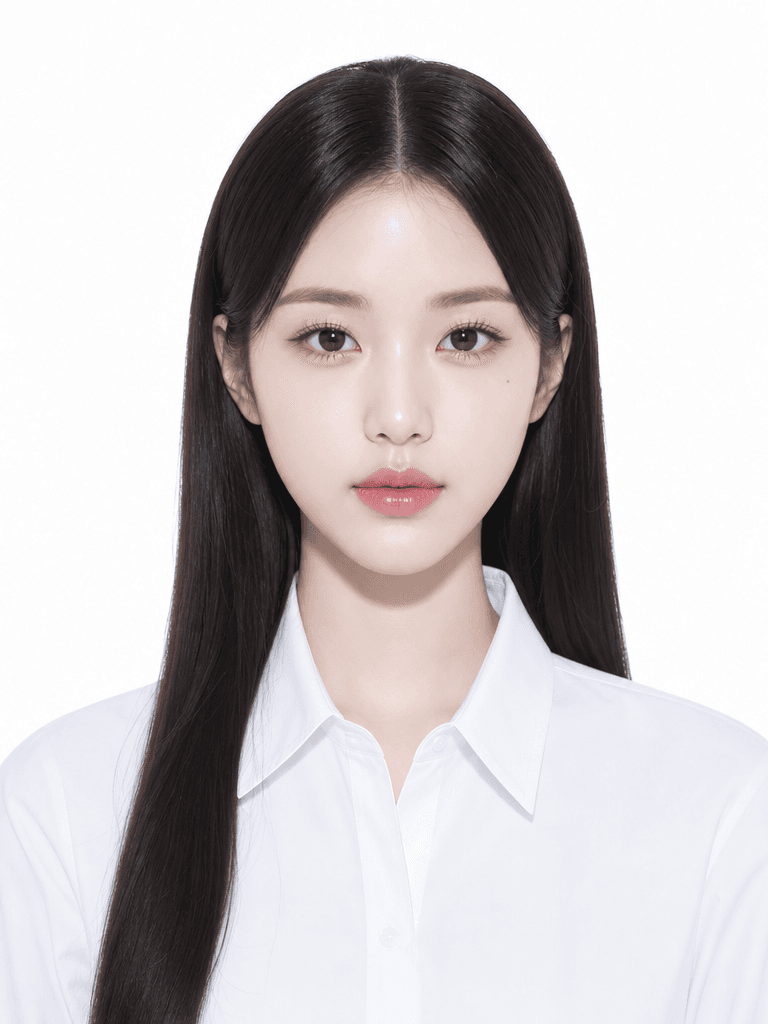
GPT 이미지 2로 생성한 프로필용 증명사진

프로필용 증명사진

GPT 이미지 2· 이미지
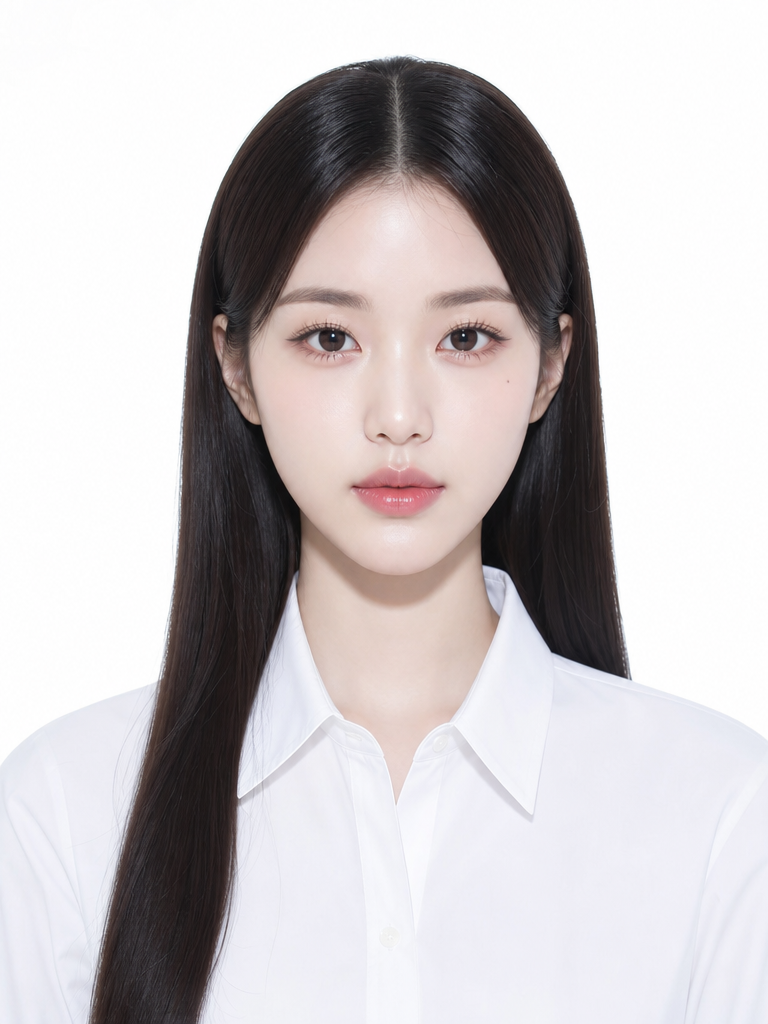
첨부된 인물 사진을 참고해서 프로필용 증명사진으로 만들어줘. 얼굴 특징은 자연스럽게 유지하고, 정면을 바라보는 구도, 따뜻한 미소, 베이지 톤 재킷, 웜그레이 스튜디오 배경, 깨끗한 조명, 가슴 위까지 보이는 official ID photo crop, 3:4 vertical ratio로 구성해줘. 이력서나 링크드인에 쓸 수 있는 자연스럽고 단정한 분위기. 텍스트와 워터마크는 넣지 마.
GPT 이미지 2로 생성한 증명사진 일러스트

증명사진 일러스트

GPT 이미지 2· 이미지
A clean illustration of a fictional person in a standard ID photo format, neutral expression, white background, centered composition, simple flat art style, shoulders up, suitable for document use, no text
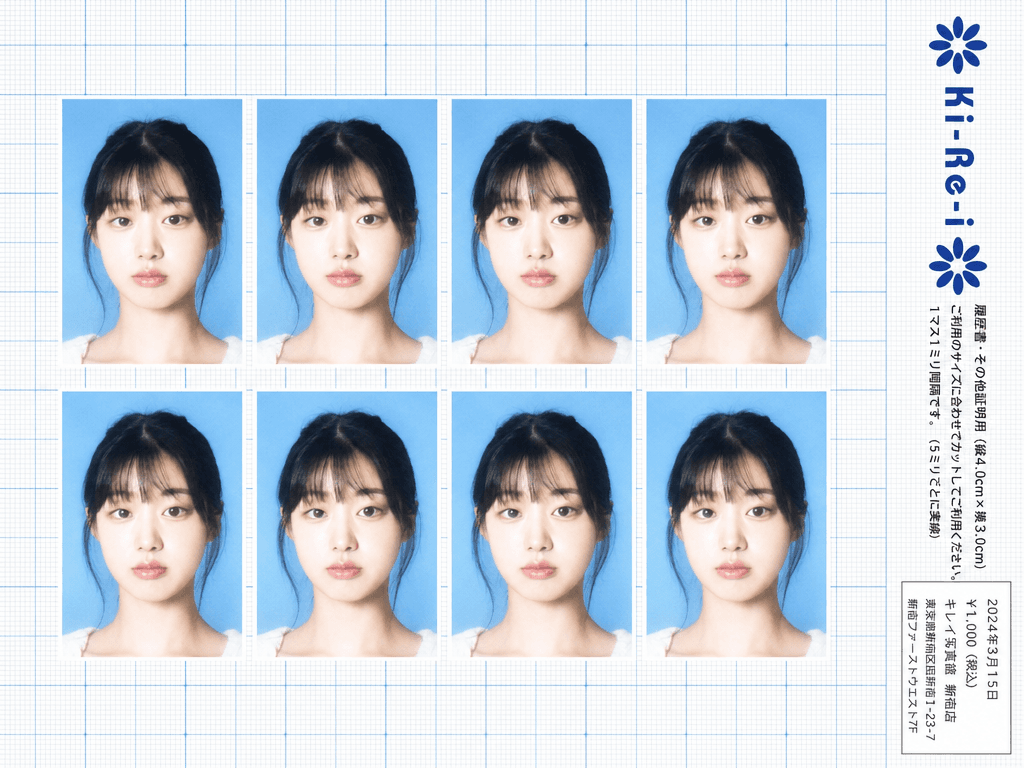
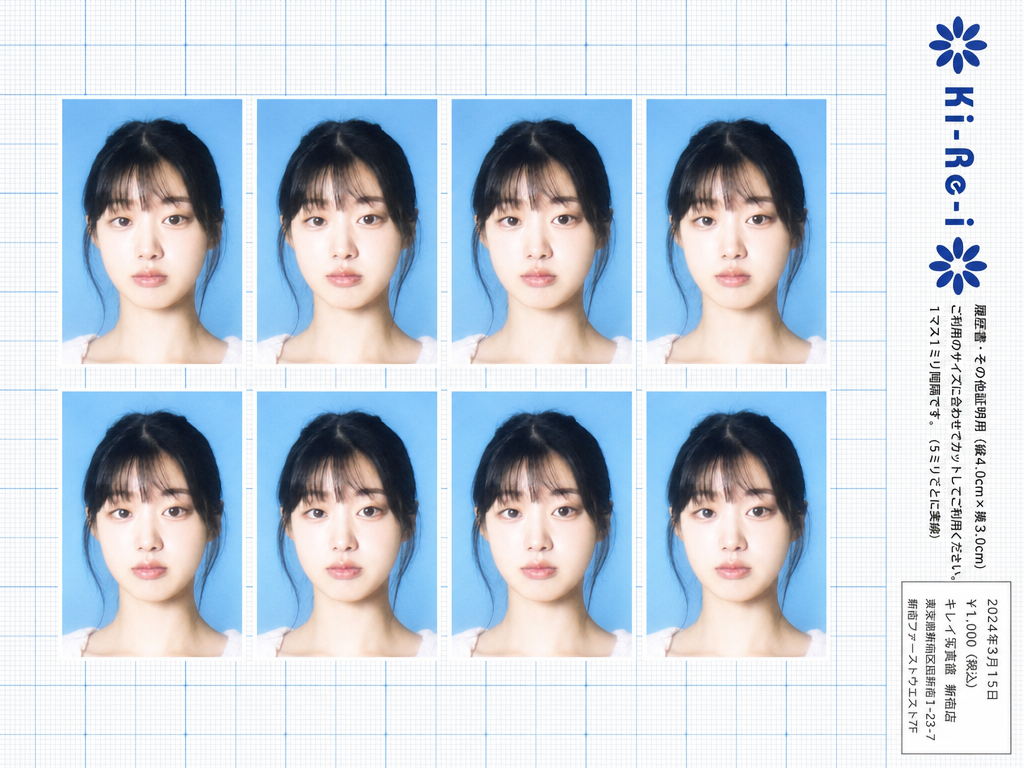
GPT Image 2로 생성한 키레이 증명사진

키레이 증명사진

GPT 이미지 2· 이미지
Use the provided photo as the subject for all 8 ID photos. If the provided photo's aspect ratio does not match 3:4 (portrait), automatically crop it centered on the face — like a standard passport/ID photo crop — so it fits the 3:4 frame naturally. Do not stretch or distort. A Japanese Ki-Re-i (キレイ) ID photo booth print sheet in landscape orientation (wider than tall). BACKGROUND: White(#FFFFFF) graph paper. Fine thin blue(#214384) grid lines creating small squares, with slightly darker/thicker blue lines every 5 small squares — forming a 5×5 thin-grid pattern between each pair of thick lines. Japanese 方眼紙 (graph paper) style. PHOTO GRID: 8 identical ID passport-style photos arranged in a strict 2-row × 4-column grid, occupying the left ~82% of the sheet. Each photo has a 3:4 aspect ratio (portrait, taller than wide). Each photo shows the subject from the provided image: upper-body frontal portrait, neutral expression, soft studio flash lighting, blue(#1084EF) background — standard 証明写真 style. Thin white border around each photo. Evenly spaced on the graph paper. *Each photo has a slightly soft focus, gentle overexposure (+0.5 EV), and a luminous bloom glow — reminiscent of early 2000s Japanese digicam output: subtly blown highlights, slightly desaturated, muted color tones, creamy bright skin tones, and a hazy softness* RIGHT SIDE STRIP (rightmost ~18% of sheet): All text and logo elements are rotated 90° clockwise (letter tops point LEFT toward the left edge of the image; reading direction goes from BOTTOM of the image to TOP; viewer rotates paper 90° clockwise to read normally). KI-RE-I LOGO (upper area of right strip, rotated 90° CW): A branded logotype block stacked vertically top-to-bottom (all in navy blue): ① A solid navy blue 8-petal rosette icon with this exact geometry: 8 oval/elliptical petals radiating from the center at 45° intervals, each petal has exact geometry: 8 oval/elliptical petals radiating from the center at 45° intervals, each petal has a smooth rounded outer tip; all petals are solid navy blue fill; a small circular hollow (donut hole negative space) at the very center where petals meet — like a stylized chrysanthemum rosette. Overall silhouette is circular. Diameter ≈ one character height of the Ki-Re-i text. ② The exact brand name "Ki-Re-i" in navy blue rounded bold display/logotype font — spelled with hyphens exactly as Ki-Re-i. ③ An identical solid navy blue 8-petal rosette (mirror of ①). All three elements centered and evenly spaced. Absolutely NO person silhouette or human figure icon anywhere. BODY TEXT (placed directly below the Ki-Re-i logo, rotated 90° CW, black gothic/sans-serif): The Ki-Re-i logo block and the body text block are stacked VERTICALLY — logo on top, body text directly below it. Both are left-aligned to the same left edge of the strip. NO horizontal side-by-side placement between logo and body text. - 「履歴書・その他証明用(縦4.0cm×横3.0cm)」 - 「ご利用のサイズに合わせてカットしてご利用ください。1マス1ミリ間隔です。(5ミリごとに実線)」 If lines are too long, WRAP into 2 or more lines. Must NOT extend into or overlap the white receipt box area — clear gap required. WHITE RECEIPT BOX(lower portion of the right strip, seperate from logo and body text above): A solid white rectangle with a thin border, standing out clearly against the blue graph paper. Inside (rotated 90° CW, small monospaced Japanese font): date (2024年3月15日), price 「¥1,000(税込)」, store name and address. STYLE: Flat 2D scanned document. Functional administrative aesthetic. DNP Photo Imaging Japan style. No shadows, no 3D effects. Cool pale blue palette. Looks exactly like a real scanned Ki-Re-i photo booth output paper sheet.

이력서 사진 프롬프트란?

이력서 사진은 구직 활동에서 자신의 첫인상을 결정하는 중요한 요소입니다. AI 이미지 생성기를 활용하면 스튜디오에 가지 않고도 자연스럽고 전문적인 이력서 사진을 만들 수 있습니다. 핵심은 자연스러운 피부 톤, 깔끔한 배경, 그리고 신뢰감을 주는 표정입니다.

이력서 사진 프롬프트 작성 요령

배경은 단색이 가장 좋습니다. "plain white background" 또는 "light gray gradient background"로 지정하세요. 조명은 스튜디오 조명을模拟합니다. "soft studio lighting, even illumination, no harsh shadows"로 자연스러운 결과를 얻을 수 있습니다. 표정은 "gentle smile, professional expression, looking at camera"로 신뢰감을 줍니다. 의상은 "business attire, white shirt, navy blazer" 등 단정한 옷차림을 지정합니다.

스타일별 이력서 사진 프롬프트

기본 증명사진 스타일은 "passport-style photo, plain white background, natural skin tone, soft lighting, business attire, gentle smile"로 작성합니다. 자연스러운 프로필 사진 스타일은 "natural portrait, soft window light, slightly blurred neutral background, business casual outfit, approachable expression"로 접근합니다. 크리에이티브 직군용은 "modern professional headshot, clean office background, smart casual, confident expression"으로 구성합니다.

이력서 사진 생성 시 주의사항

과도한 보정은 피하세요. "natural skin texture, minimal retouching"을 지정하면 오히려 더 신뢰감 있는 결과가 나옵니다. 안경을 쓴 경우 "wearing glasses, no reflection on lenses"를 추가하세요. 머리카락이 흐트러지지 않도록 "neatly styled hair"를 명시합니다. 사진 크기는 3x4나 3.5x4.5 비율을 위해 "portrait orientation, 3:4 aspect ratio"를 지정합니다.

자주 묻는 질문

Q: AI로 만든 사진을 이력서에 써도 되나요? A: 본인의 참조 사진을 사용한 경우 실제 본인과 유사하게 나오므로 사용 가능합니다. Q: 어떤 배경이 좋나요? A: 흰색이나 연회색 단색 배경이 가장 무난합니다. Q: 의상은 어떻게? A: 지원하는 직무에 맞춰 정장 또는 비즈니스 캐주얼을 권장합니다.

자주 묻는 질문

관련 프롬프트

취업 사진

취업 사진

프롬프트 7개

증명서 디자인

증명서 디자인

프롬프트 8개

입사지원서 사진

입사지원서 사진

프롬프트 6개

학생증 사진

학생증 사진

프롬프트 6개

캐럿 프롬프트 갤러리

지금 유행하는 AI 프롬프트를 바로 만들 수 있어요

프롬프트

  • 로고
  • PPT 디자인
  • 썸네일
  • 포스터
  • 웹소설 표지
  • 증명사진
  • 캐리커처
  • 상세페이지
  • 배너

모델

  • GPT 이미지 2
  • 씨댄스 2.0
  • 나노바나나 프로
  • 나노바나나 2

캐럿

  • 시작하기
  • 서비스 소개
  • 블로그
  • 채용
  • 문의
  • 파트너십
  • 이용약관
  • 개인정보 처리방침

© 2026 Paradot.Inc All rights reserved.